Need a Taiwan IP address? We tested the best Taiwan VPNs in 2026 to help you seamlessly unblock Bahamut Anime Crazy, LINE stickers, and Taiwanese TV. Read our setup guide.
Due to geo-restrictions, many of Taiwan's top digital platforms are inaccessible from abroad (including mainland China). These include:
-
Bahamut Anime Crazy: Access is strictly limited to Taiwan IP addresses.
-
LINE Taiwan: Users outside Taiwan cannot download Taiwan-exclusive stickers, use LINE Pay, or follow local official accounts.
-
Taiwanese TV & Streaming Platforms: Services like KKTV, LINE TV, LiTV, 4gTV, and various 24/7 Taiwanese news live streams on YouTube are geo-blocked.
While generic proxy tools exist, they often rely on low-quality IPs and unoptimized routing, leading to lags, crashes, and login failures. A premium VPN with dedicated, high-quality Taiwan servers provides clean local IPs and robust encryption, ensuring smooth, uninterrupted access.
The Top 3 Taiwan VPNs at a Glance
-
Best Overall: ExpressVPN – Unmatched speeds for 4K streaming and native Apple TV support.
-
Best Value: Surfshark – Connect unlimited devices simultaneously on a budget.
-
Best for Gaming/Privacy: NordVPN – Lowest latency for Taiwan gaming servers (LoL, Valorant) with Threat Protection.
How to Get a Taiwan IP Address: Top 3 Taiwan VPNs in 2026
These three industry-leading VPNs have been thoroughly tested for connection speeds, geo-unblocking capabilities, IP purity, and overall value.
|
Feature / Metric |
Surfshark |
NordVPN |
ExpressVPN |
|
Taiwan Server Type |
Hybrid (Virtual & Physical) |
100+ High-Bandwidth Physical Servers |
Premium Native Physical Servers |
|
Average Latency (Tested) |
Low-to-Moderate (50–80 ms) |
Ultra-Low (30–50 ms) |
Ultra-Low (35–50 ms) |
|
Bahamut Anime Crazy Success |
95% (May require Incognito/server swap) |
98% (Excellent physical server unblocking) |
99% (Highly pristine local IPs) |
|
LINE Region-Bypass Success |
92% |
96% |
98% |
|
Simultaneous Connections |
Unlimited |
10 devices |
14 devices |
|
Key Features |
IP Rotator, CleanWeb 2.0 (Ad & Cookie Blocker) |
NordLynx Protocol, Double VPN, Obfuscated Servers, Meshnet |
Lightway Protocol, Aircove Router Support, Smart DNS (MediaStreamer) |
|
Refund Policy |
30-Day Money-Back Guarantee |
30-Day Money-Back Guarantee |
30-Day Money-Back Guarantee |
|
Price Point |
★☆☆☆☆ (Starts at ~$2.49/mo) |
★★☆☆☆ (Starts at ~$3.49/mo) |
★★★★☆ (Starts at ~$2.49/mo) |
|
Best For |
Budget-conscious users, families, multi-device setups |
Gamers, 4K streaming, strict networks |
Ultimate stability, Apple TV, smart TVs |
Quick Buyer's Guide: Which is Right for You?
-
Surfshark (Best Value & Multi-Device): Choose if you are on a budget or have many devices to protect. It is the only premium provider offering unlimited simultaneous connections.
-
NordVPN (Best for Gaming & Censorship): Choose if you need ultra-low latency for TW-server gaming or are connecting from strict networks (like mainland China).
-
ExpressVPN (Best for Apple TV & Stability): Choose if you want plug-and-play stability and top-tier native apps for Apple TV, Android TV, or routers.
Why These 3 VPNs Are Best for Taiwanese Content
Unblocking Taiwanese services (especially highly sensitive platforms like Bahamut Anime Crazy and LINE) requires a VPN with clean Taiwan IP addresses, fast IP cycles, and low latency. Here is a closer look at what makes each provider stand out.
1. Surfshark — The Ultimate Budget-Friendly Option
-
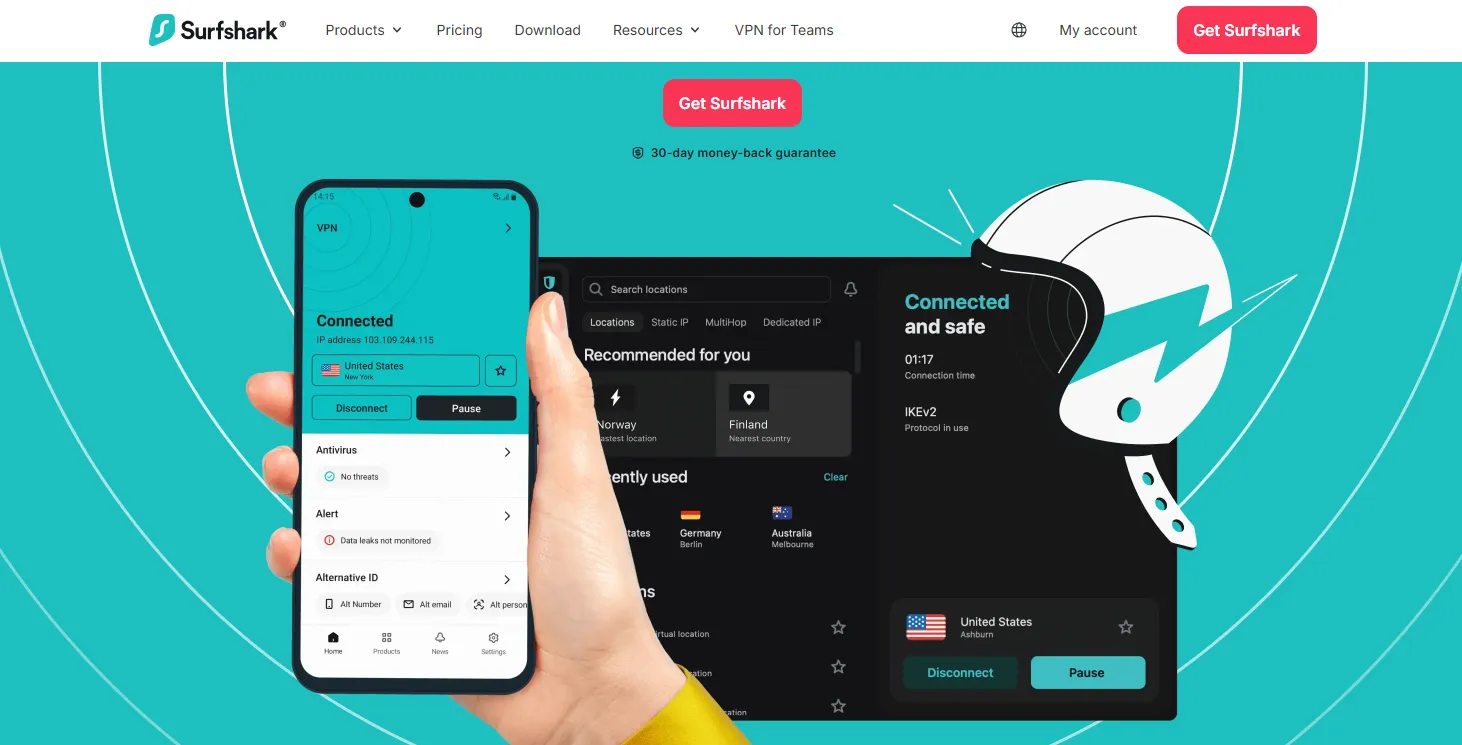
Unlimited Simultaneous Connections: Secure every device in your household (phones, laptops, TVs) on a single account.
-
Optimized Streaming: Features a built-in IP Rotator that periodically changes your IP address in the background. This keeps your connection active while preventing platforms like Bahamut and KKTV from flagging your IP.
-
CleanWeb 2.0: The browser extension blocks annoying pop-ups, video ads (including YouTube ads), trackers, and malware.
-
Advanced Privacy Tools: Features an automatic Cookie Consent Pop-up Blocker and Data Breach Alerts, keeping your browsing experience clean and secure when accessing ad-heavy free platforms like LiTV.
- Surfshark VPN Review shows the pros, cons, speed test results. If you want to have a try, just click the [Surfshark Free Trial Hack: How to Get 30 Days for Free!]
2. NordVPN — Best for Speed and Security
-
High-Speed Physical Servers: NordVPN's physical servers in Taiwan offer massive bandwidth. Even during peak hours, you can stream 1080p and 4K video without buffering.
-
Bank-Grade Encryption: Provides advanced security features like Double VPN (routing traffic through two servers) to safeguard your data when using Taiwan LINE Pay, banking apps, or online shopping platforms.
-
Proprietary NordLynx Protocol: Built on the modern WireGuard architecture, NordLynx offers incredibly fast connection times and the lowest latency—crucial for real-time gaming and browsing.
-
Meshnet (Free Feature): Allows you to create a secure, encrypted network between your device and a friend’s device in Taiwan. This lets you route your traffic through their home connection to obtain a "clean, residential Taiwan IP" for free.
-
Obfuscated Servers: Specifically designed to bypass deep packet inspection (DPI) in countries with strict internet censorship, disguising your VPN connection as standard HTTPS traffic.
- NordVPN Review achieves this VPN is a perfect balance between speed, stability, and privacy, [NordVPN vs Surfshark] compares the two welcomed VPNs totally.
3. ExpressVPN — Premium Performance and Seamless Stability

-
Gold-Standard Reliability: While it comes at a premium, its server network is highly regarded for speed and uptime. Its Taiwan IPs are rarely flagged by geo-filtering firewalls, making it look like you are using native Taiwan residential broadband.
-
Unrivaled Router & Smart TV Support: ExpressVPN offers dedicated apps for routers and Apple TV, making big-screen streaming seamless.
-
Aircove Router Integration: If you use ExpressVPN’s proprietary Aircove router (or flash their firmware onto a compatible router), you can use "Device Groups." This lets your smart TV run on a Taiwan server while your work computer uses your local network, all without consuming individual device connection limits.
-
Lightway Protocol & MediaStreamer: The custom-built Lightway protocol reconnects instantly if your network drops, preventing your real IP from leaking. For older smart TVs that do not support VPN apps, its MediaStreamer (Smart DNS) feature bypasses geo-blocks effortlessly.
- [How to Get ExpressVPN Free Trial for 7 & 30 Days] is a step-by-step guide for new users. If you want to get discounts on ExpressVPN, refer to this [Save 85% on ExpressVPN & More]
Step-by-Step Guides to Unblocking Taiwanese Content
Before starting, complete these general preparation steps to prevent leaks:
-
Download and install your chosen VPN client (Surfshark, NordVPN, or ExpressVPN).
-
Clear your browser's history and cookies, or open an Incognito / Private window for all streaming activities.
Scenario 1: Unblocking Bahamut Anime Crazy

Bahamut uses strict IP detection. Follow these steps to avoid the "Content not available in your region" error.
-
Launch your VPN: Open the app, search for Taiwan, and connect. (NordVPN’s physical servers or Surfshark's dynamic servers work best here).
-
Verify your location: Open a browser and visit ipinfo.io to ensure your virtual location is listed as Taiwan and no IP leaks are detected.
-
Open an Incognito Window: Open a private browsing session and go directly to Bahamut Anime Crazy.
-
Log in and stream: Log into your account (Google or Facebook quick-login is supported) and enjoy your favorite anime.
|
Troubleshooting Tips:
|

Scenario 2: Bypassing LINE Regional Restrictions
LINE determines your location using multiple variables: your SIM card, system language/timezone, GPS, and your IP address.
-
Address your phone's physical location (Crucial):
-
Method A (Most Reliable): Use a spare phone with the SIM card removed.
-
Method B: Temporarily disable or eject your local SIM card/eSIM in your phone's cellular settings.
-
-
Connect to Taiwan VPN: Turn on your VPN and connect to a Taiwan server.
-
Adjust your system settings:
-
Change your phone's region to Taiwan.
-
Change your system timezone to Taipei / Taiwan Time (GMT+8).
-
Set the system language to Traditional Chinese (Taiwan).
-
Turn off Location Services (GPS) to prevent the app from reading your true physical location.
-
-
Reset your LINE App:
-
Android: Go to Settings > Apps > LINE. Tap "Force Stop" and then "Clear Data".
-
iOS: Uninstall and reinstall the LINE app.
-
-
Log in to Taiwan LINE:
-
Open the app. Do not log in using a phone number.
-
Select "Log in with Facebook", "Log in with Apple", or "Log in with Google".
-
Once logged in, your LINE Sticker Shop will automatically show the Taiwanese region, allowing you to download local stickers and follow Taiwanese official accounts.
-
Unblock Taiwanese Streaming & Netflix TW: KKTV, LINE TV, and LiTV

Taiwanese streaming platforms are relatively straightforward to access once connected.
-
Connect to a Taiwan VPN server.
-
Access the platform:
-
On Desktop/Mobile: Open an Incognito tab and go to KKTV, LINE TV Taiwan, or LiTV.
-
On Smart TVs: Launch the VPN app on your Apple TV / Android TV, connect to Taiwan, and open your browser or native TV streaming apps.
-
YouTube Live News: Open YouTube while connected to the VPN. Search for "EBC News Live" (東森新聞), "FTV News Live" (民視新聞), or "TVBS News" to stream real-time local news without copyright blocks.
-
-
Register and watch: Most of these platforms support quick registration via Google or Facebook. Many offer free tiers, or you can subscribe to a premium plan for ad-free 1080p/4K viewing.
Advanced VPN Tweaks for Better Performance
To maximize your experience, we highly recommend enabling these two essential settings in your VPN app:
1. Enable Split Tunneling
-
The Issue: When your VPN is on, all internet traffic goes through Taiwan, which can slow down local apps, banking tools, or domestic websites.
-
The Solution: Turn on Split Tunneling in Surfshark or NordVPN. Configure it to route only your streaming browsers, LINE, or gaming clients through the VPN. All other apps will continue using your high-speed local internet.
2. Activate the Kill Switch
-
The Issue: If your Wi-Fi drops or your phone switches from 5G to Wi-Fi, your VPN connection might drop for a split second. This brief drop exposes your real IP, which can trigger blocks on Bahamut or flag your LINE account.
-
The Solution: Turn on the Kill Switch in your VPN settings. This automatically blocks your device's internet access if the VPN connection drops unexpectedly, ensuring your real IP is never exposed.
Troubleshooting: What to Do If Your VPN Fails to Connect
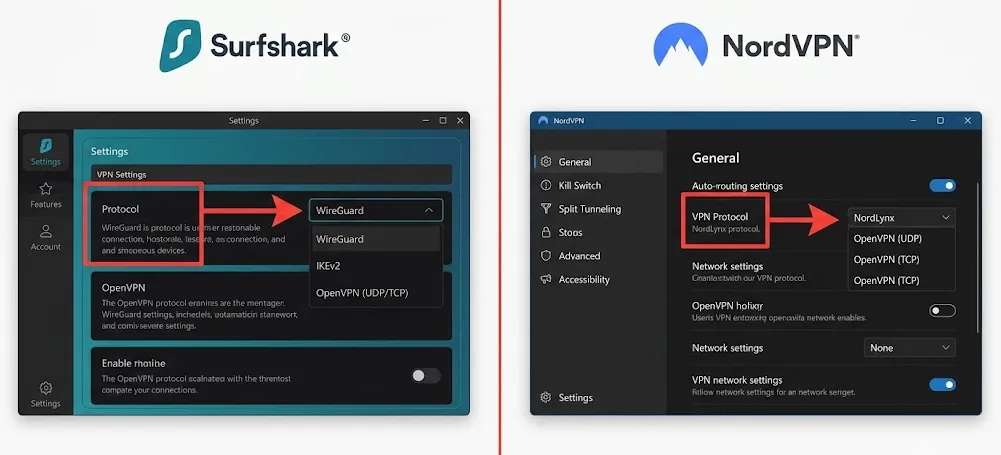
If you encounter connection drops, slow speeds, or geo-blocks while connected, work through these quick steps:
▶️Step 1: Manually switch VPN protocols (Fixes 80% of issues)
-
Go to Settings > Connection Protocol. Change it from "Automatic" to WireGuard (Surfshark) or NordLynx (NordVPN). If that fails, try OpenVPN (UDP/TCP).
▶️Step 2: Manually choose a different server
-
Do not use the default "Quick Connect." Instead, open the server list under Taiwan and manually select a different server number (e.g., Taiwan #102, #105) to find a less congested IP.
▶️Step 3: Toggle "Obfuscation" on or off
-
If you are connecting from a highly censored network, standard VPN connections might be blocked. Turn on Obfuscated Servers in NordVPN and select a compatible Taiwan node.
▶️Step 4: Flush your local DNS cache
-
Cached DNS records can keep your device pointing to your actual region.
-
Windows: Open Command Prompt, type ipconfig /flushdns, and press Enter.
-
Mobile / Mac: Turn Airplane Mode on and off, or simply restart your device.
-
▶️Step 5: Whitelist your VPN in your security software
- Local antivirus programs or firewalls can sometimes block virtual network adapters. Temporarily disable them or add your VPN client to their whitelist/exception list.
VPN Pitfalls to Avoid
As network censorship and detection systems evolve, watch out for these common industry traps:
⚠️ "Lifetime" Plan Scams:
-
Never buy cheap lifetime deals. High-quality server maintenance is expensive; these providers almost always end up selling your data, dropping their speeds, or shutting down completely.
⚠️ Browser-Only Extensions:
-
Chrome and Edge proxy extensions only protect web traffic inside that specific browser. They will not bypass blocks for system-level apps like LINE, desktop games, or Smart TVs.
⚠️ Sketchy "Free" VPNs:
-
Completely free services actively monetize by logging your browsing activity, injecting intrusive ads, or selling your local bandwidth. Never use them for sensitive logins like LINE or online banking.
⚠️ Virtual (Fake Location) Servers:
-
Some budget VPNs route traffic virtually (using servers located in North America or Europe but spoofing a Taiwan IP). This leads to terrible latency (>200ms) and is easily detected and blocked by platforms. Ensure your VPN runs physical servers in Taiwan.
Summary
Bypassing geo-restrictions on Taiwanese platforms is straightforward when using the right tools and settings. Keep these key takeaways in mind:
-
The Quick Choice: Choose Surfshark for budget and multiple devices; choose NordVPN for low latency, gaming, and strict firewalls; choose ExpressVPN for ultimate reliability on smart TVs.
-
Preparation is Key: Always clear your cookies/cache or use Incognito Mode, and disable your local SIM card/GPS when attempting to bypass regional blocks on sensitive apps like LINE.
-
Smart Purchase: Buy directly through official sites to secure the 30-day money-back guarantee, and consider disabling auto-renewal in your dashboard immediately after purchase to avoid unexpected charges.
Frequently Asked Questions (FAQ)
Q1: Can I use a free VPN to get a Taiwan IP?
A: We do not recommend it. Almost all free VPNs lack servers in Taiwan. Even if they have them, their IP addresses are heavily blacklisted by platforms like Bahamut and LINE. They also enforce strict speed and data caps.
Q2: My VPN is connected to Taiwan, but Bahamut still says "not available in your region." What should I do?
A: Clear your browser's cookies and cache or switch to an Incognito window. If that does not work, disconnect your VPN, change your protocol to WireGuard, select a different Taiwanese server manually, and try again.
Q3: Will using a VPN slow down my internet connection?
A: High-end providers like Surfshark, NordVPN, and ExpressVPN have optimized server networks. Any speed loss is usually negligible (under 10%), which is more than fast enough to stream 1080p and 4K content seamlessly.
Pro Tip: If you are playing on Taiwanese gaming servers (like League of Legends TW or Valorant), connecting to NordVPN's physical Taiwan nodes can actually stabilize your ping and reduce packet loss.
Q4: Why can't I find Taiwan-only apps in the App Store/Google Play after connecting?
A: App stores determine your location by your account region, not just your IP address.
-
iOS: We recommend creating a dedicated Taiwan Apple ID (using a random Taiwanese address during signup and selecting "None" for payment).
-
Android: Instead of changing your Google Play region, you can safely download the official, original APK files directly from official sites (like Bahamut or KKTV) to install them manually.
Q5: What should I do if my payment is rejected when buying Taiwanese services?
A: Many Taiwanese platforms reject international credit cards.
-
Solution A: Try checking out with PayPal, which bypasses local credit card blocks more effectively.
-
Solution B: Buy Google Play, Apple Gift Cards, or gaming points (like MyCard) for the Taiwan region from a trusted third-party seller, redeem them to your account, and pay using your store balance.