Are you using a fake VPN? Discover the top 5 phishing VPN apps of 2026. Learn how cracked VPNs steal your passwords and how to verify safe, zero-log VPNs.
In an era where digital privacy is constantly under siege, Virtual Private Networks (VPNs) have transitioned from niche tools for tech-savvy users into essential digital survival gear. Whether you are trying to bypass aggressive regional firewalls, secure your data on unsecured public Wi-Fi, or simply protect your personal web traffic from being commercialized by ISPs, a VPN is your first line of defense.
But what happens when the shield itself turns into the sword?
In 2026, cybercriminals have perfected a dark irony: turning the very tools designed to protect your privacy into Trojan horses that destroy it. Today, the biggest digital threats do not bypass your security systems—they trick you into disabling them.
Key Takeaways: How to Spot Fake VPNs
-
Never trust "Cracked" versions: 99.9% of "free premium" APKs contain Infostealers like RedLine or Lumma.
-
Beware of Typo-squatting: Always verify URLs (e.g.,
nordvpn.comvsnoorvpn-download.com). -
Check Digital Signatures: Never install a
.exeor.dmgfile lacking an official developer signature. -
Use Verified Providers: Stick to audited giants like NordVPN, Surfshark, or the free tier of Proton VPN.
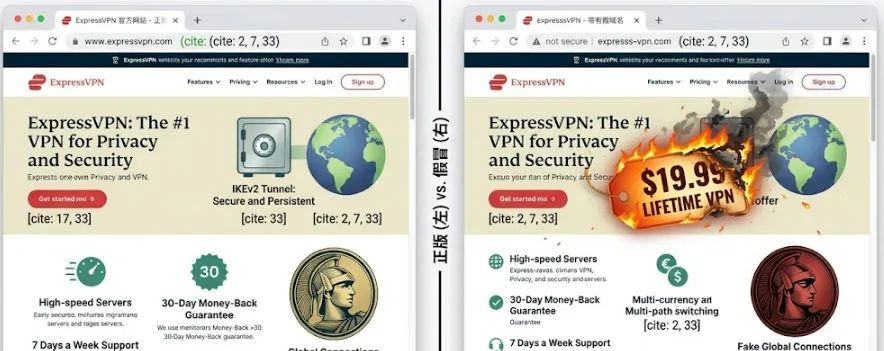
1. The Danger of Cracked VPNs: Why "Free Premium" is a Malware Trap
It is a scenario played out millions of times every day. A user is blocked by a regional geoblock, desperate to access restricted content, or simply trying to bypass local censorship. Looking at the price tags of premium, audited VPN services, they hesitate. They ask themselves: Why pay a monthly fee when I can find a workaround for free?
This hesitation leads directly to search engines and third-party app repositories. Users type highly dangerous keywords into search bars:
-
"NordVPN premium crack download 2026"
-
"ExpressVPN pre-activated mod APK"
-
"Free high-speed unlimited Android VPN download"
Within seconds, search algorithms and malicious ad networks present them with what looks like a jackpot. They are redirected to sleek third-party app stores, warez forums, or dedicated "mirror sites" offering fully unlocked premium clients. A single click of the "Download APK" or "Install Client" button bypasses the device’s native safety warnings. Under the guise of bypass-firewall utility, the user willingly downloads and installs unknown software, granting it deep system privileges.
2. Infostealer Malware in Fake VPNs: A Typical Victim Scenario
To understand the severity of this threat, let us examine a typical cybercrime forensic case from early 2026.
Meet Alex, a freelance graphic designer who wanted to access a streaming library restricted in his country. Unwilling to pay for a premium subscription, Alex searched for a "cracked" version of a well-known VPN. He found a professional-looking site that offered a "100% working pre-activated" Android application.
Alex downloaded the APK file, shrugged off the Android system's warning about installing apps from "unknown sources," and opened the app. It looked remarkably genuine, complete with a map, a "Connect" button, and even a fake subscription status that read: "Premium Lifetime Active." The app did indeed let him access his streaming site. Alex went to sleep thinking he had outsmarted the system.
He was dead wrong.
Behind the polished user interface, the modified APK had quietly installed a modern Information Stealer (Infostealer) and exploited Android's accessibility permissions to log his keystrokes.
Two days later:
-
His cryptocurrency wallet was emptied: The malware detected the keyphrases Alex typed when logging into his MetaMask wallet, instantly transferring $12,500 worth of digital assets to a decentralized mixer.
-
His credit cards were cloned: The infostealer harvested the autofill data of his primary credit card saved in his browser. Within hours, unauthorized transactions totaling thousands of dollars sprung up in overseas e-commerce stores.
-
His social media became a spam bot: His Instagram and LinkedIn accounts were hijacked via stolen session tokens, sending out fraudulent investment links to all of his professional contacts.
Alex's attempt to save a $5 monthly subscription fee ended up costing him his life savings, his professional reputation, and weeks of stressful recovery.
3. The Mission: Unmasking the Threats & Shielding Your Digital Life
Alex’s story is not an isolated incident; it is a highly coordinated, multi-billion-dollar cybercriminal industry. In 2026, threat actors are deploying increasingly sophisticated social engineering and automated malware delivery channels to exploit our fundamental need for privacy.
The purpose of this guide is to act as your digital threat intelligence report. In the following sections, we will:
-
Teardown the Top 5 Tactics: We will dissect exactly how criminals design copycats, infect cracked software, abuse app store subscriptions, manipulate search engine ads, and deploy malicious network honeypots.
-
Explain the Technical Mechanics: You will learn how these fake apps bypass security protocols, steal session tokens, hijack SSL certificates, and automate financial theft.
-
Provide actionable self-defense strategies: We will equip you with the practical, step-by-step tools to verify genuine channels, audit digital signatures, and secure your digital assets from threat actors.
Your privacy is priceless. Let us make sure you aren't paying for it with your identity.
I. The 5 Most Rampant Fake & Phishing VPN Scams of 2026
1. Typo-Squatting and Brand Copycats (The Spelling Game)
The Scam: Exploiting Human Error and Visual Habits
Typo-squatting and brand copycatting rely on a fundamental human vulnerability: cognitive auto-correct. When we read, our brains do not process every single letter individually; instead, we recognize words by their overall shape and context. Cybercriminals exploit this psychological shortcut by registering lookalike domains and publishing mobile/desktop apps that mimic industry giants with microscopic alterations.
In 2026, these "spelling games" have reached an unprecedented level of sophistication:
-
The Lookalikes: You might see "NoorVPN" instead of NordVPN, "ExpresssVPN" (with three 's's) instead of ExpressVPN, or "Surfsharks" (pluralized) instead of Surfshark.
-
Homograph Attacks (IDN Spoofing): Attackers use internationalized domain names (IDNs) to register domains that look identical to genuine ones. By using Cyrillic or Latin characters that appear identical to standard English letters (e.g., replacing the English 'o' with a Cyrillic 'о'), they create links that are visually indistinguishable to the naked eye but lead to entirely malicious web servers.
-
Visual Assets Theft: The fraudulent apps and websites completely clone the official CSS stylesheets, high-resolution logos, brand color palettes, and marketing copy of the target VPN. A user landing on nord-vpn-download-secure.com will see the exact same layout and trust badges as the legitimate site.
The Danger: What Actually Happens When You Click Install?
Victims are led to believe they are setting up the official client to secure their system. In reality, they are installing a highly customized, malicious clone. The immediate dangers include:
-
Silent Adware Injection: The cloned app continuously runs background processes to render invisible ads, generating fraudulent pay-per-click revenue for the attacker while draining the device's battery and causing severe system latency.
-
Malware Sideloading (The True Threat): Many copycat apps act as "droppers." Once installed, they connect to an external Command and Control (C2) server to quietly fetch and execute secondary payloads—most commonly RedLine, Vidar, or Lumma infostealers. These steal stored browser cookies, autofill passwords, and active session tokens.
-
Man-in-the-Middle (MitM) Attacks: Unlike real VPNs that encrypt your data, these copycat applications route your entire unencrypted internet traffic through hacker-controlled proxy servers. Any password, credit card number, or private message sent while "connected" is captured in plain text on the attacker's server logs.
By exploiting your trust in household brands, typo-squatters turn your seek for safety into an open-door policy for hackers.
2. The "Cracked / Modded Premium VPN" Traps (Trojan Vectors)
The Scam: The Siren Song of "100% Working Lifetime Premium"
One of the most persistent and devastating traps in the digital landscape is the search for "cracked" or "modded" premium VPN clients. Cybercriminals know that premium VPN services charge recurring subscription fees. To exploit budget-conscious users, they distribute pre-cracked, pre-activated, or "modded" versions of well-known VPN clients across torrent trackers, direct file-sharing websites (like Mega, Mediafire), shady warez forums, YouTube tutorial descriptions, and even compromised GitHub repositories optimized with fake stars and black-hat SEO.
The psychological bait is irresistible: "Why pay $100 a year for NordVPN or ExpressVPN when you can download this single pre-activated package and enjoy unlimited, high-speed, secure servers forever?" To make the scam convincing, hackers repackage the original installer. When the user runs the setup file, the interface actually functions. It might display a map, a countdown timer, or show that you are connected to a "Secure Server in Switzerland." But beneath this clever graphical front, the core software binaries have been altered.
The Danger: Infiltrated by Silent Infostealers & Keyloggers
In the cybersecurity community, there is a golden rule: 99.9% of modern "cracked" security software is backdoored. When you install a modded VPN, you are not bypassing a paywall; you are actively inviting an attacker inside your local security perimeter.
Once executed with administrator privileges (which VPNs require to install network TAP adapters and modify routing tables), the cracked application executes its payload:
-
Dynamic Link Library (DLL) Hijacking & Injection: The installers often drop clean-looking files alongside a compromised DLL (e.g., version.dll or winhttp.dll). When the fake VPN starts, it runs this dynamic library in the background, launching a silent Information Stealer (Infostealer) such as Lumma, RedLine, or Agent Tesla.
-
Comprehensive Credential Harvesting: Within seconds of activation, the infostealer silently scrapes your web browsers (Chrome, Edge, Firefox, Brave). It extracts saved autofill passwords, active login session cookies, and multi-factor authentication (MFA) tokens. It also drains local cryptocurrency wallet extensions (like MetaMask) and accesses desktop messaging applications like Telegram or Discord.
-
Keystroke Logging (Keyloggers): The malware hooks into your operating system's keyboard input stream. Every single thing you type—including master passwords to password managers, bank account credentials, personal emails, and credit card numbers—is recorded silently.
-
The C2 Exfiltration Pipeline: Once harvested, this highly sensitive bundle of personal data is compressed, encrypted, and exfiltrated to the hacker’s Command and Control (C2) server, or sent directly to their private Telegram bot. From there, your identity is either immediately exploited for financial fraud or sold to the highest bidder on dark web marketplaces.
By downloading a cracked VPN to save a few dollars, users make a catastrophic trade: sacrificing their entire digital identity, bank accounts, and personal security for a illusion of a "free connection."
3. Fake Subscriptions in Official App Stores (The Fleeceware Trap)
The Scam: Slipping Past Store Guardians and abusing "Free Trials"
Unlike the web-based malware downloads mentioned earlier, this scam operates directly inside the walls of official, highly trusted ecosystems: the Apple App Store and Google Play Store. Users naturally let their guard down here, believing that the strict app review processes protect them from fraud. Cybercriminals exploit this blind spot using a technique known as Fleeceware.
These publishers bypass automated application store scanners by submitting extremely basic, bare-bones utilities under generic, optimized names like "Fast Connection VPN," "Secure Net Shield," or "Turbo Proxy Master." The app does not contain active malware signatures, which is why it successfully lands on the official store. However, once installed, it immediately greets the user with an aggressive, inescapable paywall.
The core psychological trick lies in the highly misleading "3-Day Free Trial" button. The app presents the trial in large, bold letters, while burying the actual terms of subscription in tiny, low-contrast, or hidden text at the very bottom of the screen. Users accept the trial, assuming they can simply uninstall the app if they do not like it. But uninstallation does not cancel the underlying contract. The moment the short trial window expires, the app triggers a silent, pre-authorized recurring billing cycle that typically charges predatory rates—such as $9.99 per week or $39.99 per month—automatically billed to the user's linked Apple Pay or Google Pay account.
The Danger: Financial Hemorrhaging and Obfuscated Cancellation Paths
Fleeceware acts as a financial parasite, quietly draining your accounts while providing zero security value:
-
Zero Real Protection: Because these apps are cheap, generic wrappers created with copied open-source code templates, they rarely provide actual VPN routing. They either fail to encrypt your data, route your traffic through completely unencrypted public proxies, or simply mock a "Connected" animation on the screen without changing your IP address at all.
-
Obfuscated Cancellation Paths: Developers of fleeceware design their user interfaces with extreme "dark patterns." They make cancellation inside the app intentionally impossible. Users look for a "Cancel Subscription" button in the settings menu, but find nothing. To terminate the charge, the victim must navigate deep into their operating system's system-level subscription settings (which many non-technical users have no idea how to access).
-
The "Slow Burn" Theft: Because many people do not closely audit their weekly banking statements, these micro-transactions can go unnoticed for months. Cybercriminals rely on this delay, banking millions of dollars from thousands of users who are paying premium enterprise-level prices for a completely useless, non-functional application.
4. Cloned "Official" Mirror Sites (Search Engine Phishing)
The Scam: Malvertising and the Hijacking of Search Results
This is one of the most insidious scams because it targets users at the very moment they decide to do the right thing—purchase a legitimate, paid VPN. Cybercriminals bypass traditional security filters by deploying a technique known as Malvertising (malicious advertising) combined with advanced cloaking on search engines like Google, Bing, and DuckDuckGo.
When you search for terms like "ExpressVPN Official Download" or "NordVPN buy discount," the top 2 to 3 results on the page are usually sponsored advertisements. Threat actors bid aggressively on these keywords, paying premium search-engine-ad rates to secure the absolute top slots on the results page. To bypass search platform reviewers, they use a technique called cloaking:
-
To Google’s Ad Scanners: The link points to a harmless, blank blog or a generic web design template, showing no red flags.
-
To Real Users: Clicking the ad triggers a conditional redirect based on user-agent and IP verification, sending the actual user to a pixel-perfect clone of the official VPN website.
These fake mirror sites are visually indistinguishable from the real portals. They steal the exact layout, high-definition graphics, customer testimonials, and even the live chat widgets of the official brand. Furthermore, they secure these domains with valid SSL certificates (making the browser display the comforting padlock icon next to addresses like secure-expressvpn-activation.online), giving users a false sense of absolute security.
The Danger: Payment Gateway Hijacking and Immediate Financial Theft
The primary objective of these mirror sites is not to distribute malware, but to conduct high-yield financial phishing. The moment a user decides to purchase a subscription:
-
Fake Checkout Gateways: When the victim clicks "Get Started" or "Buy Now," they are not redirected to a secure third-party payment processor like Stripe, Adyen, or PayPal. Instead, they are presented with an embedded, lookalike credit card form built directly by the hackers.
-
Complete Credit Card Harvesting: The victim enters their full name, credit card number, expiration date, and CVV code. The form may even feature a countdown timer to induce panic and rush the transaction.
-
The "Error" Mask: Once the victim clicks "Submit," the page displays a realistic-looking loading spinner, followed by a fake error message, such as: "Transaction failed due to network timeout. Please try another card or check with your bank." In reality, the transaction was never sent to any bank. Your card details—along with your IP address and billing ZIP code—have just been saved directly into the attacker’s exfiltration database.
-
Immediate Abuse: Within minutes, these stolen card details are either used by automated bots to purchase high-value electronic goods, gift cards, and cryptocurrency, or packaged into "cvv" lists to be sold on underground dark web carding forums.
By manipulating search engine trust, cybercriminals intercept your payment information before you ever have a chance to secure your connection.
5. Honeypot Nodes Masquerading as "High-Speed Free Proxies"
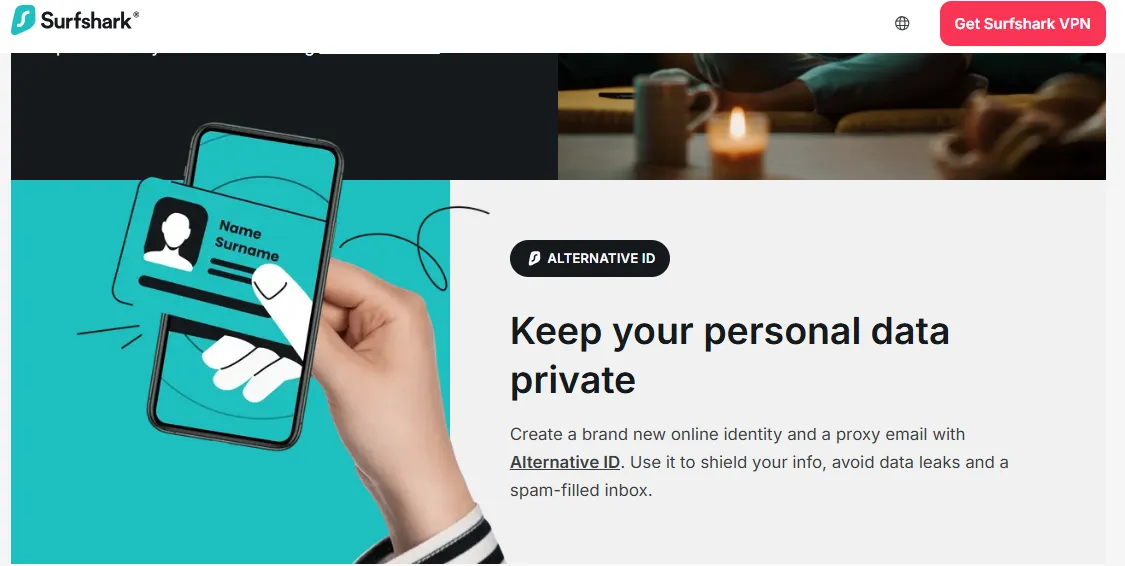
The Scam: The Free Network Bait for Tech-Savvy Crowds
While average consumers fall for fake app store apps, power users, developers, and online gamers are often lured by a different trap: malicious proxy nodes. Cybercriminals advertise "free, high-bandwidth, zero-logging SOCKS5, Shadowsocks, or V2Ray proxies" in tech forums, specialized Reddit communities, Discord servers, and Telegram groups dedicated to gaming or software development.
The sales pitch targets the DIY crowd: "Don't install bulky proprietary VPN software. Just copy-paste this direct configuration into your browser, developer environment, or gaming console for immediate, latency-free, and uncensored internet." There are no passwords required, no registration flows, and no subscription walls. The connection is seemingly seamless, blisteringly fast, and completely frictionless. However, this is because the server is a classic cybersecurity Honeypot—a trap intentionally built to lure traffic in so it can be meticulously analyzed.
The Danger: Total Decryption and Server-Side Data Interception
By configuring your system to route data through a third-party server you do not own, you are essentially asking a stranger to carry your letters. If that stranger is a threat actor, they are reading every single word:
-
Man-in-the-Middle (MitM) at the Routing Level: Because you are bypassing the multi-layered encryption protocols of audited commercial VPNs, your raw data must pass through the proxy server. For unencrypted HTTP requests, the attacker can view every webpage you visit, every text form you submit, and every API request you execute.
-
SSL/TLS Certificate Stripping: To read your encrypted HTTPS traffic, these rogue honeypot nodes often use "SSL Stripping." They intercept your secure HTTPS request to a website (like your email provider or corporate server) and downgrade the connection between the honeypot and your browser to unencrypted HTTP. To the victim, the site might load slightly slower or show a subtle "Not Secure" warning in the address bar, but all credentials typed are harvested on the host server in plain text.
-
Dangerous Root Certificates (CA Injection): In many cases, the proxy's setup instructions will gently prompt developers or gamers to install a custom "security certificate" to "guarantee stable connections and bypass firewall inspections." The moment a user installs this custom root Certificate Authority (CA) on their system, they completely break their operating system’s SSL defense. The hackers can now dynamically generate fake, trusted certificates for any secure website (including banks and Google accounts), giving them the ability to silently decrypt, record, and re-encrypt your secure traffic on the fly.
-
Session Hijacking (Cookie Theft): Even without decrypting HTTPS traffic, the honeypot node can intercept your raw HTTP headers, scraping active session tokens and cookies. With these tokens, hackers can instantly replicate your login session on their own computers—completely bypassing your passwords and two-factor authentication (2FA) codes.
II. The Tech Explained: How Do Fake VPNs Actually Steal Your Assets?
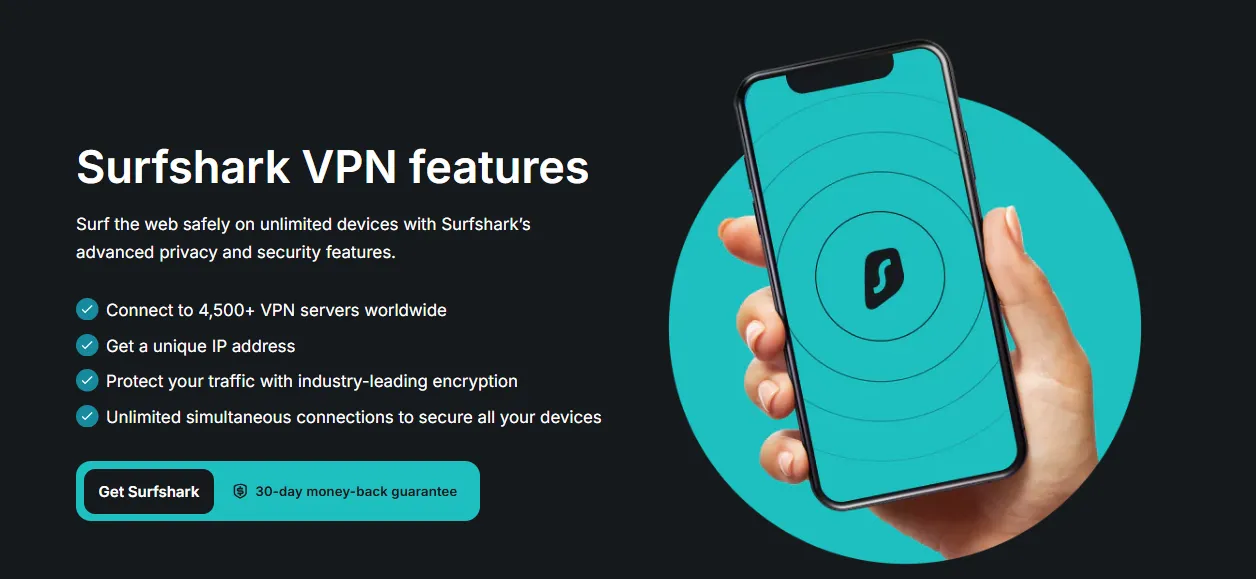
1. Keystroke Logging: How Fake APKs Exploit Android's Accessibility/Keyboard Permissions
The Security Gateway Bypass: Weaponizing Accessibility Services
On modern mobile operating systems, especially Android, applications run in highly isolated environments known as "sandboxes." In a normal state, one application cannot peek into another application's memory space, intercept its UI elements, or read what you are typing. This is a robust security barrier. However, there is a legitimate Android system feature designed to break sandbox isolation for the benefit of users with physical or cognitive impairments: Accessibility Services (Accessibility API).
Accessibility Services grant an application deep system-wide permissions to "observe" and "control" the device screen. It can:
-
Read the text displayed inside any active application (View Hierarchy inspection).
-
Emulate human physical interactions (clicks, swipes).
-
Retrieve text input as it is being written in real-time.
Cybercriminals deploying fake VPN APKs have identified Accessibility Services as the ultimate key to the castle. Because a VPN application legitimately needs permissions to set up local loopbacks or manage background network configurations, users are already primed to accept scary-looking permission alerts. The fake VPN uses aggressive social engineering prompts immediately upon launch, claiming: "Accessibility permission is required to optimize network tunnel performance, establish secure routing tables, or prevent background connection drops."
The Technical Mechanism: How Your Keyboard Input is Harvested
Once a victim taps "Allow" in the Android system settings, sandbox protection is rendered completely useless for that device. The malicious VPN APK activates a background service class inheriting from Android's base AccessibilityService.
Here is exactly how the malware exploits this power:
-
Real-Time Input Monitoring (AccessibilityEvent.TYPE_VIEW_TEXT_CHANGED): Whenever the user taps on their keyboard, the OS triggers text-change events. The malware intercepts these events, logging every individual character typed into input fields. It is no longer just a traditional "keylogger" mapping coordinate taps; it is reading the actual, dynamically updated string value inside the target application's text boxes.
-
Overcoming Password Field Obfuscation: Standard password fields replace characters with dots (e.g., ••••••••). However, Android's View Hierarchy still exposes the plain-text metadata to authorized Accessibility Services to allow screen-readers to speak inputs or assist users. The malware reads this plain-text value instantly before the UI converts it to bullet points.
-
Active App Identification (onAccessibilityEvent): The malware continuously checks the package name of the active, foreground application. When it detects a high-value app like a cryptocurrency wallet (e.g., MetaMask, Trust Wallet), a bank application, or a password manager, the keylogger shifts into "high-definition mode," saving and timestamping every keystroke, clipboard change, and input transition.
-
Background Data Packaging and C2 Upload: The harvested credentials, master passwords, seed phrases, and security questions are stored locally in an encrypted SQLite database on the device. At quiet intervals—usually when the device is connected to Wi-Fi and charging—this data is sent via HTTPS POST requests directly to the cybercriminal’s remote command server.
By hijacking a system utility meant for digital accessibility, fake VPNs turn Android’s most powerful assistant into a silent, omnipresent spy that reads everything you write.
2. SSL Hijacking (Man-in-the-Middle): How Custom Root Certificates Installed by Cracked VPNs Decrypt Your "Secure" HTTPS Traffic
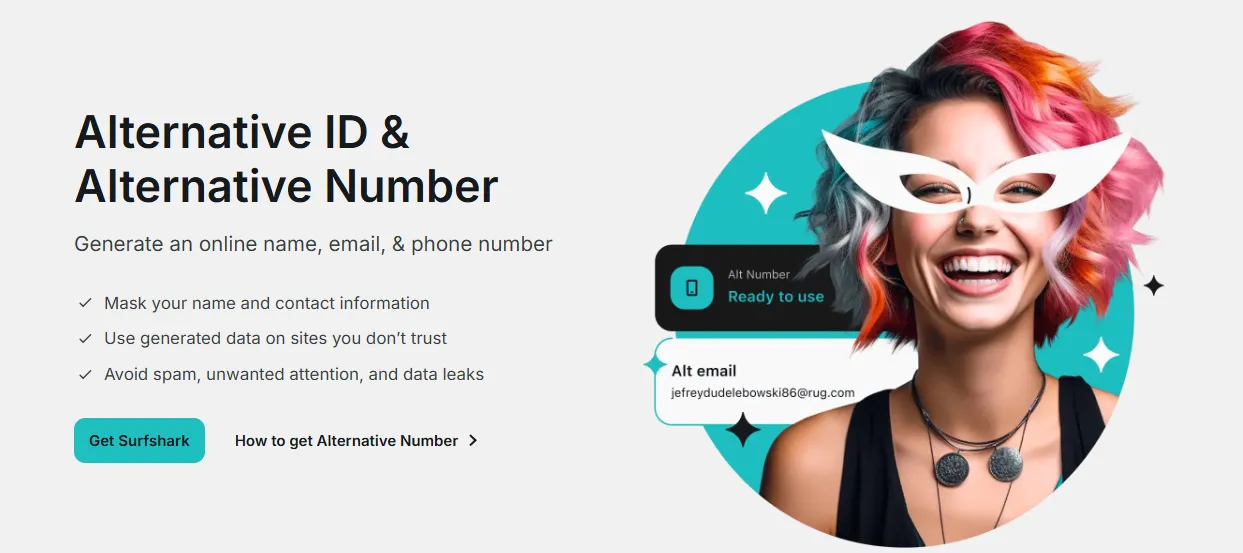
The Cryptographic Trust Chain: The Bedrock of Secure Web Browsing
When you visit an encrypted website—indicated by https:// and the lock icon in your browser—your system relies on a secure transport protocol called SSL/TLS. Under normal circumstances, this protocol guarantees that no eavesdropper can read or alter the data passing between your browser and the website's server.
This security hinges on a cryptographic chain of trust. Your operating system and web browser ship with a pre-configured, highly guarded database of trusted Root Certificate Authorities (Root CAs) (e.g., DigiCert, Let's Encrypt, Sectigo). When you connect to a website like yourbank.com, the site presents an SSL certificate. Your browser traceably verifies that this certificate was digitally signed by one of these globally recognized, trusted Root CAs. If the signature is valid, the connection is encrypted, and your data remains secure.
However, when you install a "cracked" or "pre-activated" desktop VPN client (for Windows or macOS), the installer routinely asks for administrative privileges (e.g., User Account Control on Windows or sudo on macOS). Under the guise of installing virtual network interface drivers (such as TAP-Windows adapters), the installer executes a silent background script that injects a self-signed rogue Root CA certificate directly into your operating system’s Trusted Root Certification Authorities store.
The Technical Execution: Dynamic Certificate Generation and Decryption
Once a rogue Root CA is placed inside your system's trust store, the core cryptographic barrier of the internet is broken for your machine. Your operating system now treats the cybercriminal's private signing key with the exact same level of trust as it treats globally audited entities like DigiCert.
When the cracked VPN is activated, it acts as a local proxy, intercepting and routing all outgoing web traffic. Here is exactly how the Man-in-the-Middle (MitM) attack unfolds invisibly:

-
The Interception: You type https://yourbank.com into your browser. The cracked VPN intercepts this outbound connection request.
-
On-the-Fly Spoofing: Instead of letting your browser connect directly to the bank's servers, the rogue VPN server dynamically generates a custom SSL certificate for yourbank.com on the fly. It signs this fake certificate using the private key associated with the rogue Root CA it previously injected into your machine.
-
Silent Handshake Acceptance: When your browser receives this dynamically generated certificate, it checks the cryptographic signature. Because the system's root store contains the rogue Root CA, the browser validates the fake certificate without a single warning or error. The browser's address bar proudly displays the green/padlock secure icon.
-
Active Decryption (The Loophole): Your browser encrypts your login credentials using the public key of the fake certificate and sends them. The rogue VPN intercepts this payload and decrypts it instantly using its own private key. Your bank account password, security answers, credit card numbers, and active session tokens are revealed in plain text inside the malware's local memory.
-
Relay and Re-Encryption: To keep you completely oblivious to the heist, the rogue VPN immediately takes your decrypted plain-text credentials, encrypts them again using the real certificate of the actual bank, and forwards the request to the real yourbank.com server.
The bank processes the request, logs you in, and you proceed with your banking session, completely unaware that your highly secure HTTPS tunnel was sliced open, decrypted, and read in real-time by a cybercriminal.
3. Credential Stuffing Automation: How Stolen Credentials are Automatically Tested Against PayPal, Amazon, and Crypto Exchanges Within Minutes of Theft
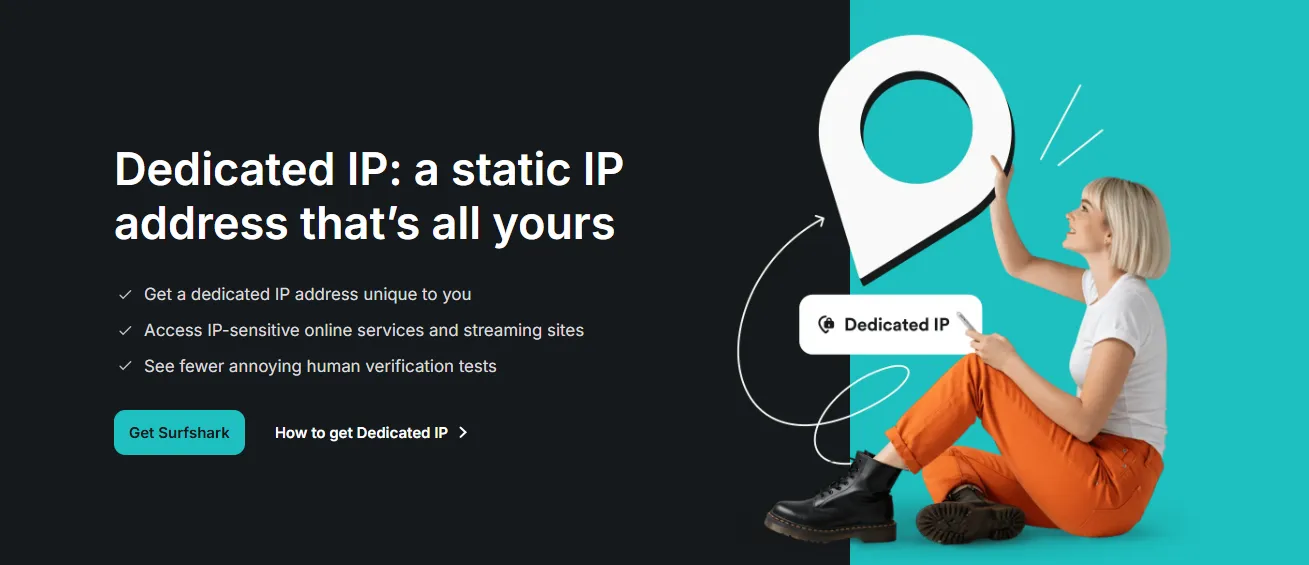
The Golden Hour of Data Exploitation: Speed is the Hacker’s Best Friend
When your credentials are harvested by an infostealer or collected via a phishing mirror site, cybercriminals do not manually sit down and try logging into your accounts. They understand that security alerts, sudden location changes, or active user password resets can render their stolen data useless within a brief window of time. To maximize profitability, attackers operate in what security researchers call the "Golden Hour"—the critical time immediately following a data breach when accounts are most vulnerable.
To bypass manual latency, hackers utilize highly sophisticated, fully automated credential testing environments. Once the data is exfiltrated from the compromised VPN host or phishing server to the central database, it is automatically parsed, formatted into structured lists (email:password or username:password), and fed into high-speed automation engines.

The Technical Tooling: SilverBullet, Puppeteer, and Proxy Rotation
The automation framework relies on highly optimized botting configurations and dedicated checking software:
-
Attack Suites (OpenBullet & SilverBullet): These are modular parsing and web testing suites that allow hackers to write or purchase pre-made "configs" designed to target specific web platforms. A single configuration maps the target’s login endpoint, identifies CAPTCHA parameters, isolates the MFA request headers, and reads the account status (such as balance or card on file).
-
Headless Browser Frameworks: To defeat modern browser fingerprinting defenses (like Cloudflare, Akamai, or Google reCAPTCHA), advanced bots use headless browser automation tools like Puppeteer, Playwright, or custom Chromium builds. These systems mimic realistic user environments by adjusting browser dimensions, simulating natural mouse tracks, introducing typing delays, and handling Canvas rendering challenges dynamically.
-
Massive Residential Proxy Rotation: Standard IP address ranges owned by hosting companies are instantly blocked by enterprise-grade firewalls. To blend in, hackers utilize residential proxy networks (often powered by other compromised IoT devices). The automation engine routes every single login attempt through a completely different, legitimate home broadband IP address. If Attempt A uses an IP in Berlin, Attempt B uses an IP in London, making rate-limiting and brute-force detection incredibly difficult for the defender.
-
API CAPTCHA Solvers: If a target site throws a CAPTCHA challenge, the automation system routes the challenge payload to automated solving APIs (such as 2Captcha or CapSolver) using machine-learning-based image recognition or cheap human solver networks, bypassing the barrier in under 5 seconds.
The Liquidation Phase: Systematic Target Sweeping
The bots test the freshly stolen credentials systematically against a prioritized tier list of highly liquid platforms:
-
Financial Portals (PayPal, CashApp): The bot logs in, checks for linked credit cards, bank accounts, or stored balances. If found, it instantly triggers pre-configured APIs to purchase digital gift cards (Steam, Apple, Google Play) or execute swift peer-to-peer balance transfers to mule accounts.
-
E-Commerce Giants (Amazon, eBay, Walmart): The bot sweeps the account to identify active payment profiles. If credit cards are stored, it attempts automated checkout sequences—frequently ordering highly liquid, easily resellable consumer electronics (e.g., iPhones, GPUs) to local "drop" addresses or parcel lockers.
-
Cryptocurrency Exchanges (Binance, Coinbase): The bots check for active session cookies or API keys grabbed directly from your system memory. If access is granted, the system bypasses typical holding periods by instantly trading spot assets into privacy-centric, untraceable cryptocurrencies (like Monero) and initiating immediate external blockchain withdrawals.
Through automated pipeline optimization, your identity is processed, categorized, and financially drained before you even realize your fake VPN is acting as a backdoor.
III. Digital Self-Defense: 100% Verifying Genuine VPN Channels
1. Always Double-Check the Domain Authority: Cross-Referencing URLs with Cryptographic Care
The Core Strategy: Refusing to Rely on Search Engine Results
The primary gateway for almost all phishing, typo-squatting, and mirror site scams is the reliance on search engine visibility. Because malicious ads (malvertising) and black-hat Search Engine Optimization (SEO) routinely place malicious clone sites above official platforms, you must adopt a rule of zero-trust navigation. Never assume that because a link appears first on Google, Bing, or Yahoo, it is safe or official.
To guarantee that you are interacting with a legitimate VPN provider, you must actively verify the Domain Authority and cross-reference domain URLs through multiple independent and immutable channels before downloading any installer or entering financial details.
Step-by-Step Verification Protocol
To 100% verify a VPN's official web domain, execute the following technical checks:
-
Cross-Referencing via Verified Social Media Channels:
-
Do not search for the VPN’s website directly. Instead, search for their official, verified social media handles (such as X/Twitter, official YouTube channels, or verified Reddit community moderators).
-
Look for the official platform verification badges (e.g., blue checkmarks on X or gold subscription profiles for established businesses).
-
Review their profile bio. Legitimate VPN providers maintain static, unchanged links to their main websites (e.g., @NordVPN pointing strictly to nordvpn.com). If a sponsored search ad points to secure-nord-connection.net but the official verified Twitter profile links to nordvpn.com, you have instantly exposed a phishing attempt.
-
The WHOIS Domain History Audit:
-
If you land on a VPN website and are unsure of its legitimacy, copy the domain name and run it through a reputable WHOIS lookup tool (such as whois.domaintools.com or lookup.icann.org).
-
Analyze the Registration Date: Established, audited VPN brands have domains that were registered one or two decades ago (e.g., expressvpn.com was registered in 2009). If your WHOIS query reveals that the domain you are currently browsing was registered two weeks ago under an obfuscated registrar in a known tax haven, you are browsing a newly spawned phishing mirror site.
-
Examine the Registrant Organization: Official VPN providers list their parent security corporations (e.g., "Nord Security" or "Express Technologies Ltd"). Fake domains will hide behind proxy privacy services (such as "Withheld for Privacy") to prevent forensic tracking.
-
Analyzing SSL Certificate Details:
-
Click the padlock icon in your browser's address bar and open the Certificate Viewer to view the certificate’s cryptographic properties.
-
Check the Common Name (CN) and Subject Alternative Names (SANs).
-
Verify the Organization (O) field if a high-assurance EV (Extended Validation) certificate is used. If the site claims to be an international VPN conglomerate but the certificate issuer is a free, automated Let’s Encrypt certificate generated for a completely different host address, abort the connection immediately.
-
Utilizing Reputable Third-Party Review Aggregators:
-
Cross-reference the URL against highly respected, long-standing cybersecurity review directories (such as Wired, PCMag, or TechRadar).
-
Navigate to their "Best VPNs of 2026" articles and utilize their outbound redirect links. Because these major media empires maintain direct business partnerships and deep affiliate integrations with official VPN providers, their affiliate links are strictly monitored, dynamically updated, and guaranteed to lead to the 100% secure, audited official portals.
2. Verify the Digital Signature (Code Signing): The Ultimate Cryptographic Proof of Identity
The Core Strategy: Relying on OS-Level Code Signature Verification
Even if you manage to download an installer, you must never trust a file based solely on its filename or the brand icon on your desktop. Before executing any executable file on Windows (like an .exe or .msi file) or macOS (like a .dmg or .pkg bundle), you must let the operating system's cryptographic infrastructure verify its Digital Signature.
A digital signature is an unforgeable cryptographic fingerprint embedded directly into the application binaries by the developers. The signature relies on public-key infrastructure (PKI): the developer signs the executable with a highly protected private key, and your operating system verifies it using a corresponding public key linked to a globally recognized Certificate Authority (CA) trusted by Microsoft or Apple. If even a single line of code in the installer is altered by a hacker—such as injecting an infostealer DLL—the mathematical hash of the file changes, the digital signature breaks, and the OS will sound a massive security alarm.
Step-by-Step Verification on Windows (Microsoft Authenticode)
To verify the code signing of a VPN installer on Windows before execution:
-
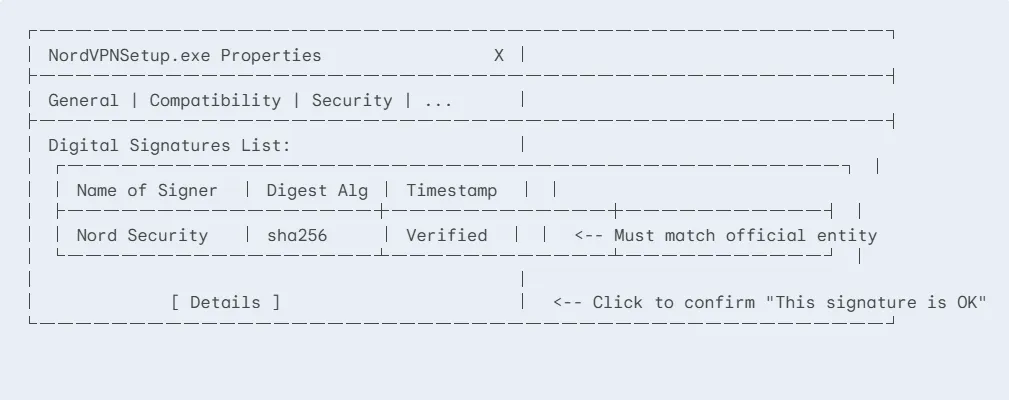
Locate the Installer File: Navigate to your Downloads folder, find the downloaded installer file (e.g., NordVPNSetup.exe or ExpressVPN_installer.exe), and right-click it.
-
Access Properties: Select Properties from the context menu.
-
Audit the "Digital Signatures" Tab:
-
Look for a tab explicitly titled Digital Signatures. CRITICAL WARNING: If this tab is missing entirely, the file is unsigned. Authentic desktop clients from premium VPN providers are never shipped unsigned. A missing tab is a 100% guarantee that the file is an untrusted copycat or malware loader.
-
Examine the Signature Details:
-
Click on the Digital Signatures tab. You will see a "Signature list". Select the signature and click Details.
-
A pop-up box should appear stating: "This digital signature is OK." If it displays any other message (e.g., "The signature is invalid" or "Certificate has been revoked"), delete the file immediately.
-
Check the Name of signer. It must precisely match the corporate identity of the VPN provider. For example, NordVPN installers must be signed by "Nord Security" or "NordVPN S.A."; ExpressVPN by "Express Technologies Ltd" or "ExpressVPN".
-
If the signer’s name is blank, reads "Unknown Publisher", is signed by a random individual's personal name, or is signed by a completely unrelated corporate entity (e.g., "Software Solution LLC"), the installer is a Trojan horse.
Step-by-Step Verification on macOS (Gatekeeper & Developer ID)
Apple's macOS employs a robust security protocol called Gatekeeper, which mandates that all applications must be signed with an Apple-issued Developer ID certificate to execute without extreme friction. To manually verify the signature of a .dmg, .app, or .pkg file on macOS:
-
Gatekeeper Behavior Check:
-
If you double-click an installer and macOS throws an alert stating: "App cannot be opened because it is from an unidentified developer" or "macOS cannot verify that this app is free from malware," do not bypass this warning. * Cybercriminals on online forums often tell users to bypass this by right-clicking and selecting "Open" or executing terminal bypasses. Legitimate VPN providers have premium Apple Developer memberships and pre-notarize their software. A genuine installer will never trigger an unidentified developer warning.
-
Terminal Signature Audit (For Tech-Savvy Users):
If you want absolute cryptographic confirmation of a .dmg or .pkg file's code signature, open your Terminal and execute the codesign utility:
-
Analyze the Authority Hierarchy: Look at the terminal output. It must trace back directly to Apple's root and display a verified Team ID and Authority.
A verified, safe output should look like this:
-
If the output contains terms like adhoc (meaning unsigned/locally compiled) or displays a completely untrusted authority structure, delete the package and purge your trash.
3. Avoid the "Crack" Mirage: Re-Emphasizing the Iron Law of Digital Economics
The Psychological Illusion: Outsmarting the System
The appeal of "cracked" software is deeply rooted in a common cognitive bias: the satisfaction of getting premium, enterprise-grade capabilities for absolutely zero financial cost. Torrent sites, YouTube tutorials, and online forums exploit this by wrapping Trojan horses inside the promise of "Free Premium."
Users tell themselves a comforting lie to lower their guard: "It’s just a simple bypass of subscription verification. The software is the original app, it’s just pre-activated." Cybercriminals depend heavily on this specific self-deception. They use your willingness to bend copyright rules as a bypass of your own cybersecurity common sense.
The Iron Law of Digital Economics: "If It’s Free, You Are the Prey"
In the cybersecurity domain, there is a fundamental law of digital economics that remains absolute in 2026: Developing, maintaining, and operating a high-tier Virtual Private Network is extraordinarily expensive. Unlike simple offline utility apps (like a calculator or a basic text editor), a reputable premium VPN requires:
-
Massive global physical infrastructure (maintaining thousands of RAM-only, high-bandwidth physical servers across 100+ countries).
-
Continuous software development pipelines (updating apps across Windows, macOS, Android, iOS, and Linux to patch new OS vulnerabilities).
-
Routine, independent third-party code and privacy audits (conducted by firms like PwC, Deloitte, or Cure53 costing hundreds of thousands of dollars).
-
Dedicated, round-the-clock customer support and immediate security patch deployments.
Because these operations require millions of dollars in monthly overhead, no one is giving you premium VPN access for free. If you are not paying the vendor with a monthly subscription fee, you are paying a far heavier price to a malicious broker in the shadows:
-
Monetizing Your Bandwidth (The Botnet Slave): Many free and cracked VPN clients silently transform your local machine or phone into an exit node for a residential proxy service (such as those operated by cybercriminal botnets). While you think you are anonymously browsing, other web traffic—including illegal hacking campaigns, carding transactions, or dark web activities—is being routed directly through your home IP address, leaving a digital trail pointing straight to your doorstep.
-
Capitalizing on Your Identity (The Asset Drain): As detailed in our technical teardowns, the authors of cracked software do not release these files out of altruism. They are professional, profit-driven hackers. Your saved browser passwords, cookies, multi-factor authentication sessions, credit cards, and cryptocurrency keys are harvested to cover the "cost" of your free connection ten-thousand times over.
-
Initial Access Brokerage (IAB): Once the cracked VPN is installed on a work computer, the malware often sells "initial access" to corporate systems on dark web forums. Ransomware groups buy these access credentials to lock down school networks, hospital databases, or private companies, making your search for a free trial the catalyst for a multi-million-dollar cyber extortion event.
The Safe Alternative: Trusted Free Tiers Subsidized by Paying Users
If your budget literally does not allow for a paid premium VPN subscription, do not resort to downloading a crack. In 2026, several world-class, highly audited privacy providers offer 100% free, limited-capability tiers (such as Proton VPN or Windscribe). These free tiers are strictly secure, run on audited server architectures, and do not infect your device or steal your credentials.
-
How are they funded? They are legally and transparently subsidized by their millions of paying premium tier subscribers.
-
What are the limitations? They may restrict your connection speed, limit the number of available country servers, or block advanced features like dedicated streaming or P2P support.
By accepting these minor limitations of a genuine, verified free-tier VPN, you protect your system from compromise. It is infinitely better to connect to a slightly slower, limited server operated by a transparent, verified Swiss security company than to enjoy "unlimited speed" on a cracked client that is actively cleaning out your bank accounts in the background.
4. Enforce Two-Factor Authentication (2FA): Your Ultimate Fail-Safe Against Password Interception
The Cryptographic Last Line of Defense
In a perfect cybersecurity ecosystem, verifying domain authority and auditing code signatures would be enough. However, humans are fallible. Under pressure, fatigue, or highly sophisticated social engineering, even seasoned users might accidentally enter their credentials on a pixel-perfect mirror site or run an unverified executable.
If this happens, your password is compromised. In the old era of computing, a leaked password meant total compromise. In 2026, you can completely neutralize the threat of stolen passwords by enforcing Two-Factor Authentication (2FA). Think of your password as the physical key to your front door; 2FA is the biometric scanner right behind it. Even if a cybercriminal steals your key, they cannot open the door without your biometric data.
The Technical Hierarchy of 2FA: What to Use and What to Avoid
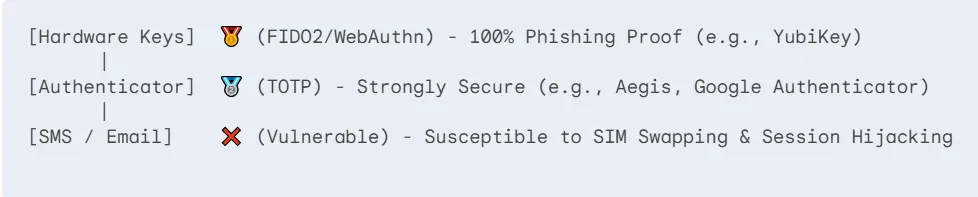
Not all secondary authentication methods are created equal. In 2026, cybercriminals have built automated bypasses for weak 2FA implementations. To maintain absolute safety, you must understand the technical hierarchy:
-
Vulnerable: SMS & Email Verification (The Weakest Link): Receiving a 2FA code via text message or email is highly vulnerable. Cybercriminals routinely execute SIM swapping attacks—convincing mobile carriers to port your phone number to a hacker-controlled SIM card, intercepting all your SMS codes instantly. Furthermore, if your browser session is hijacked by an infostealer (as described in Section III), hackers already have live access to your webmail, allowing them to intercept email-based 2FA tokens without your knowledge.
-
Secure: Authenticator Apps (TOTP Tokens): Using dedicated authenticator apps (like Google Authenticator, Microsoft Authenticator, Aegis, or Bitwarden) relies on Time-Based One-Time Passwords (TOTP). These apps calculate a unique 6-digit cryptographic token locally on your device every 30 seconds using a shared secret key (seed) and your device’s current system time. Because these tokens are generated locally and expire rapidly, they cannot be intercepted via cellular network sniffing or SIM swapping.
-
Unbreakable: Hardware Security Keys (FIDO2 & WebAuthn - The Gold Standard): Physical USB/NFC security keys (such as YubiKeys or Google Titan Keys) offer the absolute pinnacle of defense. They utilize a modern authentication standard called WebAuthn (FIDO2). Unlike passwords or OTP codes that can be typed into a fake phishing form, a hardware key binds its cryptographic credential strictly to the specific, verified domain origin (e.g., https://accounts.google.com). If you are tricked into visiting a pixel-perfect phishing site like secure-google-login.net and plug in your YubiKey, the key will mathematically refuse to sign the authentication request. It knows the domain is fake, instantly thwarting the phishing attack even if you fully believed the site was real.
Step-by-Step Action Plan to Bulletproof Your Identity
To ensure that intercepted passwords do not lead to financial ruin, implement this strict 2FA checklist immediately:
-
Protect the Gatekeepers (Email & Password Manager): Your primary email address and your password manager (e.g., Bitwarden, 1Password) are the master keys to your entire digital footprint. Enforce App-based TOTP or, preferably, Hardware FIDO2 Security Keys on these accounts. If these two pillars fall, everything falls.
-
Lock Down Financial & Crypto Accounts: Enable app-based authenticator security on PayPal, bank portals, and cryptocurrency exchanges (like Binance or Coinbase). Disable SMS authentication entirely on these platforms to mitigate SIM swapping risks.
-
Audit Your Session Limits: Many platforms allow you to view "Active Sessions." If you suspect a breach, immediately navigate to your account settings, select "Log out of all other devices," and force re-authentication across your entire device fleet. This invalidates any active session cookies stolen by infostealers.
IV. Verified Safe VPNs for 2026: NordVPN, Surfshark, and Proton VPN Reviews
1. NordVPN Official Secure Portal: The Gold Standard of Audited Privacy
For users who have realized the extreme dangers of modded files, fake app stores, or unverified proxy nodes, the first step to recovery is migrating to a verified, highly secure, and professional service. In the global privacy market of 2026, NordVPN remains the gold standard, offering a robust suite of audited defensive technologies designed to keep your personal data entirely out of cybercriminal databases.
Crucial Technology: The Cryptographic Strength of RAM-Only Infrastructure
Unlike standard web hosting or low-end proxy systems that write active system configurations and temporary connection logs to physical Hard Disk Drives (HDDs) or Solid State Drives (SSDs), NordVPN operates on a strictly audited, 100% RAM-only server infrastructure (marketed as their diskless server network).
Why is this a game-changer for your security?
-
Zero Persistent Data Storage: Random Access Memory (RAM) requires constant electrical power to retain data. The moment a server is powered down, rebooted, or physically unplugged from a rack, all data stored in the memory chips is instantly and permanently vaporized. * Seizure-Proof Architecture: If a rogue government entity or hostile group physically seizes a NordVPN server, they will find an empty piece of hardware containing absolutely zero user data, no IP logs, and no encryption keys.
-
Tamper-Evident Deployment: NordVPN’s operating systems are cryptographically loaded directly into RAM from a secure central directory upon boot. If any unauthorized person attempts to inject malware or change configurations on a local server, a system reboot instantly wipes the modifications and restores a clean, verified secure state.
Global Scale: Servers, Geographies, and the NordLynx Protocol
To guarantee lightning-fast speeds while maintaining military-grade encryption, NordVPN has built one of the largest server networks in existence as of 2026:
-
The Infrastructure Fleet: Over 6,400+ ultra-fast physical servers globally, running on 10 Gbps and 20 Gbps hardware profiles.
-
Geographical Footprint: Comprehensive coverage spanning over 110+ countries and regions, allowing users to bypass virtually any regional geoblock with absolute ease.
-
The NordLynx Protocol: Rather than relying on legacy, high-overhead protocols like OpenVPN, NordVPN's default tunnel is NordLynx. This proprietary protocol is built directly on top of the revolutionary WireGuard framework. Standard WireGuard cannot guarantee complete anonymity because it requires storing static user IP addresses on the server. NordVPN solved this by engineering a custom Double NAT (Network Address Translation) system. This system assigns a dynamic IP address to each user session, allowing you to enjoy WireGuard’s industry-leading speeds without writing a single trace of your real IP address to the server memory.
-
Strict Double-Audited No-Logs Policy: To verify their claims, NordVPN undergoes rigorous, independent third-party audits conducted by elite global accounting firms (including multiple extensive audits by PwC and Deloitte). These auditors are granted complete, unrestricted access to NordVPN's codebases, server architectures, database structures, and employee configurations. Their published reports consistently verify that NordVPN maintains a flawless, zero-logs system.

Specialized Security Features: Beyond Basic Encryption
A premium subscription to NordVPN provides several advanced security layers that go far beyond standard traffic routing:
-
Threat Protection Pro: Built directly into the desktop clients, this local engine acts as a silent antivirus. It automatically blocks intrusive and malicious advertisements, strips tracking cookies from your browser headers, and utilizes machine-learning filters to inspect downloaded files for hidden malware signatures before they can execute on your system.
-
Meshnet: This feature allows you to link your local devices (laptops, phones, smart TVs) directly via private, encrypted LAN-style tunnels, regardless of where they are in the world. Developers and gamers use this to securely share files or host local servers without exposing ports to the public internet.
-
Double VPN & Obfuscation: For users operating under extreme local censorship or surveillance, Double VPN chains your traffic through two separate encrypted servers in different countries. Obfuscation mode disguises your VPN packets to look like standard HTTPS traffic, preventing firewalls from identifying and blocking your VPN connection.
Pricing plans and the Risk-Free Trial Mechanism (2026 Rates)
To keep their services accessible, NordVPN offers tier-based pricing models optimized for long-term protection:
-
The Long-Term Value (2-Year Plans): Opting for a long-term plan drops the cost to an affordable $3.00 to $4.50 per month (depending on the bundle tier: Basic, Plus, or Ultimate). This is a microscopic fraction of what a single identity theft recovery or ransomware incident would cost you.
-
The Hassle-Free 30-Day Money-Back Guarantee: Instead of offering a highly limited web-based "free trial" that cybercriminals can clone, NordVPN provides a 100% money-back guarantee. This operates as a risk-free trial: you sign up via their official site, enjoy full, unrestricted access to their entire server fleet, Threat Protection engine, and high-speed channels for up to 30 days. If you are not satisfied for any reason, you can request a refund via their 24/7 live chat, and the funds are returned to your account with zero questions asked.
-
Mobile-Exclusive 7-Day Free Trial: For users who prefer starting directly on mobile, NordVPN offers a verified 7-day free trial strictly through the official Google Play Store and Apple App Store. Once created inside the official app, this trial account credentials can be used to log in across all of your other platforms (including Windows and macOS desktops), ensuring you can test the entire ecosystem completely free before committing.
- Wanna get a free tial? read this How to Get NordVPN Free Trial for 7 & 30 Days
2. Surfshark Official Secure Portal: The Ultimate Budget-Friendly Family Shield
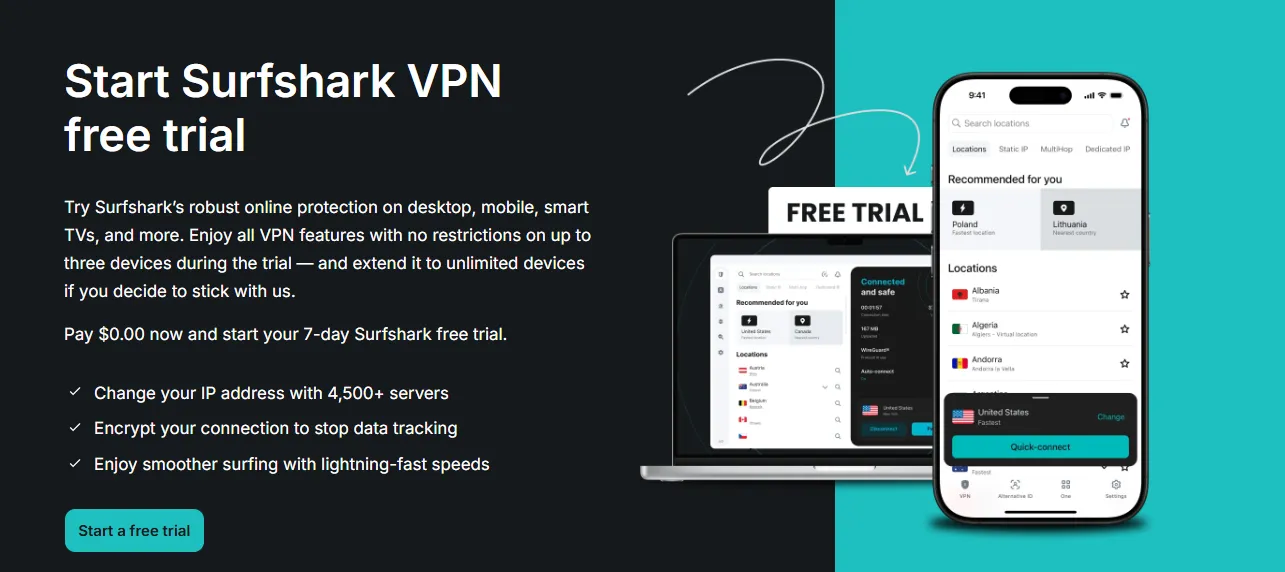
If NordVPN represents the gold standard of raw infrastructure power, Surfshark is the undisputed champion of family-wide digital protection and wallet-friendly value. It is 100% verified malware-free, audited by top global cybersecurity firms, and engineered to secure an entire household's multi-platform ecosystem under a single, highly affordable subscription.
The Ultimate Leverage: Unlimited Simultaneous Connections
The single most powerful differentiator of Surfshark is its unlimited simultaneous connections policy. Almost all premium VPN providers limit the number of active, logged-in devices to a fixed threshold (typically 5 to 10 devices per account). If you exceed this limit, the system forcibly logs out your older sessions.
Surfshark completely shatters this limitation. A single, legitimate Surfshark subscription allows you to configure, install, and concurrently run the VPN on every single digital device inside your household:
-
Secure your Windows workstation, macOS work laptop, and multiple family iPads.
-
Run background encryption on all family members' Android and iPhone mobile devices.
-
Install Surfshark’s native apps directly onto your Smart TVs, Fire TV sticks, and home routers.
By removing the device limit, Surfshark eliminates the classic security blind spot where family members disable their VPN simply because another device took their active connection slot.
Infrastructure & Performance: RAM-Only Global Node Fleet
Despite its aggressive value positioning, Surfshark refuses to cut corners on core security architectures.
-
Diskless Server Network: Just like NordVPN, Surfshark’s entire network of 3,200+ servers is entirely RAM-only (diskless). No persistent logs, connection metadata, or cryptographic keys are ever written to solid-state storage. If a physical server is detached or power cycled, its memory state instantly vanishes.
-
Global Geography: The server fleet is strategically deployed across 100+ countries, giving users global flexibility to easily bypass regional streaming blocks, search filters, and firewalls.
-
The WireGuard Protocol: Surfshark relies on a fully optimized WireGuard protocol implementation as its default tunneling framework, combined with standard OpenVPN and IKEv2 fail-safes. This ensures near-zero latency overhead, allowing users to play real-time online multiplayer games or stream 4K HDR content without buffering delays.
-
Independently Audited No-Logs Verification: Surfshark’s strictly enforced zero-logging policy has been subjected to intensive, independent code audits. In early audits by Cure53 and subsequent deep-infrastructure audits by Deloitte, independent security engineers verified that Surfshark’s systems do not retain IP addresses, connection logs, browsing history, or DNS queries at any stage of operation.
Key Defensive Features: MultiHop, CleanWeb, and Camouflage Mode
Surfshark packages premium, enterprise-level defensive layers directly into its user-friendly interface:
-
CleanWeb Pro: A highly sophisticated DNS-level and local filtering system that actively blocks ad trackers, prevents popups, silences cookie consent prompts, and cross-references web downloads with global threat databases to block active malware payloads from loading.
-
Dynamic MultiHop (Double VPN): This security feature allows you to route your internet traffic through two completely different VPN servers simultaneously (e.g., entering through a server in Germany and exiting through a server in Iceland). Surfshark's Dynamic MultiHop allows you to manually customize your entry and exit node pairs to achieve double-layer encryption with precise latency control.
-
Bypasser (Split Tunneling): This tool allows you to select which applications route through the encrypted VPN tunnel and which connect directly to your local ISP. For example, you can route your web browser through Surfshark to secure your financial sessions while letting high-bandwidth game launchers bypass the VPN to utilize your raw, unencrypted fiber-optic speeds.
-
Camouflage Mode (Obfuscation): This hides your VPN signature, making your encrypted VPN traffic appear indistinguishable from standard, harmless HTTPS web traffic. This allows users to seamlessly bypass restrictive network filters in offices, universities, or highly censored countries that actively block traditional VPN protocols.
Price Point and the 30-Day Risk-Free Testing Framework (2026 Rates)
Surfshark is designed to make cybersecurity affordable for everyone, offering an unbeatable price-to-performance ratio:
-
The Long-Term Advantage (24-Month Plan): Securing a 2-year subscription drops the cost to an average of $2.00 to $2.50 per month, usually bundled with 2 to 3 free promotional months. This is less than the cost of a single cup of coffee, yet it provides unbreakable, military-grade protection for every device in your household.
-
100% Money-Back Guarantee: To give users complete confidence, Surfshark offers a 30-day money-back guarantee across all purchasing tiers. This functions as a risk-free trial. You can test the unlimited device capabilities, stream geoblocked content, and audit their speeds on your home devices. If you decide it's not a fit within the first 30 days, their 24/7 customer support team will process a full refund to your original payment method immediately.
-
Mobile-Exclusive 7-Day Free Trial: Similar to its sister services, Surfshark provides a 7-day free trial for new users registering via the Apple App Store or Google Play Store. After completing the mobile sign-up, you can use these verified credentials to log in and protect your desktop computers, browsers, and smart TVs completely free.
- Wanna know more on Surfshark? read this Surfshark VPN Review
3. Proton VPN Official Secure Portal: The Ultimate "Free but Safe" Security Safehouse
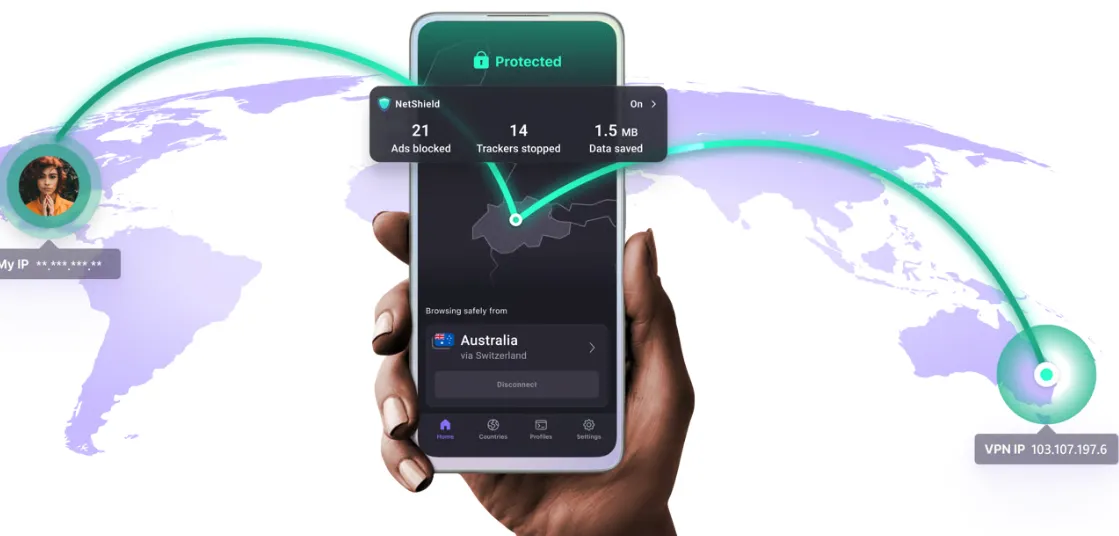
For users who are operating on an absolute zero-dollar budget, the siren song of "pre-activated premium cracks" is at its strongest. However, as demonstrated in our technical breakdowns, using a cracked security tool is equivalent to leaving your front door wide open for financial theft and identity hijacking.
To bridge this critical gap, Proton VPN stands as the industry’s most ethical and verified safe harbor. Engineered by the same team of scientists who met at the European Organization for Nuclear Research (CERN) and created Proton Mail, this Swiss-based provider has structured its service around the core belief that privacy is a fundamental human right. It is the only premium-tier VPN provider in 2026 that offers a 100% free, unlimited-bandwidth tier that does not harvest your data, load your browser with ads, or compromise your system.
Swiss Jurisdictional Protection and White-Hat Transparency
One of Proton VPN’s most formidable structural advantages is its corporate registry:
-
The Swiss Safe Haven: Headquartered in Geneva, Switzerland, Proton VPN is entirely outside the jurisdiction of both the United States and the European Union. More importantly, it is completely insulated from the "5 Eyes," "9 Eyes," and "14 Eyes" intelligence-sharing alliances. Swiss privacy laws are legendary for their strength, ensuring that even under severe external political pressure, user traffic cannot be monitored without a direct warrant from a Swiss federal court.
-
100% Open-Source and Audited: To back up their security claims, Proton VPN took the unprecedented step of making all of their application source code 100% open-source. Anyone—from independent security researchers to software developers—can freely audit their GitHub repositories. Additionally, their entire product suite undergoes continuous, rigorous third-party audits by independent European security firms (such as SEC Consult), with all audit reports published openly for public viewing.
The Free Tier Philosophy: Legitimate Security with Honest Trade-Offs
Most "free" VPNs are dangerous data brokers that monetize your browsing history to third-party ad networks or restrict your connection to a tiny 500MB monthly limit. Proton VPN’s free tier operates under a completely different, highly transparent economic model:
-
No Data Caps, No Ads: The free tier features unlimited data bandwidth and is completely ad-free. You can stay connected 24/7 without worrying about data depletion or intrusive, malware-laden pop-up advertisements.
-
Ethically Subsidized: The infrastructure cost of the free tier is 100% subsidized by the payments of Proton's premium tier subscribers. There are no hidden monetization loops.
-
The Transparent Limitations: To encourage upgrades while maintaining absolute security, the free tier includes strict, honest limitations:
-
Access is restricted to basic-speed servers located in only three countries (the United States, the Netherlands, and Japan).
-
You can secure only one device per free account at any given time.
-
Advanced features—such as P2P (torrenting) support, streaming optimization, and NetShield—are locked.
By utilizing this free tier instead of a cracked VPN client, you accept a slower, geographically restricted connection in exchange for ironclad, uncompromised, and audited cybersecurity.
Premium Tier Power: Secure Core and the Stealth Protocol
For users who choose to upgrade to Proton VPN Plus, the service unlocks an elite fleet of advanced privacy technologies:
-
The Secure Core Architecture: Standard VPNs can be compromised if an exit node server is under active state surveillance. Proton VPN’s Secure Core solves this by routing your traffic through highly secure, hardened physical servers located inside former military bunkers in Switzerland, Iceland, and Sweden before forwarding it to your chosen exit country. Even if the exit node is completely compromised, the attacker can only trace the traffic back to the secure bunker, leaving your real IP address completely shielded.
-
The Stealth Protocol: This is Proton’s proprietary, custom-engineered protocol designed to defeat aggressive deep packet inspection (DPI). By wrapping your VPN packets in a custom cryptographic metadata layer, Stealth makes your VPN traffic look completely indistinguishable from normal, benign HTTPS web browsing. This allows users to effortlessly bypass firewall systems in highly restrictive regions without triggering alarms.
-
Massive Server Fleet: Secure access to 8,600+ high-speed servers (up to 10 Gbps) across 110+ countries.
-
NetShield Ad-Blocker: A hardware-level DNS filtering system that blocks malware, ad networks, and tracking scripts at the server level, drastically speeding up your browsing while protecting your system.
Price Point and Risk-Free Transition Framework (2026 Rates)
Proton VPN’s premium plans are structured to deliver professional-grade protection at highly competitive rates:
-
The Long-Term Plus Plan: A 2-year subscription plan reduces the cost to roughly $4.49 per month, backed by a prorated 30-day money-back guarantee.
-
Zero Credit Card Required for Free Tier: To start utilizing the 100% free, unlimited-bandwidth safe tier, users can sign up using only an email address. No credit card, phone number, or billing information is ever required, keeping your financial identity entirely anonymous.
Proton VPN Review is your choice before you buy this VPN.
Recovery & Self-Rescue Guide (FAQ)
Q: "I realized I downloaded a fake VPN and entered my details. What should I do right now?"
A: If you suspect you have fallen victim to a fake VPN installation or entered your details on a phishing mirror checkout, you are in a high-stakes race against automated scripts. Do not panic, but act with extreme urgency. Execute these immediate containment and recovery steps:
-
Sever All Network Connections (Containment):
-
Disconnect your compromised computer or mobile device from the internet immediately. Turn off Wi-Fi and unplug any Ethernet cables. This instantly cuts off the malware's communication channel with the hacker's Command and Control (C2) server, preventing infostealers from uploading harvested data or keylogs that are currently queued.
-
Freeze Your Financial Pipelines:
-
Using a different, verified clean device (like a trusted friend's phone), immediately log into your mobile banking apps or call your financial institutions.
-
Freeze all credit and debit cards that were used on the suspicious checkout page. Inform your bank that you entered card information on a fraudulent phishing gateway. Request a total card replacement and monitor your statements for unauthorized charges.
-
Change All Master Passwords (The Dominate-Key Migration):
-
From a verified clean device (do not use the infected computer, as a keylogger is active on it), log into your primary digital gatekeepers and change their passwords:
-
Your primary personal and work email accounts (since they control password recovery loops).
-
Your Password Manager master account.
-
Your primary financial, e-commerce, and cryptocurrency exchange portals.
-
Ensure that Two-Factor Authentication (2FA) is activated on every account you change.
-
Purge active session tokens ("Log out of all devices"):
-
Changing your password does not invalidate active web sessions that hackers may have intercepted using stolen browser cookies. Inside the security settings of major accounts (Google, Microsoft, Amazon, social media), locate the option to "Log out of all other active sessions" or "Revoke all trusted devices." This immediately renders stolen cookie files useless.
-
Eradicate the Infection:
-
Run a deep, comprehensive system scan using a premium, verified security suite (such as Malwarebytes or Bitdefender) to isolate and delete any backdoor DLL files, trojans, or keyboard hooks.
-
If you granted Accessibility permissions to a rogue mobile APK or installed a custom root certificate on your operating system, the safest course of action is a complete factory reset of the device.
Q: "Why do fake mirror sites appear at the top of Google/Bing search results?"
A: It is a common misconception that because a link appears at the very top of Google, Bing, or DuckDuckGo, it has been vetted, approved, and verified safe. Cybercriminals routinely exploit search engines using a highly optimized, dual-pronged attack: Malvertising and Black-Hat SEO Poisoning.
-
The Ad-Network Arbitrage Loophole: Search engines process billions of dynamically served ads every hour. Because the review processes for Google Ads and Bing Ads rely heavily on automated machine-learning filters, hackers are able to bypass initial safety screenings easily. They do this by submitting ads pointing to a harmless, benign decoy page (such as a generic template website).
-
The "Cloaking" Illusion: Once the ad is approved and begins running, the attackers activate a black-hat technique called cloaking. Their server is programmed to detect the IP address and browser signatures of Google’s ad review crawlers. If the visitor is a search engine crawler, the server serves the clean, harmless decoy page. But if the visitor is a real, high-value consumer searching for a VPN download from a residential IP address, the server triggers a conditional redirect, sending them instantly to a pixel-perfect, fraudulent phishing clone.
-
Hijacking Credibility (Account Takeovers): Instead of creating new ad accounts (which trigger immediate security flags), hackers often buy stolen logins to legitimate corporate Google Ad accounts on dark web marketplaces. They then run their malicious VPN campaigns using the pre-established, trusted ad accounts of unsuspecting local businesses, riding on their positive reputation history to bypass security audits.
-
Search Engine Optimization (SEO) Poisoning: Using automated bot networks, hackers generate hundreds of thousands of low-grade backlink sites to rapidly artificially inflate the PageRank of their fake domain names. Within days, the search engine's algorithms are fooled into indexing the rogue domain as a highly authoritative, relevant destination, ranking it alongside or even above the official VPN portals.
Q: "What are the only safe payment methods for purchasing a VPN?"
A: When purchasing a premium VPN, protecting your transaction details is just as critical as protecting your traffic. If you use an unprotected billing gateway, your financial identity can be stolen. To guarantee absolute payment safety, rely strictly on these secure financial channels:
-
Safe: PayPal / Apple Pay / Google Pay (Tokenized Payments): Whenever possible, utilize trusted digital wallets instead of entering your raw 100% credit card details directly into a checkout gateway. These platforms utilize tokenization. When you pay with Apple Pay or PayPal, the merchant never receives your real credit card number or CVV code. Instead, the transaction is processed using a unique, one-time encrypted payment token. Even if the merchant's database is breached or intercepted on a fake gateway, the token is completely useless to an attacker.
-
Highly Secure: Virtual Credit Cards (VCCs): Services like Privacy.com or virtual card engines provided directly by major credit card issuers (such as Revolut, Capital One, or Citi) allow you to generate single-use, burner credit cards on the fly.
-
You can set strict spending limits on the virtual card (e.g., capping it at $5 per month).
-
You can lock the card to a specific merchant, meaning that if a hacker captures the card details, they cannot use it to purchase items anywhere else.
-
You can instantly delete the card after the transaction, ensuring that subsequent unauthorized billing loops or subscription conversions fail.
-
Anonymous: Privacy-Focused Cryptocurrencies (Monero / Burner Bitcoin): For users requiring the ultimate level of operational security and absolute identity protection, purchasing your VPN using decentralized cryptocurrencies is the ultimate method.
-
Monero (XMR) is a peer-to-peer privacy coin that natively hides the transaction amount, sender address, and receiver address, making tracking fundamentally impossible.
-
When paying with crypto, sign up using a temporary, anonymous burner email address (such as a free Proton Mail account created over Tor) to decouple your real-world identity from the VPN account.
-
Protected: Cards Enforced with 3D Secure (3DS / Safe Customer Authentication): Ensure that the credit card you use is backed by Verified by Visa or Mastercard Identity Check. These services mandate that before a transaction can be finalized, you must authorize it via a secondary authentication challenge (such as a secure notification inside your bank's official app or an out-of-band biometric approval). This effectively blocks automated checkout scripts even if your raw card details were harvested.
Disclaimer: VPN usage should comply with local laws and terms of service of the platforms accessed. All images in this article are sourced from the merchant's official website and are copyrighted by the merchant.