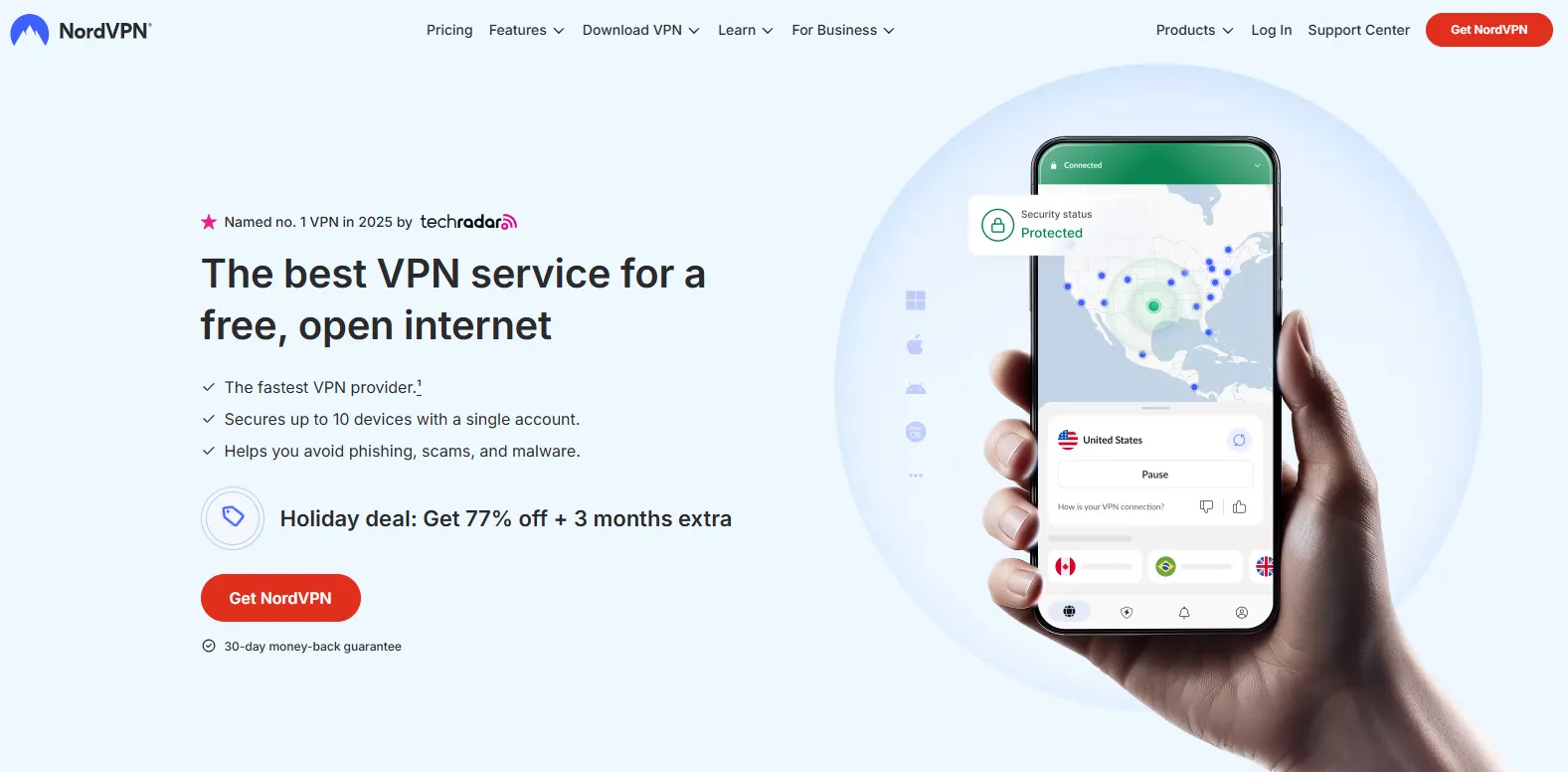
It is common to hesitate before committing to a VPN subscription: How effective is the service in practice? Can it reliably unblock streaming platforms? Most importantly, if I'm not entirely satisfied, how complex is the refund process?
This guide is designed to completely put your mind at ease. We provide a definitive, 100% successful strategy for a risk-free trial and full refund, based on NordVPN's official policies and extensive user experience. By strictly adhering to the five critical steps outlined below, you can effortlessly test this top-tier VPN for up to 30 days at zero financial risk, ensuring your money is absolutely safe.
The 30-Day Money-Back Guarantee vs. 7-Day Trial
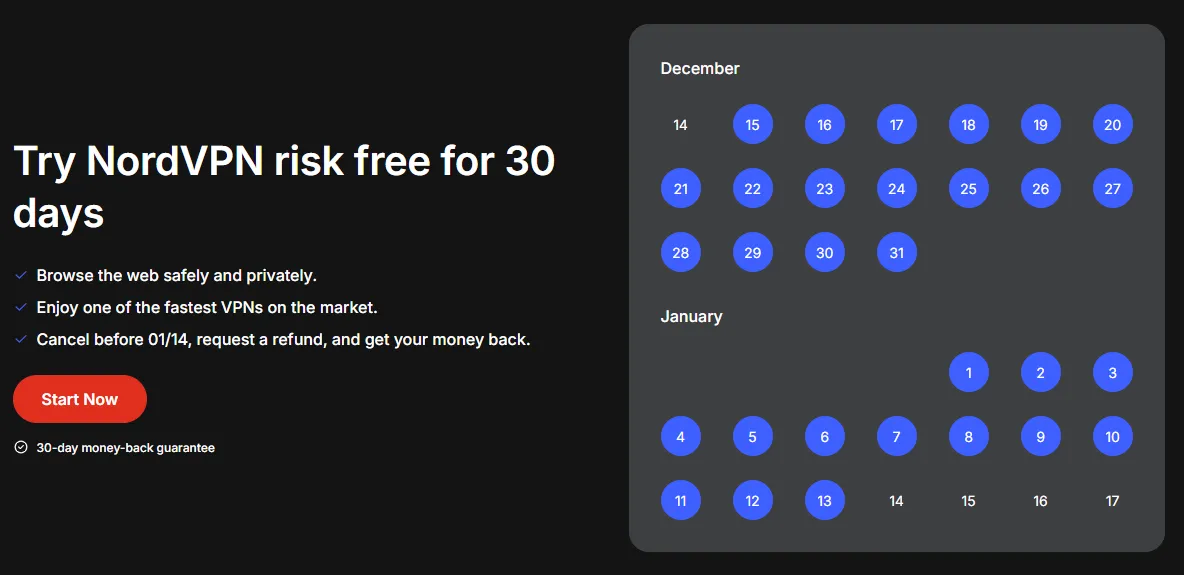
1. The 30-Day Money-Back Guarantee
While NordVPN is globally recognized, we understand the anxiety of making a commitment before trying the product. NordVPN's "30-Day Money-Back Guarantee" is not a mere marketing promise; it is a legally binding commitment. It ensures that you have the right to request a full refund within 30 days of purchasing the service for any reason, provided certain payment method exceptions do not apply.
2. Two Methods for a "Risk-Free Trial"
You primarily have two options for achieving a risk-free evaluation:
|
Method |
Duration |
Device Connections |
Mechanism |
Compatibility |
Upfront Cost |
Risk Warning |
|
30-Day Guarantee |
30 Days |
10 Devices |
Requires upfront payment; full refund available upon request within 30 days. |
Windows, macOS, Linux, Chromebook, Android, iOS, Apple TV, Roku, Amazon Fire TV, Chromecast—compatible with nearly all mainstream devices. |
Full payment is required at the time of purchase. |
Strict adherence to the 30-day deadline is mandatory; the guarantee expires after this period. |
|
7-Day Free Trial |
7 Days |
1 Device |
A genuine zero-cost trial period. |
Exclusively available for Android (via the Google Play Store). |
No initial fee. |
Automatic renewal is enabled by default; you must manually cancel before the 7th day to prevent automatic billing. |
The 7-Day Trial is largely limited to mobile devices. Crucially, the 30-Day Guarantee is the only way to thoroughly test critical features like streaming unblocking and P2P downloading on desktop computers (PC/Mac), Smart TVs (e.g., Fire TV, Samsung TV), and gaming consoles (PlayStation/Xbox).
Although the 30-Day subscription involves an initial outlay, it grants you ample time for comprehensive testing across your entire digital ecosystem. The refund process is well-known for being fast and reliable, with most users receiving their funds back within just a few business days.
Why Choose NordVPN?
Before initiating your "free trial," understanding NordVPN's key features will help you focus your 30-day evaluation and verify if its performance meets your needs:
|
Feature |
Details |
|
Server Count |
Over 8,600 |
|
Countries Covered |
168 |
|
Simultaneous Connections |
10 Devices |
|
Core Protocol |
NordLynx (optimized WireGuard) |
|
Kill Switch |
✔ |
|
Privacy Assurance |
Strict No-Logs Policy (Independently Audited) |
|
Headquarters |
Panama (Secure Jurisdiction) |
|
Best Offer |
As low as $2.99/month (74% off) |
|
Risk-Free Commitment |
30-Day Money-Back Guarantee |
1. Speed and Performance: NordLynx Protocol
-
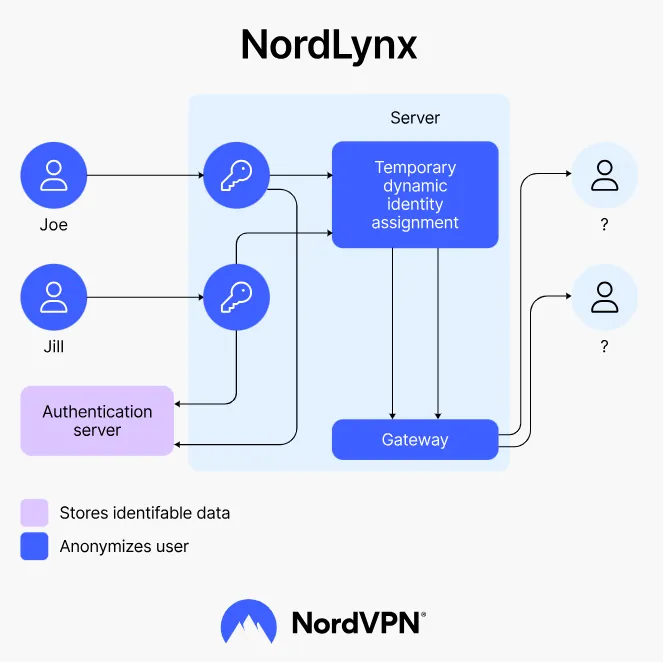
Proprietary Protocol: NordVPN utilizes its proprietary NordLynx protocol, an optimized version of WireGuard, which enhances privacy through a unique Double Network Address Translation (NAT) system.
-
Exceptional Speed: Speed tests demonstrate that NordVPN’s average connection speed reaches 346 Mbps, with a minimal performance reduction of only about 17% from the baseline speed. This top-tier performance ensures zero lag or buffering for high-definition streaming, online gaming, and downloading large files.
2. Security and Privacy: AES-256 Military-Grade Encryption & Zero-Logs
-
Military-Grade Encryption: The service employs the industry-standard AES-256 military-grade encryption, guaranteeing that user data remains confidential and protected against hackers and third-party surveillance.
-
Zero-Logs Commitment and Audits: NordVPN maintains a strict No-Logs Policy, which has been repeatedly verified by top global independent auditing firms like PwC and Deloitte. These audits confirm that NordVPN does not track or store any user online activity.
-
Panama Headquarters Advantage: The company is strategically headquartered in Panama, placing it outside the jurisdiction of global intelligence alliances (such as the Five/Nine Eyes Alliance) and mandatory data retention laws, which offers the highest legal safeguard for user privacy.
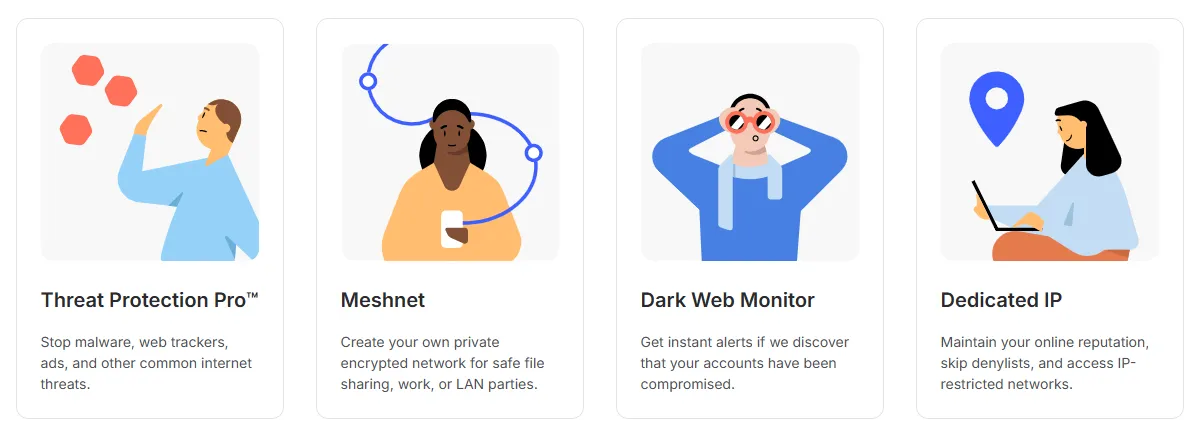 Image from nordvpn.com, Copyright by Merchant
 -
Multiple Security Features:
-
Threat Protection: Actively blocks intrusive ads, trackers, and malware, safeguarding your device and personal data.
-
Kill Switch: Instantly cuts the internet connection if the VPN link unexpectedly drops, preventing the accidental exposure of your real IP address and data.
-
Double VPN: Routes your traffic through two VPN servers consecutively, providing dual encryption for enhanced security.
-
Meshnet: An innovative feature that allows users to securely share files and route traffic through other devices worldwide, creating a personal, encrypted network.
-
Dark Web Monitor: Alerts you in real-time if your personal information appears on the Dark Web, effectively preventing identity theft.
- IP/DNS/WebRTC Leak Protection: Multiple leak tests consistently confirm that NordVPN reliably conceals your true location and DNS requests.
-
3. Excellent Streaming Unblocking and Content Access
-
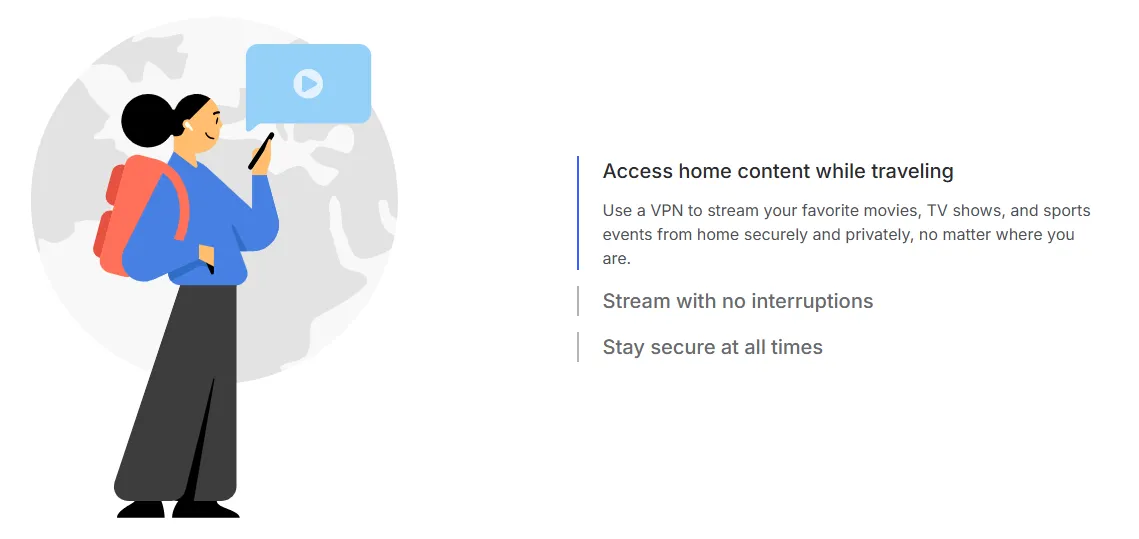
Global Content Libraries: NordVPN’s robust global server network is capable of stably unlocking over 10 international Netflix libraries and successfully bypassing geo-restrictions on virtually all major international streaming platforms, including Amazon Prime Video, Hulu, Disney+, BBC iPlayer, and Paramount+.
-
Seamless Streaming: In tests, NordVPN consistently worked with Netflix without triggering common proxy error messages, ensuring a seamless HD viewing experience.
-
App Optimization: Dedicated applications are available for Amazon Fire TV and Chromecast devices, enabling secure, unrestricted streaming on your Smart TV.
4. Server Network and Device Support: Extensive Coverage, Full Compatibility
-
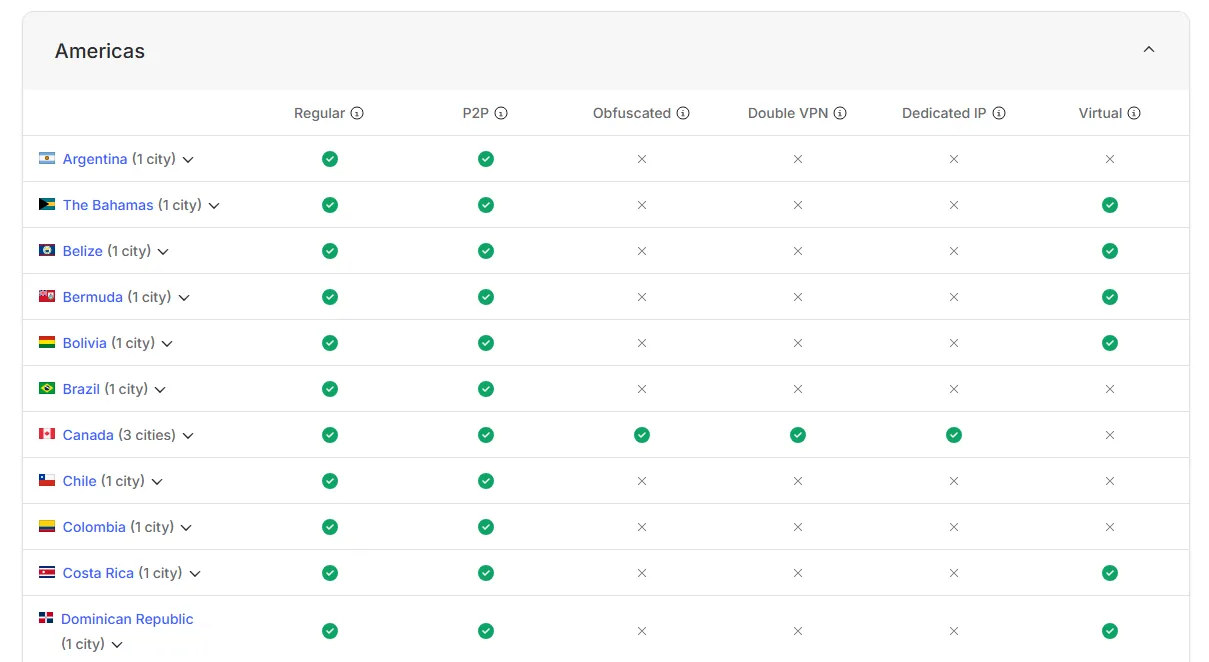
Vast Network: With over 8,600 servers spread across 168 countries/regions globally, you can easily find a nearby, low-latency connection point wherever you are, facilitating access to various local accounts (like banking and social media).
-
Multi-Device Protection: A single subscription simultaneously protects 10 devices, offering excellent value for family use.
-
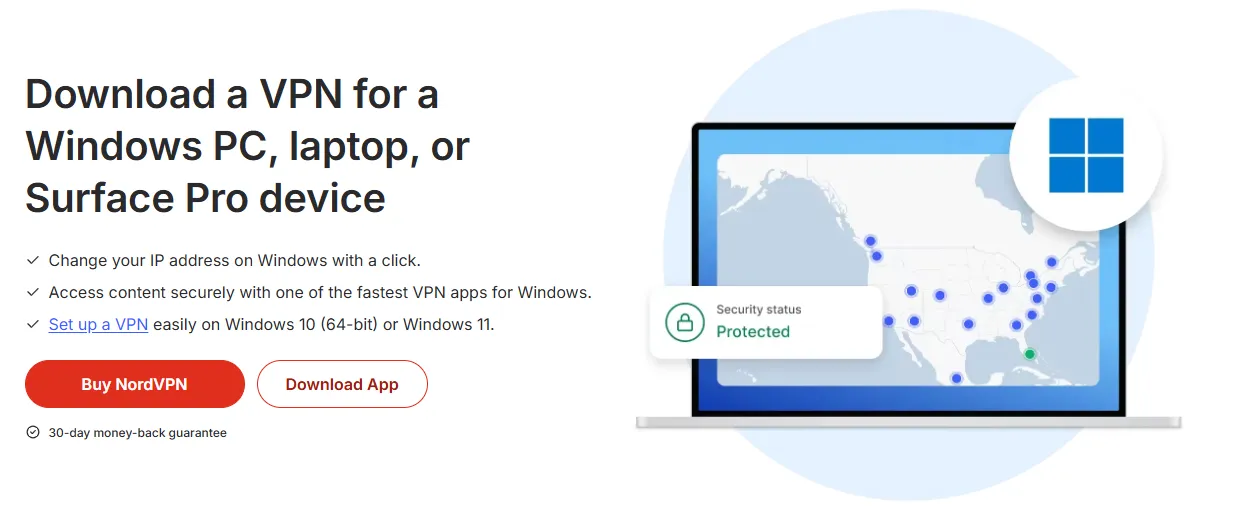
Wide Compatibility: Applications support all major platforms (Windows, macOS, iOS, Android, Linux).
-
Router Solution: For devices that lack native VPN app support (such as PlayStation/Xbox/Roku), NordVPN provides support for setting up a virtual router via PC or configuring the VPN directly on a physical router, thereby protecting all Wi-Fi-connected devices.
5. 24/7 Customer Support: Always-On Live Chat
NordVPN provides 24/7 live chat support, ensuring you can contact customer service immediately for any connection issues or, crucially, to submit a refund request. This is the primary reason we strongly recommend Live Chat as the fastest refund channel.
How to Get the NordVPN Free Trial?
1. Via the 30-Day Money-Back Guarantee (Recommended for All Devices)
This is the preferred method for risk-free, full-feature testing on PC, Mac, Smart TV, and other devices.
Step-by-Step Overview:
-
Visit the Official Website and Sign Up: Navigate to the official NordVPN website, click "Get NordVPN," and sign up using your email.
-
Select a Plan and Pay: Choose a subscription plan (opting for the shortest 1-month plan minimizes the upfront cost) and pay the full amount. Crucial: Use a readily refundable payment method like Credit Card or PayPal to ensure the subsequent refund is processed quickly back to the original source.
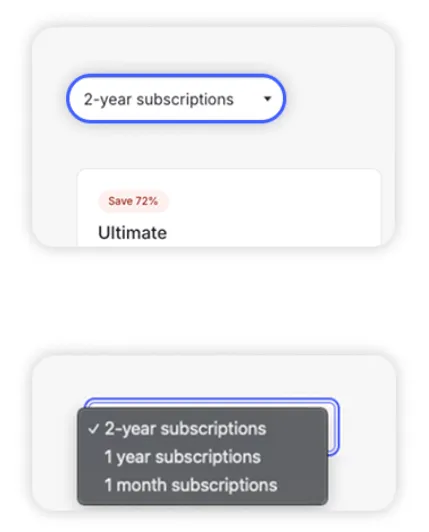 Image from nordvpn.com, Copyright by Merchant
 -
Activate Account: Check your email and click the account activation link. Your 30-day trial period begins immediately.
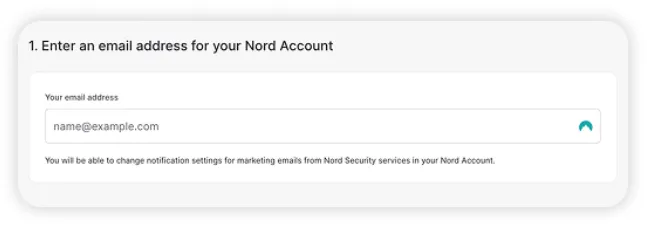 Image from nordvpn.com, Copyright by Merchant
 -
Download and Log In: Download the NordVPN application on your preferred devices and log in. You can now use all features risk-free; just remember to request a refund within 30 days.
🔔Turn off Auto-Renewal Immediately:
Immediately after purchase, log in to your NordVPN Account Dashboard, navigate to the "Billing" or "Subscription" settings, and explicitly disable the "Automatic Renewal" option. This is the most important precautionary step to prevent any unexpected charges after the 30-day trial concludes.
2. Via Google Play's 7-Day Free Trial (Android Only)
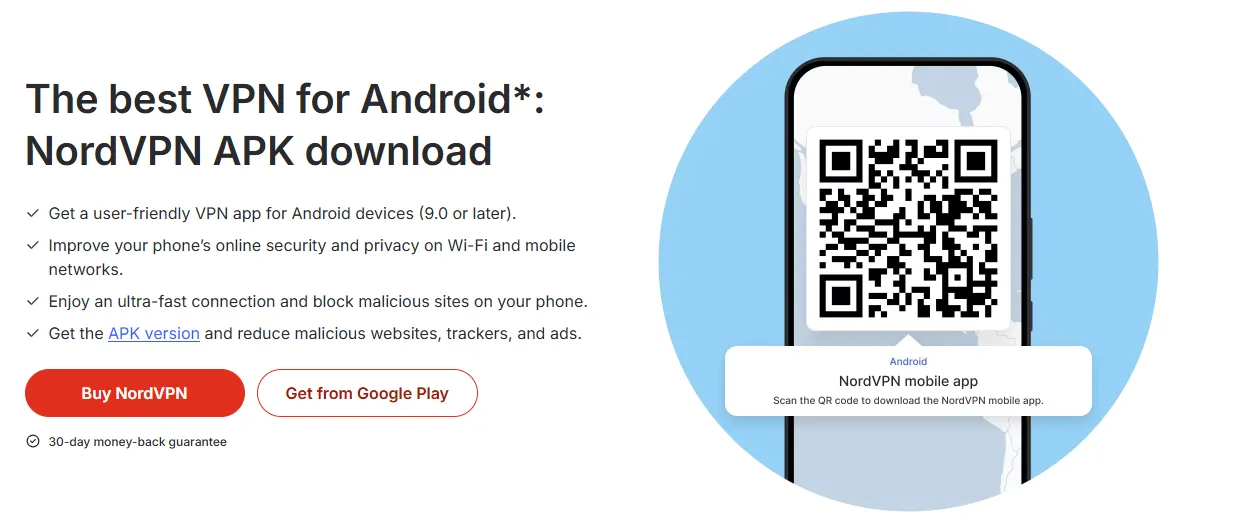
If you only require a short-term test on an Android phone and prefer zero upfront payment, this is the appropriate path.
Step-by-Step Overview:
-
Download the App: Visit the Google Play Store on your Android device, search for, and download the NordVPN application.
-
Create an Account: Open the App and click "Sign Up," creating a new account (or using Google/Apple quick registration).
-
Start the Trial: Select the "$0.00 Trial" option within the App (currency may vary by region).
-
Trial Begins: You will receive 7 days of full feature access. Note that the system will automatically configure a subscription (often with a discount) that will auto-renew and charge you after the 7th day ends.
Cancellation Reminder: You must manually cancel the subscription through the Google Play Store's subscription management interface before the 7-day trial ends to avoid automatic charges.
Step-by-Step Guide for a 100% Successful Refund
This section covers the most critical steps for successfully completing your "risk-free trial."
1. Official Refund Policy Details and Exceptions (Must Read)
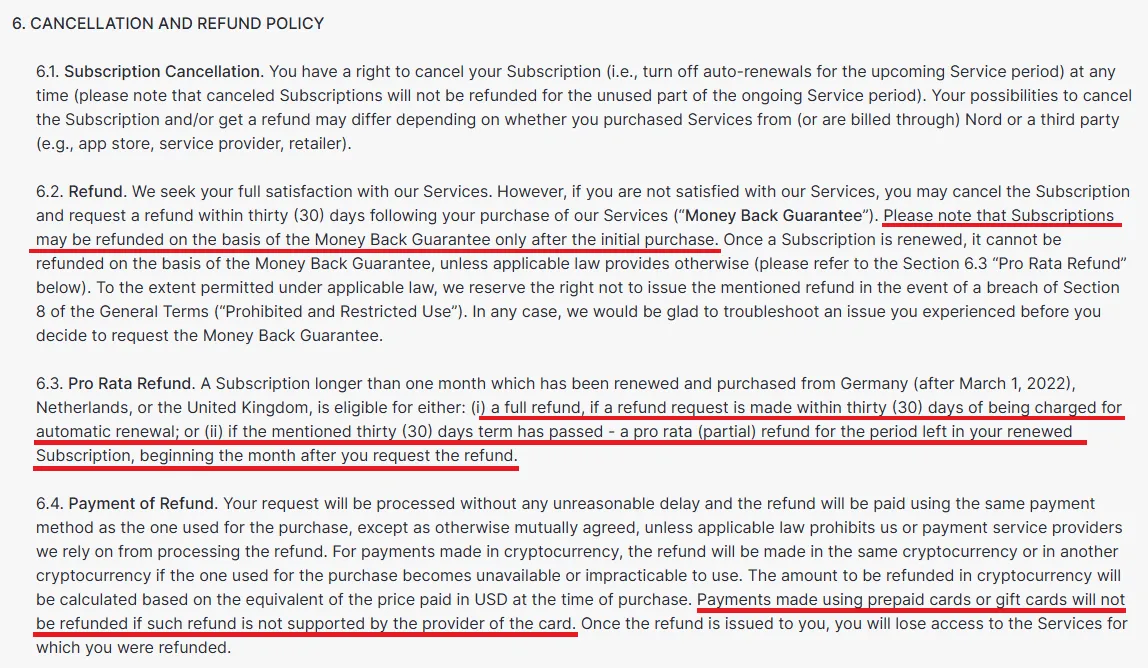
Before initiating the refund process, you must verify the following four core rules to ensure your application is eligible:
-
30-Day Deadline: The refund request must be submitted within 30 calendar days of the subscription purchase. If the deadline is missed, the system cannot process the request.
-
First-Time Refund Limit: The right to a full, unconditional refund is only valid for first-time subscribers. If your account has a prior NordVPN refund record, re-purchasing the service disqualifies you from the 30-Day Money-Back Guarantee.
-
Official Channel Required: There is no self-service refund button on the NordVPN website. You must proactively contact customer service through an official channel (Live Chat is recommended).
-
Payment Channel Exceptions:
-
Apple App Store (iOS) Purchases: You must contact Apple Customer Service directly for a refund. NordVPN cannot override Apple’s payment system.
-
Third-Party or Gift Card Purchases: Subscriptions purchased through Amazon, StackSocial, or paid for with a gift card need to be handled by the original seller and may not be eligible for a direct refund from NordVPN.
2. Best Refund Timing and Channel
-
Best Timing: Apply between Day 25 and Day 29 after purchase to allow sufficient buffer time before the deadline.
-
Preferred Channel: 24/7 Live Chat. This is the fastest method, and the customer service team is highly efficient in processing refunds.
3. Applying for a Refund via the 30-Day Guarantee (100% Success)
This is the optimal process, combining NordVPN's official instructions and user best practices.
Step 1: Log into Account and Disable Auto-Renewal (Mandatory Pre-Action)
-
Log in to your NordVPN Account Dashboard using a web browser.
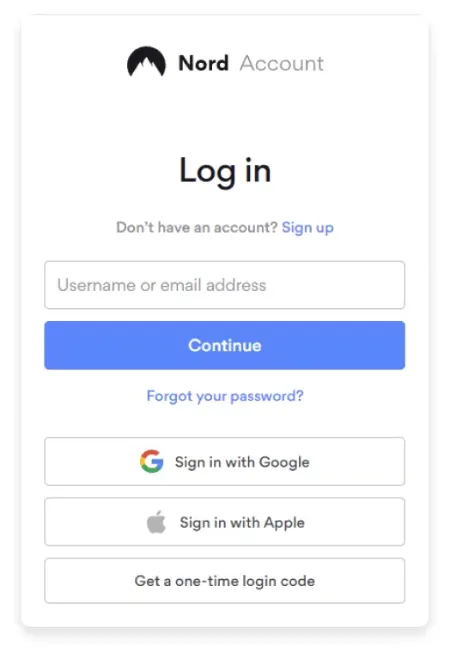 Image from nordvpn.com, Copyright by Merchant
 -
Go to the "Billing" or "Subscription" management page.
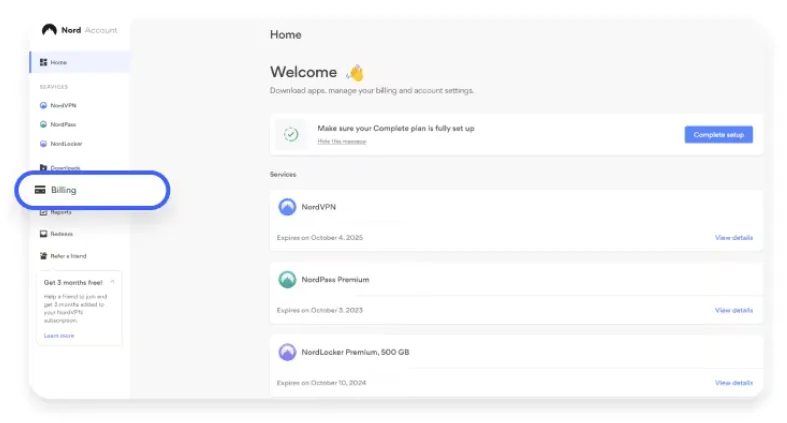 Image from nordvpn.com, Copyright by Merchant
 -
Explicitly set the "Automatic Renewal" option to "Off" or "Cancel."
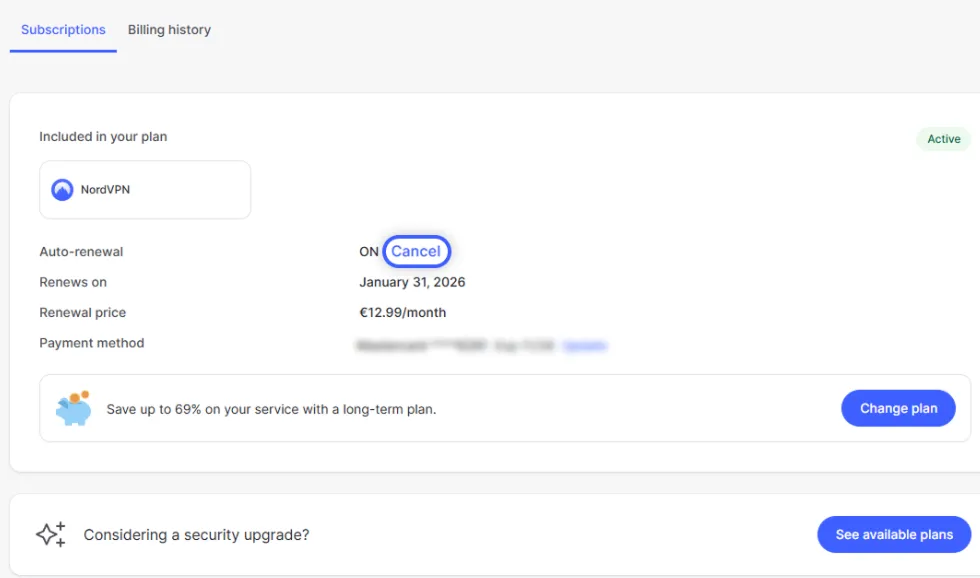 Image from nordvpn.com, Copyright by Merchant
 -
Complete the cancellation confirmation step. Although this action alone does not initiate a refund, it is the most crucial precaution against unexpected future charges.
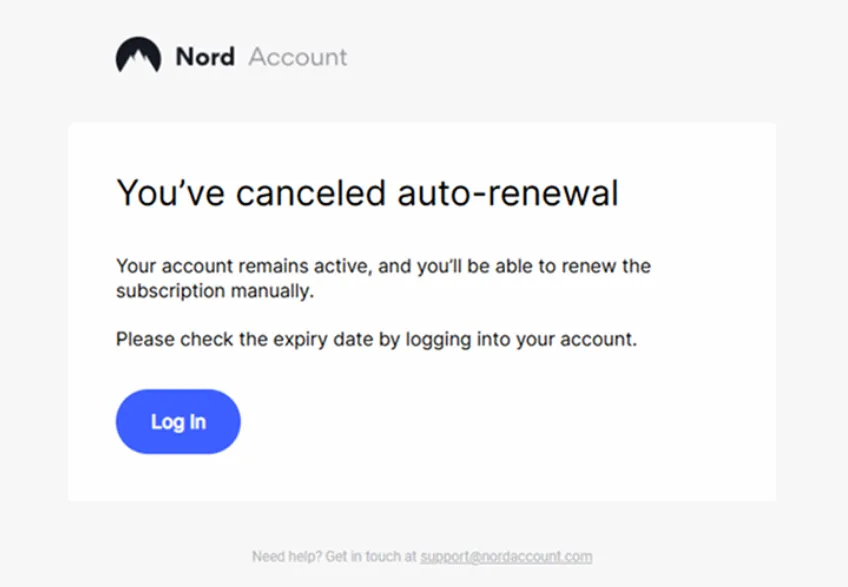 Image from nordvpn.com, Copyright by Merchant
Step 2: Contact Official Customer Service and Start Live Chat
-
On the NordVPN official website, find the entrance under "Contact Us" or "Resources" at the bottom of the page.
-
Select "Get in touch with an agent" to enter the help center.
-
Click the grey chat button in the bottom right corner of the page to start a conversation with customer service.
Step 3: Clearly State Refund Intent and Locate the Refund Button
-
Enter your registered email and name to connect with the chat interface.
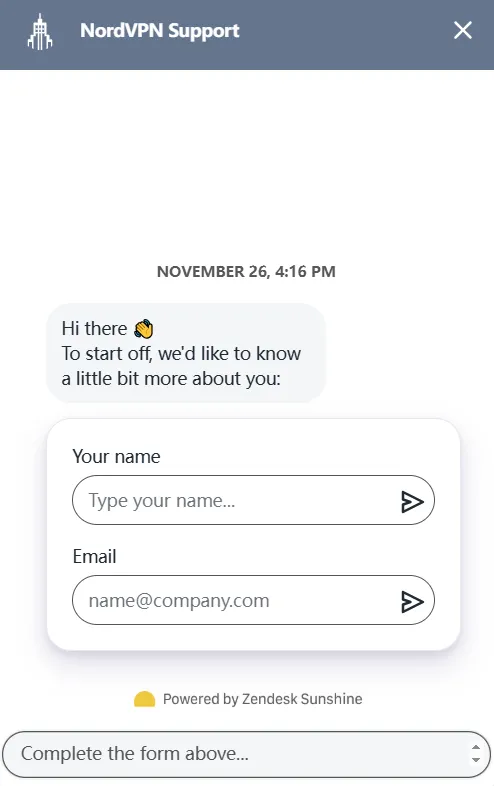 Image from nordvpn.com, Copyright by Merchant
 -
Clearly state your intent, for example, by typing "I want a refund" or "Refund" into the chatbox.
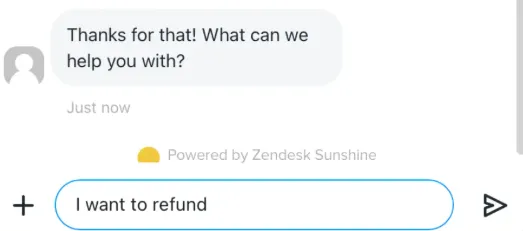 Image from nordvpn.com, Copyright by Merchant
 -
The chat interface will prompt you with a "Request a refund" button (or directly route you to an agent). Click this button.
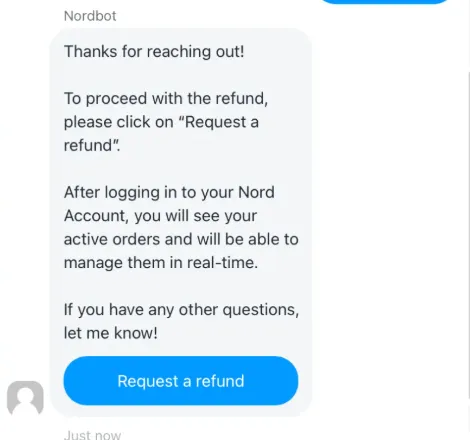 Image from nordvpn.com, Copyright by Merchant
Step 4: Submit the Formal Refund Request via the Account Page
-
After clicking the button from the previous step, you will be redirected back to your account's subscription page, where a new "Refund" button will appear on the right side.
-
Click the "Refund" button.
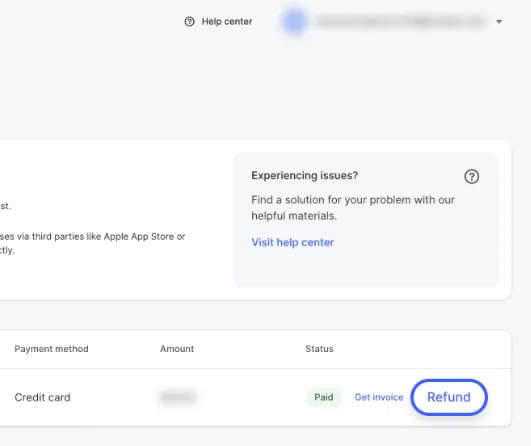 Image from nordvpn.com, Copyright by Merchant
 -
The system will ask you to select a primary reason for the refund. Choose the reason that best matches your situation (e.g., "Speed was unsatisfactory" or "No longer needed"), then click "Submit and Continue." (Note: The reason chosen will not impact the refund outcome, provided the 30-day requirement is met.)
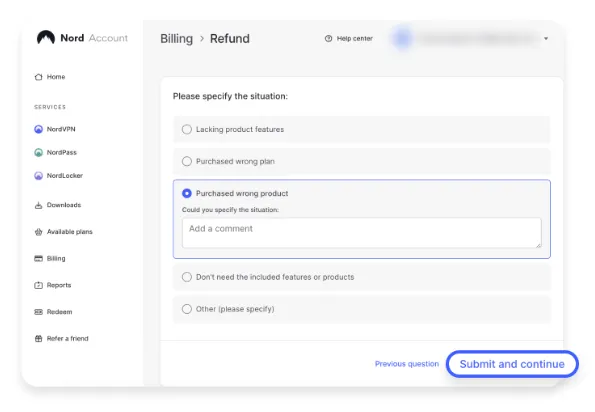 Image from nordvpn.com, Copyright by Merchant
 -
Finally, confirm the refund amount and impact. After confirming the details, click "Refund" in the bottom right to complete the submission.
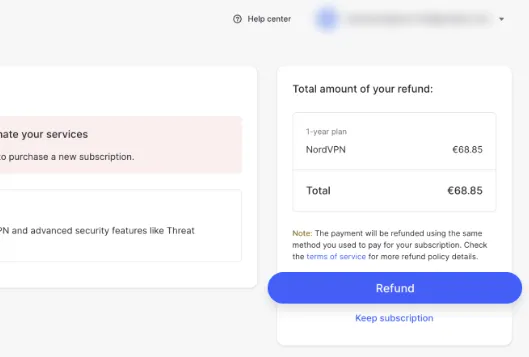 Image from nordvpn.com, Copyright by Merchant
Step 5: Complete the Process and Await Funds
-
Instant Confirmation: After submission, NordVPN will immediately notify you that the request has been received, promising to process it in approximately 4 hours. You will also receive an English system notification email.
-
Time to Funds: Generally, the entire refund process takes about 10 business days for the money to be credited back to your original payment account. Highly efficient payment methods (like PayPal) may receive the funds within 5 business days.
4. Canceling the Android 7-Day Free Trial
If you are using the Android 7-Day Free Trial, cancellation must be performed through the Google Play Store, as NordVPN's official customer service cannot process it. You must complete the following steps before the 7th day ends to avoid auto-renewal and charges:
-
Launch the Google Play App: Start the Google Play Store application on your Android phone or tablet.
-
Access the Account Menu: Tap the profile picture/icon in the top right corner of the screen.
-
Navigate to "Payments and subscriptions": In the pop-up menu, select the "Payments and subscriptions" option.
-
Find the Subscriptions List: In the next menu, click "Subscriptions." You will see a list of all active app subscriptions.
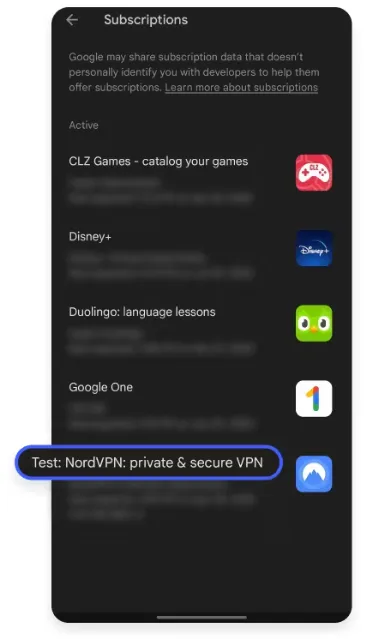 Image from nordvpn.com, Copyright by Merchant
 -
Select and Cancel NordVPN: Locate the "NordVPN" subscription item in the list, tap it to enter the details page, and then select "Cancel subscription" at the bottom of the page.
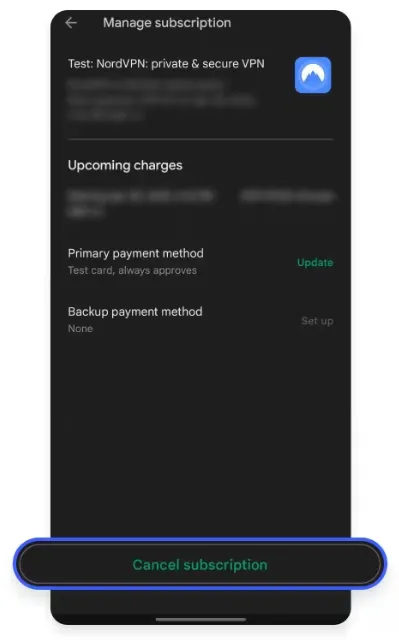 Image from nordvpn.com, Copyright by Merchant
 -
Confirm the Cancellation Reason: Google Play may ask you to choose a cancellation reason. Select an appropriate reason, then click "Continue" or "Confirm."
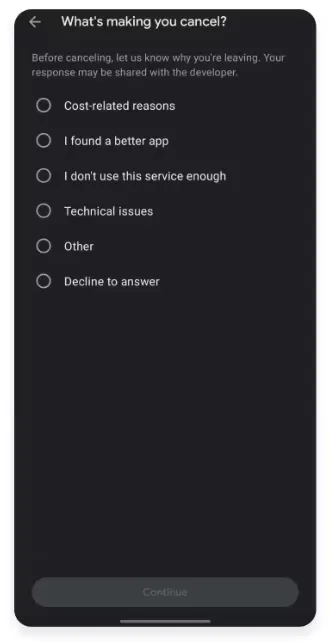 Image from nordvpn.com, Copyright by Merchant
 -
Verify Status: Confirm the cancellation action again. After successful cancellation, the subscription item will display a "Canceled" status and the exact date the service will stop (i.e., the end of the 7-day trial). You can continue to use the service until that date without being automatically charged.
5. NordVPN Refund Request Templates (English)
When you contact NordVPN support for a refund, you don’t need to provide a complex reason. Here are three tested scripts for different scenarios:
Option 1: The "Direct & Simple" Script (Best for Live Chat)
Use this if you want to finish the process as quickly as possible.
"Hi, I am within my 30-day money-back guarantee period and I would like to request a full refund for my subscription. I have already disabled auto-renewal. Please process the refund to my original payment method. Thank you."
Option 2: The "Firm" Script (When they ask "Why are you leaving?")
Agents are trained to offer discounts to keep you. Use this to skip the negotiation.
"I appreciate the offer, but I am not interested in a discount or an extension. I simply no longer need the service for my current project. Please proceed with the full refund according to the 30-day policy."
Option 3: The "Email Support" Template
Use this if you prefer to send an email to
[email protected].Subject: Refund Request - [Your Order Number or Account Email]
Message: Dear NordVPN Support Team, I am writing to formally request a full refund for my subscription under the 30-day money-back guarantee. Account Email: [Your Email] Date of Purchase: [Date] I have enjoyed testing the service, but it does not fit my current needs. Please confirm once the refund has been processed. Best regards, [Your Name]
Common Refund Failure Issues and Success Guarantee
If a refund request ever fails, it is almost always due to one of the three main reasons below:
-
Exceeded the 30-Day Deadline: You must set an advance reminder on your phone or calendar; this is the most common and irreversible reason for failure.
-
Wrong Purchase Channel: The purchase must be made through the official website. If purchased via the Apple App Store, immediately contact Apple Customer Service.
-
Not a First-Time Refund: If your account has a history of previous refunds, you forfeit the right to the unconditional 30-Day Money-Back Guarantee.
3 Steps to Success (for 30-Day Refund)
Step 1: Immediately disable auto-renewal after purchase (a critical step to prevent accidental charges).
Step 2: Submit the refund request via Live Chat between Day 25 and Day 29 (to ensure timeliness and efficiency).
Step 3: Confirm you meet the first-time purchase condition and did not use a third-party or gift card (to ensure compliance with the refund policy).
By mastering this complete guide, you are fully in control. NordVPN's 30-Day Money-Back Guarantee offers you a zero-risk opportunity to experience a top-tier service. Remember the key sequence: Live Chat + First-Time Refund + Within 30 Days to ensure your refund is 100% successful.
Is NordVPN’s Refund Policy Still Reliable in 2026? What Reddit Says
Before committing, many users check Reddit to see if NordVPN actually honors its 30-day money-back guarantee. Based on our analysis of the latest threads in r/VPN and r/privacy, here is the current 2026 consensus:
-
The "No-Hassle" Refund: User u/DigitalNomad26 noted, "I used NordVPN for a trip to Japan and requested a refund on day 28. The live chat agent asked why I was leaving, but once I insisted, the refund was approved in under 5 minutes. Money hit my PayPal in 3 days."
-
Consistency on Speed: Most Redditors agree that while some "free trials" throttle speeds, NordVPN’s 30-day risk-free period gives you full access to the NordLynx protocol, which remains the top choice for 4K streaming and low-latency gaming.
-
The "Apple Trap" Warning: A recurring theme on Reddit is the frustration with App Store subscriptions. User u/TechSavyUser warned, "If you sign up via iOS, Google and NordVPN can't help you with a refund. You have to deal with Apple's support. Always sign up via the official website to ensure a smooth 30-day money-back process."
The Verdict: The Reddit community generally views NordVPN as the "Gold Standard" for risk-free trials in 2026, provided you avoid third-party app store billing.
NordVPN Review 2026: Is It Still the Best VPN? (Tested)
NordVPN's Guarantee vs. Free VPNs
When considering a VPN, many are tempted by free services. However, free services often carry significant inherent risks and limitations.
The table below contrasts the premium NordVPN service with typical free VPN offerings, providing a clear comparison of security, performance, and support to help you make an informed decision.
|
NordVPN (Paid Service with 30-Day Guarantee) |
Free VPN |
|
✅ Strict, independently audited No-Logs Policy. |
❌ Often log and sell user data. |
|
✅ Vast network of 8,600+ servers in 168 locations. |
❌ Very limited server count. |
|
✅ High-speed connections via NordLynx. |
❌ Severely restricted or slow speeds. |
|
✅ Smart ad and malware blocking (Threat Protection). |
❌ May display targeted ads. |
|
✅ Unlimited bandwidth and data usage. |
❌ Often imposes strict bandwidth restrictions. |
|
✅ 24/7 Live Chat customer support. |
❌ Customer support is often non-existent or minimal. |
Conclusion: While free VPNs may have an initial cost advantage, they typically suffer from significant shortcomings in data privacy, connection quality, and customer support. For users requiring a reliable, secure, and high-speed connection, a paid service like NordVPN offers more comprehensive assurance and higher quality service. The 30-Day Money-Back Guarantee from NordVPN allows users to try it worry-free, effectively avoiding the potential risks associated with using free VPNs.
Frequently Asked Questions (FAQ)
We have compiled the most frequently asked questions to help you better understand NordVPN's trial and refund mechanisms before you decide to start your 30-day trial period.
Q1. Does NordVPN offer a genuine free trial?
A: Yes, but under specific conditions.
NordVPN does offer a 7-day free trial for new Android users, which is available directly through the Google Play Store. You can access all paid features during the trial. However, note that a valid payment method (Credit Card or PayPal) is still required upon registration for verification purposes to prevent abuse.
If you are not an Android user or require a longer testing period, the 30-Day Money-Back Guarantee is the optimal way to experience NordVPN risk-free on Windows, macOS, iOS, or any other platform. You are entitled to a full refund as long as you apply within 30 days.
Q2. Can I use NordVPN's free trial or refund guarantee multiple times?
A: No.
Both the NordVPN free trial and the 30-Day Money-Back Guarantee are strictly limited to first-time subscribers and purchasers. Once your account has a refund record, the 30-Day Money-Back Guarantee policy will no longer apply, even if you pay for a subscription again. This is a crucial rule for NordVPN to ensure the fairness of its policy and prevent misuse.
Q3. Can I get a free trial on my iPhone or iPad?
A: Not directly.
The genuine 7-day free trial is only available on the Android platform. For iOS/macOS users, you should proceed directly with purchasing a subscription and then utilize the 30-Day Money-Back Guarantee detailed earlier for a risk-free test. This provides a longer evaluation period and allows for comprehensive testing on up to 10 devices simultaneously.
Q4. How do I avoid being charged during the 7-day trial?
A: You must manually cancel the subscription through the Google Play Store's application subscription management interface before the 7-day trial ends. The cancellation steps are:
Go to Google Play -> Tap Profile Picture -> Select "Payments and subscriptions" -> Find the NordVPN subscription -> Select "Cancel subscription" and follow the instructions.
As long as you cancel on time, you will not incur any charges.
Q5. Do I need to provide payment information when trying NordVPN?
A: Yes, it is required.
Whether it's the 7-day Android free trial or the 30-Day Money-Back Guarantee, you need to provide a valid payment method (such as a Credit Card or PayPal). This is a common industry practice used for identity verification and to prevent users from maliciously registering multiple accounts. For the 7-day trial, you won't be charged if you cancel on time; for the 30-day guarantee, the money will be fully refunded after you submit your request.
Q6. On which devices can I conduct a risk-free trial of NordVPN?
A: Almost all devices.
By using the 30-Day Money-Back Guarantee, you can test NordVPN without limitation on the following devices:
-
All Major Operating Systems: Windows, macOS, Linux, Android, iOS.
-
Smart TVs and Streaming Devices: Apps are supported on Amazon Fire TV, Chromecast, and others.
-
Gaming Consoles and Devices Without Native Apps: For Xbox, PlayStation, etc., you can utilize NordVPN's support to set up a virtual router on a PC or configure the VPN directly on a compatible physical router, thereby protecting all Wi-Fi-connected devices.