In the modern digital world, a Virtual Private Network (VPN) is essential for online freedom and privacy. Among the many providers, Surfshark stands out, earning global praise for its exceptional value, unlimited simultaneous connections, and powerful unblocking capabilities.
When considering any paid service, users invariably ask: Can I try it for free first? While Surfshark offers two "risk-free" mechanisms, new users often confuse them, which can result in unsuccessful trials or unexpected billing.
This comprehensive guide reveals the most effective way to secure Surfshark's 30-day "free trial." We provide a step-by-step tutorial on how to safely and risk-free experience all of Surfshark’s premium features without spending a cent.
30-Day Money-Back Guarantee Overview
Surfshark's "free" experience primarily comes in two forms with completely different mechanisms and scopes. Here is a detailed comparison focusing on the guaranteed risk-free option:
|
Feature |
30-Day Money-Back Guarantee |
|
Acquisition Channel |
Applicable to all official channels (purchase via the official website) |
|
Applicable Platforms |
All platforms (PC, Mac, mobile devices, etc.) |
|
Actual Trial Length |
30 days |
|
Prepayment Requirement |
Requires initial payment (full-featured access; a full refund is available before the deadline) |
|
Refund Eligibility |
Full refund can be requested within 30 days of purchase |
|
Cancellation/Refund Method |
Must contact Surfshark's 24/7 Live Chat Support to request a refund |
|
Applicable Plans |
Applicable to most plans (excluding gift cards, iTunes, Amazon, and other third-party purchases) |
|
Feature Access |
Full VPN access (no feature limitations) |
|
Recommended Use |
Comprehensive, in-depth, cross-platform feature testing, Zero Risk |
Zero-Risk Access: Surfshark 30-Day Money-Back Guarantee Process
To fully experience Surfshark’s unlimited, full-featured service for 30 days, you must leverage its industry-standard 30-Day Money-Back Guarantee.
1. How the 30-Day Money-Back Guarantee Works
The money-back guarantee is Surfshark's commitment to the quality of its service.
Mechanism: Starting from the day you purchase the subscription, you can apply for a full refund if you are dissatisfied with the service for any reason (or no reason) within 30 days.
Zero-Cost Logic: If you successfully apply for a refund before the 30-day deadline, the entire amount you paid will be returned, resulting in a 30-day risk-free, zero-cost experience with Surfshark.
Important Note: This is the full-featured, unlimited official service. You get unlimited device connections, access to all server nodes, and all premium features.
2. Detailed Steps for 30-Day Money-Back Guarantee Refund
Step 1: Purchase a Surfshark Subscription
-
Visit the Official Website: Go to the Surfshark official website (purchasing from the official site makes the refund process easiest).
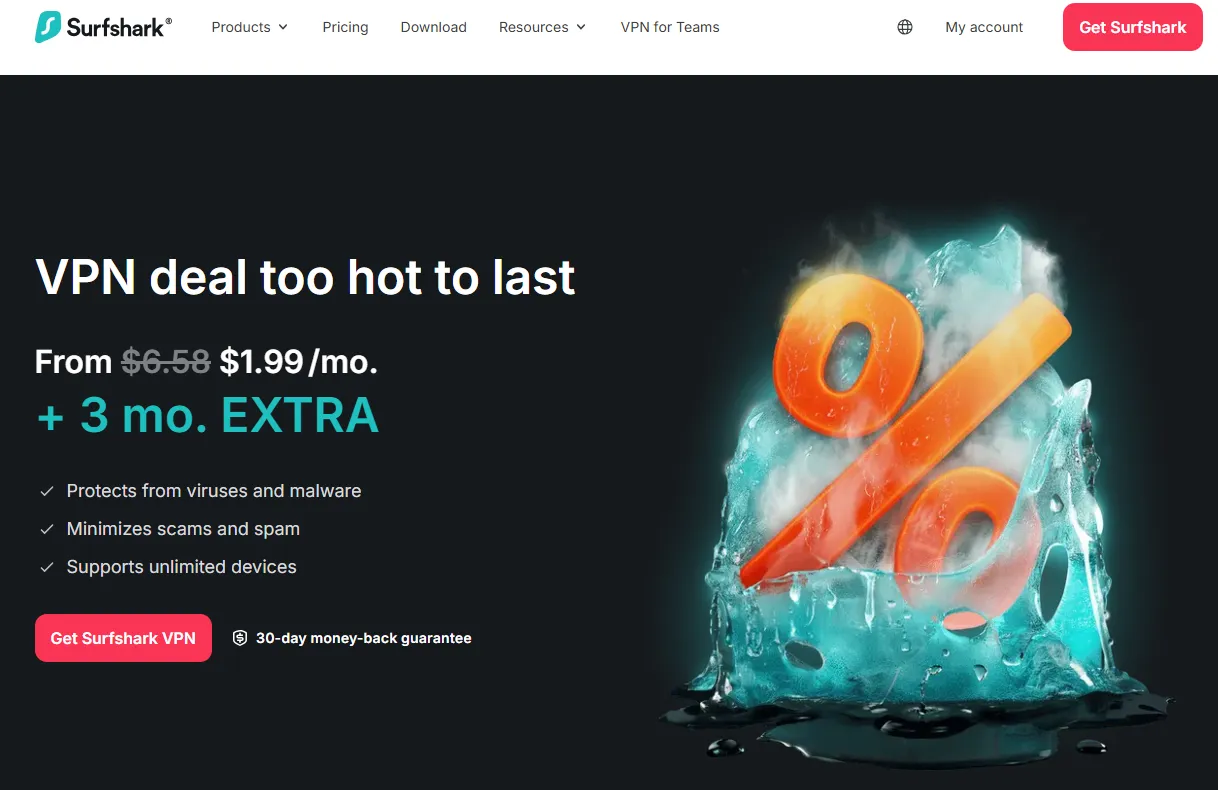 Image from surfshark.com, Copyright by Merchant
 -
Select a Plan: We recommend selecting a cost-effective, long-term plan (e.g., the two-year plan), as the plan duration does not affect your ability to receive a full refund, provided you cancel within 30 days.
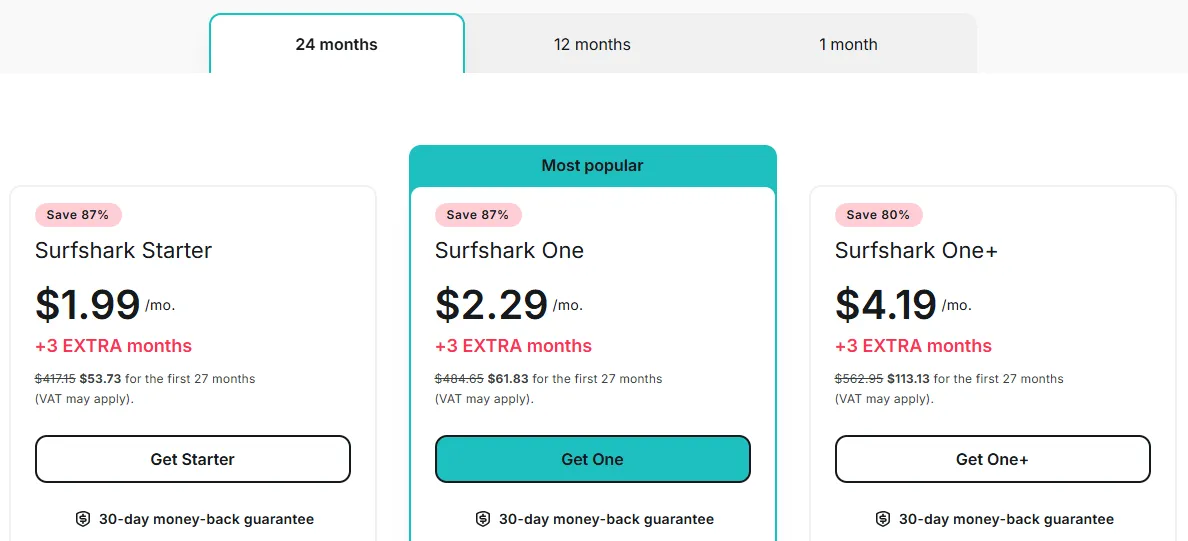 Image from surfshark.com, Copyright by Merchant
 -
Payment Method: Prioritize Credit Card or PayPal. These methods typically offer the fastest refund processing times and are easiest to track. Surfshark also accepts cryptocurrency, but refund procedures for anonymous payment methods can be more complex.
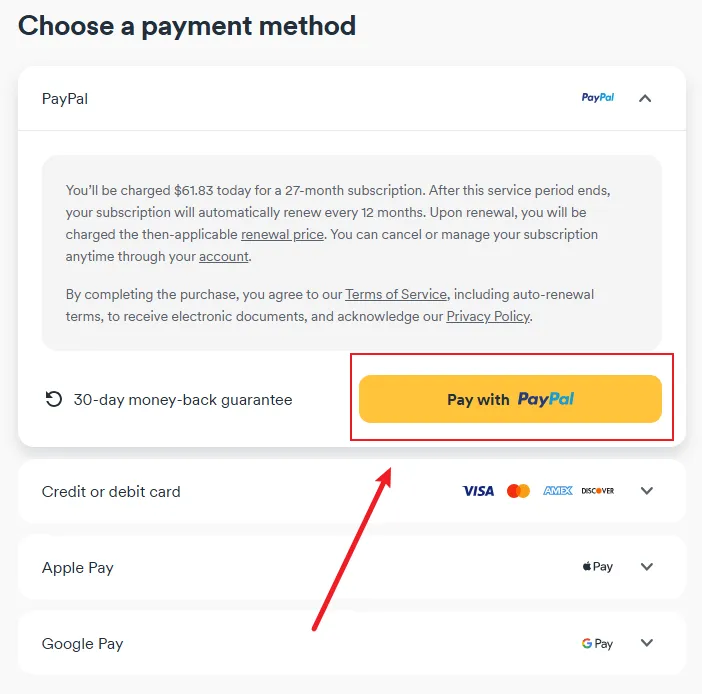 Image from surfshark.com, Copyright by Merchant
Step 2: Download, Install, and Fully Utilize the Service
Over the next 30 days, you should thoroughly utilize all of Surfshark's features for in-depth testing:
-
Install and log in on all your devices (phone, tablet, computer, etc.) to experience the advantage of unlimited device connections.
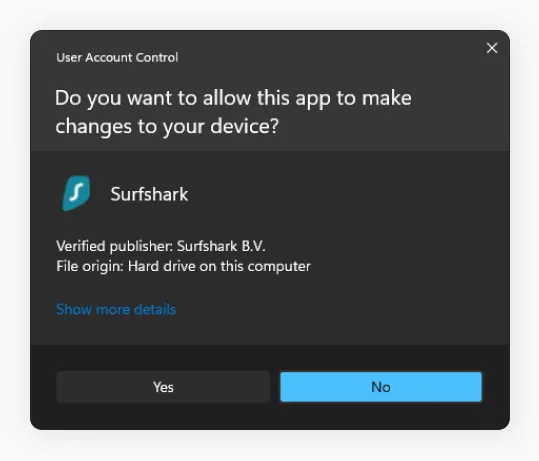 Image from surfshark.com, Copyright by Merchant
 - Register an account: After installing the VPN application, you can start using it. However, you will need to register your own user account.
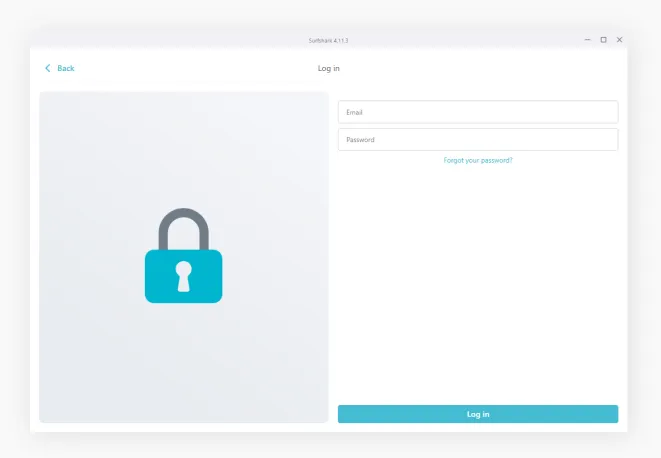 Image from surfshark.com, Copyright by Merchant
 - Click to connect: Connect to the nearest/fastest available server.
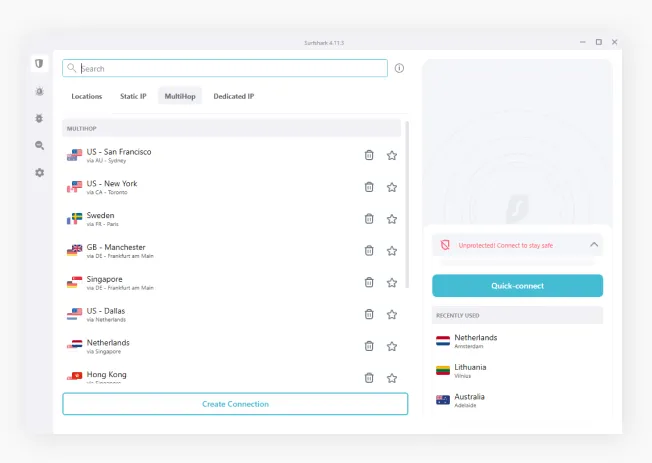 Image from surfshark.com, Copyright by Merchant
 -
Test streaming unblocking, P2P download speeds, and connection stability.
Step 3: Requesting a Refund: Template, Limitations, and Best Timing
This is the final step to ensure your zero-cost experience. You must complete it before the deadline.
-
Best Timing: We recommend submitting your refund request between Day 25 and Day 28. This provides a 2–5 day buffer, ensuring you don't miss the 30-day deadline due to time zone differences or busy customer service queues.
-
Contacting Support:
-
Log In: Go to the Surfshark official website, click "Log in," and access your account dashboard.
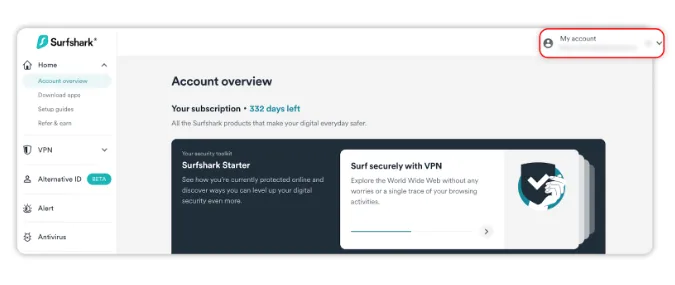 Image from surfshark.com, Copyright by Merchant
 -
Help Center: You can find the "Help Center" through "My Account" or directly at the bottom of the official website.
-
Live Chat: Locate the 24/7 Live Chat button. Live Chat is the fastest and most efficient communication method on the official website, with agents usually confirming the refund within minutes. Surfshark's support (via Live Chat and email) also offers Chinese-language service (typically through timely machine translation).
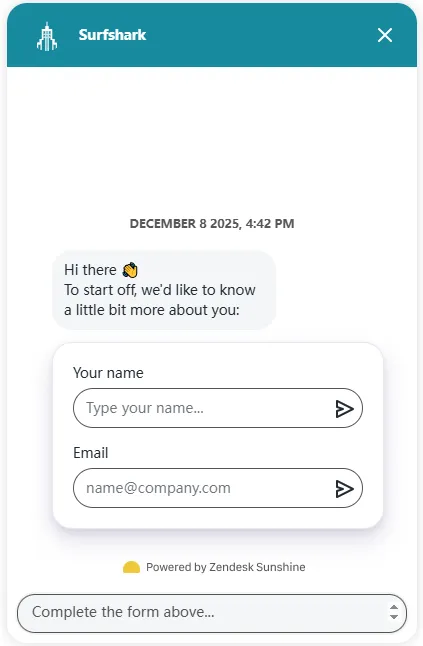 Image from surfshark.com, Copyright by Merchant
 -
Note: Avoid Email: Email response times are often too slow.
-
-
Customer Service Dialogue Template:
-
Once connected, state your intention directly: "Hi, I would like to cancel my subscription and request a full refund."
- Responding to the Agent: The agent may politely ask the reason for cancellation or if you encountered technical issues. You do not need to argue or provide extensive details; a brief, uncontroversial answer is sufficient. Agents are usually helpful and will not actively try to persuade you to keep the subscription.
-
-
Confirmation and Limitations:
-
Confirmation: Ensure the agent clearly tells you that the Refund Process has been Initiated. You will subsequently receive an email confirming that your Surfshark account has been successfully canceled or closed.
-
Refund Limit (Important): Each user can apply for a refund a maximum of twice. There must be an interval of at least 6 months between the two refund requests.
- Note: After the second refund, you will be permanently ineligible for further refunds. Please use your refund correctly.
-
In-Depth Review: Unlimited Devices, Streaming, and Speed Performance
During your 30-day trial period, you are using the fully functional, formal version of Surfshark. The following sections detail Surfshark's core advantages over its competitors—the key aspects you should focus on evaluating during your trial, including running a comprehensive Surfshark speed test over the 30 days to check performance consistency.
1. Server Network and Speed
-
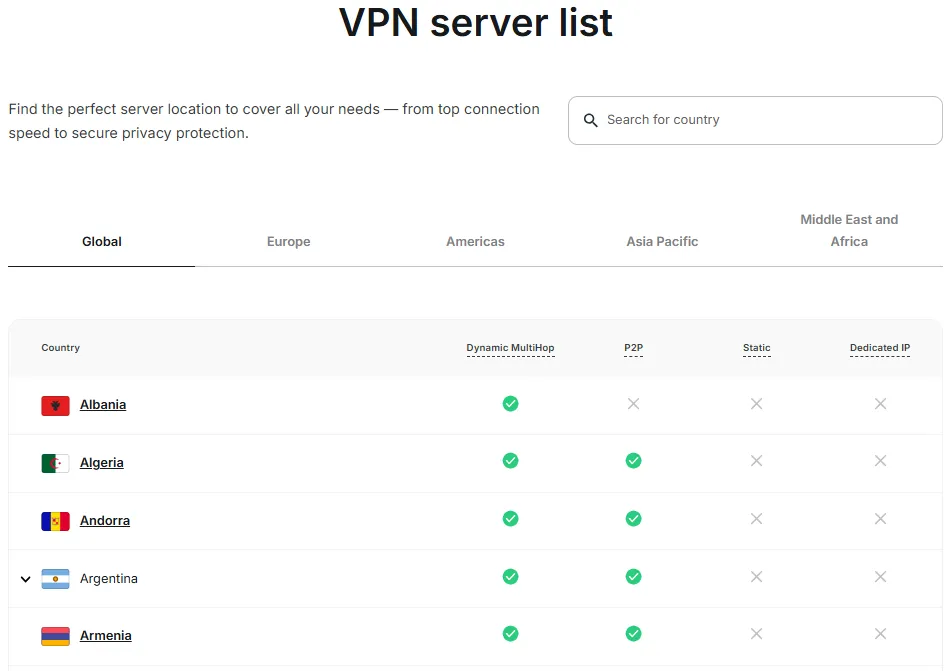
Server Network Breadth: Surfshark boasts over 3,200 servers covering 100 countries/regions, providing ample options globally to ensure you can find a fast, low-latency connection wherever you are.
-
Connection Speed Performance: Surfshark performs excellently in terms of speed, thanks to its support for the WireGuard protocol.
-
Near Servers: Speed reduction is typically only around 4%, resulting in almost no impact on daily browsing.
-
Far Servers: Even when connecting to distant nodes, the speed reduction is only around 25%, which is still fast enough for smooth HD streaming.
2. Unlimited Device Connections

-
Exclusive Advantage: This is Surfshark's biggest selling point. A single Surfshark account allows simultaneous use on an unlimited number of devices.
-
Platform Coverage: Supports all major and niche platforms, including Windows PC, Linux, Firestick, Mac, Android, iOS, smart TVs, and routers.
-
Testing Advice: Fully leverage the 30-day trial period by connecting all your household devices (phones, PCs, tablets, routers) simultaneously to test the stability and ease of use.
3. Streaming Unblocking and P2P Support
-
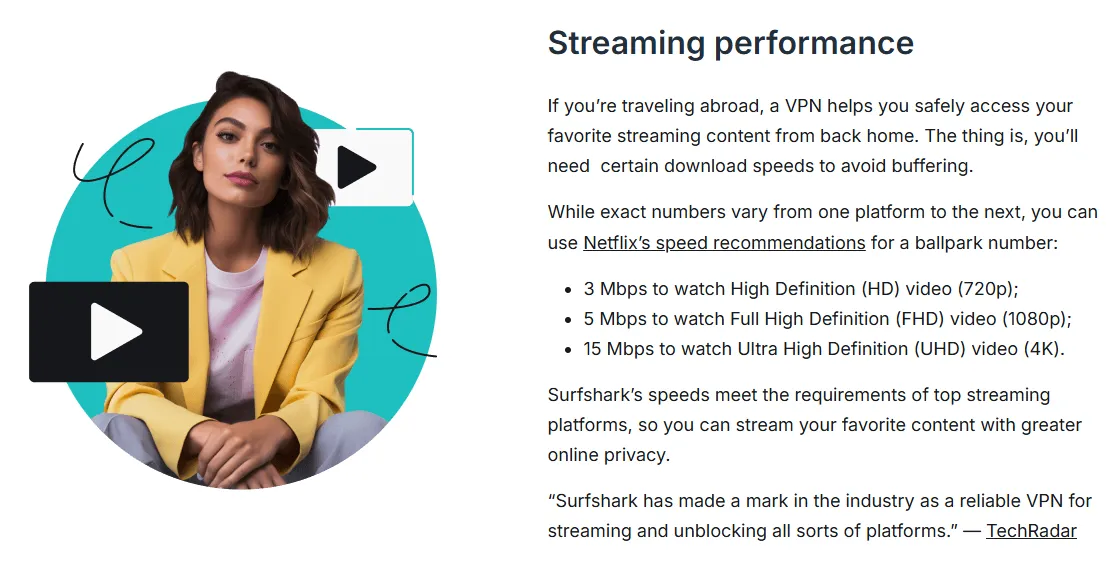
Streaming Unblocking: Surfshark is reliably effective at bypassing geo-restrictions, making it an excellent choice for streaming enthusiasts. It can reliably unblock:
-
Netflix (US, UK, and other libraries)
-
Disney+, Hulu, HBO Max
-
BBC iPlayer, Amazon Prime Video
-
P2P (Torrenting) Support: Surfshark permits P2P and torrenting activities on all servers. When you connect to the VPN and start P2P, the app will automatically route you to P2P-optimized servers, ensuring secure and private downloading.
4. Security and Privacy
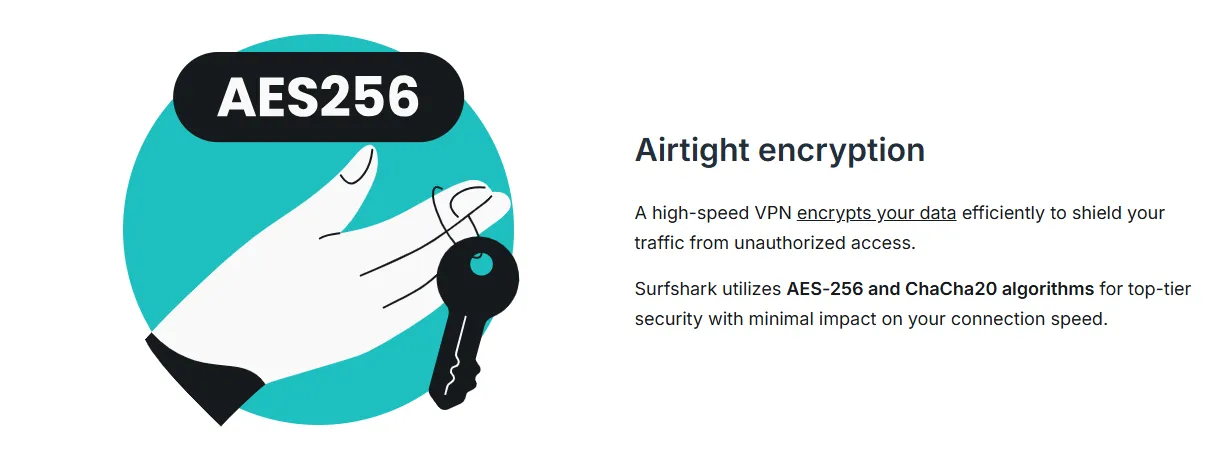
Surfshark is committed to providing top-tier network security and privacy protection.
-
Military-Grade Encryption: Employs the industry-standard military-grade AES-256-bit encryption, ensuring your data is invulnerable during transmission.
-
No-Logs Policy: Surfshark strictly enforces an audited and verified No-Logs Policy, promising not to record any user activity, connection, or IP addresses.
-
RAM-Only Servers: The entire server network uses a Diskless/RAM-only architecture (instead of traditional hard drives). This means all data is wiped every time a server reboots, significantly enhancing privacy protection.
-
Kill Switch: This core feature immediately cuts off your internet connection if the VPN link unexpectedly drops, preventing accidental leaks of your real IP address and data.
Advanced Security Features
-
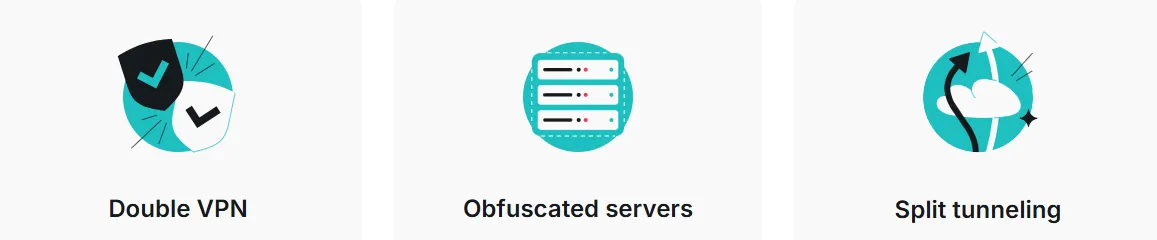
CleanWeb: Surfshark's CleanWeb feature blocks general ads, banner ads, and pop-ups. It also blocks trackers and prevents you from visiting malicious websites, ensuring safer browsing free from interference.
-
Obfuscated Servers (Camouflage Mode): When enabled, Surfshark obfuscates your VPN traffic, making it look like regular HTTPS traffic. This effectively bypasses Deep Packet Inspection (DPI) or firewalls. This is a key feature for maintaining stable connections and bypassing firewalls in countries with strict internet censorship (like Mainland China).
-
MultiHop (Double VPN): Allows your traffic to be routed and double-encrypted through two different VPN servers, providing an extra layer of security.
-
Bypasser (Split Tunneling): Allows you to choose which applications or websites route traffic through the VPN tunnel and which connect directly to your local network, enabling flexible management.
5. Pricing (Value and Guarantee)
-
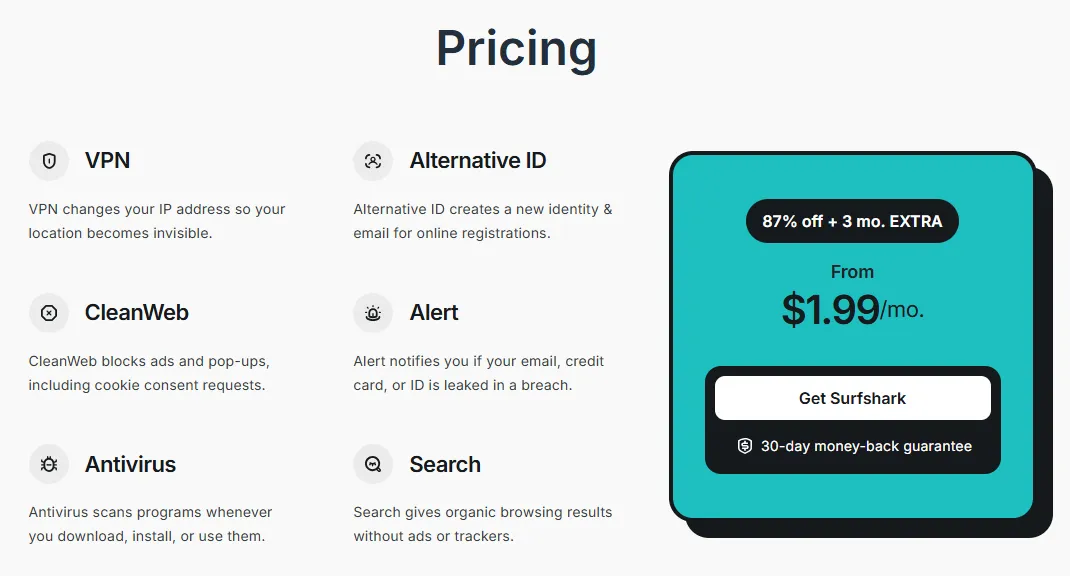
High Value-for-Money: Surfshark's average monthly price is highly competitive, with deals often starting around $1.99/month (for the 2 years + 3 months extra plan), making it an ideal choice for users who require unlimited device connections.
-
30-Day Money-Back Guarantee: Offers the industry-standard 30-day full refund guarantee, allowing you to test all features risk-free.
-
Refund Limit: Each user can apply for a refund a maximum of twice. There must be an interval of at least 6 months between the two refund requests, and after the second refund, you can no longer initiate any further refund requests.
6. Customer Support
-
24/7 Live Chat Support: Provides round-the-clock real-time chat support. No matter what technical or billing issues you encounter, you can get rapid assistance.
-
Multi-Language Support: Both Live Chat and email support offer Chinese-language service (usually through machine translation), ensuring users receive timely help.
Advanced Guide for Users in China: Obfuscation and Best Asian Nodes
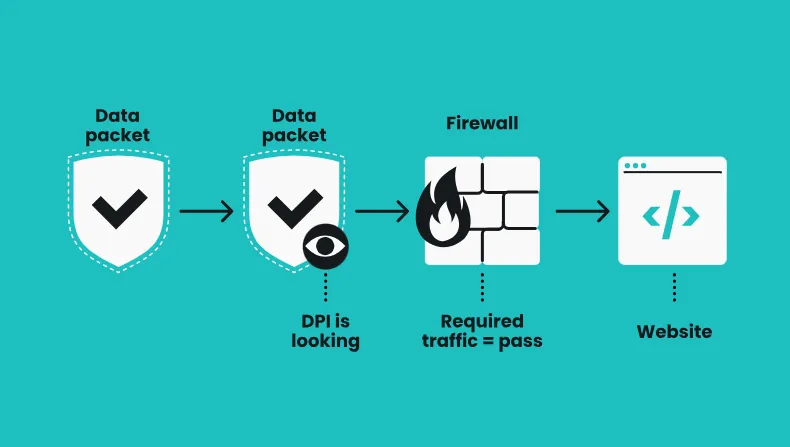
For Surfshark users in regions with strict internet censorship, such as Mainland China, the primary challenge is establishing a successful and stable connection. To fully leverage the 30-day trial for effective and stable testing, follow this advanced guide:
1. Protocol and Mode Optimization: Enable Obfuscation to Bypass DPI
Choosing the correct protocol is key to overcoming network restrictions.
-
Obfuscation Priority: Surfshark's core strategy is to disguise your VPN traffic as ordinary HTTPS traffic to evade the firewall’s Deep Packet Inspection (DPI). When encountering connection difficulties, the first step should be to enable the obfuscation feature (often called NoBorders Mode or Obfuscation in the settings). This dramatically increases the connection success rate.
-
Protocol Switching Strategy: If the default protocol (like WireGuard) is unstable, you should try manual switching:
-
WireGuard (Fast/Balanced): Preferred, as it performs excellently in speed and security, but might be restricted in severe network environments.
-
OpenVPN (TCP) (Anti-Blocking/Stable): When all other protocols fail, OpenVPN's TCP mode typically has stronger anti-blocking capabilities, sacrificing a bit of speed for connection stability.
-
IKEv2 (Mobile/Quick Connect): Fast connection speed on mobile devices, but less resistant to blocking than OpenVPN (TCP).
2. Server Selection and Time Strategy: Dynamic Optimization
Connection speed and stability are closely related to server load and geographical location.
-
Geographical Principle: Prioritize Asian nodes that are geographically close to China and have excellent network infrastructure.
-
Recommended Nodes: Hong Kong, Japan, Singapore. These nodes have low latency, suitable for daily browsing and HD streaming.
-
Alternative Nodes: If popular nodes are overloaded, try South Korea, Taiwan, or US West Coast nodes as alternatives.
-
Time Slot Optimization: International internet bottlenecks often occur during specific periods.
-
Avoid Peak Hours: Try to avoid the domestic evening peak hours (approx. 7:00 PM – 11:00 PM) or periods of major international events, as network congestion and detection efforts may be stronger.
-
Test Times: Testing in the early morning or late morning can provide speed performance closer to the VPN's true capabilities.
3. Client and Software Details: Ensuring Smooth Operation
Ensure your device is in the optimal connection state.
-
Utilizing Bypasser (Split Tunneling): If your primary need is to access specific foreign websites, you can use the Bypasser (Split Tunneling) feature.
-
Principle: Only allow traffic from applications or websites that need "breaking through the firewall" to pass through the VPN tunnel, while domestic traffic connects directly. This reduces the VPN's load, increases the response speed of domestic applications, and minimizes interference.
-
CleanWeb (Ad Blocking): While CleanWeb can block ads and malicious websites, increasing loading speed, in some cases, it might affect the normal operation of a website or app. When testing connection stability, try temporarily disabling this feature for troubleshooting.
-
Software Updates: Ensure your Surfshark client is the latest version, as the Surfshark team constantly updates its app to adapt to the latest network environment changes. If you cannot directly access the app store, download the latest installation package on a stable network beforehand.
4. Special Strategy for Users in China: Trial Policies
For the special circumstances of users in China, here is some additional advice:
-
The Boundaries of the 30-Day Money-Back Guarantee:
-
Core Positioning: The 30-day refund policy is essentially a "pay first, experience later, get a refund if dissatisfied" mechanism. It serves as a guarantee for a risk-free trial, not a tool for continuous "free access."
-
Rational Testing Principle: During these 30 days, you should intensively test its speed and stability during peak hours (7 PM–11 PM) and its ability to unblock streaming services. Ensure its performance meets your work, study, or entertainment needs.
-
Risk Warning: Abusing the refund policy (e.g., frequent refunds) may result in your account being flagged as a "high-risk user" by the vendor, impacting future purchases. Furthermore, forgetting to apply for a refund within 30 days will lead to automatic renewal, which must be carefully avoided.
Surfshark 30-Day Guarantee vs. Free VPNs
When considering a "free" trial, many users ask: Why not just use a free VPN?
The answer is simple: security and functionality.
We strongly recommend Surfshark's 30-day money-back guarantee over the free VPN services flooding the market.
|
Comparison Point |
Surfshark (During Trial) |
Completely Free VPN |
Conclusion |
|
Security |
Military-grade encryption, Audited No-Logs Policy |
Weak security features, potential logging of user activity |
Surfshark is secure and reliable |
|
Privacy Risk |
Zero Risk |
Exposed for selling user data, injecting ads, or malware |
Free VPNs pose serious privacy risks |
|
Performance |
Extremely fast connection, stable streaming unblocking |
Significantly slower speeds, unstable connections |
Free VPN experience is often poor |
Conclusion: The security features, server network, and performance of free VPNs are often inferior to paid VPNs like Surfshark. Rather than risking data leaks and malware with free services, use Surfshark's 30-day money-back guarantee for a risk-free experience of its top-tier service, and fully evaluate its military-grade encryption and audited no-logs policy.
Conclusion
The 30-day money-back guarantee offers a zero-risk, full-featured formal service experience that is far superior to free VPNs on the market. It allows you to conduct in-depth, rigorous testing of Surfshark’s speed, stability (especially in heavily censored network environments), and streaming unblocking capabilities before committing to a long-term subscription. Therefore, we conclude:
-
First Choice: The 30-Day Guarantee: Purchase a long-term plan through the Surfshark official website, using a credit card or PayPal to ensure convenient refund processing.
-
Use Judiciously, Test Thoroughly: Use this period to test obfuscation mode, protocol switching, and record connection status for recommended nodes like Asia and the US West Coast during peak hours (7 PM–11 PM).
-
The Time Window is Critical: Be sure to apply for a refund through the 24/7 Live Chat Support between Day 25 and Day 28.
-
Do Not Abuse: Remember the refund policy has a two-time limit. Treat it as a serious "take-back" option, not a tool for continuous "free access."
The Surfshark 30-day money-back guarantee is your best strategy to secure online privacy and freedom with zero cost outlay. Plan your trial wisely to make the most informed long-term choice!
Frequently Asked Questions (FAQ)
Q1: My connection speed is slow or frequently fails during the trial. Is this a VPN issue? How can I fix it?
A: During the Surfshark 30-day trial, you are using the full-speed, unlimited service. Connection issues are usually related to your local network environment or the intensity of network censorship, not the VPN's performance itself.
Self-Troubleshooting Steps:
-
Switch Nodes (Primary Step): Immediately try switching to a recommended nearby Asian node, such as Japan, Singapore, or Hong Kong. Switching nodes almost always resolves the issue if the current one is overloaded or blocked.
-
Enable Obfuscation: Find and activate "Obfuscation Mode" or NoBorders Mode in the settings. This is crucial for users in China to bypass Deep Packet Inspection (DPI) and maintain connection stability.
-
Switch Protocols:
-
If the default WireGuard is slow or fails to connect, try switching to the OpenVPN (TCP) protocol. It has stronger anti-blocking capabilities (though slightly slower).
-
On mobile devices, you can also try IKEv2.
-
-
Contact Support: If the above steps do not resolve the issue, contact the 24/7 Live Chat Support immediately. They can recommend the most stable server address for your current network environment or provide advanced configuration guidance.
Q2: After applying for a refund, how long does the money typically take to arrive?
A: Once Surfshark support confirms the refund request, the speed of the reimbursement depends on your payment method:
-
Credit Card/PayPal: Usually takes 5 to 10 business days to appear in your account.
-
Cryptocurrency or other anonymous payment methods: The refund process may take longer. It is recommended to contact support for an accurate time estimate.
Q3: Can I buy Surfshark again after receiving a refund?
A: Yes, you can repurchase the service. However, please note the following two points:
-
Refund Limit: Each user can only apply for a refund a maximum of two times. After the second refund, you will permanently lose the right to apply for another refund.
-
Time Interval: There must be an interval of at least 6 months between the two refund requests.
Q4: How do I confirm my VPN is actually working? How do I perform an IP/DNS leak test?
A: Confirming VPN effectiveness is vital.
Method 1: IP Address Comparison
-
While not connected to Surfshark, visit a "What is my IP" website and record your real IP address and geographical location.
-
Connect Surfshark to any server (e.g., a US node).
-
Visit the same website again. If the displayed IP address has changed to the server's country IP, the VPN connection has been successfully established.
Method 2: DNS/IP Leak Test
-
Connect Surfshark.
-
Visit a reputable leak test website (e.g., dnsleaktest.com).
-
Check the test results. A proper connection should only display the IP address of the Surfshark DNS servers (usually located in the Netherlands or other privacy-friendly countries) and should not show any information from your local ISP. If local information appears, it indicates a DNS leak, and you should contact support or ensure your Kill Switch is enabled.
Q5: What should I do if my Kill Switch frequently activates, leading to connection cuts?
A: Frequent Kill Switch activation usually means your VPN connection is unstable, but it is fulfilling its duty to protect your privacy.
Resolution Steps:
-
Switch Protocols: This is the most common solution. If you are using WireGuard, try switching to OpenVPN (TCP). TCP mode is slightly slower but often offers better reliability in unstable network environments.
-
Switch Servers: Frequent disconnections may be due to the current server being overloaded or incompatible with your ISP's routing. Try connecting to other nearby Asian nodes (like Japan, Singapore) with lower loads.
-
Check Local Firewall/Antivirus: Ensure your local firewall or antivirus software is not mistakenly identifying the Surfshark client or its connection ports (like WireGuard's UDP port) as a threat and blocking them.
-
Contact Support: If frequent disconnections occur during specific time slots or on specific servers, report it to the 24/7 Live Chat Support. They can provide customized configuration advice or recommend the currently most stable nodes.