Looking for student VPN discounts in 2026? Learn how to save up to 85% on ExpressVPN, NordVPN, and Surfshark, even without a .edu email address.
Whether you need ExpressVPN for academic research, Claude or ChatGPT to assist with your writing, or an M5-powered device for the upcoming school year, this ultimate guide will show you how to unlock the best student benefits in 2026.
⚡ Quick Guide: Best Student VPN Deals & How to Apply
If you are looking to secure a student discount on a premium VPN in 2026, keep these 3 essential rules in mind:
-
Top Quality vs. Best Budget: ExpressVPN is the premier quality option, offering students up to
83%off +4 free months(totaling28 monthsof service) with a14-dayfully free trial. If you are on a tight budget, Surfshark offers a$1.78/monthstudent rate and supports unlimited simultaneous connections to share with roommates. -
Bypass the .edu Email Block: If you do not have a school
.eduemail address, you can manually verify your student status on Student Beans or UNiDAYS by uploading your CHSI Online Verification Report annotated with English translations alongside your physical student ID. -
Lock in Long-Term Plans: Because student discount codes can only be applied to new registrations, always select the 2-year plan at checkout. This allows you to lock in the lowest monthly pricing for your entire academic cycle before the rate reverts to standard retail.
Read our detailed guide below to explore comparative student VPN pricing tables, free AI tools like Canva Pro and Notion AI, and step-by-step verification troubleshooting instructions.
2026 Student Discount Overview
To help you find the best deals quickly, here is a summary of the most valuable student discounts available globally in 2026:
|
Category |
Brand / Product |
Core Offer |
Difficulty |
Priority |
|
VPN Services |
Save up to 83% + 4 free months |
Medium (Email/ID) |
★★★★★ |
|
|
Hardware |
Apple / Microsoft / Samsung |
Up to $350 off + Back-to-School freebies |
High (Requires verification) |
★★★★☆ |
|
AI & Productivity |
Free Plus/Pro features or API credits |
Medium (Email) |
★★★★★ |
|
|
Creative Design |
Adobe / Canva / Figma |
Up to 60% off or free Pro plans |
Low (ID/Enrollment proof) |
★★★★★ |
|
Developer Tools |
GitHub / JetBrains |
Free GitHub Copilot + 30+ IDEs |
Medium (Annual renewal) |
★★★★★ |
|
Streaming |
Apple Music / Spotify |
50% off + bundled video services |
Low (Instant verification) |
★★★☆☆ |
|
Career & Upskilling |
LinkedIn / Coursera |
Free premium trials or free certifications |
High (Institution-specific) |
★★★☆☆ |
If you're wondering how to get a VPN student discount without a standard school email, the process is simpler than you think.
ExpressVPN Student Discount Guide
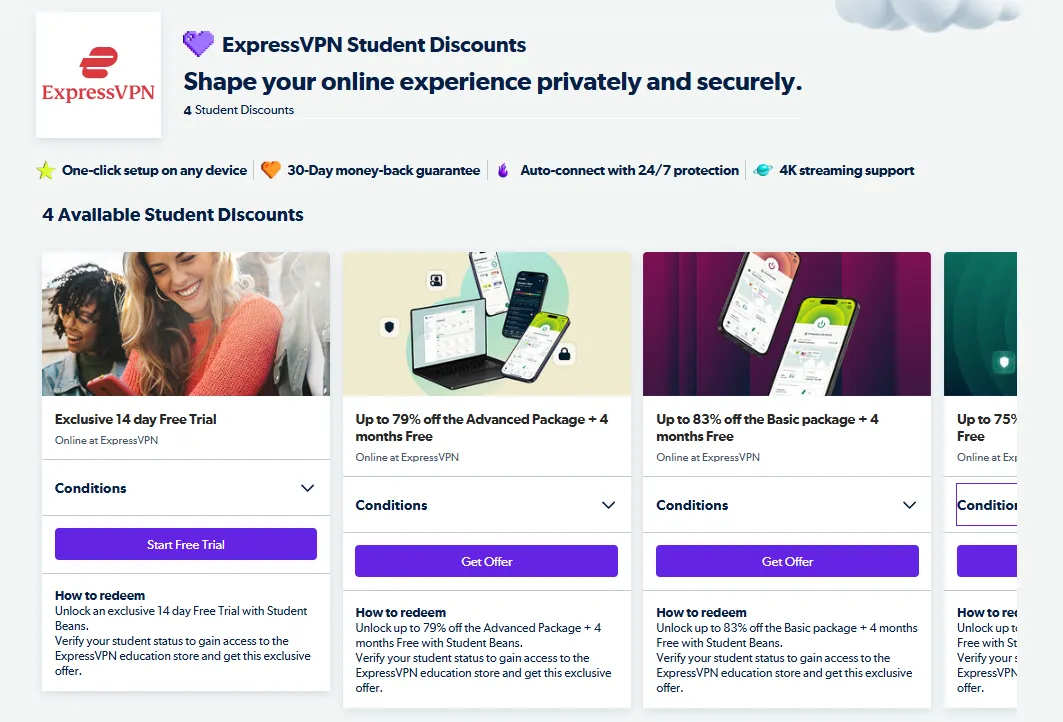
ExpressVPN has expanded its partnership with major student verification networks, allowing students to access its premium service at a fraction of the standard price.
1. ExpressVPN Student Discount 2026: Pricing & Plans
|
Plan Type |
Discount |
Free Months |
Total Duration |
Best For |
|
Exclusive Free Trial |
100% Free |
- |
14 Days |
Risk-Free: Try all premium features without paying upfront. |
|
24-Month Plan |
Save 83% |
+4 Months |
28 Months |
Best Value: Ideal for long-term study and multi-year programs. |
|
12-Month Plan |
Save 79% |
+4 Months |
16 Months |
Balanced: Perfect for one-year study abroad programs. |
|
6-Month Plan |
Save 75% |
+4 Months |
10 Months |
Short-Term: Great for exchange semesters or exam prep. |
-
Graduation Benefit: If you graduate in 2026, you can transition to the Grad Beans program to keep your discounted rate for up to 5 years.
-
No-Risk Guarantee: All student plans are covered by ExpressVPN's 30-day money-back guarantee.
2. How to Apply Student Discount?
Method A: Instant Verification via Portals (Recommended)
Best for students who have active Student Beans or UNiDAYS accounts, or a standard .edu email address.
-
Log In: Go to the Student Beans or UNiDAYS website.
-
Verify Status:
-
-
Via Email: Enter your school email to receive an instant verification link.
-
Via Documents: If you don't have a .edu email, upload a photo of your student ID card or enrollment letter (approval usually takes 24 hours).
-
-
Get Your Code: Search for "ExpressVPN" on the portal and click "Get Offer" or "Claim Code". Note: You must click through this link to see the discounted student rates.
-
Checkout: We recommend using PayPal for secure checkout. Once registered, copy your unique Activation Code and paste it into the ExpressVPN app to log in instantly.
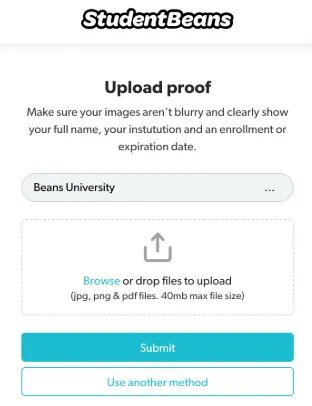
Method B: Direct Verification on the ExpressVPN Website
Best for students who prefer to bypass third-party verification portals.
-
Go to Student Portal: Visit the official ExpressVPN website, scroll to the footer, and click "Student Discount".
-
Submit Details: Choose your plan, then enter your school name, enrollment date, and expected graduation year.
-
Upload Proof: Upload a photo of your student ID or official enrollment transcript. Direct verification usually takes 1–2 business days.
-
Complete Purchase: Once approved, your unique discount link will be sent to your inbox. You can complete your purchase using a credit card, PayPal, or UnionPay.
3. Pro-Tips & Common Pitfalls
-
Lock in the Longest Plan: Student discounts generally apply only to your first billing cycle. To maximize savings, choose the 24-month plan to lock in the lowest monthly rate for over two years.
-
Device Limit: The 2026 edition of ExpressVPN allows up to 14 simultaneous connections. You can easily share these with roommates to split the cost.
-
The Grad Beans Transition: Do not close your Student Beans account when you graduate. Grad Beans allows you to keep your student-level pricing on select services during your early career years.
How to Get ExpressVPN Free Trial for 7 & 30 Days
Other Best Student VPN Deals in 2026: NordVPN, Surfshark, and CyberGhost
If you want to compare options, several other top-tier VPN brands are running highly competitive student campaigns this year.
|
Brand |
Effective Monthly Price |
Extra Months |
Device Limit |
Refund Window |
Key Selling Point |
|
~$2.63 - $3.09 |
+3 Months |
10 |
30 Days |
Advanced cybersecurity & Threat Protection Pro |
|
|
~$1.78 - $1.99 |
+3 Months |
Unlimited |
30 Days |
Unlimited devices; great value for dorms |
|
|
~$1.75 - $2.03 |
+4 Months |
7 |
45 Days |
Stream-optimized servers & 45-day refund window |
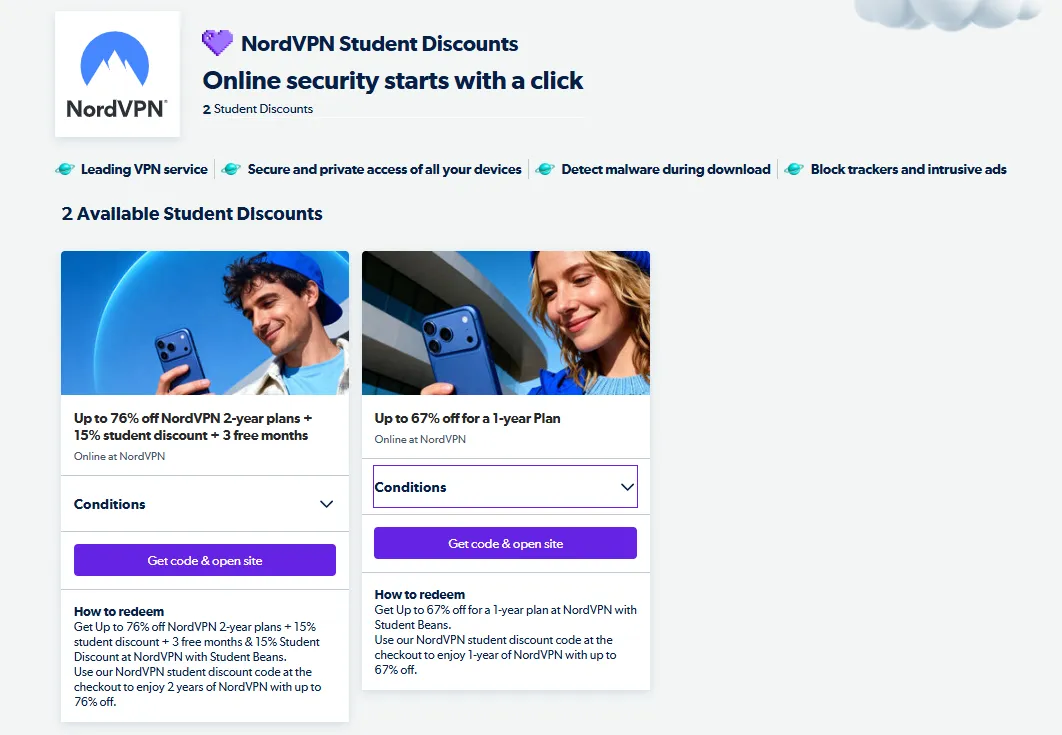
1. NordVPN — Ultimate Security & Versatile Toolkit
-
Student Plans & Savings:
-
-
2-Year Plan (Best Value): Save up to 76% + get an extra 15% student discount via Student Beans + 3 free months (effective price: ~$2.63/month).
-
1-Year Plan: Save up to 67% (ideal for short-term exchange programs).
-
Graduation Perk: Maintain exclusive student rates for up to 5 years post-graduation via Grad Beans.
-
- Core Advantage: Supports up to 10 concurrent devices and features premium Double VPN (multi-hop) encryption for advanced security.
- Exclusive 2026 Benefits:
-
-
Threat Protection Pro: Included for free. Automatically blocks ads, web trackers, and scans downloads for malware on public campus Wi-Fi.
-
Free Meshnet: Securely access local home computer files on the go to transfer research and study material without cloud drives.
-
- How to Apply:
-
-
Search for "NordVPN Student Discount" on the official website to access the verification page.
-
Verify your student status via Student Beans by linking your school email address (no document uploads required).
-
Copy your unique promo code, choose the 2-year plan, and check out.
-
- How to Get NordVPN Free Trial for 7 & 30 Days
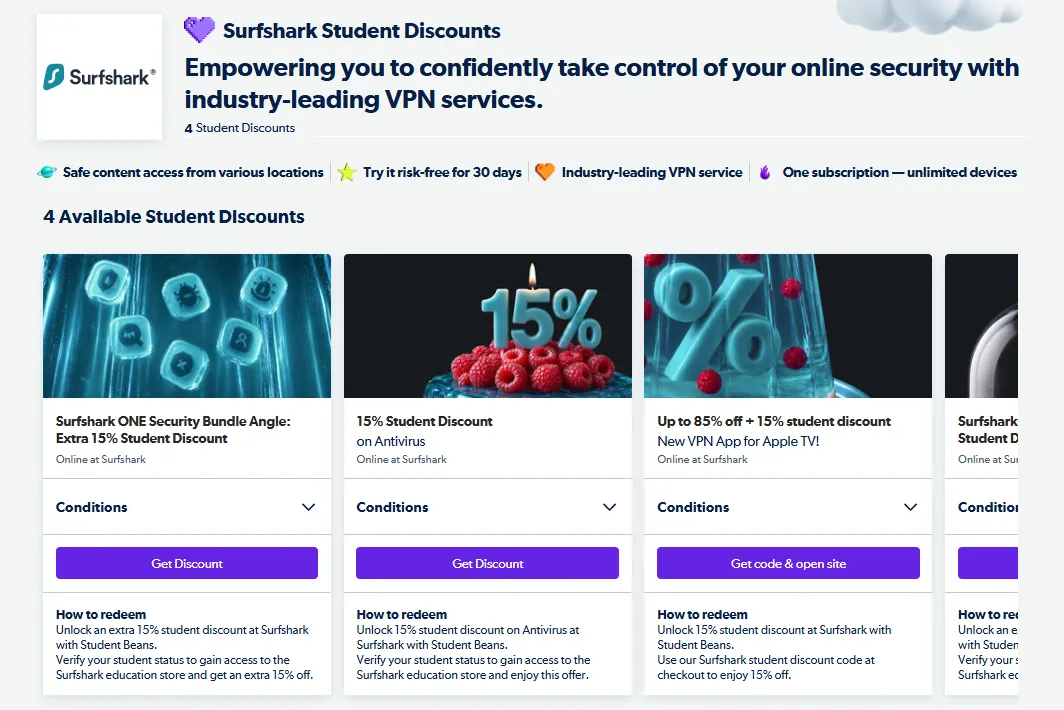
2. Surfshark — Best Budget "Unlimited Device" Plan
-
Student Plans & Savings:
-
-
Stacked Discount: Save up to 85% + get an additional 15% off via Student Beans.
-
Surfshark ONE Security Suite: Bundles VPN, Antivirus, and more for just ~$44.16/year after applying the extra 15% student discount.
-
Graduation Perk: Keep your discounted premium benefits for up to 5 years after graduation through Grad Beans.
-
- Core Advantage: No limits on simultaneous device connections—the best choice for power users or for sharing costs with housemates.
- Exclusive 2026 Benefits:
-
-
Apple TV Support: Stream securely with their brand-new native Apple TV VPN app, fully compatible with the 15% student discount.
-
Referral Rewards: Invite friends to get 3 months free. Once they join, you can choose to stack free months on your plan or withdraw cash rewards via PayPal.
-
- How to Apply:
-
-
Click "Student Discount" in the footer of the official website.
-
Verify instantly via Student Beans, or manually upload a photo of your student ID.
-
Apply promo code STUDENTCN (valid in select regions) or confirm through Student Beans.
-
Complete payment using credit cards, PayPal, virtual credit cards, or localized payment options.
-
- Surfshark Free Trial Hack
3. CyberGhost — Easy to Use with a Long Refund Window
-
Student Plans & Savings:
-
-
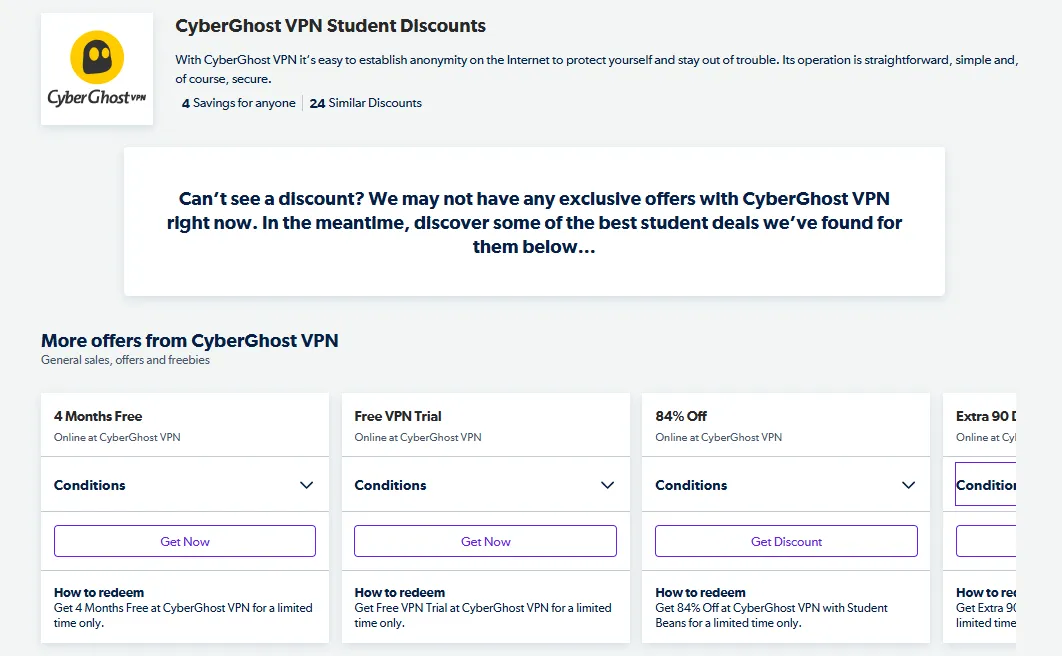
Exclusive Discount: Get an 84% exclusive discount + 4 extra months free via Student Beans verification.
-
Credit-Card-Free Trials: 24 hours on Windows/macOS (no billing info required), 3 days on Android, and 7 days on iOS.
-
- Core Advantage: Features an exceptional 45-day money-back guarantee, supports up to 7 concurrent devices, and includes a built-in ad/malware blocker with dedicated, streaming-optimized servers.
- Exclusive 2026 Benefits: Referral Bonus: Invite friends and both parties receive 30 days of free service (up to a maximum of 90 extra bonus days).
- How to Apply:
-
-
Complete student verification via the Student Beans portal.
-
Enter CyberGhost's hidden student landing page where the discount automatically applies (no code entry needed).
-
Complete your account creation and payment (supports Bitcoin/crypto for maximum transactional privacy) and connect.
-
- CyberGhost VPN Review
3 Must-Have AI & Productivity Tools for Students
In 2026, AI tools are essential for academic success. Make sure to claim these free student upgrades:
1. ChatGPT & Claude Education Programs
-
The Benefit: OpenAI and Anthropic both partner with academic institutions. If your school is enrolled, you can access higher API limits, larger context windows, and Plus features for free.
-
How to Get It: Check if your school has joined the "ChatGPT University" program. If so, you can log in using your school's Single Sign-On (SSO) to unlock free DALL-E 3 and Advanced Data Analysis features. For Claude, academic researchers can apply directly to Anthropic for specialized Claude 3.5 Sonnet access.
2. Canva for Education (Free Premium Design)
-
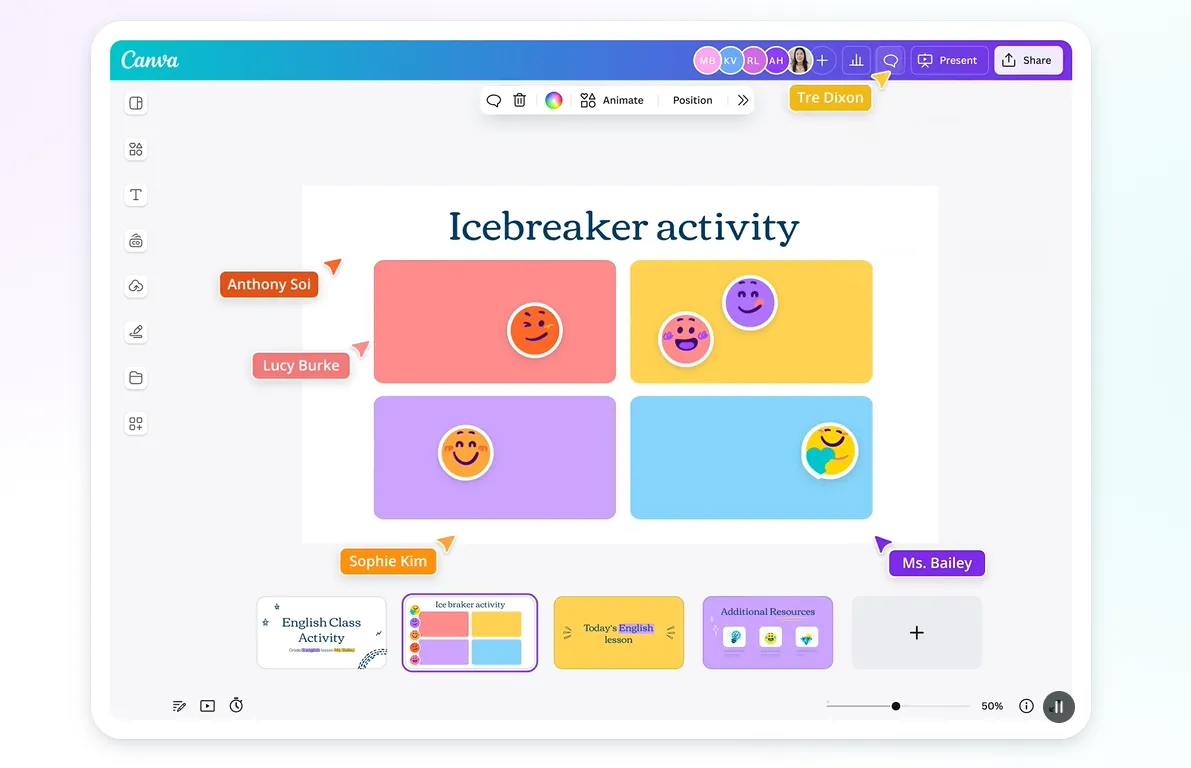
The Benefit: Get a complete Canva Pro subscription (normally $119/year) completely free.
-
Key Features: Unlimited access to premium templates, millions of stock assets, and Magic Studio AI features (background remover, AI image generation, and one-click presentation builders).
-
How to Get It: Sign up using a .edu email address. If your school doesn't provide one, you can upload an enrollment certificate or a student ID. Verification is typically approved within 24 hours.
3. Notion AI Student Plan
-
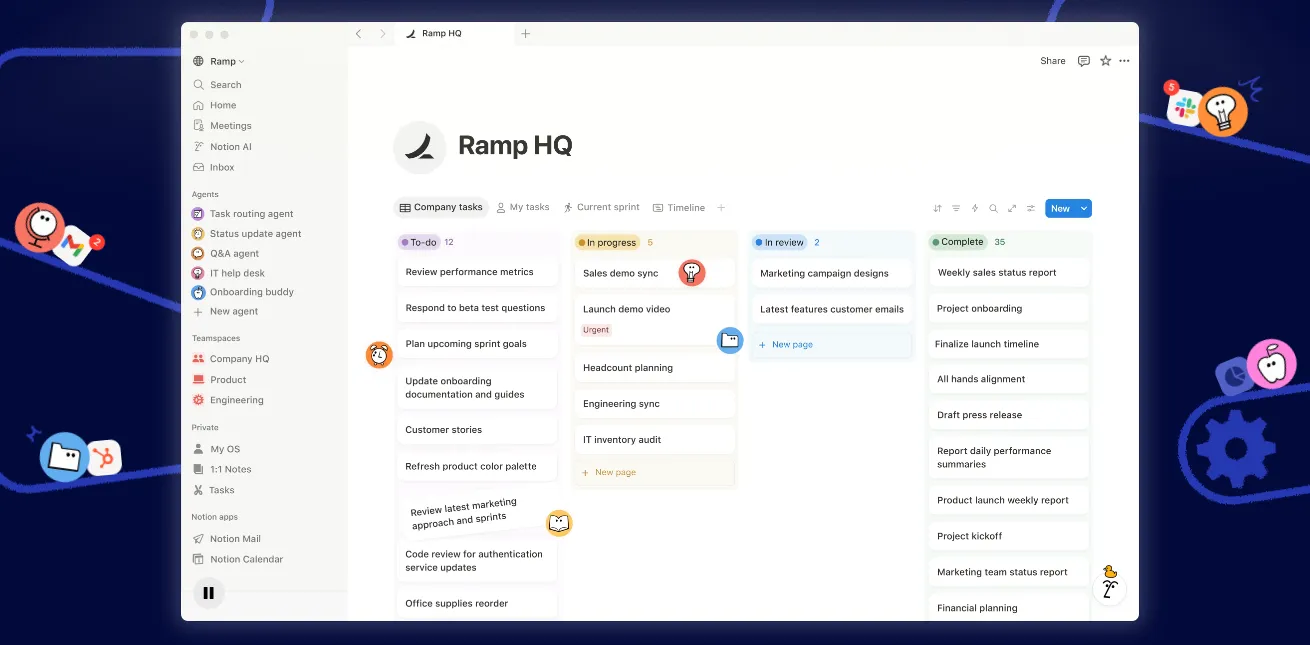
The Benefit: Notion offers its Plus Plan (formerly Personal Pro) entirely free for students, which includes monthly Notion AI writing and analysis credits.
-
Use Cases: Drop long research PDFs into Notion to get instant AI summaries, or use AI to parse your class syllabus and automatically build a master calendar of all assignment deadlines.
-
How to Get It: Go to Settings -> Upgrade inside Notion and verify your account using your school email.
2026 Tech Hardware Student Discounts
Hardware manufacturers have launched exclusive student discounts that stack with AI educational subsidies.
1. Apple — Education Pricing + Back to School (BTS)
-
Standard Discount: Available year-round. Save between $100 to $300 on MacBooks and iPads, including the latest M5-generation devices.
-
Back-to-School Event (July - Sept): Purchase an eligible Mac and receive free AirPods 4 (Active Noise Cancellation edition), or buy an iPad and receive a free Apple Pencil Pro.
-
Software Bundle: The Pro Apps Bundle (including Final Cut Pro and Logic Pro) is available for a one-time student price of $199 with lifetime updates.
-
Verification: Verified via UNiDAYS online, or by presenting a student ID and enrollment transcript in-store.
2. Microsoft — Surface & AI PC Specials
-
Hardware Discount: Save 10% on the Surface Pro 11, Surface Laptop 7, and other Copilot+ PCs.
-
Bonus Offer: Get 12 free months of Microsoft 365 Personal with the purchase of any qualified Copilot+ PC.
-
Verification: Simply log in with your academic email address at the Microsoft Store to instantly apply the discount.
3. Samsung — Galaxy Campus Store
-
The Discount: Save up to 30% on premium flagship devices like the Galaxy S26 series or the Galaxy Tab S10+.
-
Freebies: Student purchases often come bundled with free Galaxy Buds Pro or a free year of Samsung Care+ accidental damage protection.
-
Verification: Verified online via Student Beans or through a direct school-portal login page.
No .edu Email? How to Verify Student Beans and Unlock Global Deals
If your school does not issue a student email, you can still easily qualify for international student discounts using alternative verification documents.
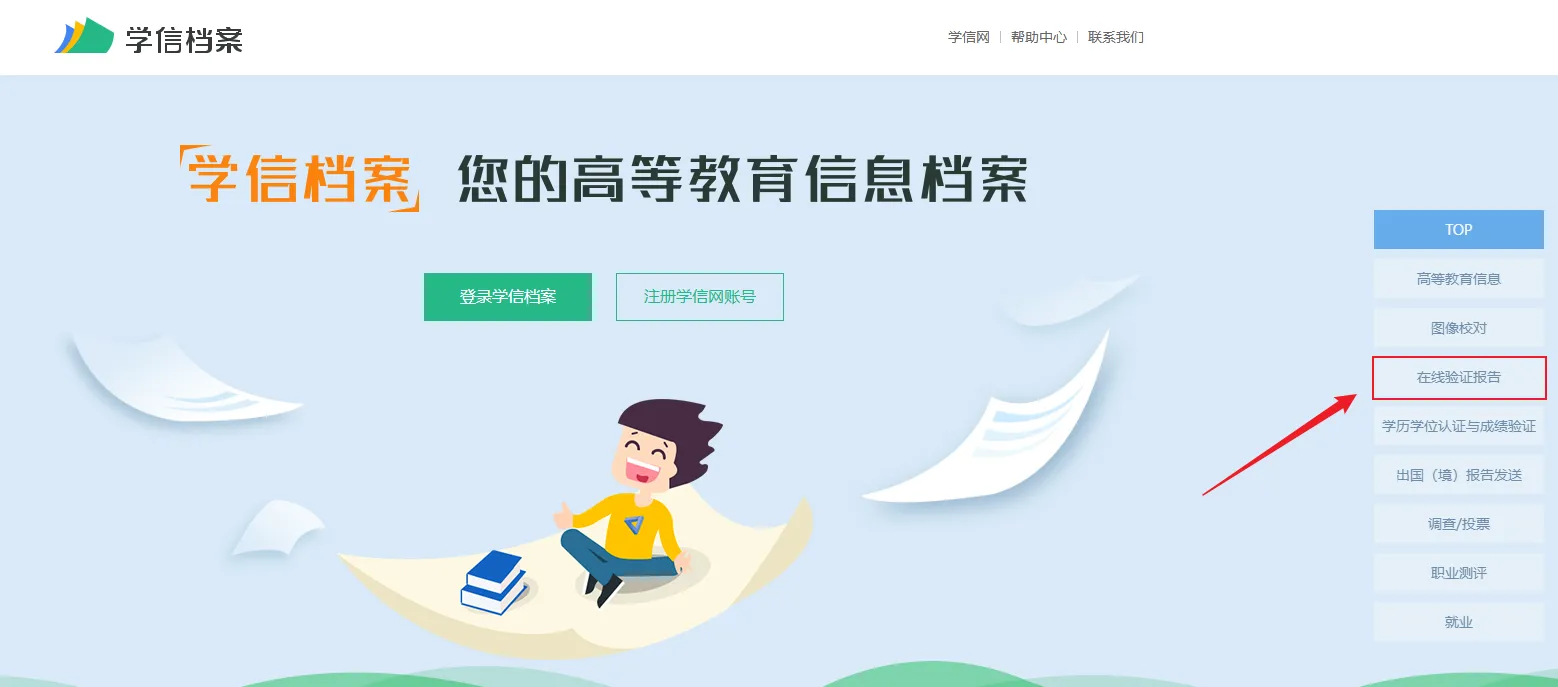
1. Prepare Your Documents (CHSI )
-
Generate Your Report: Log into the CHSI portal and apply for your "Online Verification Report of Student Record" (教育部学籍在线验证报告).
-
Get an English Translation (Recommended): Because verification reviewers on international portals like Student Beans do not typically read Chinese, you can request an English translation of your report directly on CHSI for a small fee. This guarantees a near-100% manual review approval rate.
-
Alternative Quick Hack: Alternatively, download your standard Chinese verification report, take a clear screenshot, and use red boxes to highlight and label your Name, University Name, and Expected Graduation Date in English next to the fields before uploading.
📋 Real-World Blueprint: Bypassing the .edu Email Filter with CHSI
If your university does not issue a standard .edu email address, automated verification systems will likely reject you. Use this manual, step-by-step translation process to achieve a 99% manual approval rate on Student Beans or UNiDAYS:
-
Export the CHSI Report: Log into the Chinese Higher Education Student Information (CHSI / 学信网) portal. Apply for your official Online Verification Report of Student Record .
-
Apply the English Annotation Layer:
-
While you can pay for an official English translation on CHSI, you can bypass this fee by exporting your standard Chinese PDF.
-
Open the PDF in any editor (like Adobe or Canva) and add clear, high-contrast English text annotations next to these three critical fields:
-
姓名: Add annotation
Student Name: [Your Name in Pinyin] -
院校: Add annotation
University Name: [Your School's Official English Name] -
预计毕业日期: Add annotation
Expected Graduation Date: [YYYY-MM-DD]
-
-
-
The Manual Portal Submission:
-
On Student Beans, select "My school is not listed" during signup.
-
Enter your school's English name.
-
Under the document upload portal, upload both your annotated PDF and a clear, unedited photo of your physical Student ID card side-by-side.
-
-
Review Cycle: Manual reviewers (who are often offshore human agents or AI OCR scanners) will match your annotated fields in seconds, issuing your discount code within 24 hours.
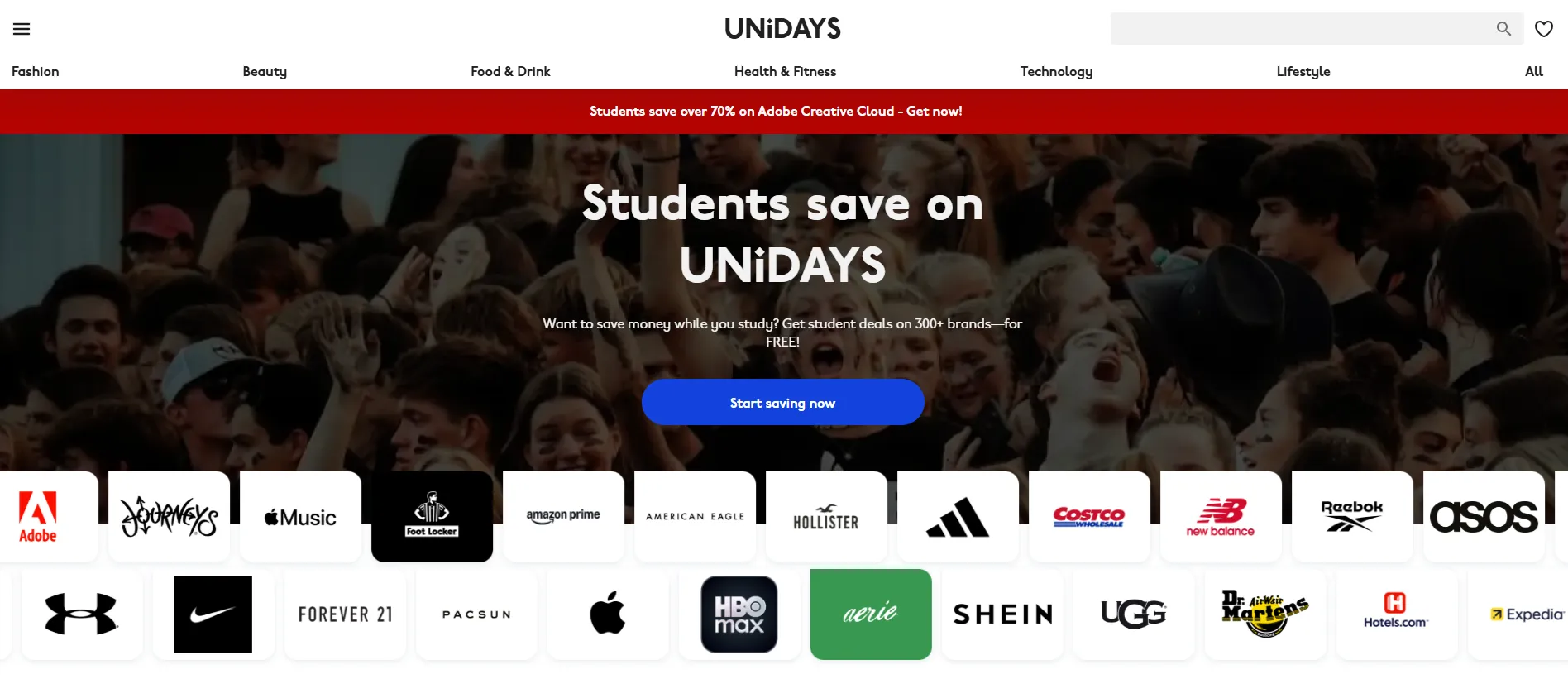
2. Submit via Student Beans / UNiDAYS
-
On the verification page, click "I don't have an institution email" or "Verify manually".
-
Upload your document scans or high-resolution photos.
-
Type your school’s official name in English.
-
Manual reviews generally take 1 to 3 business days.
2026 Troubleshooting: Why Was Your Application Rejected?
Verification platforms now use automated systems to detect abuse. If your application was flagged or rejected, check for these common issues:
1. VPN Location Mismatch
-
The Issue: You are using a VPN set to a different country while uploading document credentials from your local university.
-
The Fix: Turn off your VPN during the verification process. Ensure your IP address matches the physical location of your school.
2. Confusing Verification Codes with Document Uploads
-
The Issue: Many students mistakenly enter their internal university registration or student ID numbers into the third-party portal’s "Verification Code" box.
-
The Fix: If you do not have a dedicated pre-approved promo code, bypass this box and look for the "Upload Document" button to submit your school records.
3. Cropped or Edited Photos
-
The Issue: Cropping, editing, or converting photos can strip their Exif metadata, which automated verification systems use to check for document tampering.
-
The Fix: Take a clean, high-resolution photo of your student ID using your smartphone and upload the original file without running it through any editing software.
4. Direct Email Blocks
-
The Issue: Some university email servers block incoming external verification messages from Student Beans or UNiDAYS.
-
The Fix: Check your junk folder. If nothing is there, use the "Verify manually" path and upload your documents instead to bypass the email verification process.
General Guidelines for Student Discounts (Must-Read)
Review these essential compliance rules and account management tips to guarantee a successful application and keep your accounts in good standing.
❗ Core Policy Red Lines
-
-
Zero Tolerance for Forgery: In 2026, most service providers use AI-powered document verification. Uploading photoshopped student IDs or forged CHSI (学信网) reports will trigger an immediate, permanent account ban across all brand services.
-
Strictly for Personal Use: Reselling or renting student-discounted accounts is strictly prohibited. If systems detect logins from split geographic locations or multi-device sharing that exceeds normal thresholds, providers will terminate subscriptions instantly without a refund.
-
Legal Compliance: VPNs and secure browsing tools must only be used for legitimate academic research, scholarly exchange, and lawful information retrieval. Users are solely responsible for complying with university network policies and local regulations.
- While looking for a free VPN for students might seem tempting, free services often monetize by logging your browsing data.
-
1. Key Verification Tips
-
Use .edu First: Education emails offer instant approval. If you must use manual uploads, ensure document scans clearly display your name and valid dates.
-
Enrolled Status Required: Student rates are only active during active enrollment. While pre-paid plans will run their course upon graduation, you cannot renew your subscription at the discounted student price.
2. Smart Account Management
-
Compare Regional Rates: Promotional details, extra free months, or base pricing may vary across country-specific Student Beans or UNiDAYS portals. Toggle regional settings to secure the lowest rates.
-
Disable Auto-Renewal: Most subscriptions enable auto-charge by default. To avoid unexpected fees, turn off auto-renewal in your dashboard settings immediately after checkout.
-
Target Seasonal Campaigns: The deepest student promotions peak during the summer Back-to-School season (July–September) and Black Friday. Always compare rates before choosing long-term plans.
Conclusion: Your 2026 Student Deal Strategy
To make the most of your student status, follow this simple roadmap:
-
Get Verified: Set up accounts on both Student Beans and UNiDAYS to cover all major brands.
-
Secure Your Productivity Stack: Claim your free GitHub Student Developer Pack, Canva for Education, and Notion AI accounts.
-
Select Your VPN:
-
-
Choose ExpressVPN if you want top-tier performance and want to try it risk-free with a 14-day trial.Choose Surfshark if you are on a budget and want to share connections with roommates.
-
Choose NordVPN if security and built-in malware blocking are your priorities.
-
-
Time Your Hardware Purchases: Wait for the Summer Back-to-School season (July–September) to stack educational pricing with free AirPods or Apple Pencils.
Frequently Asked Questions (FAQ)
Q1: Should I register for Student Beans or UNiDAYS?
A: You should sign up for both. Different brands partner with different networks. For example, ExpressVPN and NordVPN usually run their best offers on Student Beans, while Apple and Adobe rely primarily on UNiDAYS.
Q2: Can I apply a student discount to an existing VPN subscription?
A: No, you cannot apply a student discount directly to an active billing cycle. However, you can cancel your current plan, request a refund if you are within the 30-day window, and sign up for a new account using your student discount link.
Q3: Can I share my student VPN account with friends?
A: Yes, within limits. Most VPNs allow multiple simultaneous connections (ExpressVPN allows 14, NordVPN allows 10, and Surfshark offers unlimited connections). However, to avoid fraud flags, keep logins within the same household or local area network.
Q4: I am graduating this year. How long will my student discount last?
A: Your discount code remains active for the entire duration of the plan you purchase (e.g., if you buy a 24-month plan right before graduating, you keep the student rate for the full 2 years). After graduation, sign up for Grad Beans to transition to early-career discounts.
Q5: What is the best payment method for student accounts?
A: We highly recommend PayPal. If you need to utilize a money-back guarantee, international merchants can process PayPal refunds much faster than local credit cards.