CyberGhost VPN Review Summary
|
Feature |
Detail |
|
Best For |
Streaming, P2P, and Affordable Long-Term Privacy |
|
Server Network |
Over 11,500 servers in 100+ countries |
|
Jurisdiction |
Romania (Privacy-friendly, outside 14 Eyes) |
|
No-Logs Policy |
Strict, audited and verified by Deloitte (2022, 2024) |
|
Security Standard |
AES 256-bit Encryption, RAM-only Servers, Kill Switch |
|
Simultaneous Devices |
7 connections per subscription |
|
Money-Back Guarantee |
45 days (for long-term plans) |
|
Key Caveat |
Speeds can be inconsistent/mediocre on distant servers compared to top rivals |
Features and Usability (User Experience)
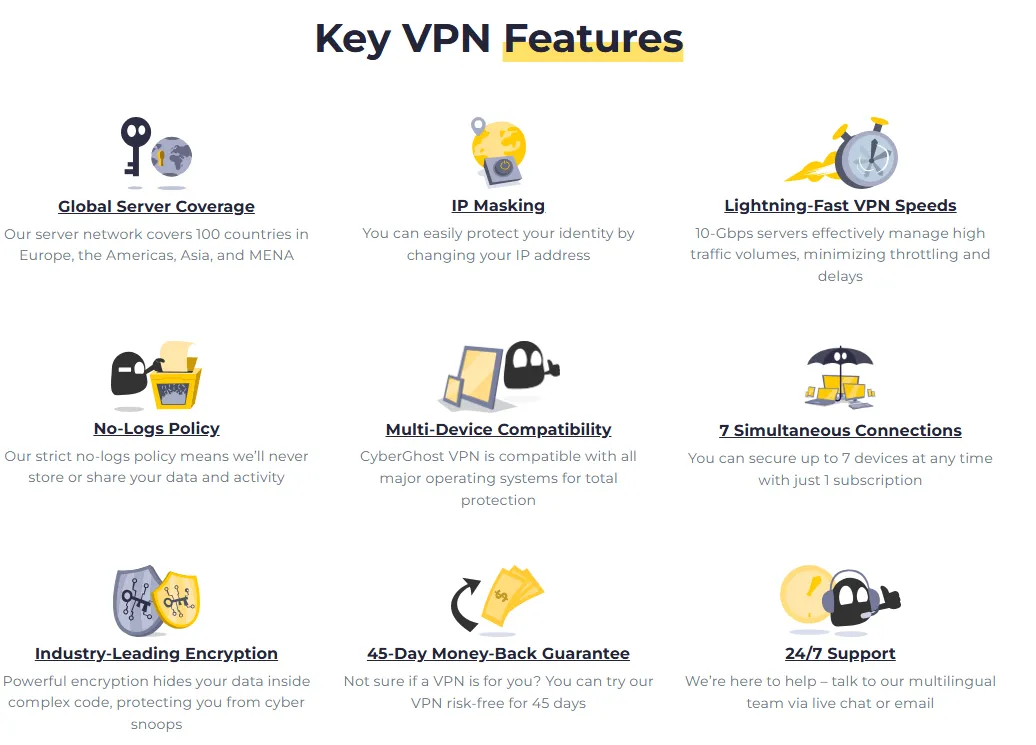
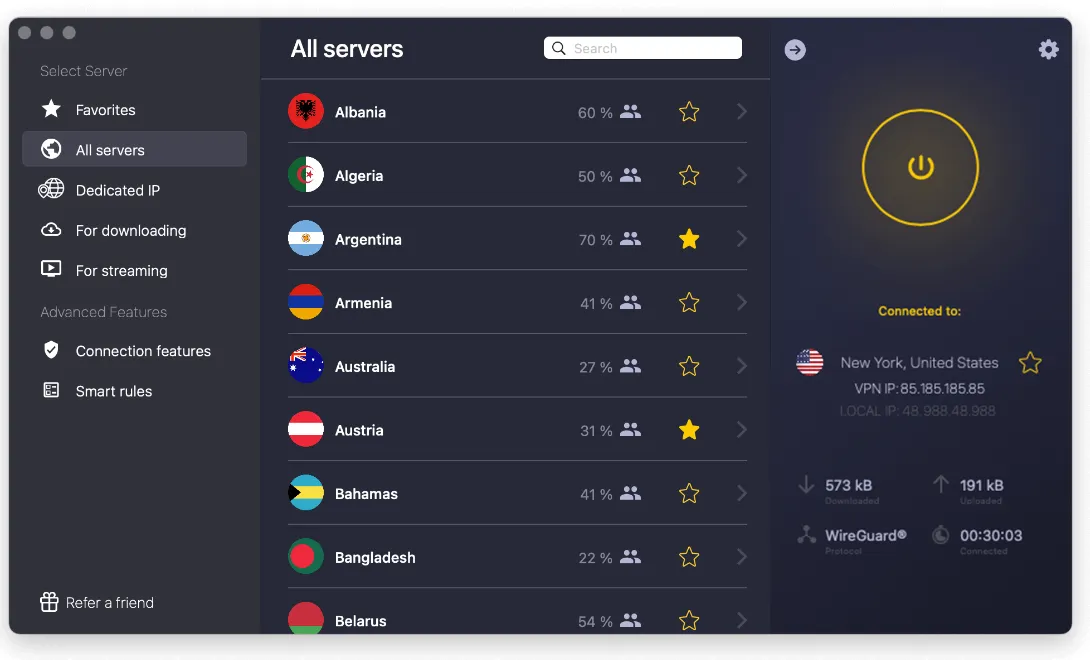
CyberGhost is designed with a user-friendly interface that balances functionality and simplicity, making it accessible for both beginners and experienced VPN users。The native applications across all major platforms, especially the desktop clients, prioritize quick connection and clear access to specialized features, often requiring just a single click to secure your connection or find an optimized server.
Key Features:
-
Massive Server Network: With over 11,500 servers across more than 100 countries, CyberGhost offers one of the largest networks in the industry. This extensive coverage helps prevent server overcrowding, ensuring better performance and a greater chance of finding a fast, local connection regardless of your physical location.
-
Specialized Servers (Optimized for Specific Tasks): CyberGhost excels at providing dedicated server pools optimized for high-performance and specific needs:
-
Streaming: Servers are clearly labeled by the platform they are designed to unblock (e.g., dedicated servers for Netflix UK, Hulu, and Amazon Prime Video), offering reliable access to geo-restricted content and maintaining the necessary speed for 4K quality.
-
Torrenting (P2P): These servers are optimized for fast and secure file sharing, typically located in privacy-friendly jurisdictions to maximize anonymity and speed for large downloads.
-
Gaming: Optimized servers aim for lower latency connections, reducing 'ping' times to ensure a smoother, more responsive online gaming experience, especially when connecting to international game servers.
-
Simultaneous Connections: The service supports up to seven devices on a single subscription, making it a valuable option for families or individuals with multiple gadgets (laptops, phones, tablets, etc.).
-
Wide OS Support: Native, highly functional apps are available for Windows, macOS, Linux, Android, iOS, Fire TV, Fire Stick, and support for routers, allowing comprehensive network protection.
-
Split Tunneling (Selective VPN Use): This feature, currently available on Windows and Android, gives users precise control. It allows users to choose which apps use the encrypted VPN tunnel (e.g., P2P clients) and which connect directly to the internet (e.g., banking apps or local services).
-
Block Content (Ad and Malware Blocker): An in-app security feature designed to block malicious ads, trackers, and websites known to host malware, enhancing both speed and security by filtering harmful content before it reaches your browser.
-
Smart DNS: This is a lightweight feature used primarily for bypassing geo-restrictions on devices that do not natively support VPN applications, such as certain smart TVs or gaming consoles (PlayStation, Xbox). It changes your virtual location without the overhead of full encryption.
How Does a VPN Work
A Virtual Private Network (VPN) works by creating an encrypted "tunnel" between your device and a server operated by the VPN service provider. When you connect to a VPN:
-
Encryption: Your internet traffic is instantly encrypted using strong protocols (like WireGuard or OpenVPN) and algorithms (like AES-256).
-
Tunneling: This encrypted data is sent through the secure tunnel to the VPN server.
-
IP Masking: The VPN server decrypts your data and forwards it to the intended website or online service. Crucially, the website sees the IP address of the VPN server, not your true IP address.
-
Privacy: This process masks your true location and identity, preventing your Internet Service Provider (ISP), government agencies, and potential hackers from monitoring your online activities, browsing history, or location.
Performance (Speed and Reliability)
CyberGhost offers generally reliable performance, particularly with its specialized servers. However, recent speed tests show a noticeable gap when compared to industry leaders using proprietary protocols.
-
Speed Consistency: When testing CyberGhost, performance is usually excellent on local servers and those in close proximity, typically maintaining over 90% of the baseline speed when using the WireGuard protocol. However, speeds can vary significantly when connecting to distant international servers. In testing with high baseline speeds (1000 Mbps), download speeds on distant US servers saw bandwidth losses ranging from about 13% to nearly 90%, depending on the specific server location. This inconsistency means that while the VPN is fast enough for 4K streaming and daily browsing, users may need to manually switch servers to find an optimal connection, especially when compared to services utilizing proprietary protocols like ExpressVPN’s Lightway.
-
Reliability: The massive network (11,500+ servers) aids reliability by reducing server load, meaning users are less likely to encounter overloaded connections. The service supports modern protocols including WireGuard, OpenVPN, and IKEv2, ensuring stable connections.
-
Server Switching: Some users report that switching between servers can take slightly longer than expected, which might be a trade-off for managing a large fleet.
Security and Privacy
CyberGhost’s security and privacy measures are robust and independently verified, positioning it as a strong choice for privacy-conscious users.
-
Jurisdiction: The company is based in Romania, which has strong data protection laws and is outside the major international surveillance alliances (Five, Nine, and 14 Eyes).
-
No-Logs Policy: CyberGhost maintains a strict no-logs policy, meaning they do not monitor, record, or store connection logs, browsing history, traffic destination, or data content that could be used to identify a user.
-
Independent Audits: Its no-logs policy has been independently audited twice (2022 and 2024) by Deloitte, one of the "Big Four" auditing firms, confirming that the policy is legitimate and followed.
-
RAM-Only Servers: The entire server network uses RAM-only technology. This means that data is stored on Random Access Memory instead of traditional hard disks, and all data is wiped completely every time a server is rebooted, adding an extra layer of privacy protection.
-
Encryption and Features: It uses the industry-standard AES 256-bit encryption and includes essential security features like an automatic Kill Switch (which blocks internet traffic if the VPN connection drops) and DNS/IP Leak Protection.
Advanced Security Protocols
CyberGhost supports three primary tunneling protocols, giving users flexibility based on their specific needs for speed or stability:
-
WireGuard: This is the default and recommended protocol. It offers superior speeds and a modern, efficient codebase, making it ideal for streaming, gaming, and general high-speed use.
-
OpenVPN (TCP/UDP): Known for its extreme robustness and security, OpenVPN is an industry stalwart. It is often preferred by security-conscious users who value maximum stability and compatibility across different networks.
-
IKEv2/IPSec: A highly stable protocol, particularly on mobile devices. It excels at quickly re-establishing a connection when switching between Wi-Fi and mobile data networks.
Streaming and Torrenting Capabilities

CyberGhost is highly optimized for media consumption and file sharing, making it one of the best choices for these activities.
-
Streaming: The service offers specialized "streaming optimized" servers that are clearly labeled by the content service they unblock (e.g., Netflix US, BBC iPlayer UK, Disney+). This reliable approach makes it excellent for bypassing geo-restrictions and accessing content from major global platforms with smooth, high-definition video quality.
-
Torrenting (P2P): CyberGhost has dedicated P2P-optimized servers designed for fast and safe torrent downloading. These servers offer high speeds and ensure that all file-sharing activity is protected by the strong encryption and kill switch.
Pricing and Plans
CyberGhost offers great value, particularly with its long-term subscriptions, and keeps its pricing structure simple with a single tier.
|
Plan Length |
Monthly Price |
Total Upfront Cost |
Money-Back Guarantee |
|
1 Month |
$12.99/mo |
$12.99 |
14 Days |
|
6 Months |
$6.99/mo |
$41.94 |
45 Days |
|
2 Years + Free Months |
$2.19/mo |
~$56.94 |
45 Days |
-
Value: The 2-year plan offers exceptional affordability, positioning CyberGhost as one of the cheapest reliable VPNs on a long-term contract.
-
Add-ons: Users have the option to add a dedicated IP address (starting around $2.50/month) for a unique, private IP that minimizes issues with CAPTCHAs and certain websites.
How to Set Up CyberGhost VPN
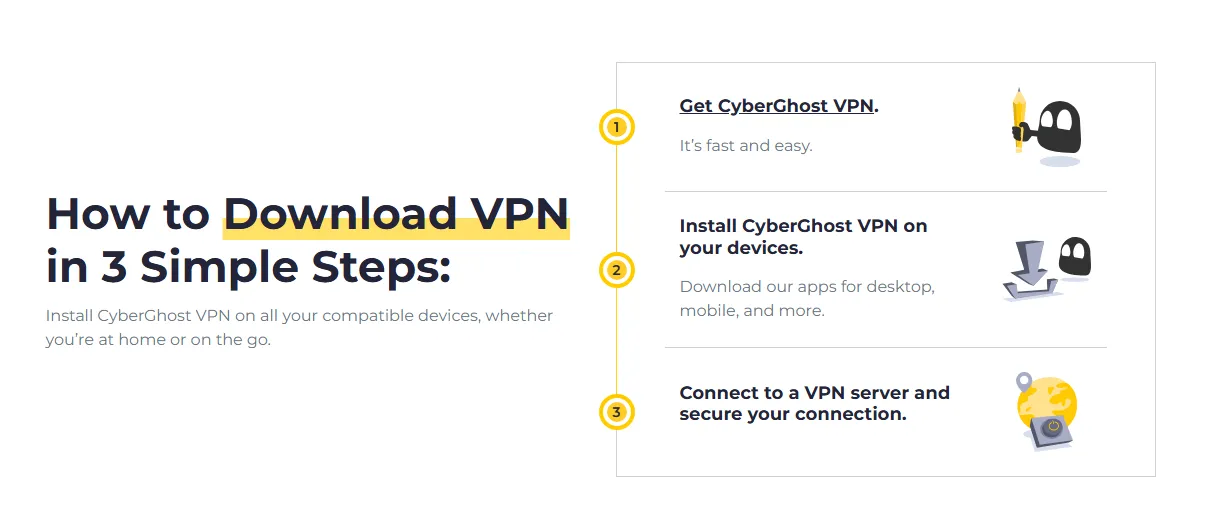
Setting up CyberGhost VPN is easy, particularly with their dedicated apps for computers and mobile devices. CyberGhost allows you to connect up to seven devices simultaneously with one subscription.
1. Basic Setup (Recommended for most devices: Windows, macOS, iOS, Android)
This method uses the official CyberGhost app and is the fastest and easiest way to get protected.
Step 1: Subscribe to CyberGhost
-
Purchase a Plan: Go to the official CyberGhost website and sign up for a subscription plan that suits your needs.
-
Create an Account: You will set up your login credentials (username/email and password) during this process.
Step 2: Download and Install the App
-
For Computers (Windows/macOS): Log into your CyberGhost account on the website and go to the "Download Hub" or "My Devices" section. Download the specific application file for your operating system.
-
Once downloaded, run the installer file (e.g., CyberGhostSetup.exe on Windows or the .dmg file on macOS).
-
Follow the on-screen installation prompts. You may need to grant permissions for the app to make changes to your network settings.
-
For Mobile Devices (iOS/Android):
-
Open the App Store (iOS) or Google Play Store (Android).
-
Search for "CyberGhost VPN."
-
Tap "Get" or "Install" to download and install the app.
Step 3: Log In and Connect
-
Launch the App: Open the CyberGhost VPN application on your device.
-
Log In: Use the email address and password you set up during your subscription.
-
Connect:
-
In most desktop and mobile apps, you'll see a large power button. Clicking this button usually connects you instantly to the "Best Server Location" (the fastest server near you).
-
To choose a specific location, open the server list in the app interface, select a country or city, and then click connect.
2.Router Setup (For protecting unlimited devices)
Setting up CyberGhost on your router is more technical but allows you to protect all devices connected to your Wi-Fi network (like Smart TVs, game consoles, etc.) while only counting as one device against your 7-device limit.
Prerequisites:
-
A CyberGhost subscription.
-
A router that supports VPN client functionality (OpenVPN is common) or can be flashed with custom firmware like DD-WRT or Tomato.
Step 1: Generate OpenVPN Credentials
-
Log in to your CyberGhost account on their website.
-
Navigate to the section for Manual Setup or My Devices and choose "Other" or "Routers".
-
Configure: Select your preferred VPN protocol (usually OpenVPN is required for routers), choose a country/server group, and name your device (e.g., "Home Router").
-
Save/Generate: Save the configuration. The website will provide you with a unique Username, Password, and a configuration file (often a .zip file containing .ovpn, .crt, and .key files). Write down the username and password, and download the config file.
Step 2: Configure Your Router
The exact steps vary greatly depending on your router model (e.g., ASUS, DD-WRT, Tomato). Below is a general outline:
-
Access Router Interface: Open a web browser and enter your router's IP address (e.g., 192.168.1.1) to access the administration panel. Log in using your router's admin credentials.
-
Find VPN Settings: Navigate to the VPN or Advanced Settings section and look for "VPN Client" functionality.
-
Create/Add Profile: Choose to create a new VPN profile, usually selecting the OpenVPN type.
-
Import Configuration: Upload the .ovpn configuration file you downloaded in Step 1.
-
Enter Credentials: Manually enter the unique CyberGhost VPN Username and Password that were generated for the manual setup.
-
Activate: Save the settings and enable the VPN client. Your router should connect to the CyberGhost network, protecting all connected devices immediately.
3. Verification
After connecting to the VPN using either method, you should always verify that your IP address has successfully changed:
-
Open your web browser (Chrome, Firefox, etc.).
-
Go to a website like whatismyipaddress.com.
-
The location and IP address displayed should match the server you connected to (e.g., if you connected to a server in France, the IP should show a French location), confirming your connection is protected.
Download VPN for All Your Devices
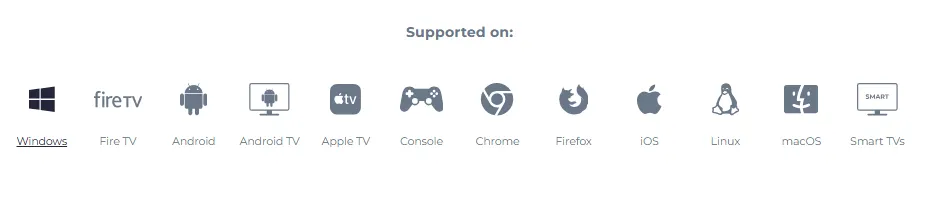
CyberGhost provides native applications for all major operating systems and devices, ensuring you can protect all your digital platforms with a single subscription. The wide compatibility is one of its core strengths.
Key Supported Platforms:
-
Desktop OS: Windows, macOS, Linux (various distributions).
-
Mobile OS: Android, iOS (iPhone/iPad).
-
Streaming Devices: Amazon Fire TV Stick, Android TV.
-
Gaming Consoles: Supports consoles like PlayStation and Xbox via Router setup or Smart DNS.
-
Browser Extensions: Available for Chrome and Firefox.
-
Routers: Easy setup guides for most common router models to protect every device connected to your home network simultaneously.
CyberGhost VPN Use Cases
CyberGhost is highly versatile and suitable for a variety of online activities, going beyond simple privacy protection. Its specialized servers make it particularly effective in the following scenarios:
-
Bypassing Geo-Restrictions: Accessing streaming libraries (like US Netflix or BBC iPlayer) that are locked based on your geographical location. The dedicated streaming servers are continuously monitored and updated to ensure consistent access.
-
Secure Torrenting: Using the P2P-optimized servers to download and share files securely and anonymously, ensuring your real IP address is never exposed to peers.
-
Protecting Public Wi-Fi: Encrypting your connection when using unsecured public hotspots (e.g., in coffee shops, airports, hotels) to prevent hackers from intercepting your data, such as passwords or banking information.
-
Preventing Price Discrimination: Changing your virtual location to find cheaper prices for services like flights, hotels, or software subscriptions, as these prices often vary by region.
-
Anonymous Browsing: Ensuring your browsing history and search queries cannot be tracked or logged by your Internet Service Provider (ISP) or government agencies, thanks to the strict no-logs policy and robust encryption.
-
Gaming: Connecting to specialized gaming servers that minimize latency (ping), resulting in a smoother, more responsive gaming experience, especially for international servers.
Privacy Hub

CyberGhost’s commitment to privacy extends beyond the VPN service itself. The company operates a dedicated Privacy Hub, which serves as a central resource for digital security and transparency information. This resource reinforces user trust through:
-
Transparency Reports: CyberGhost regularly publishes transparency reports detailing any legal requests for user data they may have received (and subsequently denied, in line with their no-logs policy). This practice demonstrates their commitment to open communication and adherence to their privacy promises.
-
Educational Resources: The hub provides users with detailed articles and guides on various digital privacy topics, empowering them to take control of their online security, regardless of whether they are using the VPN or not.
-
Independent Audit Results: This is where the results of their independent audits (like the ones conducted by Deloitte) are often publicly shared, offering verifiable proof that their no-logs claims are genuine.
Free Trial
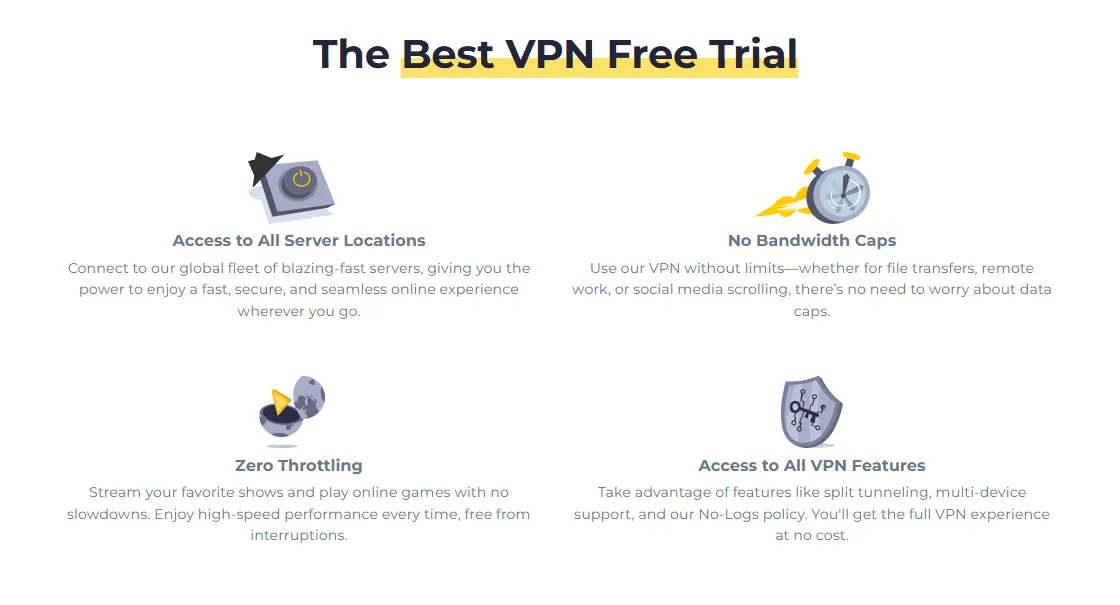
CyberGhost offers multiple ways for users to test its service risk-free, catering to both short-term evaluations and long-term satisfaction assurance.
-
Short-Term Free Trials: The service provides specific free trial periods that vary by operating system, allowing users to fully test the native applications:
-
Windows/macOS: 24-hour free trial.
-
Android: 3-day free trial.
-
iOS: 7-day free trial.
-
45-Day Money-Back Guarantee: For long-term subscription plans (6 months and longer), CyberGhost offers a generous 45-day money-back guarantee. This acts as an extended trial period, allowing users to thoroughly test the service's performance, streaming capabilities, and stability.
Customer Support
CyberGhost provides reliable and accessible customer support for its users.
-
Live Chat: The primary and most efficient method of contact is 24/7 technical support available via Live Chat. This is suitable for immediate inquiries and troubleshooting.
-
Email Support: Users can also contact the support team via email (e.g., [email protected]) for less urgent or more complex issues.
-
Extensive Knowledge Base: The website features an extensive FAQ and knowledge base with detailed setup guides and troubleshooting articles, which can resolve most common issues quickly without needing to contact an agent.
-
Money-Back Guarantee: The generous 45-day money-back guarantee (for longer plans) allows ample time to test the service risk-free, with the support team handling refund requests quickly if you are not satisfied.
Conclusion
CyberGhost is a powerful and highly accessible VPN that offers exceptional value, especially through its long-term plans. Its standout features include a massive, well-distributed server network, dedicated servers for streaming and torrenting, and a robust, independently audited privacy framework (RAM-only servers and a no-logs policy).
While it may not achieve the absolute top speeds of its premium competitors on all servers, the overall performance is more than adequate for high-definition streaming, gaming, and daily secure browsing. It is an excellent recommendation for privacy-minded users, streaming enthusiasts, and anyone seeking an affordable, feature-rich VPN solution with a user-friendly experience.
Frequently Asked Questions (FAQ)
Q: Is CyberGhost VPN safe?
A: Yes. CyberGhost is considered very safe due to its AES 256-bit encryption, automatic kill switch, DNS leak protection, and strict no-logs policy, which has been verified by two independent audits from Deloitte. Its headquarters in privacy-friendly Romania also contribute to its security stance.
Q: Does CyberGhost work with Netflix and other streaming services?
A: Yes. CyberGhost has specialized "streaming optimized" servers designed to reliably unblock and provide smooth access to major streaming platforms like Netflix, Hulu, BBC iPlayer, and Disney+.
Q: How many devices can I use simultaneously?
A: A single CyberGhost subscription allows you to connect up to seven devices simultaneously.
Q: Does CyberGhost offer a free trial?
A: CyberGhost offers free trials of varying lengths depending on the device: 24 hours for Windows/macOS, 3 days for Android, and 7 days for iOS. Long-term plans also come with a generous 45-day money-back guarantee.
Q:Why is CyberGhost cheaper than some other premium VPNs?
A: CyberGhost typically offers very aggressive pricing on its long-term plans (2 years+), making it highly competitive and affordable. While it maintains a huge feature set, it achieves this low price point by focusing on volume and long-term customer commitment.