In the digital age, our Android smartphones carry nearly all our personal information and online activity. However, the open nature of the Android system and our habit of using public Wi-Fi significantly increase the risks of privacy breaches and data tracking.
A VPN is more than just a tool to bypass censorship; it is an essential security layer and a passport to freedom for your Android device. By choosing the right VPN, you can enjoy boundless internet freedom while keeping your privacy secure.
Below, we'll provide a detailed guide on how to select the right service and recommend the 7 most trusted Android VPNs for 2026 to help you make the smartest decision!
Why Does Your Android Phone Need a VPN?
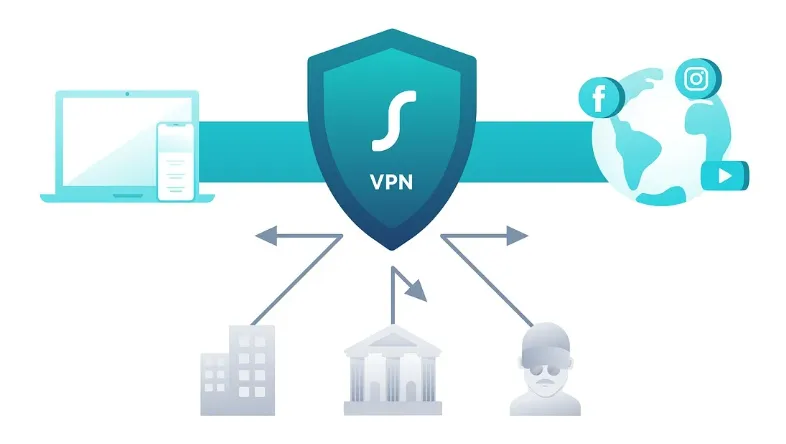
A VPN plays multiple critical roles on your Android device:
-
Security and Privacy: Whether you are using a public hotspot or mobile data, a VPN uses military-grade encryption (AES-256) to tunnel and protect your data, preventing mobile network providers or malicious eavesdroppers from monitoring your traffic.
-
Unblock Geo-restrictions: Easily access global streaming platforms (such as international Netflix, Disney+, etc.), social media, and news sites, turning your Android device into a true "global pass."
-
Speed and Performance: Modern VPNs utilize high-performance protocols like WireGuard to ensure minimal impact on your phone's speed and battery life while encrypted, making streaming and gaming smoother.
Android VPN Buying Guide: 5 Core Standards
Faced with hundreds of VPNs on the market, how do you choose the best one for your Android phone?
We’ve summarized 5 core criteria specifically for Android users:
-
Android App Usability: An excellent Android VPN must offer a clean, intuitive app interface, support one-tap connection, and have a good user reputation and rating in the Google Play Store.
-
Speed & Protocols: Pay special attention to support for lightweight, high-speed protocols like WireGuard, Lightway, or NordLynx. These protocols effectively reduce latency and enhance the mobile browsing and streaming experience.
-
Security & Privacy: Check the Jurisdiction (avoiding high-surveillance areas like the Five/Nine/Fourteen Eyes Alliances) and demand that the provider offers a strict, independently audited No-logs Policy.
-
Server Network: A large number of servers across many countries means you have more options to unlock content and can connect more reliably to fast, uncrowded servers.
-
Android-Specific Features: Split Tunneling and a Kill Switch are key features that determine the quality of an Android VPN, guaranteeing security and flexibility when navigating complex mobile networks.
How We Test: Our Android VPN Methodology for 2026
To ensure our recommendations are both accurate and practical, our team spent over 100 hours testing dozens of VPN applications. Here is the rigorous criteria we used:
- ➤ Hardware & Software Environment: Tests were performed on a range of devices, including the Google Pixel 10 and Samsung Galaxy S26, running Android 16 and Android 17 (Beta). This ensures our results reflect the latest system optimizations and API compatibility.
- ➤ Network Scenarios: We evaluated performance across three primary environments: stable Home Fiber Wi-Fi, high-speed 5G mobile data, and unsecured public Wi-Fi hotspots to verify auto-connect and security features.
- ➤ Performance Metrics: Using tools like Speedtest by Ookla and Fast.com, we measured download/upload speeds and latency (ping) across 20+ global server locations, prioritizing stability during long-term connections.
- ➤ Streaming & Bypass Capability: We manually attempted to unblock geo-restricted libraries on Netflix, Disney+, and BBC iPlayer using Android-specific streaming protocols to confirm successful detection bypass.
- ➤ Security Audit: We utilized Wireshark to monitor for potential DNS/IPv6 leaks and tested the responsiveness of the Kill Switch by intentionally dropping the network connection.
The Best Android VPN
|
VPN |
Core Advantage |
Protocol Support |
Free/Trial |
Server Count |
P2P/Torrenting |
Simultaneous Connections |
Lowest Price |
|
Top-tier speed, strong stability |
Lightway |
30-Day Money-Back Guarantee |
3000+ (105+ countries) |
✔ |
14 |
~$3.49/mo |
|
|
All-around features, ultimate speed & security |
NordLynx |
30-Day Money-Back Guarantee |
8600+ (168+ countries) |
✔ (Dedicated servers) |
10 |
~$2.99/mon |
|
|
Best value, unlimited devices |
WireGuard |
30-Day Money-Back Guarantee |
4500+ (100+ countries) |
✔ |
Unlimited |
~$1.99/mo |
|
|
Best free version, privacy focused |
WireGuard |
✔ (Unlimited data, speed limited) |
14490+ (127+ countries) |
Paid only |
10 |
~$2.99/mo |
|
|
Cute interface, easy for beginners |
OpenVPN/WireGuard |
✔ (500MB/month) |
5000+ (47+ countries) |
✔ |
Unlimited |
~$3.33/mo |
|
|
Massive network, highly customizable |
WireGuard |
30-Day Money-Back Guarantee |
29650+ (91+ countries) |
✔ |
Unlimited |
~$2.03/mo |
|
|
Anonymous, no email/cash payment |
WireGuard |
30-Day Money-Back Guarantee |
696+ (50+ countries) |
✔ |
5 |
€5.00/mo |
Streaming Unblocking Checklist
Streaming Compatibility & Unblocking Comparison (2026)
|
VPN Provider |
Netflix US |
Disney+ |
BBC iPlayer |
Android Support Verdict |
|
NordVPN |
✅ |
✅ |
✅ |
Ultra-fast 4K streaming via NordLynx. |
|
ExpressVPN |
✅ |
✅ |
✅ |
Most reliable for bypassing geo-blocks on mobile. |
|
Surfshark |
✅ |
✅ |
✅ |
Best for households (Unlimited simultaneous streams). |
|
CyberGhost |
✅ |
✅ |
✅ |
Specialized streaming-optimized servers for Android. |
|
PIA |
✅ |
✅ |
✅ |
High performance for US-based content libraries. |
|
ProtonVPN |
✅ |
✅ |
✅ |
Privacy-first streaming with dedicated Plus servers. |
|
IPVanish |
✅ |
✅ |
❌ |
Great for US-based streaming; intermittent BBC issues. |
1. ExpressVPN
|
Feature |
Details |
|
Protocol |
Lightway |
|
Encryption |
Military-grade AES-256 encryption |
|
Jurisdiction |
British Virgin Islands (BVI) |
|
Server Network |
3000+ servers (105+ countries) |
|
Unblocking Ability (Streaming) |
Top-tier (Netflix, Disney+, Hulu, HBO Max) |
|
Simultaneous Connections |
14 |
|
Lowest Monthly Price (Long-term) |
~ $3.49 USD/month (2 Years + 4 Months) |
|
Money-Back Guarantee |
30-day unconditional refund |
|
Customer Support |
24/7 Live Chat |
-
Android App Experience: The app interface is simple, supports one-tap connection, and operates smoothly. It consistently holds high ratings on the Google Play Store with excellent user feedback.
-
Android-Specific Features: The app includes built-in GPS Location Spoofing and a Kill Switch, comprehensively protecting user security in mobile network environments.
Pros:
-
Industry-leading connection speed and international stability.
-
Features its proprietary Lightway protocol, known for high efficiency and minimal Android battery drain.
-
Strict no-logs policy backed by independent audit.
Cons:
-
Monthly and yearly plans are relatively expensive.
-
No multi-hop connections.
Best For: Global travelers and content creators who demand the highest VPN performance, speed, and stability.
2. NordVPN
|
Feature |
Details |
|
Protocol |
NordLynx(WireGuard)/ OpenVPN |
|
Encryption |
Military-grade AES-256 encryption |
|
Jurisdiction |
Panama |
|
Server Network |
8600+ servers (168 countries) |
|
Unblocking Ability (Streaming) |
Excellent (Netflix, BBC iPlayer, Hulu, Gaming Optimization) |
|
Simultaneous Connections |
10 |
|
Lowest Monthly Price (Long-term) |
~ $2.99 USD/month (2 Years + 3 Months) |
|
Money-Back Guarantee |
30-day unconditional refund |
|
Customer Support |
24/7 Live Chat |
-
Android App Experience: The app features a sleek design with an intuitive map for server selection. While the map can sometimes be less clear than the list view, the overall function layout is logical and easy to use.
-
Android-Specific Features: The app features Threat Protection Lite (a lightweight shield against malware and ads), and supports a Kill Switch and Split Tunneling.
Pros:
-
NordLynx protocol ensures outstanding speed and performance.
-
Rich set of features and add-ons (Double VPN, Threat Protection).
-
Supports multi-hop, split tunneling, and Tor connections.
-
Global leader in server count and supports P2P/torrenting.
Cons:
-
Map interface in the app is less intuitive than the list view; some advanced features may confuse VPN beginners.
Best For: Experienced VPN users, those requiring high security levels, and Android users seeking multi-functional integration.
3. Surfshark
|
Feature |
Details |
|
Protocol |
WireGuard / OpenVPN / IKEv2 |
|
Encryption |
Military-grade AES-256 encryption |
|
Jurisdiction |
Netherlands (Independently Audited) |
|
Server Network |
4500+ servers (100 countries) |
|
Unblocking Ability (Streaming) |
Excellent (Netflix, Disney+, Amazon Prime Video) |
|
Simultaneous Connections |
Unlimited |
|
Lowest Monthly Price (Long-term) |
~ $1.99 USD/month (2 Years + 3 Months) |
|
Money-Back Guarantee |
30-day unconditional refund |
|
Customer Support |
24/7 Live Chat |
-
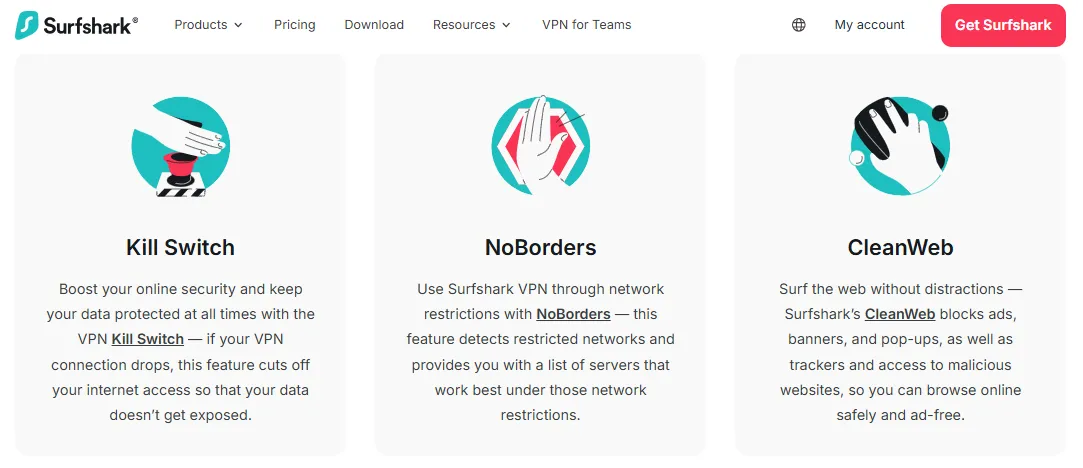
Android App Experience: The app is clean and intuitive, with clearly labeled function buttons, making it easy for even beginners to master. Additional features like CleanWeb are highly integrated within the app.
-
Android-Specific Features: The biggest highlight is support for unlimited simultaneous device connections. It offers the Bypasser (Split Tunneling) feature, allowing users to set VPN rules per application to balance speed and security needs.
Pros:
-
One of the most cost-effective options on the market, with affordable long-term plan pricing.
-
Supports an unlimited number of simultaneous device connections.
-
Clearly defined privacy policy and quarterly transparency reports.
Cons:
-
Long-distance connection speeds may be slightly inferior to top competitors.
Best For: Users with many devices, those prioritizing value, and users who want one account for the whole family and require split tunneling.
4. Proton VPN
|
Feature |
Details |
|
Protocol |
WireGuard / OpenVPN / IKEv2 |
|
Encryption |
Military-grade AES-256 encryption |
|
Jurisdiction |
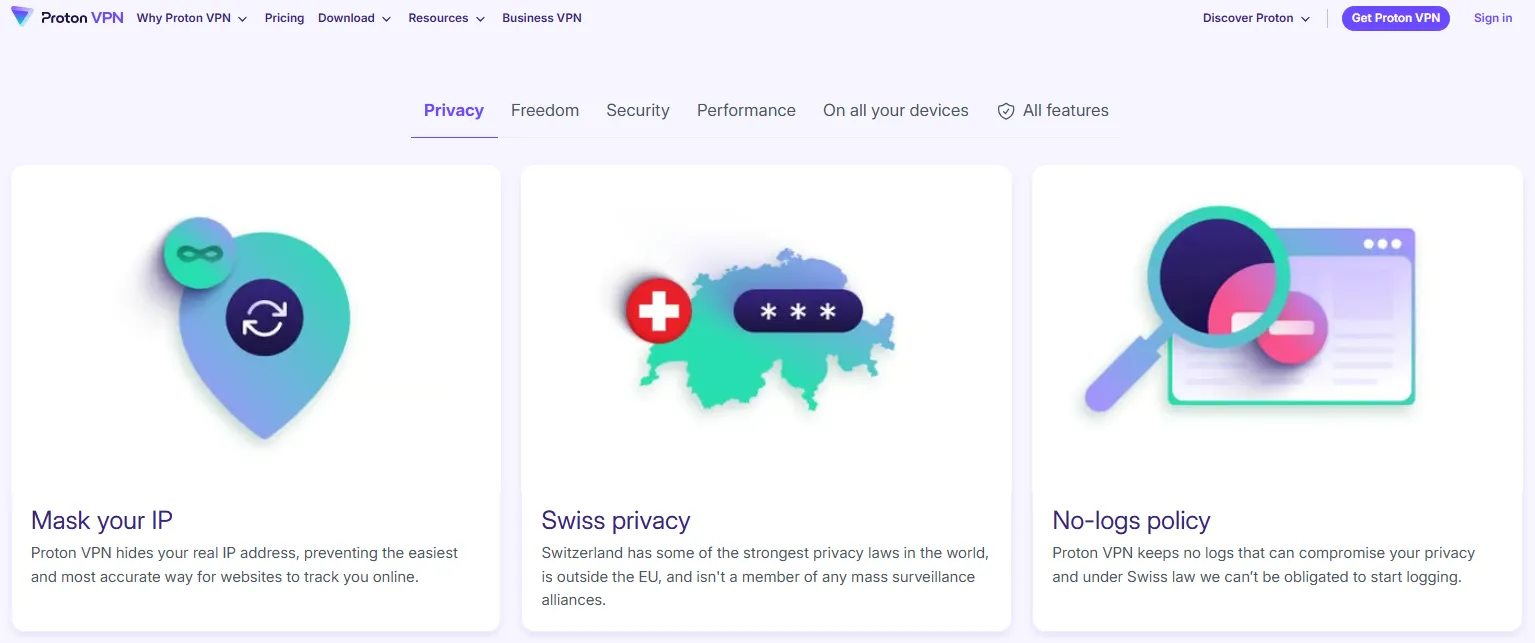
Switzerland |
|
Server Network |
14490+ servers (127+ countries) |
|
Unblocking Ability (Streaming) |
Good (Available on paid plans) |
|
Simultaneous Connections |
10 |
|
Lowest Monthly Price (Long-term) |
~ $2.99 USD/month (2 Years) |
|
Money-Back Guarantee |
30-day unconditional refund |
|
Customer Support |
Email Support |
-
Android App Experience: The app is open-source and features a simple, clean design with easy access to advanced features. It's consistently stable on Android devices, offering a straightforward user experience.
-
Android-Specific Features: Features NetShield (an integrated malware and ad blocker) and a fully functional Kill Switch and Split Tunneling. The free tier offers unlimited data, making it the best free privacy option.
Pros:
-
Best free VPN with unlimited data.
-
Strong commitment to privacy, based in Switzerland.
-
Features Secure Core for advanced protection.
-
Open-source and fully audited.
Cons:
-
The free plan limits speed and server locations, and streaming is only available on paid plans.
Best For: Privacy enthusiasts and users who need the most secure, trustworthy infrastructure, even for light or free usage.
5. TunnelBear VPN
|
Feature |
Details |
|
Core Protocol |
OpenVPN / WireGuard |
|
Encryption |
Military-grade AES-256 encryption |
|
Jurisdiction |
Canada |
|
Server Network |
5000+ servers (47+ countries) |
|
Unblocking Ability (Streaming) |
Decent, but not its primary focus |
|
Simultaneous Connections |
Unlimited |
|
Lowest Monthly Price (Long-term) |
~ $3.33 USD/month (3 Years) |
|
Money-Back Guarantee |
None (only offers a 500MB free tier) |
|
Customer Support |
Email Support |
-
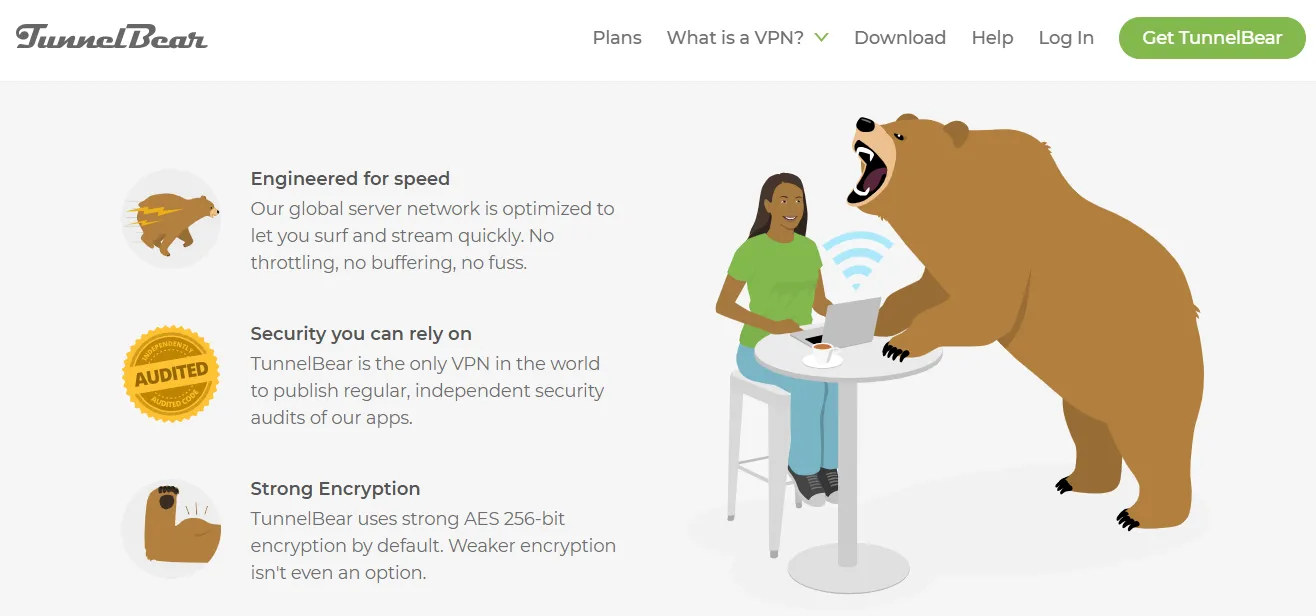
Android App Experience: The app is famous for its simple, bear-themed interface, making it exceptionally easy for beginners to use. The design is colorful, fun, and highly intuitive.
-
Android-Specific Features: Features VigilantBear (the Kill Switch equivalent) and GhostBear (obfuscation technology for bypassing deep network censorship). Offers unlimited device connections.
Pros:
-
Extremely easy to use and excellent for VPN beginners.
-
Offers a powerful obfuscation mode (GhostBear).
-
Fully committed to annual independent security audits.
-
Supports unlimited device connections.
Cons:
-
Jurisdiction is Canada (Five Eyes).
-
The free tier is limited to 500MB per month.
-
No money-back guarantee, though subscription can be canceled anytime.
Best For: Beginners and casual users who prioritize a simple, non-intimidating app experience and strong, independently verified security.
6. PIA (Private Internet Access)
|
Feature |
Details |
|
Protocol |
WireGuard |
|
Encryption |
AES-256 (user-adjustable) |
|
Jurisdiction |
USA |
|
Server Network |
29650+ servers (91+ countries) |
|
Unblocking Ability (Streaming) |
Very good |
|
Simultaneous Connections |
Unlimited |
|
Lowest Monthly Price (Long-term) |
~ $2.03 USD/month (2 Years + 4 Months) |
|
Money-Back Guarantee |
30-day unconditional refund |
|
Customer Support |
24/7 Live Chat |
-
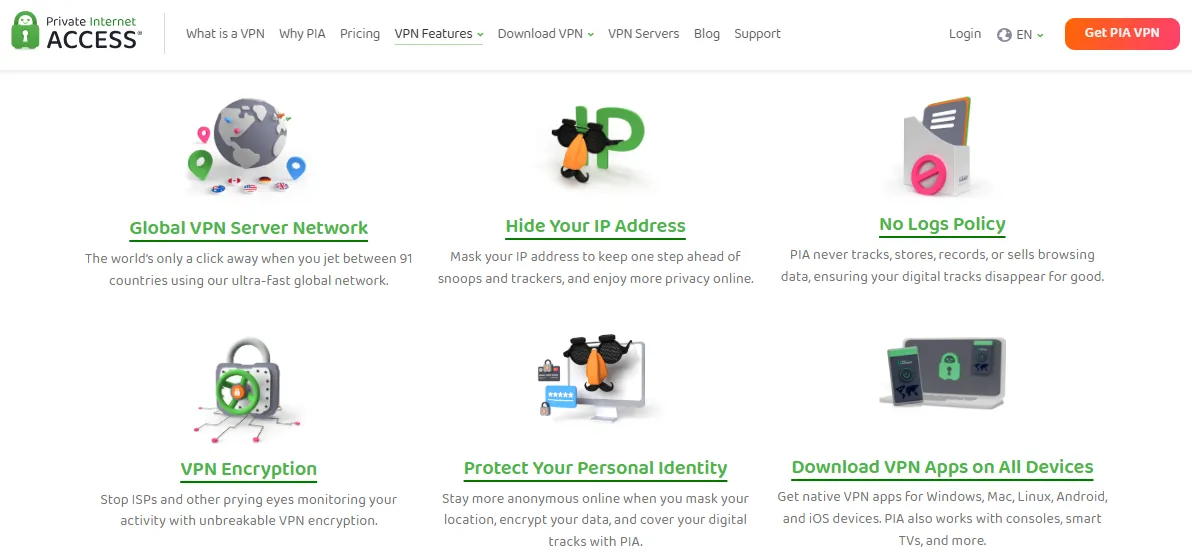
Android App Experience: PIA offers a highly customizable Android app. It's feature-rich, providing advanced users with extensive settings for encryption, protocol, and connection customization.
-
Android-Specific Features: Features include an advanced, customizable Kill Switch and comprehensive Split Tunneling. It also includes MACE (an effective ad and malware blocker). The app is entirely open-source, promoting transparency.
Pros:
-
Industry-leading server count ensures low congestion.
-
Proven no-logs policy in real-world court cases.
-
Highly customizable app suitable for advanced users.
-
Affordable long-term price and unlimited devices.
Cons:
-
US jurisdiction is a concern for some privacy purists.
-
The feature-rich app can be overwhelming for total beginners.
Best For: Users who need massive server flexibility (e.g., specific city connections) and those who value an open-source, highly customizable security tool.
7. Mullvad VPN
|
Feature |
Details |
|
Protocol |
WireGuard |
|
Encryption |
Military-grade AES-256 encryption |
|
Jurisdiction |
Sweden |
|
Server Network |
696+ servers (50+ countries) |
|
Unblocking Ability (Streaming) |
Decent, focused on privacy over unblocking |
|
Simultaneous Connections |
5 |
|
Lowest Monthly Price (Long-term) |
€5.00 EUR/month (No long-term discount) |
|
Money-Back Guarantee |
30-day unconditional refund |
|
Customer Support |
Email Support |
-
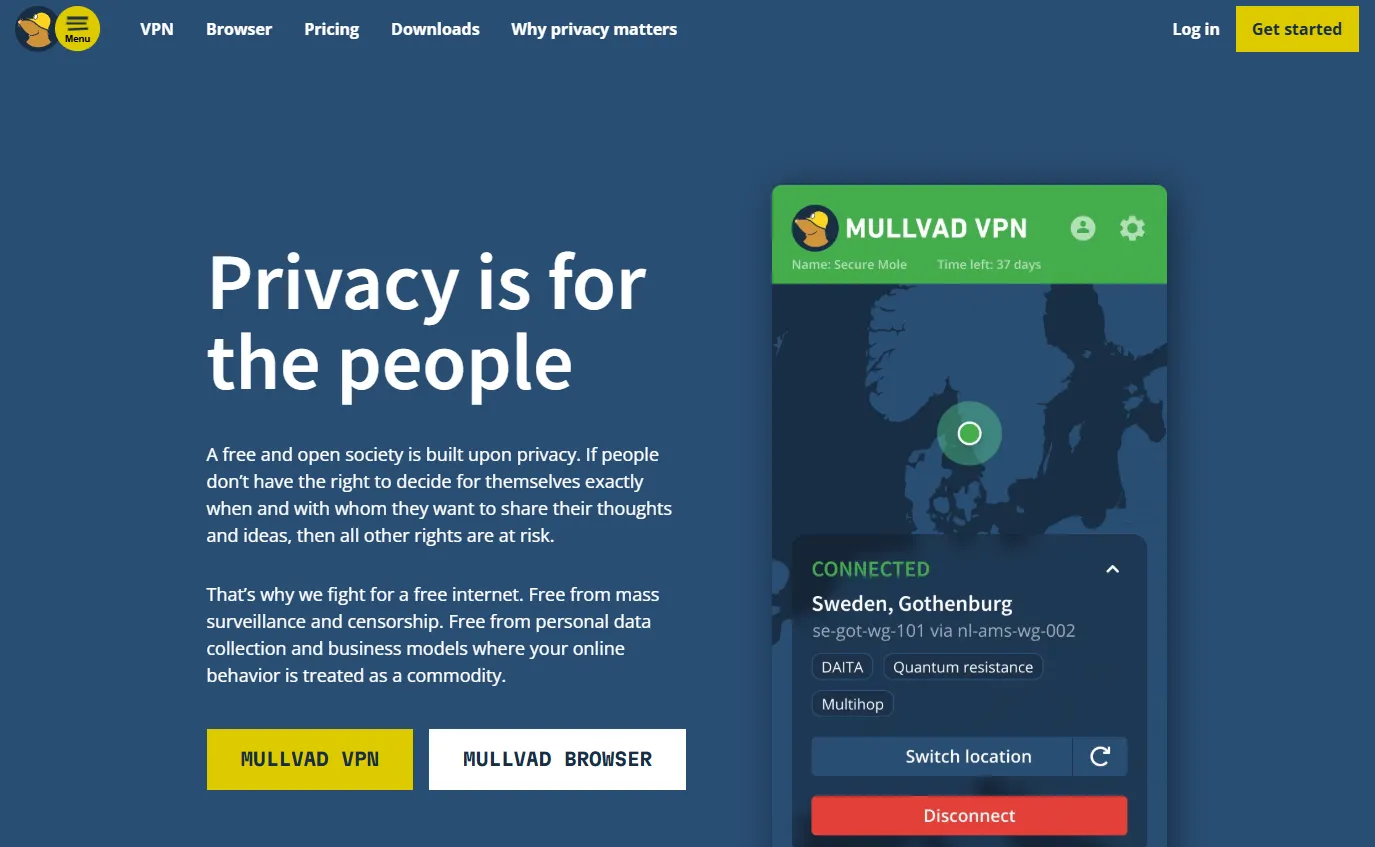
Android App Experience: The app is minimalist and entirely focused on privacy, featuring a simple connection screen that clearly shows your current anonymity status. It emphasizes transparency and functional efficiency.
-
Android-Specific Features: Supports a strong Kill Switch and an "Always-on VPN" setting to ensure traffic is never routed outside the tunnel. All apps are fully audited and open-source.
Pros:
-
Highest level of anonymity (no email, cash payments).
-
Fixed, transparent monthly pricing.
-
Strong, independent security audits and commitment to open-source software.
Cons:
-
Smaller server network and fewer server locations.
-
Not optimized for aggressive streaming unblocking.
-
Only allows 5 simultaneous connections.
Best For: Extreme privacy advocates and users for whom anonymous subscription and total data transparency are the top priorities.
Risk Warning: Beware of the Free VPN Trap
Many people look for the "best free Android VPN," but we strongly advise you to always choose a paid VPN. Here’s why:
-
Insufficient Speed and Reliability: Free VPNs often limit your bandwidth and speed, prioritizing paid users, resulting in subpar service and unstable connections.
-
High Privacy Risk: Free VPN service providers still need to turn a profit. If they aren't charging you, they are likely profiting in other ways, such as collecting your online activity and selling it to third-party advertisers. Privacy is the core value of a VPN, and free services often compromise this.
-
Security Risks: Free VPNs are more prone to technical vulnerabilities, and some are even malware in disguise, posing greater risks than not using a VPN at all.
Since privacy is the core purpose of using a VPN, we recommend choosing an audited, trustworthy, and reasonably priced paid VPN for a faster, safer, and more private browsing experience.
Recommendation: Only use a few select, independently audited services with a strict no-logs commitment (like Proton VPN Free plan) for short-term, low-sensitivity daily browsing. For long-term, stable access and the transmission of highly sensitive data, a paid VPN offers superior security and technical support, making it the smarter choice.
Android VPN Special Features
The usage scenarios for mobile devices are constantly changing, making several Android-specific features especially important.
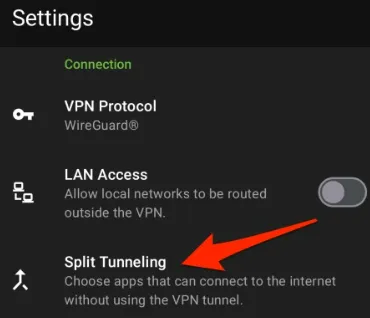
Split Tunneling
-
Function: This is one of the most practical features in an Android VPN app. It allows you to set which apps transmit data through the VPN and which use the local network.
-
Android Application: For example, you can set banking apps to use the local network to avoid security alerts, while setting Netflix to go through the VPN tunnel to watch content from another region. This also helps conserve VPN bandwidth and phone battery.
Kill Switch
-
Function: When your VPN connection unexpectedly drops (e.g., when switching from Wi-Fi to mobile data), the Kill Switch immediately cuts off all network traffic from your device.
-
Android Application: In mobile environments where network connections frequently switch, the Kill Switch serves as the last line of defense against accidental leaks of your real IP address or unencrypted data.
GPS Location Spoofing
-
Function: Some premium VPNs (like ExpressVPN) offer the ability to match your device's GPS location with the location of the VPN server you are connected to.
-
Android Application: This is particularly useful for preventing certain apps from discovering your real geographical location via GPS, adding another layer of anonymity.
Protocols (WireGuard/Lightway/NordLynx)
-
Compared to the traditional OpenVPN protocol, these modern protocols are faster and more lightweight on Android devices. They significantly reduce packet overhead, leading to faster connection speeds and longer phone battery life.
How to Install and Use a VPN on an Android Device
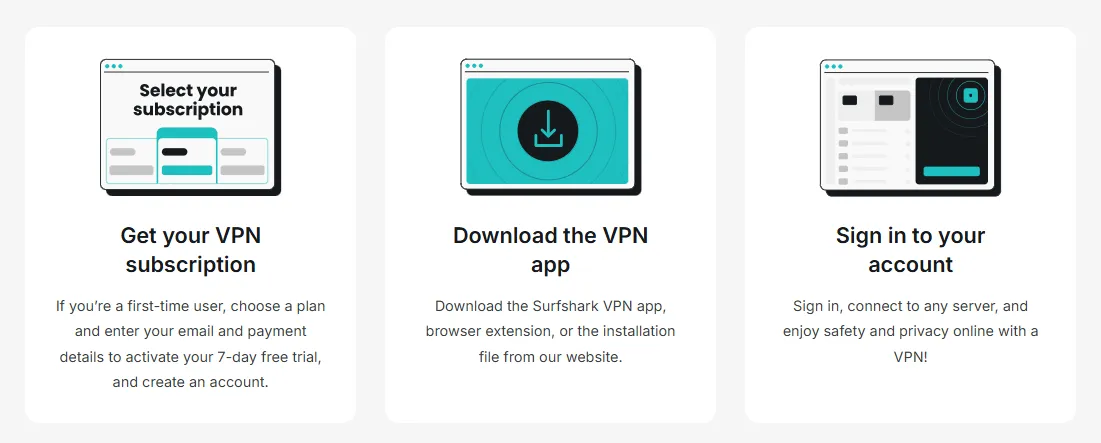
Installing and using a VPN on your Android phone is an effective way to protect privacy, bypass geo-restrictions, and enhance network security. Here is the detailed usage guide.
1. Preparation Before Using a VPN
-
Choose a Suitable VPN Service.
-
Download the VPN App from the Google Play Store:
-
Open the Google Play Store on your Android phone.
-
Enter the name of your chosen VPN service in the search box.
-
Click the "Install" button and wait for the app to download and install.
-
Important Tip: If you are in a region where the Google Play Store is inaccessible, you will need to visit the VPN's official website and download the APK file for manual installation.
-
2. VPN Installation and Configuration Steps
Step 1: Create an Account and Log In
-
Open the installed VPN App.
-
If you are a new user, click "Sign Up" to create a new account, or proceed directly to purchase a plan.
-
Log in to the application using your account information.
Step 2: Select Server Location
After logging in, you will see the server list or map interface. You have two connection modes:
-
Auto-Select (Recommended for beginners): Click the "Smart Connect" or "Quick Connect" button. The app will automatically select the fastest server with the lowest latency.
-
Manual Select (Recommended for advanced users): Click the server list and choose a specific location based on your needs.
-
Recommendation: Choosing a server close to your physical location (e.g., Hong Kong, Japan, Singapore) will usually provide faster speed. If you need to access streaming content from a specific region, select a node in that corresponding country.
Step 3: Connect the VPN
-
Click the "Connect" button and wait a few seconds. The application will show a "Connected" status.
-
Upon successful connection, your real IP address will be replaced by the VPN server's address. All network traffic will be transmitted through the encrypted tunnel.
Step 4: Enabling Advanced Settings and System Optimization
To achieve optimal security and connection stability, the following key settings are recommended:
-
Enable Kill Switch: Go to the app settings and turn on this feature. It immediately cuts off your internet connection if the VPN unexpectedly disconnects, preventing accidental exposure of your real IP address.
-
Enable Split Tunneling / Bypasser: This function allows you to flexibly control which apps use the VPN tunnel and which connect directly to the local network.
-
Optimization Advice: Only include apps that need to bypass restrictions (e.g., Chrome, YouTube, Twitter) in the VPN tunnel. Exclude local applications (e.g., banking apps, local maps, WeChat). This ensures they operate normally
-
Step 5: Test the VPN Connection
-
Open your browser and visit websites like WhatIsMyIP.com or ipleak.net.
-
Check if the displayed IP address matches the VPN server location you selected.
-
If the displayed IP address has changed, your VPN is working correctly. You can now safely start browsing.
Android VPN Keeps Disconnecting Fix: Optimizing Battery Settings
One of the most common issues on Android is the OS automatically closing your VPN app to save power. To ensure your connection remains "Always-on" and secure, follow this guide to disable aggressive battery optimization:
Adjust App Battery Usage:
Go to Settings > Apps > See all apps.
Locate and tap on your VPN app.
Tap on Battery (or App battery usage).
Change the setting from "Optimized" or "Restricted" to Unrestricted. This allows the app to use battery in the background without being killed by the system.
Enable "Always-on VPN" (Advanced Security):
Go to Settings > Network & internet > VPN.
Tap the Settings (gear) icon next to your active VPN provider.
Toggle on Always-on VPN.
For maximum privacy, toggle on Block connections without VPN. This ensures no data is transmitted if your VPN isn't active.
Disable "Pause app activity if unused":
In the App Info page for your VPN, ensure the toggle for Pause app activity if unused is turned OFF. This prevents the system from revoking permissions and stopping the service if you haven't opened the app interface for a while.
By following these steps, you will solve the "Android VPN keeps disconnecting" error and ensure your data remains encrypted 24/7.
Frequently Asked Questions (FAQ)
Q1: How do I set up the Android Built-in VPN?
The native Android VPN client is primarily for corporate network connections. It supports older protocols (like OpenVPN, IKEv2, L2TP/IPsec) that are less effective against complex deep packet inspection (DPI) and censorship, making them unsuitable for bypassing network restrictions.
-
Applicable Scenario: Only suitable for connecting to existing, private corporate or school networks that support these protocols.
-
Setup: Go to your phone's Settings -> Network & Internet -> VPN -> Add VPN. Fill in the server configuration details (Server Address, Username, Password, Pre-shared Key (PSK)).
-
Important Note: The built-in VPN client does not provide servers itself; you must self-host or purchase server configurations. For the average user, using a professional paid VPN service is simpler, more stable, and safer.
Q2: Is self-hosting an Android VPN a good idea?
Self-hosting a VPN (such as V2Ray, SSR, or Trojan) is an interesting and highly controllable option for technically proficient users, but it has distinct drawbacks:
|
Feature |
Self-Hosted (V2Ray/Trojan/SSR) |
Professional Paid VPN |
|
Technical Barrier |
High (requires Linux knowledge, server configuration) |
Low (one-tap installation, easy to use) |
|
Time Cost |
High (requires time for installation, debugging, and long-term maintenance) |
Very low (one-tap connect) |
|
Connection Stability |
Very unstable (IPs are easily blocked, requiring frequent changes) |
High (features obfuscation protocols and smart routing) |
|
Cost |
Server rental (approx. $15+/month, more for premium lines) |
Approx. $2 - $7/month, usually with a money-back guarantee |
Conclusion:
-
For technical enthusiasts and researchers: Self-hosting is a valuable technical exploration.
-
For the vast majority of regular users: If your main goal is efficient, stable access for work, study, and entertainment, self-hosting will consume significant energy and time. Purchasing a mature paid VPN service, which provides 24/7 stable connection and professional technical support for a few dollars a month, is undoubtedly the more economical, quicker, and hassle-free option.
Q3: Is using an Android VPN safe in China?
Using our recommended high-quality paid VPN services is safe at the data encryption level. These services utilize high-strength AES-256 encryption, which would take supercomputers years to crack. Furthermore, advanced features like the Kill Switch and IP/DNS leak protection effectively prevent accidental exposure of your real IP address and data during sudden disconnections.
Safety and Legal Reminder:
-
Privacy Protection: In China, it is essential to use a VPN to hide your real IP address, which helps prevent personal information from being exposed on certain domestic social platforms.
-
Legal Risk: Unauthorized use of a VPN to bypass censorship is illegal in mainland China. While cases of ordinary users being legally penalized for "simply browsing" are extremely rare, distributing circumvention tools or posting sensitive political or religious commentary online carries serious legal risks (including account suspension, investigation, or more severe consequences).
-
Code of Conduct: When using a VPN, it is crucial to maintain caution and a low profile. Do not discuss, share, or publicly advertise circumvention tools or sensitive topics on any domestic platform.