Struggling with the Netflix proxy error or new household sharing rules? We tested the 7 best Netflix VPNs in 2026 to help you securely change regions and stream globally.
Quick Netflix VPN Recommendations
-
Best Overall: ExpressVPN (Fastest loading times for 4K Netflix).
-
Best for Household Bypass: NordVPN (Meshnet feature easily bypasses password-sharing blocks).
-
Best Budget Pick: Surfshark (Unlimited devices for the whole family).
Why You Need a Netflix VPN?
Netflix's global content library is not uniform. Due to stringent regional licensing and distribution agreements, the movies and TV shows you can watch are restricted by your geographic location.
A VPN (Virtual Private Network) is the only reliable tool to bypass these geo-restrictions. By concealing your real IP address and replacing it with an IP from your desired country (such as the US or Japan), a VPN unlocks the local Netflix content library. Choosing a top-tier VPN allows you to enjoy global streaming while simultaneously ensuring your online activities are secure and private.
We have curated the 7 best Netflix VPNs for 2026, selected for their stability, speed, and unblocking capabilities.
How to Bypass Netflix Household Sharing Restrictions in 2026
As of 2026, Netflix uses "Primary Household" detection based on IP addresses and device IDs.
The Solution: Premium VPNs like NordVPN offer "Meshnet" technology, which allows you to route your traffic through a friend’s or family member’s home PC, effectively making you appear to be in the same household. Alternatively, using a Dedicated IP ensures your IP remains consistent, reducing the risk of being flagged for "suspicious travel" or account sharing across multiple locations.
The 7 Best VPNs for Netflix in 2026
The following list is based on core criteria including unblocking consistency, streaming speed, and security/privacy features.
1. ExpressVPN (Best Overall: Powerful Unblocking, Ultra-Fast Speed)
|
Feature |
Details |
|
Netflix Unblocking |
Successfully unblocks 15+ major libraries, including US (2 servers tested), Canada, UK (1 server tested), and Netherlands. |
|
Core Protocol |
Lightway Protocol (Proprietary, ultra-fast speed) |
|
Exclusive Features |
MediaStreamer (Smart DNS), TrustedServer Technology, Split Tunneling |
|
Server Network |
Covers 105+ countries |
|
Max Connections |
14 Devices |
|
Lowest Monthly Price |
~$3.49 (2-year plan) |
|
Refund/Support |
30-Day Money-Back Guarantee / 24/7 Live Support |
Pros
-
Industry-leading connection speed and stability, perfect for 4K streaming.
-
Zero-logging policy and TrustedServer technology (RAM-only servers), with independently audited privacy protection.
-
User-friendly, featuring split tunneling, and consistent performance across all major platforms (PC, Mac, Android, Router, Smart TV).
-
MediaStreamer DNS allows access to geo-restricted content on devices that do not natively support VPN apps.
Cons
-
Subscription price is higher compared to some competitors.
Verdict
ExpressVPN consistently delivers industry-leading performance in all our tests. With its proprietary Lightway protocol and efficient IP rotation mechanism, it maintains stable Netflix unblocking, providing the smoothest, most reliable streaming experience.
Best For: Users who prioritize speed, unblocking stability, and privacy protection above all else, and have a flexible budget for a premium experience.
ExpressVPN Review 2026: Is It Still the Industry Leader? (Verified Test)
2. NordVPN (Best Value: Massive Network & Top-Tier Security)
|
Feature |
Details |
|
Netflix Unblocking |
Consistently unblocks 10+ major libraries (US, CA, UK, DE, IT, AU, FR, NL, etc.) |
|
Streaming Compatibility |
Flawlessly compatible with Hulu, Prime Video, Disney+, HBO Max, and more. |
|
Core Protocol |
NordLynx Protocol (Built on WireGuard) |
|
Server Network |
8400+ servers globally, covering 165+ countries/regions |
|
Exclusive Features |
SmartPlay (DNS feature), Double VPN (Multi-hop), Kill Switch |
|
Max Connections |
10 Devices |
|
Lowest Monthly Price |
~$2.99 (2-year plan) |
|
Jurisdiction |
Panama (Privacy-friendly, zero-log provider) |
Pros
-
Its massive network provides a wide array of IP addresses, substantially reducing the chance of blacklisting.
-
NordLynx protocol offers exceptional speed, perfect for 4K streaming, and is compatible with all mainstream platforms.
-
Robust security features: strict zero-log policy, DNS leak protection, and an automatic kill switch.
-
Rich set of advanced features like Double VPN and SmartPlay (for streaming).
-
Excellent value for money, backed by a 30-day money-back guarantee.
Cons
-
The desktop application interface can sometimes feel complex.
Verdict
NordVPN achieves a great balance between streaming access and everyday use, thanks to its proprietary NordLynx protocol and enormous global server network. Its powerful security features (like Double VPN) combined with an affordable price make it the most comprehensive "best value" option.
Best For: Users seeking a feature-rich, secure, and cost-effective VPN solution to unlock Netflix worldwide.
NordVPN Review 2026: Is It Still the Best VPN? (Tested)
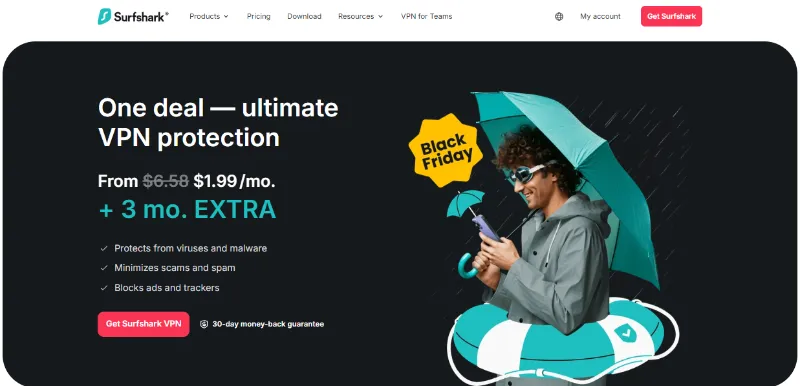
3. Surfshark (Unlimited Devices: Top Pick for Family Sharing)
|
Feature |
Details |
|
Netflix Unblocking |
Excellent stability, successfully unblocks US, UK, CA, South Africa, and South Korea libraries. |
|
Streaming Compatibility |
Fully compatible with Hulu, Amazon Prime Video, and Disney+. |
|
Core Protocol |
WireGuard (Efficient and stable) |
|
Exclusive Features |
CleanWeb (Ad/Malware Blocker), NoBorders Mode (Obfuscation) |
|
Max Connections |
Unlimited |
|
Lowest Monthly Price |
~$1.99 (2-year plan) |
|
Ad Blocking |
Yes (via CleanWeb) |
Pros
-
The only top-tier VPN offering an unlimited number of connections, making it ideal for families and users with many devices.
-
Outstanding unblocking capability; all tested servers provided a smooth, buffer-free streaming experience.
-
Highly competitive pricing, one of the cheapest options for long-term subscriptions.
-
CleanWeb effectively blocks ads, enhancing browsing safety and experience.
Cons
-
Performance stability can sometimes be inconsistent on macOS and iOS devices.
Verdict
Surfshark is the most cost-effective premium VPN on the market. Its unlimited device connection policy solves a major pain point for multi-screen households, and its reliability in unlocking Netflix is consistently proven.
Best For: Users with multiple devices who want to share an account with family or friends while seeking maximum cost-effectiveness.
Surfshark VPN Review 2026: Best Value VPN with Unlimited Devices
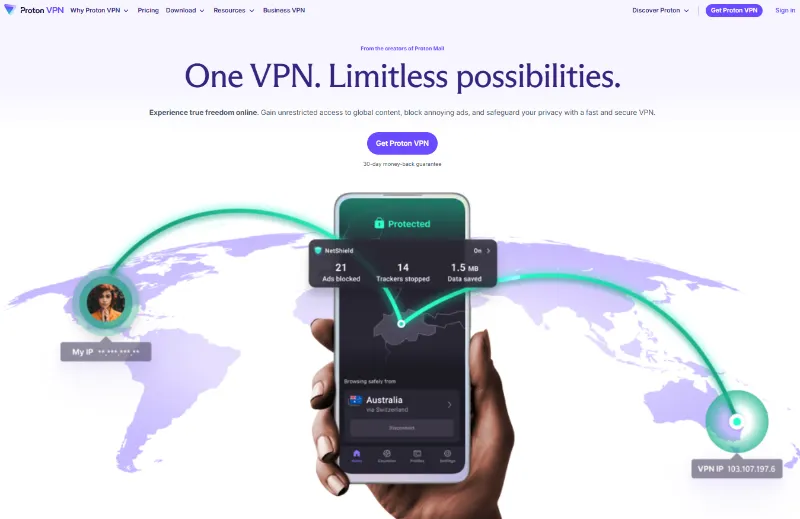
4. Proton VPN (Excellent for Privacy & Transparency)
|
Feature |
Details |
|
Netflix Unblocking |
Stable on Plus-tier servers, successfully unblocks major libraries including US, UK, CA, NL, and JP. |
|
Streaming Compatibility |
Disney+, Amazon Prime Video, Hulu, etc. (Requires Plus servers). |
|
Core Protocol |
WireGuard, Stealth |
|
Jurisdiction |
Switzerland (Top-tier privacy laws) |
|
Server Count |
Large scale (16750+ servers) |
|
Exclusive Features |
Secure Core Routing (Multi-hop), Open-Source Clients |
|
Connections |
10 Devices |
|
Free Version |
Unlimited data usage |
|
Lowest Paid Price |
~$2.99 (2-year plan) |
Pros
-
Developed by the Proton Mail team, showing the highest commitment to privacy; clients are fully open-source.
-
Strong unblocking capabilities; successfully unlocked Netflix on tested servers (US, UK, Canada, Netherlands, Japan).
-
Offers a free version with unlimited traffic.
-
Secure Core routing provides dual protection through multi-hop connections.
Cons
-
Streaming unblocking (Plus Server) requires a paid subscription tier.
-
Base price is relatively higher.
Verdict
Proton VPN combines a strong privacy stance with reliable streaming support. It is one of the only providers offering an unlimited traffic free plan, and its paid Plus servers consistently unlock Netflix.
Best For: Users who place a high value on data security, transparency, and privacy protection, while needing stable Netflix access.
5. Private Internet Access (PIA) (Server Network Advantage)
|
Feature |
Details |
|
Netflix Unblocking |
Successfully unblocks US (Denver), CA, UK, BE, but limited to 5-6 content libraries. |
|
Server Count |
Massive network: 10,000+ servers covering 91+ countries/regions |
|
Founded |
2010 (Long-established) |
|
Max Connections |
10 Devices |
|
Lowest Monthly Price |
~$1.98 (Lowest 2-year plan price) |
|
Exclusive Features |
Highly customizable settings (including port forwarding) |
Pros
-
Possesses an industry-leading number of servers and IP addresses, significantly reducing the chance of IP blocking.
-
Good privacy features, including a built-in ad blocker.
-
Highly attractive pricing, one of the cheapest for long-term subscriptions.
-
Offers highly flexible customization, suitable for advanced users.
Cons
-
Streaming speed is slightly lower than top competitors (like ExpressVPN), potentially leading to minor buffering during 4K playback.
-
Not all servers consistently unblock Netflix, and the number of accessible content libraries is limited to about 5-6.
Verdict
PIA offers great streaming stability and value with its massive network and highly competitive price point. Its ultra-large IP pool makes it a powerful tool for bypassing geo-restrictions.
Best For: Experienced users seeking the lowest price, a large number of servers, and deep customization features.
Private Internet Access (PIA) Review 2026: Still the Best Value VPN?
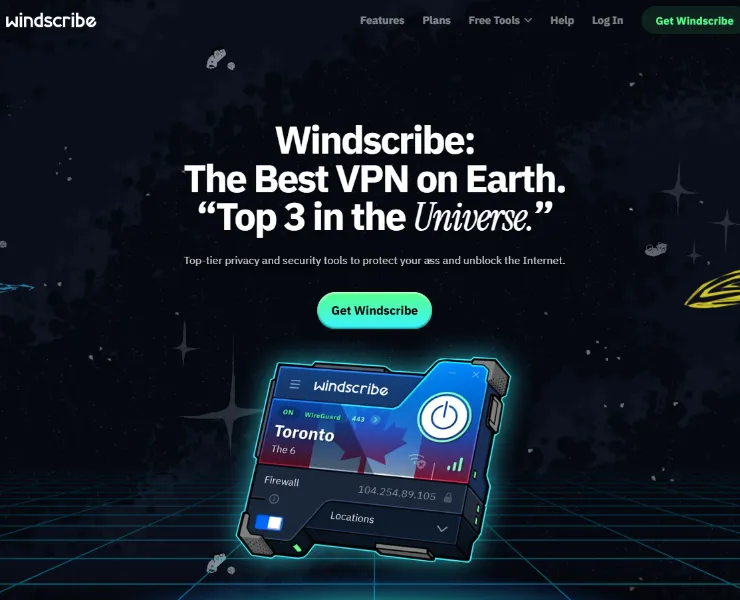
6. Windscribe (Generous Free Plan & Customization)
|
Feature |
Details |
|
Netflix Unblocking |
Reliable performance |
|
Server Network |
500+ servers, covering 69 countries |
|
Core Protocol |
WireGuard (Efficient and stable) |
|
Free Plan |
Up to 10GB of traffic per month |
|
Exclusive Features |
"Windflix" (Stream-optimized servers), R.O.B.E.R.T. (Advanced DNS-level blocking), AI Support Bot |
|
Max Connections |
Unlimited |
|
Refund Guarantee |
3 Days (Shorter) |
Pros
-
Industry-leading company transparency and active maintenance of VPN user rights.
-
Offers a generous free plan, useful for short-term streaming access testing.
-
Allows anonymous registration and various payment methods.
-
Paid version offers dedicated Windflix servers to tackle Netflix blocks.
-
Supports unlimited device connections.
Cons
-
The refund period is very short (only 3 days), requiring a quick decision.
-
Overall server scale is smaller compared to top competitors.
-
Unblocking stability on non-Windflix servers is generally average.
Verdict
Windscribe is one of the few services that offers a generous amount of free traffic while retaining decent streaming capability. Its dedicated Windflix servers reliably unlock key content libraries, making it a viable option for users seeking low cost and flexibility.
Best For: Users who want to fully test a VPN with a free plan before committing, or those with a limited budget.
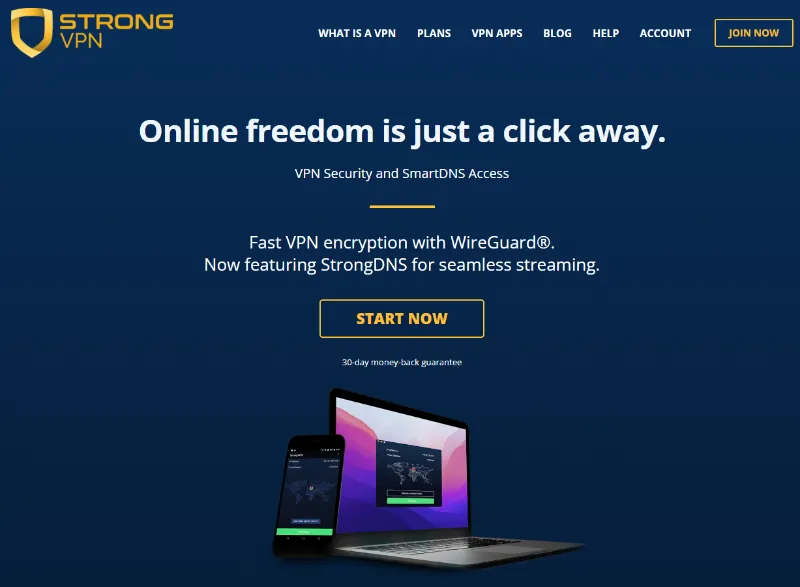
7. StrongVPN (Established Provider: Reliability and Speed)
|
Feature |
Details |
|
Netflix Unblocking |
Successfully unblocks US (NY/Chicago), CA, NL; stable unblocking capability. |
|
Streaming Compatibility |
Supports US Netflix, Hulu, Amazon Prime, Disney+, and HBO Max. |
|
Network Ownership |
Owns and manages its private server network (950+ servers in 30+ countries) |
|
Exclusive Features |
StrongDNS Feature |
|
Max Connections |
12 Devices |
|
Lowest Monthly Price |
~$3.97 (1-year plan) |
|
Core Protocols |
WireGuard, OpenVPN, and IKEv2 |
Pros
-
An established provider that ensures long-term service quality and speed stability through its own network control.
-
Zero-log policy and strong encryption guarantee user privacy.
-
StrongDNS feature is convenient for unlocking streaming on devices that do not support VPN apps.
Cons
-
Not all servers support Netflix, requiring users to manually try different nodes.
-
Limited server network size (950+ servers) compared to top competitors (like NordVPN and ExpressVPN).
-
Lacks a faster, next-generation protocol like Lightway or NordLynx.
Verdict
StrongVPN ensures continuous service stability and reliable speed through its strict control over its proprietary network. It is a solid choice for users looking for simple, stable streaming and the ability to use Smart DNS on multiple devices like Smart TVs or gaming consoles.
Best For: Users who value long-term service stability and need the StrongDNS feature for quick streaming access on smart TVs or gaming consoles.
Quick Comparison: Key Specs of the Top 7 Netflix VPNs (Table)
|
VPN Provider |
Lowest Monthly Price |
Unblocks US Netflix |
Max Device Connections |
Money-Back Guarantee (Days) |
Exclusive Streaming Feature |
|
~$3.49 |
Highly Reliable |
14 |
30 |
MediaStreamer (Smart DNS) |
|
|
~$2.99 |
High Success Rate |
10 |
30 |
SmartPlay (DNS Feature) |
|
|
~$1.99 |
Stable |
Unlimited |
30 |
Unlimited Devices |
|
|
~$2.99 |
Stable |
10 |
30 |
Secure Core Routing |
|
|
~$1.98 |
Stable |
10 |
30 |
Massive Server Network |
|
|
~$5.75 |
Reliable |
Unlimited |
3 |
Windflix (Optimized Servers) |
|
|
~$3.97 |
Reliable |
12 |
30 |
StrongDNS |
How to Choose the Best Netflix VPN?
Not all VPN services offer the same performance and features. When assessing which VPN is best for unlocking the global Netflix library, focus on these critical factors:
1. Streaming Speed (Rate)
You need a VPN that guarantees a buffer-free HD or even 4K viewing experience. While Netflix's minimum requirement is 0.5 Mbps, for smooth HD playback, we recommend a stable connection speed of at least 5 Mbps. Choose services equipped with next-generation protocols like WireGuard or its variations (e.g., Lightway, NordLynx) to minimize speed loss.
[OpenVPN vs. WireGuard: Which Protocol Offers the Best Speed and Security?] provides a comprehensive comparison of these two top-tier VPN protocols.
2. Consistent Unblocking Capability
Netflix constantly upgrades its IP blocking technology, so a VPN must possess high resistance and compatibility. An excellent Netflix VPN requires a robust global research team capable of continuously replacing and deploying new, streaming-optimized IP addresses—known as "Netflix-compatible servers." Since a VPN that works today may not work tomorrow, it is crucial to choose providers like ExpressVPN, NordVPN, or Surfshark, which have been tested and proven to consistently bypass these blocks.
3. Strong Security and a No-Logs Commitment
The core value of a VPN is to protect your online security. It encrypts your internet connection, ensuring your ISP or any third party cannot monitor your network activities. To prevent privacy leaks, we strongly recommend using only services with a strict No-Logs Policy. Reputable providers like NordVPN and Surfshark are known for their strong security features and audited no-logs commitment.
4. Global Coverage and Geo-Selection
Netflix is available in nearly 200 countries, and the content library differs significantly in each region. Therefore, choosing a VPN with an extensive global server network is essential, especially one with numerous optimized servers in key content library locations like the US, UK, Japan, and Canada. Additionally, for users concerned about surveillance, choosing a provider headquartered or with servers in a country with strict privacy laws (e.g., Switzerland or Panama) offers an extra layer of assurance.
5. Quality Customer Support
Reliable customer support is indispensable when you encounter connection failures or unblocking issues. The best VPN providers should offer 24/7 live chat support so users can get technical help promptly.
6. User Experience and Cost-Effectiveness
The best VPNs are easy to use, even without a technical background. We recommend services like ExpressVPN, NordVPN, and Surfshark, which offer user-friendly and highly intuitive applications that are easy to install on all mainstream devices. While we advise against relying on free VPNs (which are often slow and unreliable), many reasonably priced paid options exist, such as NordVPN, whose price is highly competitive (as low as approximately $2.99 per month).
Why Residential IPs are Mandatory for 4K Streaming in 2026:
Standard Data Center IPs (used by cheap VPNs) are easily identified by Netflix's firewall. To counter this, top-tier VPNs now use Residential IPs—IP addresses assigned by local ISPs to real homes. These are virtually indistinguishable from regular organic traffic. When choosing a VPN, prioritize those that rotate to residential-style IP pools to avoid the dreaded M7111-5059 proxy error.
How to Change Your Netflix Region to the US (Step-by-Step)

Accessing the US Netflix library is the most direct way to watch the largest selection of shows and movies. The key first step to successfully accessing the US library is to connect to a high-performance US VPN server.
Important Note: Do not rely on free VPN services. They often carry serious risks, including strict bandwidth limitations, slow connection speeds, and the security risk of selling your browsing data to third parties. We recommend choosing a premium service like NordVPN that offers superior speed, unlimited traffic, and strong encryption, and utilizing its money-back guarantee for risk-free testing.
Method 1: Connecting via a Reliable VPN (Recommended)
Recommendation Rating: ★★★★★
This method provides an encrypted tunnel and completely replaces your IP address. It is the safest and most reliable approach, balancing privacy protection with unblocking capability.
VPN Connection Steps:
-
Subscribe and Deploy: Subscribe to your chosen premium VPN (e.g., NordVPN or ExpressVPN) and download/install the official client application on your device.
-
Clear Geo-Traces: Before connecting the VPN, be sure to clear your browser or Netflix app’s cache and cookies to prevent old data from leaking your real location.
-
Select a US Node: Launch the VPN client, select any US server location from the list, and establish the connection.
-
Start Streaming: Access the Netflix website or app and log in with your existing account. The content library will automatically update to the US version.
Method 2: Use a Smart DNS Service (Speed-First, No Encryption)
Recommendation Rating: ★★★☆☆
This only changes the DNS settings and does not encrypt traffic. It is extremely fast and suitable for devices where VPN apps cannot be installed (like Smart TVs), but it lacks security encryption protection and is less stable for unblocking than a VPN.
Smart DNS Configuration Steps:
-
Get DNS Addresses: Register for a trial account with a Smart DNS provider (often included with top-tier VPNs).
-
Update Device Settings: Following the provider's guide, input and configure the new DNS server addresses on your router or specific device.
-
Start Playback: Access Netflix and log in to enjoy the US content.
Method 3: Utilizing a Paid VPN's Refund Guarantee (Short-Term Trial)
Recommendation Rating: ★★★☆☆
If you are hesitant about a paid subscription, you can fully utilize the risk-free money-back guarantee offered by top-tier VPN providers. For example, ExpressVPN offers a 30-day unconditional refund policy.
Process:
-
Activate Guarantee: Sign up for ExpressVPN's 30-day money-back guarantee.
-
Connect and Watch: Download and install the ExpressVPN app, and connect to any US server.
-
Evaluate and Decide: Watch US Netflix freely for 30 days. Before the deadline, you can choose to continue the subscription or apply for a full refund.
Method 4: Free VPN Limitations (Not Recommended)
Recommendation Rating: ★☆☆☆☆
This method is zero cost but severely limits traffic and speed. Not recommended. Free VPNs rarely succeed in unlocking Netflix and often pose significant security risks, including logging and selling user data.
Usage: To attempt this, register for a free plan, download the application, connect to a US server, and then log into Netflix.
Step-by-Step Guide: Changing Your Netflix Region

Regardless of the device you use, changing your Netflix region requires using a VPN or Smart DNS service to mask your geographic location.
1. Desktop (Windows/Mac) Procedure
This is the most straightforward way, typically requiring only the installation and running of a VPN client on your computer.
-
Subscribe to a VPN: Purchase a stable and reliable VPN service (e.g., NordVPN or ExpressVPN).
-
Download Client: Download and install the VPN's official desktop application on your Windows PC or Mac.
-
Log In and Connect: Start the app, log in with your credentials, and select a server in the country/region of the Netflix library you wish to access.
-
Clear Cache: It is recommended to clear your browser's (Chrome/Safari) or Netflix desktop app's cache and cookies.
-
Launch Netflix: Open your browser and visit the Netflix website, or open the desktop app. The content library will automatically switch to the region selected by your VPN.
2. Mobile (iOS/Android) Procedure
You can easily install VPN apps through the respective app stores on smartphones and tablets.
-
Select and Acquire a VPN: Subscribe to a VPN service with an excellent mobile application (e.g., NordVPN).
-
Install Mobile App: Go to the Apple App Store (iOS) or Google Play Store (Android), search for, and download your VPN client application.
-
Log In and Connect: Log into the VPN app and connect to a server in the country/region of the desired Netflix area.
-
Start Streaming: Re-open your Netflix application. The app's content library will update to display shows from the new region.
3. Setup for Streaming Devices (Smart TV/Fire Stick/Roku/Consoles)
Since most streaming devices and gaming consoles do not natively support VPN apps, you need to set them up via the network level.
3.1. PlayStation (PS4/PS5) Region Switch
PS4/PS5 does not support VPN applications. The simplest method is to use a Smart DNS proxy, which can alter your geographic location.
Strategy: Smart DNS (MediaStreamer) Configuration
-
Obtain the Smart DNS server addresses from your VPN account (e.g., ExpressVPN's MediaStreamer).
-
On PS4/PS5, go to Settings > Network > Set Up Internet Connection.
-
Select your connection method (wired or Wi-Fi), then choose "Custom."
-
Keep IP Address Settings as "Automatic."
-
In DNS Settings, choose "Manual" and input the Smart DNS address as the "Primary DNS."
-
Restart the PS4/PS5, then launch the Netflix App.
3.2. Xbox One Region Switch
Xbox One also does not support a VPN client, requiring connection sharing via an external network.
Strategy: Router or PC Sharing
-
VPN Router: Connect the Xbox One to a router that has a VPN installed and configured. The Xbox will automatically inherit the VPN's location.
-
PC Connection Sharing: Use an Ethernet cable to connect the Xbox to a PC or Mac running the VPN client, and configure the computer to share the VPN connection.
3.3. Roku Region Switch
Roku lacks built-in VPN support and must rely on changing the connected network's geographic location.
Strategy: VPN Router or VPN Hotspot
-
VPN Router Installation (Recommended): Install and configure the VPN directly on your home router. All devices connected to that Wi-Fi network (including Roku) will be located in the VPN's selected country/region.
-
VPN Hotspot Creation: Use a computer or mobile phone running the VPN client to create a Wi-Fi hotspot, and connect the Roku to this new hotspot.
3.4. Smart TVs (Samsung, LG, Sony Android TV) Region Switch
Most non-Android Smart TVs (like Samsung, LG) are not compatible with standard VPN applications.
Strategy: VPN Router or Smart DNS
-
Router Firmware Solution: Install VPN firmware (such as that provided by ExpressVPN) on a compatible router to provide VPN coverage for the entire home network.
-
Smart DNS Solution (Best for Android TV): For devices like Sony Android TV, you can configure the Smart DNS service directly in the TV's network settings, similar to the PS4 setup.
3.5. Amazon Fire TV Stick Region Switch
The Fire TV Stick is Android-based, allowing for direct installation of VPN applications.
Strategy: Native VPN App (Easiest)
-
Search for and download your subscribed VPN service (e.g., NordVPN or Surfshark) in the Fire TV Stick's search bar.
-
Log into the VPN app and connect to the target country server you wish to access.
-
Launch the Netflix App to watch content from that region.
2026 Regional Gems: Where to Connect for the Best Content?
While the US library is the most famous, other regions offer unique advantages:
-
Netflix Japan: The ultimate destination for Anime fans, featuring thousands of titles with exclusive Japanese audio/subtitles.
-
Netflix UK/Canada: Often hosts major Hollywood blockbusters and European crime dramas that are licensed elsewhere as paid rentals.
-
Netflix South Korea: The gold mine for K-Dramas and regional variety shows that launch weeks before the global version.
How to Fix Netflix Proxy Error M7111-5059 (VPN Blocked)
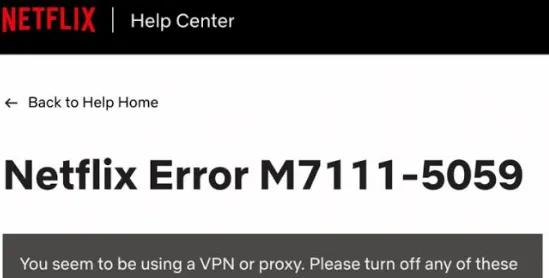
When you receive a Netflix proxy error, it typically means the IP address of your current VPN server has been identified and blacklisted. Here are five practical strategies to resolve VPN blocking issues and restore your streaming access:
1. Change Server Node (IP Rotation)
Immediately disconnect and connect to a different VPN server within the same country to obtain a new IP address. The best practice is to choose a VPN provider with a large, interchangeable server network in your target region.
2. Enable Obfuscation or Smart DNS
Try using the VPN's streaming-optimized servers (e.g., Windscribe's Windflix) or obfuscation mode (e.g., Surfshark's NoBorders). These features are designed to disguise VPN traffic, making it look like regular network data, thereby increasing the success rate of bypassing Netflix's detection.
3. Try Other Regions or Retry Later
Given the regional content licensing differences, you can check if the show you want to watch is available in other countries' Netflix libraries and connect to a server in that country. Additionally, because VPN providers are constantly updating their IP pools to counter blocking, a service that fails to unlock today might resume normal function a few days later. Patience is key.
4. Consider Using a Dedicated Static IP Address
Some VPN providers offer dedicated static IP addresses for an extra fee. Since these IPs are used exclusively or shared by very few people, they appear more like regular residential network traffic, resulting in a lower risk of being blocked by Netflix. However, please note this is not a guaranteed solution, and you should consider this carefully before purchasing.
5. Switch to a VPN Provider with Stronger Unblocking Capability
If a VPN consistently fails to reliably unlock Netflix content, it suggests a weak anti-blocking capability. You can utilize the money-back guarantee (such as a 30-day unconditional refund) or monthly subscription to quickly switch to a better-performing VPN (like ExpressVPN or NordVPN).
6. Thoroughly Clear Local Geo-Traces
Completely clear your browser or app's cache and cookies, removing any historical data (like the HTML5 Geolocation API) that could leak your real location. Performing this step before reconnecting the VPN is crucial.
More details are in this [Netflix Proxy Error M7111-5059: How to Fix It in 3 Minutes], read it and learn to fix it quickly.
Conclusion
While Netflix is a leading global streaming platform, its content library varies significantly due to copyright restrictions. This means many highly anticipated movies and shows are only available in specific regions, creating an invisible digital barrier for viewers.
A VPN offers the perfect solution to Netflix's geo-restriction issues. Its core advantages are:
-
Unlocking: It helps you unlock locally restricted shows and movies by simulating a network location in another country.
-
Security: It encrypts your internet connection, effectively guaranteeing online privacy and data security.
-
Speed: Mainstream services like NordVPN and ExpressVPN provide extremely fast connection speeds, fully capable of meeting the demands of HD streaming, allowing you to seamlessly navigate the global library of content.
Related guide: 7 Best VPNs for iPhone & iOS (Tested for Speed & Security)
Frequently Asked Questions (FAQ)
Q1: Why does Netflix block VPNs?
A: Netflix is legally required to comply with regional licensing contracts signed with content providers. Blocking VPNs is a key measure to fulfill these contracts and enforce regional content control.
Q2: How does Netflix know my location?
A: Netflix primarily relies on three mechanisms to detect your location and VPN usage:
-
IP Address Blacklist: Comparing incoming IP addresses against known VPN server IP addresses.
-
DNS Leak Detection: Checking whether your IP address and the geographic location of your DNS requests are consistent.
-
HTML5 Geolocation API: Your browser might leak more precise location data than your IP address (hence, clearing the cache is crucial).
Q3: Can I keep my preferred subtitle or audio language after switching regions?
A: Language Compatibility: When you successfully switch to a new Netflix region via a VPN, the available subtitle and audio track options for a show depend on that region's licensing agreement. To ensure support for a specific language (e.g., Spanish subtitles), you should connect to a server in a country where that language is native, as the content is more likely to be licensed with full local language support there.
Changing Default Settings: Regardless of the country you connect to, you can always change your default interface, audio, and subtitle language preferences independently of your IP address via the Profile option in your Netflix Account Settings.
Q4: Can I use a free VPN to watch Netflix?
A: Not recommended. The vast majority of free VPNs lack unblocking capability and severely restrict bandwidth and speed, making smooth HD playback impossible. More importantly, they typically lack robust privacy protection and pose a risk of selling user data.
Q5: Do I need a US payment method to unlock US Netflix?
A: No. To change your Netflix region, you only need to connect to a target country's server via a VPN. Your existing account and payment method will not be affected, and the content library will switch instantly.
Q6: What else can I do with a VPN?
A: Multi-functional Applications: A VPN's functionality extends far beyond streaming. It is a critical privacy and security tool that uses military-grade encryption to protect your data from public Wi-Fi risks and hackers. Furthermore, it can be used to bypass internet censorship and geo-restrictions imposed by governments or workplaces/schools, allowing access to globally blocked news, social media, or website content.
Q7: Will Netflix ban my account for using a VPN?
A: No. While Netflix actively blocks the IP addresses of known VPN servers (resulting in the proxy error), they do not ban user accounts for simply trying to access content via a VPN. You will just need to switch to a working VPN server to resume streaming.