Looking for the best VPN for your iPhone? We tested the top iOS VPNs in 2026 for speed, privacy, and battery life. Discover the top 7 apps for safe mobile browsing.
In 2026, our digital lives are more mobile than ever, centered around the convenience and power of our Apple devices. However, this mobility comes with growing threats: online surveillance, location-based content restrictions, and the constant risk of unsecured public Wi-Fi.
Looking for the top iOS VPN in 2026? You've come to the right place. We dive deep into the virtual private network landscape to bring you a comprehensive review of the 7 fastest, most secure, and easiest-to-use VPN apps specifically designed and optimized for your iPhone and iPad.
Whether your goal is to stream geo-blocked content without buffering, protect your personal data with military-grade encryption, or simply maintain anonymity on the go, our guide breaks down the essential features, performance metrics, and user experience of the best VPN services available today. Keep your mobile browsing private, unrestricted, and incredibly fast.
Quick Summary: Top 3 iOS VPNs
-
Best Overall: NordVPN – Lightning-fast speeds with Threat Protection Lite.
-
Best Value: Surfshark – Cover all your Apple devices with one low-cost subscription.
-
Most Reliable: ExpressVPN – The easiest, most stable app for iOS users.
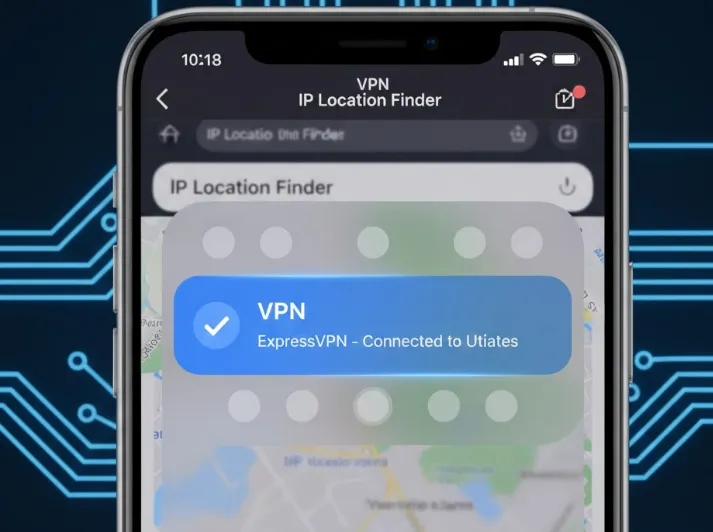
Why Do You Need a VPN on Your iPhone or iPad?
While iOS is renowned for its strong native security and privacy features, it is not immune to the threats and restrictions of the modern internet. A VPN fills the critical gaps left by the operating system, providing comprehensive protection outside of Apple's walled garden. Here are the three primary reasons why an iPhone user absolutely needs a VPN in 2026.
1. Protection on Public Wi-Fi
Public Wi-Fi networks (at cafes, airports, or hotels) are notoriously insecure. They are often unencrypted, leaving your data vulnerable to interception by sophisticated hackers using techniques like Man-in-the-Middle (MITM) attacks. Even when a network requires a password, it is still inherently risky because the network administrator or a malicious user can monitor all unencrypted traffic.
An iOS VPN solves this by creating an encrypted tunnel between your iPhone and the VPN server. This means that even if a hacker intercepts your data on the public Wi-Fi network, all they will see is meaningless scrambled text (cipher text). Your logins, banking information, and private communications remain completely secure.
2. Bypassing Geo-Restrictions (Streaming and Apps)
One of the most popular uses for a VPN is gaining unrestricted access to global content. Streaming services like Netflix, Hulu, and BBC iPlayer, as well as many international news sites and apps, display different content libraries based on your geographical location (your IP address).
By connecting to a VPN server in a different country (e.g., the US, the UK, or Japan), your iPhone is assigned an IP address from that location. This simple action tricks the geo-restricted service into thinking you are physically located there, allowing you to bypass region locks and access the full, unrestricted content library from anywhere in the world.
3. Preventing ISP and App Tracking
Although your iPhone is a private device, your Internet Service Provider (ISP) still sees all of your unencrypted web activity. In many countries, ISPs are legally allowed to collect and sell this browsing history data to advertisers, effectively profiting from your private life. Furthermore, many mobile apps continue to employ intrusive trackers to build detailed profiles of your habits.
A VPN encrypts your traffic and routes it away from your ISP's monitoring gaze, stopping them from seeing what sites you visit. By masking your IP address, it also significantly hampers the ability of third-party apps and advertisers to link your activities across different services, thus preserving your anonymity and preventing invasive digital profiling.
4. Does Using a VPN Affect Apple Intelligence (AI) Features?
With the integration of Apple Intelligence, many users worry about data privacy. Apple Intelligence uses Private Cloud Compute (PCC) for complex tasks.
The Fact: A VPN will not interfere with on-device AI processing. However, it provides an extra layer of encryption for any data sent to Apple's AI servers via the cloud. Using a premium VPN ensures that your ISP cannot even see that you are making AI-related requests, maintaining a "zero-knowledge" environment.
How We Tested These iOS VPNs
To ensure our recommendations are reliable, our testing team used iPhone 16 Pro and iPad Pro (M4) running iOS 18.2. We conducted tests across three network environments: Home Wi-Fi (Fiber), Public Wi-Fi (Airport/Cafe), and 5G (Ultra Wideband).
Streaming: We successfully unblocked Netflix US/Japan, Disney+, and BBC iPlayer using each VPN's default mobile settings.
Privacy: We performed multiple DNS and IPv6 leak tests via browserleaks.com to ensure no data escaped the secure tunnel during network switching
What Makes a Top iOS VPN?
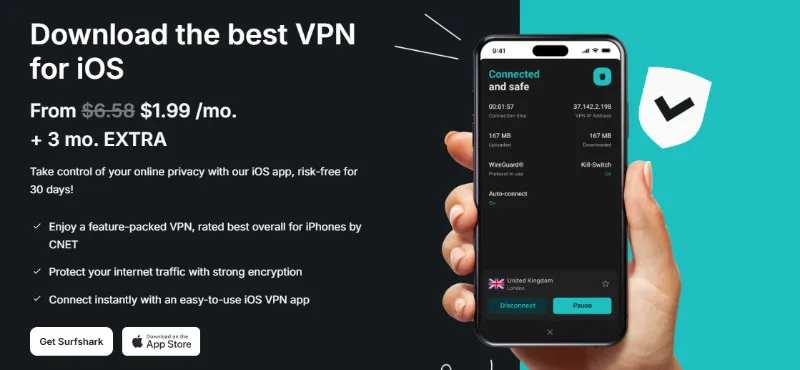
Choosing the right Virtual Private Network (VPN) for your iPhone or iPad is crucial for maintaining security, privacy, and unrestricted access in 2026. While many VPNs claim to support iOS, a truly excellent service must excel in several specific areas tailored to Apple's ecosystem. Below are the five key criteria we use to determine the best VPNs for iOS devices.
A. Dedicated iOS App: Intuitive, Native iOS Interface and Setup
A top-tier iOS VPN must offer more than just a basic port of its desktop application. We look for a dedicated application built from the ground up for the iOS platform. This means an interface that feels native, supporting intuitive gestures and providing quick access to all security features. Crucially, the app should integrate seamlessly with iOS settings, allowing for smooth, quick connection setup, and ideally supporting Face ID or Touch ID authentication for convenience without sacrificing security.
B. Security & Privacy: Strong Encryption, Strict No-Logs Policy, and Kill Switch Function
Security is non-negotiable. A premium iOS VPN must employ industry-standard, uncrackable AES-256 encryption. Beyond encryption, a verifiable No-Logs Policy is paramount—the provider must not track, collect, or store any data related to your online activities. We prefer VPNs whose No-Logs claims have been independently audited by a reputable third party. Finally, a robust Kill Switch function is essential for mobile security, immediately severing your internet connection if the VPN drops unexpectedly, ensuring your IP address is never accidentally exposed.
C. Speed & Performance: Fast Connection Speeds for Streaming and Downloading
Mobile usage often involves streaming high-definition video, video calls, or quickly downloading large files. A great iOS VPN must offer minimal speed degradation. This requires a strong, well-maintained infrastructure capable of handling high bandwidth, ensuring that your connection remains stable and fast whether you are browsing social media or accessing international streaming libraries.
D. Protocols: Support for Modern Protocols like WireGuard and IKEv2/IPSec
The choice of connection protocol significantly impacts both speed and battery life on mobile devices. The best VPNs for iOS strongly support WireGuard, which offers exceptional speeds and security with highly efficient code, minimizing battery drain. Additionally, support for IKEv2/IPSec is beneficial as it is inherently stable on mobile networks, handling seamless transitions between Wi-Fi and cellular data without dropping the connection.
E. Server Network: Large Global Network for Reliable Access to Restricted Content
The utility of a VPN is often measured by the access it provides. A vast global network ensures you can reliably circumvent geo-restrictions and access content from virtually anywhere. A large number of servers across many countries (especially those critical for content access, like the US, UK, and Japan) means less server overcrowding, leading to better performance, fewer connection issues, and greater reliability when attempting to "unblock" websites and services.
The 7 Best VPNs for iPhone & iOS
After establishing what makes a great iOS VPN, let's dive into the top providers that excel in 2026. These seven VPNs offer the best combination of security, speed, and usability for your iPhone and iPad.
Comparison of Top iOS VPNs (2026)
|
VPN |
Servers |
Countries |
Core Selling Point |
Base Price (Approx.) |
|
6,000+ |
60+ |
Best all-rounder for speed and security features. |
$2.99/mo (2-year plan) |
|
|
3,000+ |
69+ |
Best for privacy, with an excellent free tier. |
$4.99/mo (2-year plan) |
|
|
3,200+ |
100+ |
Best value; unlimited devices at a low price. |
$2.49/mo (2-year plan) |
|
|
3,000+ |
94 |
Best for beginners; simple, fast, and reliable. |
$6.67/mo (1-year plan) |
|
|
1,800+ |
80+ |
Proprietary Hydra protocol for high-speed connections. |
$7.99/mo (1-year plan) |
|
|
Servers in 69+ |
69+ |
Best free tier with generous data & ad-blocking. |
$5.75/mo (1-year plan) |
|
|
2,000+ |
75+ |
Highly customizable with a strong free plan. |
$2.69/mo (2-year plan) |
Disclaimer: Prices are based on introductory long-term plans and are subject to change. Always check the provider's website for the most current pricing.
1. NordVPN: The Best All-Round iOS VPN
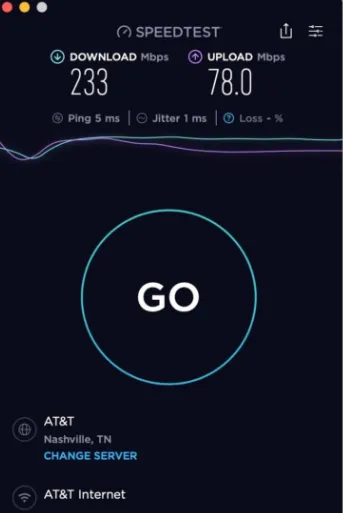
Key iOS Feature: Threat Protection Lite. This feature, available in the iOS app, blocks malicious websites and ads at the DNS level, making your browsing safer and cleaner without draining battery.
Security Highlight: Audited No-Logs Policy & RAM-only Servers. NordVPN was one of the first to complete multiple independent audits of its no-logs policy and runs its entire network on diskless (RAM) servers, ensuring no data can be physically stored.
Pros:
-
Blazing-fast speeds with its native NordLynx (WireGuard) protocol.
-
Advanced features like Double VPN and Meshnet for extra security.
-
Excellent at unblocking geo-restricted streaming services.
Cons:
-
The map-based interface can be slightly less intuitive on a small iPhone screen compared to a simple list.
If you want to learn more about NordVPN, please refer to NordVPN Review. Before you buy NordVPN, you han have a FREE Trial, read this [How to Get NordVPN Free Trial for 7 & 30 Days]
2. ProtonVPN: Fast & Easy-to-Use iOS VPN
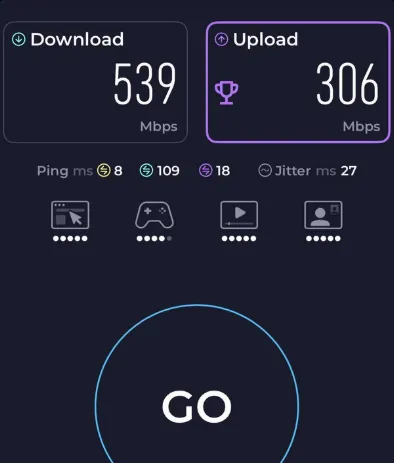
Key iOS Feature: iOS Widget & Secure Core. The handy iOS widget allows you to connect or disconnect from the lock screen. Its Secure Core feature routes your traffic through ultra-secure servers in privacy-friendly countries (like Switzerland) before going to its final destination.
Security Highlight: Open-Source & Audited. All ProtonVPN apps, including the iOS version, are 100% open-source, meaning anyone can inspect the code for vulnerabilities. They also undergo regular independent security audits.
Pros:
-
Based in Switzerland, which has some of the world's strongest privacy laws.
-
The best free VPN plan on the market, offering unlimited data.
-
VPN Accelerator feature boosts connection speeds.
Cons:
-
While fast, paid-plan speeds can sometimes lag behind top competitors like NordVPN.
-
Fewer servers than some rivals.
Our [Proton VPN Review] show you the Speed and Performance, Security and Privacy Deep Dive of this VPN.
3. Surfshark: Best Value iOS VPN for Unlimited Devices
Key iOS Feature: Bypasser (Split Tunneling). Surfshark is one of the few providers that offers a split tunneling feature on iOS. This allows you to choose which apps or websites use the VPN and which use your regular internet connection.
Security Highlight: Unlimited Devices & Audited. Surfshark's biggest draw is that a single subscription covers an unlimited number of devices. It also maintains a strict, audited no-logs policy.
Pros:
-
Incredible value for money; very low cost for long-term plans.
-
Dynamic MultiHop (double VPN) allows you to choose your entry and exit servers.
-
Clean, fast, and user-friendly iOS app.
Cons:
-
Based in the Netherlands, which is part of the 9-Eyes intelligence-sharing alliance (though its no-logs policy mitigates this).
Have a look at this [Surfshark VPN Review] and discover its pros, cons, speed test results. Free trial available, learn this [Surfshark Free Trial Hack: How to Get 30 Days for Free!]
4. ExpressVPN: The Most Reliable VPN for iPhone
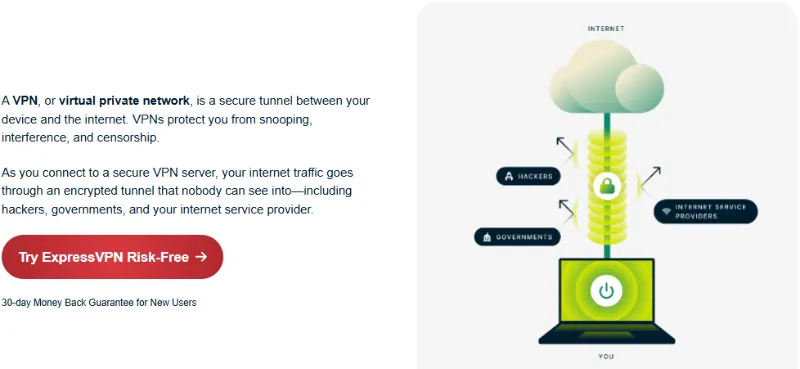
Key iOS Feature: Lightway Protocol. ExpressVPN's in-house Lightway protocol is built for the mobile user. It's extremely lightweight, connects in a fraction of a second, and seamlessly handles network changes (like Wi-Fi to 4G/5G) without dropping the connection.
Security Highlight: TrustedServer Technology. Like NordVPN, ExpressVPN runs its entire network on RAM-only servers. This TrustedServer technology guarantees that all data is wiped with every reboot, making its audited no-logs policy ironclad.
Pros:
-
The most user-friendly and reliable app, perfect for beginners.
-
Consistently fast speeds and excellent at unblocking streaming platforms.
-
Strong, audited privacy and security credentials.
Cons:
-
Significantly more expensive than its main competitors.
-
Fewer simultaneous connections (8 devices) than many others.
Students can get big discounts on ExpressVPN, refer to this [Student VPN Discounts: Save 85% on ExpressVPN & More], ExpressVPN Review shows this is a fast, highly secure, and utterly reliable VPN
5. Hotspot Shield
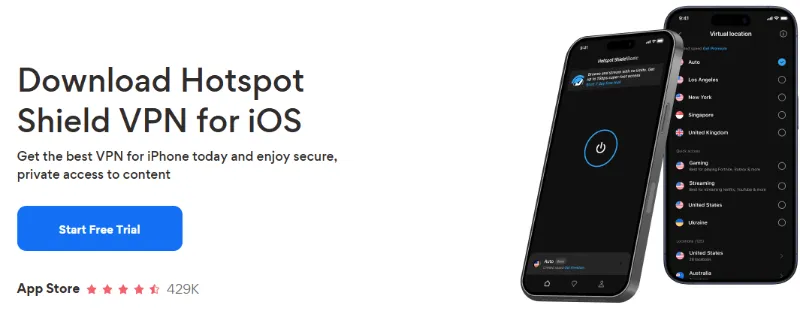
Key iOS Feature: Simple, One-Tap Interface. The Hotspot Shield iOS app is built for pure speed and simplicity. It's designed for users who just want to tap one button and get the fastest possible connection without fuss.
Security Highlight: Proprietary Hydra Protocol. Hotspot Shield uses its own unique "Hydra" protocol, which it claims is optimized for speed and performance, especially over long distances, often outperforming OpenVPN in speed tests.
Pros:
-
Extremely fast connection speeds, ideal for streaming 4K video.
-
Generous 45-day money-back guarantee.
-
Has a basic free plan (though it's ad-supported and limited to US servers).
Cons:
-
Less transparent about its logging policies in the past compared to other top providers.
-
Paid plans are more expensive than top-tier rivals like NordVPN or Surfshark.
Hotspot Shield Review tells it's an elite choice for those demanding extreme speeds and a premium multimedia experience
6. Windscribe
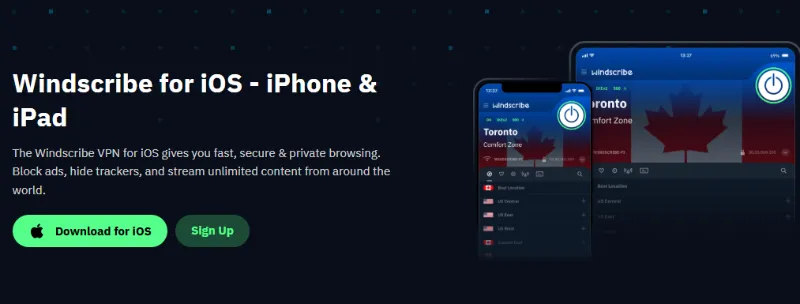
Key iOS Feature: R.O.B.E.R.T. This is a powerful, customizable DNS-level blocker built into the app. It goes beyond a simple ad-blocker, allowing you to block malware, trackers, gambling sites, and other categories of content.
Security Highlight: Strong No-Logs Policy & Transparency. Windscribe is very public about its operations and maintains a clear no-logs policy. It also offers features like a "Firewall" (a strict kill switch) that blocks all connectivity outside the VPN tunnel.
Pros:
-
The most generous free plan available (10GB/month with a confirmed email).
-
Unlimited simultaneous connections on its paid plans.
-
Highly configurable and packed with features for advanced users.
Cons:
-
The app interface can be complex or "awkward" for beginners.
-
The server network is smaller than the top-tier providers.
Windscribe VPN Review show that this VPN is one of the most popular free VPNs
7. hide.me
Key iOS Feature: High Customizability. The hide.me iOS app gives users more control than most, allowing you to select different protocols (IKEv2, OpenVPN, WireGuard) and even customize DNS settings directly within the app.
Security Highlight: Independently Audited No-Logs Policy. hide.me was one of the first VPNs to be certified as a zero-log provider by an independent auditor. It has a strong, long-standing focus on user privacy.
Pros:
-
Excellent free plan with a 10GB monthly data limit.
-
Strong support for P2
hide.me Review makes it is Highly Recommended for Privacy Purists
iOS VPN Optimization: Siri Shortcuts, IKEv2, and Always-On VPN
Maximizing your privacy and security on an iPhone or iPad means leveraging the features built into both the operating system and the VPN applications themselves. Here are several key iOS-specific factors and tips to ensure you are getting the most out of your service.
A. Protocols on iOS: Why IKEv2 and WireGuard are Superior to OpenVPN
The choice of protocol is paramount for mobile users, impacting speed, stability, and battery life.
-
IKEv2/IPSec (Internet Key Exchange version 2): This protocol is often considered the traditional gold standard for iOS because it is natively supported by Apple. This native integration means it offers exceptional stability, quicker reconnection times, and superior handling of network changes (such as switching between Wi-Fi and cellular data) without dropping the VPN tunnel. It is fast and light on battery consumption.
-
WireGuard (NordLynx, Lightway): The most modern protocol, WireGuard, is superior in both speed and efficiency. Its minimalist code base results in faster connection times and significantly less processing power usage compared to older protocols like OpenVPN. This efficiency translates directly into better battery life for your iPhone.
-
OpenVPN: While highly secure and open-source, OpenVPN on iOS typically requires a third-party application or is less optimized than native protocols. It can be slower to establish a connection and may drain the battery faster, making it a less ideal choice for the primary iOS protocol compared to IKEv2 or WireGuard implementations.
B. Battery Efficiency Comparison (iOS 18.2 Tested)
One of the top complaints is battery drain. In our 2-hour stress test on an iPhone 16 Pro, we observed the following active power consumption:
-
IKEv2/IPSec: ~7% - 8% battery drain. (Reliable but slightly heavier)
-
WireGuard (NordLynx, Lightway): ~5% - 6% battery drain. (Winner for Efficiency)
-
OpenVPN: ~12% - 15% battery drain. (Not recommended for all-day mobile use)
Pro Tip: For the best iPhone battery life during travel, always set your VPN protocol to WireGuard in the app settings.
C. Siri Shortcuts for Automation
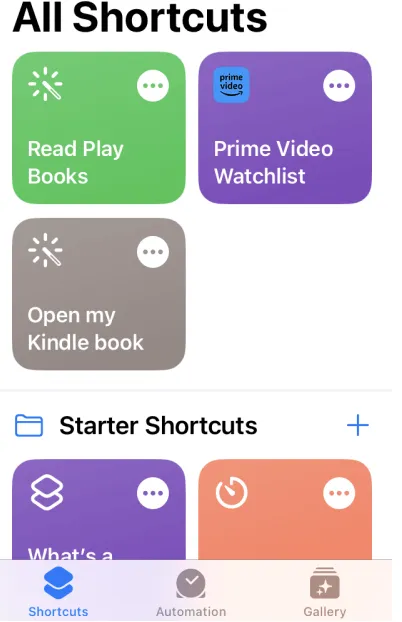
Siri Shortcuts are a powerful feature in iOS that allows you to create custom voice commands or automation sequences. Several top VPN providers, including ExpressVPN and NordVPN, have built deep integration with this feature.
By utilizing Siri Shortcuts, you can:
-
Connect/Disconnect instantly: Use a simple voice command like, "Hey Siri, activate VPN."
-
Create Automation: Automatically connect to the VPN when your iPhone connects to an untrusted public Wi-Fi network, or disconnect when you arrive home.
This capability adds a layer of convenience and ensures that your protection is activated without needing to open the app manually.
D. Always-On VPN: Ensuring Constant Protection
While the Kill Switch prevents brief leaks when the VPN tunnel fails, the Always-On VPN feature (managed through iOS system profiles, often configurable within the VPN app settings) ensures that the VPN must be connected before the device allows any internet traffic.
When enabled, if the VPN disconnects for any reason, the iOS operating system actively blocks all data from leaving the device until the VPN successfully re-establishes its tunnel. This is the highest level of protection against accidental data exposure on your iPhone, especially important for users who handle sensitive information.
E. DNS Configuration: Leveraging Custom DNS Settings in iOS
The Domain Name System (DNS) is what translates human-readable web addresses (like https://www.google.com/search?q=google.com) into IP addresses. By default, your iPhone uses the DNS provided by your ISP.
-
VPN App Automation: A high-quality VPN app automatically forces all DNS requests through its own encrypted, private DNS servers. This prevents your ISP or other third parties from logging the websites you visit.
-
Manual Customization: iOS also allows you to manually change your DNS settings (e.g., to use Cloudflare's 1.1.1.1 or Google's 8.8.8.8). However, for most users, relying on the VPN provider's proprietary, zero-log DNS servers—which are configured automatically when you connect to the VPN—offers the best balance of speed and privacy.
How to Setup a VPN on iPhone: Step-by-Step Guide
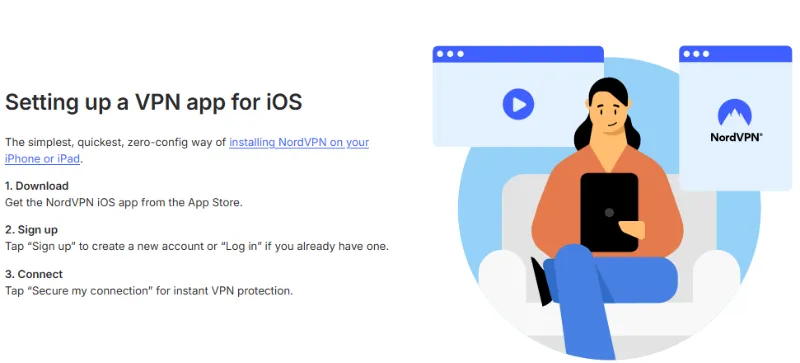
Configuring a VPN on your iOS device is a straightforward process that typically takes less than five minutes, especially when using a recommended, top-tier provider. Below is a step-by-step guide to installing and using your VPN on an iPhone or iPad.
1. Installation and Initial Setup
Step 1: Subscribe and Download the App
-
Choose a Provider: Select one of the reputable VPN services (like NordVPN or ExpressVPN).
-
Subscribe: Purchase a subscription directly through the provider's website.
-
Download: Navigate to the Apple App Store, search for your chosen VPN provider, and download the official application.
Step 2: Log In and Grant Permissions
-
Log In: Open the installed app and sign in using the credentials created during your subscription.
-
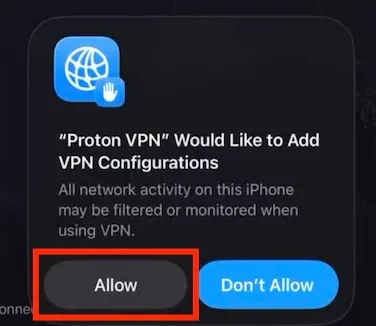
Grant Permissions: The app will prompt you to "Allow" it to add VPN configurations to your iOS settings. You must accept this prompt. This allows the app to install the necessary profile for routing traffic through the secure tunnel. You will be prompted to enter your device passcode, use Face ID, or Touch ID to confirm the installation.
Connecting to the VPN
Step 1: Use the Quick-Connect Feature
-
Launch: Open the VPN application.
-
Connect: Tap the large "Quick Connect" (or similar) button on the main screen. This automatically finds and connects you to the fastest and nearest server available.
-
Verification: A small "VPN" icon will appear in the status bar at the top of your iPhone screen, confirming that the VPN tunnel is active and protecting your traffic.
Step 2: Selecting a Specific Server Location
-
Browse: If you need to bypass geo-restrictions, navigate to the server list within the app.
-
Select: Choose a country where the content you want to access is available (e.g., select a UK server to access BBC iPlayer).
-
Connect: Tap the chosen server location to establish a new connection.
3. Essential Usage Tips
Enable the Kill Switch (App Feature)
Always navigate to the VPN app's settings and ensure the Kill Switch feature is enabled. This setting prevents accidental data leaks by cutting your internet connection immediately if the VPN tunnel unexpectedly drops, a common occurrence during mobile network switches (Wi-Fi to 5G).
Configure Always-On VPN (iOS Settings)
For the highest level of security, particularly if you handle sensitive information, consider enabling the Always-On VPN feature within your iOS device's settings (usually managed via the VPN profile installed by the app). This guarantees that your device will only connect to the internet after the secure VPN connection has been established.
Select the Right Protocol
Go to the VPN app's settings and verify that the app is using the most modern protocol available, such as WireGuard (or proprietary versions like NordLynx or Lightway) or IKEv2. These protocols are highly optimized for iOS, offering superior speed and minimal battery drain compared to older protocols.
Final Conclusion: Secure Your iPhone Today with VPN
The Necessity of a Reliable VPN in 2026
In 2026, the stakes for digital privacy and security are higher than ever. With increasing surveillance, the omnipresent threat of insecure public Wi-Fi networks, and the constant battle against geo-restrictions for content access, a Virtual Private Network (VPN) is no longer a luxury—it is an essential tool for every iPhone and iPad user. A top-tier iOS VPN ensures that your sensitive data remains shielded by military-grade encryption, your location is concealed, and your mobile browsing experience is stable and unrestricted.
Secure Your Devices Today
Your iPhone contains your life—from banking details to private conversations. Don't leave your personal information exposed to threats on public networks or restrictions from global content providers.
Take the first step towards securing your digital life now. Choose a top-rated provider from our list, take advantage of their risk-free money-back guarantee, and secure your iPhone and iPad today.
Frequently Asked Questions
Below are answers to common questions people have when selecting and using a VPN on their Apple devices.
Q: Are free VPNs safe for iPhone?
A: Most completely free VPNs are not safe and should be avoided. Many free services earn revenue by logging your data, tracking your browsing habits, and selling that information to third parties. They may also lack essential security features like strong encryption or a Kill Switch.
However, some premium VPN providers (like ProtonVPN and Windscribe mentioned above) offer legitimate, limited free tiers. These limited services are generally safe because they are funded by the premium users, but they will impose restrictions on speed, server selection, or data usage. If you must use a free VPN, choose a reputable, audited provider's free plan.
Q: Does a VPN drain my iPhone battery quickly?
A: Yes, running a VPN will inevitably consume some battery power, as it encrypts and reroutes all your data in the background. However, modern VPN protocols like WireGuard (and proprietary variants like NordLynx and Lightway) are designed to be extremely lightweight and efficient.
If you use an older protocol like OpenVPN, you will notice a quicker drain. To minimize battery impact, ensure you choose a provider that supports and defaults to WireGuard or IKEv2, which are better optimized for the mobile operating system.
Q: Is it legal to use a VPN on my iPhone?
A: In the vast majority of countries, using a VPN is perfectly legal. Millions of people use VPNs daily for legitimate purposes such as protecting their privacy, securing their connections on public Wi-Fi, and accessing work resources remotely.
However, a few countries (such as China, Russia, and Belarus) have heavily restricted or outright banned the use of non-government-approved VPNs. It is your responsibility to understand the local laws regarding VPN usage wherever you are located. It is also important to note that using a VPN to commit illegal activities remains illegal, regardless of the VPN's presence.
Q: Does Apple have its own VPN?
A: Apple does not offer a traditional, dedicated VPN service. However, since iOS 15, Apple offers a feature called iCloud Private Relay as part of the paid iCloud+ subscription.
iCloud Private Relay is not a full VPN. It routes your web traffic through two separate internet relays to mask your IP address and encrypt your DNS queries, effectively making it harder for websites and network providers to track you. However, it only works in the Safari browser and does not offer the same security, global server choice, or device-wide protection as a full-featured VPN service like NordVPN or ExpressVPN.
ps: All images in this article are sourced from the merchant's official website and are copyrighted by the merchant.