Looking for a fast, highly secure, and utterly reliable VPN that can handle any online challenge?
ExpressVPN is often called the "industry standard," known as the ultimate all-around performer. It earned this trust globally thanks to its proprietary Lightway protocol, revolutionary TrustedServer technology (RAM-only servers), and unmatched reliability in both bypassing censorship and unblocking global streaming content.
As online censorship grows more sophisticated and competition heats up, can ExpressVPN maintain its top position heading into 2026?
This ExpressVPN 2026 review delivers the answers. We use real-world speed data, a breakdown of core security technologies, and comprehensive streaming success rates to reveal ExpressVPN's true performance, helping you make the most informed decision on speed, privacy, and reliability.
ExpressVPN 2026 Review Summary
|
Review Item |
Result |
Key Highlights |
|
Speed Stability |
Excellent |
Outstanding performance on long-distance connections; Lightway protocol is a major contributor. |
|
Streaming Unblocking |
Top-Tier (100+ Platforms) |
Reliably unblocks Netflix, Disney+, BBC iPlayer, and more. |
|
Security Technology |
Industry-Leading |
TrustedServer technology (RAM-only), AES-256 encryption. |
|
Privacy Protection |
Perfect |
Governed by the British Virgin Islands, independently audited zero-logging policy. |
|
Simultaneous Connections |
14 Devices |
Offers effectively unlimited connections via the router app. |
Pros and Cons At a Glance
|
Pros |
Cons |
|
1. Lightway Protocol: Fast, stable connection, open-source, and audited. |
1. Higher Starting Price: Long-term plans are slightly more expensive than some competitors. |
|
2. TrustedServer Technology: All servers run on RAM, physically preventing data storage. |
2. No Free Version: Does not offer a free trial or free tier. |
|
3. Dedicated Router App: Easy to install and manage, enabling unlimited device protection via the router. |
|
|
4. Automatic Obfuscation: Supported on all servers, highly effective at bypassing censorship. |
|
|
5. Generous Connections: Supports 14 simultaneous connections. |
|
Speed and Performance
ExpressVPN's speed has always been a major selling point, demonstrating a significant advantage in cross-continental connections. Its performance is a crucial factor in justifying its premium price point.
1. Speed Test Results (Local, Long-Distance, International)
In our comprehensive speed tests, ExpressVPN showed industry-leading stability and an extremely low speed degradation rate. Whether connecting to local servers (short-distance), cross-country servers (long-distance), or intercontinental servers, its speed is consistently high enough to handle all high-bandwidth activities, including buffer-free 4K video playback and competitive online gaming.
2. Lightway Protocol for Speed
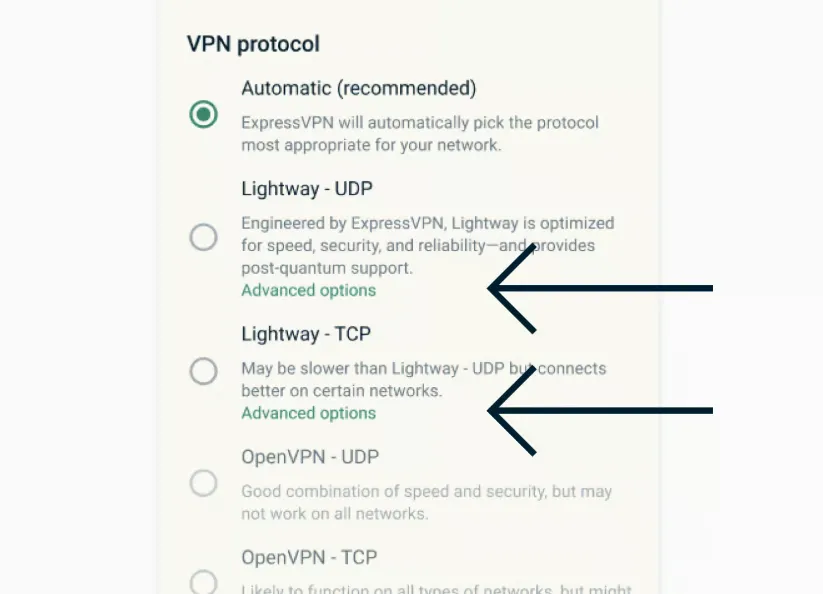
ExpressVPN's proprietary Lightway protocol is the core driver of its speed. Optimized from the WireGuard protocol, Lightway has a lighter codebase (around 1,000 lines), resulting in faster connection times and lower power consumption compared to traditional OpenVPN. It achieves near-instantaneous connections, making it ideal for long distances or mobile devices. Lightway's efficiency guarantees rapid data transfer and exceptionally low latency, which is essential for fast and stable 4K streaming.
-
Short-Distance Connection: When connecting to nearby servers (such as local or adjacent countries), the Lightway protocol ensures extremely fast connection response times and minimal latency (Ping). These connections suffer negligible bandwidth loss, providing users with an experience that is nearly identical to their bare internet speed, making them ideal for everyday browsing, HD streaming, and local file transfers.
-
Long-Distance Connection: Long-distance connections, especially international connections spanning continents, are the true test of a VPN's quality. ExpressVPN shows a marked performance advantage in this area. Thanks to the Lightway protocol and 10 Gbps server ports, it maintains the industry's lowest speed degradation percentage, even when connecting to servers on the other side of the globe.
Servers
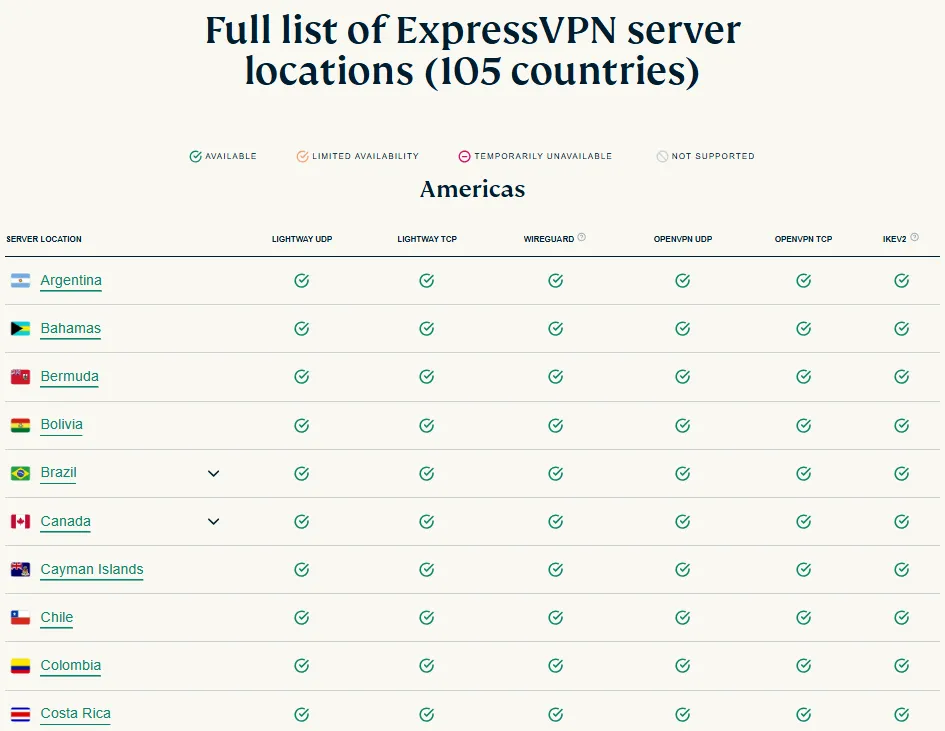
ExpressVPN is among the industry leaders in server scale and geographic coverage. This isn't just a numbers game; it's the fundamental basis for delivering high-speed, stable performance and content unblocking.
1. Server Count (3000+) and Hardware Specifications
ExpressVPN operates over 3,000 high-speed servers globally.
Crucially, these servers are generally optimized with 10 Gbps ports to handle extremely high data traffic. This significantly reduces the possibility of server congestion, maintaining low latency and high speeds across both short and long-distance connections.
2. Country/Region Coverage (105 Locations)
ExpressVPN's server locations span 105 countries/regions, making it one of the most widely covered VPN services on the market.
-
Users can always find a server closest to themselves or their target website, ensuring optimal connection speeds and minimal latency.
-
The extensive selection of countries provides powerful flexibility and success rates for users looking to unlock global content (such as different Netflix libraries, live sports events, etc.).
3. Virtual Locations and Security
ExpressVPN transparently uses virtual locations to expand its reach, especially in regions with complex political environments, difficulties in physical server deployment, or high privacy risks. All these virtual location servers run on its core RAM-only TrustedServer technology. Their security standards are identical to physical servers, ensuring "no logs" at the physical level, preventing any data risk due to geographical location.
Streaming Performance: Unblocking Netflix, BBC iPlayer, & Global Platforms
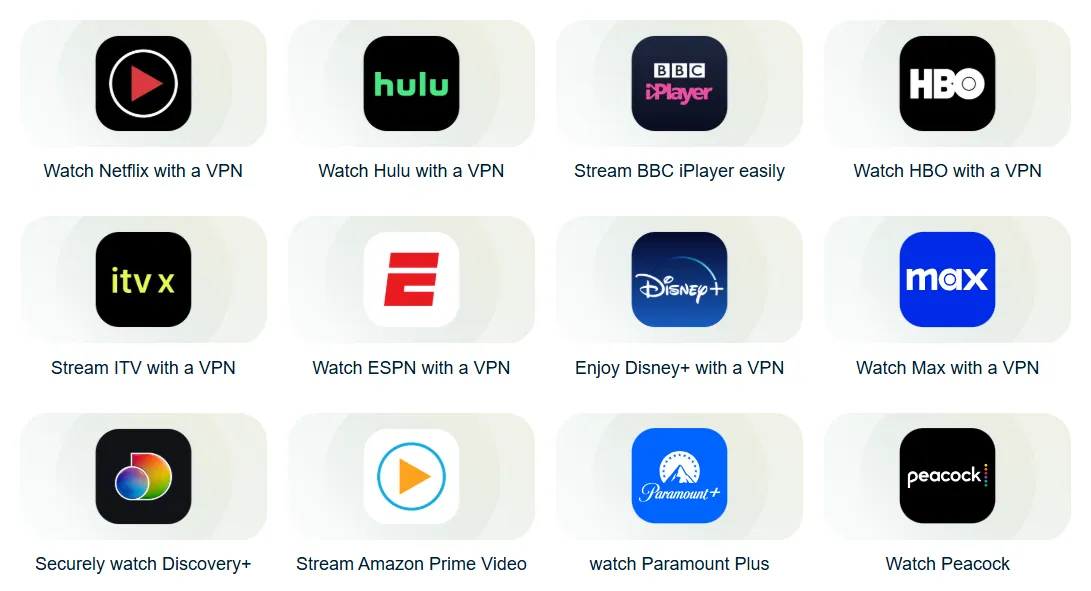
ExpressVPN is recognized as the industry's top performer in streaming unblocking. Thanks to its stable, reliable IP pool and the efficient Lightway protocol, users are guaranteed consistent access to global entertainment resources. This is why it’s the essential tool for movie and TV enthusiasts, ensuring they can reliably unblock key platforms like different global libraries for Netflix and the geo-restricted BBC iPlayer.
Unblocking Platform (100+)
ExpressVPN's unblocking capability covers over 100 mainstream and niche streaming platforms worldwide. Our tests show an extremely high unblocking success rate, with rare instances of "VPN detected" errors. Besides major services, it reliably unblocks platforms with strict IP requirements, such as HBO Max, Amazon Prime Video, ESPN+, DAZN, and even the sports streaming service beIN Sports, among others.
Major Streaming Platform Unblocking Test
Below is ExpressVPN's stable unblocking performance on several major streaming platforms, like Netflix, BBC iPlayer and Disney+ etc.. All tests achieved smooth 4K/HD playback:
|
Streaming Platform |
Target Country/Region |
Unlocking Status (2026) |
Playback Quality |
|
Netflix |
US, UK, JP, CA, etc. |
✅Stable Unlock |
4K UHD |
|
BBC iPlayer |
United Kingdom (UK) |
✅Stable Unlock |
HD/4K |
|
Disney+ |
Global |
✅Stable Unlock |
4K UHD |
|
Hulu |
United States (US) |
✅Stable Unlock |
HD/4K |
|
HBO Max/Max |
Global |
✅Stable Unlock |
HD/4K |
|
Amazon Prime Video |
US, UK, DE |
✅Stable Unlock |
4K UHD |
|
ESPN+ |
United States (US) |
✅Stable Unlock |
HD |
|
DAZN |
Global |
✅Stable Unlock |
HD |
Playback Quality and Performance Guarantee (Buffer-Free 4K/HD)
Thanks to the high-speed and low-latency connection provided by the Lightway protocol, even when playing 4K Ultra HD content, which requires high bandwidth, the experience remains zero-buffer and fluid. Compared to competitors using the OpenVPN protocol, ExpressVPN's loading speed and fast-forward response during streaming are noticeably quicker. Many servers are optimized to provide the best streaming experience without sacrificing speed.
Seamless Home Cinema: Native Apple TV (tvOS) App Support
One of the biggest updates is the full optimization of the Native Apple TV app. Unlike older methods that required complex Smart DNS or Router configurations, you can now download ExpressVPN directly from the tvOS App Store. This allows for instant server switching and full 4K HDR streaming with the same user-friendly interface found on your iPhone.
P2P/Torrenting Support
ExpressVPN is an ideal choice for P2P/torrent users because it offers comprehensive support in terms of speed, server coverage, and core security features, ensuring high efficiency and complete anonymity for user downloads.
1. All Servers Support P2P Traffic
ExpressVPN does not restrict P2P traffic on any server. Users can safely engage in torrent downloading on all 3000+ servers across its 105 countries/regions.
-
Advantage: This full support means users don't need to hunt for specific "P2P optimized servers," allowing them to choose freely based on location or latency, which effectively avoids congestion issues common with dedicated P2P servers.
2. Download Speed
ExpressVPN provides some of the best P2P download speeds in the industry. This is attributed to:
-
Lightway Protocol: The efficient and lightweight Lightway protocol ensures extremely low data packet loss.
-
10 Gbps High-Capacity Ports: Most of ExpressVPN's servers are configured with 10 Gbps ports, capable of handling extremely high-bandwidth P2P traffic, minimizing speed bottlenecks.
Even on long-distance connections, P2P download speeds remain excellent, maximizing user bandwidth utilization.
3. Port Forwarding Feature (Router App Only)
-
P2P Speed Booster: The port forwarding feature is crucial for P2P downloading, as it allows your BitTorrent client to directly receive incoming connections, which significantly boosts seeding ratio and connection speed.
-
Ease of Use: ExpressVPN is one of the few VPNs that offers this feature through its dedicated router app. Users can easily configure it on the router interface, allowing all devices connected to that router (such as computers, NAS) to benefit from the acceleration provided by port forwarding.
Security: TrustedServer (RAM-only) Tech & Military-Grade Encryption
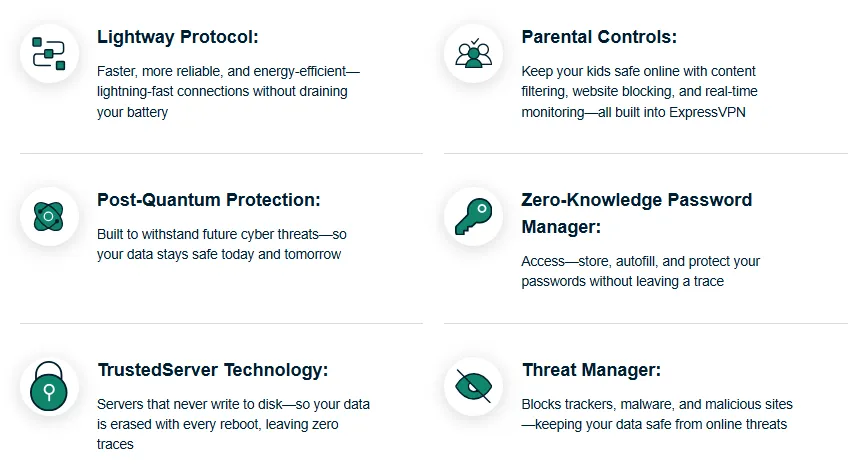
ExpressVPN's security features meet military-grade standards and lead the industry with its proprietary technology.
Here are the key security features provided by ExpressVPN:
1. TrustedServer Technology (RAM-only Memory)
All data runs exclusively in temporary RAM memory. Every server reboot automatically and completely wipes all data, enforcing the zero-log policy at a physical level.
2. Encryption Technology (AES-256 Military-Grade)
Uses globally recognized military-grade encryption to ensure unbreakable data transmission. This protects all online activities, including browsing, P2P downloading, and streaming.
3. Exclusive Lightway Protocol (wolfSSL Crypto Library, Open-Source)
The core code has been independently audited and is open-source, enhancing transparency and trust. It provides faster connection speeds and lower power consumption than traditional protocols.
Future-Proofing Your Privacy: Lightway Post-Quantum Protection: As quantum computing advances, traditional encryption faces the threat of "Harvest Now, Decrypt Later" attacks. In 2025, ExpressVPN has addressed this by integrating Post-Quantum Cryptography into its Lightway protocol. By combining classical encryption with post-quantum algorithms, ExpressVPN ensures that your data remains unreadable even to future quantum computers, providing a level of security that most competitors currently lack.
4. Kill Switch (Network Lock)
Immediately cuts off all internet traffic when the VPN connection unexpectedly drops, preventing the exposure of your real IP address and geolocation.
5. DNS Leak Protection (Private Zero-Knowledge DNS)
ExpressVPN runs its own private DNS on all servers, sending DNS requests through the encrypted tunnel, which effectively prevents common DNS, IPv6, and WebRTC leaks.
Privacy Policy
ExpressVPN's privacy protection is its most distinguishing feature, fully compliant with the highest standards. Its policy is designed to ensure the absolute security of user data both legally and technically.
1. Zero-Log Policy (No-Logs Policy)
ExpressVPN pledges not to record any activity or connection logs. It never stores your browsing history, websites visited, your original IP address, connection timestamps, or downloaded content, allowing users to use the internet with complete anonymity.
2. Jurisdiction – British Virgin Islands (BVI)
The company is headquartered in the British Virgin Islands (BVI), a privacy-friendly jurisdiction that has no mandatory data retention laws. The BVI legal environment is independent of the US and Europe and is not subject to the "Five Eyes/Nine Eyes/Fourteen Eyes" intelligence-sharing alliances, thus providing a higher level of legal privacy protection.
3. Independent Audit Report Verification
ExpressVPN's privacy and security systems have been repeatedly independently audited by renowned third-party auditing firms (such as PwC, Cure53). The audit results are public and transparent, serving to prove that its zero-log policy and TrustedServer technology are genuine, reliable, and operating exactly as promised.
4. Perfect Forward Secrecy
This is an advanced security mechanism that ensures every VPN session uses a unique, single-use encryption key. The advantage is that even if a hacker manages to crack the key for one session in the future, they cannot use it to decrypt your past or future session data, guaranteeing the long-term security of historical communication.
5. Anonymous Payment Methods
In addition to traditional credit cards and PayPal, ExpressVPN supports payment via cryptocurrencies (such as Bitcoin), further enhancing the payment anonymity of users without requiring any personal identification information.
Special Features and Innovations
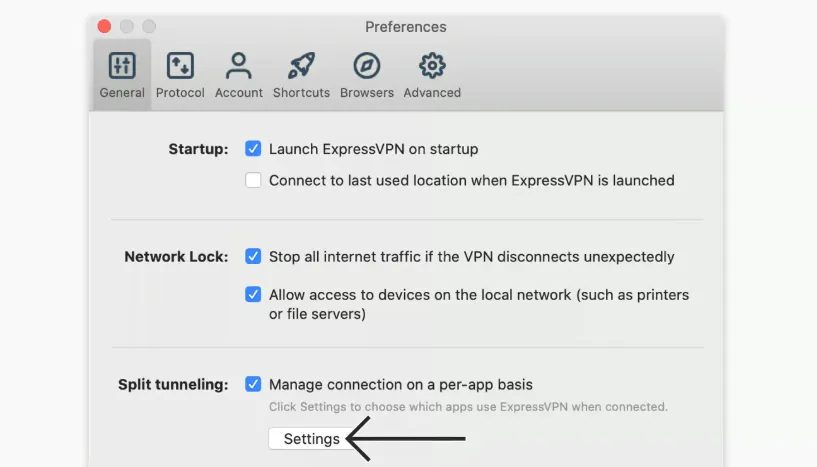
Beyond basic VPN functionality, ExpressVPN offers a range of special features that enhance security, convenience, and privacy:
1. Threat Manager
This feature works at the DNS level across Windows, Mac, iOS, Android, and Linux platforms. It blocks communication between your apps/websites and known malicious servers, ad trackers, and domains, significantly enhancing your privacy and preventing access to malicious links.
2. Obfuscation
Automatically disguises your VPN traffic to look like ordinary HTTPS traffic. Enabled on all platforms and servers without manual configuration, this capability effectively bypasses Deep Packet Inspection (DPI) to ensure connection stability in heavily restricted networks (like China and Iran).
3. Split Tunneling
Available on Windows, Mac, Android, and the Router App, Split Tunneling allows you to choose exactly which applications use the encrypted VPN tunnel and which connect directly to your local network. This improves efficiency by allowing you to access foreign content via the VPN while simultaneously using local services (like printers or local streaming) at full speed.
4. ExpressVPN Keys
Included with your subscription, this is a built-in password manager accessible via Chrome/Edge browser extensions and iOS/Android. It securely stores, generates, and auto-fills complex passwords and sensitive information, improving convenience and password security.
Gaming
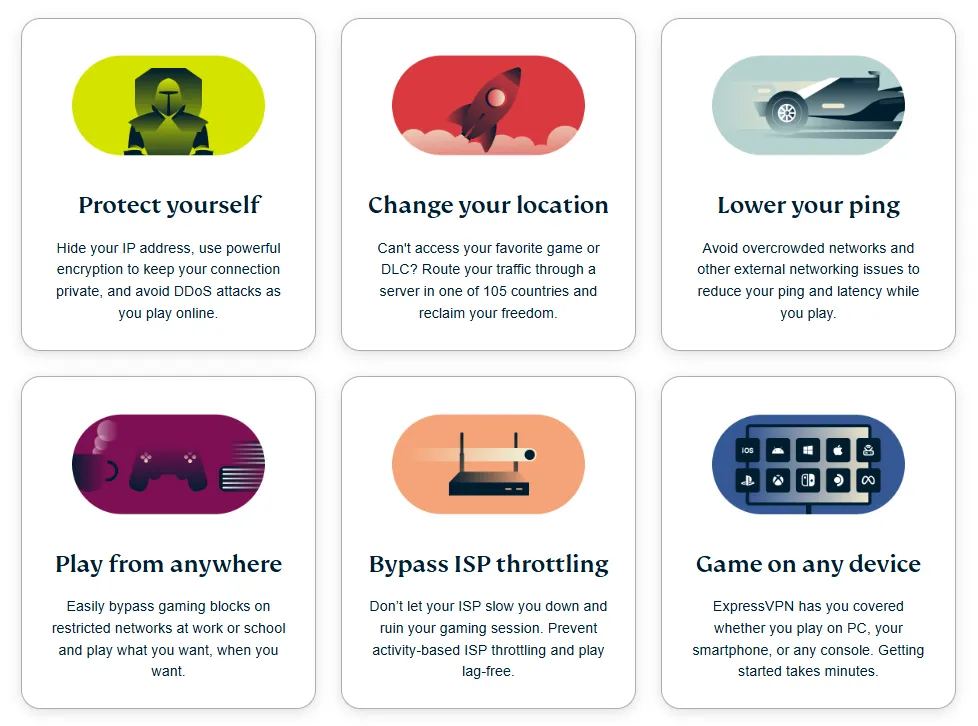
ExpressVPN excels in the gaming experience, primarily due to the low-latency Lightway protocol and comprehensive security protection for gamers.
1. Latency (Ping) Test
For competitive games (such as FPS and MOBA), latency (Ping value) is a critical indicator. ExpressVPN benefits from its proprietary Lightway protocol and high-performance 10 Gbps server ports, achieving fast data packet transmission.
-
Local and Neighboring Country Connections: When connecting to servers in the same or neighboring countries/regions, the Ping value can generally remain within a stable range of 40-80ms, ensuring excellent responsiveness, sufficient for most competitive gaming needs.
-
Long-Distance Stability: Even when connecting to inter-continental servers, the latency fluctuation (Jitter) is controlled at a low level, guaranteeing high connection stability.
2. DDoS Protection (Built into All Servers)
All ExpressVPN servers come with built-in Distributed Denial of Service (DDoS) protection by default.
This is vital for players engaging in high-risk gaming sessions (like esports) or streaming. It effectively hides your real IP address, preventing malicious players from using a DDoS attack to interrupt your game session, ensuring game continuity and fairness.
3. Cloud Gaming Compatibility (e.g., GeForce Now)
-
Requirement: Cloud gaming services (such as NVIDIA GeForce Now, Xbox Cloud Gaming) demand extremely high stability in network speed and latency. Any connection jitter can cause screen lag or delays.
-
Performance: ExpressVPN's high-speed network and Lightway protocol ensure low latency and low jitter, providing a stable, fluid connection for cloud gaming platforms, helping users access more region-restricted game libraries.
4. Console Gaming Connection Solution: Seamless Coverage via Router
-
Connection Challenge: Gaming consoles like PS5, Xbox Series X/S, and Nintendo Switch typically do not support VPN applications directly.
-
Solution: ExpressVPN offers an easy-to-install and manage dedicated router app. By setting up the VPN on the router, all devices connected to that Wi-Fi network (including all gaming consoles) automatically enjoy VPN protection and geo-unblocking capabilities.
Censorship Bypass: ExpressVPN's Obfuscation for China & Restricted Regions
1. Availability in Heavily Censored Regions (e.g., Mainland China, Iran)
ExpressVPN is industry-recognized as one of the few VPNs capable of maintaining a high connection success rate in the most heavily censored regions (such as Mainland China, Iran, Russia), demonstrating its reliability and persistence in counteracting state-level network restrictions.
2. Fully Automatic Obfuscation Feature
ExpressVPN's obfuscation technology is the key to its success. This feature is automatically enabled and does not require the user to manually configure or select special "obfuscated servers." It modifies the metadata of VPN data packets to make the traffic appear like ordinary HTTPS traffic, effectively disguising it and making it difficult for Deep Packet Inspection (DPI) technology to identify and block.
3. Guidance for Mainland Chinese Users
ExpressVPN provides optimized connection solutions for Chinese users, maintaining a high connection success rate and good speeds, especially in neighboring regions like Hong Kong, Japan, and the US West Coast.
Given that network censorship strategies change dynamically, ExpressVPN's 24/7 Live Chat Customer Support becomes critical during sensitive periods. The support team can quickly provide the latest, effective server lists and connection guides, a key service for ensuring continuous availability for users in China.
Coupled with its automatic obfuscation feature—supported across all protocols and servers—its traffic is difficult to detect and block.
Compatibility and Application
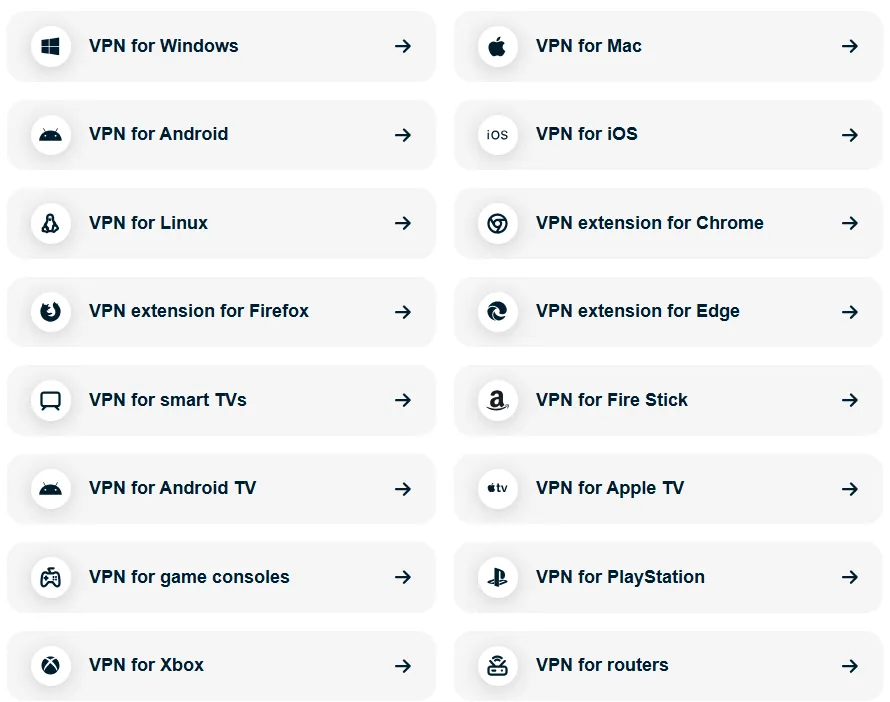
ExpressVPN's application design is centered on user experience, committed to providing a consistent and simple operating interface across all devices. It is an industry leader in innovation, especially in solving challenges for devices traditionally difficult to cover with a VPN.
1. Cross-Platform Application Coverage and Design Uniformity
ExpressVPN provides native apps for all major operating systems and devices, including Windows, Mac, iOS, Android, Linux, as well as dedicated browser extensions and the innovative router app.
-
The application design language maintains high consistency across different platforms, with uniform operational logic. Users can quickly adapt whether switching from desktop to mobile.
2. Ease of Use of the Dedicated Router App
-
This innovation allows devices that do not directly support VPNs (like PS5, Xbox, Apple TV) to automatically receive protection and geo-unblocking capabilities.
-
Port Forwarding Support: The router app is also the only way to implement the P2P port forwarding feature, further increasing its value in a home network.
3. 14 Simultaneous Connections
ExpressVPN offers 14 simultaneous device connections, far above the industry average (typically 5-10), easily covering the needs of an individual's devices and family members.
-
Value of the Router App Combination: By installing the VPN on the router, all devices connected to that router (regardless of the number) only consume 1 connection slot. This effectively makes ExpressVPN an "unlimited device protection" solution, significantly improving its long-term cost-effectiveness.
4. Protocol Switching and Smart Location
-
Operational Simplicity: Users can easily and quickly switch between protocols like Lightway and OpenVPN to optimize speed or connection stability.
-
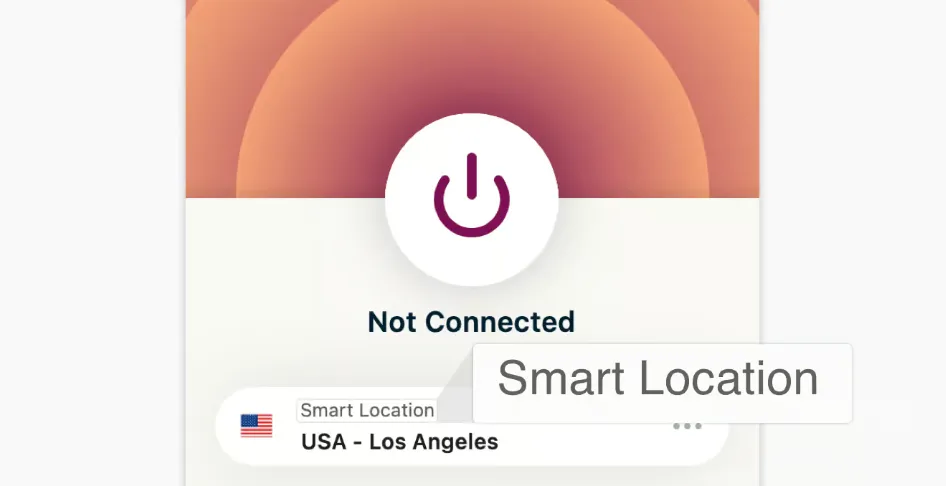
Smart Location: When connecting for the first time or needing optimal performance, the system automatically selects the fastest server, further simplifying user operations.
5. Beyond Software: The Aircove & Aircove Go Hardware Solution
For users who want whole-home protection without installing apps on every device, ExpressVPN offers the Aircove and Aircove Go routers. These are the industry's first Wi-Fi 6 routers with built-in VPN functionality.
The Aircove Go is particularly valuable for 2025 digital nomads, allowing you to create a secure Wi-Fi network in hotels or cafes that automatically tunnels all connected devices through ExpressVPN.
Pricing, Refunds, and Guarantees
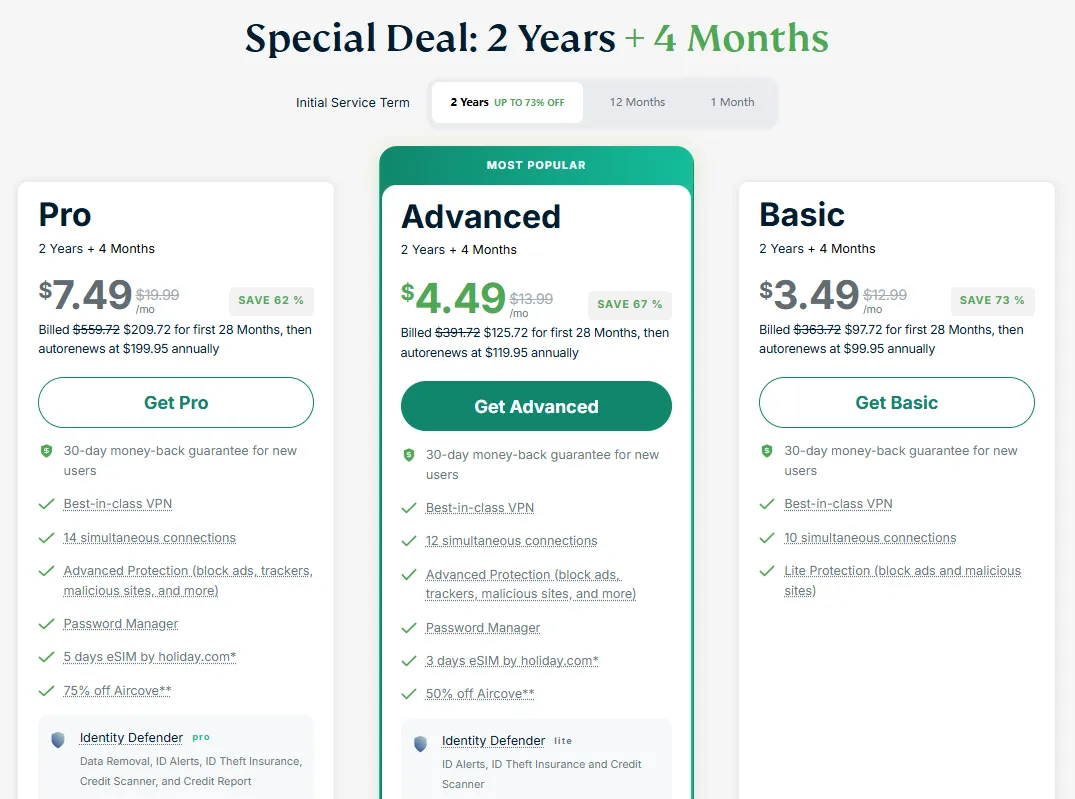
ExpressVPN's pricing strategy aims to provide a high-value, full-featured service. While its monthly price is high, the long-term plans (especially the 24-month plan) offer the best discounts, bringing the average monthly cost down to the standard level for top-tier VPNs.
1. Pricing Strategy and Plan Comparison
ExpressVPN Subscription Plan Overview (As of 2026 - Prices are Estimated)
|
Plan Duration |
Average Monthly Cost |
Discount Level |
|
1 Month |
Basic: $12.99/mo Advanced: $13.99/mo Pro: $19.99/mo |
No Discount |
|
12 Months (+ 3 Months Free) |
Basic: $4.99/mo Advanced: $5.99/mo Pro: $8.99/mo |
Up to 61% Off |
|
24 Months (+ 4 Months Free) |
Basic: $3.49/mo Advanced: $4.49/mo Pro: $7.49/mo |
Up to 73% Off |
Note: The prices listed above are estimated reference prices from official ExpressVPN promotional activities. Actual prices and free months may change over time; please refer to the official website for real-time quotes.
2. Refund Guarantee Policy (30-Day Money-Back Guarantee)
ExpressVPN provides a reliable 30-day money-back guarantee for all plans, no questions asked. This gives you ample time (one month) to fully test its speed and functionality in your specific use case (e.g., streaming unblocking, P2P downloading, censorship evasion). You can purchase with confidence, knowing you can get a full refund if the service doesn't meet your expectations.
3. Payment Methods
ExpressVPN supports several mainstream payment methods, including credit cards and PayPal.
Anonymity: It also supports payment using cryptocurrencies like Bitcoin. Choosing cryptocurrency for service purchase can further enhance the user's purchasing anonymity as it does not require providing any personal identification information.
Customer Support
1. 24/7 Live Chat (Multi-Language Support)

This is ExpressVPN's core support channel. Through our multiple tests, customer service response time was extremely fast, usually connecting to a human agent within 20 to 30 seconds, far surpassing the average wait time of many competitors.
2. Online Help Center and Documentation
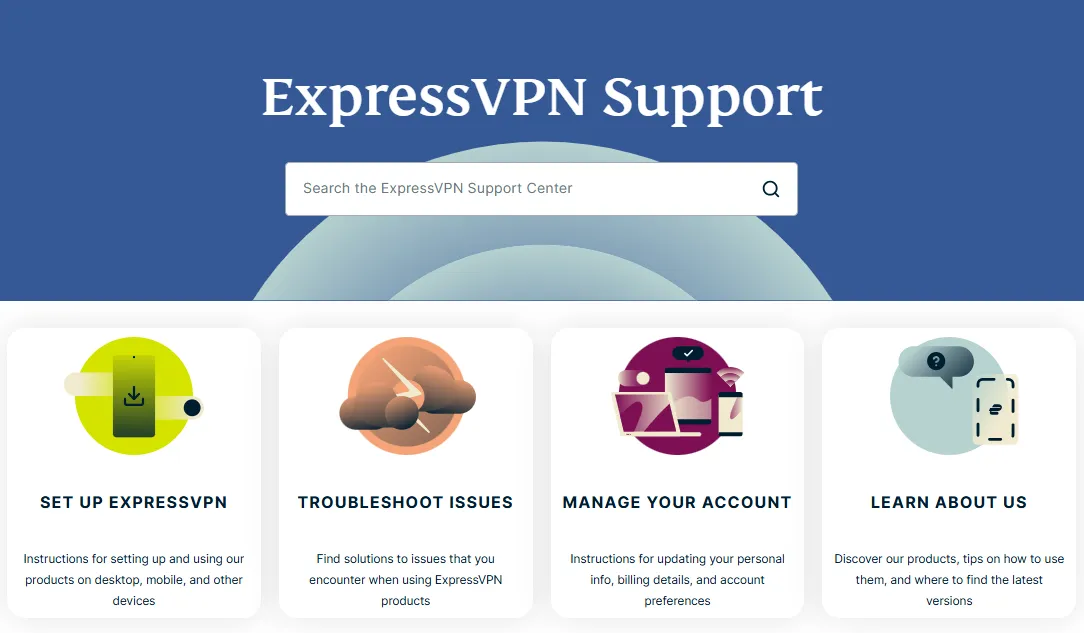
ExpressVPN has a well-organized and detailed online help center. It covers not only basic installation guides and Frequently Asked Questions (FAQ) but also includes extensive advanced setup tutorials. Such as routers (Router App), smart TVs (Apple TV/Smart TV), and gaming consoles (PS5/Xbox)..
3. Email and Ticketing System
-
Applicable Scenarios: Email support is suitable for non-urgent, complex technical issues that require detailed records and attachments (like screenshots, log files).
-
While not as fast as live chat, ExpressVPN's email response efficiency is excellent in the industry, typically providing a detailed response within 24 hours (or even a few hours).
How to Set Up ExpressVPN
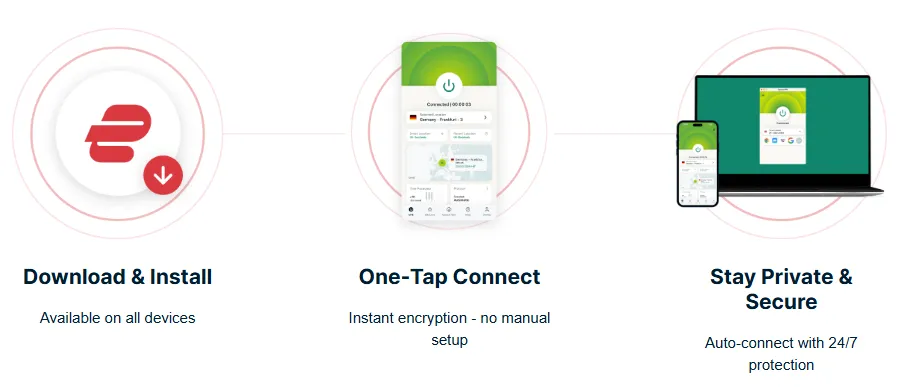
ExpressVPN's setup process is very simple and usually takes only a few minutes to complete.
-
Purchase and Registration:
-
Choose the most suitable plan (long-term plans are usually the best value) and complete the payment.
-
After successful payment, you will receive an activation code. Please keep this code safe, as it is required for your first login.
-
Download and Installation:
-
Visit the ExpressVPN official website's download page or download the corresponding application directly through the app store (iOS/Android).
-
Windows/Mac Users: Download the installer, double-click the file, and follow the prompts to complete the installation.
-
Login and Activation:
-
Open the application, select "Sign In," and enter the email and password used during registration, or directly paste your activation code.
-
Quick Connection:
-
After logging in, you will see a large "Power" button on the main screen. Clicking this button will automatically connect you to the best server recommended by "Smart Location," which is usually the fastest local server.
-
Router Setup (Advanced):
-
If your router model is supported, log in to the ExpressVPN official website and download the dedicated Router App.
-
Follow the official guide to flash the firmware. Once the router is installed, all devices connected to that Wi-Fi network (including gaming consoles and smart TVs) will automatically be protected by the VPN.
ExpressVPN Troubleshooting
If you encounter issues during use, please follow these steps for troubleshooting:
1. Inability to Connect or Frequent Disconnections:
-
Change Protocol: Try switching the VPN protocol in the App settings from Lightway to OpenVPN (TCP) or OpenVPN (UDP). In regions with strict network restrictions (like China), protocol switching often resolves connection issues.
-
Change Server: Disconnect from the current server and try selecting another server in the same country or a neighboring country.
-
Check Network: Ensure your local network connection is stable.
2. Sudden Slow Speeds:
-
Change Server: Prioritize selecting the server closest to your actual geographic location, or select a server recommended by the Lightway protocol.
-
Clear Cache: Clear browser cache and cookies, or try using Incognito/Private mode.
-
Check Network Lock: Confirm that Network Lock (Kill Switch) has not been accidentally triggered.
3. Inability to Unlock Streaming Platforms:
-
Clear Cache and Cookies: This is the most common fix. Streaming platforms may store your real geographic location information in browser cookies.
-
Change IP: Disconnect and reconnect to another server in the same country to obtain a new IP address.
-
Use a Dedicated Browser: Try using a clean browser that has never accessed that streaming website before.
4. DNS/IP Leak Concerns:
-
Run Leak Test: Visit the DNS/IP leak test tool provided on the ExpressVPN official website, or use a third-party tool. If the test shows your real IP or local DNS is leaking, please contact the 24/7 customer support.
-
Frequent Kill Switch (Network Lock) Triggering:
-
Confirm Local Network Stability: Frequent activation of Network Lock is usually caused by weak local Wi-Fi signals or network fluctuations. Please check your router or internet connection.
Conclusion
Who is ExpressVPN Suitable For?
|
User |
Core Benefit |
|
Speed & Stability Demanders |
Lightway Protocol & 10 Gbps Ports: Provides industry-leading low latency and cross-continental connection speeds, ensuring buffer-free 4K streaming and gaming. |
|
Censorship Bypass Users |
Automatic Obfuscation: Automatically enabled on all servers to bypass Deep Packet Inspection (DPI), ensuring sustained connection in highly restricted regions (e.g., Mainland China). |
|
Home & Multi-Device Users |
14 Connections + Router App: Generous 14 simultaneous connections, providing seamless, de facto unlimited protection for all home devices (consoles, smart TVs) via the revolutionary router app. |
|
Ultimate Privacy Seekers |
TrustedServer Technology & BVI Jurisdiction: RAM-only servers physically prevent data storage; British Virgin Islands (BVI) jurisdiction provides the highest legal privacy assurance. |
|
Avid Streamers & P2P Users |
Unblocking Power & P2P Support: Reliably unblocks 100+ global streaming platforms; all servers support P2P traffic, and the Router App enables port forwarding for efficient, anonymous downloading. |
Summary Recommendation:
If you are looking for the most reliable, trustworthy, and balanced VPN service on the market that excels in both speed and security, ExpressVPN is your best choice. Its TrustedServer technology, Lightway protocol, and powerful streaming unblocking capabilities justify its premium price. It demonstrates a leading advantage in multiple key areas of performance and user experience.
Frequently Asked Questions (FAQ)
Q1: Does ExpressVPN support the Chinese interface?
A: Yes. All ExpressVPN applications (including Windows, Mac, iOS, and Android) offer a complete Chinese interface and Chinese content, allowing Chinese users to install, configure, and use the service without language barriers. Furthermore, the official website's help center also has extensive Chinese guides.
Q2: What is ExpressVPN's "TrustedServer" technology, and why is it important?
A: "TrustedServer" technology means that all of ExpressVPN's servers run only on RAM memory (Random Access Memory). Its importance lies in:
-
Physical Zero-Logs: No data is stored on hard drives. All data is automatically wiped every time the server reboots.
-
Eliminating Configuration Errors: Ensures servers always boot up with the latest, security-audited software configuration, effectively preventing potential risks caused by human or configuration errors.
This technology has been publicly verified by third-party auditing firms, providing the highest level of technical assurance for ExpressVPN's zero-log commitment.
Q3: Can ExpressVPN be used reliably in Mainland China?
A: Yes. ExpressVPN is one of the few VPNs that maintain a high connection success rate and stability in Mainland China. The keys to its success are:
-
Automatic Obfuscation: No manual setup is required; all servers support obfuscation, which effectively disguises VPN traffic to bypass Deep Packet Inspection (DPI).
-
Customer Support: Its 24/7 Live Chat Customer Support can provide timely updates on the latest, most effective connection servers and guidance when network censorship strategies change dynamically.
Q4: Does ExpressVPN offer a free trial? What if I am not satisfied?
A: ExpressVPN does not offer a completely free tier. However, it provides a reliable 30-day money-back guarantee for all plans.
This means you can fully test the service with all its features for 30 days after purchase. If you are not satisfied, you can contact the 24/7 Live Chat Customer Support to request a full refund, with no restrictions or hidden clauses.