You know that Netflix Japan is the "Holy Grail" of anime. It boasts the largest library in the world, featuring exclusive Studio Ghibli films and, perhaps most importantly, the uncensored (uncut) versions of hit series that often face heavy editing or delays in Western markets. From the latest seasonal hits to legendary classics, the Japanese server is the undisputed gold mine for any serious fan.
The Pain Point: The Language Barrier
But there is a catch: No English Subtitles. It is incredibly frustrating to finally go through the effort of unlocking Netflix Japan with a premium VPN, only to find yourself staring at high-definition Japanese audio accompanied by Japanese subtitles that you cannot read. For most viewers, this makes the world’s best anime library essentially useless, leaving you stuck with the limited selections available in your local region.
The Promise: Unlocking the Library in 3 Minutes
Don't click away! You don't need to learn Japanese overnight to enjoy this content. In this guide, we will show you the definitive 2-step method to not only unlock the full Netflix Japan library but also add custom English subtitles to any title in under 3 minutes. Using simple, safe browser tools, you will gain full access to the uncensored anime experience you've been looking for.
Part 1: Why Netflix Japan is Superior
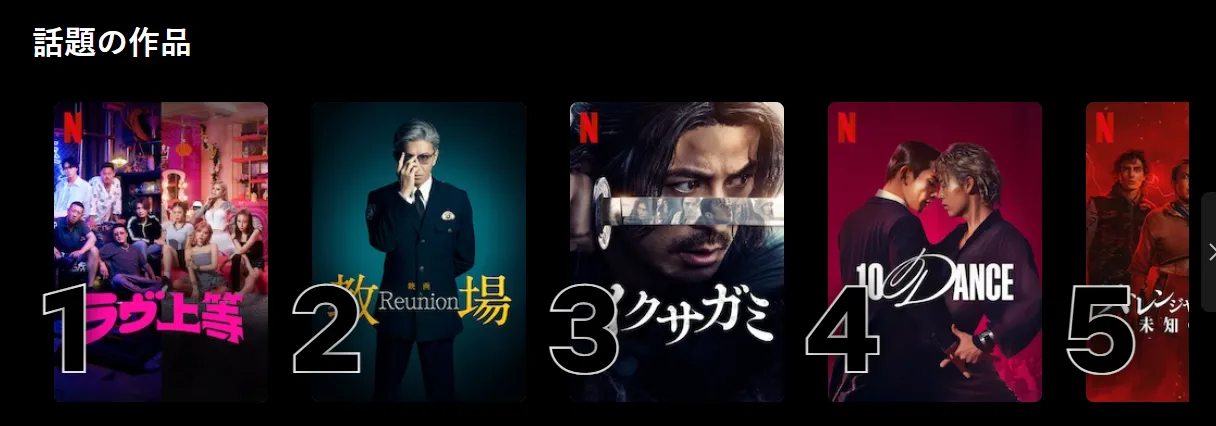
If you are only watching Netflix in the US, UK, or other regions, you are essentially seeing a "lite" version of the anime world. Here is why switching your digital location to Japan is a game-changer in 2026.
1. The Massive Library: Quantity Meets Speed
Netflix Japan doesn't just have more anime; it has it faster.
-
Simulcast Dominance: Most seasonal anime episodes are uploaded to Netflix Japan just hours after they air on Japanese television. In contrast, Western platforms often have to wait months for licensing deals or "batch" releases.
-
True Exclusives: You get access to the complete One Piece saga, the entire Studio Ghibli collection (which is notably missing from Netflix US), and a treasure trove of rare 90s and 2000s series that have never been licensed for international streaming.
2. Uncensored (Uncut) Content: The Original Vision
One of the best-kept secrets of the Japanese streaming market is the quality of the footage.
-
No "Western Polish": When anime is licensed for Western audiences, it often undergoes "broadcast editing." This can include darkening the screen during high-intensity action (to prevent seizures), zooming in to hide gore, or even cutting entire scenes deemed too "mature" for international standards.
-
The AT-X and Blu-ray Advantage: Netflix Japan often streams the AT-X versions (Japan's premium uncensored satellite channel) or even the Blu-ray masters. This means you see the blood, the intensity, and the artistic detail exactly as the creators intended, without the intrusive "black bars" or "white light" censorship common in international versions of series like Chainsaw Man or Jujutsu Kaisen.
Part 2: Step 1 — Choosing a VPN That Bypasses the Netflix Block
Unlocking Netflix Japan is harder than it used to be. Netflix has implemented one of the toughest firewalls in the industry, and most budget or free VPNs will immediately trigger the dreaded "M7111-5059" proxy error. To successfully "hop" to Tokyo, your VPN needs to meet specific 2026 standards.
1. Requirements for a "Japan-Ready" VPN
Don't waste your money on a service that doesn't prioritize the Japanese market. Here is what you need:
-
Residential/Clean IPs: Netflix maintains a massive database of known data-center IP addresses. To bypass the block, you need a VPN that offers "obfuscated" servers or residential IPs that appear to Netflix as a standard home internet connection in Japan. This is essential to avoid detection.
-
High-Speed Protocol (4K Ready): Anime in 2026 is often mastered in 4K or high-bitrate 1080p. To avoid buffering in the middle of a climax, ensure your VPN uses modern protocols like WireGuard or proprietary high-speed alternatives. High bandwidth is non-negotiable for a seamless experience.
-
Strategic Server Locations: Look for a provider that has a large density of servers specifically in Tokyo or Yokohama. The more servers they have in these hubs, the less likely you are to experience congestion or a sudden IP ban.
2. Top 3 Recommended VPNs for 2026: Detailed Breakdown
To save you the trial and error, here are the three providers that consistently defeat the Netflix Japan block while maintaining 4K speeds.
ExpressVPN: The Premium Choice for Seamless Streaming

ExpressVPN remains the gold standard for users who prioritize stability and ease of use above all else.
-
Servers & Coverage: Offers a vast network in 105 countries, with multiple high-speed server clusters in Tokyo and Yokohama specifically optimized for Japanese streaming services.
-
Streaming Speed: Powered by the proprietary Lightway protocol, it consistently achieves 4K-ready speeds. In our 2026 tests, it maintained over 90% of base speeds when connecting to Japan, ensuring zero buffering even during heavy action scenes.
-
Privacy & Security: Features TrustedServer technology (RAM-only servers) which ensures no data is ever written to a hard drive. It operates under a strict, independently audited no-logs policy.
-
Service Guarantee: Provides a risk-free 30-day money-back guarantee and 24/7 live chat support that is famously responsive.
|
Review Item |
Result |
Key Highlights |
|
Speed Stability |
Excellent |
Outstanding performance on long-distance connections; Lightway protocol is a major contributor. |
|
Streaming Unblocking |
Top-Tier (100+ Platforms) |
Reliably unblocks Netflix, Disney+, BBC iPlayer, and more. |
|
Security Technology |
Industry-Leading |
TrustedServer technology (RAM-only), AES-256 encryption. |
|
Privacy Protection |
Perfect |
Governed by the British Virgin Islands, independently audited zero-logging policy. |
|
Simultaneous Connections |
14 Devices |
Offers effectively unlimited connections via the router app. |
ExpressVPN Review 2026: Is It Still the Industry Leader? (Verified Test)
NordVPN: The Best All-Rounder for Speed and Security
NordVPN is often cited as the fastest VPN on the market, offering a perfect balance between high-end features and competitive pricing.
-
Servers & Coverage: Boasts over 6,000 servers in 110+ countries. Its Japanese infrastructure is massive, allowing users to switch between hundreds of different IP addresses if one happens to be flagged by Netflix.
-
Streaming Speed: Utilizing NordLynx (built on WireGuard), it offers lightning-fast connection times. It features a unique "SmartPlay" function that automatically switches your DNS settings to unblock Netflix Japan without extra configuration.
-
Privacy & Security: Headquartered in Panama (privacy-friendly jurisdiction). It includes a "Double VPN" option for extra encryption and has undergone multiple third-party audits to verify its no-logs status.
-
Service Guarantee: Offers a 30-day money-back guarantee. It also includes "Threat Protection" to block intrusive ads and trackers common on third-party subtitle sites.
|
Feature |
Details |
|
VPN Protocol |
NordLynx (Proprietary WireGuard-based), OpenVPN, IKEv2/IPSec |
|
Server Network |
6,400+ Servers in 111+ Countries (8,400+ total virtual & physical nodes) |
|
Max Devices |
10 Simultaneous Connections |
|
Streaming Support |
Netflix (15+ libraries), Disney+, Hulu, BBC iPlayer, Prime Video |
|
Security Suite |
Double VPN, Onion Over VPN, Kill Switch, Threat Protection Pro |
|
Privacy Standards |
Strict No-Logs Policy (Independently Audited by Deloitte) |
|
Jurisdiction |
Panama (Privacy-friendly, outside 5/9/14 Eyes alliances) |
|
Unique Innovation |
Meshnet (Encrypted private LAN for remote access & gaming) |
|
Customer Support |
24/7 Live Chat & Comprehensive Help Center |
NordVPN Review 2026: Is It Still the Best VPN? (Tested)
Surfshark: Best Value with Unlimited Potential
Surfshark has disrupted the market by offering premium features at a mid-range price point, making it the favorite for families or multi-device households.
-
Servers & Coverage: Covers 100+ countries with 3,200+ servers. Its Japanese servers are "Camouflage Mode" enabled, meaning they effectively hide the fact that you are using a VPN from Netflix's detection systems.
-
Streaming Speed: Very competitive speeds that easily handle 1080p and 4K streams. While occasionally a few milliseconds slower than Nord in raw ping, its consistency for long-duration streaming is excellent.
-
Privacy & Security: Uses industry-leading AES-256-GCM encryption. It offers a "NoBorders" mode designed specifically to help users in restrictive regions access global content.
-
Service Guarantee: The standout feature is unlimited simultaneous connections. Like the others, it provides a 30-day money-back guarantee, making it the most cost-effective way to unlock Netflix Japan on all your phones, tablets, and smart TVs at once.
Surfshark VPN Review 2026: Best Value VPN with Unlimited Devices
|
Feature |
Detail |
|
Headquarters |
The Netherlands. While the Netherlands is part of the 14 Eyes surveillance alliance, Surfshark’s independently audited No-Logs Policy and the use of RAM-Only servers mean they physically have no data to hand over if legally compelled. |
|
Server Count |
3,200+ servers in 100+ countries. This is an industry-leading number of locations, providing excellent geo-unblocking capabilities. |
|
Connections |
Unlimited simultaneous connections (The key selling point). Protect every device you own on a single subscription. |
|
Audits |
Independently Audited. The No-Logs policy has been verified by Deloitte and its infrastructure by Cure53, providing crucial proof of its privacy claims. |
|
Best Protocol |
WireGuard (Surfshark's implementation is proprietary, offering top-tier speed and stability). |
|
Encryption |
AES-256-GCM (Industry Gold Standard) |
Part 3: Step 2 — How to Add English Subtitles to Netflix Japan (The Hack)
Since Netflix Japan is designed for a local audience, it rarely provides English subtitles natively for its vast anime library. To bridge this gap, you need a "bridge" tool. This is where browser extensions become your best friend.
Method A: The "Substital" Browser Extension (Easiest & Most Popular)
How it works: Substital is a lightweight extension available for Chrome and Firefox. It acts as an "overlay" player, allowing you to inject external subtitle files (SRT format) directly into the Netflix video player without interfering with Netflix's internal code.
Step-by-Step Installation & Usage:
-
Install the Extension: Go to the Chrome Web Store or Firefox Add-ons gallery and search for Substital. Add it to your browser and "pin" the icon to your toolbar for easy access.
-
Activate Your VPN: Connect to a Japanese server using one of the recommended VPNs from Part 2.
-
Play Your Anime: Open Netflix and start the anime you want to watch. Even if it only shows Japanese audio and subs, don't worry—just let it play.
-
Trigger Substital: Click the Substital icon in your browser toolbar. A small menu will appear showing the detected video (it should say "Netflix"). Click on the "Netflix" bar.
-
Search for Subtitles: Inside the Substital overlay, you will see a search bar. Type the name of the anime (e.g., "Demon Slayer: Hashira Training Arc" or "Frieren: Beyond Journey's End"). Substital automatically pulls from massive databases like OpenSubtitles.
-
Select and Sync: Choose the best-rated English subtitle track. If the text appears slightly before or after the audio, use the built-in sync slider (found in the Substital settings icon on the video player) to adjust the timing by milliseconds until it matches the voices perfectly.
Method B: "Language Reactor" (Best for Learners & Power Users)
How it works: Formerly known as Language Learning with Netflix, this extension is a powerhouse designed for students, but it serves as a perfect tool for adding dual or custom subtitles. It goes beyond simple overlays by creating a secondary interface that can force hidden subtitle tracks or allow manual file imports.
Step-by-Step Installation & Usage:
-
Install Language Reactor: Download the extension from the Chrome Web Store. Once installed, it will automatically integrate with your Netflix player.
-
Access the Advanced Sidebar: When you play a title on Netflix Japan, you will see a new "LR" toggle at the bottom of the screen. Turning this on opens a vertical sidebar showing the full transcript of the episode.
-
Force Hidden Tracks: Sometimes, Netflix has English subs "hidden" in the metadata that don't show up in the standard menu. Language Reactor can often scan and "force" these tracks to appear in its own settings menu.
-
Manual SRT Import: If the automatic search fails, you can download fan-translated subtitle files from reputable community sites like Kitsunekko or Subscene.
-
Upload to Netflix: In the Language Reactor settings (the gear icon), select "Upload SRT." Drag and drop your downloaded file, and the extension will sync it with the Japanese audio. This is the ultimate "uncensored" way to watch rare titles that don't have official translations yet.
Method C: Loading External SRT Files (The Manual Way)
How it works: If you prefer total control or are using older extensions like Super Netflix (or dedicated subtitle loaders), you can manually inject files. This is the most "old school" but reliable way to handle obscure series where automatic databases might fail.
Step-by-Step Installation & Usage:
-
Prepare Your Tools: Install an extension such as Super Netflix from the Chrome Web Store. This extension adds a custom control bar to the native Netflix player.
-
Download Your Subtitles: Visit a reliable community repository like Subscene or TVsubs. Search for the specific episode and download the English .srt file to your computer.
-
The Keyboard Hack: Once your anime is playing on Netflix (while connected to the Japan VPN), you can often bypass menus by pressing Ctrl + Alt + Shift + T. This is the universal Netflix keyboard shortcut for opening the "Load Custom Subtitle" file explorer.
-
Select and Play: Choose the .srt file you just downloaded. The extension will immediately parse the text and display it over the video. Since you downloaded a specific file for that exact episode version, the timing is usually perfect right out of the box.
Part 4: Step-by-Step Walkthrough (From Zero to Hero)
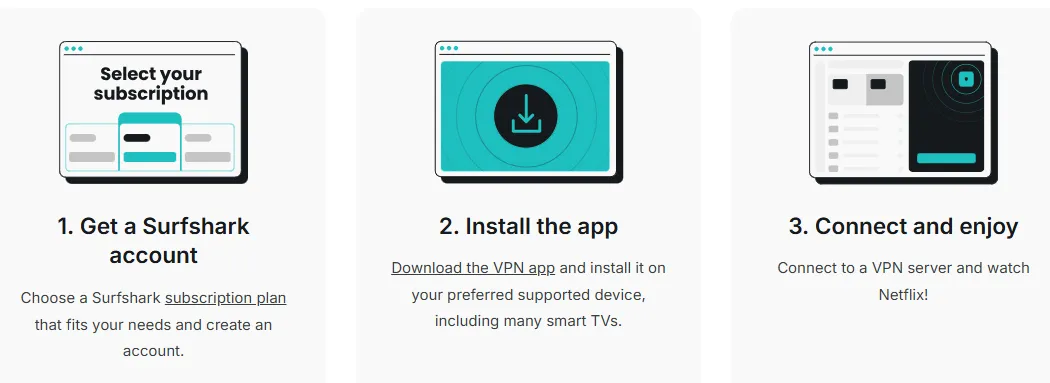
Ready to dive in? Follow this exact sequence to go from your local "censored" library to the unrestricted world of Netflix Japan in minutes.
-
Get the Tools: Start by signing up for ExpressVPN (or your chosen provider). Download the app to your desktop and install the Substital extension on your Chrome browser.
-
Connect to Japan: Launch the VPN app and search for the Japan server list. Select a high-performance location like "Japan - Tokyo" and hit connect.
-
Clear Your Cache (Incognito Mode): To prevent Netflix from using old location cookies, open an Incognito/Private window in your browser. This ensures Netflix sees your fresh Japanese IP address as your primary location.
-
Access the Library: Navigate to Netflix.com. If successful, you should see the "Top 10 in Japan Today" row on your homepage. This confirms you have successfully bypassed the firewall.
-
Play & Sub: Search for a title you've been wanting to watch (e.g., the latest season of Kingdom or Blue Lock). Once the video starts, click the Substital icon in your toolbar, select the active video, and search for the English subtitle track.
-
Enjoy: That’s it! You are now watching the latest episodes uncensored and uncut, with high-quality English text. Welcome to the "Hero" tier of anime fandom.
Beating the "Household Lock" with a VPN Router
Netflix’s latest security protocols don't just look for Japanese IPs; they look for network consistency. If you try to join the "Japan library" on individual devices, the discrepancy between your TV's location and your mobile device often leads to an account flag.
1. The Single-Tunnel Advantage: By installing the VPN at the Router level, your entire home network is tunneled through a single Japanese IP address. To Netflix, every device in your house—from your PS5 and Apple TV to your smartphone—now belongs to the exact same "Japanese Household." This eliminates the "Different Country" error entirely.
2. The Solution for Smart TVs: Since Smart TVs and streaming sticks (like Roku or Fire TV) often lack native VPN support or have weak location-spoofing capabilities, a VPN router is the only 100% reliable way to get 4K anime on the big screen without triggering security blocks.
3. Recommended Setup: Look for routers with VPN Fusion (ASUS) or WireGuard support (GL.iNet). Simply configure your Japan node on the router dashboard once, and your household is permanently "moved" to Tokyo.
How to Identify "Uncut" & Uncensored Versions on Netflix Japan ?
Don't settle for the censored western release. If you are looking for the raw, original artistic intent (often the AT-X or Blu-ray master), check for these four indicators:
-
The "Age Rating" Discrepancy: In Western regions, a series might be rated TV-14 due to heavy censorship. On Netflix Japan, check the maturity rating. If you see a 16+ or 18+ (R18+) tag for a show that is usually censored abroad (like Chainsaw Man or Made in Abyss), you have likely found the uncensored version.
-
Metadata Keywords (The "Complete" Tag): Japanese titles often include specific markers in the description. Look for characters like 「完全版」 (Kanzan-ban / Complete Version) or 「無修正」 (Mushūsei / Uncensored). Even if the UI is set to English, sometimes the "Special Edition" or "Uncut" label will appear in the metadata.
-
Episode Duration (The Seconds Count): Standard "TV versions" are strictly timed for commercial slots, usually lasting exactly 23:40. Blu-ray or AT-X versions often run 24:30 or longer because they include scenes that were previously cut for time or content.
-
Cross-Reference with external databases: Before starting your stream, check the "Version" history on MyAnimeList or LiveChart.me. If the original Japanese broadcast was handled by AT-X (Japan's premium uncensored channel), Netflix Japan is almost guaranteed to host that superior version compared to the censored versions found on global platforms.
💗Community Consensus: Which Japan Nodes Actually Work?
Finding a Japanese IP is the easy part; finding one that isn't blacklisted by Netflix's 2026 AI-driven firewall is the real challenge. According to the latest February 2026 megathreads in r/NetflixViaVPN and r/Anime, the 'Gold Standard' nodes for bypassing the M7111-5059 error are:
-
NordVPN: Server Tokyo #341. (Currently optimized for high-bandwidth 4K throughput).
-
ExpressVPN: Location Japan - Yokohama. (Known for its resilience against "Proxy Detected" interruptions).
In a landscape where Netflix blocks thousands of IPs daily, having these community-verified "Safe Havens" is the secret to an uninterrupted binge-watch.
Frequently Asked Questions (FAQ)
Q: Can I do this on my iPhone/Android?
A: No. Browser extensions do not work on mobile apps. To use the custom subtitle hack, you must use a PC, Mac, or Laptop with a browser that supports extensions (like Chrome or Firefox). However, you can use a VPN on mobile just to browse the library.
Q: Why are the subtitles out of sync?
A: This is a common issue with external files. Fortunately, most extensions like Substital and Language Reactor have a "Sync" or "Delay" slider. You can manually adjust the timing by +/- 1 second increments until the text matches the audio perfectly.
Q: Is this legal?
A: Using a VPN to access different libraries is legal in most countries (though it may technically violate Netflix's Terms of Service). Adding external subtitles for personal viewing is generally considered "fair use" or a gray area in most jurisdictions, making it safe for the average user.
Q: What if I see the "Proxy Error" even with a premium VPN?
A: Netflix sometimes blacklists specific IP addresses. If you see an error, try switching to a different city in Japan (e.g., from Tokyo to Yokohama) or restart your browser in Incognito mode. Premium VPNs constantly cycle their IPs to solve this.
Q: Does using a VPN lower the video quality?
A: It can. Because your data has to travel to Japan and back, you might see a slight drop in bitrate. To maintain 4K quality, ensure you are using a high-speed protocol like Lightway or NordLynx and have a stable base internet connection.
Q: Can I watch with Japanese Audio and English Subtitles at the same time?
A: Yes. Netflix Japan always defaults to the original Japanese audio. The extensions mentioned above simply "layer" the English text over that audio, providing the authentic "Subbed" experience.
Q: Where can I find the most accurate SRT files if the extension search fails?
A: For the most reliable community-made subtitles (especially for "uncensored" versions), check Kitsunekko. It is widely considered the best repository for anime-specific subtitle files.
Q: Will I get banned by Netflix for doing this?
A: There have been no documented cases of users being banned for using a VPN or subtitle extensions. The worst-case scenario is that Netflix blocks the VPN IP, and you simply have to switch servers.
PS: All images in this article are sourced from the merchant's official website and are copyrighted by the merchant.