
In 2026, staying invisible online is no longer just about "encryption." As global censorship systems (such as the Great Firewall) fully enter the era of AI Behavior Auditing and Active Probing 2.0, traditional encryption (like raw AES-256) has become a high-profile "signature." When a censorship system can identify the nature of traffic by analyzing its "skeleton," being unreadable is no longer enough—you must become invisible.
Today’s recommended tech stack includes Reality (certificate-level stealth), Hysteria 2 (UDP frequency hopping and anti-throttling brute force penetration), and XHTTP (Standard HTTP/3 business stream simulation). By aligning full-link fingerprints and injecting background noise, users can rebuild digital boundaries and reclaim network sovereignty in an era of highly transparent algorithms.
This guide delves into the most cutting-edge obfuscation technologies of 2026, strategies for countering AI auditing, and specific implementation plans.
2026 Firewall Evolution: From Static Filtering to Dynamic Fingerprinting
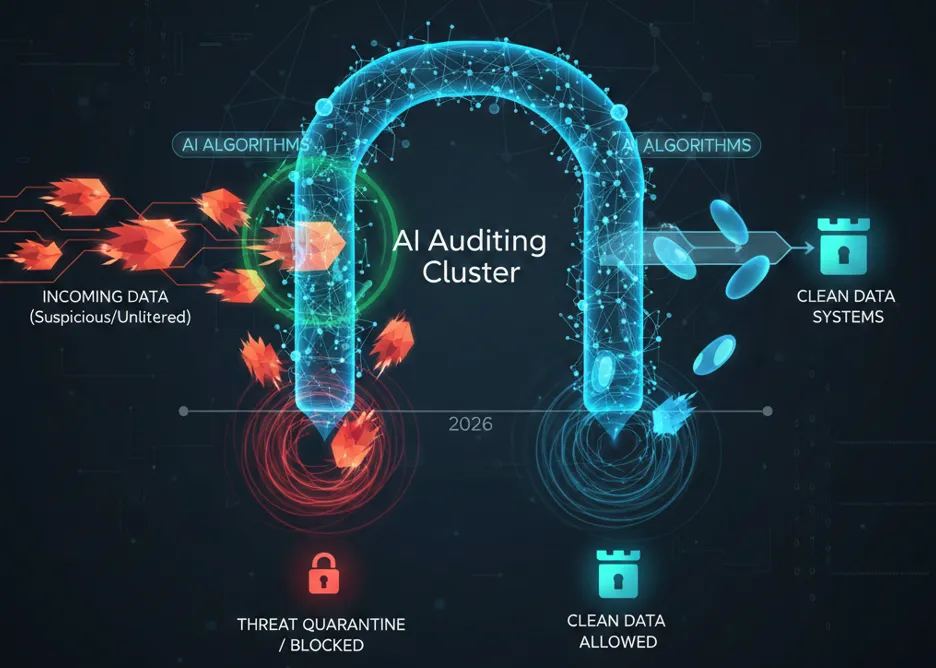
By 2026, network firewalls have evolved into sophisticated AI Auditing Clusters powered by global distributed computing. Moving beyond traditional static blacklists, these systems now leverage real-time deep learning to create a behavioral "persona" for every bit of traffic. Their core detection mechanisms include:
1. Multidimensional Fingerprinting
-
Packet Length Distribution Analysis: AI models continuously monitor MTU (Maximum Transmission Unit) utilization. Because VPN protocols introduce additional header overhead, their packet length distributions often exhibit unique statistical signatures that distinguish them from standard web traffic.
-
Flow Entropy Detection: Encrypted traffic typically has extremely high entropy. By analyzing entropy fluctuations over time, AI can differentiate between "random web page loading" (variable entropy) and a "persistent encrypted tunnel" (consistently high, flat entropy).
-
Sequence Tracking: This involves identifying the fixed patterns of handshakes and heartbeat packets. Even if the payload is fully encrypted, the chronological order and timing of packet exchanges (TCP/UDP Sequences) can betray the underlying protocol type.
2. Deep Active Probing 2.0
This remains the most aggressive identification method. Once the system flags an IP as a suspected proxy server, it triggers tens of thousands of geographically dispersed nodes to perform immediate probes:
-
Protocol Replay Attacks: The system simulates a legitimate client and sends incomplete TLS handshakes to see if the server completes the handshake logic according to specific proxy protocols.
-
Certificate Traceability: Firewalls verify if the server's TLS certificate exists in public Certificate Transparency (CT) logs. If a server presents a certificate claiming to belong to a well-known domain but lacks a verifiable trace, the IP is instantly blacklisted.
3. RTT Profiling and Jitter Analysis
By measuring the Round-Trip Time (RTT) differential from the client to the target, firewalls can detect latency spikes that defy geographical logic. If the Jitter (latency variance) characteristics match known proxy relay models, the traffic is flagged as a proxied connection rather than a direct one.
4. Global Reputation and Behavioral Scoring System
Modern firewalls maintain a "Credit Score" for every external IP address. If an IP consistently produces high-intensity, long-lived encrypted traffic without the background noise of typical internet usage—such as standard web browsing (HTTP/3) or email exchange (SMTP)—its reputation score will drop, eventually leading to intentional packet loss or a total block.
Mimicry Core Logic: Perfect Integration into Background Noise
In 2026, the essence of obfuscation is Mimicry. The goal is no longer just to evade decryption, but to ensure that proxy traffic is mathematically and behaviorally indistinguishable from legitimate internet traffic.
The Four Dimensions of Mimicry
-
Statistical Decoys (Feature Obfuscation): Breaking fixed packet size distributions by injecting random padding. Advanced obfuscators simulate the traffic histograms of specific apps—for example, mimicking a profile of 80% text-based browsing and 20% static image loading.
-
L7 Fingerprint Camouflage (Application-Layer Disguise): Simulating complete application behaviors beyond TCP/UDP, such as HTTP/2 multiplexing or streaming-specific buffering. Deep Packet Inspection (DPI) sees handshakes that strictly adhere to RFC standards.
-
Lifecycle Obfuscation (Traffic Management): Replacing long-lived, high-throughput tunnels with a "short and dispersed" approach. Slicing data into brief, temporary connections disguised as varied services (e.g., API calls or static resource fetches) bypasses behavioral auditing.
-
Context-Awareness (Dynamic Adaptability): Real-time monitoring of link censorship (packet loss, probe frequency) allows obfuscators to dynamically switch between "High Stealth/Low Efficiency" and "Partial Obfuscation/High Efficiency" modes.
2026 Top-Tier Obfuscation Protocols: Reality, Hysteria 2, and XHTTP
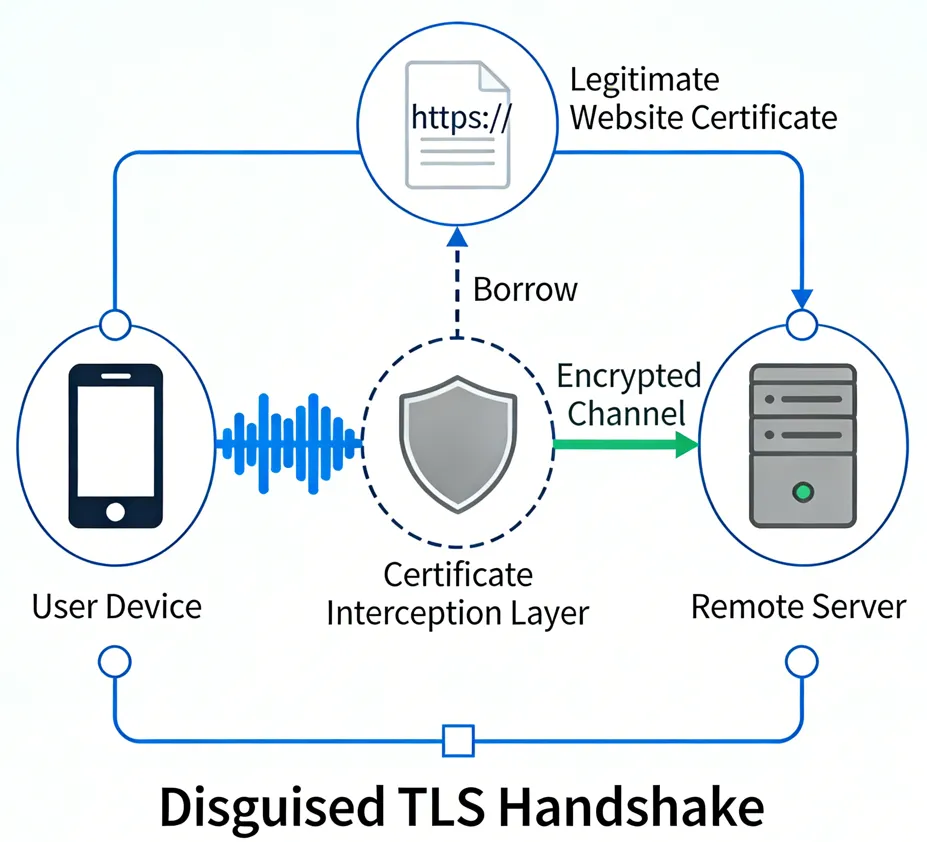
In the 2026 technical landscape, a standalone encryption protocol can no longer survive. Below are the current first-tier protocol solutions and their detailed operational mechanics:
1. VLESS + Reality: Ultimate Certificate Parasitism, Overcoming TLS Identification
Reality is the current technical pinnacle of obfuscation. It does not "imitate"; it "becomes" legitimate traffic.
-
Identity Borrowing: Reality intercepts TLS handshakes destined for a target domain (e.g., www.apple.com). To an observer, your connection is identical to a genuine visit to that site.
-
Anti-Active Probing: If a firewall probes your server, Reality behaves like a real, normal web server (falling back to a specified Fallback page) rather than rejecting the connection.
-
2026 Enhanced Features: The latest version of Reality introduces Dynamic SNI Rotation. It can automatically switch between dozens of high-reputation domains (such as CDN nodes or large open-source repositories) based on geographical location and current censorship intensity, preventing account auditing caused by long-term high-traffic transmission to a single domain.
2. Hysteria 2: The Brutal Aesthetics of Anti-Packet Loss, The QoS Killer
Based on the QUIC protocol, Hysteria 2 is designed to overcome random packet loss and human-induced speed limits.
-
Frequency Hopping Obfuscation: Frequency Hopping Obfuscation: Allows packets to jump dynamically between thousands of UDP ports at millisecond speeds, invalidating single-port traffic blocks.
-
Business Disguise: Disguises traffic as a standard Zoom video conference or YouTube 4K livestream.
-
Anti-Analysis Padding: The protocol randomly inserts noise bytes into QUIC frames to ensure that the size of each packet is not fixed, completely dismantling AI's statistical modeling of packet length distribution.
3. XHTTP: Lightweight Web Mimicry, The Preferred Choice for CDN Forwarding
XHTTP (Extreme HTTP) addresses the heavy handshake signatures of traditional protocols.
-
Protocol Transparency: Strictly adheres to HTTP/3 semantics, appearing as normal web interaction.
-
CDN Integration: Natively supports forwarding via edge nodes like Cloudflare or Akamai, leveraging their global reputation.
2026 All-in-One Client Tool Recommendations
To fully leverage the performance of Reality, Hysteria 2, and XHTTP, selecting a client that supports kernel updates and complex routing is essential.
1. Windows / macOS: Professional Productivity
-
v2rayN (Windows): The most versatile GUI tool in 2026. It supports seamless switching between Xray-core and Sing-box kernels and offers a simplified interface for Hysteria 2 port-hopping.
-
Clash Verge Rev (Windows/macOS/Linux): The successor to Clash, powered by the Mihomo kernel. It provides superior traffic splitting logic for $HTTP/3$ business flows.
2. Android: Mobile Stability Benchmarks
-
v2rayNG: Optimized for low battery consumption in 2026. It remains the easiest tool for configuring Reality on Android with zero learning curve.
-
Surfboard: Offers a Surge-compatible experience with refined Policy Groups that automatically select the lowest-latency nodes during mobile signal fluctuations.
3. iOS: Navigating a Closed Ecosystem
-
Shadowrocket: The dominant force on iOS. The 2026 version includes a "Fingerprint Alignment" feature to auto-calibrate Reality ShortIds, making it very user-friendly.
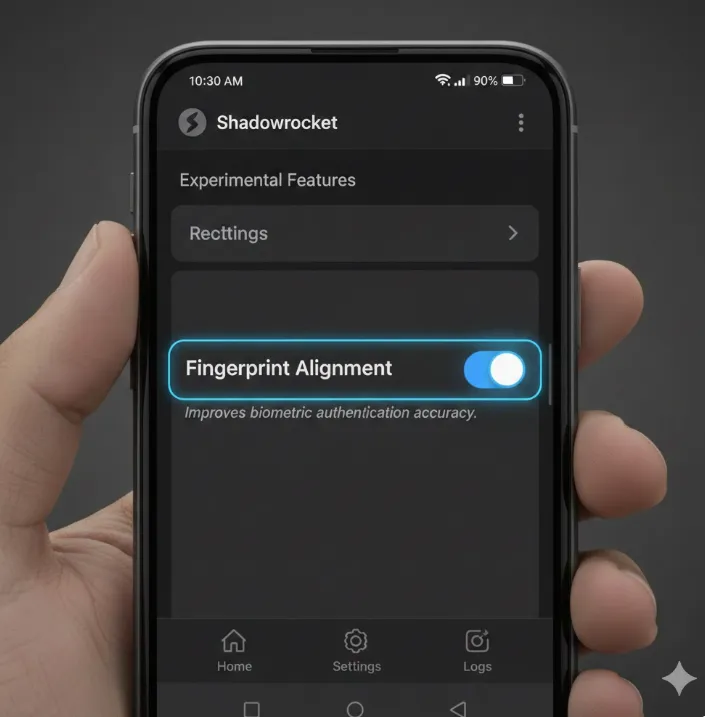 Image from Grmini AI, Copyright by original author
 -
Stash / Loon: For power users. These apps support script extensions to dynamically modify traffic Padding ratios, actively interfering with AI auditing signatures.
✅Disrupting AI Tracking: The ShortId Rotation Strategy
To stay truly invisible, you must prevent the firewall from building a consistent "persona" of your server. In 2026, the elite strategy is ShortId Rotation.
1. Why Rotate ShortIds? The shortIds array in your Reality configuration serves as a secondary authentication layer. By frequently changing the active ShortId, you force the AI auditor to reset its behavioral analysis of your connection. This makes your traffic appear as "new" or "different" sessions rather than one continuous, identifiable stream.
2. Server-Side Automation (Shell Script): You can automate this on your Linux server by creating a simple cron job that modifies your config.json every week.
# Example: Generate a new 8-byte hex string and update Xray config
NEW_ID=$(openssl rand -hex 8)
sed -i "s/\"shortIds\": \[ \".*\" \]/\"shortIds\": \[ \"$NEW_ID\" \]/" /etc/xray/config.json
systemctl restart xray
3. Client-Side Implementation: For the best results, ensure your client (e.g., Clash Verge or v2rayN) is updated with the new ID. In 2026, advanced clients support Subscription Link Auto-Sync, which means as soon as you update your server, your client inherits the new ShortId, keeping your "Persona" fragmented and untraceable.
Endpoint Security: Preventing Local Client "Backstabbing"
In 2026, many blocks do not occur on the link itself but originate from "insiders" within the local environment.
1. Full-Link DNS Hardening (Anti-Pollution & Anti-Loopback)
DNS leaks are the most common cause of proxy failure. Even with a VPN active, the system may still initiate queries through the ISP's default DNS.
-
Solution: Force DoH (DNS over HTTPS) or DoT (DNS over TLS) on the client. Lock the query destination to encrypted interfaces like 1.1.1.1 or NextDNS. Configure "DNS loopback rejection" at the routing level to ensure all queries must pass through the encrypted tunnel.
2. Blocking WebRTC Leaks
The WebRTC protocol in browsers was designed for P2P communication; it often bypasses proxy settings to request your local private IP and real public IP directly.
-
Solution: In Firefox, set media.peerconnection.enabled = false. In Chromium-based browsers, use the WebRTC Leak Prevent extension or enable the block_webrtc logic in Sing-box.
3. OS Telemetry and "Stealth" Firewalls
Windows 11/12 periodically uploads network connection statistics (Telemetry) to Microsoft servers. If abnormal, long-duration cross-border connections are detected, system fingerprints may be asynchronously correlated.
-
Solution: Use Simplewall or Tiny11 solutions to strip system-level telemetry. Configure a strict Kill Switch: ensuring that outbound traffic is only permitted when the VPN virtual network interface is active, enforced via nftables or WFP drivers.
4. IPv6 Blind Spot Shielding
Many home routers and proxy protocols have poor IPv6 support, resulting in situations where traffic goes through an IPv4 encrypted tunnel while DNS or certain services use plaintext IPv6, leading to "semi-transparent" leaks.
-
Solution: If IPv6 is not required, it is recommended to disable IPv6 entirely at the OS level or enable the ipv6_block routing rule in the client configuration.
How to Configure Your Stealth Network?
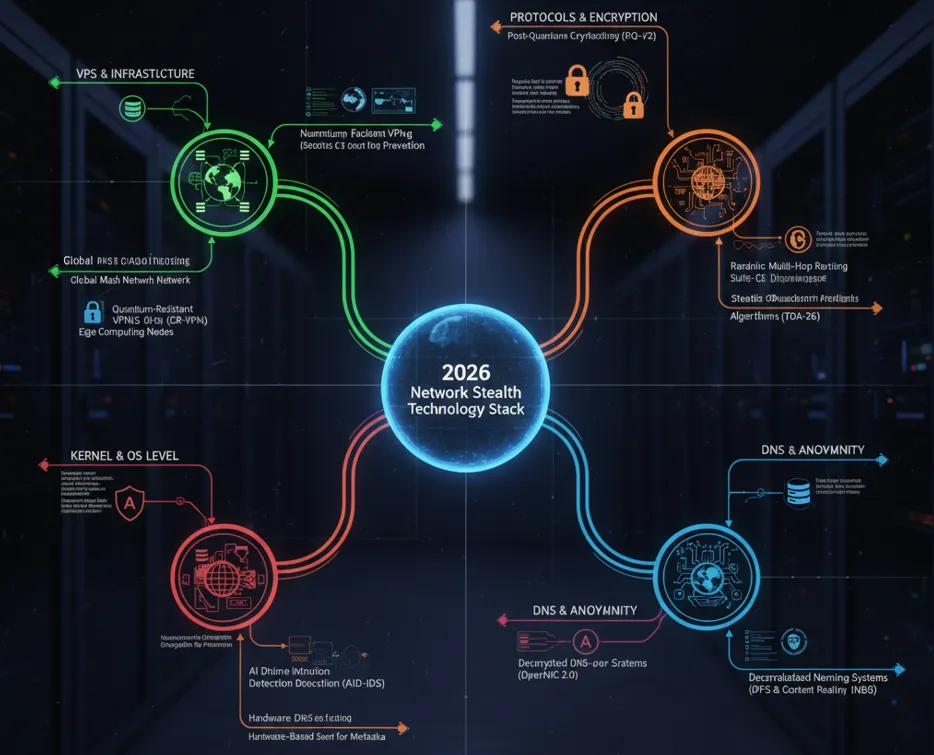
Configuring a stable stealth network is no longer a simple "download and run" task; it requires a systematic engineering approach. Below are step-by-step configuration recommendations:
Step 1: Base Environment and Hardware Selection (Avoiding "Minefields")
VPS Purchasing Strategy:
-
Avoid Major Cloud Providers: AWS, Azure, and Google Cloud IPs are primary targets for AI auditing.
-
Prioritize Native IPs: Choose small-scale data centers with their own independent Autonomous System Numbers (ASN).
-
Geographical Choice: Prefer Japan, South Korea, or SE Asia nodes to minimize RTT gaps.
Step 2: Server-Side Hardening
Kernel Optimization:
-
You must upgrade to Linux Kernel 6.1+ for native BBRv3 support. BBRv3 maintains over 90% throughput efficiency even in extreme environments with packet loss > 20%, significantly reducing traffic pattern anomalies caused by retransmissions.
-
Execution Command: sysctl -w net.core.default_qdisc=fq && sysctl -w net.ipv4.tcp_congestion_control=bbr
Stealth Configurations:
-
Disable Probe Responses: Set up TCP Stealth at the firewall layer to only allow handshakes containing specific security sequence numbers.
-
Decoy Site Deployment: Port 80 on the server must host a real, accessible static website (e.g., a personal blog or a technical manual) to serve as the Fallback page for Reality or XHTTP.
Step 3: Core Protocol Tuning
Realit:
-
Target Domain (Dest): Do not use high-frequency domains like www.microsoft.com. Instead, use foreign academic sites or large open-source project homepages that have massive traffic but are directly accessible domestically.
-
ShortId Rotation: Change your ShortId regularly (e.g., weekly) to prevent the AI from locking onto a heavy traffic fingerprint associated with a single ID.
Hysteria 2 Tuning:
-
Bandwidth Setting: Do not set up_mbps too high. Set it to approximately 80% of your actual bandwidth. High burst traffic is a leading trigger for firewall QoS throttling.
Step 4: Advanced Client-Side Strategies
Enable TUN Mode:
-
In 2026, it is mandatory to use TUN Mode. It hijacks all system-level traffic, ensuring that even "misbehaving" applications (those that ignore system proxy settings) do not leak real IP information.
Enforce DoH/DoT:
-
In the client configuration, point DNS queries to the HTTPS interfaces of 1.1.1.1 or 8.8.8.8. This completely cuts off the possibility of censorship systems performing user attribution analysis via DNS pollution.
Automated Switching Scripts:
-
Configure "Health Checks." When the system detects a current node latency > 300ms or severe packet loss, it should automatically switch to a backup CDN-based relay node.
Fingerprint Self-Check and Multi-Platform Implementation
1. How to check if my VPN traffic is being fingerprinted?
You can use Wireshark for a basic self-inspection:
-
Observe Packet Length: If your traffic is filled with a large number of fixed-length packets (e.g., all are exactly 1440 bytes), it indicates that your obfuscation strategy has failed.
-
Detecting Handshake Characteristics: Check if the Cipher Suites in the TLS handshake packets are perfectly aligned with the browser you are simulating (e.g., Chrome 140+). If there is a mismatch, AI auditing will instantly identify the connection as one not initiated by a browser.
2. How to configure Reality protocol on iPhone/iOS
For the closed iOS ecosystem, the following clients supporting 2026 obfuscation features are recommended:
-
Shadowrocket: Currently offers the most comprehensive support. When configuring Reality, you must manually enter the server-side PublicKey and ShortId.
-
Stash / Loon: These support more complex logical traffic splitting. You can implement "background traffic injection" via scripts in the configuration file to further enhance stealth on iOS devices.
2026 Top VPN Recommendations for Stability and Continuity
For users seeking "out-of-the-box" solutions with high stability, the following are top-tier VPN recommendations that have successfully withstood AI auditing challenges in 2026:
Astrill VPN (The Survival Expert / Industry Standard)
-
Core Advantage: Features the proprietary StealthVPN protocol, which achieves deep obfuscation by simulating real web interactions (such as streaming playback or file downloads). It is currently the most resilient tool against censorship on the market.
-
Best For: Corporate/government office use, periods of extreme censorship, and users who demand near-absolute stability.
-
Practical Advice: It is relatively expensive ($150+/year), but it serves as the ultimate "emergency card" to ensure connectivity during major holidays or sensitive periods.
NordVPN (Technology Pioneer / Intelligent Obfuscation)

-
Core Advantage: Popularized the NordLynx 2.0 protocol, which uses dynamic header obfuscation to disguise traffic as standard WebRTC communication. Its "Obfuscated Servers" support randomized fingerprint rotation.
-
Best For: Daily high-definition streaming (Netflix/Disney+) and users who need to switch between a large number of nodes.
-
Practical Advice: Manually enable "Obfuscated" mode when connecting, and prioritize nodes in Japan, Singapore, or the US West Coast for optimal latency.
ExpressVPN (Rapid Handshake / Hardware Integration)

-
Core Advantage: Utilizes the self-developed Lightway protocol, which offers extremely fast handshake speeds (near-instant connection). Paired with the Aircove router, it enables hardware-level proxying for all smart home devices (e.g., PS5, Apple TV).
-
Best For: Multi-device households, gaming console acceleration, and users pursuing maximum connection speeds.
-
Practical Advice: Although its IPs are frequently targeted, its massive node library is updated at a very high frequency; enabling the "Auto-Connect" feature is recommended.
Advanced Counter-Measures: Deceptive AI Interference
In 2026, stealth requires "Active Deception" to pollute the datasets used by AI auditors.
1. Traffic Pollution & Entropy Balancing
-
Chaffing: Inject background "white noise" by visiting top-tier legitimate sites via scripts. This lowers the percentage of encrypted proxy traffic in your overall profile.
-
Low-Entropy Injection: Intermix low-entropy text segments or static assets (like .js libraries) into the tunnel to dilute the "all-encrypted" signature that AI flags.
2. Behavioral & Latency Masking
-
Jitter Injection: Add 2ms–10ms of pseudo-random jitter to prevent AI from calculating stable RTT curves used for distance and node attribution.
-
Human-Browsing Simulation: Automate clicks and scrolling pauses to make traffic patterns look like organic human interaction rather than machine-generated tunnels.
3. Traffic Slicing & Imperfection
-
Multi-path Fragmentation: Use Multipath TCP to slice high-speed streams into thousands of fragments across multiple server exits, reassembling them at the client.
-
Controlled Packet Loss: Manually introduce negligible (0.1%) packet loss to avoid looking "too perfect," helping you blend into standard, imperfect public internet traffic.
4. Proactive Anti-Probing
-
Verification Gates: Expose proxy services only after a specific "knock" or handshake. Unauthorized probes (from firewalls) are redirected to standard 404 pages or fake, functional blog content.
Conclusion
In 2026, network stealth is a vital digital literacy in an age of algorithmic regulation. True security comes from the awareness of technical boundaries and the dynamic evolution of adversarial thinking rather than static tools. The goal is to reclaim personal privacy boundaries by submerging into the vast, ordinary clamor of the internet. Stay vigilant, keep updated, and let free traffic flow invisibly, like water.
Statement: This guide is for cybersecurity technical exchange and academic research only. Please comply with local laws and regulations.
Frequently Asked Questions (FAQ)
Q1: What is AI Behavioral Auditing?
A: Instead of inspecting payload content, it analyzes the "external metadata" of your traffic. It looks for statistical anomalies: Do you generate high-entropy bursts at specific intervals? Is your packet length fixed (e.g., 1440 bytes)? Does your RTT align with typical cross-border latency? AI uses these patterns to identify proxies even without decryption.
Q2: Which is more stable: Reality or Hysteria 2?
A: Use Reality as your primary driver and Hysteria 2 as a failover for peak hours.
-
Reality: Prioritizes "Stealth." It is the hardest protocol to detect and is ideal for persistent connections like office work.
-
Hysteria 2: Prioritizes "Brute Penetration." It excels at 4K streaming under poor network conditions (high packet loss/throttling), though its UDP-based nature may be more susceptible to regional blocking.
Q3: Why is my IP still getting blocked despite using new protocols?
A: Obfuscation is only half the battle; IP Reputation is critical. If you use "dirty" IPs from popular data centers, firewalls may flag the entire network segment for aggressive auditing. Furthermore, DNS leaks remain the leading cause of detection for most users.
Q4: Is BBRv3 really necessary?
A: Absolutely. In 2026, packet loss is the standard. BBRv3 detects congestion earlier and recovers faster. This improves speed and, crucially, makes your retransmissions look like legitimate, standard web traffic behavior.
Q5: Does using a CDN (e.g., Cloudflare) for relaying prevent blocking?
A: While a CDN masks your server's IP, it introduces distinct CDN fingerprints. Because these IPs are shared by millions, they often have lower reputation scores. CDNs are best used as a backup or only after a server IP has been compromised.
Q6: What should I do if my IP is already blocked?
A: Avoid immediately switching to another IP in the same data center. AI systems often intensify scans on neighboring IPs during an incident. It is better to let the IP "cool down" for a few days or switch to a provider in a completely different Autonomous System (ASN).
Q7: Must obfuscation settings match across my mobile (Android/iOS) and desktop devices?
A: Yes. If your PC uses a perfect Reality fingerprint but your phone uses an outdated protocol (like VMess+WS), AI systems can correlate the traffic through account linkings or spatial-temporal overlaps, eventually compromising your entire home network's reputation score.