Imagine it’s early 2026, and the internet is exploding with gameplay clips of the highly anticipated Monster Hunter Stories 3: Twisted Reflection or the newly announced Yakuza Kiwami 3 & Dark Ties. You check the local PlayStation Store, only to find a "Coming Soon" placeholder. Meanwhile, players in Tokyo and Seoul are already diving into exclusive demos and regional betas months ahead of the global launch.
Whether you're looking for the latest JRPG from the Persona team or niche rhythm games that never see a Western release, the Asian PSN stores are a treasure trove of content. The good news? You don't need a plane ticket to Japan to join the fun. You can play these exclusive titles on your own console today.
The Reality: Why You Can’t Just "Change" Your Location
A common misconception among PlayStation users is that simply moving your console or changing your system language will unlock new content.
The Hard Truth: Sony locks its stores by Account Region, not by the console’s physical location or current IP address.
Your PSN account is permanently tied to the region you selected when you first registered. If you have a US or UK account, you are hard-coded into those storefronts forever. To access the Japanese or Korean stores, you must create a brand-new PSN account specifically registered to those territories. While your PS5 or PS4 is region-free for physical discs, the digital ecosystem remains strictly partitioned.
The Role of VPN: More Than Just a "Location Spoofer"
You might have heard that a VPN isn't strictly necessary once a game is downloaded. While that is partially true for offline play, a high-quality VPN is the most critical tool in your arsenal for three specific reasons in 2026:
-
Seamless Account Creation: Sony’s web registration often uses "silent redirects." If you try to sign up for a Japanese account from a Western IP, the site may automatically loop you back to your local language or throw an "Access Denied" error. A VPN set to a Tokyo server ensures the registration server sees you as a local, allowing you to bypass these geo-fences.
-
Beating ISP Throttling: International routing can be a nightmare. Without a VPN, downloading a 50GB Japanese demo can take an eternity because your ISP might throttle "unrecognized" international traffic. A VPN encrypts your data, preventing your ISP from seeing what you're downloading and often providing a more direct route to Asian servers, significantly boosting download speeds.
-
Cloud Gaming & Streaming: Some exclusive Japanese demos are only available via PlayStation Plus Premium (Cloud Streaming). To stream these games without unplayable lag or "Service Unavailable" errors, you need a VPN to maintain a stable virtual presence within the target region.
Up Next: Understanding the "Difficulty Levels" of different regions, from the easy-to-access Japanese store to the "Nightmare Mode" of the Korean PSN.
Part 1: The "Hard Truth" Before You Start (Region Specifics)
Before you begin your journey into the Asian gaming market, you need to understand that not all regions are created equal. Depending on which store you want to enter, the barrier to entry varies wildly.
Japan (Difficulty: Medium)

The Japanese PSN store is the gold standard for exclusive demos.
-
The Good News: Sony Japan does not require a local ID or phone number to create an account. Anyone with a valid email address and a VPN can sign up.
-
The Hurdle: The entire interface is in Japanese (Kanji/Kana). While Google Lens can help you translate on the fly, navigating the menu can be tricky. Additionally, your local credit card will likely be rejected, meaning you must rely on Japanese PSN Gift Cards to buy anything.
👍Instant Access: Streaming JP Demos on PS5 Pro
With the widespread adoption of high-fidelity cloud architecture in 2026, PS5 Pro owners can now bypass the "Download Wall." If you have a Japanese PS Plus Premium subscription, you can stream most exclusive demos instantly at native-like quality.
1. 4K/120fps Streaming Requirements: Streaming a high-action demo from a Tokyo server to a global location requires an ultra-stable connection. To maintain 4K/120fps resolution without visual artifacts, your network must support at least 50Mbps of sustained, jitter-free throughput.
2. The Dedicated IP Factor: This is where many standard VPNs fail. Sony’s 2026 cloud servers utilize AI-driven network auditing. Shared VPN IPs—used by hundreds of people simultaneously—often trigger the "Network Incompatible" or "Service Unavailable in your Region" errors.
- The Fix: Using a Dedicated IP VPN ensures that you have a unique, residential-grade Tokyo address. Since this IP is not shared, it bypasses Sony’s proxy blacklists and maintains the low latency (ping) required for a seamless cloud gaming experience.
3. Eliminating Input Lag: For fast-paced titles like Yakuza Kiwami 3, even 50ms of extra latency can ruin the combat. By configuring a Dedicated IP on a Gaming Router (using WireGuard 2.0), you ensure the shortest routing path to the Tokyo data center, making the cloud experience feel indistinguishable from a local install.
Korea (Difficulty: Nightmare)

The Korean store often hosts exclusive betas for mobile-to-console ports and high-fidelity "K-Gacha" titles. However, it is one of the hardest digital markets to enter.
-
The Barrier: Korea utilizes an I-PIN (Internet Personal Identification Number) system. By law, to create an online gaming account in South Korea, you must verify your identity using a Korean Resident Registration Number or a local mobile phone number registered in your name.
-
The Reality Check: Unless you are an expat living in Korea or have a very close friend there willing to share their identity info, you cannot create a Korean PSN account yourself. For most players, the only way in is via "gray market" pre-verified accounts. If that sounds too risky, we recommend sticking to the Japanese store, which offers 90% of the same exclusive content without the legal headache.
Part 2: Step-by-Step: Creating a Japanese PSN Account
Follow these steps to set up your account via a web browser. It is much easier to use translation tools on a PC or mobile device than on the console itself.
-
Get a Reliable VPN: Open your VPN app and connect to a Tokyo server. This prevents Sony from redirecting you to your local store.
-
Navigate to the Sony Account Site: Go to the official Sony Entertainment Network website and click "Create New Account."
-
Select Your Region: When prompted for Country/Region, select Japan (日本). The language will immediately switch to Japanese.
-
Enter Your Details: * Date of Birth: Enter your real birthdate (useful for account recovery).
-
Email: Use a fresh Gmail address that is not already associated with a PSN account. Gmail is recommended because it handles Japanese verification emails reliably.
-
Password: Create a strong password and confirm it.
-
The Address Trick: Sony requires a valid Japanese address. The most effective "trick" is to use the address of a major Japanese hotel. You only need a valid Postal Code, and the system will often auto-fill the Prefecture and City.
-
Sample Format:
-
Zip Code: 100-0005 (This is for the Marunouchi district in Tokyo).
-
Prefecture: Tokyo-to
-
City: Chiyoda-ku
-
-
Verify Your Email: Check your Gmail inbox for a verification link from Sony. Once clicked, your account is officially active.
-
Log In on Console: Switch to your PS5 or PS4, select "Add New User," and sign in with these credentials.
The Gold Standard: How to Manage Regional Accounts Safely
To maximize your 2026 gaming experience while keeping your trophies and digital assets secure, you should adopt the 3-Account Rule. This strategy ensures you have access to the best sales, the earliest demos, and local support without overwhelming your UI.
1. The Home Account (The "Main"): This is your primary account registered to your actual location (e.g., US or UK).
-
Purpose: This is where you earn all your Trophies, keep your Friends list, and maintain your primary PS Plus subscription. You should rarely buy digital games here unless they are local exclusives.
2. The Sale Account (US/HK/Turkey): Depending on your currency preference, a secondary account in a region like Hong Kong or the US is essential for competitive pricing.
-
Purpose: Since HK/US stores often have overlapping sales at different times, this account serves as your "Bargain Hunter" profile.
3. The JP Account (The "Scout"): This is your Japanese PSN account, specifically for the "hidden gems" and early access content we discussed.
-
Purpose: Use this account to download free demos, join regional betas, and purchase niche JRPGs that never see a Western release.
Part 3: The Biggest Boss Fight: Payment Methods
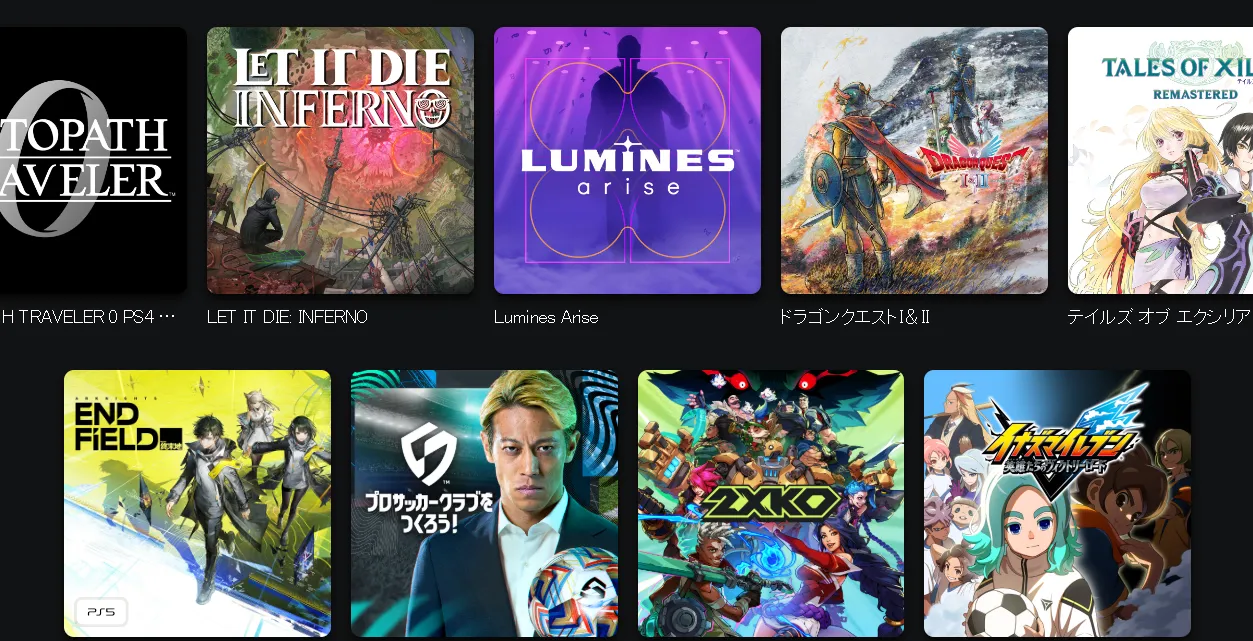
If you’ve made it this far, congratulations—you have a Japanese PSN account. But when you try to buy a full game or a paid DLC, you’ll encounter the "Biggest Boss Fight": the payment gate.
Why Your Credit Card Will Fail
Many users expect to just link their local Visa or Mastercard. However, Sony implements a strict region-match policy for payment methods. If your account is Japanese, your credit card and PayPal account must be issued by a Japanese bank. Even high-end international travel cards are frequently blocked. This is the primary reason why foreign users see "An unidentified error has occurred" at checkout.
The Solution: PSN Gift Cards (Yen / Won)
Since you can't use your local card, the only reliable way to fund your account is through digital gift cards. You purchase a code for a specific amount of Japanese Yen (¥) or Korean Won (₩), and then redeem that code in the store.
Where to Buy (Trusted Sites)
To avoid scams, only use reputable digital retailers. These sites deliver the codes via email almost instantly:
-
Play-Asia: The most well-known site for Asian gaming imports. Their markup is fair, and their codes are 100% reliable.
-
Amazon Japan: If you create a separate Amazon.co.jp account (using the same "Address Trick" mentioned above), you can often buy digital codes at face value.
-
G2A or CDKeys: Useful for finding deals, but ensure you are buying from a "Highly Rated" seller.
Warning: Beware of Stolen Keys
Avoid "too good to be true" deals on social media or obscure marketplaces. Cheap codes are often bought with stolen credit cards; if Sony detects a fraudulent transaction linked to your code, they will permanently ban your new account and potentially your entire console. Stick to verified retailers to keep your library safe.
Part 4: Setting Up the VPN on Your Console (PS4/PS5)
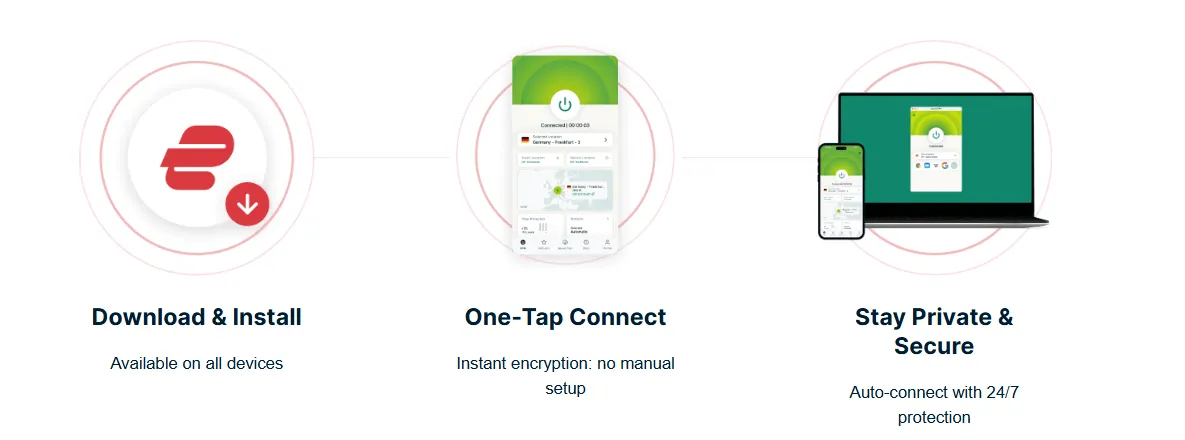
Here is the technical catch: PlayStation consoles do not support native VPN apps. You won't find NordVPN or ExpressVPN in the PlayStation Store. Instead, you must use one of these three workarounds to route your console's traffic through a Japanese server.
Method 1: Smart DNS (Easiest)
Smart DNS is the fastest method because it doesn't encrypt your data; it simply "tricks" the store into thinking you are in Japan.
-
Log in to your VPN provider's website and activate Smart DNS (or "MediaStreamer").
-
Your provider will give you a specific IP address (Primary and Secondary DNS).
-
On your PS5, go to Settings > Network > Settings > Set Up Internet Connection.
-
Select your network, press the Options button, and choose Advanced Settings.
-
Change DNS Settings to Manual.
-
Enter the IPs provided by your VPN and restart your console.
Method 2: PC/Mac Sharing (Ethernet)
This method bridges the VPN connection from your computer directly to your console using an Ethernet cable.
-
Connect your PC/Mac to your VPN's Tokyo server.
-
Connect an Ethernet cable from your computer to the back of your PlayStation.
-
On Windows: Go to Network and Sharing Center > Change adapter options. Right-click your VPN connection > Properties > Sharing > Check "Allow other network users to connect."
-
On Mac: Go to System Settings > General > Sharing > Internet Sharing. Share your VPN connection "To devices using: Ethernet."
-
On PlayStation, set up a Wired LAN connection.
Method 3: Router VPN (The "Set and Forget")
If you have a VPN-compatible router (like those from ASUS or those flashed with DD-WRT), you can install the VPN directly on the hardware.
-
Pros: Every device in your house (PS5, Phone, TV) is automatically in Japan.
-
Cons: It can slow down other household members' internet speeds. Most pro gamers use "Split Tunneling" on the router to ensure only the PlayStation uses the VPN.
Part 5: Best VPNs for PSN (Low Ping & High Speed)
To get the most out of your 2026 gaming setup, you need a provider that combines reliability with high-speed Japanese infrastructure. These are the top four choices for PlayStation gamers:
-
ExpressVPN: Generally considered the Best for Console Setup. Its dedicated "Aircove" router app and custom firmware make Method 3 (Router VPN) significantly easier than its competitors. It offers ultra-reliable 10Gbps servers in Tokyo, Shibuya, and Yokohama.
-
NordVPN: The king of Download Speeds. Using its proprietary NordLynx protocol, it consistently outperforms other VPNs when downloading massive game files (50GB+). If you're looking to download the latest RPG overnight, this is your best bet.
-
Surfshark: The Best Budget Option. It offers a highly rated "Smart DNS" feature that is incredibly easy to toggle on for the PS5. Plus, it allows for unlimited simultaneous connections, meaning you can stay connected on your phone, console, and PC at the same time for one low price.
-
ExitLag (Bonus Mention): While technically not a full VPN (it doesn't encrypt your browsing data), ExitLag is a specialized tool that uses optimized routing to reduce ping in online multiplayer games. If you are playing competitive games on Japanese servers and find your latency is too high, ExitLag can often shave 20–50ms off your ping.
1. ExpressVPN
ExpressVPN is widely recognized as a leader in the Virtual Private Network (VPN) industry. Founded in 2009 and headquartered in the British Virgin Islands, it has built a reputation for providing high-speed, secure, and user-friendly privacy solutions.
Basic Information
-
Headquarters: British Virgin Islands (Privacy-friendly jurisdiction, outside of 5/9/14 Eyes alliances).
-
Server Network: 3,000+ servers across 105 countries (including 180+ locations).
-
Protocols: Lightway (Proprietary), OpenVPN (UDP/TCP), IKEv2.
-
Simultaneous Connections: Up to 14 devices (depending on the plan).
-
Platform Support: Windows, macOS, iOS, Android, Linux, Routers, Apple TV, Gaming Consoles, and Browser Extensions.
Key Features & Advantages
A. Industry-Leading Speed (Lightway Protocol)
ExpressVPN’s proprietary Lightway protocol is engineered for speed and reliability. It connects almost instantaneously and maintains high performance even on unstable networks. In 2026, the updated Lightway Turbo continues to set benchmarks for low-latency gaming and 4K streaming.
B. Uncompromising Privacy & Security
-
TrustedServer Technology: Unlike traditional servers that write to hard drives, ExpressVPN’s servers run entirely on RAM (volatile memory). This ensures that no data is ever stored physically and is wiped with every reboot.
-
Strict No-Logs Policy: Audited by independent firms like PwC and KPMG, ExpressVPN does not track or store activity logs or connection metadata.
-
Post-Quantum Encryption: One of the first VPNs to implement post-quantum protection to shield user data from future computing threats.
-
Network Lock (Kill Switch): Automatically blocks all traffic if the VPN connection drops, preventing data leaks.
C. Exceptional Unblocking Capabilities
ExpressVPN is highly effective at bypassing geo-restrictions. It reliably accesses:
-
Streaming Services: Netflix (30+ libraries), Disney+, Hulu, BBC iPlayer, and Amazon Prime Video.
-
Censorship Bypassing: It remains one of the most effective tools for users in restrictive regions (e.g., China or Russia) due to its advanced obfuscation techniques.
D. New Tiered Service Plans (2026)
ExpressVPN recently introduced tiered pricing to offer more flexibility:
-
Basic: Focuses on core VPN protection for up to 10 devices.
-
Advanced: Includes "Identity Defender Lite" (ID alerts), a password manager, and eSIM travel data.
-
Pro: The top tier offering a Dedicated IP, data removal services, and support for 14 simultaneous devices.
Potential Drawbacks
-
Premium Pricing: It remains one of the more expensive options on the market compared to budget competitors like Surfshark.
-
Limited Customization: The interface is designed for simplicity, which may lack some advanced technical "tweaks" desired by power users.
Summary Table
|
Feature |
Details |
|
Encryption |
AES-256 (Gold Standard) |
|
Kill Switch |
Yes (Network Lock) |
|
Split Tunneling |
Yes (Available on most platforms) |
|
Support |
24/7 Live Chat and Email |
|
Money-Back Guarantee |
30 Days Risk-Free |
ExpressVPN Review 2026: Is It Still the Industry Leader? (Verified Test)
2. NordVPN
NordVPN is a leading name in the cybersecurity industry, widely celebrated for its robust security features, vast server network, and exceptional value for money. Based in Panama—a privacy-friendly jurisdiction—it offers a comprehensive suite of tools that go beyond basic VPN protection.
Basic Information
-
Headquarters: Panama (No mandatory data retention laws; outside the 14 Eyes alliance).
-
Server Network: 8,900+ servers in 129 countries, providing extensive global coverage.
-
Protocols: NordLynx (based on WireGuard), OpenVPN, IKEv2/IPSec.
-
Simultaneous Connections: Up to 10 devices on a single account.
-
Platform Support: Windows, macOS, iOS, Android, Linux, Amazon Fire TV, Android TV, and browser extensions for Chrome, Firefox, and Edge.
Key Features & Advantages
A. Blazing Fast Speeds (NordLynx)
NordVPN’s proprietary NordLynx protocol is built around the WireGuard framework. It is consistently ranked as one of the fastest protocols in the industry, offering high-speed performance for 4K streaming, heavy downloading, and lag-free gaming without compromising privacy.
B. Specialized Security Tools
NordVPN offers several "Specialty Servers" tailored for specific privacy needs:
-
Double VPN: Chains two servers together, encrypting your data twice for an extra layer of security.
-
Onion Over VPN: Combines the benefits of a VPN with the anonymity of the Onion Router (Tor) network.
-
Obfuscated Servers: Designed to bypass heavy internet restrictions and firewalls (ideal for use in highly censored regions).
-
Dedicated IP: Provides a static IP address that is used only by you, reducing the risk of being blacklisted by websites.
C. Threat Protection Pro™
More than just a VPN, NordVPN includes Threat Protection Pro, which works even when the VPN is not connected. It:
-
Blocks intrusive and malicious advertisements.
-
Prevents you from visiting phishing and malware-hosting websites.
-
Scans downloaded files for malware in real-time.
D. Meshnet
A unique feature that allows users to create their own private, encrypted network. You can link your devices directly—no matter where they are in the world—to share files securely or play LAN games with friends.
E. Post-Quantum Encryption
NordVPN has integrated post-quantum encryption standards to protect user data against future threats posed by the development of quantum computing, ensuring long-term data privacy.
Tiered Service Plans (2026)
NordVPN offers a flexible tiered structure to cater to different security needs:
-
Basic: Includes the high-speed VPN and 10 device connections.
-
Plus: Adds Threat Protection Pro, a cross-platform password manager (NordPass), and a Data Breach Scanner.
-
Complete: Includes everything in Plus, plus 1 TB of encrypted cloud storage (NordLocker).
-
Prime: The ultimate tier, including advanced identity theft protection and insurance coverage (NordProtect).
Summary Table
|
Feature |
Details |
|
Privacy Policy |
Strict No-Logs (Independently Audited) |
|
Infrastructure |
RAM-only Servers (TrustedServer-like) |
|
Kill Switch |
Yes (System-wide and App-specific) |
|
Unblocking |
Netflix, Hulu, Disney+, BBC iPlayer, etc. |
|
Customer Support |
24/7 Live Chat and Help Center |
|
Guarantee |
30-Day Money-Back Guarantee |
NordVPN Review 2026: Is It Still the Best VPN? (Tested)
3. Surfshark
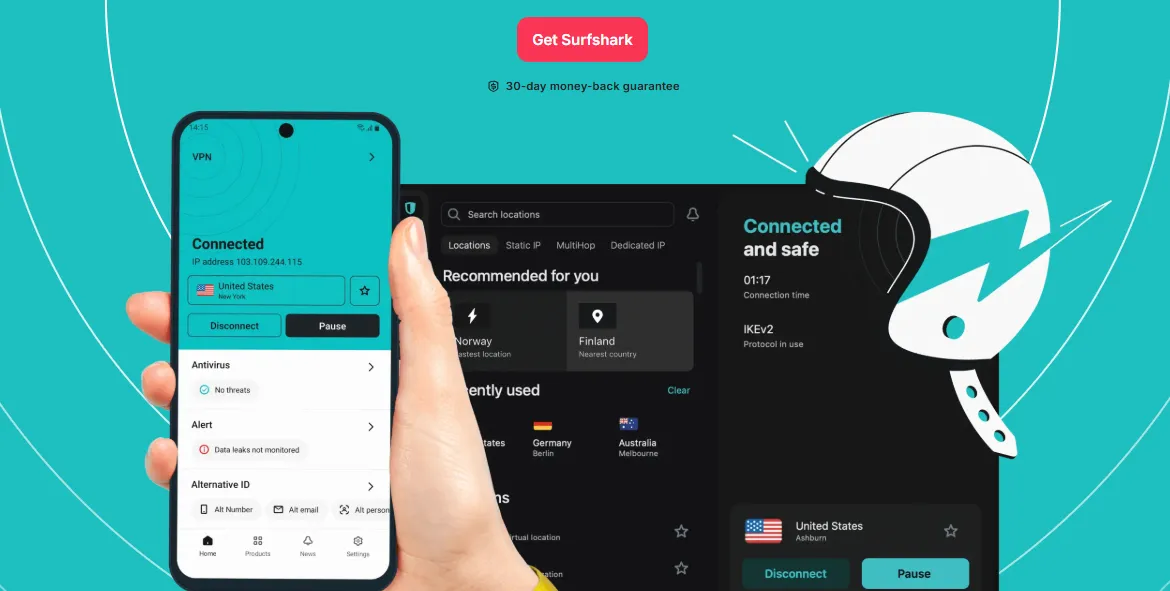
Surfshark VPN has rapidly ascended to the top tier of the VPN industry, becoming a favorite for families and tech-savvy users. Known for its exceptional value and innovative feature set, Surfshark offers a powerful security suite that competes directly with industry giants like ExpressVPN and NordVPN.
Basic Information
-
Headquarters: Netherlands (Operates under a strict audited no-logs policy).
-
Server Network: 4,500+ servers in 100 countries.
-
Protocols: WireGuard (Primary), OpenVPN (UDP/TCP), IKEv2.
-
Simultaneous Connections: Unlimited (The only major premium VPN to offer this).
-
Platform Support: Windows, macOS, iOS, Android, Linux, Fire TV, Apple TV, and browser extensions.
Key Features & Advantages
A. Unlimited Device Support
Surfshark’s standout feature is allowing a single subscription to be used on an unlimited number of devices simultaneously. This makes it the most cost-effective choice for large households or users with extensive device collections.
B. Cutting-Edge Network Technology (Nexus & Everlink)
-
Surfshark Nexus: A unique SDN (Software Defined Networking) technology that connects all servers into a single global network. This allows for features like IP Rotator, which changes your IP address every few minutes without disconnecting the VPN.
-
Everlink: A patented self-healing technology introduced in 2025/2026 that ensures your connection remains stable even during network transitions, minimizing the risk of IP leaks.
C. Advanced Privacy Features
-
CleanWeb 2.0: An integrated ad, tracker, and malware blocker that also handles cookie consent pop-ups.
-
Dynamic MultiHop: Allows you to manually select two different VPN servers to route your traffic through, doubling the encryption and masking your path more effectively.
-
NoBorders Mode: Automatically detects network restrictions (like those in China) and provides a specific list of servers optimized to bypass them.
-
Camouflage Mode: Ensures that even your Internet Service Provider (ISP) cannot tell you are using a VPN (obfuscation).
D. Alternative ID & Number
Surfshark has expanded into identity protection. Users can generate a fake online persona and a secondary email/phone number to use for website registrations, keeping their real identity safe from data brokers and spam.
Tiered Service Plans (2026)
Surfshark offers three main service tiers to fit different budgets:
-
Surfshark Starter: Includes the core VPN service, Alternative ID, and CleanWeb.
-
Surfshark One: Adds an integrated Antivirus, real-time data breach alerts (Alert), and a private search engine (Search).
-
Surfshark One+: The premium tier that includes Incogni, a service that automatically contacts data brokers to remove your personal information from their databases.
Performance & Usability
-
Streaming: Reliably unblocks Netflix, Disney+, Amazon Prime, and local streaming services worldwide in 4K quality.
-
Interface: Features a very clean, minimalist design that is easy for beginners to navigate while hiding advanced settings for power users.
-
Speed: Utilizing 10Gbps server infrastructure and the WireGuard protocol, Surfshark consistently ranks as one of the fastest VPNs on the market.
Summary Table
|
Feature |
Details |
|
Simultaneous Connections |
Unlimited |
|
Privacy Policy |
Audited No-Logs / RAM-only Infrastructure |
|
Kill Switch |
Yes (Reliable protection) |
|
Special Features |
IP Rotator, Bypasser (Split Tunneling) |
|
Customer Support |
24/7 Live Chat and Extensive Guides |
|
Money-Back Guarantee |
30-Day Risk-Free Trial |
Surfshark VPN Review 2026: Best Value VPN with Unlimited Devices
4. ExitLag

ExitLag is a specialized software designed exclusively for online gamers. Unlike traditional VPNs that prioritize privacy and encryption, ExitLag focuses entirely on reducing latency (ping), eliminating packet loss, and stabilizing connections to game servers through proprietary routing technology.
Basic Information
-
Core Function: Gaming Network Optimization (Not a traditional VPN).
-
Headquarters: Brazil.
-
Game Support: 900+ officially supported titles (Valorant, CS2, LoL, Apex Legends, CoD, etc.).
-
Server Network: A dedicated global network of 600+ high-performance servers.
-
Platform Support: Primarily Windows (PC), with a mobile app for Android/iOS.
-
Trial: 3-day free trial (No credit card required).
Key Features & Advantages
A. Real-Time Multi-Path Optimization
This is ExitLag's "Secret Sauce." While standard internet routing sends data through a single path, ExitLag sends data packets through multiple routes simultaneously. If one path becomes congested or drops, the other paths ensure the data still reaches the game server instantly. This virtually eliminates "lag spikes" and packet loss.
B. Smart Routing & Traffic Shaping
ExitLag acts as a GPS for your internet data. It maps the entire global internet structure to find the shortest and most stable route to the specific game server you are playing on, bypassing the inefficient routing often used by local ISPs.
C. FPS Boost (System Optimization)
Beyond network fixes, ExitLag includes a built-in toolkit to boost your PC's performance:
-
Operating System Optimization: Disables unnecessary background processes.
-
Input Lag Reduction: Enhances the response time between your keyboard/mouse clicks and the game's reaction.
-
Stability: Smooths out frame pacing to reduce micro-stuttering.
D. Multi-Internet Support
For competitive gamers with two internet connections (e.g., Ethernet + Wi-Fi or 5G), ExitLag can use both at once. If your primary fiber line fails, the software switches to the backup connection seamlessly without disconnecting you from your match.
ExitLag vs. Traditional VPNs
|
Feature |
Traditional VPN (Nord/Express) |
|
|
Primary Goal |
Gaming Performance |
Privacy & Security |
|
Encryption |
None (to maximize speed) |
High (AES-256) |
|
IP Address |
Keeps your real IP |
Masks your IP |
|
Impact on Ping |
Usually Reduces it |
Often Increases it slightly |
|
Compatibility |
Only affects game traffic |
Affects all web traffic |
Why Gamers Choose ExitLag
-
No Bans: Because it doesn't mask your identity or "cheat," it is generally safe to use and even officially partnered with major Esports organizations (like Gamers Club).
-
Simplicity: One-click optimization. You just select the game, and the software handles the server selection automatically.
-
Global Reach: Essential for players wanting to play on foreign servers (e.g., a player in Asia playing on NA or EU servers).
Pricing Models (2026)
ExitLag typically offers subscription-based pricing:
-
Monthly: ~$6.50 - $8.99 per month.
-
Quarterly/Annual: Significant discounts for long-term commitments.
-
One-Time License: Sometimes available through specific regional partners.
Frequently Asked Questions (FAQ)
Entering the world of regional PSN stores often comes with a bit of "gray area" anxiety. Here are the answers to the most common questions:
Q: Is having multiple regional accounts allowed?
A: Technically, Sony's Terms of Service state you should provide "accurate and complete" information, which includes your country of residence. However, in practice, millions of users have maintained multiple regional accounts for decades. While "account sharing" with other people is frowned upon, having multiple accounts for yourself on one console is a standard practice among the hardcore gaming community. Sony almost never bans users for this alone.
Q: Can I play Japanese games on my US account?
A: Yes! This is the best part of the setup.
-
The Trick: On your PS5, log into your Japanese account and go to Settings > Users and Accounts > Other > Console Sharing and Offline Play. Select Enable. (On PS4, this is "Activate as Primary").
-
The Result: Once enabled, every other user on that console (including your main US account) can play the games and demos downloaded by the Japanese account. You can play your Japanese imports while earning Trophies and chatting with friends on your main profile.
Q: Do I need a VPN to play the games?
A: Usually, no. Once a game or demo is fully downloaded to your console, you can disconnect your VPN and play it like any other title.
-
When you DO need a VPN: You need it to access the store to start a download, to avoid speed throttling during the download, and if you are using Cloud Streaming services that check your IP address in real-time. For standard offline or online play of a downloaded game, your local connection is typically sufficient.
Disclaimer: VPN usage should comply with local laws and terms of service of the platforms accessed. All images in this article are sourced from the merchant's official website and are copyrighted by the merchant.