
Are you feeling overwhelmed by the endless choices of streaming platforms? Should you go for Disney+ with its massive Marvel and Star Wars IPs, or Hulu, the home of critically acclaimed hits like The Handmaid’s Tale and The Bear?
While both platforms are "under one roof" (owned by Disney), Hulu remains notoriously difficult for international fans to access due to its strict geo-fencing (limited to the US and Japan). This guide provides a deep dive into the differences between the two, helps you find the most cost-effective plan (including the Disney Bundle), and provides a step-by-step tutorial on how to bypass Hulu’s payment and regional restrictions using VPNs and gift cards.
Quick Comparison: Disney+ vs. Hulu
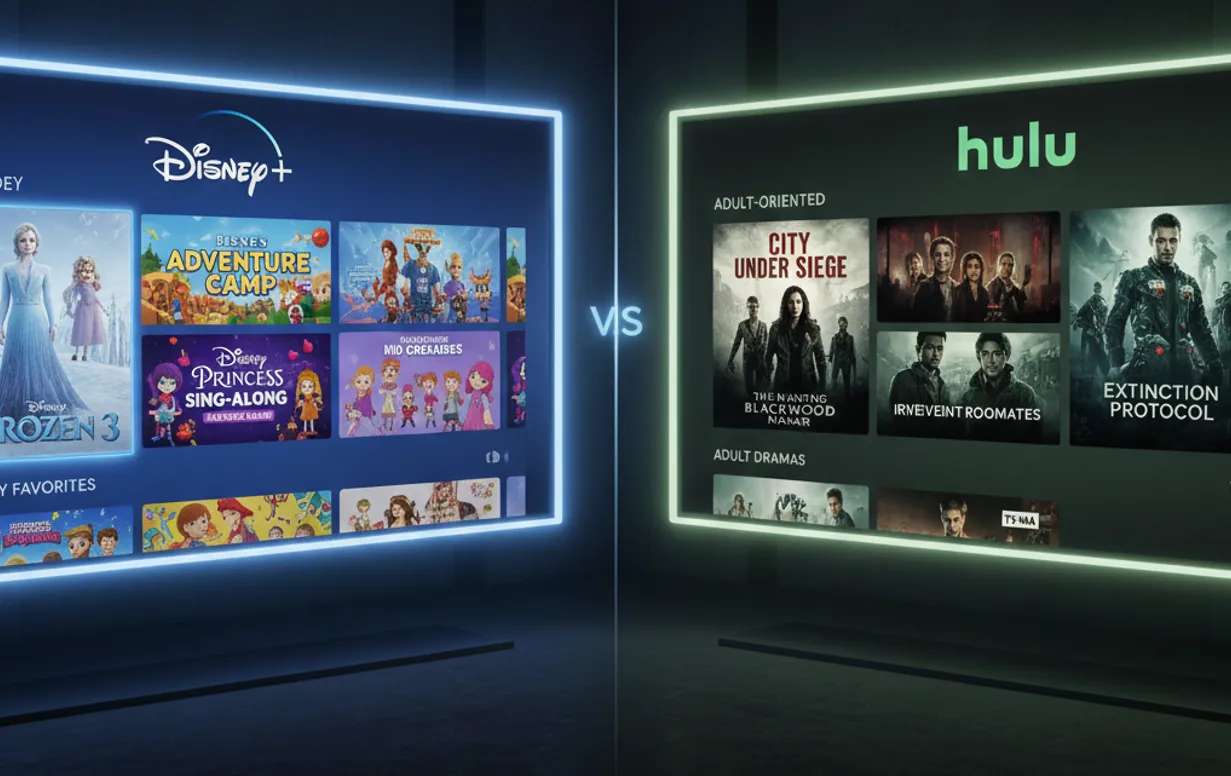
Before we dive into the details, here is a quick overview of the core differences:
|
Comparison Metric |
Disney+ |
Hulu |
|
Core Content |
Disney, Marvel, Star Wars, Pixar, Nat Geo |
FX Hardcore Dramas, ABC/Fox Next-day TV, Reality TV |
|
Accessibility |
Low (Global availability, supports international cards) |
Extreme (US/Japan only, requires US card + Residential IP) |
|
Target Audience |
Families, IP Superfans, Cinephiles |
Hardcore TV Buffs, Reality TV Fans, Live TV Users |
In the streaming world, Disney+ and Hulu represent two ends of a spectrum: one offers high-end industrial IP blockbusters, while the other provides "real-world" live TV and hardcore gritty dramas.
1. Disney+:Best for Families & Super IPs
Disney+ is the centerpiece of the modern living room, offering unparalleled brand recognition. It is the ideal platform for family viewing and revisiting classics.
-
Content Library: 7,500+ titles.
-
Core Content: Disney Animation, Pixar, Marvel, Star Wars, and National Geographic.
-
Audio-Visual Experience: Industry-leading support for 4K UHD, Dolby Vision, and Dolby Atmos. Its IMAX Enhanced format allows you to enjoy a wider aspect ratio on your home TV for a more cinematic feel.
-
Key Features: Supports unlimited downloads on up to 10 devices. The unique GroupWatch feature allows synchronized viewing with up to 6 friends. Robust and easy-to-use parental controls make it a top choice for families.
-
Best For: Families, Marvel/Star Wars superfans, and households with children. If you want to relive your childhood or follow the latest MCU series, this is your only option.
2. Hulu: Best for Prestige TV and Live Shows
If you’re looking for high-quality, mature storytelling and live TV options, Hulu is the more versatile contender—acting as a "modernized digital cable service."
-
Content Library: 3,000+ titles.
-
Core Content: FX-produced gritty dramas (Shōgun, The Bear), next-day releases of ABC/Fox broadcast shows, R-rated films, deep original series (The Handmaid’s Tale), and reality hits like The Kardashians.
-
The "Next-Day" Advantage: Hulu’s biggest strength is timeliness. Most shows aired on major US networks are available on Hulu within 24 hours, making it a powerful tool for fans to stay current and avoid spoilers.
-
Live TV Features: Hulu + Live TV offers over 75 live channels (News, Sports, etc.) and includes an Unlimited DVR feature that saves recordings for up to 9 months.
-
Best For: Hardcore TV buffs, reality show fans, and viewers who prefer deep narratives and adult themes.
3. Pricing and Value: The Ultimate "Disney Bundle"

If you’re on a budget but want a vast library, the Disney Bundle is widely considered the "ultimate value" in the streaming market.
1. Standalone vs. Bundle (No-Ads Comparison)
Based on the 2026 pricing structure, if you seek a clean, ad-free experience, the difference is stark:
-
Individual Subscription: Disney+ Premium ($18.99) + Hulu No Ads ($18.99) = $37.98/mo
-
Duo Premium Bundle: Only $19.99/mo
-
Verdict: Subscribing to the Bundle saves you roughly $18 per month—essentially a "buy one, get one free" deal.
2. The Power of the Bundle Integration
By paying just slightly more than a single platform's price, you can access Disney+, Hulu, and ESPN+. You can now access the Hulu channel directly within the Disney+ app's main menu, eliminating the need to switch apps. Search results are integrated across platforms, making it the pinnacle of streaming value in the US market.
3. Member Exclusive Benefits (Disney+ Perks)
The new Perks program launched in 2026 adds extra value for Bundle subscribers. This includes discounts from partners like Adidas and Funko, and even opportunities to enter sweepstakes for events related to hit shows like Only Murders in the Building.
Understanding the Barriers: Why is Hulu Geoblocked?
For many users accustomed to "one-click unlocking" of Disney+ or Netflix, Hulu remains an impenetrable "technical fortress." The difficulty of accessing Hulu from abroad primarily manifests in three dimensions:
1. Complex Content Licensing (Licensing Conflicts)
Disney+ owns the global rights to most of its content, enabling easy worldwide expansion. Conversely, Hulu hosts vast third-party content (NBCU, Paramount, Fox) whose international rights are often sold to local entities. To honor these contracts, Hulu must enforce strict regional lockdowns to avoid legal risks.
2. Extremely Strict Geo-fencing
Hulu possesses the most advanced anti-proxy algorithms in the streaming industry:
-
Deep IP Blacklisting: Residential IPs are almost a requirement, as standard VPN data center IPs are blacklisted instantly.
-
DNS and Fingerprint Detection: Hulu doesn't just check your IP address; it also forcibly detects your local DNS and WebRTC fingerprints.
-
Fragmentation with Hulu Japan: Although a "Hulu Japan" exists, it is a completely independent entity. Accounts, content, and subscriptions are not interchangeable with Hulu US.
3. Strict Payment Restrictions (The AVS Wall)
This is where most international users fail. While Disney+ accepts most international credit cards, Hulu’s backend implements a rigorous Address Verification System (AVS):
-
Payment cards must be credit or debit cards issued by a US-based bank.
-
The billing address must be a verified, physical US address.
-
Even PayPal accounts used for registration must be linked to a US bank card.
Step-by-Step Guide: How to Watch Hulu Abroad?
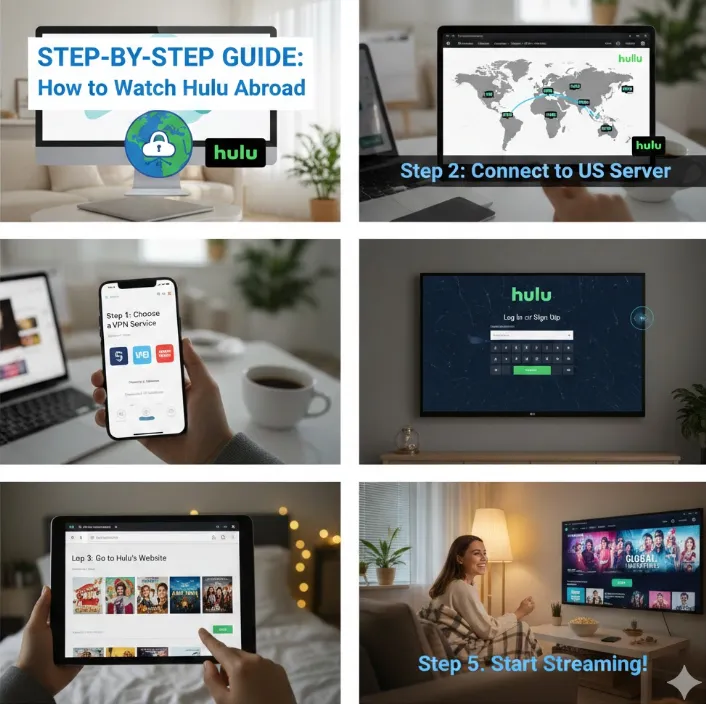
Step 1: Solve Network Issues (VPN Selection)
-
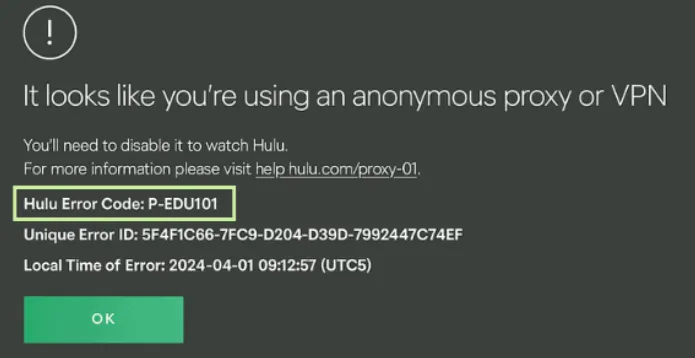
Standard: You must have a "Native/Residential" US IP address. Using standard data center IPs will trigger the P-EDU101 error.
-
Recommendation: Use dedicated streaming nodes from high-quality providers like ExpressVPN or NordVPN.
Step 2: Solve Payment Issues
-
Purchase Gift Cards: Buy a Hulu Gift Card from reputable platforms like Amazon.com or G2A.
-
Denomination Advice: A $25 or $50 card is usually sufficient to start.
Step 3: Redeem and Create an Account
-
Access Point: Visit secure.hulu.com/start/gifting to begin redemption.
-
Enter Code: Input your 12-digit gift card code and click "Redeem."
-
ZIP Code (Crucial): Use a ZIP code from a US Tax-Free State to avoid an additional 8%–10% sales tax:
-
Oregon: 97205
-
Delaware: 19702
-
Montana: 59715
-
New Hampshire: 03102
-
Step 4: Advanced Subscription for the Disney Bundle
If you want to use your gift card balance to subscribe to the Disney Bundle:
-
First, activate a basic Hulu account using your gift card.
-
Go to the "Account" page on Hulu and look for "Add-ons" or "Manage Plan."
-
Select the upgrade to the Disney Bundle.
Step 5: Start Streaming
Log in to your account, and you can now enjoy The Bear from any corner of the globe!
Top VPN Recommendations in 2026 (Anti-Blocking Review)
Choosing the right tool is the first step to a smooth streaming experience. Here are the top-rated VPNs for 2026 specifically tested for Hulu:
|
Recommended Tool |
Primary Strength |
Ideal Audience |
|
Ultimate Stability: Lightway protocol is incredibly fast with high IP refresh rates. |
Users seeking max stability and 4K live streaming. |
|
|
Best All-Rounder: Features SmartPlay tech designed for streaming. |
Users are looking for a balance of features, value, and security. |
|
|
Value King: Budget-friendly pricing with support for unlimited simultaneous device logins. |
Users on a budget or sharing with a large household. |
1. ExpressVPN: The "Evergreen" of Streaming
-
Server Network: High-bandwidth 10Gbps servers ensure no buffering even during peak 4K Hulu streaming hours.
-
Privacy & Security: Features exclusive TrustedServer technology (RAM-only mode). Headquartered in the BVI.
-
Simultaneous Connections: Up to 14 devices.
-
Kill Switch: "Network Lock" prevents your real IP from leaking to Hulu if the connection drops.
-
Pricing & Support: Premium pricing (~$3.49/mo). Fast support with a dedicated "Hulu Connectivity" knowledge base.
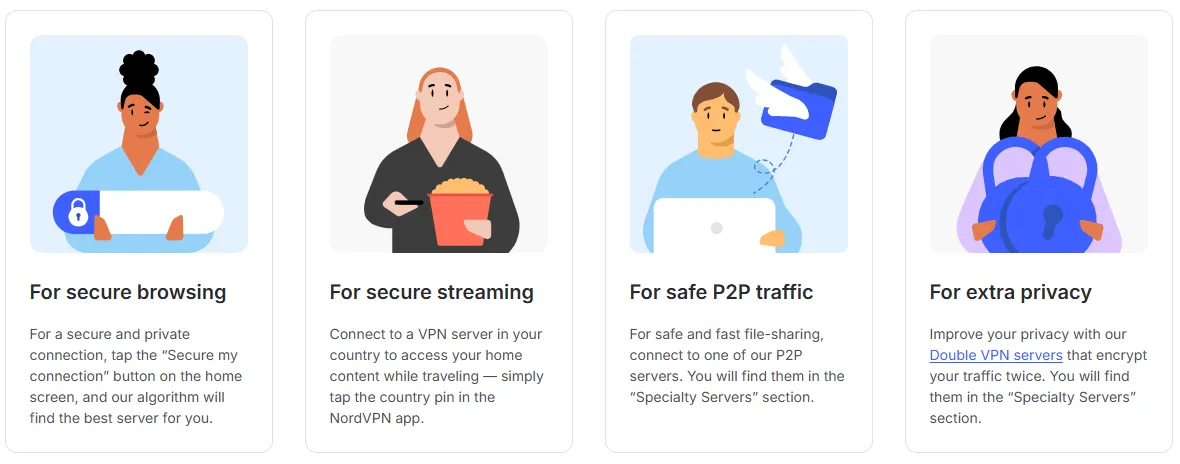
2. NordVPN: The Versatile "Binge-Watching Essential"
-
Server Network: Exceeds 8,800 servers. Includes Obfuscated Servers to disguise VPN traffic as regular HTTPS.
-
Privacy & Security: Offers Double VPN and Dark Web Monitoring. Completed multiple independent "no-logs" audits.
-
Simultaneous Connections: Up to 10 devices.
-
Kill Switch: System-wide or App-level modes for higher flexibility.
-
Pricing & Support: Balanced value (~$2.99/mo). 24/7 Live Chat typically responds within one minute.
3. Surfshark: The Best Choice for Large Households
-
Server Network: Wide distribution with 10Gbps ports. Nexus technology further confuses tracking systems.
-
Privacy & Security: Features CleanWeb 2.0 (ad/malware blocker) and Alternative ID for anonymous registration.
-
Simultaneous Connections: Unlimited.
-
Kill Switch: Full-system Kill Switch ensures traffic stays encrypted during network fluctuations.
-
Pricing & Support: The most affordable top-tier VPN (~$1.99/mo). Support handles basic unlocking issues effectively.
Troubleshooting Common Errors
During your viewing experience, you might encounter some persistent errors. Here is how to diagnose and fix them:
1. Proxy and Location Errors (Most Common)
-
Error Codes: P-EDU101 / P-TS207 / BYA-403-007
-
Cause: Hulu has detected that you are using a VPN or proxy tool.
-
Fixes:
-
Change Server: Switch to a different city node in your VPN (non-peak cities like Dallas or Atlanta are recommended).
-
Flush DNS: Clear your DNS cache by typing ipconfig /flushdns in your computer terminal or restarting your network module.
-
Incognito Mode: Always use your browser's "Incognito" or "Private" mode to prevent cookie-based tracking.
-
-
Location Error:
-
Cause: Mobile apps or browsers lack GPS permission, or the location data conflicts with your IP.
-
Fix: In mobile settings, set Hulu's location permission to "Allow while using the app." Ensure your VPN has "GPS Spoofing" enabled (common on Android).
-
2. Live TV Specific Errors (Home Location)
-
Error Message: "Your current IP address doesn't match your Home Location."
-
Cause: To prevent account sharing, Hulu + Live TV requires users to check in from their "Home Network" once every 30 days.
-
Fixes:
-
Contact Support: Hulu allows users to manually reset their home location 4 times a year.
-
Dedicated IP: If you watch Live TV long-term, consider purchasing a Dedicated IP service from your VPN provider to avoid being locked out by rotating IPs.
-
Navigating the 2026 Hulu + Live TV "Home Network" Lock
-
In 2026, Hulu has significantly tightened its "Home Location" policy. For Live TV subscribers, Hulu designates a single US IP address as your "Home Network" during the initial setup.
1. The 30-Day Check-in Rule: Hulu requires all mobile devices (phones, tablets, and even some streaming sticks) linked to your account to "check in" from your designated Home Network at least once every 30 days. If your device—or even your VPN node—changes its IP address frequently, Hulu’s AI will flag the inconsistency, leading to a permanent "Location Error" or a forced update of your home location (which is limited to only 4 changes per year).
2. The Solution: Dedicated IP (Static IP): For users outside the US, a standard "Shared" VPN server won't work long-term because its IP changes every time you reconnect. The "Nuclear Option" for 2026 is to purchase a Dedicated IP add-on from your VPN provider (available with NordVPN or Surfshark).
3. Why a Dedicated IP is the Only Fix: A Dedicated IP provides you with a fixed, unique US residential address that never changes. By setting this specific IP as your Hulu "Home Location," you ensure that every 30-day check-in looks identical to Hulu's security systems. This tricks Hulu into believing you are permanently residing at a single US address, effectively bypassing the "Home Network" lockout and securing your Live TV access indefinitely.
-
-
3. Playback and Audio-Visual Errors
-
Error Code: P-DEV320
-
Cause: Communication issues with the player, often related to Digital Rights Management (DRM) validation failure.
-
Fixes:
-
Disable Hardware Acceleration: Turn off "Use hardware acceleration when available" in your browser settings.
-
Update Browser: Ensure Chrome or Edge is updated to the latest version to support current Widevine DRM requirements.
-
-
Audio Sync Issues:
-
Cause: Bandwidth fluctuations or high device decoding stress.
-
Fix: Lower the quality from "Best" to "Better" or "Good" in settings, or clear the app cache and restart.
-
Content Spotlight: Must-Watch Titles in 2026
Once you’ve set up your platform, it’s time to fill your watchlist. Here are the most anticipated high-score titles across both platforms for 2026:
1. Hulu: The Sanctuary for Hardcore Drama
Shōgun (Season 2)

-
Genre: History / War / Epic
-
Description: Following its historic Emmy sweep, the saga continues in 2026. This season ventures beyond the original novel to explore Yoshii Toranaga’s (based on Tokugawa Ieyasu) early reign. Expect intricate political maneuvering, the clash between Western technology and Samurai traditions, and the rising tide of hidden rebellions.
The Bear (New Season)

-
Genre: Drama / Workplace / Comedy
-
Description: The "anxiety-inducing" masterpiece enters a deeper psychological phase in 2026. It follows elite chefs struggling between culinary perfection and chaotic personal lives. This season uses stream-of-consciousness editing to explore the loneliness of success and ultimate reconciliation with one's roots. It remains a relatable piece of art for every modern professional.
The Handmaid’s Tale (Final Season)

-
Genre: Dystopian / Thriller
-
Description: After six seasons of oppression and resistance, this global phenomenon reaches its epic conclusion. June’s path has shifted from personal escape to the total dismantling of Gilead’s regime. The final season directly confronts the collapse of the power center, delivering a long-awaited resolution on freedom, motherhood, and sacrifice.
2. Disney+: The Home of Blockbuster IPs
Star Wars: Skeleton Crew

-
Genre: Sci-Fi / Adventure / Action
-
Description: Led by Jude Law, this is Disney+’s flagship 2026 sci-fi project. Described as "Stranger Things in Star Wars," it follows a group of children lost in a remote galaxy trying to find their way home. Beyond the stunning alien vistas and creature designs, it explores courage and friendship with 4K HDR visuals representing the pinnacle of streaming production.
Daredevil: Born Again

-
Genre: Marvel / Crime / Action
-
Description: The much-needed return of gritty Marvel storytelling. Charlie Cox returns to Hell's Kitchen for a darker, more mature narrative. Eschewing over-reliance on CGI, the show returns to visceral, grounded action. The story focuses on Matt Murdock’s moral struggle between the law and vigilantism, and his deepening power struggle with Kingpin.
Loki Spinoffs

-
Genre: Marvel / Sci-Fi / Mystery
-
Description: As the Marvel Multiverse saga reaches a critical stage, the legacy of Loki as the "God of Stories" opens new narrative dimensions. This series focuses on the reconstruction of the TVA and the stabilization of chaotic timelines. It features mind-bending time paradoxes and a "lonely aesthetic" that transcends space and time.
Conclusion: Which One Should You Pick?
In the showdown between Disney+ and Hulu, your choice ultimately depends on your viewing taste and budget balance. Here are the final recommendations based on the landscape of 2026:
-
If you are a family with children or a Super IP fan: Choose Disney+ without hesitation. It is the only platform providing the complete Marvel, Star Wars, and Pixar libraries. Its top-tier 4K HDR audio-visual specs are perfect for those with high-end home theater setups.
-
If you are a hardcore TV buff or a "binge-watcher": Hulu is your true soulmate. Whether it is the intense narrative of The Bear, FX's epic Shōgun, or real-time reality TV from ABC, Hulu satisfies the dual need for "prestige content" and "immediacy."
-
The Ultimate Solution — "I want it all" (The Bundle): If you can't choose, the Disney Bundle (especially Duo Basic or Trio Premium) remains the absolute king of value. Using the gift card method, you can unlock both massive libraries for roughly the price of a single takeout meal.
Note: Blocking strategies in 2026 are increasingly complex. Your first step after subscribing is to pick a tool with a long-standing reputation like NordVPN or ExpressVPN. Remember, streaming platforms update their firewalls constantly; a premium VPN is your only stable ticket for international viewing.
Start your 4K streaming journey today!
Frequently Asked Questions (FAQ)
Q1: Does Hulu support Chinese subtitles? What if there are none?
A: Most Hulu original content does not come with built-in Chinese subtitles.
Solution: We recommend watching on a PC using Chrome and installing extensions like "Language Reactor" or "Dualsub". These tools can call external Chinese subtitle files (SRT) or use real-time machine translation, which works quite effectively.
Q2: Can I share or co-rent a Hulu account with friends?
A: Since late 2024, Hulu has intensified its crackdown on password sharing across different locations. While the Basic plan currently has looser restrictions, the Hulu + Live TV plan forces a "Home Network" binding. Frequent logins from different locations may lead to account suspension. It is recommended that family members stay on the same network or use a VPN with a dedicated IP.
Q3: Why can't I find the Hulu app in the App Store?
A: The Hulu app is only available in the US region of the App Store. You must register a US-based Apple ID to download it on iOS or Apple TV.
Q4: How do I renew my subscription once my gift card balance is empty?
A: Simply purchase a new Hulu gift card and enter the code at hulu.com/gift. The balance will accumulate, and the monthly fee will be automatically deducted from your credit each month.
Q5: Can I modify my Hulu account's password or email from outside the US?
A: Yes, but you must ensure your VPN is in Global Mode and connected to a US node. Hulu's detection for the "Account" page (involving security and payments) is much stricter than the video player. Accessing from a non-US IP may result in page loops or "Forbidden" errors.
Q6: Why is the video quality stuck at 720p, even with the No-Ads plan?
A: Beyond VPN bandwidth limits, Hulu has specific browser requirements. On PC, Chrome and Edge usually reach 1080p. For a full 4K experience, it is recommended to use the official Hulu Windows App or stream via an Apple TV/Android TV box.
Q7: What if my gift card shows an "Invalid Code" error after purchase?
A: 1. Verify you entered the code correctly (watch for 0 vs. O, 1 vs. I). 2. Check if your VPN has dropped; code validation will fail if a non-US IP is detected. 3. If everything is correct, contact the gift card seller immediately.
Note: Gift cards are usually non-refundable once redeemed, so choose reputable platforms.