Few things are as frustrating as settling in for a Marvel marathon only to be greeted by a cryptic Error Code 83 or 73. You're not alone. As of 2026, Disney+ has ramped up its anti-VPN measures to "pixel-level" precision, effectively blacklisting standard VPN nodes.
This guide deconstructs these errors and provides a battle-tested, 5-step blueprint to plug IPv6 leaks, circumvent IP bans, and—most importantly—grant you access to the massive Star content hub.
The "Star" Factor: Why Your Region Matters?
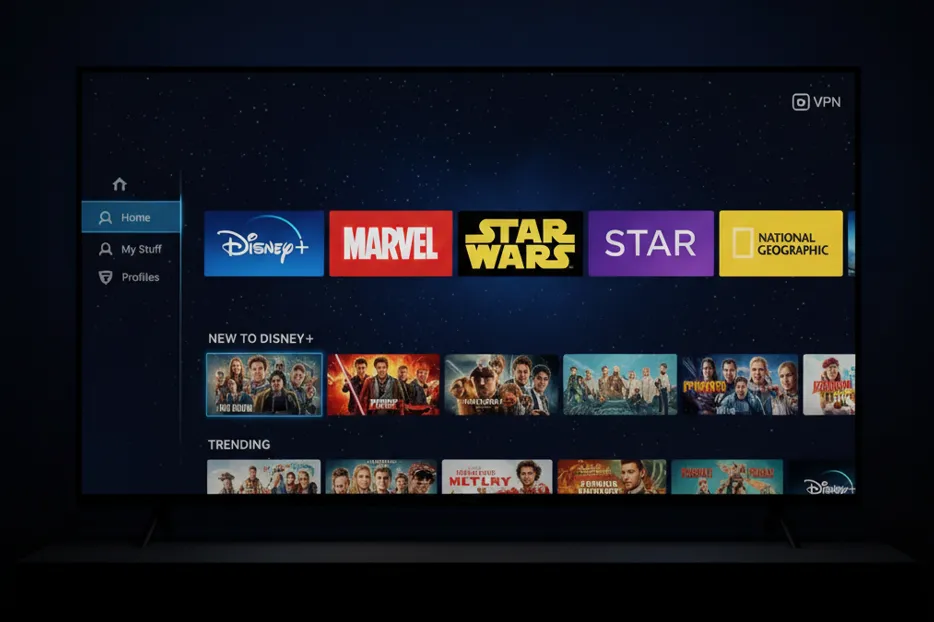
If you're only browsing the US library, you’re missing out on over 60% of the platform’s potential. Disney+ libraries are not created equal; depending on your virtual location, you could be seeing thousands of fewer titles.
Global Disney+ Regions Comparison (2026)
The following table shows the number of titles available in 12 popular Disney+ regions:
|
Disney+ Region |
Total Titles |
Includes Star? |
|
Australia |
2,991 |
✔ |
|
United Kingdom |
2,935 |
✔ |
|
Philippines |
2,890 |
✔ |
|
Canada |
2,887 |
✔ |
|
Germany |
2,631 |
✔ |
|
Spain |
2,544 |
✔ |
|
Italy |
2,448 |
✔ |
|
Netherlands |
2,459 |
✔ |
|
France |
2,316 |
✔ |
|
Turkey |
2,164 |
✗ (Partial) |
|
United States |
2,026 |
✗ (Requires Hulu) |
|
South Korea |
1,754 |
✔ |
Note: Content availability is subject to change due to licensing. Data is for reference only.
Conclusion: The UK and Australia are currently the undisputed "gold mines" for content, boasting nearly 3,000 titles. In contrast, the US library is surprisingly limited (around 2,000 titles) because its mature content is locked behind a separate Hulu subscription.
What is the "Star" Channel?
Outside the US, Disney+ includes the "Star" tile, which serves as a premium hub for:
-
Hulu Originals: Hits like Shōgun, The Bear, and Only Murders in the Building.
-
The FX & 20th Century Vault: The complete Alien, Predator, and Die Hard franchises.
-
Exclusive Asian Content: High-budget K-Dramas, J-Dramas, and regional originals.
Pro Tip: To consolidate your streaming into a single app, use your VPN to connect to Singapore, Hong Kong, Taiwan, the UK, or Canada.
Troubleshooting Error 73 vs. Error 83
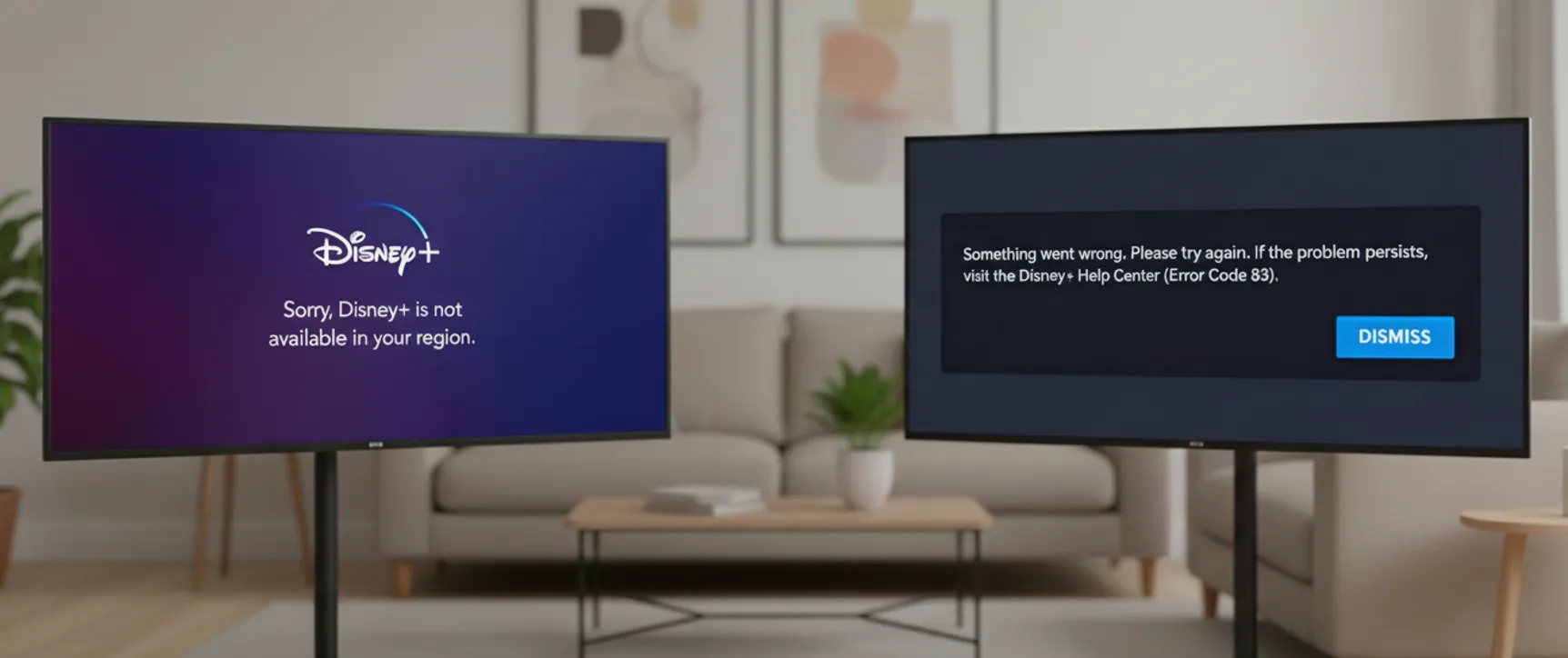
To defeat the block, you first need to understand the "why" behind the error.
1. Error Code 73: The "Location Mismatch"
|
Official Explanation |
Disney+ is not available in your region. |
|
Reality |
IP or DNS Leak. Even with a VPN active, Disney+ has detected your real location (usually through IPv6 or DNS leaks). |
|
Verdict |
Your "disguise" has been exposed; the system knows your real location. |
|
Fix |
Block IPv6 and fix DNS leaks. |
Recommended Leak Test Tools:
-
whoer.net: Checks IP, DNS, and WebRTC anonymity.
-
ipleak.net: Comprehensive detection for IP, DNS, and WebRTC.
-
BrowserLeaks.com: Specialized in browser-side leak checking.
-
Manual Verification: Use dig (macOS/Linux) or nslookup (Windows) in your terminal to verify DNS resolution.
2. Error Code 83: The "Connection Refused"
|
Official Explanation |
A compatibility or connection error occurred. |
|
Reality |
IP Blacklisting. This is the most common issue. Disney+ has identified your VPN's IP as a "Data Center IP"—a known proxy—and cut off access. |
|
Verdict |
Your "ladder" is flagged and blocked. |
|
Fix |
Switch to a high-quality Residential IP node. |
How to Fix Disney+ Error 83 & 73: The 5-Step Blueprint
If you are encountering Error 73 or 83, Disney+ has flagged your connection for a location mismatch or VPN usage. Follow these five high-impact steps to bypass detection and restore your stream.
Quick Setup Checklist
|
Step |
Objective |
Target Error |
Solution |
|
1 |
Eliminate IP Leaks |
Error 73 |
Disable IPv6 (System & Router level) |
|
2 |
Optimize IP Quality |
Error 83 |
Switch to Residential or "Clean" Nodes |
|
3 |
Bypass DPI |
Error 83 |
Update VPN Protocol (Lightway/NordLynx) |
|
4 |
Reset Local Identity |
Both |
Purge Browser Cache & App Data |
|
5 |
Console Setup |
TV/Consoles |
Deploy Smart DNS or VPN Router |
Step 1: Force-Disable IPv6 (Error 73 Fix)
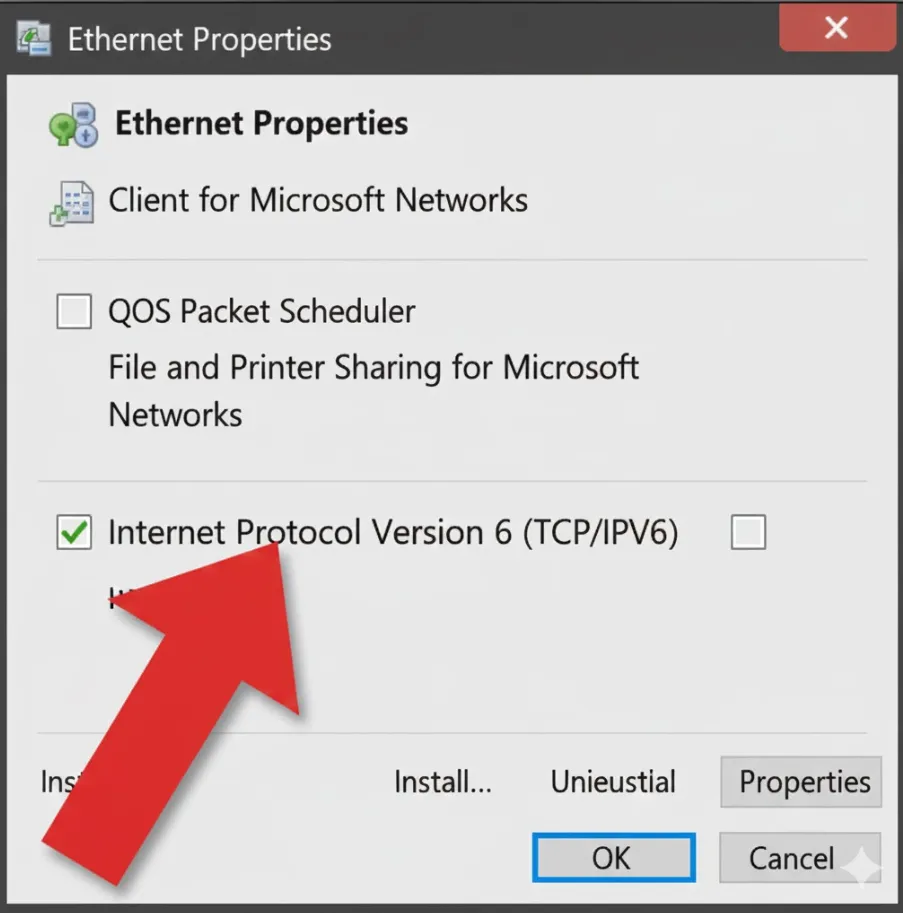
Root Cause: Most VPNs only secure IPv4 traffic. If IPv6 is active, your ISP may "leak" your actual geo-location, bypassing the VPN tunnel and triggering an immediate block.
1. Windows (Adapter Level)
-
Control Panel > Network and Sharing Center > Change adapter settings > Right-click your active connection > Properties > Uncheck Internet Protocol Version 6 (TCP/IPv6) > Click OK.
-
Note: Restart your VPN client after applying.
2. macOS (System Settings)
-
System Settings > Network > Select your connection > Details > TCP/IP > Set "Configure IPv6" to Link-local only or Off.
3. Router (Universal Fix)
-
Log in to your router's admin portal (typically 192.168.1.1). Locate IPv6 Settings under the WAN or Advanced tab and set it to Disabled.
-
Pro Tip: Disabling IPv6 at the router level is the most reliable method for multi-device households.
⚠️Important note:
-
Restart Required: Disabling IPv6 on Windows isn't always instantaneous. You must restart your VPN client and browser (or ideally, the entire device) to flush stale connection data. Failing to do so often results in persistent "false positive" Error 73 blocks.
-
Prioritize Router-Level Disabling: If you have multiple devices on the same network, disabling IPv6 directly on your router is the superior method. This provides a global fix for all connected devices, eliminating the need for tedious individual configurations and preventing potential leak points.
Step 2: Switch to Residential Nodes (Error 83 Fix)
Root Cause: Disney+ actively blacklists generic Data Center IPs. You need a "Residential" IP—one that appears to the system as a standard home internet connection.
Steps:
-
Avoid "Crowded" Servers: Large hubs like Los Angeles or New York are often the first to be flagged.
-
Target Regional Gems: Servers in Singapore, Hong Kong, or Taiwan typically offer better unlocking success and include Chinese subtitle libraries.
-
Identify Specialized Nodes: Always opt for servers labeled "Streaming Optimized" or "Residential."
⚠️Important note:
-
Verify IP Reputation: Once connected, verify your IP via a tool like Google (search "My IP location") or an IP reputation checker. Ensure the connection is flagged as Residential/ISP rather than Data Center/Hosting. If identified as a data center, the node is highly prone to Error 83 flags.
Step 3: Upgrade Your VPN Protocol (Error 83 Fix)
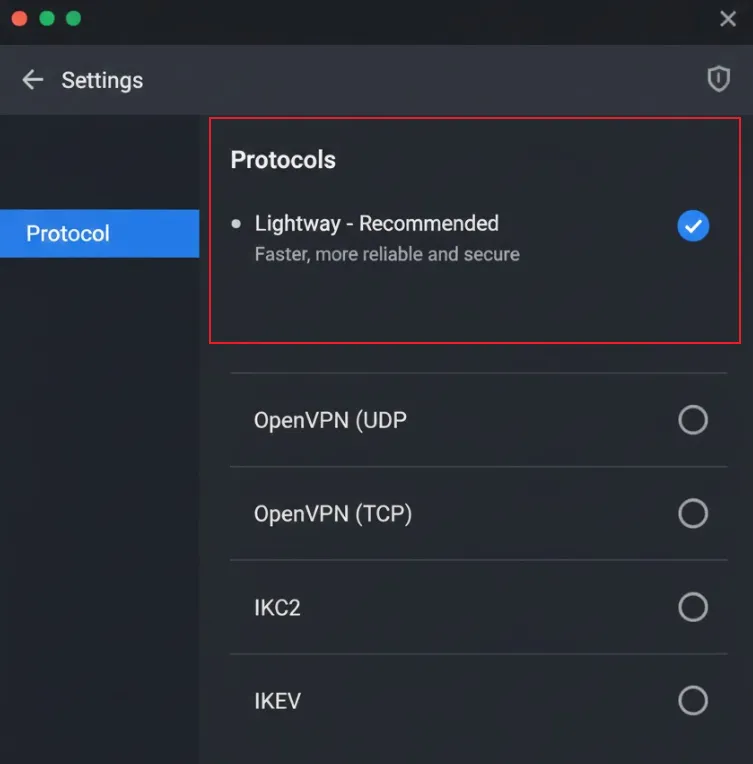
Root Cause: Basic protocols are easily identified by Deep Packet Inspection (DPI). Modern, obfuscated protocols mask VPN traffic as regular HTTPS data.
|
VPN |
Recommended Protocol |
Technical Edge |
Protocols to Avoid |
|
Lightway (UDP) |
Superior obfuscation with minimal latency. |
IKEv2 |
|
|
NordLynx |
WireGuard-based speed with enhanced privacy. |
L2TP/IPsec |
|
|
WireGuard |
Best-in-class compatibility for high-bitrate 4K. |
IKEv2 |
⚠️Important Note:
-
Disable "Automatic" Selection : While VPN clients often default to an "Automatic" protocol mode, this can frequently lapse into older, easily detectable protocols. To bypass advanced streaming blocks, you must manually lock your client to one of the recommended protocols above (e.g., Lightway or NordLynx).
Step 4: Purge Browser & App Cache (Error 73/83 Fix)
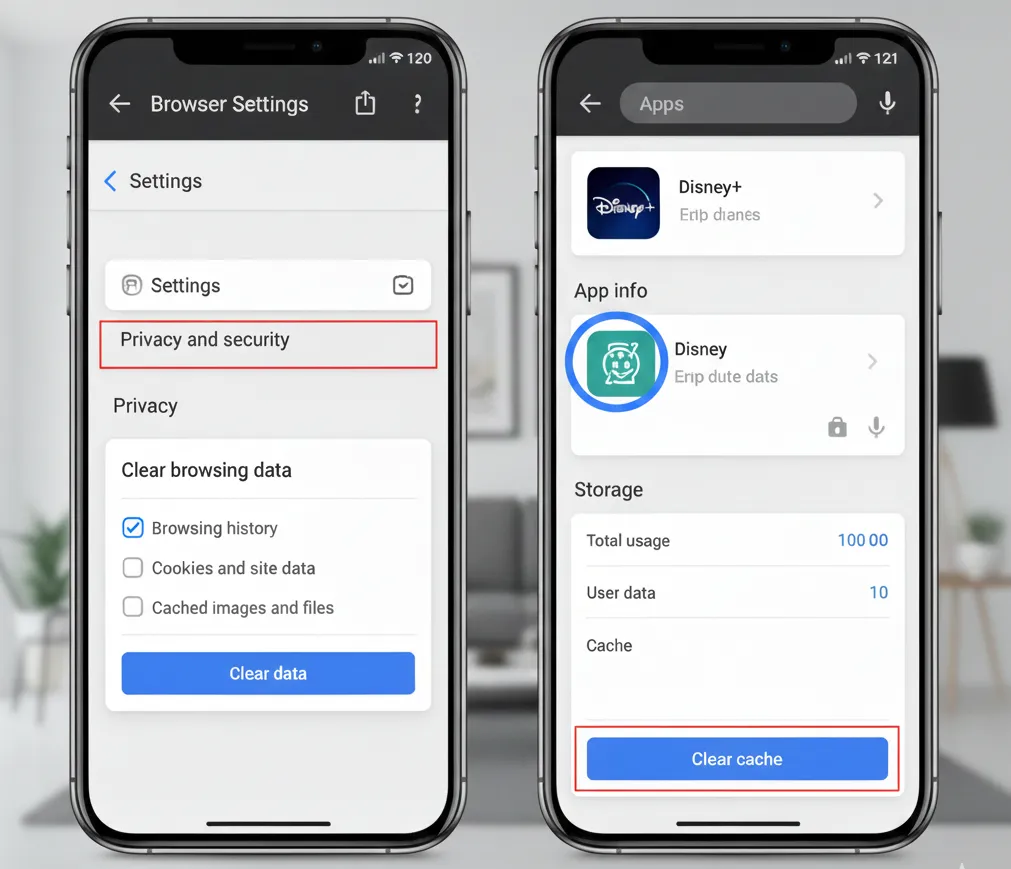
Root Cause: Disney+ stores "Location Tokens" in your local storage. If you previously failed a login, the app will continue to read that "failed" state regardless of your new VPN IP.
Steps:
-
Browsers: Use Incognito Mode or perform a hard reset via Ctrl+Shift+Del to wipe all Cookies and Site Data.
-
Android: Settings > Apps > Disney+ > Storage > Clear Data.
-
iOS: Apple does not allow manual cache clearing for apps. You must Uninstall, restart the device, and Reinstall the app.
⚠️Important Note:
-
Decline Browser Location Requests: When accessing Disney+ via a browser (even in Incognito Mode), you may be prompted to "Allow Disney+ to access your location." Always select "Block" or "Deny." Granting this permission allows the browser to bypass your VPN's IP and use high-precision Wi-Fi/GPS positioning, which leads to an instant Error 73 block.
Step 5: Advanced Setup for TV & Consoles
Root Cause: Apple TV, PS5, and Xbox lack native VPN support. You must redirect their traffic at the network level.
Smart DNS Configuration
-
Activate Smart DNS: Log in to your VPN provider's web portal (e.g., ExpressVPN's MediaStreamer). Under "DNS Settings" or "Device Setup," register your IP address and obtain your unique Smart DNS server IPs.
-
Modify Console Settings: On your Apple TV or console, navigate to Network Settings > Configure DNS and switch from "Automatic" to Manual.
-
Apply Custom DNS: Enter the Smart DNS server addresses provided by your VPN service.
⚠️ Important Limitations of Smart DNS:
While Smart DNS effectively bypasses geo-blocks, it lacks traffic encryption and obfuscation. In highly restrictive network environments, its reliability may fluctuate. For a more robust connection, a VPN-enabled router is the preferred choice.
🔔Pro-Level Routing Strategies:
-
VPN-Enabled Router (OpenWrt/DD-WRT): Flash your router with VPN-compatible firmware to encrypt your entire network. This automatically protects every connected device without individual configuration.
-
Virtual Hotspot: Use your PC or Mac to create a Wi-Fi hotspot while connected to a VPN. Connect your Apple TV or console to this hotspot for an immediate, encrypted tunnel.
-
Sidecar Proxy (Advanced): For power users, run a proxy client (such as Clash or Surge) on a local PC and point your console’s gateway to that device’s IP. This allows for granular traffic routing and high-performance unlocking.
Advanced Troubleshooting: Fixing Disney+ Blocks on Smart TVs, Mobile Apps, and Local Networks
If Error 83/73 persists despite correct VPN settings, you are likely facing an IP conflict between your local ISP and Disney+ servers. The following "Mobile Hotspot Bridge" strategy bypasses these localized fixed-line issues.
1. Web Browsers (PC/Mac)
-
Obstacle: Your home broadband IP is blacklisted or flagged, preventing the browser from establishing a secure session during login.
-
Steps:
-
Sever Fixed Connection: Disable Wi-Fi or unplug Ethernet to fully disconnect from your home broadband.
-
Tether to Mobile Data: Connect your computer to your smartphone’s Personal Hotspot (4G/5G).
-
Launch & Switch: Log in to Disney+ while on cellular data. Once playback begins and the session is authorized, you can attempt to switch back to home Wi-Fi.
2. Mobile Applications (iOS/Android)
-
Obstacle: The app reads the conflicting Wi-Fi IP during the initial handshake, triggering a persistent error state in the background.
-
Steps:
-
Force Quit: Fully close the Disney+ app from your background processes.
-
Switch to Cellular: Turn off Wi-Fi and launch the app using strictly 4G/5G mobile data.
-
Handover: Once the main profile selection screen loads, re-enable Wi-Fi for stable streaming.
3. Smart TVs & Consoles
-
Obstacle: Fixed devices are often "trapped" behind the home network's DNS/IP environment, making it impossible to clear initial verification flags.
-
Steps:
-
Temporary Tethering: Connect your TV or Console to your phone's 4G/5G mobile hotspot.
-
Validate Playback: Open the Disney+ app to complete the login and playback verification.
-
Revert Network: Once the stream is active, switch the network settings back to your primary broadband.
-
Final Maintenance Checklist:
-
Hardware Reboot: Restart your TV or Console to clear temporary system flags.
-
Version Control: Ensure the Disney+ app is updated to the latest version via your respective app store.
-
Device Eligibility: Verify your hardware remains on the official Disney+ supported device list.
⚠️ Pro Tip: While "Network Switching" is an effective temporary workaround, it is not a permanent fix. For a seamless experience, a premium VPN paired with a strictly IPv6-disabled environment remains the most reliable long-term solution.
2026 Premier VPNs for Mainland China: Streaming Unlocking, Native IPs, and Obfuscation Protocols
The Standard for Excellence: Navigating the "Great Firewall" while bypassing Disney+ geo-blocks requires a specific set of tools. A top-tier provider must offer:
-
Obfuscation Capabilities: To penetrate the GFW and mask VPN signatures.
-
Native IP Pool: For a stable and consistent bypass of geographic restrictions.
-
High-Bitrate 4K Throughput: To maintain UHD streaming quality without buffering.
Following an exhaustive audit of over 65 providers, these are our three highest-rated VPNs for 2026, proven to deliver a consistent, uninterrupted viewing experience.
VPN Performance Comparison for "Star" Content Access
|
Features |
|||
|
Star Unlocking Rate |
⭐️⭐️⭐️⭐️⭐️ (99%) |
⭐️⭐️⭐️⭐️ (95%) |
⭐️⭐️⭐️ (90%) |
|
Protocol Advantage |
Lightway (UDP): Proprietary, stealthy, and ultra-fast. |
NordLynx: High anonymity based on WireGuard. |
WireGuard/NoBorders: Tuned for extreme censorship. |
|
Recommended Nodes |
Singapore - Marina Bay, USA - Santa Monica |
Obfuscated Servers, Dedicated IP |
Hong Kong / Taiwan (Niche nodes) |
|
IP Reputation (Error 83) |
⭐️⭐️⭐️⭐️⭐️ Elite: Deep pool of native residential IPs. |
⭐️⭐️⭐️⭐️ High: Reliable; Dedicated IP add-on available. |
⭐️⭐️⭐️ Moderate: Best results using niche Asia-Pacific nodes. |
|
Leak Protection (Error 73) |
⭐️⭐️⭐️⭐️⭐️ Exceptional: Built-in IPv6/DNS leak shielding. |
⭐️⭐️⭐️⭐️ Strong: Specialized Obfuscated Servers for GFW. |
⭐️⭐️⭐️⭐️ Strong: Automated IPv6 blocking for stealth. |
|
Infrastructure Speed |
⭐️⭐️⭐️⭐️⭐️ Ultra-Fast (100Mbps+) |
⭐️⭐️⭐️⭐️ Fast (90Mbps+) |
⭐️⭐️⭐️ Stable (80Mbps+) |
|
Device Limit |
14 Devices |
10 Devices |
Unlimited |
|
Pricing |
$3.49/mo |
$2.99/mo |
$2.49/mo |
|
Refund Policy |
30-Day Money-Back |
30-Day Money-Back |
30-Day Money-Back |
|
Best For |
Users demand absolute stability and a seamless experience. |
Power users seeking dedicated IPs and advanced security. |
Multi-device households or budget-conscious users. |
1. ExpressVPN: The Standard for Throughput & Reliability
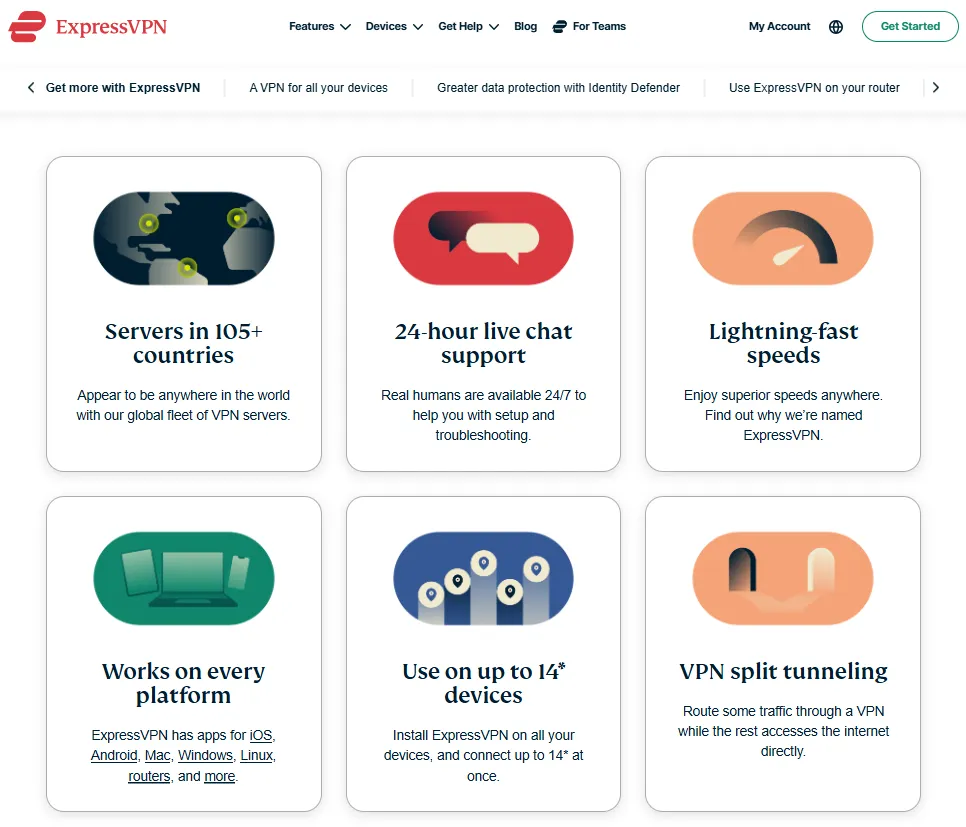
ExpressVPN is arguably the most consistent streaming VPN on the market. Its elite IP quality and proprietary protocol make it the definitive solution for users who want to avoid the "cat-and-mouse" game of server hunting.
Pros:
-
Elite Speeds: Avg 85Mbps+; seamless 4K HDR playback.
-
Lightway Protocol: Native obfuscation to bypass DPI filters.
-
Native tvOS App: Tailored experience for Apple TV users.
-
Leak Protection: Advanced IPv6/DNS security measures to eliminate Error 73 triggers.
-
Smart DNS: Includes reliable MediaStreamer functionality for gaming consoles and legacy hardware.
Cons:
-
Premium Cost: Significantly higher price point than competitors.
-
Search Verification: Certain shared IPs may occasionally trigger Google search CAPTCHAs.
ExpressVPN Setup Guide:
-
Lock the Protocol: Navigate to "Options/Preferences" -> "Protocols" and manually select Lightway - UDP.
-
Server Selection: Use the global search for Singapore - Marina Bay or USA - Santa Monica. If a node is under maintenance, their 24/7 Live Chat provides real-time updates on "Streaming-Validated" servers.
-
Security Check: Ensure the Network Lock (Kill Switch) is engaged before launching Disney+.
2. NordVPN: Robust Infrastructure & Dedicated IP Solutions
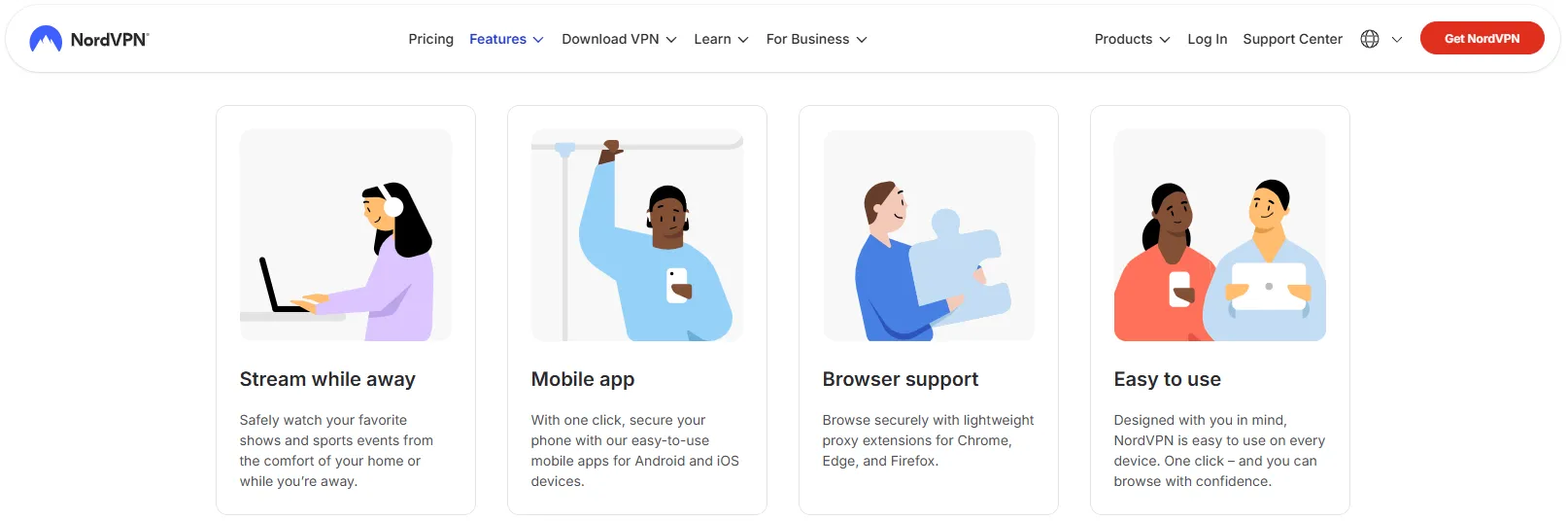
NordVPN distinguishes itself with a specialized network of Obfuscated Servers and premium Dedicated IP options. Engineered for high-censorship environments, it offers a powerful technical framework specifically tuned to resolve Error 83.
Pros:
-
Obfuscated Servers: Purpose-built to bypass the Great Firewall (GFW) and resist DPI.
-
Dedicated IP: Provides an exclusive, static IP to effectively eliminate Error 83.
-
NordLynx Protocol: Based on WireGuard technology; delivers superior bandwidth for buffer-free 4K streaming.
-
Threat Protection: Built-in security suite to block ads and malware.
-
Device Capacity: Secure up to 10 devices simultaneously.
Cons:
-
Connection Latency: Server handovers and initial connection times can lag behind ExpressVPN.
-
UI Complexity: The map-centric interface may feel less intuitive on mobile devices.
-
Stability: Stability can fluctuate during intense periods of regional censorship.
NordVPN Setup Guide:
-
Lock the Protocol: Navigate to "Settings" -> "Connection" -> "Auto-connect" and manually set the protocol to NordLynx.
-
Obfuscation Mode: Locate the "Specialty Servers" menu in the application sidebar.
-
Server Selection: For users in China, you must connect via an Obfuscated Server to successfully tunnel through the Great Firewall.
-
Dedicated IP (Optional): If standard servers trigger Error 83, utilizing a Dedicated IP is the definitive fix, as it prevents your connection from being flagged alongside shared VPN traffic.
How to Get NordVPN Free Trial for 7 & 30 Days in 2026
3. Surfshark: Unmatched Value & Unlimited Connectivity
Surfshark has emerged as a powerhouse for cross-regional streaming, particularly for multi-device households. Its ability to maintain access to Disney+ (including the Star network) at an aggressive price point makes it an exceptional entry-level choice.
Pros:
-
Unlimited Connections: Secure an entire household without hitting device caps or Error 83 limits.
-
Global Accessibility: Every server in the network supports Disney+ cross-regional access.
-
NoBorders Mode: Proprietary obfuscation specifically designed for strict network censorship.
-
Exceptional Value: One of the most cost-effective premium VPNs on the market.
-
Elite Speeds: Avg speeds of 83Mbps+ ensure buffer-free HDR streaming.
Cons:
-
Server Variance: Performance can be inconsistent across certain nodes; requires manual switching.
-
Leak Sensitivity: Highly sensitive to IPv6 leaks; strict manual disablement is mandatory.
-
DNS Performance: Smart DNS can be slower compared to ExpressVPN.
Optimal Setup Guide for Surfshark:
-
Lock the Protocol: Navigate to "Settings" -> "VPN Settings" -> "Protocol" and select WireGuard for optimal throughput.
-
NoBorders Mode: Navigate to "Settings" -> "Advanced" and enable NoBorders Mode to maximize penetration through the GFW.
-
Server Selection: Prioritize niche nodes in Taiwan or Hong Kong for the best balance of speed and regional content accessibility.
-
Mandatory Check: Before connecting, verify that IPv6 is disabled at the system level to prevent geo-spoofing failures.
Surfshark Free Trial Hack (2026): How to Get 30 Days for Free!
🔔 The Necessity of Premium Services
Free VPNs are fundamentally incapable of sustaining the infrastructure required for Disney+. They lack the capital to rotate Residential IPs or develop custom protocols to bypass DPI (Deep Packet Inspection). As Disney+ refreshes its blacklist daily, only premium providers have the technical agility to maintain access. A paid subscription isn't just for speed—it's for the certainty that your service will work when you press play.
Common Pitfalls & Troubleshooting Myths
Avoid these frequent "traps" that users often fall into when trying to resolve Disney+ connectivity issues.
Myth 1: Free VPNs Can Unlock Disney+
-
Reality: This is the most common misconception. Free VPN IPs are shared by thousands of users and are instantly blacklisted by Disney+'s anti-proxy systems, triggering a near 100% Error 83 failure rate. Furthermore, free services pose significant risks, including data harvesting and malware injection.
-
Advice: Abandon all free VPN tools. To counter Disney+'s rigorous detection, you must use a paid service with residential IP pools. Utilize the 30-day money-back guarantees offered by premium providers to test compatibility risk-free.
Myth 2: The US Region Offers the Most Content
-
Reality: While the US is a major hub, it often lacks the Star title (which includes Fox, FX, and mature-rated content) due to complex licensing and existing domestic contracts (like Hulu). Regions like Canada, the UK, and Japan typically offer the most comprehensive content libraries, including the full Star catalog.
-
Advice: Don't limit yourself to US nodes. To access the Star category and a wider range of international titles, switch your VPN to Canada, the UK, or Japan.
Myth 3: Buying Cheap "Unlock DNS" or Third-Party Tools
-
Reality: Low-cost "Unlock DNS" services found on platforms like Taobao often rely on unstable DNS poisoning techniques. They cannot withstand Disney+'s advanced IP/DNS verification protocols and frequently fail within days. They also pose severe privacy risks.
-
Advice: Rely exclusively on the official tools provided by your premium VPN (e.g., ExpressVPN's MediaStreamer). Avoid any unverified third-party "unlocking" services.
Myth 4: Mobile App and Web Browser Experiences Are Identical
-
Reality: The Disney+ mobile app is significantly more aggressive than web browsers in its detection protocols. It can access deeper device metadata and location permissions, making it more prone to Error 73/83. Web browsers (especially in Incognito mode) are often more resilient.
-
Advice: If you encounter persistent errors on the mobile app, switch to a desktop browser in Incognito/Private mode. If the website works while the app doesn't, the issue lies with the app's cache or permissions rather than your VPN.
Disney+ 2026: The Ultimate "Star" Content Watchlist
Once you’ve cracked the code and bypassed those geo-blocks, immerse yourself in these three genre-defining hits. These flagship series are the crown jewels of the Star (FX/Hulu) library and are absolute must-watches for premium subscribers:
1. Shōgun (Season 2)

-
Genre: Historical Epic / Political Thriller.
-
Introduction: Fresh off a historic Emmy sweep, Shōgun returns with its trademark blend of razor-sharp political maneuvering and visceral action. Set against the backdrop of feudal Japan, the series offers unparalleled cinematic grandeur and complex "adult" storytelling. It is widely considered the gold standard for historical drama in the streaming era.
2. The Bear

-
Genre: Dramedy / Culinary High-Stakes.
-
Introduction: A bona fide cultural phenomenon. The Bear captures the chaotic, heart-pounding intensity of a high-end kitchen while delivering a deeply emotional story of family trauma and professional redemption. Its frantic pacing and gritty aesthetic make it one of the most uniquely "American" viewing experiences available today.
3. Only Murders in the Building

-
Genre: Mystery / Dark Comedy.
-
Introduction: Featuring the electric chemistry of Selena Gomez, Steve Martin, and Martin Short, this series is a masterclass in "cozy" crime storytelling. It perfectly skewers the modern obsession with true-crime podcasts through a lens of sophisticated New York wit. Vibrant, suspenseful, and endlessly charming—it’s the perfect "binge-watch" for your newly unlocked library.
Troubleshooting Reference: Other Disney+ Error Codes
While Error 73 and 83 are the most common hurdles, you may encounter other status codes. Identifying these helps pinpoint whether the issue is rooted in network congestion, account settings, or VPN detection.
|
Error Code |
Scenario |
Recommended Fix |
|
91 / 92 |
Rate Limiting & Traffic Congestion: The system detected excessive requests from your current IP, flagging potential automated activity or heavy server load. |
Switch VPN Server: This usually indicates a crowded node. Connecting to a fresh server will typically reset your traffic quota. |
|
22 |
Geo/Age-Rating Restrictions: Content is restricted either by local licensing laws or the age rating set on your profile. |
Adjust Profile Settings: Ensure your profile's Content Rating is set to 18+. If it persists, switch to a region with broader licensing (e.g., UK or Singapore). |
|
14 |
Credential Verification Failure: Often appears as a wrong password prompt, but in restricted regions, it frequently masks a VPN detection flag. |
Flush Cache / Use Incognito: If your password is correct, try a Private/Incognito window or a server with superior obfuscation. |
|
42 / 142 |
Connection Timeout: The device failed to establish a secure "handshake" with Disney's servers due to high latency or packet loss. |
Switch Tunneling Protocol: Toggle from UDP to TCP. If ineffective, check local ISP stability or move to a lower-latency Asia-Pacific node. |
|
1026 |
System Sync Error: Typically specific to smart TV or mobile apps when local data becomes desynchronized from the server. |
Reset Client Data: Restart the device or fully clear the app’s cache. If persistent, try accessing Disney+ via a mobile browser instead. |
|
401 |
Unauthorized Access: The platform failed to validate your active login session. |
Force Re-Login: Log out, disconnect your VPN, reconnect to a clean node, and sign in again to refresh your session tokens. |
Pro-Tip: Most connectivity-based errors (91, 142) are resolved by switching to a "cleaner" VPN node, whereas permission-based errors (22, 14) usually require adjusting profile settings or browser privacy environments.
Conclusion
Errors 73 and 83 are the results of a high-stakes cat-and-mouse game between Disney+ and VPN providers. In 2026, securing a stable 4K experience from mainland China requires a top-tier VPN that meets three non-negotiable standards:
-
Residential IP Pools: Clean, non-data center IPs that bypass aggressive streaming blacklists.
-
Stealth Protocols: Advanced obfuscation (like Lightway or NordLynx) to penetrate the Great Firewall (GFW) without detection.
-
Bulletproof Leak Protection: The ability to fully disable IPv6 and keep your geographic coordinates completely hidden.
Stop wasting time with router resets. Secure a premium VPN, leverage their 30-day money-back guarantee, and start streaming your favorite content today.
Frequently Asked Questions (FAQ)
Q1: What are the differences between Hong Kong, Japan, and US libraries?
-
The "Star" Hub: Disney+ Star is a content category for mature audiences, featuring major titles from Fox, ABC, and FX.
-
Hong Kong: Includes Star. Features a massive library of Asian dramas alongside Western hits. Highly recommended for regional balance.
-
Japan: Includes Star. A robust library, though specific titles may vary due to local licensing.
-
USA: Does not use the Star brand. Instead, that content is hosted on Hulu (which requires a separate subscription).
-
Pro-Tip: Connect to Hong Kong for the most comprehensive, all-in-one content catalog.
Q2: How does Disney+ detect VPN usage?
Disney+ maintains an extensive database of known VPN and proxy server IP ranges. Their automated systems monitor for high-traffic "Data Center" IPs; if dozens of users are streaming from the same shared IP, it is immediately flagged. Using a Residential IP effectively bypasses this detection by making your connection look like standard home internet.
Q3: How do I verify if my VPN uses a "Residential IP"?
Connect to your VPN and visit a tool like ipinfo.io. Look for the "Usage Type" or "Type" field. If it identifies as "Residential" or "ISP," your IP is clean. If it says "Data Center" or "Hosting," you are at a much higher risk of encountering Error 83.
Q4: Why is my stream buffering even with a VPN?
-
Server Congestion: Popular nodes (like Los Angeles) are often overcrowded, spreading bandwidth thin.
-
Outdated Protocols: Legacy protocols like L2TP or IKEv2 struggle with high-bitrate 4K data.
-
Solution: Switch to a less-congested regional node (e.g., Taiwan or Singapore) and ensure your protocol is set to Lightway (ExpressVPN) or NordLynx (NordVPN).
Q5: How do I install the Disney+ app in Mainland China?
-
iOS: You must log in with a non-mainland Apple ID (US, HK, or Japan) to access the app in the App Store.
-
Android: Use a VPN to access the Google Play Store or download a verified APK from a reputable mirror site.
Q6: Billing Locale vs. Streaming Location: What’s the difference?
|
Feature |
Billing Locale (Account Origin) |
Streaming Location (Current IP) |
|
Definition |
The region tied to your payment method. |
The location of your active VPN server. |
|
Impact |
Determines your monthly price and currency. |
Determines the content library currently available. |
|
Interface |
Set your default language and subtitle preferences. |
Used by Disney+ for geo-verification (Error 73/83). |
|
Relationship |
Does not need to match your VPN location. |
Must be a Disney+ supported region. |