Imagine this: You’re settled into a comfortable chair at a local coffee shop, ready to tackle your morning tasks. You try to log in to your company's internal server, your cloud dashboard, or a sensitive client database. Suddenly, the screen turns red: Access Denied. Or perhaps you make it to the login screen, only to be met with an endless loop of "Select all images with traffic lights." Because you are using a standard VPN, you are being bombarded with CAPTCHAs because the system flagged your connection as "suspicious." This is the "dirty IP" effect, and in 2026, it’s becoming the number one productivity killer for remote professionals.
The Reality: Why "Shared" Isn't Always Better
Standard consumer VPNs operate on a "Shared IP" model. When you connect, you are assigned an IP address that is simultaneously being used by hundreds, or even thousands, of other users around the globe.
While this model is excellent for high-level anonymity—since your individual traffic is buried among thousands of others—it is fundamentally flawed for business security and digital reputation:
-
IP Blacklisting: If just one person sharing your IP behaves maliciously or triggers a security alarm on a site like PayPal or Gmail, that IP becomes "dirty," and everyone using it gets blocked.
-
Security Paradox: Your company’s IT department wants to secure the network by only allowing known users. If your IP address changes every time you toggle your VPN, they cannot distinguish your "trusted" connection from a hacker’s attempt.
The Solution: The Dedicated IP (Static IP)
The solution is a Dedicated IP address (also known as a Static IP). Unlike a shared address, a Dedicated IP belongs only to you. It is your permanent, unique digital fingerprint on the internet. It provides the encrypted tunnel of a VPN with the consistent identity of an office workstation.
The Promise of This Guide
You don't need to be a network engineer or invest in thousands of dollars of enterprise-grade hardware to secure your remote setup.
In this guide, we will break down exactly why a Dedicated IP has become the gold standard for the modern remote worker. We will walk you through the precise, step-by-step process of acquiring one using affordable consumer VPN services—ensuring you have seamless, secure access to your professional tools from anywhere in the world.
Part 1: Why Use a Dedicated IP for Corporate Access?
1. IP Whitelisting (The "VIP Pass" for Firewalls)
To mitigate the risk of data breaches, many companies implement strict "IP Whitelisting" or Access Control Lists (ACLs). Their firewall is configured to block all incoming traffic unless it comes from a pre-approved, trusted IP address. If you are using a standard VPN, your IP address changes every time you connect, making it impossible for your IT department to grant you permanent access.
The Benefit: With a Dedicated IP, you are assigned a single, unchanging address. You can provide this specific IP to your IT administrator to be "whitelisted." This allows you to securely access sensitive internal resources—such as production databases, admin panels, and proprietary software—from anywhere in the world while maintaining the high-level security of an office-bound employee.
2. Avoiding "Suspicious Activity" Flags
Modern platforms like Gmail, PayPal, Slack, and AWS use sophisticated fraud detection. If they detect a login attempt from an IP address that was recently spotted in three different countries within the same hour (a common occurrence with shared VPN IPs), they will instantly lock the account for your "protection." For a remote worker, this often results in hours of lost productivity spent verifying identities and resetting passwords.
The Benefit: A Dedicated IP simulates the behavior of a standard home or office connection. Because the traffic signature is consistent and unique to you, these platforms recognize your connection as legitimate and safe. You get the security of a VPN without the constant "Account Locked" headaches.
3. CAPTCHA-Free Browsing
Shared VPN IPs are often "abused" by automated bots or scrapers. When thousands of people use the same address, security services like Google and Cloudflare view that IP as a high-risk source. This leads to the "CAPTCHA trap," where you are forced to solve puzzles for almost every search or website visit because the IP’s reputation is "dirty."
The Benefit: Since you are the only person using your Dedicated IP, it maintains a clean reputation. You aren't being penalized for the bad behavior of others. You can enjoy a smooth, uninterrupted browsing experience—no more "selecting all traffic lights" just to do your job.
Part 2: Dedicated IP vs. Static IP — What's the Difference?
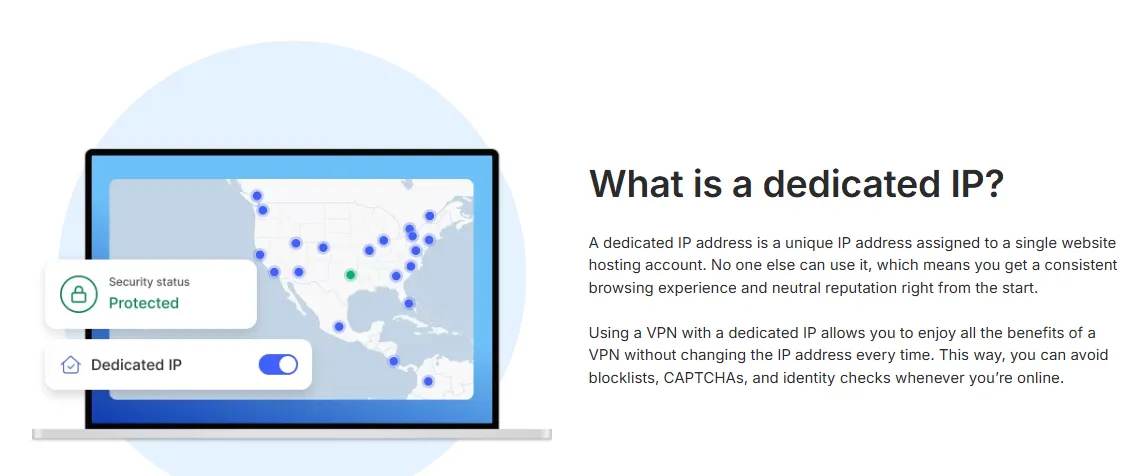
In the world of networking and SEO, terminology can often be confusing. While people often use "Static IP" and "Dedicated IP" interchangeably, there is a nuance you must understand before buying.
1. Shared Static IP (The Common Misconception)
A Shared Static IP means the address doesn't change over time, but it is still used by a group of people. While it solves the problem of a shifting IP, it does not solve the problem of reputation. If a server is shared by 50 people, and one of them gets the IP blacklisted, you are still locked out. For true corporate whitelisting, a shared static IP is often rejected by IT administrators because it isn't "unique" enough to verify your specific identity.
2. Dedicated IP (The Gold Standard)
A Dedicated IP is a static address where only you are the authorized user. No one else’s traffic originates from this address. In 2026, this is considered the gold standard for remote business security. It provides:
-
Exclusivity: You are the sole owner of the IP's reputation.
-
Security: It is the only type of IP that IT departments can truly trust for high-level access control.
-
Consistency: It behaves exactly like a fixed line in a physical office building, but with the mobility of a global VPN.
If your goal is secure, professional remote work, you should always ensure your provider is offering a true Dedicated IP rather than just a shared static one.
Part 3: Step-by-Step Guide: How to Get and Set Up a Dedicated IP
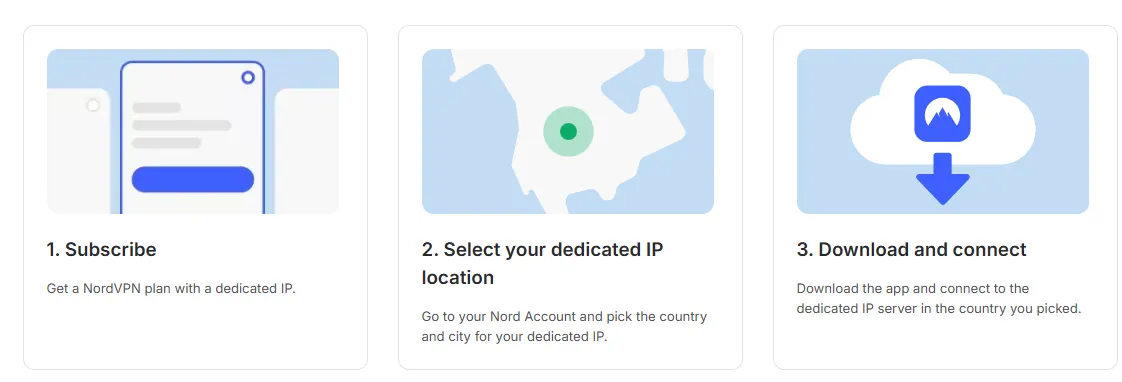 Using NordVPN as the primary example (as they are the current market leader for this feature), here is the exact workflow for 2026.
Step 1: Choose a Provider & Add the Feature
-
Action: Select a standard VPN subscription.
-
Crucial Step: During the checkout process, look for the "Dedicated IP" add-on. It usually costs an additional $3–$5 per month on top of your base plan.
-
Location Selection: You must choose a specific server location at this stage. We recommend choosing a location either close to your physical home (for the fastest speeds) or close to your company’s headquarters (for better compliance and lower latency to internal servers).
Step 2: Activate Your Token (The Security Step)
-
Action: Once purchased, the provider will not immediately link an IP to your email. Instead, they will generate a unique, one-time "Token" code.
-
Redemption: You must copy this code and redeem it in your account dashboard.
-
Why this matters: This is a "Zero-Knowledge" architecture. It ensures that while you own the IP, even the VPN provider's support staff cannot easily link that specific IP address back to your personal identity or browsing history.
Step 3: Connect via the VPN App
-
Action: Open your VPN app on your desktop or mobile device. Look for a category often labeled "Specialty Servers" or "Dedicated IP."
-
Connect: Select your assigned country and the specific server ID provided (e.g., "United States #4355").
-
Verify: Once connected, visit a site like whatismyip.com. Confirm that your displayed IP matches the one provided in your dashboard. Congratulations—you now have a permanent digital identity.
Part 4: Top 3 VPNs with Dedicated IP Options (2026)
To ensure a smooth transition to a dedicated workspace, you must choose a provider that offers true exclusivity. Here are the top three choices for 2026 based on reliability, network size, and privacy architecture.
1. NordVPN — Best Overall Performance

NordVPN remains the industry leader for remote professionals due to its massive server infrastructure and seamless integration of advanced security features.
-
Why Choose It: It offers Dedicated IPs in 28+ countries and over 80 locations. Its standout feature is the Anonymous Token System, which ensures your dedicated IP is decoupled from your user account in their database, providing an extra layer of privacy.
-
Kill Switch: NordVPN's Kill Switch operates in two modes: App-level (for specific applications) and System-level (for the entire network). It ensures that your real IP address is not leaked during brief VPN connection interruptions.
-
Pros: Ultra-fast NordLynx protocol, excellent for IP whitelisting, and a massive fleet of 8,800+ servers.
-
Threat Protection Pro: This feature goes far beyond a traditional ad or malware blocker. Threat Protection scans files in real-time before they are downloaded to your device, blocking viruses, malicious links, pop-up ads, and web trackers, significantly enhancing browsing security.
-
Price: Basic plans start around $3.39/mo, with the Dedicated IP add-on costing approximately $3.69–$4.19/mo (billed annually).
-
Double VPN: Your traffic is routed through two different VPN servers (e.g., from the US to Canada). Data is encrypted twice, providing an extra layer of security for users with the highest confidentiality needs.
-
Dark Web Monitor: Continuously scans dark web forums. If credentials matching your email address are found, it immediately sends an alert, allowing you to take action at the onset of a data breach.
NordVPN Review 2026: Is It Still the Best VPN? (Tested)
2. Surfshark — Best Value for Remote Teams
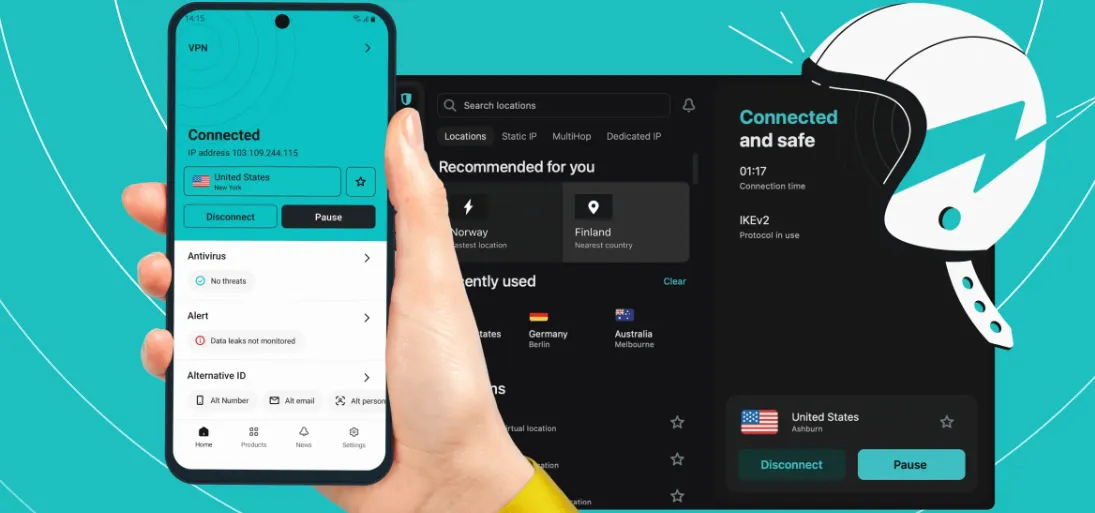
Surfshark has rapidly become a favorite for those who need high-end features without the premium price tag. It is particularly known for its generous device policy.
-
Why Choose It: Surfshark recently expanded its Dedicated IP network to 20+ locations. It is the best choice if you need a consistent IP across multiple devices (laptop, tablet, phone) simultaneously without hitting connection limits.
-
Encryption: It uses the industry-leading AES-256-GCM encryption standard. This is the same level of cryptographic security trusted by governments and military organizations globally, making your data virtually uncrackable.
-
Pros: Unlimited simultaneous connections, clean and intuitive UI, and very competitive pricing for long-term commitments.
-
Kill Switch: This is a critical failsafe. If your VPN connection ever drops unexpectedly (due to Wi-Fi instability or network changes), the Kill Switch instantly cuts your internet connection. This prevents your unencrypted data and real IP address from being exposed, even for a millisecond.
-
Protocols: Surfshark supports the most secure and fast protocols available today: WireGuard (for incredible speed and performance), OpenVPN (known for its reliability and open-source transparency), and IKEv2 (excellent for mobile stability). (For the best value WireGuard VPN in late 2025, Surfshark stands out for unlimited devices and budget pricing.)
-
Price: Base plans can be as low as $1.99/mo, while the Dedicated IP feature is usually priced at a flat $3.75/mo add-on.
Surfshark VPN Review 2026: Best Value VPN with Unlimited Devices
3. CyberGhost — Best for Privacy & Automation
CyberGhost is a long-standing veteran in the VPN space, known for its focus on user-friendly automation and specialized servers.
-
Why Choose It: Their implementation of the Token System is arguably the most rigorous in the industry. They emphasize "No-Knowledge" ownership—once you redeem your token, not even CyberGhost can verify which IP belongs to which subscriber.
-
Massive Server Network: With over 11,500 servers across more than 100 countries, CyberGhost offers one of the largest networks in the industry. This extensive coverage helps prevent server overcrowding, ensuring better performance and a greater chance of finding a fast, local connection regardless of your physical location.
-
Pros: "Smart Rules" feature allows you to automatically connect to your Dedicated IP whenever you launch a specific work app (like Slack or Zoom). It also offers a long 45-day money-back guarantee.
-
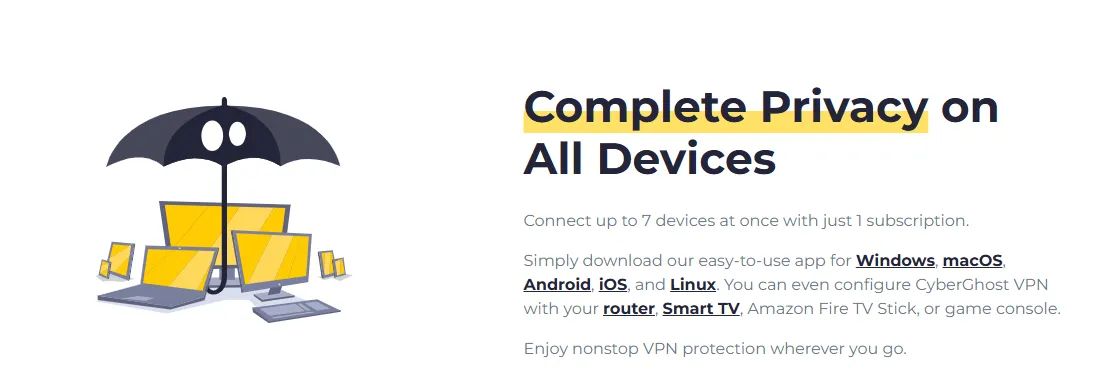
Simultaneous Connections: The service supports up to seven devices on a single subscription, making it a valuable option for families or individuals with multiple gadgets (laptops, phones, tablets, etc.).
-
Smart DNS: This is a lightweight feature used primarily for bypassing geo-restrictions on devices that do not natively support VPN applications, such as certain smart TVs or gaming consoles (PlayStation, Xbox). It changes your virtual location without the overhead of full encryption.
-
Price: Base plans start around $2.03/mo, with the Dedicated IP add-on starting as low as $2.50/mo for two-year plans.
Beyond VPNs: Alternative Methods to Get a Dedicated IP
While a consumer VPN is the easiest method, other professional alternatives exist. Here is how they compare to the VPN approach:
1. VPS with Self-Hosted VPN (The "DIY" Method)
The Scenario: You rent a Virtual Private Server (VPS) from providers like AWS, DigitalOcean, or Linode. You receive a static IP and manually install VPN software (like WireGuard or OpenVPN).
-
Pros: Complete control over the server; the IP is solely yours from a major cloud provider.
-
Cons: Requires technical knowledge to set up and maintain; if the server is compromised, your data is at risk.
-
Comparison to VPN: More complex to set up, but offers the highest level of customization.
2. Business-Grade ISP Plans
The Scenario: You upgrade your home internet to a "Business Plan." Most ISPs will provide 1–5 static IPs for an additional fee.
-
Pros: Extremely reliable; recognized by IT departments as a "Residential/Business IP" rather than a "Data Center IP."
-
Cons: Only works at your physical home; provides no encryption for public Wi-Fi.
-
Comparison to VPN: Lacks the mobility and encryption of a VPN.
3. SASE and Zero Trust Gateways (Cloudflare One / Twingate)
The Scenario: Using modern "Zero Trust" platforms that assign you a fixed exit node.
-
Pros: Enterprise-level security; integrated with identity providers (Okta, Google Workspace).
-
Cons: Can be expensive for individuals; primarily designed for entire teams.
-
Comparison to VPN: Much more secure and "silent" (no manual connecting), but has a steeper learning curve.
🔉Zero Trust & Dedicated IPs: The "Secondary Factor" of Connectivity
As we move into 2026, many SASE (Secure Access Service Edge) platforms have evolved to use Identity-Based Whitelisting. Unlike old-school IP blocking, these systems correlate your digital identity with a consistent network origin to build a "Trust Profile."
1. A Secondary Factor of Trust: A Dedicated IP acts as a non-intrusive "Secondary Factor." When you log in, the system checks not just your password and biometrics, but also whether your request originates from your verified static IP. This adds a layer of hardware-level verification that makes it nearly impossible for hackers to spoof your connection even if they steal your credentials.
2. Defeating AI-Driven "Impossible Travel" Alerts: Modern corporate firewalls utilize AI to detect "Impossible Travel"—a security flag triggered when a user logs in from two different geographic locations in a short timeframe. On a shared VPN, your IP might jump from New York to London instantly, causing the AI to kill your session. A Dedicated IP anchors your connection to a single, permanent digital location, ensuring your VPN session isn't terminated in the middle of a high-stakes board meeting.
3. Ensuring Session Persistence: For remote workers accessing sensitive databases (AWS, Azure, or internal CRMs), a rotating IP can lead to frequent session timeouts. By maintaining a static IP, you guarantee session persistence, preventing the "Login Loop" frustration and ensuring that your access to enterprise resources remains seamless throughout the workday.
Summary Comparison Table (2026)
|
Feature |
Consumer VPN (Recommended) |
Self-Hosted VPS |
Business ISP |
|
Ease of Use |
High (App-based) |
Low (Technical) |
Medium (Installation) |
|
Mobility |
Use anywhere |
Use anywhere |
Fixed location only |
|
Security |
Encrypted Tunnel |
Manual Encryption |
No native encryption |
|
Cost |
~$7–$10/mo |
~$5–$20/mo |
High ($$$) |
|
IP Reputation |
Data Center |
Data Center |
Residential/Business |
For most remote workers, the Consumer VPN (Dedicated IP add-on) remains the best balance of cost, security, and ease of use.
Frequently Asked Questions (FAQ)
Q: Is a Dedicated IP less private than a Shared IP?
A: Slightly. The main trade-off for the stability of a Dedicated IP is that you are the only user of that address. Theoretically, your internet traffic can be more easily traced back to your account compared to a shared IP used by thousands. However, this risk is mitigated by choosing a strictly No-Logs provider like NordVPN or Surfshark, and using their Token-based activation systems which ensure the VPN provider cannot easily link the IP to your personal email address.
Q: Can I change my Dedicated IP location later?
A: Usually, no. Once a Dedicated IP is assigned to your account in a specific city or country, it is yours for the duration of the subscription. If you move or your company relocates its servers to a different region, you would typically need to purchase a new Dedicated IP subscription for the new location.
Q: Can I use it for Netflix or streaming?
A: Yes, and it often works better than a standard VPN. Because standard VPN IPs are frequently blacklisted by streaming services for being "shared," they often fail to unblock content. A Dedicated IP is unique to you and has a clean reputation, making it much less likely to be flagged by platforms like Netflix, Hulu, or Disney+.
Q: Will a Dedicated IP affect my internet speed?
A: Theoretically, no. Dedicated IPs use the same encryption protocols (such as NordVPN's NordLynx) as standard shared servers. In fact, in some cases, speeds may be more stable because you are not competing for bandwidth with thousands of other users on the same server, effectively avoiding the "crowding effect."
Q: If my VPN disconnects, will my Dedicated IP be exposed?
A: As long as you have the VPN's "Kill Switch" feature enabled, your real IP will not be exposed. If the VPN connection drops, the Kill Switch immediately cuts off your internet access. When you reconnect, you will still receive your unique Dedicated IP, ensuring your company's firewall always recognizes a trusted address.
Q: Can I use a Dedicated IP on multiple devices?
A: Yes, but with limitations. Most VPN providers (such as NordVPN and Surfshark) allow you to log in to the same account and connect to your Dedicated IP across multiple devices (PC, smartphone, tablet). However, because it is designed for "personal exclusive" use, frequent high-intensity use across dozens of devices simultaneously might trigger the provider's security restrictions.
Q: Why do some companies refuse to accept Dedicated IPs from VPNs?
A: A small number of extremely strict financial or government institutions may only allow IPs from specific geographical regions or certain Internet Service Providers (ISPs). Although a VPN's Dedicated IP is static, it is still flagged as a "Data Center IP." Before purchasing, we recommend consulting your company's IT department to confirm if they accept static IP whitelisting from major VPN providers.
Q: Does a Dedicated IP require extra maintenance?
A: No. Once you have activated and bound the IP via a "Token," all maintenance is handled by the VPN provider. You only need to ensure that your VPN subscription (and its add-on fee) is renewed on time. If the subscription expires, the IP may be reclaimed and reassigned to someone else, requiring you to contact your IT department again to update the whitelist.
Q: What is the difference between a Dedicated IP and a standard Home Static IP?
A: The main differences are encryption and geographical flexibility:
-
Home Static IP: Provided by your ISP (e.g., AT&T, Comcast). It lacks encryption and can only be used at your physical home address.
-
VPN Dedicated IP: Whether you are in a coffee shop, a hotel, or traveling internationally, you can work remotely using this "digital mask," and your traffic remains fully encrypted end-to-end.
Q: Can a Dedicated IP protect against DDoS attacks?
A: Yes. Since your traffic is routed through a VPN server, any DDoS attack targeting your IP will be absorbed by the VPN provider's high-defense server clusters. The attack will not directly hit your home router or office equipment, adding a layer of physical-level security for your remote setup.
PS: All images in this article are sourced from the merchant's official website and are copyrighted by the merchant.