IPVanish, a long-standing veteran in the VPN space, is known for its strong emphasis on user privacy and exceptional network performance. As the market heats up in 2026, IPVanish is leaning into its two core competitive advantages: truly unlimited simultaneous device connections and blazing-fast P2P torrenting speeds.
This review is based on the latest real-world test data and a comprehensive analysis of all its features (including speed, security, streaming, and ease of use). We will reveal IPVanish's actual performance and determine whether it represents a worthwhile investment for you in 2026.
IPVanish Pros & Cons Overview
|
Pros |
Cons |
|
Unlimited Simultaneous Connections: No device limit, offering exceptional value and convenience. |
Geographical Jurisdiction Concern: Based in the US (a Five Eyes Alliance member) with a history of logging incidents. |
|
P2P/Torrenting: Minimal speed reduction. |
Inability to be Used in Mainland China: Customer service has confirmed unstable operation in strictly restricted regions. |
|
Audited No-Logs Policy: Includes advanced DNS/IP leak protection and a built-in ad-blocker (Threat Protection). |
Pricing Structure: Renewal prices significantly increase after the initial discounted period. |
|
Military-Grade Encryption & Diverse Protocols: Supports advanced protocols like WireGuard and OpenVPN. |
Streaming Unblocking: Inconsistent ability to reliably access all major streaming platforms. |
Conclusion: With truly unlimited connections and top-tier speed, IPVanish is an ideal choice for P2P enthusiasts and users managing many devices. You can test the service risk-free with its 30-day money-back guarantee.
Unlimited Connections & P2P/Torrenting
IPVanish delivers an impressive performance, particularly when evaluated against its two primary strengths: device compatibility and torrenting.
1. Unlimited Simultaneous Connections

In an industry that typically caps connections at 5-10 devices (or requires costly family plans), IPVanish distinguishes itself by offering truly unlimited simultaneous connections. This feature is its most outstanding selling point, significantly reducing user costs and simplifying multi-device management.
-
Unlimited Protection Scope: A single IPVanish subscription covers every device in your home or office, including Windows PCs, MacBooks, iOS/Android phones and tablets, streaming devices (like Fire TV Stick, Roku), gaming consoles, and VPN-enabled routers.
-
Real-World Testing & Network Impact: During our tests, we connected more than 7 devices simultaneously, running HD streaming, P2P downloads, and browsing on all of them. The speed degradation observed was negligible, and connection stability remained excellent, even under high load.
-
Extremely High Value: For large families, small office environments, or tech enthusiasts with numerous gadgets, the cost-effectiveness of this feature is exceptional.
-
Easy Management: The convenience of using the same credentials across all devices makes management incredibly simple.
2. P2P/Torrenting Speeds
IPVanish stands out as an excellent VPN for BitTorrent downloads. Its key advantage is that all servers fully support P2P traffic and provide unlimited bandwidth.
-
Full Network Support: The entire IPVanish network (3,100 servers in 109 countries) supports P2P. Our tests showed that downloading a 700MB public domain movie via its London server achieved an average speed of 101 Mbps, completing the download in less than 2 minutes.
-
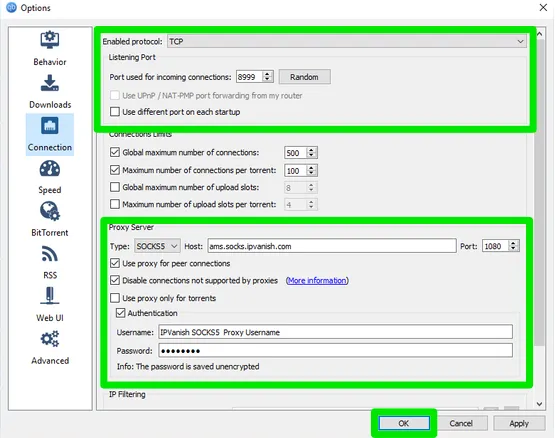
SOCKS5 Proxy Service: In addition to the standard VPN connection, IPVanish offers a SOCKS5 proxy with over 20 nodes. Configuring this manually in a BitTorrent client helps mask your real IP address. Since it bypasses the encryption process, it often results in faster download speeds (real-world tests showed it to be about 5% faster).
-
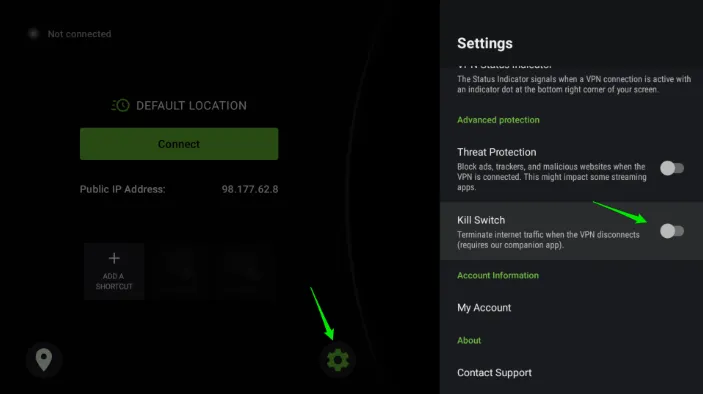
Download Security: To guarantee anonymity and security, users must activate the Kill Switch to prevent IP leaks if the VPN connection drops unexpectedly. The combination of IPv6 and DNS leak protection features with the strict no-logs policy ensures all P2P activities remain private.
-
Feature Reminder (Missing): IPVanish does not include a port forwarding feature, which is sometimes used to connect to more seeders and boost download efficiency.
⚠️ Note: Many torrent files are protected by copyright law. IPVanish's Terms of Service explicitly state that user accounts may be immediately terminated if they are found downloading copyrighted material. We strongly advise users to thoroughly understand and comply with the laws and regulations of their local jurisdiction before engaging in any download activity, and to refrain from all forms of illegal infringement.
One of IPVanish's killer features for torrenters is the free SOCKS5 Proxy. It masks your IP address within the swarm without the encryption overhead of a full VPN tunnel, resulting in faster download speeds.
Step 1: Get Your Proxy Credentials
Log in to your IPVanish Account on the official website.
Navigate to the "SOCKS5 Proxy" tab.
Click "Regenerate" to get a unique proxy username and password (these are different from your VPN login).
Step 2: Configure qBittorrent (or uTorrent)
Open qBittorrent and go to Tools > Options > Connection.
Under Proxy Server, change the Type to SOCKS5.
Host:
socks.ipvanish.com| Port:1080.Check "Use proxy for peer connections" and "Authentication".
Enter the credentials you generated in Step 1.
Step 3: Secure Your Setup
Ensure "Disable connections not supported by proxies" is checked. This acts as a proxy-level kill switch to prevent IP leaks if the proxy connection fails.
Best BitTorrent Download Sites in 2026: Safety & Recommended VPN
The Battle for Unlimited Connections: IPVanish vs. Surfshark
While both providers offer the rare benefit of connecting as many devices as you want, they differ significantly in technical execution. Here is how they stack up:
|
Feature |
IPVanish |
Surfshark |
|---|---|---|
|
P2P Speeds |
Winner. Optimized for raw throughput; consistently higher download speeds in our P2P tests. |
Very fast, but occasional latency spikes due to virtual server routing. |
|
Server Ownership |
Superior. Owns and manages a majority of its physical hardware for better security control. |
Primarily leases infrastructure from third-party data centers. |
|
Jurisdiction |
United States (Five Eyes member). |
Netherlands (Nine Eyes member). |
|
Price Renewals |
Significant price jump after the initial promotional period. |
Prices increase, but typically remain more budget-friendly than IPVanish. |
Security & Privacy: US Jurisdiction, Audited No-Logs, and History
1. AES-256 Encryption & Protocols: WireGuard vs. OpenVPN
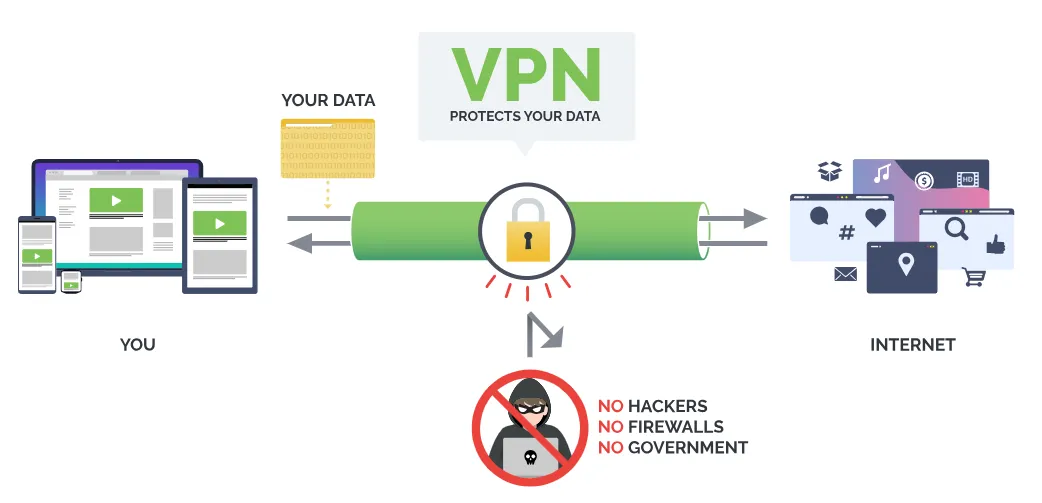
IPVanish is a secure and trustworthy VPN offering world-class security features.
1.1 Military-Grade Encryption Standard
IPVanish employs the industry's highest security standard: the AES 256-bit military-grade encryption algorithm.
-
Authentication and Key Exchange: It uses the SHA512 algorithm for authentication and the DHE-RSA 2048 key exchange algorithm, which features Perfect Forward Secrecy. This ensures that even if one decryption key is ever compromised, past data remains securely encrypted.
1.2 Advanced Security Protocol Options
|
Protocol Name |
Features |
Ideal Scenario |
|
WireGuard |
Fastest speed, strong security, low resource usage. |
Prioritizing speed, suitable for long-distance server connections. |
|
OpenVPN TCP |
Maximum security and stability (reliable data transmission). |
Highest security and stability demands, though slightly slower. |
|
OpenVPN UDP |
Secure and fast (prioritizes speed over guaranteed delivery). |
General use, balancing speed and security effectively. |
|
IKEv2 |
Fast, excellent for mobile devices, automatically reconnects upon network changes. |
Mobile users (frequently switching between WiFi/cellular data). |
2. Audited No-Logs Policy and Jurisdiction (US Headquarters)
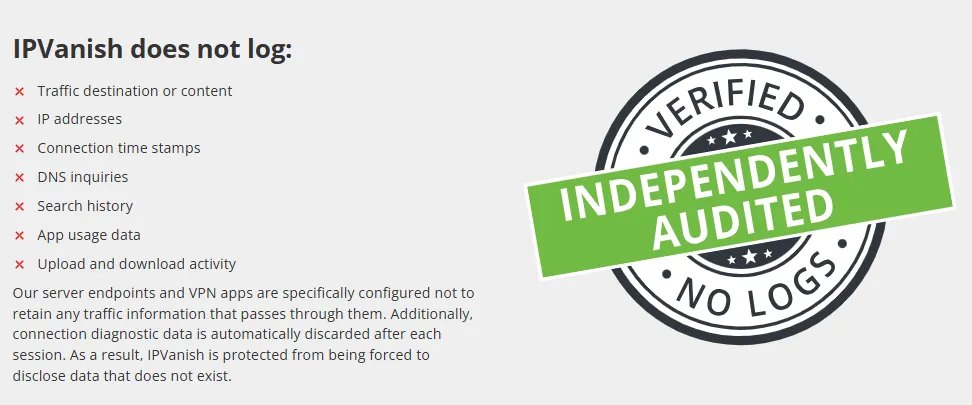
2.1 Verified No-Logs Policy
-
Core Commitment: IPVanish maintains a strict Zero-Logs (No-Logs) policy, committing not to record any user online activity data, including browsing history, DNS queries, or connection timestamps.
-
Independent Audit Proof: IPVanish's privacy practices were reviewed by the independent third-party firm Leviathan Security Group in March 2022. The audit results confirmed that IPVanish is fully compliant with its no-logs policy.
2.2 Privacy Concerns and Historical Context
-
Company Jurisdiction: IPVanish is headquartered in the United States, a core member of the Five Eyes Alliance.
-
Historical Incident: In 2016, IPVanish was involved in a privacy scandal after providing user data to the FBI, confirming that logging was indeed occurring at the time.
-
Conclusion and Improvement: Despite this historical background, IPVanish has since changed ownership and successfully passed an independent privacy audit. The verified no-logs policy provides current users with robust privacy, ensuring that monitoring its servers will not yield any useful information regarding user activity.
3. Additional Security Features and Tools
|
Feature Name |
Detailed Description and Applicability |
|
Kill Switch |
Reliably immediately cuts off internet access if the VPN connection drops, effectively preventing data and real IP leaks. Supported on Windows, macOS, Android, iOS, Android TV, and Fire Stick. |
|
Leak Protection (No Leaks) |
Built-in DNS, IPv6, and WebRTC leak protection across all apps. Confirmed to be robust and reliable in testing. |
|
Threat Protection |
Integrated malware and ad-blocking tool (via custom DNS). Effectively prevents third-party tracking (though it cannot block video ads). |
|
Scramble IP (Obfuscation) |
Available only with the OpenVPN protocol. It obfuscates VPN traffic, disguising it as regular HTTPS traffic to bypass network firewalls. |
|
Split Tunneling |
Allows users to choose which app/website traffic uses the VPN. Available on: Android, Amazon Fire TV, and Fire Stick apps. |
|
VIPRE Antivirus/SugarSync |
VIPRE Antivirus is included free with the Annual Plan. SugarSync (encrypted cloud storage) can be added for a small monthly fee. |
|
Feature Missing Alert |
Lacks a Multi-hop feature, which routes the connection through two VPN servers for increased security. |
Speed
IPVanish performed exceptionally well in speed tests, particularly with nearby connections.
1. IPVanish Speed Test Results (WireGuard Global Performance)
|
Server Location |
Download Speed (Mbps) |
Upload Speed (Mbps) |
Ping (ms) |
|
No VPN (Baseline) |
251.12 |
288.64 |
5 |
|
US (Dallas) |
194.49 |
187.21 |
9 |
|
US (Los Angeles) |
223.01 |
286.92 |
42 |
|
UK |
58.92 |
308.75 |
118 |
|
Japan |
169.20 |
86.80 |
144 |
|
Australia |
173.46 |
207.30 |
172 |
|
Singapore |
60.05 |
76.47 |
201 |
-
Near-Distance Server Speed Analysis: For servers within 2,000 km, the average speed decrease seldom exceeded 10%, which is excellent for the VPN industry.
-
Long-Distance Server Speed Analysis: Speed is generally more than sufficient, though stability can fluctuate. Even remote servers (like Australia, over 15,000 km away) only experienced a speed drop of about 50%, outperforming many competitors.
2. Gaming Experience: Ping and Latency Test
-
Near-Distance Server Performance: Connecting to a local UK server resulted in an average Ping of just 10 ms, which is ideal for gaming with virtually no lag.
-
Long-Distance Server Challenge: Connecting to the US Los Angeles server resulted in a high Ping of 129 ms, while Australia Sydney spiked to 272 ms. High Ping severely compromises the gaming experience, causing noticeable delays.
-
Conclusion: IPVanish delivers a zero-latency online gaming experience for local or regional servers. For cross-continental connections, users should expect latency issues typical of any VPN.
Speed Optimization Tips:
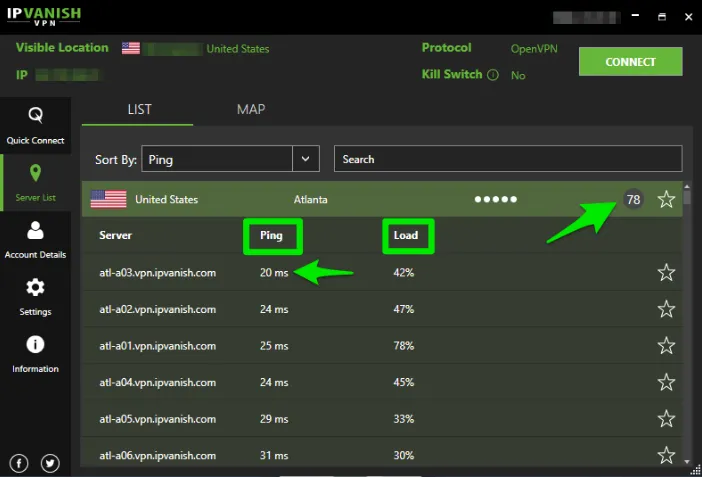
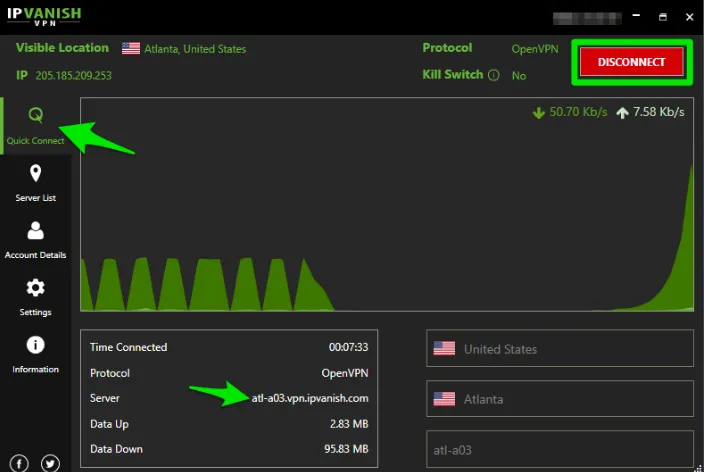
To ensure optimal connection, the IPVanish client displays the real-time Ping value (latency metric) and load (number of connected users) next to each server. Users should choose servers with both low Ping values and low loads. Alternatively, you can select your target country in the "Quick Connect" tab and click "Best Available Server," and the client will automatically find the fastest available node. Furthermore, you can use the interactive map on the home tab to find servers; it's simple and intuitive to use.
Server Network
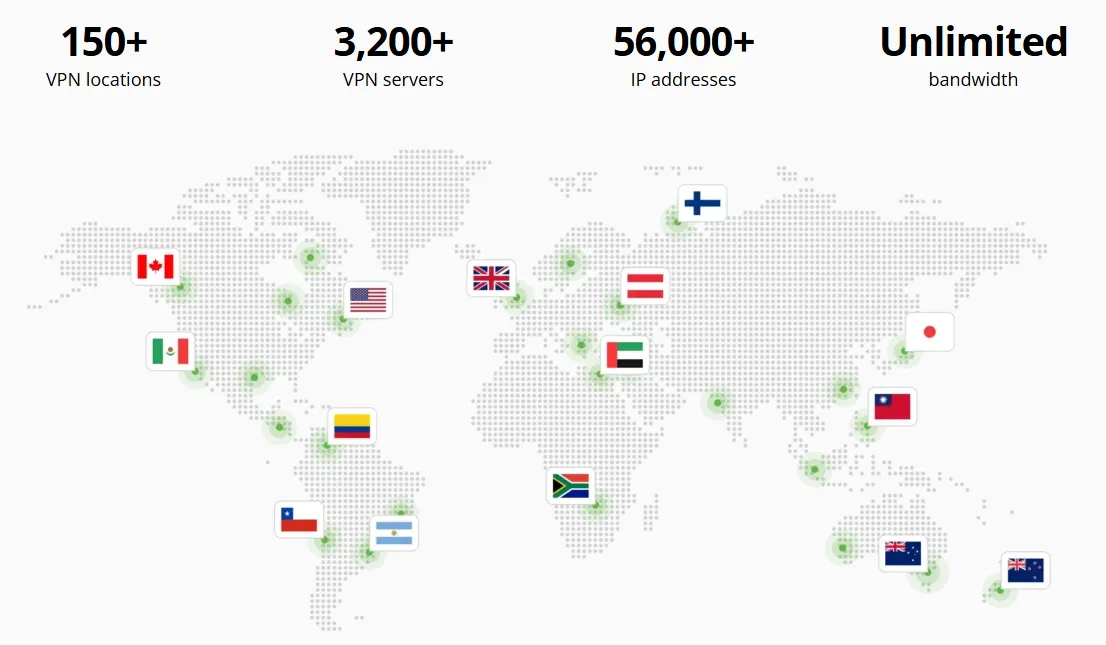
1. Vast, Self-Owned Server Network
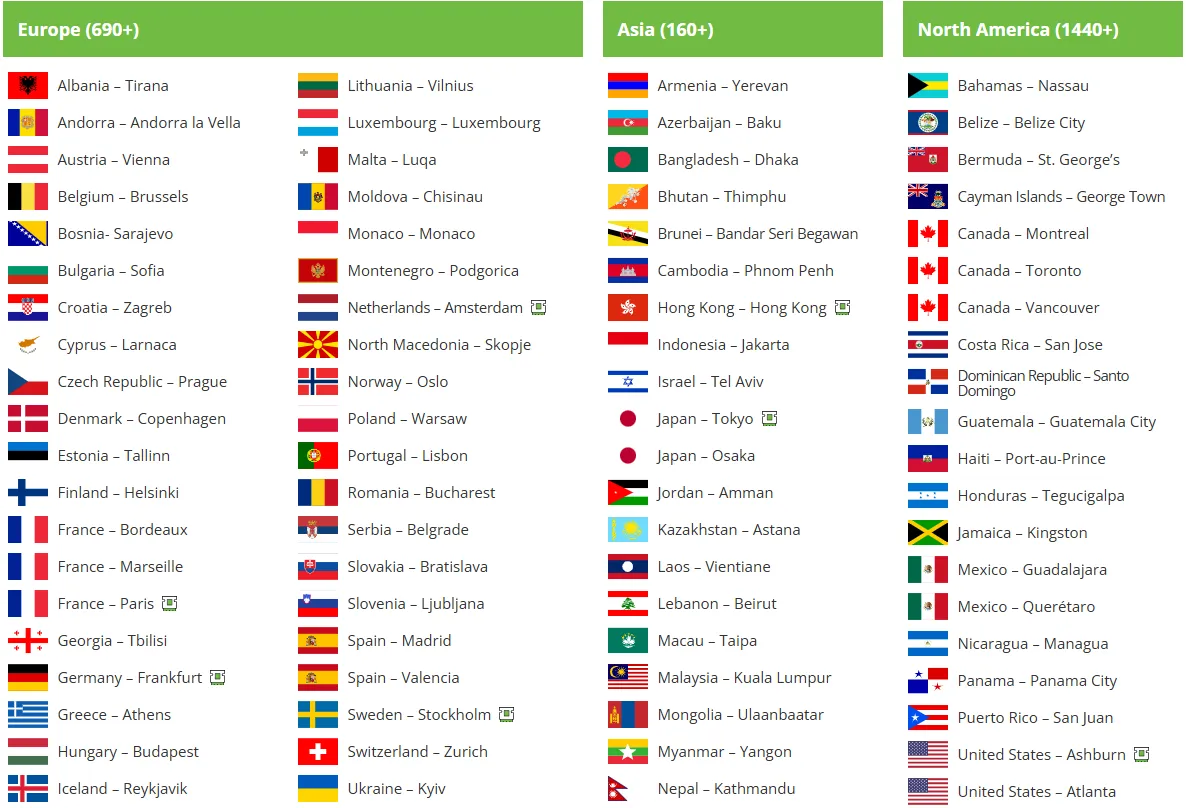
IPVanish boasts over 3,100 servers spread across 109 countries, providing over 40,000 dynamic IP addresses. It includes servers in key Asian locations like Hong Kong, Taiwan, and Singapore.
-
No Congestion Guarantee: The vast number of server options ensures users rarely face speed reduction problems caused by server congestion.
-
City-Level Selection: Users in major countries like the US, UK, Canada, and Australia can select specific servers at the city level.
2. Exclusive Self-Ownership Ensures Data Security
A major security highlight is that IPVanish fully owns all its servers rather than leasing them. This grants IPVanish the highest level of control over its server infrastructure, effectively preventing third-party surveillance. IPVanish confirms it uses no virtual servers.
3. Connection and Optimization Features
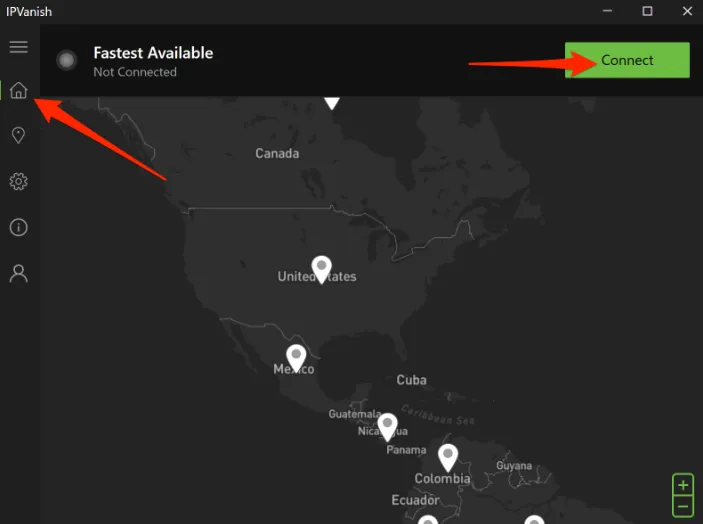
-
Quick Connect: The application includes an "Optimal Location" feature, connecting users to the best available server in just 2-4 seconds.
-
Advanced Filtering: The intuitive server list allows users to sort and filter based on Ping, User Load, Country/Region, or Personal Favorites.
Streaming Performance: Netflix, Hulu, & BBC iPlayer Unblocking Test
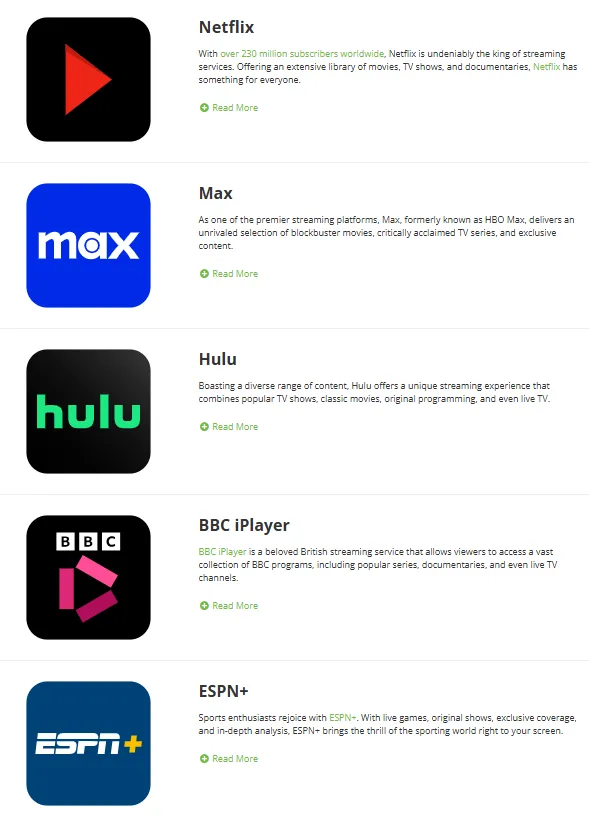
IPVanish offers excellent streaming performance (clear picture quality, fast loading), successfully accessing over 30 major video platforms.
Core Platform Compatibility List: Netflix, Hulu, Disney+, BBC iPlayer, HBO Max, Amazon Prime Video, ESPN+, Paramount+, Rai Play, Pluto TV, DAZN, ITV, Vudu, Kodi, and over 30 others.
Playback Quality and Loading Speed: Videos typically loaded within 3 to 10 seconds, with smooth playback in Full HD (or 4K) quality throughout, and no noticeable buffering.
Platform Breakdown Test Results:
-
Netflix, Hulu, and Max (HBO): Access to the US libraries was highly reliable and stable, with very fast loading times (3-5 seconds for Netflix).
-
Regional Limitation: Unlocking non-US Netflix libraries (like Germany, France) was inconsistent, often only providing access to Netflix’s Originals library.
-
BBC iPlayer: UK test specialists could smoothly watch iPlayer on all UK servers tested.
-
Amazon Prime Video: Secure access and viewing were only possible via the web browser. The mobile/desktop app versions consistently failed to function correctly.
-
Inaccessible Platform: Customer support confirmed that the service does not support the UK's Sky Go platform.
Note: While VPNs can technically change your virtual location, this may violate the streaming service's terms of use and relevant copyright regulations. We strongly oppose any infringement, and all test results are based on secure, encrypted connections to local servers in our respective countries.
Usability and Device Compatibility
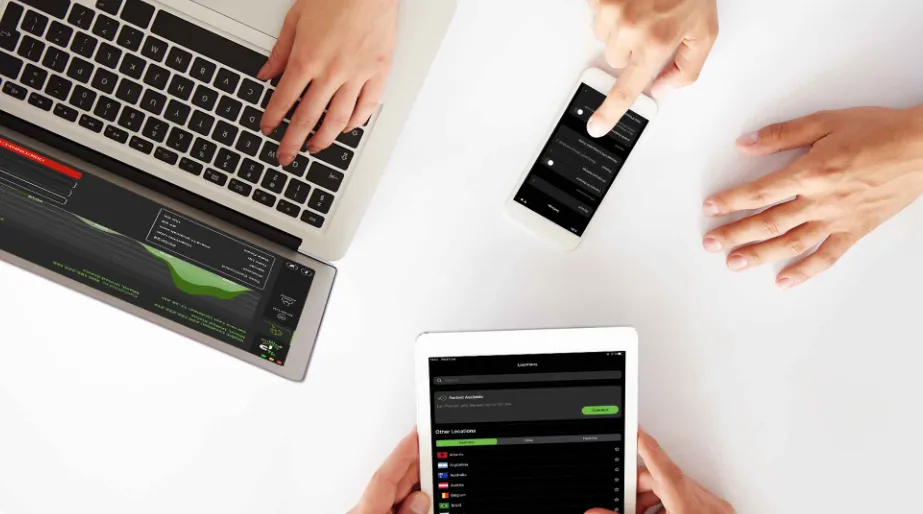
IPVanish provides native applications for various major devices. Installation is typically fast, taking less than 5 minutes.
1. Wide Platform Coverage and Ease of Use
Platform Compatibility Overview:
-
Desktops and Laptops: Windows 7+, macOS 10.11+, Linux, Chrome OS
-
Phones and Tablets: Android 5.1+, iOS 11+
-
Video Playback Devices: Amazon Fire TV, Amazon Fire Stick, Kodi, Chromecast
-
Other: Raspberry Pi, Routers
The overall app layout and operational logic are consistent across platforms, making it easy for users to switch between devices.
2. Cross-Platform Feature Comparison and Mobile Apps
|
Device |
Protocol Support |
Kill Switch |
Split Tunneling |
Obfuscation Feature |
|
Windows |
OpenVPN, IKEv2, L2TP, PPTP |
✔ |
✘ |
✔ |
|
macOS |
OpenVPN, L2TP, IKEv2, IPSec |
✔ |
✘ |
✔ |
|
Android |
OpenVPN, IKEv2 (Beta Only) |
✔ |
✔ |
✔ |
|
iOS |
IKEv2, IPSec |
✘ |
✔ (Domain-based) |
✘ |
|
Amazon Fire OS |
OpenVPN、WireGuard、IKEv2 |
✔ (Requires a dedicated app) |
✔ |
✔ |
Obfuscation Technology: IPVanish provides the OpenVPN Scramble (obfuscation) feature on its Windows and Android versions. This technology masks VPN traffic, making it indistinguishable from standard HTTPS traffic, which is highly effective for circumventing network restrictions or deep packet inspection.
Click Here for IPVanish VPN Setup Guides>>
Desktop Clients (Windows & macOS)
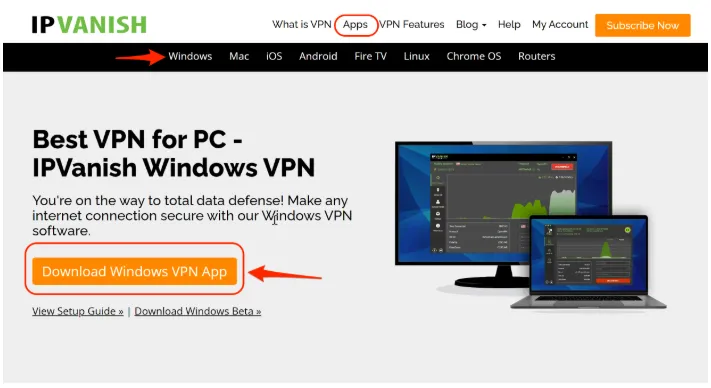
The desktop clients feature a streamlined yet powerful design, enabling users to effortlessly find the desired server through either a map or a list view.
-
Windows: The Windows app supports LAN blocking, OpenVPN Scramble, and offers OpenVPN, WireGuard, and IKEv2 protocols. It also allows users to switch between AES 256-bit and 128-bit encryption.
-
macOS: The macOS app does not support switching encryption levels but offers the option to select private or third-party DNS.
For Linux Users: While IPVanish does not offer a dedicated Linux desktop app, it provides detailed, step-by-step guides for manual configuration via OpenVPN, which is compatible with various distributions like Ubuntu and Fedora.
Mobile Clients (Android & iOS)
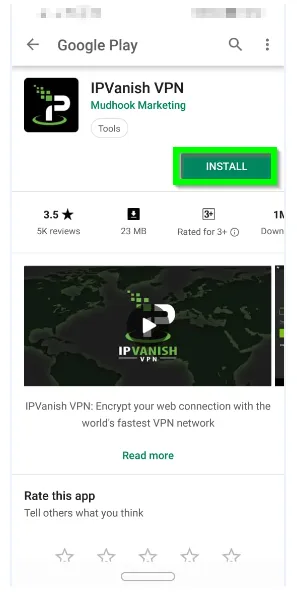
The Android and iOS apps feature a similar, compact design. Both support WireGuard and IKEv2 protocols, include built-in Threat Protection, a Kill Switch, and Split Tunneling.
-
Android Advantage: Supports the OpenVPN protocol and the Scramble (obfuscation) traffic feature.
-
iOS Advantage: Features the exclusive Connect On Demand function, which automatically connects the VPN when an untrusted Wi-Fi network is detected.
Smart Device Compatibility (Fire OS & Roku)
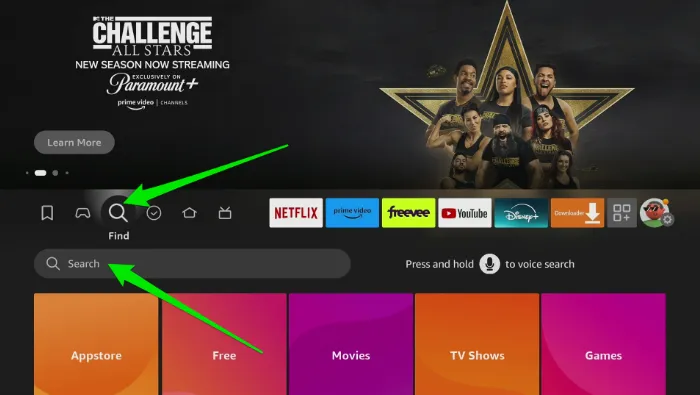
IPVanish is one of the few VPNs that offers native applications for Amazon Fire Stick, Fire TV, and Roku, allowing users to download, log in, and connect directly.
-
Fire OS Features: The app includes OpenVPN Scramble, Split Tunneling, and AES 256-bit encryption. Furthermore, a supplementary security switch app was recently introduced. This app blocks internet traffic if the VPN connection drops, simplifying the Kill Switch setup process on Firestick devices.
Router Support (No Native Console)
IPVanish does not offer dedicated applications for gaming consoles (e.g., Xbox or PS4) or smart TVs. However, users can configure IPVanish directly on their router, thereby protecting all Wi-Fi connected devices at home, including consoles, smart TVs, and Linux devices.
-
Compatibility: It is currently compatible only with DD-WRT, ASUSWRT, ASUSWRT-Merlin, and Tomato routers.
-
Installation: Users have the option to purchase a pre-configured FlashRouter or follow the detailed manual setup guides on the official website. Manual configuration uses the OpenVPN protocol and AES 256-bit encryption; however, this process is relatively complex, and incorrect configuration carries the risk of damaging the router. 24/7 live chat support is available for assistance.
Usage in China and Restricted Regions (Officially Confirmed)
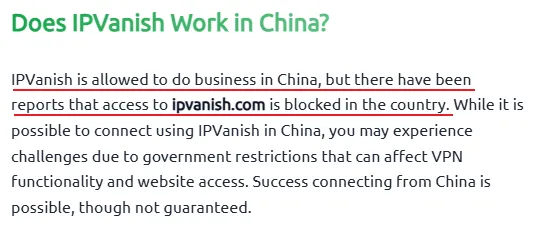
IPVanish is not functional in Mainland China. Despite including the Scramble (obfuscation) feature, the Chinese government has successfully blocked all of IPVanish's servers and IP addresses.
-
Customer Service Confirmation: The IPVanish customer support team cannot guarantee the service's stable operation in highly network-restricted countries like China, Russia, or Iran.
-
Conclusion: To bypass strict government firewalls, a VPN requires more advanced obfuscation technology. We recommend users in these areas choose a VPN service verified to operate stably in such regions.
Pricing, Money-Back Guarantee, and Payment Methods
1. Plan Structure and Value
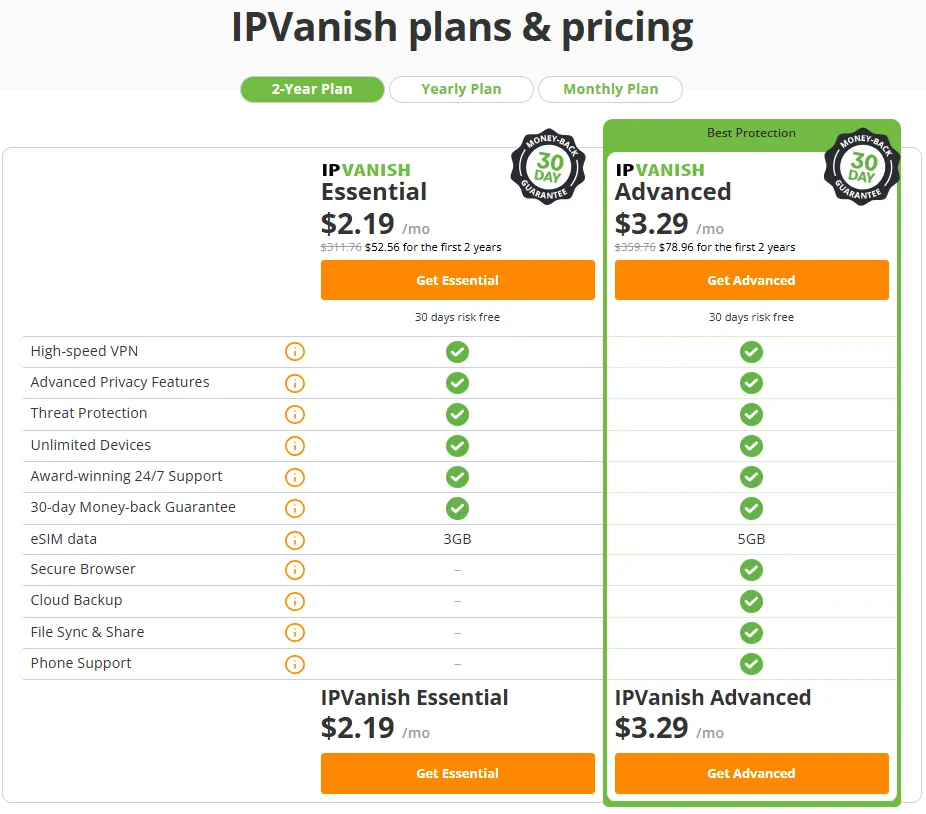
IPVanish offers three subscription options: monthly, annual, and a 2-year long-term plan.
|
Subscription Period |
IPVanish Essential |
IPVanish Advanced |
|
Monthly Plan |
$12.99/mo |
$14.99/mo |
|
Yearly Plan |
$3.33/mo (Total $39.99 for the first year) |
$4.49/mo (Total $53.88 for the first year) |
|
2-Year Plan |
$2.19/mo (Total $52.56 for the first 2 years) |
$3.29/mo (Total $78.96 for the first 2 years) |
|
Guarantee |
30-Day Money-Back Guarantee |
30-Day Money-Back Guarantee |
-
Best Offer: The 2-year plan provides the best value with a discount of up to 83%, starting at about $2.19 per month.
-
Renewal Notice (Key Point): Automatic renewal is enabled by default, and the price significantly increases after the initial promotional period concludes. Users must manually disable this feature to avoid high renewal fees.
-
Paid Value-Added Services: "IPVanish + Backup" and "IPVanish + Antivirus" plans are available, including SugarSync (cloud storage) or VIPRE (antivirus).
2. Money-Back Guarantee and Free Trial
-
30-Day Money-Back Guarantee: This guarantee is limited to the 2-year and 1-year long-term plans, offering a reliable 30-day unconditional money-back guarantee.
-
Refund Process: The process is very straightforward. Users can log into their official website account and click "I wish to cancel my subscription." The system automatically processes the refund, typically within 1 hour to 3 days.
-
Free Trial: iOS and Android users can enjoy a 7-day free trial via the app stores (this trial is not covered by the 30-day guarantee).
-
Payment Methods: Supports Credit/Debit Card, PayPal, and Google Pay. Please note that cryptocurrency payment is not accepted.
Customer Support

IPVanish's customer support team is highly responsive, offering multi-language and multi-channel support.
-
24/7 Live Chat: The most convenient way to seek help. An initial AI chatbot connects users before a human agent takes over (usually less than a 2-minute wait). Live chat supports multiple languages, including Chinese, via automatic translation.
-
Email Support: Users typically receive a reply within one hour.
-
Phone Support (Unique Advantage): IPVanish provides a telephone hotline for 6 countries (US, UK, Australia, etc.), which is a rare offering among VPN providers.
-
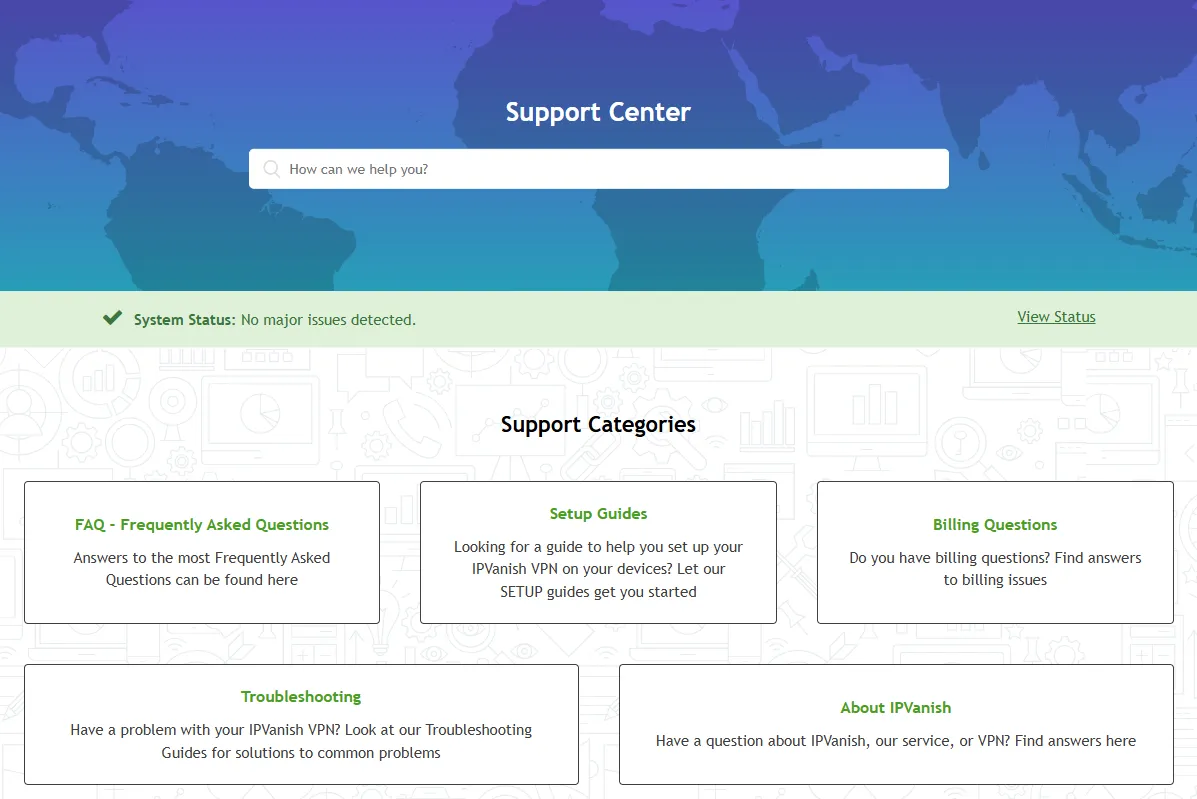
Support Center: Offers detailed help pages covering setup, troubleshooting, and billing issues.
Conclusion: Who is IPVanish Best For?
IPVanish’s 2026 performance is stellar, delivering unparalleled device connection counts and industry-leading P2P download speeds. Its independently audited no-logs policy and military-grade encryption have successfully alleviated concerns about its US headquarters. Overall, IPVanish is a high-performing, trustworthy, and cost-effective VPN service.
|
User Group |
Recommendation Index |
Main Rationale |
|
P2P/Torrenting Users |
⭐⭐⭐⭐⭐ |
Features industry-leading P2P speeds, torrenting support on all servers, SOCKS5 proxy, and reliable Kill Switch protection. |
|
Users with Multiple Devices/Families |
⭐⭐⭐⭐⭐ |
Offers truly unlimited simultaneous connections, providing exceptional value for money. |
|
Users Focusing on US Streaming |
⭐⭐⭐⭐ |
Stable, high-speed access to major US services like Netflix, Hulu, Max (HBO), and Disney+. |
|
Residents in Heavily Censored Regions |
❌ |
Confirmed cannot be used stably in Mainland China; obfuscation technology is insufficient for these regions. |
|
Travelers Requiring Highly Stable International Streaming |
❌ |
The ability to unlock non-US Netflix libraries and the Amazon Prime Video app version is inconsistent. |
Frequently Asked Questions (FAQ)
Q1: Does IPVanish truly offer unlimited device connections?
A: Yes, IPVanish offers a genuinely unlimited number of simultaneous connections. A single paid subscription covers all devices in your home or office, including all major operating systems, routers, and streaming devices like the Fire TV Stick. This is its core advantage over most VPN competitors.
Q2: Is it safe to use IPVanish for P2P (torrenting)?
A: Yes, it is very safe. IPVanish permits P2P/torrenting on all servers and offers industry-leading speeds. Security measures include:
-
No-Logs Policy: Independently audited to confirm zero logging of your download activity.
-
Kill Switch: Ensures your real IP address is not accidentally exposed if the VPN connection unexpectedly drops.
-
AES 256-bit Encryption: Provides military-grade protection for your data.
Q3: Can IPVanish unblock Netflix, Hulu, or Disney+?
A: Yes, particularly for US content. Our tests showed that unblocking US Netflix, Hulu, and Max (HBO) is very stable. However, performance for unlocking non-US streaming libraries can vary.
Q4: IPVanish is headquartered in the US; does this impact my privacy and security?
A: While the US is a Five Eyes Alliance member, IPVanish's independently audited no-logs policy provides a strong safeguard. This policy ensures that even if law enforcement requests data, IPVanish cannot provide any information about the user's online activities (traffic, connection time, IP address, etc.).
Q5: How do I cancel IPVanish's auto-renewal?
A: You should manually cancel auto-renewal before the promotional period ends to prevent the significant price increase. Log into your official website account, navigate to the "Subscription" panel, and click "I wish to cancel my subscription." Users on long-term plans can also rely on the 30-day unconditional money-back guarantee.
Q6: Is IPVanish suitable for Amazon Fire Stick?
A: Yes, IPVanish is highly suitable for Fire Stick devices. It offers a dedicated native application for Fire Stick with all important features included, making it an ideal choice for securing your streaming device.
PS: All images in this article are from IPVanish's official website, and the copyright belongs to the merchant.