At the peak of the digital entertainment wave, game streaming has become an integral part of global culture. For seasoned gamers and esports enthusiasts, international gaming live-streaming platforms such as Twitch, YouTube Gaming, Kick, and even Asia’s Chzzk are no longer optional—they are essential.
Why is this the case? These platforms exclusively host the world’s top esports events (like the LoL Worlds and Dota 2 The International), offer more diverse and high-quality content (including indie games and perspectives from top global streamers), and boast superior image quality with comprehensive functional experiences.
However, core pain points—such as restricted access, lagging playback, and high latency—often deter users in mainland China. Therefore, we present this 2026 Latest Platform Recommendation Guide, complete with a full VPN Unlocking and Smooth Viewing Ultimate Solution, to help you seamlessly enjoy the global gaming spectacle.
Key Factors for Choosing a Livestreaming Platform
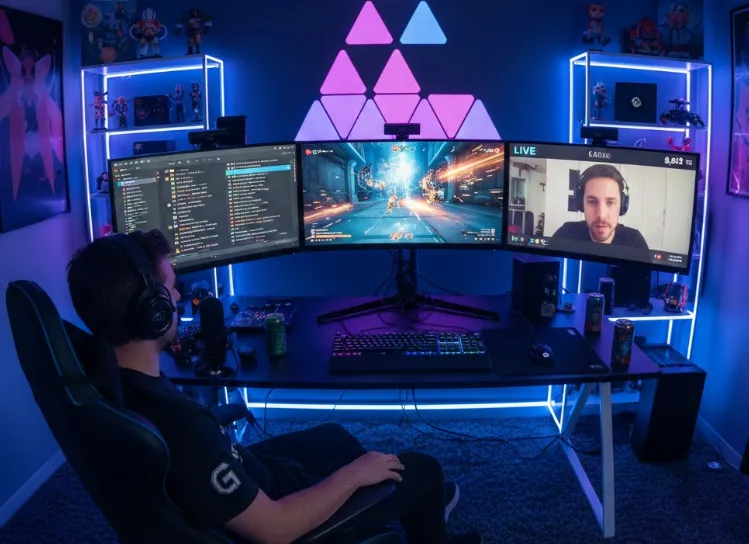
To ensure you select the platform that best matches your viewing habits and content needs, we recommend focusing on the following five critical elements:
Content Ecosystem and Cultural Tendency
Examine the platform’s focus on esports, variety entertainment, indie games, or regional content (such as Asian MMOs). For instance, the "Variety" culture of Twitch differs significantly from YouTube's "VOD + Live" ecosystem, which ultimately determines the type of streamer and content style you will encounter.
Community Interaction and Engagement
Evaluate the platform's chat functions, emote system, subscription tiers, and community tools. An active and personalized community can drastically enhance the viewing experience, transforming the stream from passive reception to active, two-way communication.
Technical Performance Metrics: Quality and Latency
Pursue support for esports-grade low latency (millisecond level) and high resolution (such as 1080p and 4K). These are crucial technical indicators for smooth viewing and ensuring you never miss a critical moment.
Creator Economy Model
Understand the platform's revenue split ratio (like Kick's high percentage) and monetization tools. This indirectly influences streamer retention rates and the long-term, high-quality output of content.
Cross-Device Compatibility
Check if the platform provides stable mobile applications, desktop clients, and smart TV apps. This guarantees that you can switch viewing devices seamlessly and are not restricted to watching only on your computer.
Bypassing Geo-Restrictions: A VPN Selection Guide
If you are short on time, the table below provides a quick overview of the pros and cons of the six most suitable VPNs for game streaming platforms.
|
VPN Name |
Pros |
Cons |
Best for (Streaming) |
|
Excellent speed and stability, strongest unblocking capabilities. |
Relatively high price point. |
Users seeking maximum speed and stable 4K streaming. |
|
|
Vast number of servers, high security, great value for money. |
Client can occasionally be slow to connect during peak hours. |
Users prioritizing privacy and value, suitable for daily multi-platform viewing. |
|
|
Unlimited device connections, most competitive pricing. |
Occasional connection fluctuations, speed of some lesser-used nodes can be average. |
Users with many devices, a limited budget, and seeking high value. |
|
|
Top-tier privacy protection, free version available, Swiss background. |
Speed performance is less stable than top commercial VPNs. |
Users extremely focused on privacy, light viewing, or as a backup solution. |
|
|
Private Internet Access (PIA) |
Global leader in server count, very low price. |
Client interface is slightly complex, higher barrier to entry for beginners. |
Users needing a wide selection of country/region nodes and operating on a budget. |
|
Extremely low price for long-term plans, many Asian nodes. |
Speed and stability performance are inconsistent. |
Users on the tightest budget, or those primarily watching content from the Asian region. |
In-Depth Analysis of 12 Global Gaming and Esports Livestreaming Platforms
Our Testing Methodology: How We Measure Streaming Performance
To provide verifiable and trustworthy recommendations (E-E-A-T), we conducted rigorous field tests. Here is our technical testing framework:
-
Testing Environment: All benchmarks were performed on a 1Gbps Fiber Optic connection using a Wi-Fi 7 (802.11be) high-performance router to eliminate local hardware bottlenecks.
-
Software & Hardware: We utilized high-end gaming PCs and mobile devices running the latest OS versions to ensure compatibility with modern VPN protocols like WireGuard and Lightway.
-
Measurement Tools: * Speedtest by Ookla: To measure consistent download/upload throughput.
-
PingPlotter: To monitor long-term latency trends, identifying any spikes in Jitter or Packet Loss that cause buffering during live events.
-
-
Key Performance Indicators (KPIs): We focused on Jitter (aiming for <5ms) and zero packet loss, which are critical for the real-time nature of Twitch and Kick streams.
-
Real-World Stress Test: Unlike simple speed tests, we performed continuous 2-hour 4K (2160p) streaming sessions on Twitch and YouTube Gaming to verify that the VPN can sustain high speeds without being throttled by the ISP or server congestion.

This section provides a detailed breakdown of the world's most popular gaming and esports livestream platforms, covering their primary content focus, creator benefits, and target audience.
1. Twitch: The King of Gaming Culture
-
Core Focus: PC Gaming, Esports, "Just Chatting" (Variety Content).
-
Audience: Global, highly engaged core gaming community.
-
Key Feature: Unrivaled content ecosystem, highly developed community tools (emotes, Cheering, Sub-Gifts). Despite its standard 50/50 revenue split, it remains the standard for professional streaming.
-
Pros: Highest content diversity, exclusive hosting of major global esports events.
-
Cons: Stricter content guidelines, performance can be geographically inconsistent.
2. YouTube Gaming: The VOD + Live Hybrid
-
Core Focus: Hybrid VOD (Video on Demand) and Live content, high-quality resolution (4K), mobile gaming.
-
Audience: Massive, diverse global audience leveraging YouTube's search and recommendation engine.
-
Key Feature: Seamless integration with YouTube's vast VOD library; excellent monetization for VOD and Live creators; industry-leading 4K live streaming support.
-
Pros: Searchable archives, high stream quality, easy content cross-promotion.
-
Cons: Live community interaction often feels less centralized than Twitch.
3. Kick: The Creator-Centric Challenger
-
Core Focus: General gaming and "hot tub" style variety, with a strong emphasis on creator compensation.
-
Audience: Primarily Western audience seeking a Twitch alternative.
-
Key Feature: Highly attractive 95/5 revenue split (95% to the creator), aiming to disrupt the market by empowering streamers financially.
-
Pros: Best revenue split in the industry, rapid platform growth.
-
Cons: Content moderation is less developed, platform stability still maturing.
4. AfreecaTV (AFTV) / Chzzk: The Korean Powerhouses
-
Core Focus: South Korean Esports (StarCraft, League of Legends), Korean variety content (mukbang, IRL). Chzzk is Naver's rising competitor to AfreecaTV.
-
Audience: Primarily South Korea and East Asia.
-
Key Feature: Optimized local servers and content tailored for the highly competitive Korean market. Best choice for viewing Korean esports and culture.
-
Pros (AfreecaTV): Dominant position in Korea; robust fan gifting system ("Star Balloons").
-
Pros (Chzzk): Backed by Naver (Korea's Google), high-quality native integration.
-
Cons: Content is heavily Korean-centric; language barrier for non-Korean speakers.
5. Trovo Live: Tencent's Global Mobile Focus
-
Core Focus: Mobile gaming (PUBG Mobile, Free Fire) and global expansion.
-
Audience: Strong presence in Southeast Asia and Latin America.
-
Key Feature: Offers strong support for mobile streamers and competitive monetization programs (Trovo 500).
-
Pros: Good support for emerging markets and mobile games.
-
Cons: Relatively small Western audience compared to Twitch/YouTube.
6. Nimo TV: Southeast Asian Mobile Gaming Hub
-
Core Focus: Mobile esports and localized content.
-
Audience: Southeast Asia (Vietnam, Indonesia, etc.).
-
Key Feature: Highly localized content and events targeting mobile gaming demographics.
-
Pros: Excellent optimization for mobile viewing and low-bandwidth connections.
-
Cons: Limited content outside of mobile gaming and SE Asia.
7. DLive: The Decentralized Stream
-
Core Focus: Free speech, community-driven content, and cryptocurrency/blockchain interaction.
-
Audience: Niche audience interested in crypto, decentralized tech, and less moderated discussions.
-
Key Feature: Utilizes the Lino blockchain for monetization and rewards, offering a highly unique creator economy model.
-
Pros: High creator share, focused on privacy and censorship resistance.
-
Cons: Smaller streamer base, often lacks top-tier gaming events.
8. TikTok Live: Short-Form Video's Live Push
-
Core Focus: Casual gaming, short-form integration, general entertainment, and celebrity interaction.
-
Audience: Massive, young, and extremely varied global audience.
-
Key Feature: The algorithmic content feed drives incredible discovery potential for new streamers; live streams integrate seamlessly with the short video ecosystem.
-
Pros: Highest potential for viral growth and discovery.
-
Cons: Focus is often less on core gaming and more on general interaction; gaming content can be hard to filter.
9. OPENREC.tv: Japanese Niche
-
Core Focus: Console gaming, retro games, and Japanese esports content.
-
Audience: Primarily Japan.
-
Key Feature: Strong community for Japanese gaming culture and console players.
-
Pros: Dedicated platform for specific Japanese gaming niches.
-
Cons: Language barrier, content is almost exclusively Japanese.
10. BIGO LIVE: Global Social/Entertainment Hub
-
Core Focus: General variety, music, and social streaming; gaming is a secondary vertical.
-
Audience: Strong in the Middle East, South Asia, and Southeast Asia.
-
Key Feature: Highly developed virtual gifting and social interaction features.
-
Pros: Massive social user base, high earning potential from virtual gifts.
-
Cons: Gaming content is not the platform's priority.
11. Huya/DouYu (via VPN): Mainland China Giants (For Reference)
-
Core Focus: Chinese Esports (LPL, KPL), large-scale creator contracts, competitive gaming.
-
Audience: Primarily Mainland China.
-
Key Feature: Dominate the Chinese esports scene and feature exclusive Chinese professional team content.
-
Pros: Unrivaled quality for Chinese-language esports.
-
Cons: Strictly regulated, requires VPN/specific access tools for stable non-China connection.
12. Steam Broadcast: Integrated PC Gaming
-
Core Focus: Integrated live streaming for games purchased on Steam; primarily used for sharing gameplay with friends or marketing.
-
Audience: Steam PC gamers.
-
Key Feature: Zero-setup streaming directly from the Steam client.
-
Pros: Extremely convenient for PC gamers, high-quality streaming within the platform.
-
Cons: Very limited community and discovery features compared to dedicated platforms.
Detailed Review and Comparison of Six Mainstream VPNs
Here is an in-depth look at the six best VPN solutions for streaming, focusing on why each one is suitable for bypassing geo-restrictions and ensuring low-latency viewing.
1. ExpressVPN: The Speed and Stability Champion
-
Key Advantage: Unmatched speed and reliability, making it the top choice for 4K streaming and low-latency esports viewing. Its TrustedServer technology (RAM-only servers) also ensures superior privacy.
-
Best for: Users who prioritize a frustration-free, maximum-speed experience and are willing to pay a premium.
-
Watchout: It comes with a higher subscription cost compared to its competitors.
2. NordVPN: Security and Value Leader
-
Key Advantage: Massive global server network coupled with top-tier security features like Double VPN and Threat Protection. Offers an excellent balance between performance and price.
-
Best for: Daily users who frequent multiple platforms and prioritize strong privacy protection without compromising speed for standard HD/FHD viewing.
-
Watchout: The desktop client can occasionally be slow to connect, particularly during peak internet usage times.
3. Surfshark: The Unlimited Connections King
-
Key Advantage: Unique feature of supporting unlimited simultaneous device connections, making it the most cost-effective option for families or individuals with many devices.
-
Best for: Budget-conscious users and those needing coverage across multiple devices (phones, tablets, PCs, smart TVs).
-
Watchout: While generally fast, speed consistency can fluctuate on some lesser-used server nodes compared to the industry leaders.
4. Proton VPN: The Privacy and Free Option
-
Key Advantage: Based in privacy-friendly Switzerland, offering an open-source client and a genuinely useful free version (though speeds are capped).
-
Best for: Users whose primary concern is security and privacy, or those seeking a reliable, albeit slower, free solution for light viewing or as a backup.
-
Watchout: The full-speed performance on the paid tier is often less consistent than the highly optimized commercial VPNs.
5. Private Internet Access (PIA): The Server Giant
-
Key Advantage: Boasts one of the largest server counts in the world, providing abundant options for bypassing regional blocks and reducing server congestion.
-
Best for: Advanced users who need to frequently switch between many specific country/region nodes and are looking for a very low-cost long-term plan.
-
Watchout: The abundance of features and customizable settings can be overwhelming for beginners.
6. PureVPN: Budget-Friendly and Asian Focus
-
Key Advantage: Offers extremely low prices for multi-year subscriptions and has a strong focus on optimizing Asian servers (India, Southeast Asia, etc.).
-
Best for: Users on the tightest budget and those whose viewing habits are primarily focused on Asian platforms like Chzzk, Nimo TV, or regional content.
-
Watchout: Speed and stability can be inconsistent; performance is generally lower than the premium providers.
Deep Dive: Bypassing ISP Throttling for Smooth Streaming
-
The Problem: Have you ever wondered, "Why is Twitch so slow on my Wi-Fi?" despite having high-speed internet? The answer is often ISP Throttling. Internet Service Providers (ISPs) use Deep Packet Inspection (DPI) to identify high-bandwidth traffic like 4K video streams. To save network costs during peak hours, they intentionally slow down your connection to sites like Twitch, YouTube, or Kick.
-
The Solution: A VPN acts as a "Privacy Tunnel" for your data.
-
Encryption is Key: By using military-grade AES-256 or ChaCha20 encryption, a VPN wraps your streaming data in a secure layer.
-
Hiding Traffic Type: Your ISP can no longer see what you are doing. They only see encrypted data moving to a VPN server. They cannot distinguish between a high-bandwidth 4K stream on Kick and a simple email.
-
Bypassing the Speed Limit: Because the ISP cannot identify the video traffic, their automated throttling rules aren't triggered. This effectively restores your full bandwidth, eliminating the dreaded buffering wheel during critical esports moments.
-
How to Set Up Your VPN (Twitch Example)
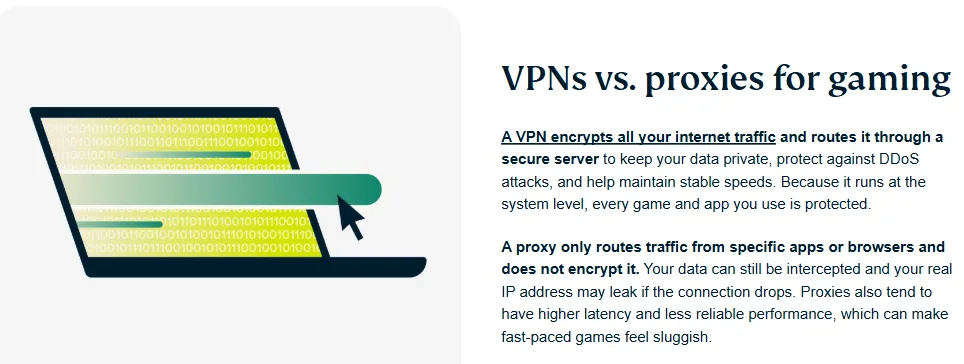
To ensure a smooth, low-latency viewing experience on platforms like Twitch, the setup process is crucial. Follow these steps to maximize your connection quality:
Step 1: Selection and Preparation
-
Choose and Subscribe: Select a premium VPN service known for strong international performance (such as ExpressVPN or NordVPN).
-
Download: Download the specific client application for your device (Windows, macOS, Android, iOS).
Step 2: Installation and Login
-
Install: Complete the installation process on your preferred device.
-
Log In: Launch the application and log in using your account credentials.
Step 3: Optimal Server Selection (Crucial for Speed)
-
Target Location: For Twitch, select a server location close to where the majority of streamers are or where the content is hosted (e.g., US West Coast, Canada, or Japan for Asian streams).
-
Prioritize Performance: Crucially, look for nodes labeled "Streaming Optimized," "Gaming," or "Low Latency." These nodes are specifically configured for high-bandwidth, real-time data transfer.
-
Connect: Click to connect to the selected high-performance server.
Step 4: Verification and Access
-
Verify Connection: Once connected, the VPN client will confirm the connection. You can optionally verify your public IP address has changed to the new location.
-
Launch Platform: Open your browser or the dedicated Twitch app.
-
Test and Adjust: If you experience buffering or high latency, immediately disconnect and try a different "Low Latency" server within the same or a nearby country. Good VPNs have multiple optimized servers in each major region.
Anti-Lag Strategies: Smooth Viewing Optimization Techniques
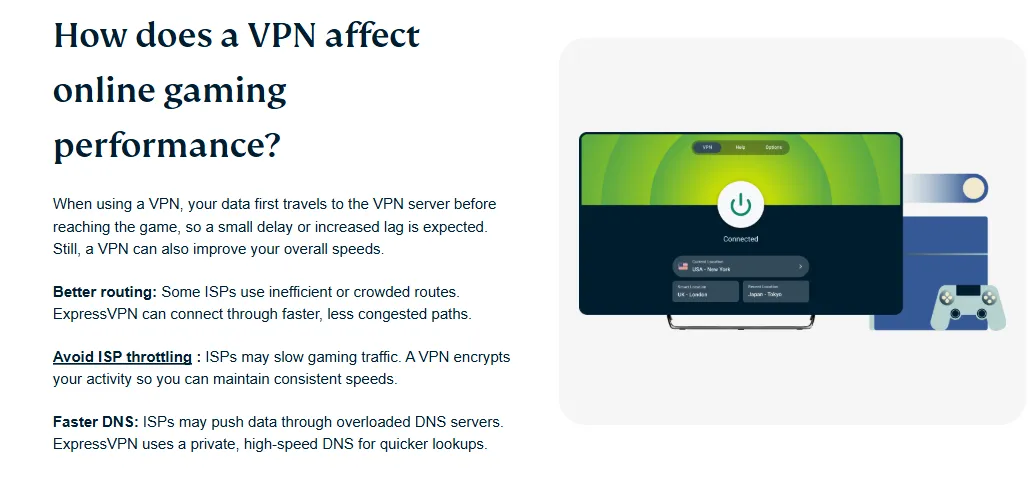
Even with a premium VPN, occasional lag or buffering can still occur. Here are essential tips for optimizing your local network and viewing environment to guarantee a smooth, low-latency stream.
1. Local Network Environment Check
-
Use Wired Connection (Ethernet): Whenever possible, connect your viewing device (PC/console) directly to your router via an Ethernet cable. This eliminates Wi-Fi instability and minimizes packet loss.
-
DNS Optimization: Manually changing your device's DNS to public services like Google DNS (8.8.8.8) or Cloudflare (1.1.1.1) can sometimes resolve connection routing issues and slightly improve initial load times.
-
Check Router QoS: If multiple devices share your network (downloads, video calls), enable Quality of Service (QoS) on your router to prioritize the bandwidth used by your viewing device.
2. Stream Quality Management
-
Lower Resolution: If you are consistently lagging, temporarily reduce the stream quality from 4K/1080p to 720p or 480p. This significantly reduces the required bandwidth, ensuring stability over quality.
-
Disable Extensions: Browser extensions, especially ad-blockers or privacy tools, can sometimes interfere with stream playback. Try disabling them specifically for the streaming platform or use the platform’s dedicated application.
3. VPN Protocol Optimization
-
Select the Best Protocol: Modern VPN clients often allow you to choose protocols. WireGuard (or Lightway/NordLynx, the custom versions) typically offers better speed and lower overhead than older protocols like OpenVPN, making it ideal for streaming.
-
Split Tunneling: If available, use the VPN's split tunneling feature to route only the streaming app/browser traffic through the VPN, leaving other background traffic on your regular connection. This prevents your VPN connection from being unnecessarily burdened.
Five Core Advantages of Choosing Overseas Platforms
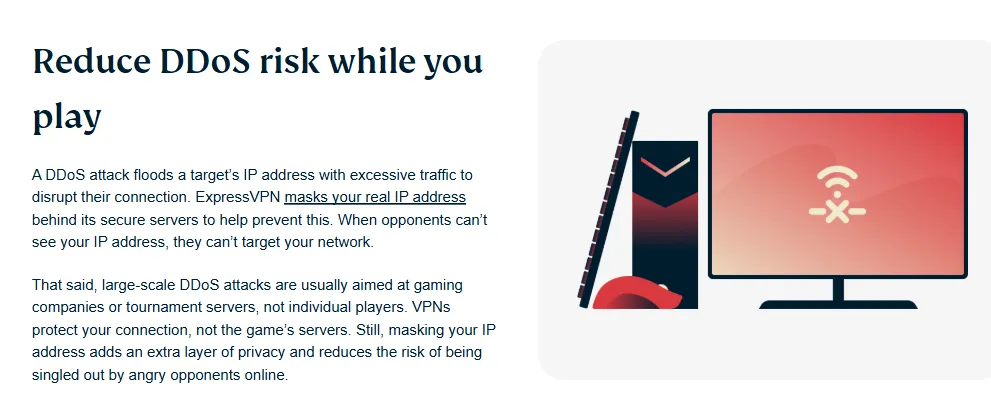
Despite the necessity of a VPN, switching to international streaming platforms offers substantial benefits that justify the effort:
-
Exclusive Access to Tier-1 Esports: Only platforms like Twitch and YouTube Gaming secure the global exclusive broadcast rights for the world's most significant esports tournaments (e.g., League of Legends Worlds, Dota 2 The International, CS2 Majors). These are simply unavailable on local platforms.
-
Unparalleled Content Diversity: Overseas platforms provide a wider spectrum of content, including global AAA game releases, niche indie titles, and streams focused on distinct regional cultures. This offers viewers perspectives and games unavailable domestically.
-
Superior Technical Viewing Experience: International platforms lead in technical standards, offering consistent support for high-resolution streaming (1080p, 4K) and low-latency modes crucial for real-time competitive viewing.
-
Direct Engagement with a Global Community: These platforms offer richer, more established community tools (unique emotes, gifting systems, and live chat) that allow viewers to interact directly with global streamers and feel truly connected to the worldwide gaming culture.
-
Exposure to the Cutting-Edge Creator Economy: Platforms like Kick and YouTube are driving innovation in the creator economy (e.g., 95/5 revenue splits). Viewing these platforms means participating in an ecosystem that continuously pushes the boundaries of content monetization and quality.
Summary and Future Outlook: The 2026 Competitive Landscape
The global game streaming market in 2026 is projected to exhibit three major trends:
-
Intensified Competition Among Platforms: The duopoly of Twitch and YouTube Gaming is being challenged by the rise of Kick and the deeper penetration of TikTok Live. This fierce competition will translate into higher creator revenue splits, more generous signing bonuses, and continuous investment in viewing technology, ultimately benefiting the audience.
-
Technological Innovation Focused on Decentralization and AI: Decentralized platforms like DLive will continue to explore the potential of blockchain technology for content monetization and user governance. Simultaneously, Artificial Intelligence (AI) will deeply integrate into content recommendation, real-time translation, and automated clipping, making cross-language viewing and content discovery easier and more convenient.
-
Coexistence of General Entertainment and Vertical Specialization: Content on platforms will follow two parallel paths: on one hand, platforms like BIGO LIVE and TikTok Live will continue to push the integration of live streaming into general entertainment and social networking; on the other hand, specialized platforms like OPENREC.tv and Nimo TV will focus on creating more professional and refined community experiences within vertical niches (such as Japanese console games or mobile esports).
Regardless of which platform you choose, mastering the techniques for VPN unlocking and network optimization will be the key to enjoying global streaming content without hindrance.
2026 Cloud Gaming Integration: Beyond Just Watching
The 2026 Landscape: In 2026, the boundary between "watching" a stream and "playing" the game has virtually disappeared. With the rise of "Crowd Play" features on YouTube Gaming and Twitch, viewers can now jump directly into a streamer's session via the cloud with a single click. Platforms like NVIDIA GeForce Now (Ultimate 2026 Edition), Xbox Cloud Gaming, and PlayStation Plus Premium are no longer niche; they are the primary way many users access AAA titles. Consequently, users searching for "streaming VPNs" are increasingly looking for ways to stabilize their interactive streams.
-
The Latency Threshold (Input vs. Visual): While standard 4K video streaming can tolerate a 2-5 second buffer, Cloud Gaming is a "zero-buffer" environment. For a "local-feel" experience, the total round-trip time (RTT) must be sub-30ms. Any jitter (fluctuation in latency) above 2ms will cause "stuttering" in the input response, making fast-paced games like Valorant or League of Legends unplayable. Mention that top-tier VPNs like ExpressVPN and NordVPN utilize optimized routing to bypass congested public internet "hops," often resulting in a lower ping than a standard ISP connection by hitting the gaming data centers directly.
-
Protocol Optimization (The UDP Mandate): Strongly recommend WireGuard or Lightway (UDP). Explain that TCP-based protocols are disastrous for cloud gaming because of their "error correction" overhead; if a packet is lost, TCP waits to re-send it, causing the whole game to freeze. In 2026, modern VPNs offer "Gaming Modes" that prioritize UDP traffic and allow for custom MTU (Maximum Transmission Unit) settings, which can prevent packet fragmentation—a common cause of lag on cloud platforms.
-
Cross-Platform Device Support: Highlight that in 2026, cloud gaming isn't just on PCs. These VPNs must support:
-
Handhelds: Native apps for Steam Deck (OLED 2), ROG Ally, and the Nintendo Switch 2 (Cloud Edition).
-
Smart TVs & Dongles: High-performance apps for Android TV 15+ and Apple TV 4K (Gen 4) to enable 4K/120fps cloud streaming.
-
Router-Level VPNs: Essential for consoles like PS5 Pro or Xbox Series X (2026 refresh) that don't support native VPN apps but require the lower ping provided by a VPN's optimized routing.
-
-
Stability Over Raw Speed: Clarify that for Cloud Gaming, a stable 50Mbps connection with 0% packet loss is superior to a 1Gbps connection with 1% packet loss.
Frequently Asked Questions (FAQ)
Q1: Why does Twitch still lag or fail to load even when I am connected to a VPN?
A: This is usually due to the VPN node you selected being congested, having poor quality, or the node having already been identified and speed-limited by platforms like Twitch. Solution: Try switching to a different server within the same country (such as the US or Japan). If the problem persists, switch to a premium VPN service known for robust streaming optimization and dedicated low-latency servers.
Q2: Will using a VPN get my Twitch or YouTube account banned?
A: For general viewing, the risk is extremely low. However, platforms do prohibit the use of VPNs to circumvent geo-restrictions for purchasing or obtaining region-locked content. Advice: Avoid using a VPN while making purchases (subscriptions, channel gifts) if your VPN location differs from your registered billing address. For general viewing, it is usually safe.
Q3: Which VPN protocol is best for low-latency gaming streams?
A: The latest protocols are always recommended. WireGuard (and proprietary versions like ExpressVPN's Lightway or NordVPN's NordLynx) are generally superior for live streaming because they offer faster speeds and lower connection overhead compared to the older OpenVPN protocol. Always select a "UDP" connection type if available.
Q4: Can I use a free VPN to watch overseas streams?
A: While you can connect, free VPNs are highly unreliable for high-bandwidth activities like live streaming due to severe speed caps, data limits, and server congestion. Recommendation: Free VPNs can act as a simple access tool, but they are generally incapable of providing a smooth, high-resolution viewing experience. Premium services are necessary for stable HD streaming.
Q5: What is the ideal server location to watch US streamers on Twitch?
A: The best server location depends on the streamer, but usually, connecting to the US West Coast (e.g., Los Angeles, Seattle) or Canada (Vancouver) provides the fastest and most stable connection for users in Asia, as most major US streamers and content distribution networks (CDNs) are centered there.
PS: All images in this article are sourced from the merchant's official website and are copyrighted by the merchant.