TikTok has quickly become a global phenomenon in short-video and live-streaming. Gifting is a crucial part of the ecosystem, whether for entertainment, learning, or social interaction. Users purchase "TikTok Coins," which they exchange for a wide array of virtual gifts to send to creators, expressing support and recognition.
As the platform grows, many users are focused on finding the most economical way to buy Coins. This guide provides the latest, safest, and most practical low-cost purchasing strategies for 2026 to help you maximize the value of every gift and enhance your interaction experience.
Understanding TikTok Coins
1. What Are TikTok Coins? (In-App Currency)
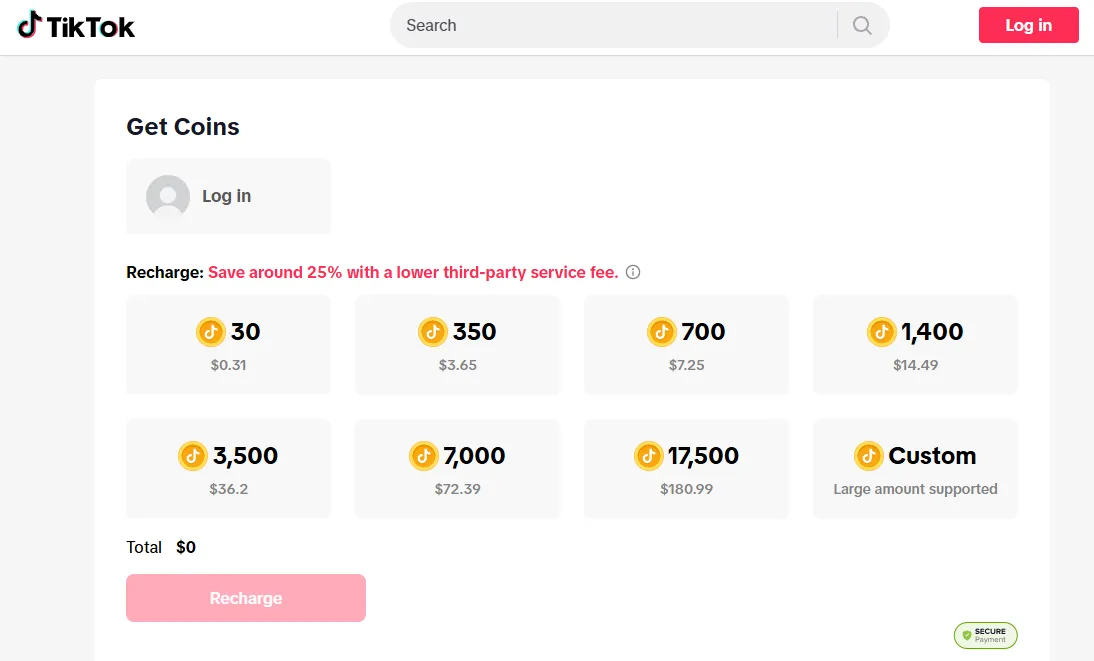
TikTok Coins are the official in-app currency (digital token) used on the global social media platform TikTok. They are the primary tool for value exchange and interaction support between users and content creators. Users must purchase Coins directly from TikTok using fiat currency (real money). Coins act solely as a consumption medium within the platform and cannot be redeemed for cash directly.
Coins are the only accepted currency for buying and sending virtual gifts during live streams and short-video interactions. These gifts range from basic emoji stickers to high-value animated props, serving as a way for users to express appreciation and support for the creator’s content.
After receiving virtual gifts, creators' accounts convert the gift value into Diamonds. Creators can then apply to cash out the accumulated Diamonds for real currency, based on the platform’s set exchange rate and rules. TikTok retains a percentage of revenue from virtual gifts as a commission or service fee. This revenue-sharing model is how creators monetize their content.
2. Why You Need TikTok Coins? (Platform Benefits)
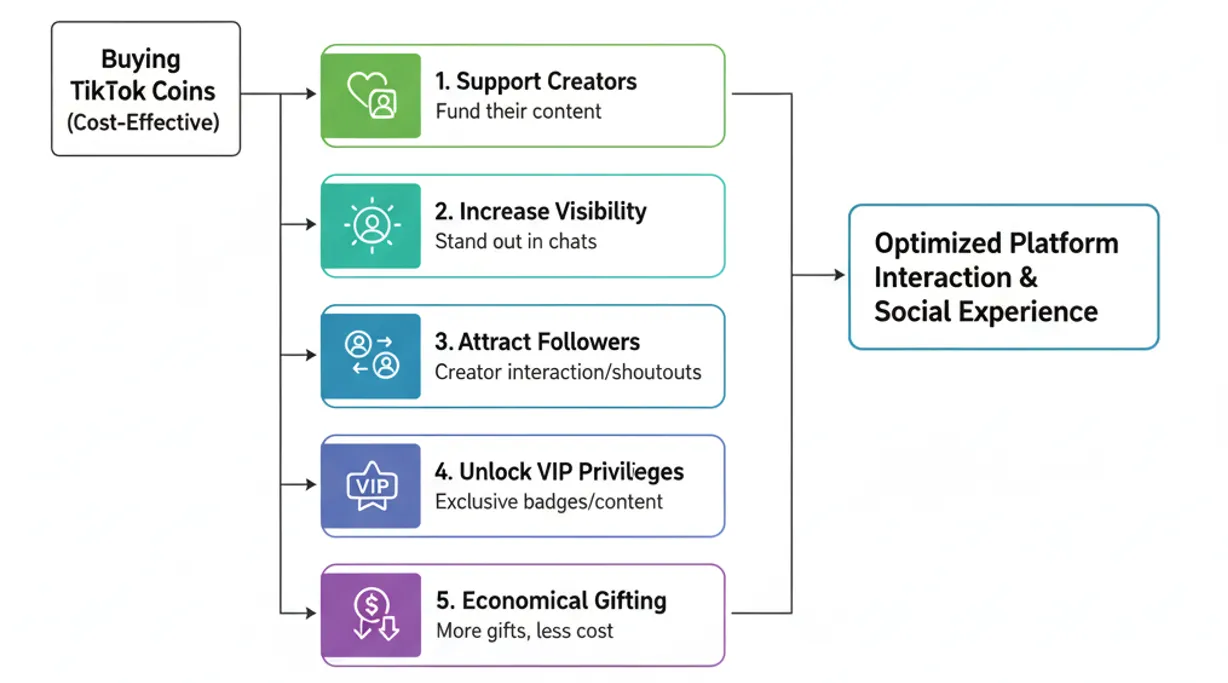
Buying TikTok Coins, especially via cost-effective channels, optimizes your platform interaction and social experience by offering:
-
Support Creators: Gifting is the most direct way to affirm high-quality content. Your contribution converts into the creator’s Diamond revenue, directly aiding their monetization and encouraging continued creation.
-
Increase Visibility: Sending gifts highlights your user avatar and nickname, often with cool special effects, helping you stand out among thousands of viewers. Top gifters may also receive recognition or thank-yous from creators.
-
Attract Followers: Generous gifting often earns special attention from creators, including replies, follow-backs, or shoutouts, helping you build closer ties and potentially attract new followers.
-
Unlock Exclusive VIP Privileges: Certain gifts or cumulative gifting amounts can unlock special features, such as gaining an exclusive VIP badge, access to exclusive community content, or the opportunity for private messaging (DM) interactions with the creator.
-
Achieve Economical Gifting: Using the low-cost strategies in this guide allows you to purchase more Coins with the same budget, reducing your actual spending without lessening the gifting impact—an ideal approach for savvy users.
How to Get Cheap TikTok Coins? (Core Strategies & VPN)
The methods for acquiring cheaper TikTok Coins primarily depend on the discount level you seek and your acceptance of risk. Here is a quick overview of the pros and cons of several methods:
🔔Quick Comparison of Purchasing Methods
|
Channel/Method |
Pros |
Cons |
|
Official TikTok Website |
✅ Generally cheaper than in-app purchases (avoids App Store/Google Play fees) ✅ Secure and official ✅ Compatible with most standard payment methods |
❌ Limited to official pricing; no additional discounts |
|
TikTok Promotions/Events |
✅ Significant discounts during promotional periods (holidays, platform events) ✅ Sometimes includes bonus Coins with purchase ✅ Secure and fully legitimate |
❌ Not cyclical; requires waiting |
|
Buying in Bulk |
✅ Lower cost per coin compared to smaller bundles ✅ Fewer transactions, saving processing time/fees ✅ Ideal for frequent gifters |
❌ Higher initial capital investment |
|
Cashback/Reward Cards |
✅ Allows you to earn back a percentage of your spending (stackable savings) ✅ Can be used concurrently with official TikTok pricing ✅ Some cards offer high cashback on digital spending |
❌ Cashback rates are often low; specific conditions must be met |
|
Using a VPN to Switch Regions |
✅ Potential for significant savings by accessing cheaper regions ✅ Can be combined with other methods (e.g., larger bundles) ✅ Flexible if you travel often |
❌ May violate TikTok's Terms of Service, carrying an account ban risk ❌ Requires international payment methods |
1. Core Strategy: Official TikTok Website vs. In-App Purchase (Avoid Platform Tax)
1.1 Why is the Website Cheaper?
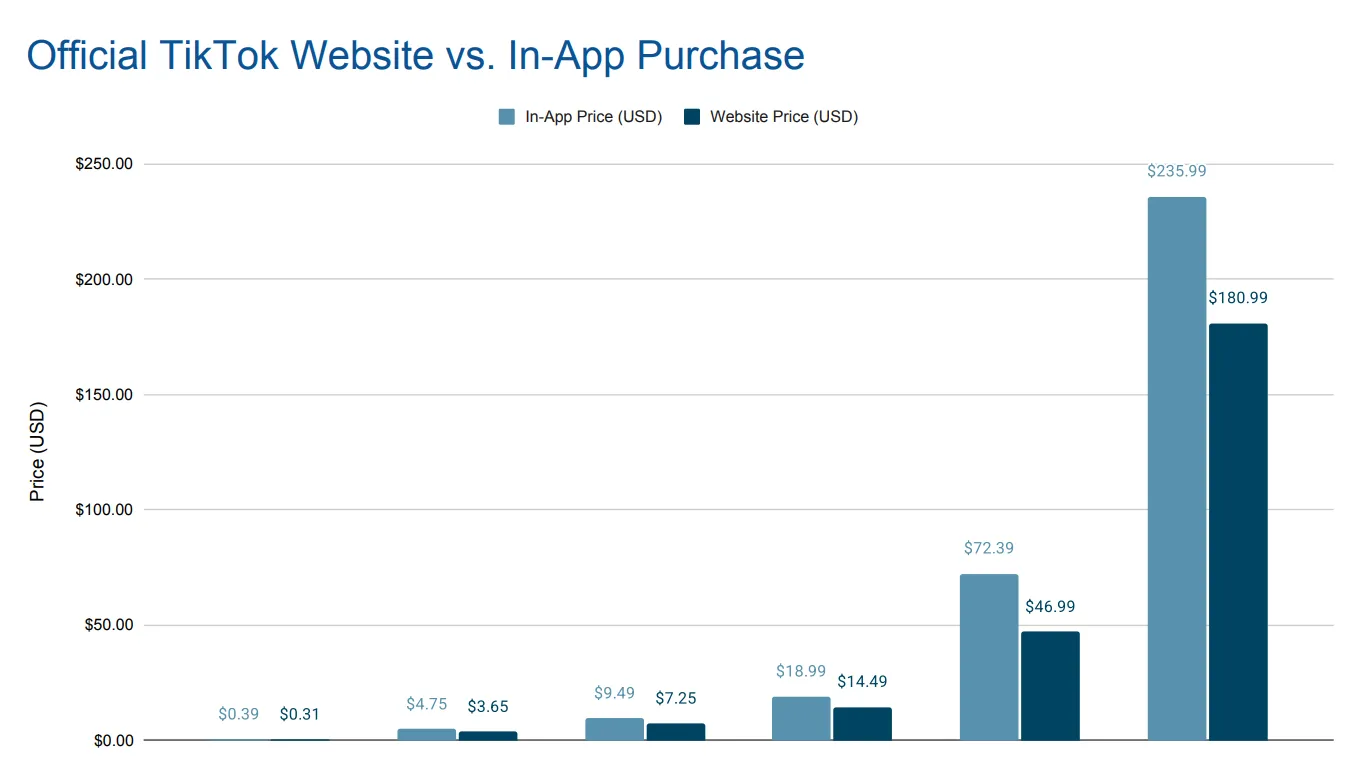
Buying TikTok Coins directly through the app usually costs more because Apple and Google add service fees (the "platform tax") to in-app purchases. Since Google and Apple charge TikTok fees of up to 30%, this cost is typically passed on to the user. Buying Coins on the official TikTok website bypasses these app store markups, giving you the lowest standard rate.
1.2 Quick Price Comparison (USD Example):
|
Coin Quantity |
In-App Price (USD) |
Website Price (USD) |
Website Savings Percentage |
|
30 |
$0.39 |
$0.31 |
~ 20.5% |
|
350 |
$4.75 |
$3.65 |
~ 23.2% |
|
700 |
$9.49 |
$7.25 |
~ 23.7% |
|
1,400 |
$18.99 |
$14.49 |
~ 23.7% |
|
7,000 |
$72.39 |
$46.99 |
~ 35.1% |
|
17,500 |
$235.99 |
$180.99 |
~ 23.3% |
Web Purchase Steps:
-
Check for Support: Visit the TikTok Coin purchase page in your browser. If it loads and displays coin bundles with prices, web purchasing is supported in your region.
-
Access Official Website: Open your browser, enter tiktok.com, and log in. Confirm your local currency is displayed for an accurate price comparison. Pro Tip: If the page redirects to the app, try switching your mobile browser to desktop view or use a computer.
-
Select "Get Coins": After logging in, click "Get Coins" in the top right corner.
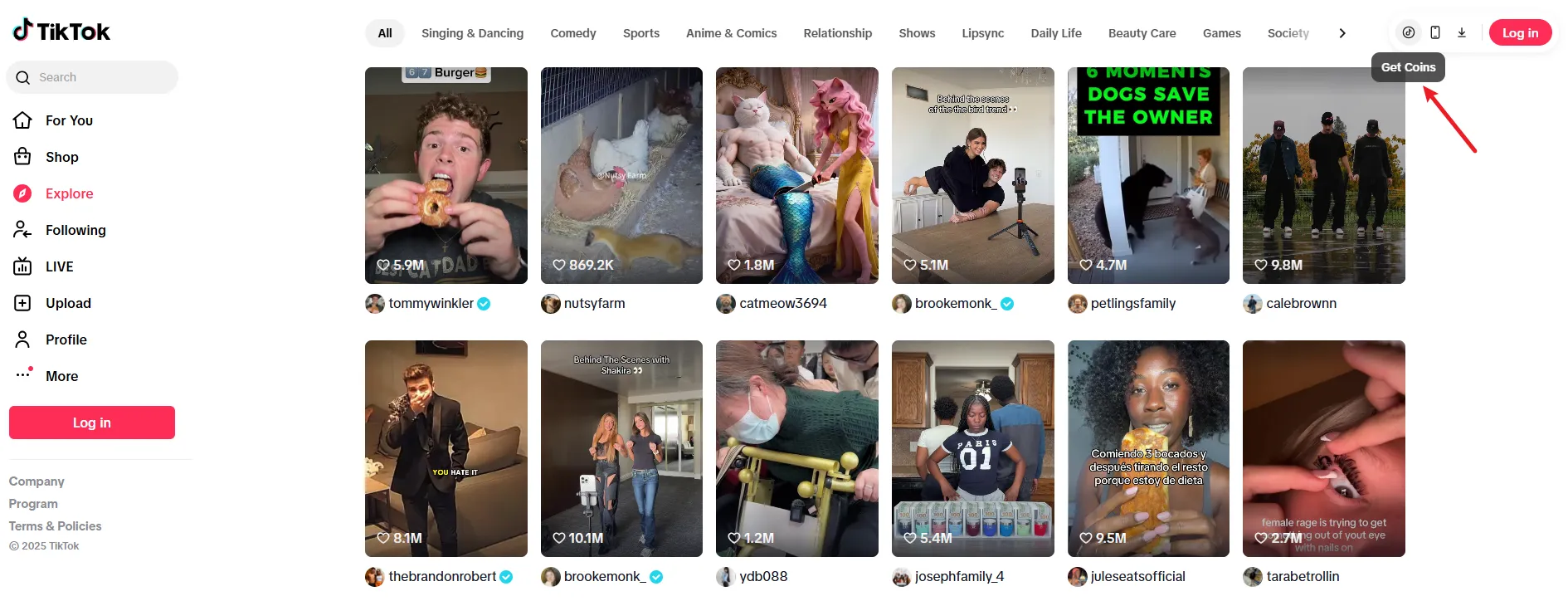 Image from tiktok.com, Copyright by Merchant
 -
Choose a Coin Plan: Browse bundles and check the cost per coin; larger bundles generally offer better value.
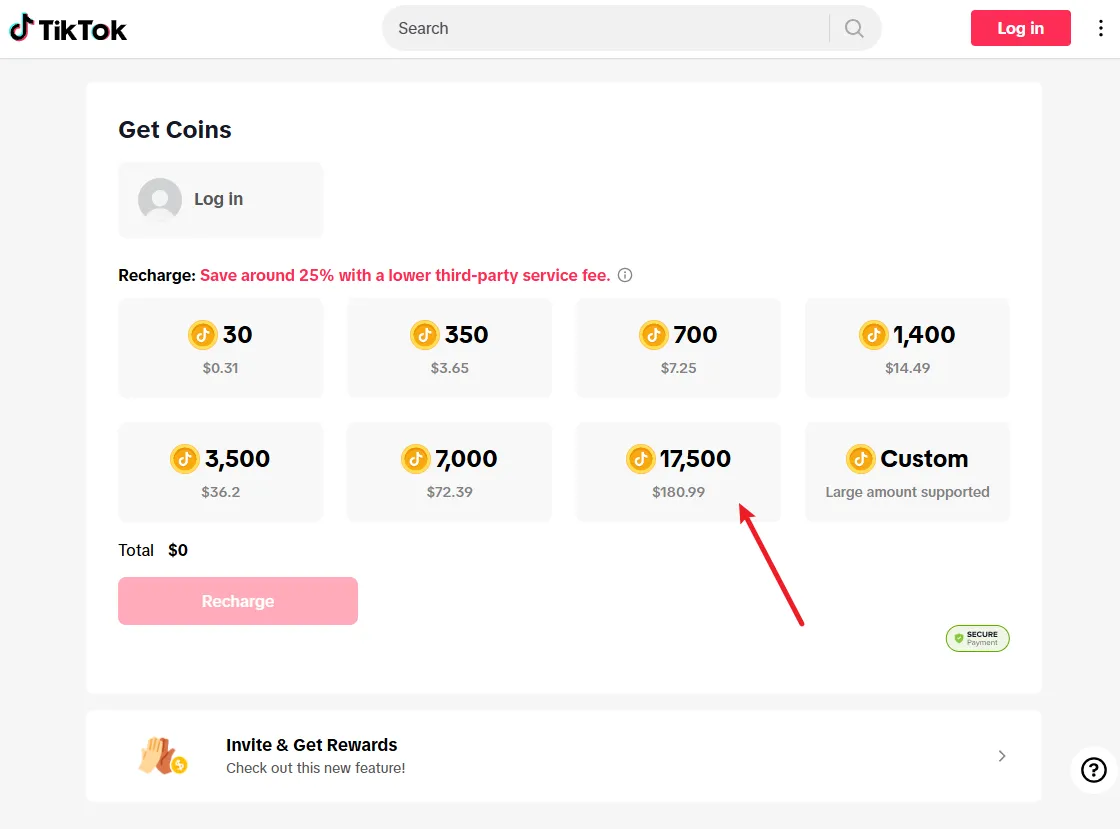 Image from tiktok.com, Copyright by Merchant
 -
Select Payment Method and Pay: Choose a payment method (credit/debit cards, PayPal, etc.) and complete the transaction.
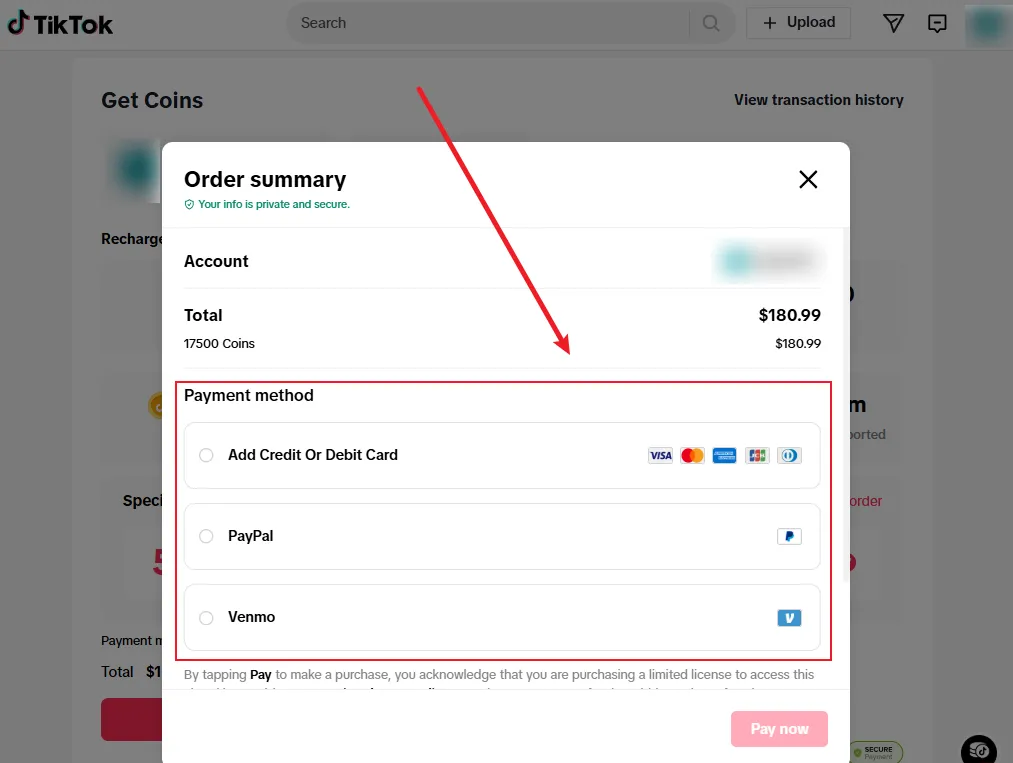 Image from tiktok.com, Copyright by Merchant
 -
Industry Outlook: Digital market regulations in 2026 are expected to relax restrictions on web purchases from Apple/Google, potentially making online Coin buying even easier and cheaper.
2. Utilize Official TikTok Promotions & Events
TikTok regularly holds promotional events where you can acquire Coins at a cheaper rate or receive bonus Coins for free when purchasing a package. These offers are the safest and most reliable official ways to save money.
Promotional activities often appear around:
-
Holidays and Festivals: Such as Christmas, New Year, Halloween, Valentine's Day, etc.
-
Special TikTok Events: Major events like TikTok LIVE Fest often include extra Coins or discounts.
-
Limited-Time Flash Sales: Short-term deals may occasionally appear within the app or on the website.
Steps:
-
Follow Official Notifications: Keep an eye on TikTok's notification banners, live announcements, or official emails.
-
Verify Promotion Details: Confirm if the offer is a direct discount or bonus Coins (e.g., "Buy 1000 Get 100 Free") and note the validity deadline.
-
Choose the Website Channel: Even during promotions, purchase through the TikTok website to stack the website's inherent lower price advantage over in-app purchases.
-
Quick Purchase: Select the promotional package and complete the purchase quickly to avoid missing the offer window.
3. Buying in Bulk
TikTok prices its bundles to offer a better cost-performance ratio for larger packages. Buying TikTok Coins in bulk means you pay less overall for each individual coin, significantly increasing your cost efficiency.
Steps:
-
Access Top-Up Page: Go to the Coin purchase page via the official TikTok website (recommended).
-
Compare Unit Prices: Carefully review the prices and compare the actual cost per coin (Total Price / Coin Quantity).
-
Choose the Best Value: Select the package with the largest total number of coins and the lowest unit price based on your usage and budget.
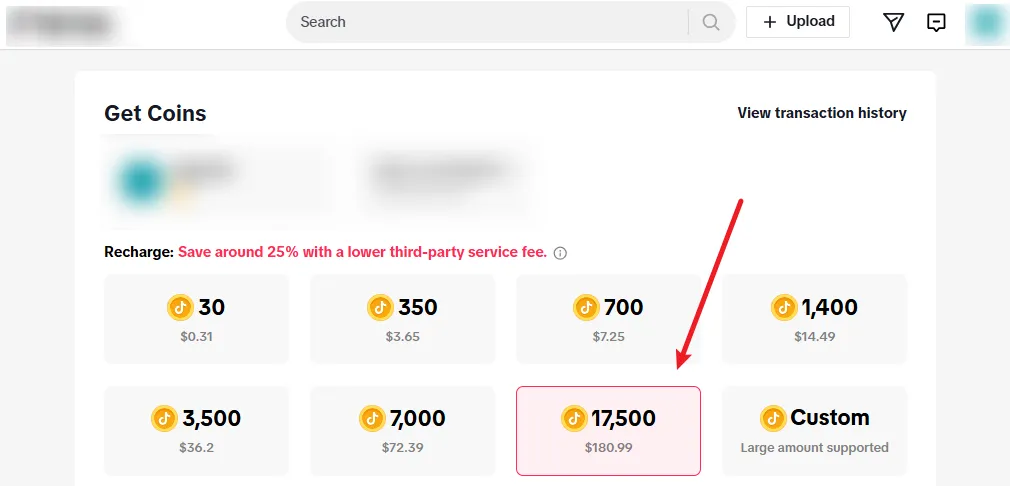 Image from tiktok.com, Copyright by Merchant
 -
Complete Purchase: Check out and wait for the Coins to be credited to your account instantly.
4. Stack Savings with Cashback & Rewards
Even without a TikTok promotion, you can lower your effective cost by utilizing credit cards and reward portals that offer cashback or points. Since Coins are a digital purchase, this setup can effectively reduce your actual spending.
Steps:
-
Determine Cashback Tool: Select a credit or debit card that offers high cashback (e.g., 1-5%) for "online spending" or "entertainment" categories.
-
Activate Portal: Before visiting the TikTok website, go through a reward portal (if supported) like Rakuten, TopCashback, or a bank-operated reward website to ensure the purchase is tracked.
-
Pay with Cashback Card: On the TikTok website, use your selected cashback/reward card to complete the Coin purchase.
-
Wait for Cashback: The rewards will be credited to your account after the settlement cycle, resulting in an additional, low-risk cost reduction.
5. Advanced VPN Strategy: Cross-Border Purchase for the Cheapest TikTok Coins
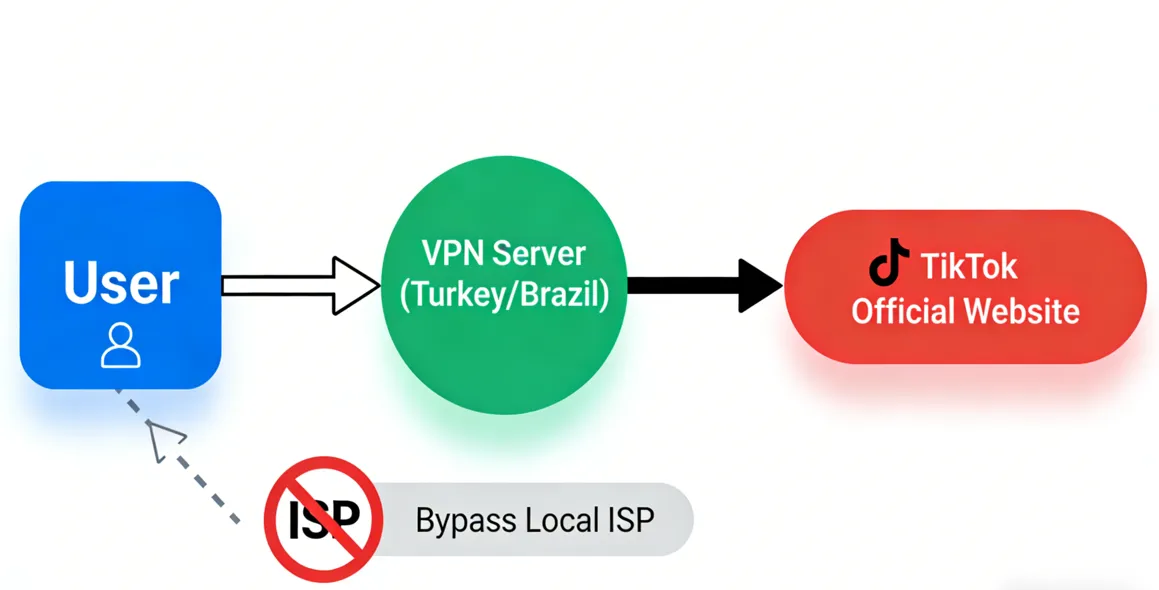
⚠️ Warning: Using a VPN to purchase TikTok Coins from a different country/region may violate TikTok’s Terms of Service. Misrepresenting your geolocation to access cheaper rates could risk account suspension or a permanent ban.
5.1 Account Ban Risk: VPN Terms of Service Violation Warning
TikTok sets different prices for Coins based on the country/region. The same Coin bundle can be significantly cheaper in certain regions than in the US or Europe. A VPN allows you to change your device's geolocation to a low-price country, enabling you to access local prices.
5.2 Recommended VPN Services Overview
Here is a comparison of recommended services for cross-region TikTok Coin purchasing:
|
VPN Service |
Security & Privacy (Encryption/Logging) |
Obfuscation Technology |
Server Network |
Free Trial |
Kill Switch |
Lowest Monthly Price |
Refund Guarantee |
|
AES-256 / No Logs |
✅ |
3000+ / 105+ Countries |
❌ |
✅ |
$3.49 |
30 Days |
|
|
AES-256 / No Logs |
✅ |
8600+ / 168+ Locations |
✅ (Mobile 7 Days) |
✅ |
$2.99 |
30 Days |
|
|
AES-256 / No Logs |
✅ |
3200+ / 100+ Locations |
✅ (Limited Features) |
✅ |
$1.66 |
30 Days |
5.3 Complete VPN Cross-Region Purchase Steps
-
VPN Preparation and Setup: Purchase and install your chosen VPN service. Ensure the Kill Switch function is enabled.
-
Select a Low-Price Node: Connect your VPN to a server in a known low-cost region (e.g., Turkey, Brazil, Philippines).
-
Clear Geo-Traces: Crucially, clear all your browser's cookies and cache, or open the browser's Private/Incognito Mode. This is vital to eliminate local data that might expose your actual location.
-
Access Top-Up Page: Navigate to the official TikTok website (tiktok.com) and log in. Ensure your network environment remains protected by the VPN.
-
Select Package and Confirm Currency: Go to the "Get Coins" page. Confirm that the price and currency have switched to the currency unit of the target low-price region (e.g., Turkish Lira - TL).
-
International Payment and Completion: Select the Coin quantity and complete the purchase using a credit/debit card that supports international payments. Coins will be instantly credited to your account.
5.4 Cheap TikTok coins country list in 2026
|
Country |
Price for 30 Coins |
Price for 350 Coins |
Price for 700 Coins |
|
US |
$0.31 |
$3.65 |
$7.25 |
|
Argentina |
$0.31 |
$3.65 |
$7.25 |
|
Canada |
$0.45 CAD (~$0.32) |
$5.19 CAD (~$3.68) |
$10.35 CAD (~$7.34) |
|
Brazil |
R$ 1.79 (~$0.33) |
R$ 20.49 (~$3.80) |
R$40.95 (~$7.60) |
|
Thailand |
THB 11.1 (~$0.34) |
THB 130 (~$4.00) |
THB 259 (~$7.98) |
|
Cambodia |
$0.35 |
$3.99 |
$7.99 |
|
Laos |
$0.35 |
$3.99 |
$7.99 |
|
Australia |
$AUD 0.54 (~$0.35) |
$AUD 6.25 (~$4.04) |
$AUD 12.45 (~$8.04) |
|
Malaysia |
MYR1.45 (~$0.35) |
MYR 16.75 (~$4.04) |
MYR 33.49 (~$8.09) |
|
Singapore |
SGD 0.46 (~$0.35) |
SGD 5.29 (~$4.06) |
SGD 10.55 (~$8.09) |
|
South Korea |
KRW 520 (~$0.35) |
KRW 6100 (~$4.13) |
KRW 12100 (~$8.20) |
|
Philippines |
PHP 20.65 (~$0.35) |
PHP 245 (~$4.16) |
PHP 485 (~$8.24) |
|
Indonesia |
IDR 6000 (~$0.36) |
IDR 69200 (~$4.15) |
IDR 138300 (~$8.30) |
|
Vietnam |
VND 9800 (~$0.37) |
VND 113700 (~$4.31) |
VND 227300 (~$8.62) |
|
Mexico |
MX $6.85 (~$0.37) |
MX$ 79.45 (~$4.31) |
MX$ 158.89 (~$8.62) |
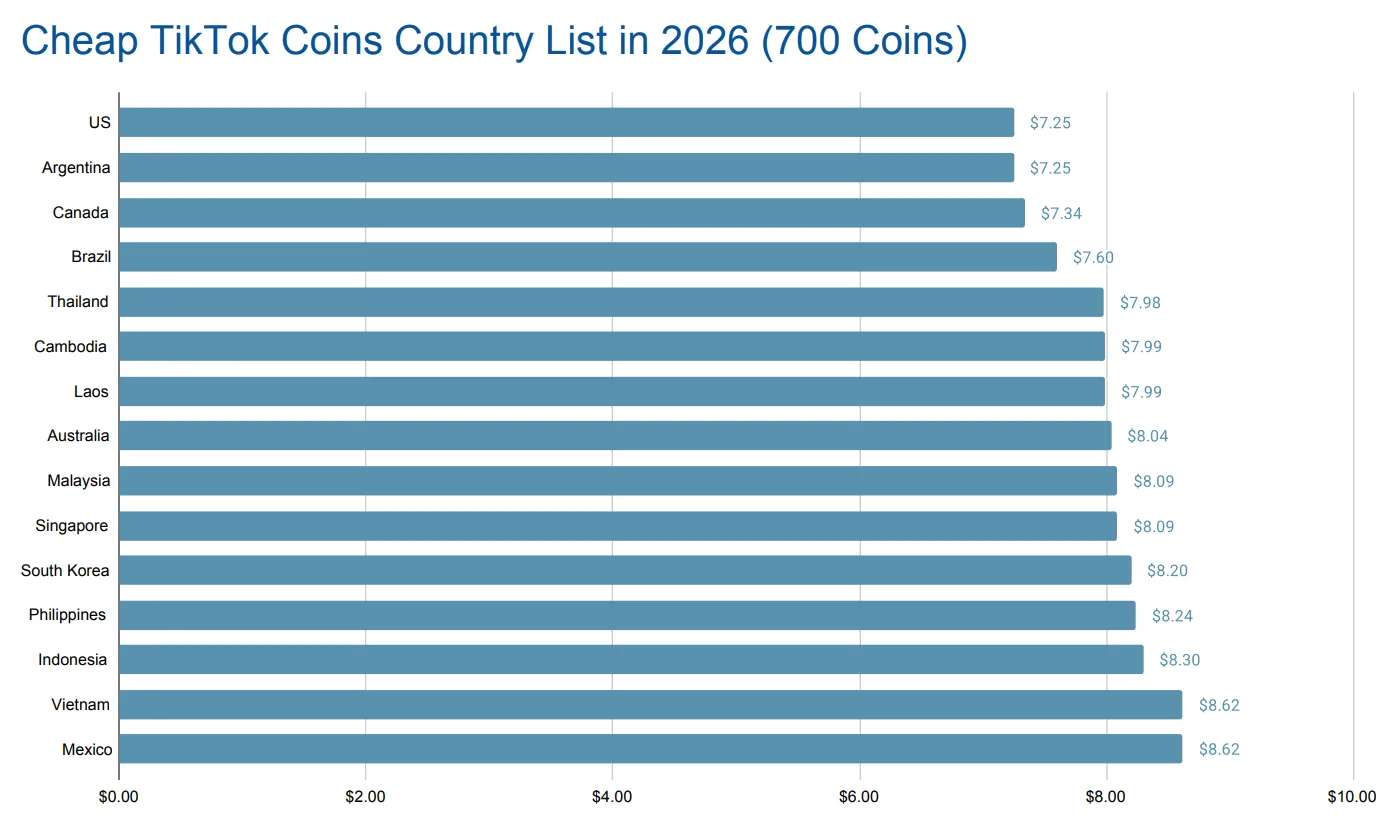
Conclusion:
Lowest Prices & Bulk Savings: The United States, Argentina, and Canada offer the cheapest coins. For bulk purchases, consider connecting your VPN server to the United States, Argentina, or Brazil.
Website is Cheaper: Always buy directly via the official TikTok website (tiktok.com/coin) instead of the app to avoid App Store/Google Play commissions and reduce costs.
Price Volatility Notice: Due to TikTok's dynamic pricing strategy and fluctuations in regional currency exchange rates, these prices are subject to change at any time.
🔔5.5 Troubleshooting: What to Do If TikTok Detects Your VPN?
If your VPN fails to show the low price or your account is locked, try the following solutions:
-
Change Server/IP Address: Try connecting to another server node in the target low-price region.
-
Deep Trace Cleanup: Re-clear all browser cache, cookies, and local storage.
-
Switch Browser or Device: Use a different browser (e.g., Firefox or Edge) in incognito mode.
-
Activate Obfuscation Feature: Enable your VPN's "Obfuscated Servers" or anti-detection mode if available.
-
Check Payment Information: Ensure your international card has not been blocked by your bank for "suspicious transactions."
-
Contact Customer Service (Travel Excuse): If your account is temporarily locked, contact TikTok customer service and claim you are "traveling" or "on a business trip" to request an unlock. This approach often resolves the issue.
Zero-Cost Strategies: Official Ways to Earn Free TikTok Coins Safely
TikTok provides officially recognized ways for active users to earn free Coins. These methods are completely safe and require no expenditure, though the quantity is limited.
1. Participate in Official In-App Events and Challenges
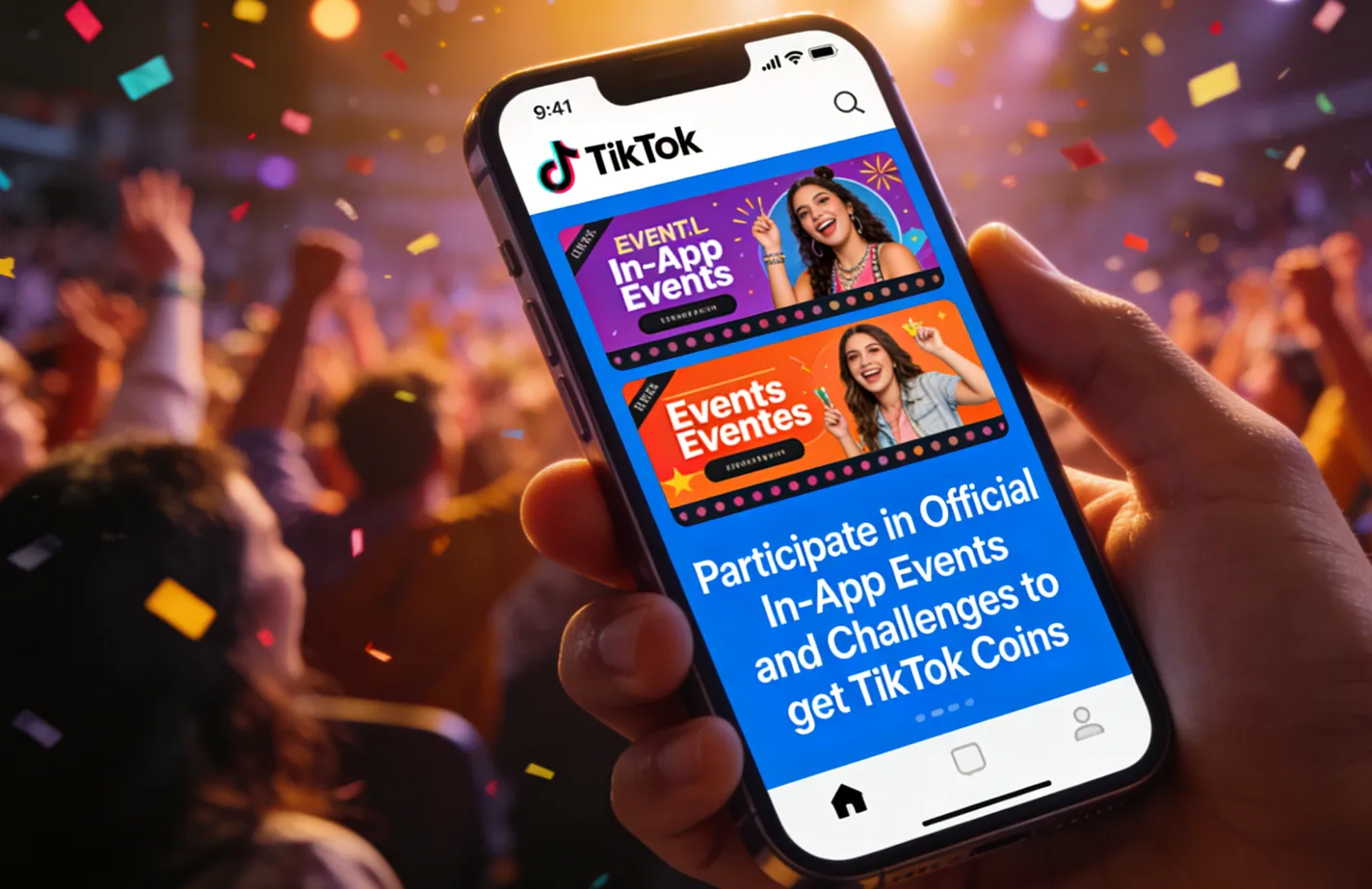
The TikTok platform regularly releases various official Challenges, Events, and Featured Incidents to encourage active creation and interaction.
-
Principle: The platform offers Coin rewards, virtual props, or limited-time coupons as incentives to active users who participate or creators who perform exceptionally well.
-
How to Participate: Closely monitor TikTok’s Notification Center and the official banners on the Discover page for the latest event themes and participation requirements.
2. Utilize the Friend Referral Program
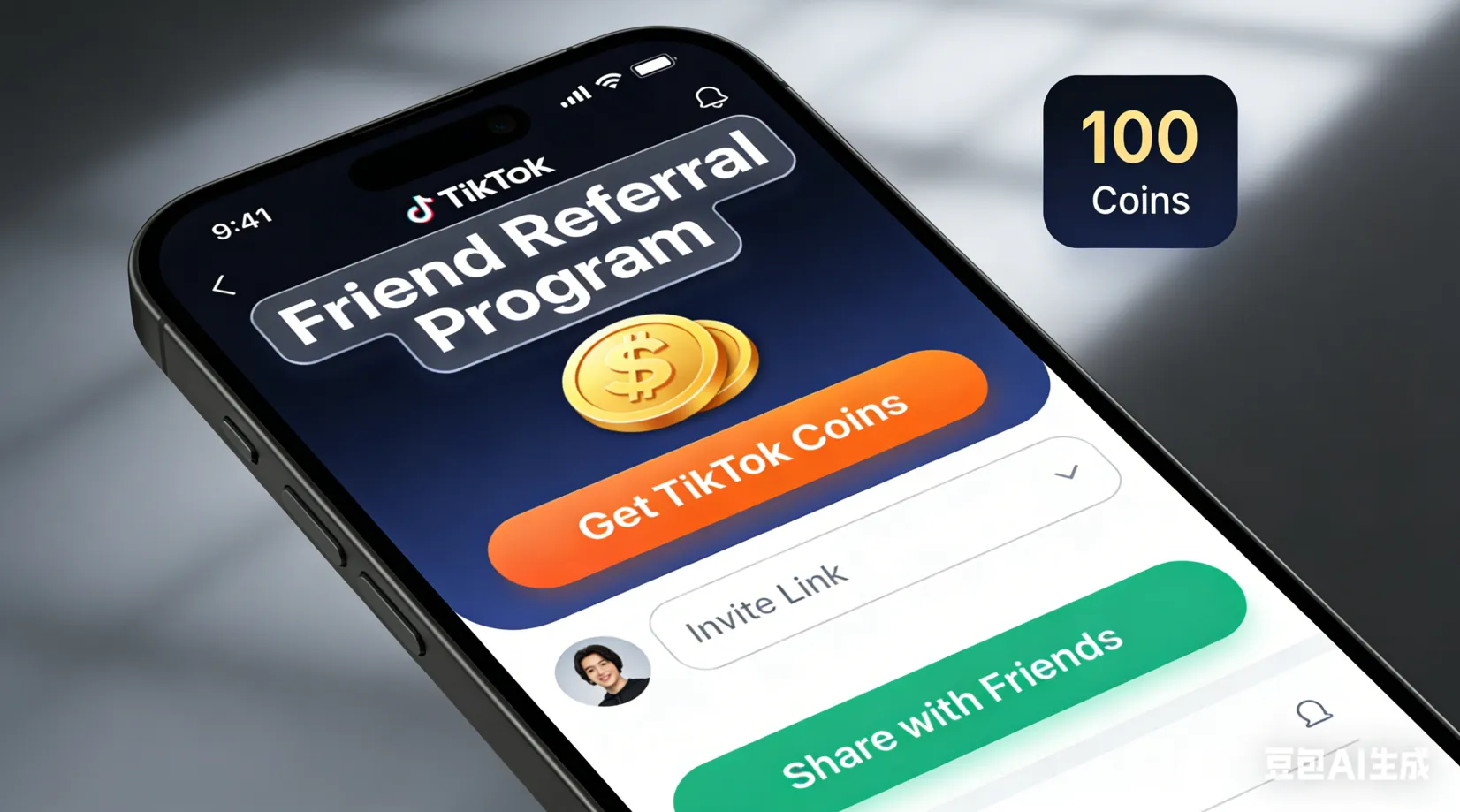
The official TikTok referral program is one of the most direct ways to acquire a small number of free Coins.
-
Principle: TikTok encourages existing users to invite new, first-time users. When a new user registers through your exclusive link and completes beginner tasks (such as watching videos for a certain duration), both you and your friend will receive Coin or equivalent cash rewards.
-
How to Operate: Look for the "Invite Friends" or "Referral Program" entrance on your profile page, generate, and share your invitation link.
3. Go Live and Monetize Gifts (For Creators)
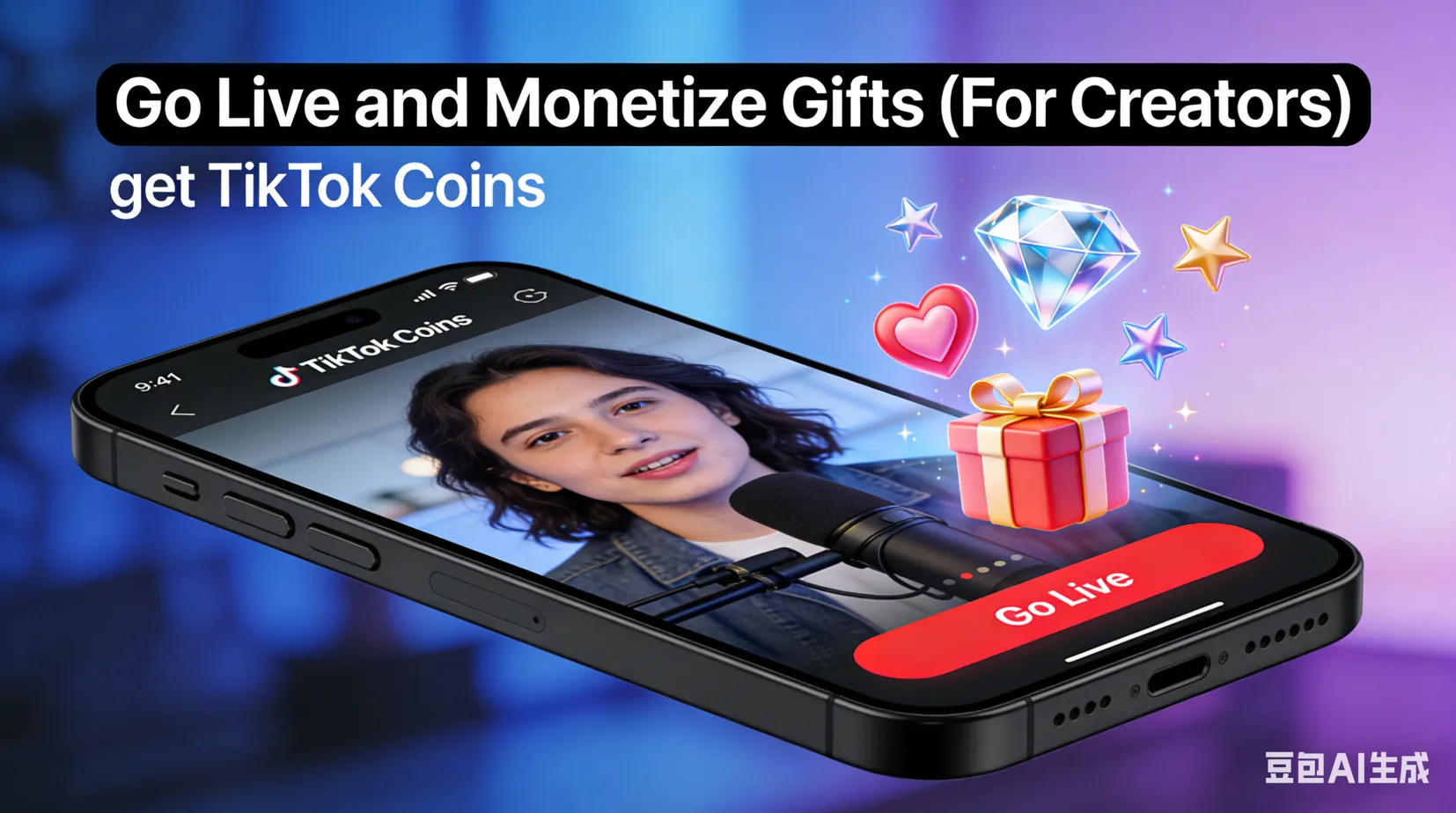
For content creators or users who frequently go live, this is the primary and most sustainable source of "free" Coins.
-
Principle: Viewers purchase Coins to send virtual gifts (like roses, lions, etc.) during your live stream. The gifts you receive are instantly converted into Diamonds.
-
How to Operate: Actively conduct high-quality live streams and interact with the audience to encourage gifting. You can exchange the accumulated Diamonds for cash, or convert them back into TikTok Coins (to tip other creators), achieving a "self-sustaining" in-platform cycle.
Security Warning: Identifying Scams and Unofficial Channels
While official channels are the safest ways to acquire TikTok Coins, the market is flooded with third-party services claiming to offer "ultra-low-price" or "free" Coins. We strongly advise you to avoid the following channels, as they pose extremely high risks to your account security and finances.
1. Avoid Third-Party "Discount Coin Stores"
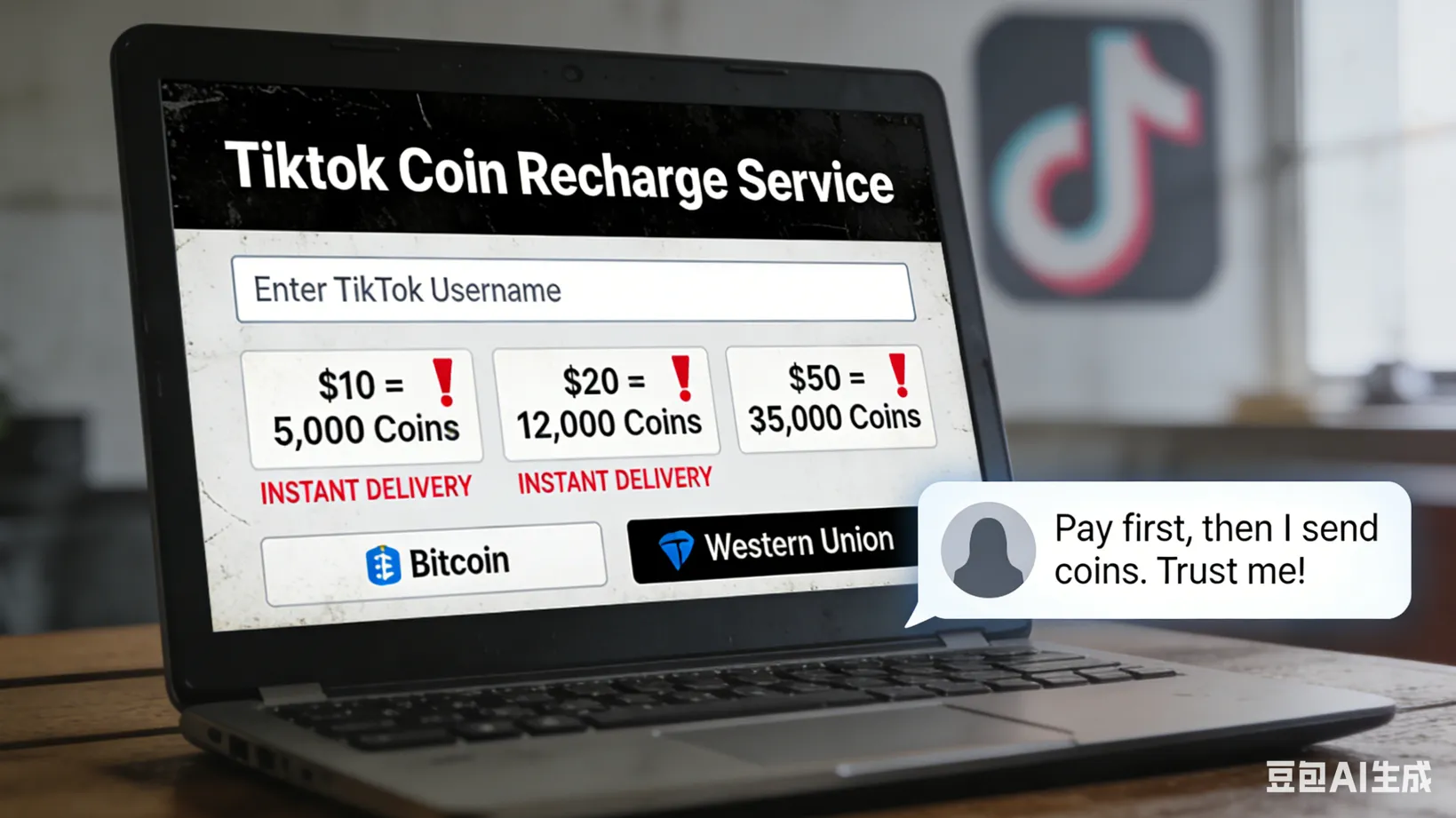
Fake "discount coin stores" frequently appear online, attempting to trick users. Their Coin sources often involve black market cards, stolen credit card use, or other fraudulent activities.
Red Flags: How to Identify a Scam?
-
TikTok Ads Promising Cheap Coins: Ads offering massive discounts are often illegitimate. Even if you receive the Coins, they may have been purchased with stolen cards, leading to your account being flagged or disabled.
-
Third-Party Websites: Any website outside of the official TikTok app or tiktok.com that promises discounted Coins is unauthorized and poses a risk.
-
Sudden Private Messages (DMs): Scammers often use fake accounts to send DMs with links to malicious websites offering Coin "special offers."
2. Beware of "Free Coin" Websites and Task Scams
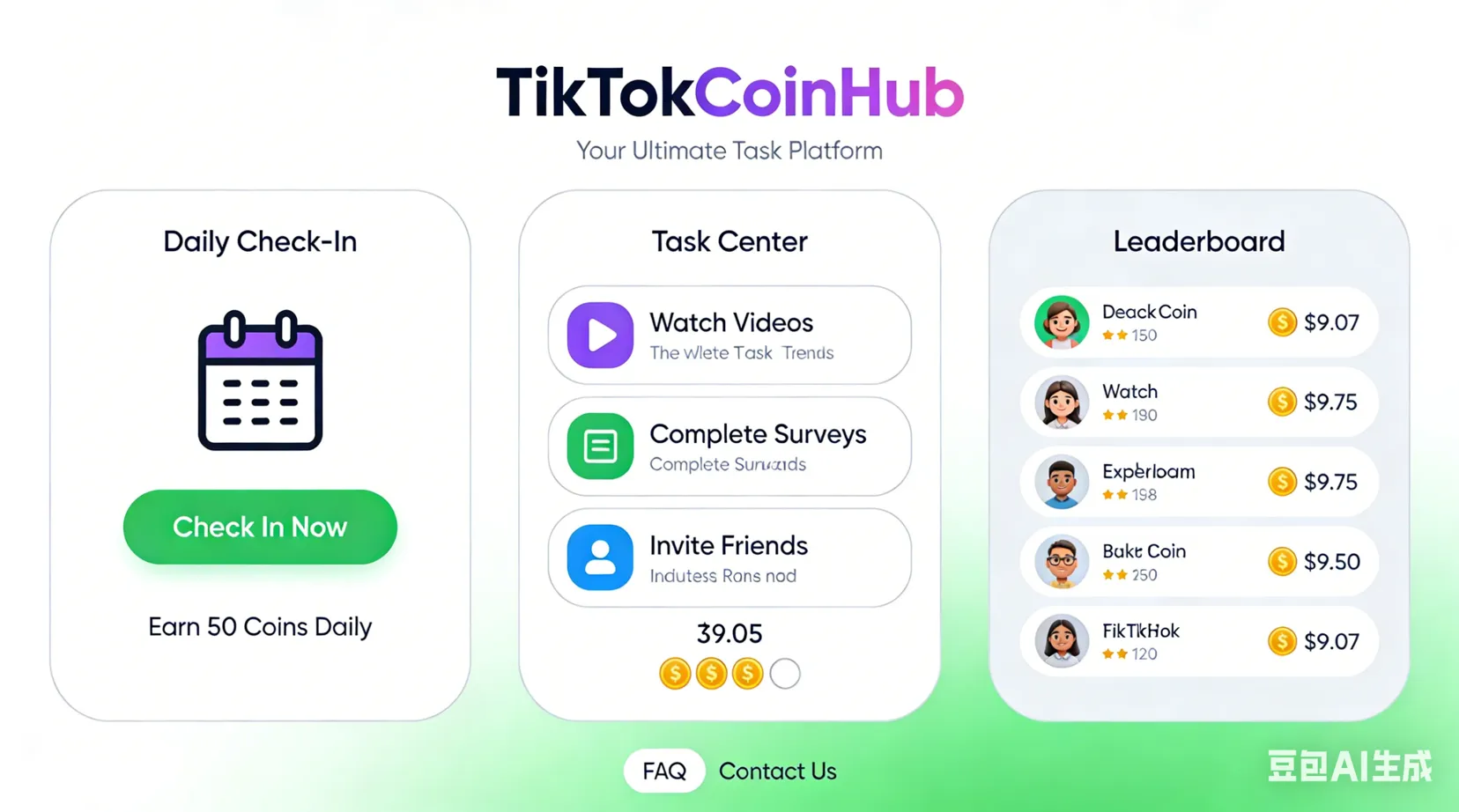
These platforms typically claim you can get a large number of Coins by completing simple tasks.
-
Fake Sweepstakes and Giveaways: Scammers lure users with "free Coin" sweepstakes, asking for personal information or a small "payment" to participate. Legitimate TikTok giveaways will never ask for sensitive information or payment. If payment is required, it is a scam.
-
"Free TikTok Coins" Websites (e.g., Free TikTok Coins): The vast majority of these platforms are phishing or scams. They steal your account information, install malware, or waste your time without delivering the Coins.
-
Phishing Emails: Scammers send fake TikTok emails asking you to log in to claim a reward. If you enter your details, they will steal your login information.
Guide Recommendation: There is no official or safe way to acquire a large number of Coins for free. Never enter your TikTok credentials or personal information on any website offering "free" Coins. If TikTok detects an unofficial top-up, it will deduct the Coins and impose a permanent ban on your account.
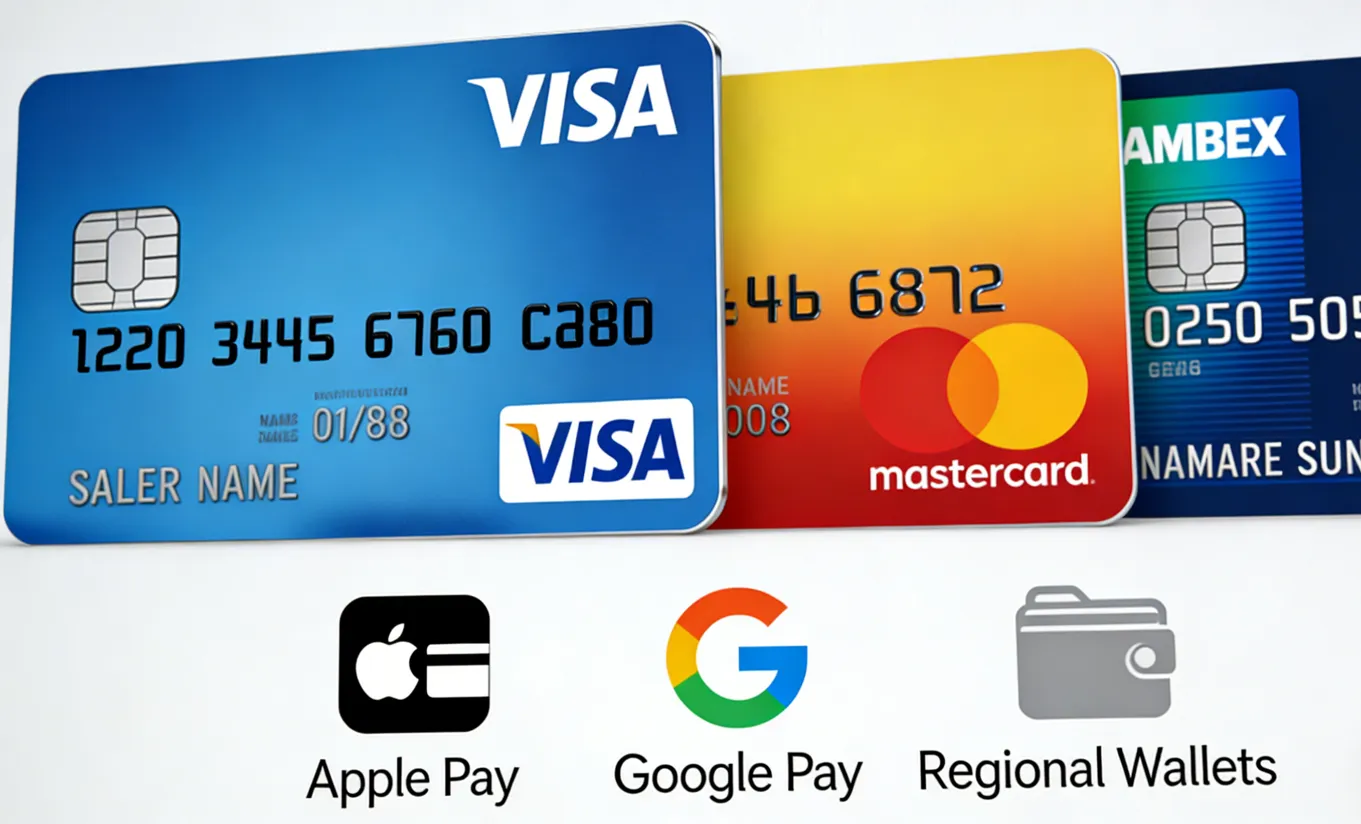
Choosing the right payment method is key to ensuring a smooth top-up process.
1. In-App Purchase (App Store / Google Play)
Payment methods depend on your mobile app store bindings:
-
Credit/Debit Cards (Visa/Mastercard/Amex)
-
Localized E-Wallets (e.g., Apple Pay / Google Pay / Regional Wallets)
-
App Store Balance or Gift Cards
2. Official Web Version Top-Up
The web version supports the widest range of payment methods and is the foundation for low-cost top-ups.
-
International Universal:
-
Credit/Debit Cards: Accepts major global cards like Visa, Mastercard, American Express, etc.
- E-Wallets: PayPal (a primary payment option in many countries and regions).
-
-
Regional Payments:
-
Asian web versions may support localized methods like Alipay, WeChat Pay, etc.
- Certain regions support specific bank transfers or carrier billing.
-
3. Low-Price Region Purchase (VPN Required)
When executing the VPN low-cost purchase strategy, the payment method can become the main obstacle.
-
Preferred Option: International Credit/Debit Card
- Ensure your card supports international transactions and can pass the low-price region's security verification (e.g., 3D Secure verification) during payment.
-
Alternative Option: Virtual Credit Card Services
- Some cross-border financial platforms offer virtual credit card services, which can help you generate a virtual card for temporary payment, increasing payment success rate.
- Choose virtual card service providers with good reputations cautiously.
Refund and Cancellation Policy
Understanding the refund policy is crucial to protect you from unnecessary losses when purchasing TikTok Coins. The refund process depends on your purchase channel.
1. Coins Purchased via App Stores (App Store/Google Play)
If you purchased Coins through the Apple App Store or Google Play within the TikTok App, you must contact the respective app store directly for any refund or cancellation operations.
-
Responsible Entity: Refunds or cancellations for in-app purchases are handled by the app store, not TikTok, and must follow that app store's refund policy.
-
Policy Adherence: All refunds must strictly adhere to that application store's specific refund policy.
-
TikTok Account Action:
1. Coin Freeze: When you submit a refund request, TikTok may freeze the corresponding amount of Coins for which you are seeking a refund.
2. Deduction upon Success: If the refund is successfully processed by the App Store/Google Play, TikTok will deduct the relevant Coin quantity from your account.
3. Insufficient Balance: If the remaining Coin balance is inadequate for the deduction, TikTok reserves the right to recover the deficit by offsetting the applicable amount from any of your future Coin purchases.
2. Coins Purchased Directly from TikTok (Official Website/WebApp)
If you purchased Coins directly from the TikTok platform (e.g., via the official website or WebApp), you are entitled to a statutory "Right of Withdrawal" under applicable consumer protection laws.
A. Refund Eligibility (Withdrawal Period and Preconditions)
-
Withdrawal Period: You are afforded a statutory 14-day "Right of Withdrawal Period," commencing the day immediately following the date of purchase.
-
Refund Preconditions:
-
The request must be submitted within the 14-day Withdrawal Period.
- The purchased Coins must remain completely unused.
-
-
Ineligibility for Refund: You cannot apply for a refund if any of the following situations apply:
-
The 14-day Withdrawal Period has been exceeded.
-
Any portion of the purchased Coins has been utilized within the Withdrawal Period.
-
B. Procedure for Initiating a Refund
-
Information Preparation: Locate the unique purchase transaction ID (Transaction ID) corresponding to the Coin purchase you wish to withdraw.
-
Contact Customer Support: Reach out to TikTok’s Customer Support team (via the Help Center or contact form).
-
Formal Submission: Provide the Transaction ID and clearly state your intention to exercise your Right of Withdrawal for the specified purchase.
C. Refund Processing and Financial Outcome
-
Refund Amount: TikTok will fully reimburse the payment you made for the withdrawn Coin purchase.
-
Refund Method: The refund will be processed back to the original payment method.
-
Processing Time: Funds may take up to 7 business days to arrive, depending on your payment method and the processing speed of your financial institution.
-
Fees: TikTok will not impose any fees related to the execution of the refund.
Troubleshooting: Why Your Low-Price Purchase Failed?
Sometimes, even if you follow the low-price purchase advice, you may encounter payment blockages, abnormal prices, or failed transactions.
1. Strategic and Channel Errors
|
Issue |
Diagnosis/Solution |
|
✕ High Prices Due to Incorrect Channel: You are purchasing within the TikTok app instead of the official website. |
In-app purchases are always more expensive due to platform fees (Apple/Google's 30% commission). Always top up via the official TikTok website (tiktok.com) to ensure you get the lowest price. |
|
✕ Geo-Restrictions and Promotional Zoning: Promotions or regional price advantages are not active in your real/spoofed region. |
TikTok's rewards and limited-time offers are tied to specific geolocations. If an offer is inaccessible, it's not available in your current region. |
2. Account and Compliance Issues
|
Issue |
Diagnosis/Solution |
|
✕ Non-Compliant Account Age: Your TikTok profile age does not meet the platform's minimum gifting threshold (typically 18). |
Carefully check and ensure your profile age is correct. If traveling, ensure all account information complies with local rules. |
|
✕ Expired/Mismatched Account or Payment Info: Your payment information, age, or registration location is inconsistent with the current transaction details. |
Carefully check and update all account details to ensure your payment information, age, and location settings are current and consistent. |
3. Technical and Banking Obstacles
|
Issue |
Diagnosis/Solution |
|
✕ Bank Refusing Payment for Security: Your credit/debit card issuing bank may block digital purchases or foreign transactions for security reasons. |
Contact your bank to confirm if the transaction was flagged. Try switching to a more universally accepted payment method like PayPal, or using a different card. |
|
✕ Browser or App Data Interference: Outdated cookies or cache data in the browser are interfering with the payment processing flow. |
Try clearing your browser cache and cookies, switch to Private/Incognito Mode, or change to a completely new browser to refresh the transaction session. |
4. High-Risk Channel Traps
|
Issue |
Diagnosis/Solution |
|
✕ Misuse of Third-Party Coin Websites: You are attempting to purchase Coins on any third-party top-up or "discount store" outside the official TikTok app or website. |
Stop immediately. Any unofficial channel is insecure; they use stolen credit cards or black market Coins, which may result in your Coins not being credited, and in the worst-case scenario, your TikTok account being flagged or permanently banned. |
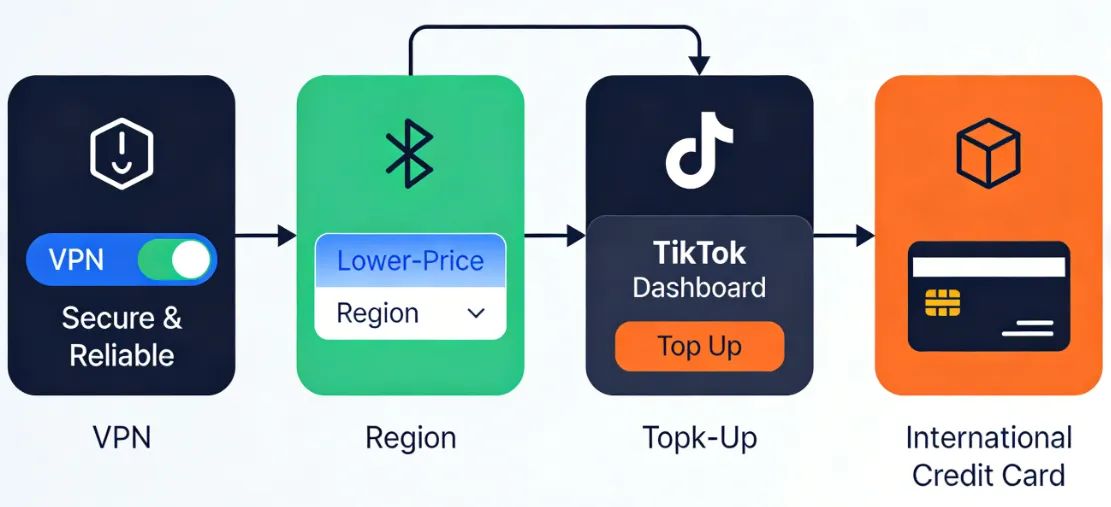
Our analysis confirms the core principles for acquiring cheap TikTok Coins in 2026:
Secure and reliable VPN + Switch to a lower-price region + Top up your TikTok website + International credit card payment
Action Checklist:
-
Prioritize using the Official Website (Web) for top-ups; this is the safest and most stable way to reduce costs.
-
Purchase bulk packages to get a lower price per coin.
-
(High Reward/High Risk) Use a paid, reliable VPN to connect to a low-price region (e.g., Brazil, Turkey, South Korea) and complete the purchase on the official website with an international payment card.
-
Security Warning: Always prioritize account security. Avoid using any third-party "top-up" or "discount stores," as they pose the biggest risk for account bans and Coin confiscation.
Frequently Asked Questions (FAQ)
Q1: What is the safest and most economical channel for buying TikTok Coins?
A: The safest and most recommended way is to purchase through the official TikTok website to avoid the in-app platform tax.
If you seek the absolute lowest price, you need to use a VPN to switch to a low-price region IP recommended in this guide and complete the purchase on the official website.
⚠️ Warning: Any third-party vendor claiming to offer "discounted Coins" carries an extremely high risk of scams and account bans.
Q2: What should I do if the Coins are not credited immediately after purchase?
A: Coins are usually credited instantly.
If there is a delay, check if your bank or payment service has been debited. If payment has been deducted, please wait patiently for 15 minutes for system synchronization. If the Coins still haven't arrived after 30 minutes, collect your transaction proof and contact official TikTok customer support for assistance.
Q3: Can I use a free VPN to lower the cost of TikTok Coins?
A: Technically possible, but not recommended.
Free VPNs typically have data caps, poor speeds, and are easily detected and blocked by services like TikTok. Most lack reliable servers in key low-cost regions. Furthermore, free VPNs often pose serious privacy risks, potentially selling your data or installing malware. Choosing a premium VPN service with a reliable refund guarantee is a safer and more dependable alternative.
Q4: Can TikTok Coins be transferred to another account?
A: No. Once purchased, TikTok Coins are permanently tied to the account used for the purchase.
The platform does not allow the transfer, sale, or gifting of Coins between different personal profiles.
Q5: Can I get a refund for TikTok Coins?
A: Yes, but only within a limited period.
TikTok allows users to cancel the transaction and request a refund within 14 days starting from the day after the Coin purchase (the "cancellation window"). If you need a refund, you must contact TikTok's official customer service or your payment provider within this time frame.
Q6: If I use a VPN to purchase, will my account be banned?
A: VPN cross-region purchasing carries a risk of violating the Terms of Service.
The risk of a ban is lower if you use the official website and your payment card information does not conflict with your spoofed region, but avoid frequently switching your VPN's geographical location.