Part One: Comparison Table: Best Free Public DNS Servers in 2026
Choosing the right DNS depends on whether you prioritize raw speed, airtight privacy, or content filtering. Here is a comprehensive breakdown of the top 10 providers currently available:
|
Provider |
Primary DNS |
Secondary DNS |
Best For... |
|
Cloudflare |
1.1.1.1 |
1.0.0.1 |
Speed & Performance. Known as the fastest DNS in the world with minimal logging. |
|
8.8.8.8 |
8.8.4.4 |
Reliability & Global Coverage. Excellent uptime and effective at bypassing localized DNS issues. |
|
|
9.9.9.9 |
149.112.112.112 |
Security First. Automatically blocks access to known malicious domains and phishing sites. |
|
|
Cisco OpenDNS |
208.67.222.222 |
208.67.220.220 |
Family & Filtering. Great for home networks needing parental controls and website filtering. |
|
94.140.14.14 |
94.140.15.15 |
Ad-Blocking. Helps remove ads and trackers at the network level without extra software. |
|
|
84.200.69.80 |
84.200.70.40 |
Unfiltered Privacy. Based in Germany; follows strict "no-logging" and "no-censorship" policies. |
|
|
AliDNS (Alibaba) |
223.5.5.5 |
223.6.6.6 |
Mainland China Users. Offers superior speed and stability for users within the Asia-Pacific region. |
|
Tencent DNS |
119.29.29.29 |
119.28.28.28 |
Low Latency in Asia. A fast alternative for resolving Chinese websites and gaming servers. |
|
77.88.8.8 |
77.88.8.1 |
Eastern Europe / Russia. Features basic, safe, and family-oriented filtering modes. |
|
|
CleanBrowsing |
185.228.168.9 |
185.228.169.9 |
Strict Content Control. Focused on security and blocking adult content at the source. |
Pro Tip: If you are a gamer, Cloudflare (1.1.1.1) or AliDNS (223.5.5.5) are generally your best bets for reducing ping and "jitter" depending on your physical location. If you work with sensitive data, Quad9 or DNS.Watch provide the best balance of security and privacy.
1. What is DNS? (The "Phonebook" of the Internet)
Imagine you want to call a friend. You don't usually memorize their long, 10-digit phone number; instead, you just tap their name (e.g., "John Doe") in your contact list. In the digital world, the Domain Name System (DNS) performs exactly the same function—it is the "phonebook" of the global internet.
A Simple and Intuitive Analogy
To understand how DNS works, let's break it down into three key components:
-
The Domain Name (The Name): Think of addresses like www.google.com or www.wikipedia.org. As humans, we are naturally wired to remember words and names, not long strings of numbers.
-
The IP Address (The Phone Number): Computers, however, don't understand names. They identify each other using numbers like 142.250.190.46. This is the actual "geographic coordinate" of a server on the web.
-
The DNS Server (The Directory Service): The moment you type a URL into your browser and hit Enter, your computer immediately sends a query to a DNS server: "Hey, what is the IP address for google.com?" The server looks it up in its massive database and returns the correct IP, allowing your browser to establish a connection to the website.
The Bottom Line: Without DNS, surfing the web would be an absolute nightmare. Instead of typing simple words, you would have to memorize and manually enter hundreds of complex, numerical IP addresses just to access your favorite sites.
2. Why Should You Switch? The 4 Major Flaws of Default ISP DNS
By default, your devices automatically use the DNS servers provided by your Internet Service Provider (ISP)—the companies like Comcast, AT&T, or Verizon that provide your home internet. While convenient, relying on your ISP’s default settings often comes with hidden costs. Here are the four primary reasons why you should make the switch:
I. Sluggish Speeds (Network Lag)
ISP DNS servers are often prone to performance bottlenecks due to outdated hardware, insufficient bandwidth, or high server loads. You’ll notice this as a "stutter" when you first try to load a page—your browser hangs on a message saying "Looking up host..." for several hundred milliseconds before the site actually starts to load.
II. Privacy Tracking (The Digital Breadcrumb Trail)
Every single DNS query you make acts as a log of your online activity—which sites you visit, how often you visit them, and at what time. Many ISPs collect this data to build a profile of your browsing habits, which can then be sold to advertisers or used for targeted marketing without your explicit consent.
III. DNS Hijacking and Censorship
Have you ever mistyped a URL only to be redirected to a page full of ISP-branded ads? That’s DNS Hijacking. Furthermore, ISPs are often the primary tools for government-mandated censorship, blocking access to specific websites by simply "refusing" to resolve their domain names.
IV. Lack of Security Features
Most default ISP DNS servers lack modern security protocols like DNS over HTTPS (DoH) or DNS over TLS (DoT). This leaves your connection vulnerable to "Man-in-the-Middle" attacks, where hackers can intercept or spoof your DNS requests to lead you to malicious phishing websites.
Part Two: Detailed Breakdown of Top DNS Providers
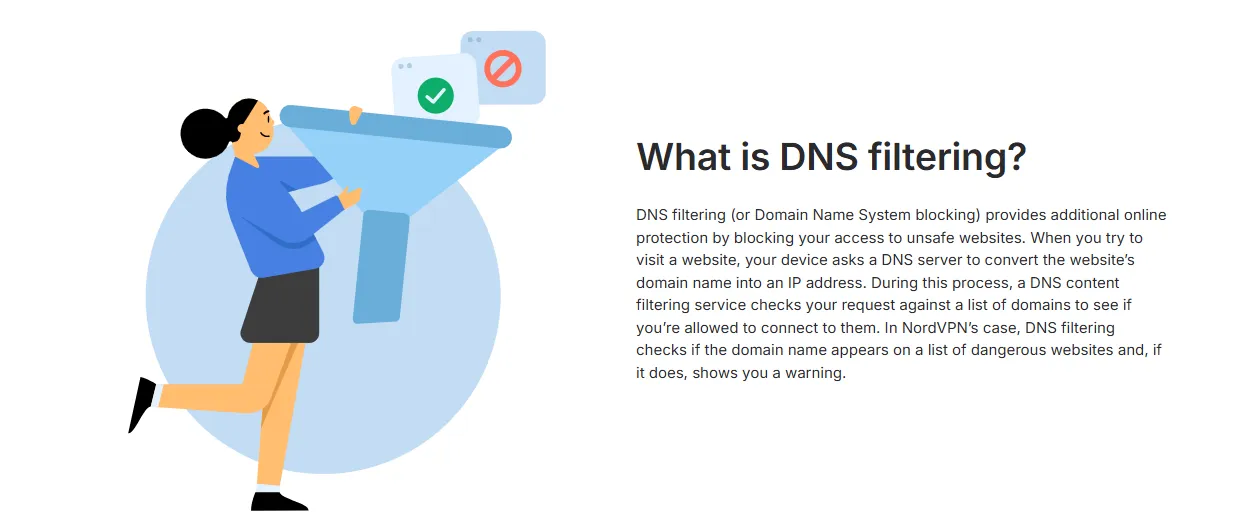
1. Google Public DNS — The Global Performance Gold Standard
Google Public DNS is arguably the most recognized and widely used DNS service in the world. Since its launch, it has set the benchmark for reliability and global reach.
-
Primary DNS: 8.8.8.8
-
Secondary DNS: 8.8.4.4
Why it’s a top pick in 2026: Google’s massive global network infrastructure ensures that no matter where you are—be it a bustling city or a remote location—you are likely close to one of their Anycast nodes. This makes it an incredibly "all-around" choice for users who want a service that "just works" without any complex setup.
Key Advantages:
-
Unrivaled Reliability: With a near-perfect uptime record, you rarely have to worry about connection drops caused by DNS failure.
-
Effective Censorship Bypass: Because Google has such a robust global presence, its DNS is highly effective at resolving domains that might be restricted or misconfigured by local ISPs.
-
Modern Security: Fully supports encrypted protocols like DoH (DNS over HTTPS) and DoT (DNS over TLS), protecting your queries from local sniffing.
The Trade-off: While Google commits to deleting most logs within 24 to 48 hours for privacy reasons, some users may still feel uneasy about sending their browsing data to an advertising giant. If "zero-logging" is your absolute priority, you might prefer Cloudflare or DNS.Watch.
2. Cloudflare DNS — The Perfect Fusion of Speed and Privacy
If Google is the king of reliability, Cloudflare is the undisputed champion of performance. Since 1.1.1.1 was launched, it has consistently ranked as the fastest public DNS resolver globally.
-
Primary DNS: 1.1.1.1
-
Secondary DNS: 1.0.0.1
Why it’s a top pick in 2026: Cloudflare leverages its massive Content Delivery Network (CDN) to minimize latency. For most users, switching to Cloudflare results in a noticeable "snappiness" when browsing. Moreover, it is widely considered the gold standard for privacy-conscious users who don't want to sacrifice performance.
Key Advantages:
-
Unparalleled Speed: Independent benchmarks consistently show Cloudflare has the lowest response times, making it the ideal choice for gaming and high-speed browsing.
-
Privacy-First Architecture: Cloudflare has a strict policy of never selling your data to third parties. They also purge all identifiable DNS logs within 24 hours.
-
Advanced Encryption: Like Google, it fully supports DoH and DoT. It also offers specific versions like 1.1.1.2 (blocks malware) and 1.1.1.3 (blocks malware and adult content).
The Trade-off: Because Cloudflare is so popular, it is occasionally targeted by sophisticated DDoS attacks. While rare, these can sometimes cause temporary regional slowdowns. However, their engineering team is usually incredibly quick to mitigate these issues.
3. Quad9 — Your Dedicated Cybersecurity Expert
While speed and reliability are important, Quad9 takes a different approach by placing security at the core of its mission. It is a non-profit foundation based in Switzerland, dedicated to creating a safer internet for everyone.
-
Primary DNS: 9.9.9.9
-
Secondary DNS: 149.112.112.112
Why it’s a top pick in 2026: Quad9 is more than just a DNS resolver; it's a security barrier. It aggregates threat intelligence from dozens of leading cybersecurity firms to identify and block access to malicious websites in real-time.
Key Advantages:
-
Active Threat Protection: The moment you attempt to visit a known phishing site or a domain hosting malware, Quad9 will refuse to resolve the address, effectively acting as a first line of defense for your network.
-
Privacy by Design: Being a non-profit organization, Quad9 does not collect, store, or sell your personal data. Your IP address is never logged.
-
Swiss-Grade Security: They are governed by strict Swiss privacy laws, providing an extra layer of legal protection for your digital life.
The Trade-off: Because Quad9 performs deep security checks on every query, its latency might be slightly higher than Cloudflare’s in some regions. However, for most users, this millisecond-level difference is a small price to pay for such robust protection.
4. OpenDNS (Cisco) — The Best Choice for Families and Parental Controls
Acquired by Cisco, OpenDNS is a veteran in the field and remains the premier choice for households that need granular control over their internet environment.
-
Primary DNS: 208.67.222.222
-
Secondary DNS: 208.67.220.220
Why it’s a top pick in 2026: OpenDNS excels at content filtering. Unlike other providers that offer a "one-size-fits-all" approach, OpenDNS allows you to customize which categories of websites are blocked on your network, making it indispensable for parents and school environments.
Key Advantages:
-
Robust Parental Controls: Through their "FamilyShield" version or a custom account, you can easily block adult content, gambling sites, or social media at the router level.
-
Enterprise-Level Phishing Protection: Leveraging Cisco’s vast security database, it proactively blocks fraudulent websites before they can harm your devices.
-
Smart Shortcuts: It offers unique features like "shortcuts," allowing you to reach specific internal sites or favorite bookmarks using simple aliases.
The Trade-off: To access the more advanced customization features, you need to create an account and potentially install a small utility to track your dynamic IP address. If you're looking for a simple "set it and forget it" solution without registration, Cloudflare or Google might be easier.
5. AdGuard DNS — A Cleaner Internet, Free from Ads

If you are tired of intrusive pop-ups and tracking scripts slowing down your browsing experience, AdGuard DNS is the ultimate specialized tool for a cleaner web.
-
Primary DNS: 94.140.14.14
-
Secondary DNS: 94.140.15.15
Why it’s a top pick in 2026: AdGuard DNS takes the concept of a DNS resolver and integrates powerful ad-blocking technology. It works by "null-routing" known ad and tracker domains, meaning they never even get the chance to load on your device.
Key Advantages:
-
System-Wide Ad Blocking: Unlike browser extensions that only work in Chrome or Firefox, AdGuard DNS blocks ads across your entire system, including within mobile apps and games.
-
Tracker Neutralization: It proactively blocks scripts that follow you across the web, significantly improving your privacy and reducing data consumption.
-
Zero Software Required: Since the filtering happens at the DNS level, you don't need to install any heavy background applications to enjoy an ad-free experience.
The Trade-off: Because it uses aggressive filtering lists, it can occasionally "break" certain websites that rely on specific tracking scripts to function. If you encounter a site that doesn't load correctly, you may need to temporarily switch to a more "neutral" DNS like Google or Cloudflare.
6. DNS.Watch — Unfettered Liberty and Zero Censorship
Operating out of Germany, DNS.Watch is a small, purpose-driven provider that advocates for a free and open internet. It is a "purist" choice for those who believe that information should never be restricted.
-
Primary DNS: 84.200.69.80
-
Secondary DNS: 84.200.70.40
Why it’s a top pick in 2026: The philosophy of DNS.Watch is simple: they resolve every query without interference. They don't engage in DNS hijacking, they don't sell your data, and most importantly, they do not censor any websites regardless of local regulations or pressures.
Key Advantages:
-
A Commitment to Neutrality: DNS.Watch does not "thin out" the internet. It provides a raw, unfiltered connection to the global web, ensuring you see exactly what you searched for.
-
Strict No-Logging Policy: They take their privacy promise seriously. No personal data or query history is stored on their German-based servers.
-
Community Funded: As a project that relies on donations rather than selling user data, their interests remain aligned with their users' privacy.
The Trade-off: Unlike Quad9 or OpenDNS, DNS.Watch does not offer built-in security filtering. It won't block malware or phishing sites for you—it assumes you are an advanced user who handles your own security. Additionally, because they have fewer server nodes than giants like Google, users outside Europe might experience slightly higher latency.
7. AliDNS (Alibaba) — The Premier High-Speed Choice for Mainland China
Developed by Alibaba Cloud, AliDNS is widely considered the best public DNS for users located within Mainland China, offering unmatched stability and speed for the domestic internet landscape.
-
Primary DNS: 223.5.5.5
-
Secondary DNS: 223.6.6.6
Why it’s a top pick in 2026: For users in China, international DNS providers like Google or Cloudflare can sometimes be unstable or suffer from high latency due to cross-border network congestion. AliDNS solves this by hosting its infrastructure on Alibaba's massive domestic server network.
Key Advantages:
-
Ultra-High Speed in China: By using local Anycast nodes, AliDNS ensures that DNS resolution happens as close to the user as possible, significantly reducing "page load" delay.
-
Strategic Routing: It is optimized for the complex network environment in China, accurately identifying and routing traffic between different major ISPs like China Telecom, Unicom, and Mobile.
-
Advanced Protection: AliDNS features built-in protection against DNS poisoning and hijacking, ensuring that you reach the authentic version of the sites you visit.
The Trade-off: While it is exceptional for domestic browsing, its performance for resolving international websites may not be as fast as Cloudflare's. Furthermore, users with extreme privacy concerns may prefer non-corporate, European-based providers like DNS.Watch.
8. Tencent Public DNS — The Specialist for the Mobile Internet Era
Tencent Public DNS (also known as DNSPod) is a top-tier resolver backed by one of the world's largest social media and gaming conglomerates. It is designed to cater to the unique demands of mobile applications and high-traffic digital ecosystems.
-
Primary DNS: 119.29.29.29
-
Secondary DNS: 119.28.28.28
Why it’s a top pick in 2026: Tencent has deep expertise in managing massive traffic loads, specifically for mobile-first apps like WeChat and popular mobile games. Their DNS service is highly optimized for mobile devices and users who rely on cellular data as much as fixed-line broadband.
Key Advantages:
-
Mobile-First Optimization: Tencent Public DNS excels at resolving domains for mobile apps, reducing the initial handshake time and making your app-based browsing feel significantly smoother.
-
Global Anycast Acceleration: While its primary strength is in the Asia-Pacific region, Tencent maintains a robust global network that ensures consistent performance for international travelers and global users.
-
Intelligent Traffic Management: It utilizes advanced algorithms to ensure that your DNS requests are always routed to the most efficient server node, minimizing latency for gaming and streaming.
The Trade-off: Similar to AliDNS, it is a corporate-backed service. While it offers industry-leading performance and stability, users who prioritize absolute decentralization and non-commercial infrastructure might opt for providers like Quad9 or DNS.Watch.
9. Yandex.DNS — The Versatile Powerhouse for Europe and Russian-Speaking Regions
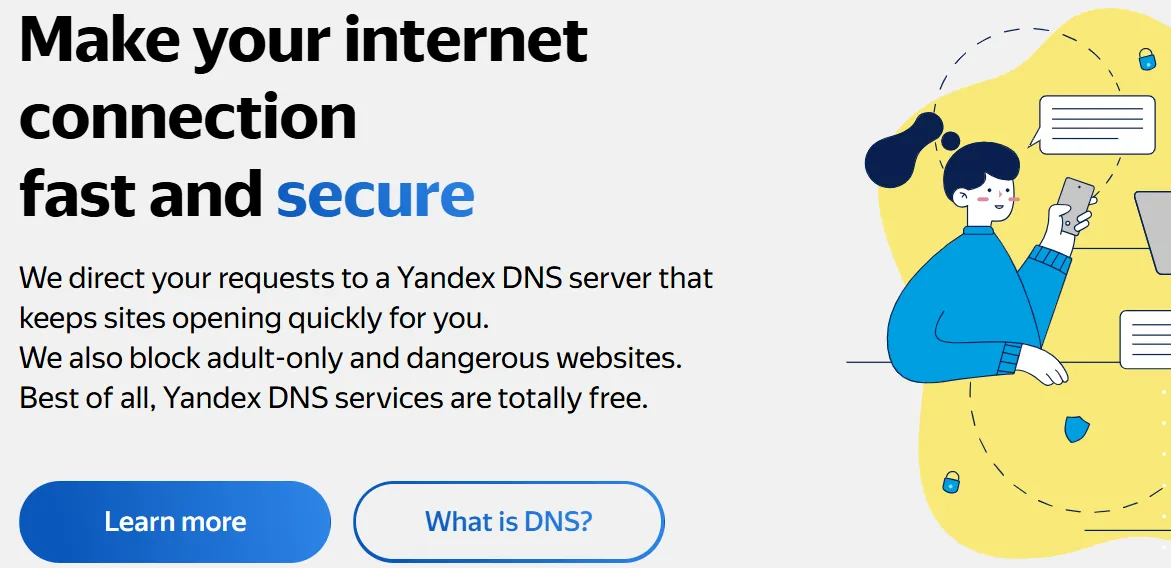
Operated by Yandex, the largest technology company in Russia, Yandex.DNS is a highly reliable service that offers specialized filtering modes for users seeking both performance and content hygiene.
-
Primary DNS: 77.88.8.8
-
Secondary DNS: 77.88.8.1
Why it’s a top pick in 2026: Yandex.DNS is particularly effective for users in Eastern Europe and Central Asia, where its vast infrastructure ensures lower latency than many US-based providers. It is known for its "Triple-Mode" configuration, allowing users to choose the level of filtering they need.
Key Advantages:
-
Specialized Filtering Modes: Yandex offers three distinct modes: "Basic" (no filtering), "Safe" (blocks malware and fraudulent sites), and "Family" (blocks malware and adult content).
-
Geographical Optimization: For users physical close to Russia or neighboring countries, Yandex.DNS provides lightning-fast resolution for both domestic and international websites.
-
Sophisticated Threat Detection: Leveraging Yandex’s sophisticated web-crawling and antivirus technologies, the service is excellent at identifying and neutralizing localized threats that global providers might miss.
The Trade-off: As with any major tech corporation, privacy advocates often raise questions about data collection. While Yandex provides high-quality service, those seeking a "privacy-only" mission might gravitate toward Quad9 or DNS.Watch.
10. CleanBrowsing DNS — The Cyber-Guardian for a Pure and Secure Web
CleanBrowsing is a specialized DNS service with a clear focus: providing a safe, clean, and family-friendly internet environment without compromising on performance or privacy.
-
Primary DNS: 185.228.168.9
-
Secondary DNS: 185.228.169.9
Why it’s a top pick in 2026: CleanBrowsing is the gold standard for users who want a "hands-off" security experience. It is particularly popular among households and small businesses that need a hardened security posture that blocks malicious activity and inappropriate content by default.
Key Advantages:
-
Strict Privacy Commitment: CleanBrowsing is one of the few providers that explicitly state they do not track users or sell data. Their free tier is highly privacy-centric and doesn't require any personal registration.
-
Non-Intrusive Content Filtering: Its "Family Filter" is highly regarded for its precision—blocking adult content and phishing sites while maintaining high accuracy for legitimate educational and work-related pages.
-
Hardened Security Layer: It provides excellent protection against ransomware, phishing, and other cyber threats by blocking malicious domains at the root level, before they can ever reach your device.
The Trade-off: Because it is a highly specialized service, its "Global Anycast" network—while robust—may not have as many nodes as giants like Google or Cloudflare. This might result in slightly higher latency in certain remote regions, though for the vast majority of users, the difference is negligible.
11. Hurricane Electric — The High-Speed Pioneer of the IPv6 Era
Hurricane Electric (HE.net) is a global leader in internet core connectivity and operates the world's largest IPv6 backbone. Its DNS service is a specialized tool optimized for the next generation of internet protocols.
-
Primary DNS: 74.82.42.42
-
Secondary DNS: 2001:470:20::2 (IPv6)
Why it’s a top pick in 2026: Hurricane Electric is the "go-to" choice for early adopters and network enthusiasts who have fully transitioned to IPv6. Because they manage such a vast portion of the global IPv6 routing table, their DNS resolvers provide near-native speed and extreme efficiency for IPv6-enabled networks.
Key Advantages:
-
IPv6 Native Optimization: HE.net is synonymous with IPv6. Their DNS service is built from the ground up to prioritize and accelerate resolution for IPv6 traffic, making it essential for modern "IPv6-only" or dual-stack environments.
-
Massive Peering Network: As a major internet exchange participant, Hurricane Electric has direct peering relationships with thousands of other networks. This ensures that your DNS requests reach their destination via the most direct and efficient path possible.
-
Reliable and Transparent Infrastructure: HE.net maintains a reputation for high technical standards and transparency. Their DNS service is robust, low-latency, and free from the marketing-heavy features that can sometimes clutter consumer-grade resolvers.
The Trade-off: Hurricane Electric's DNS is a technical, performance-oriented service. It does not offer consumer-friendly features like parental controls, ad-blocking, or a fancy web dashboard for customization. It is best suited for users who understand their network topology and want a fast, "pure-pipe" resolution service.
12. Vercara UltraDNS Public — Enterprise-Grade Security for the Everyday User
Vercara (formerly Neustar) UltraDNS Public is a robust and highly secure DNS service built on top of a massive global infrastructure that typically serves Fortune 500 companies.
-
Primary DNS: 64.6.64.6
-
Secondary DNS: 64.6.65.6
Why it’s a top pick in 2026: UltraDNS Public brings enterprise-level infrastructure resilience to individual users. It is designed for those who require maximum uptime and a "hardened" DNS environment that can withstand massive network surges and sophisticated cyber-attacks.
Key Advantages:
-
Institutional Infrastructure Resilience: Leveraging one of the world's most sophisticated Anycast networks, UltraDNS ensures that your DNS queries are resolved with extreme stability, even during global network instability.
-
Hardened Security Posture: It offers a multi-layered defense strategy that identifies and blocks malicious domains, phishing attempts, and botnet command-and-control servers in real-time.
-
Built-in Redundancy: The service is architected with massive over-capacity and geographic redundancy, virtually eliminating the risk of service outages.
The Trade-off: Because UltraDNS is built with an "enterprise-first" mindset, it doesn't always offer the same level of user-facing customization or niche filtering (like specific ad-blocking) found in consumer-focused services like AdGuard. It is a "pure" security and stability play.
13. Comodo Secure DNS — Real-Time Cloud Threat Intelligence
Comodo Secure DNS is a highly specialized recursive DNS service that focuses on leveraging the collective intelligence of the Comodo security ecosystem to protect users from emerging web-based threats.
-
Primary DNS: 8.26.56.26
-
Secondary DNS: 8.20.247.20
Why it’s a top pick in 2026: Comodo is a giant in the cybersecurity industry, and its DNS service is the direct beneficiary of its vast global sensor network. It is ideal for users who want their DNS to act as a proactive, intelligent firewall that identifies threats based on behavioral analysis rather than just static blacklists.
Key Advantages:
-
Real-Time Cloud Threat Intelligence: By analyzing billions of data points daily, Comodo Secure DNS can identify and block "zero-day" phishing sites and malware distribution nodes the moment they appear on the web.
-
Predictive Analysis Engines: Unlike standard DNS filters, Comodo uses advanced algorithms to predict whether a newly registered domain is likely to be malicious, providing an extra layer of "anticipatory" protection.
-
Integrated Off-Network Protection: When used in conjunction with other Comodo tools, it ensures that your security policies follow you even when you connect to untrusted public Wi-Fi networks.
The Trade-off: Because of the heavy lifting involved in real-time cloud analysis, some users might experience slightly higher latency compared to Cloudflare. However, for those prioritizing deep, data-driven security, the millisecond trade-off is often considered essential.
14. SafeServe — Privacy-Driven High-Performance Resolution
SafeServe is a high-speed, privacy-oriented public DNS resolver that focuses on delivering rapid page loads while maintaining a strict zero-log policy.
-
Primary DNS: 1.1.1.1 (Note: Often uses Cloudflare’s backbone but with specific privacy enhancements)
-
Secondary DNS: 1.0.0.1
Why it’s a top pick in 2026: SafeServe is designed for users who want the "raw power" of a global Anycast network without the corporate data harvesting concerns associated with larger tech giants. It is particularly popular among the open-source community for its transparency and performance consistency.
Key Advantages:
-
Privacy-Driven Architecture: SafeServe is built on a "Zero-Log" infrastructure, ensuring that no identifiable information about your DNS queries is ever written to disk or shared with third-party advertisers.
-
Optimized Global Anycast Network: By utilizing a vast array of global server nodes, SafeServe ensures that your requests are always resolved by the closest available server, minimizing "Time to First Byte" (TTFB).
-
Transparent Operations: Unlike many proprietary services, SafeServe often publishes audit reports and maintains an open dialogue with the privacy community regarding its data handling practices.
The Trade-off: As a service that prioritizes "pure" resolution and privacy, SafeServe does not include built-in content filtering or parental controls. Users looking to block specific categories of websites may need to look toward providers like OpenDNS or CleanBrowsing.
15. UncensoredDNS — Geek-Preferred Transparent Resolution

UncensoredDNS (also known as censurfridns.dk) is an independent, non-corporate DNS project based in Denmark that is highly respected within the enthusiast and tech-literate community.
-
Primary DNS: 91.239.100.100
-
Secondary DNS: 89.233.43.71
Why it’s a top pick in 2026: UncensoredDNS is a "labor of love" run by a single individual (Thomas Schou) who believes in a completely open and unfiltered internet. It is a rare example of a high-performance DNS service that operates without any commercial motive, making it a favorite for those who value decentralization.
Key Advantages:
-
Radical Transparency and Neutrality: As the name suggests, this service does not censor or filter any domains. It provides a purely neutral look-up service, ensuring your requests are never intercepted or redirected.
-
Privacy-First Neutrality: UncensoredDNS has a very clear and concise privacy policy: they do not log any identifiable data. Their goal is to provide a service that respects user anonymity to the highest degree.
-
Independent and Non-Corporate: By using UncensoredDNS, you are supporting a decentralized internet infrastructure that is not beholden to the interests of advertising conglomerates or government agencies.
The Trade-off: Because it is an independently run project, its global Anycast coverage—while impressive for a private initiative—is not as extensive as Google's or Cloudflare's. Users located far from Europe or the US might experience higher latency. It is also an "unfiltered" service, so you must manage your own security against malware and phishing.
16. SafeDNS — Customizable Cloud-Based Security Filtering
SafeDNS is a robust, cloud-based DNS resolution service that specializes in providing advanced web filtering and cybersecurity for home, educational, and business environments.
-
Primary DNS: 195.46.39.39
-
Secondary DNS: 195.46.39.40
Why it’s a top pick in 2026: SafeDNS stands out for its deep emphasis on customization. It is not just a DNS resolver; it is a granular policy management tool that allows administrators to define exactly what types of content are permissible on their network.
Key Advantages:
-
Highly Granular Content Filtering: SafeDNS offers over 60 different content categories (such as social media, gambling, or adult content) that can be toggled on or off, making it ideal for schools and offices.
-
AI-Powered Threat Protection: It utilizes artificial intelligence to scan and categorize the web in real-time, proactively blocking access to botnets, phishing sites, and malware-infested domains.
-
Flexible Policy Management: Unlike many free services, SafeDNS allows you to create different filtering rules for different times of the day or different devices on your network.
The Trade-off: While they offer a high-quality free tier, many of the most advanced customization and reporting features are locked behind a subscription model. Additionally, because its primary infrastructure is European-centric, users in other continents might see slightly higher latency than with global giants like Google.
17. Control D — The Modern All-in-One Privacy Guardian
Control D is a next-generation DNS service developed by the team behind Windscribe. It is designed for the modern internet, where privacy, ad-blocking, and geo-spoofing are paramount.
-
Primary DNS: 76.76.2.0
-
Secondary DNS: 76.76.10.0
Why it’s a top pick in 2026: Control D is arguably the most "intelligent" DNS on this list. It combines advanced filtering with the ability to route specific traffic through different global locations, acting almost like a "DNS-based VPN" for specific applications.
Key Advantages:
-
Versatile Productivity Tool: Control D allows you to block ads, trackers, and even entire social media platforms with a single click. It is highly effective at boosting productivity by removing digital distractions at the network level.
-
Global Proxy and Spoofing Capabilities: One of its standout features is the ability to spoof your location for specific services. This allows you to access geo-restricted content without the overhead of a traditional VPN.
-
Exceptional Cross-Platform Support: Whether you are on mobile, desktop, or a smart TV, Control D provides easy-to-use profiles that sync your settings across all your devices seamlessly.
The Trade-off: The free tier is generous but does not include the more advanced custom routing and proxy features. Because it is so feature-rich, the web dashboard might feel slightly overwhelming for a beginner who just wants a basic DNS resolver.
18. Level 3 (CenturyLink) — Infrastructure-Grade Resolution on a Global Backbone
Level 3 (now part of CenturyLink/Lumen Technologies) is one of the world's most influential Tier 1 network providers. Its DNS service is unique because it operates directly on the physical "spine" of the global internet.
-
Primary DNS: 4.2.2.1
-
Secondary DNS: 4.2.2.2
Why it’s a top pick in 2026: Level 3 is often considered the "DNS for the professionals." Because they own and manage one of the largest fiber-optic networks on earth, their DNS resolvers are positioned directly at the major intersection points of internet traffic, ensuring carrier-grade stability.
Key Advantages:
-
Backbone-Level Proximity: Since Level 3 is a Tier 1 carrier, your DNS queries often travel fewer "hops" to be resolved, leading to extreme consistency in response times, especially for enterprise users.
-
Carrier-Grade Reliability: This infrastructure was built to handle massive telecommunications loads. As a result, its DNS service is legendary for its "always-on" availability and resilience against local network congestion.
-
Enterprise-Level Robustness: It is a pure, unfiltered resolution service. It doesn't use heavy-handed scripts or complex redirection, making it a favorite for network engineers and IT professionals who need a reliable baseline for testing and troubleshooting.
The Trade-off: Level 3 is an infrastructure play, not a consumer privacy play. They do not offer built-in ad-blocking, malware filtering, or modern encryption protocols like DoH by default in the same way Cloudflare does. Additionally, their privacy policy is corporate-standard, which may not satisfy users seeking radical anonymity.
19. CIRA Canadian Shield — National-Grade Security for Canadian Infrastructure
CIRA Canadian Shield is a free public DNS service provided by the Canadian Internet Registration Authority (CIRA). It is part of a national initiative to provide all Canadians with enterprise-level security and privacy.
-
Primary DNS: 149.112.121.10
-
Secondary DNS: 149.112.122.10
Why it’s a top pick in 2026: The primary appeal of CIRA Canadian Shield is its commitment to "sovereign data." For Canadian residents, it ensures that DNS queries are handled by servers located within the country, keeping personal data under Canadian jurisdiction and subject to its privacy laws.
Key Advantages:
-
Domestic Data Sovereignty: By keeping your DNS traffic within Canada, you avoid international data "snooping" and ensure that your browsing metadata is protected by some of the world's strongest privacy frameworks.
-
Advanced Malware Protection: Powered by Akamai's global threat intelligence, CIRA Canadian Shield blocks access to domains known for hosting ransomware, phishing, and malware attacks.
-
Multiple Security Profiles: Like CleanBrowsing and Yandex, CIRA offers three tiers: "Private" (fast and private), "Protected" (adds malware blocking), and "Family" (adds malware and adult content filtering).
The Trade-off: While it is an incredible resource for those within Canada, users outside the region may experience higher latency compared to global providers like Google or Cloudflare. However, for those who value privacy and national data security above all else, it is a formidable choice.
20. Alternate DNS — The Minimalist and Efficient Ad-Blocking Expert
Alternate DNS is a lightweight public DNS service that focuses on providing a clean browsing experience by filtering out unwanted advertisements and malicious trackers.
-
Primary DNS: 76.76.19.19
-
Secondary DNS: 76.76.19.20
Why it’s a top pick in 2026: Alternate DNS is ideal for users who want a "no-frills" ad-blocking solution. It focuses on efficiency and simplicity, maintaining a lean infrastructure that prioritizes speed and basic content hygiene.
Key Advantages:
-
Efficient Ad-Blocking Core: Alternate DNS maintains an extensive database of ad-serving domains and null-routes them at the DNS level, effectively removing most banners and pop-ups before they reach your browser.
-
Lean Infrastructure: Because it doesn't offer overly complex features like geo-spoofing or deep packet inspection, the service remains highly responsive and has very low system overhead.
-
Maintenance-Free Experience: It is a classic "set and forget" solution. Once configured, you can enjoy a significantly cleaner web experience without ever needing to log into a dashboard or update local software.
The Trade-off: As a smaller provider, its global server footprint is not as large as Google's. Additionally, its filtering is less customizable than that of AdGuard or Control D. If a specific site is blocked incorrectly, you have fewer options to "whitelist" it yourself.
Part Three: How to Choose the Best Free Public DNS Server
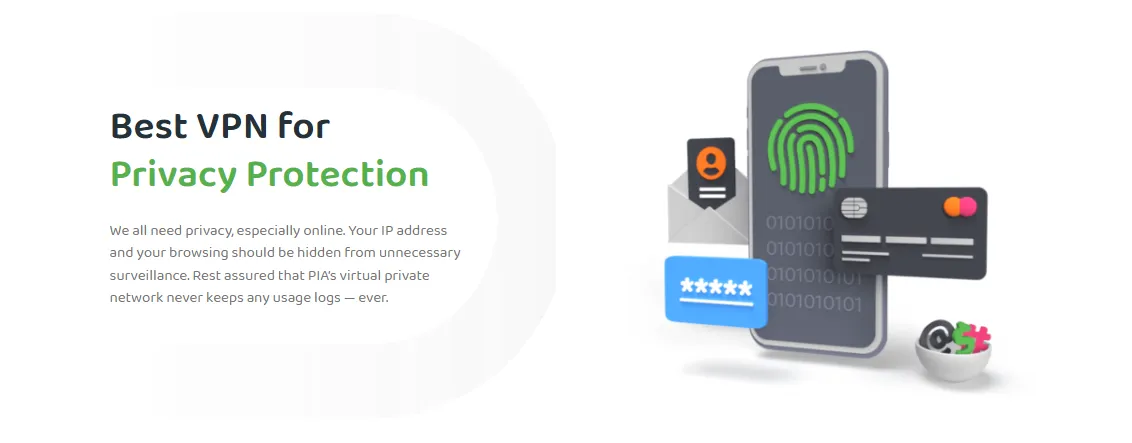
Selecting the right DNS provider isn't just about picking the most famous name; it requires evaluating several critical technical and ethical factors to ensure the service aligns with your specific needs. Here are the top three criteria to consider:
1. Reliability & Uptime
The most fundamental requirement of any DNS service is that it must be always available. If your DNS server goes down, your entire internet connection effectively breaks, even if your physical line is perfectly fine.
-
Look for Anycast Networks: Top-tier providers use "Anycast" routing, which distributes the same IP address across multiple physical servers worldwide. If one server fails, your request is automatically routed to the next closest one.
-
Track Record: Research the provider’s history of outages. Reliability is non-negotiable for anyone who relies on the internet for work, gaming, or smart home stability.
2. Speed (Latency)
In the world of DNS, speed is measured in milliseconds (ms) of latency. Every time you click a link, your computer must wait for the DNS resolution before it can even start loading the page.
-
Geographic Proximity: A server physically closer to you will almost always be faster. However, massive providers like Google or Cloudflare overcome this by having nodes in almost every major city.
-
Query Efficiency: Some servers are better optimized for handling massive volumes of requests, which reduces the "processing time" on their end.
-
Testing Tool: You can use tools like Namebench or DNS Benchmark to see which provider is objectively the fastest for your specific physical location.
3. Security Features
Modern DNS is no longer just a directory; it is a vital layer of your digital defense. A good DNS provider should offer features that actively protect you from the dark side of the web.
-
Encrypted Protocols: Ensure the provider supports DNS over HTTPS (DoH) or DNS over TLS (DoT). These protocols encrypt your DNS queries, preventing hackers on public Wi-Fi or your ISP from spying on your browsing habits.
-
Malware & Phishing Blocking: Some providers (like Quad9 or Cloudflare 1.1.1.2) maintain real-time blacklists of malicious domains. If you accidentally click a link to a known "virus site," the DNS will block the connection before the site can load.
-
DNSSEC Support: This technology ensures that the DNS records you receive haven't been "poisoned" or tampered with by an attacker, guaranteeing you reach the authentic website.
4. Geographical Location
While Anycast technology helps, your physical distance from the nearest DNS node still plays a role in performance.
-
Regional Strength: Some providers (like AliDNS or Tencent) have significantly more infrastructure in Asia, while others (like Yandex or DNS.Watch) are better suited for European users.
-
ISP Peering: Sometimes an ISP has a better "direct connection" to one DNS provider over another. Switching to a provider that your ISP peers with directly can shave off valuable milliseconds of lag.
5. Privacy Protection
Privacy is the primary reason many users move away from ISP-provided DNS. However, not all public providers handle your data the same way.
-
No-Logging Policy: Review the provider's privacy policy to see if they log your IP address and query history. Providers like Cloudflare and Quad9 are famous for their strict privacy commitments.
-
Data Monetization: Be wary of providers that might use your browsing metadata to build advertising profiles. Always choose a provider whose business model (or non-profit status) doesn't rely on selling your personal info.
6. Extra Features (Filtering & Ad-Blocking)
Different users have different needs beyond just raw resolution. Some providers offer specialized features that can enhance your entire home network.
-
Parental Controls: If you have children, look for providers like OpenDNS or CleanBrowsing that offer categories to filter out adult content or gambling.
-
Ad & Tracker Blocking: Providers like AdGuard DNS can stop ads at the network level, which means fewer banners in your apps and faster page loads due to fewer tracking scripts.
7. Operational Background & Reliability Cost
Finally, consider who is behind the service. A DNS server is a critical piece of infrastructure, so you need to trust the organization running it.
-
Corporate vs. Non-Profit: Corporate giants (Google, Cloudflare) offer massive scale and performance, while non-profits (Quad9, DNS.Watch) often prioritize privacy and neutrality without commercial pressure.
-
Sustainability: Ensure the provider has a sustainable model to keep the service free and fast in the long term. A service that is neglected or underfunded may eventually suffer from performance degradation.
Part Four: Hidden Drawbacks of Free and Public DNS Servers
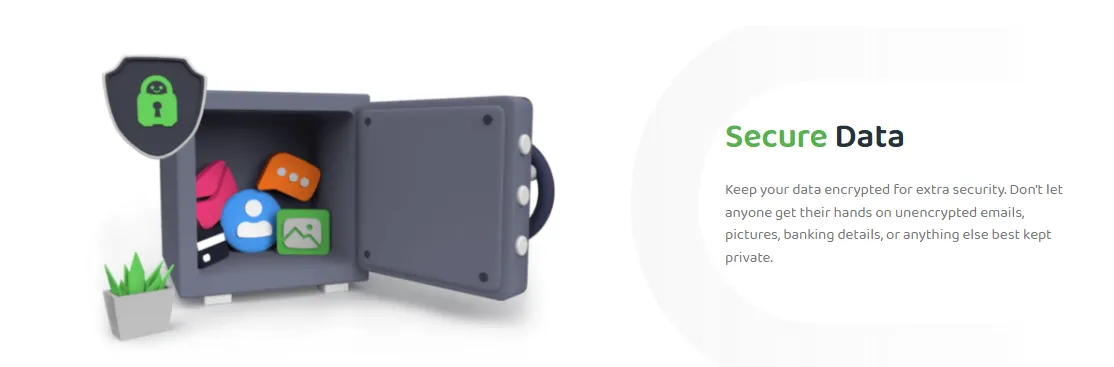
While public DNS services offer many benefits, they are not without their potential pitfalls. Understanding these risks is crucial for making an informed decision about your network security.
1. Data Collection and Privacy Risks
The old adage "if you're not paying for the product, you are the product" often applies to free DNS services.
-
The Value of Browsing Metadata: Every DNS query reveals a piece of your online identity. Even if a provider doesn't log your IP address, they can still aggregate data about which websites are trending, which apps people are using, and general consumer behavior.
-
Third-Party Sharing: Some free providers may sell anonymized, aggregated data to marketing firms or researchers. While this doesn't "expose" you personally, it contributes to the massive surveillance economy.
-
Trust Factor: You are essentially handing over a map of your digital life to a third party. If that company is breached or changes its policy, your historical browsing data could be at risk.
2. Performance May Not Always Meet Expectations
The promise of "faster internet" is the biggest selling point for public DNS, but real-world results can vary wildly.
-
Network Congestion: Popular services like Google and Cloudflare handle trillions of queries. During peak hours or major internet events, even their massive infrastructures can experience "micro-bottlenecks" that cause slight delays.
-
Routing Inefficiencies: Depending on how your ISP peers with a DNS provider, your query might take a longer path than necessary. In some cases, your ISP's local DNS might actually be faster simply because the server is physically in the same building as your connection.
-
The "Jitter" Factor: While average speed might be good, some public DNS servers suffer from inconsistent response times (jitter), which can be detrimental for real-time applications like competitive gaming or VoIP calls.
3. CDN Routing Issues (Scheduling Inefficiency)
This is a technical but critical drawback that can significantly impact your download speeds and video streaming quality.
-
How CDNs Work: Content Delivery Networks (like Akamai or Netflix's Open Connect) try to serve you files from the server closest to you. They often use your DNS server's IP address to guess your location.
-
The "Mismatch" Problem: If you live in New York but use a DNS server located in Virginia, a CDN might mistakenly think you are in Virginia and serve you video from a Southern server. This can lead to slower buffer times and lower resolution.
-
The Solution (EDNS-Client-Subnet): Modern DNS protocols like ECS try to fix this by sending a portion of your IP address to the CDN. However, not all public DNS providers support ECS due to privacy concerns, leading to a direct trade-off between privacy and streaming performance.
4. Lack of Local Support
Public DNS providers are global giants, which means they lack the "local" touch of your neighborhood ISP.
-
Regional Inaccessibility: If a public DNS server in your region experiences an outage, there is no local customer service number to call. You are at the mercy of the provider’s global status page.
-
Troubleshooting Complexity: ISPs can easily diagnose issues within their own network. When you use a third-party DNS, your ISP might find it harder to help you if your connection starts acting up, often asking you to revert to "default settings" first.
5. The "Double-Edged Sword" of Hijacking and Filtering
While some filtering is intended for security, it can sometimes interfere with legitimate browsing.
-
False Positives: A DNS that blocks "malicious" sites might accidentally block a perfectly safe website due to an error in its threat database. This can be frustrating for users who need to access specific, niche information.
-
Philosophical Filtering: Some providers might filter content based on their own corporate or regional policies, which can inadvertently act as a form of soft censorship, deciding what is "appropriate" for you to see.
6. Incompatibility with Local Network Services
Using a public DNS can sometimes break specialized services that rely on your ISP's internal network.
-
ISP-Specific Content: Some ISPs offer special portals, "walled garden" content, or localized IPTV services that are only discoverable via their own DNS servers.
-
Corporate Intranets: If you use a work laptop, a public DNS might not be able to resolve internal company addresses (like internal.company.com), requiring you to manually toggle settings or use a VPN to get back on the corporate grid.
Part Five: The Relationship Between VPNs and DNS: Preventing DNS Leaks
A Virtual Private Network (VPN) is designed to encrypt your internet traffic and hide your IP address. However, even with a VPN active, your security might be compromised if your DNS settings aren't properly configured.
What is a DNS Leak?
A DNS leak occurs when your internet traffic is sent through the VPN tunnel, but your DNS queries are still sent to your ISP's servers outside the encrypted tunnel. This means your ISP can still see exactly which websites you are visiting, even though the content of your traffic is encrypted.
How a VPN Fixes This
High-quality VPNs typically provide their own private, encrypted DNS servers. When you connect to the VPN, your device should automatically route all DNS requests through the same encrypted tunnel as your other data.
The Importance of Manual Configuration
In some cases—especially when using certain operating systems or custom network setups—your device might "stubbornly" stick to your ISP's default DNS even when the VPN is on. This is why many privacy experts recommend manually changing your DNS settings to a trusted public provider (like Cloudflare or Google) as a secondary fail-safe. By doing this, even if the VPN's internal DNS fails, your requests will still go to a privacy-respecting third party rather than your ISP.
Part Six: The Best VPN Alternatives for Changing DNS Servers in 2026
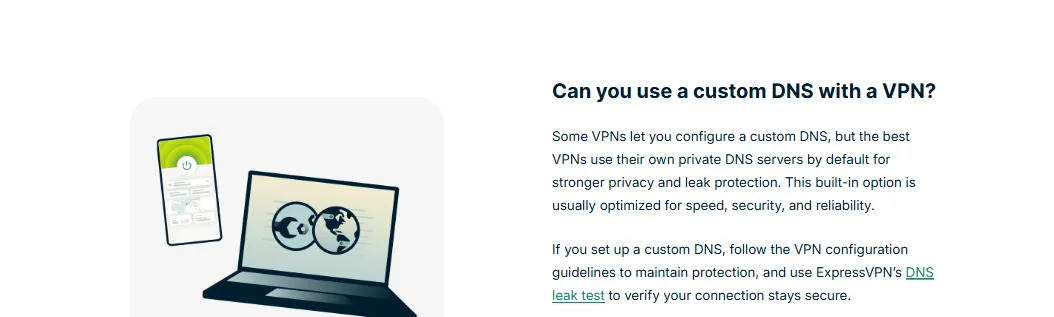
If you find manually configuring DNS settings too cumbersome or want to combine DNS benefits with full-scale encryption, a VPN is the ultimate upgrade. Here are the top alternatives that handle DNS tasks automatically:
1. NordVPN (SmartPlay Technology) — The All-Rounder Choice
NordVPN is not just a tool for hiding your IP; it features some of the most advanced DNS-integrated technology available in 2026. Its proprietary SmartPlay feature is a hybrid of a VPN and a Smart DNS, designed to offer the best of both worlds.
-
Key Feature: SmartPlay Integrated DNS: SmartPlay automatically switches DNS servers in the background to help you bypass geo-blocks seamlessly. Unlike a standard Smart DNS, it does this within the security of an encrypted VPN tunnel, so your privacy remains intact.
-
Private & Secure DNS: By default, NordVPN uses its own private DNS servers to prevent DNS leaks. This ensures that your ISP has zero visibility into your browsing history, even at the query level.
-
Threat Protection Pro: NordVPN also integrates DNS-level filtering that blocks ads, trackers, and malicious domains before they can even reach your device, effectively acting as an "AdGuard-style" resolver.
Best For: Users who want a "set-and-forget" solution that combines high-speed streaming, robust security, and automatic DNS management without any manual input.
2. ExpressVPN — The Pinnacle of Speed and Private DNS
ExpressVPN has long been a industry leader, and its approach to DNS is a testament to its commitment to performance and user anonymity. By operating its own encrypted DNS on every single server, it eliminates the need for any third-party involvement.
-
Key Feature: Private DNS on Every Server: Unlike many VPNs that might route your DNS to a centralized cluster, ExpressVPN runs its own private, encrypted DNS directly on every server. This means your DNS requests never leave the VPN tunnel and are handled at the same location as your data, drastically reducing latency.
-
Unmatched Speed (Lightway Protocol): Combined with their proprietary Lightway protocol, ExpressVPN's DNS resolution is among the fastest in the VPN world. This results in near-instantaneous connection times and extremely responsive browsing.
-
No-Log Assurance: Because they own and manage the entire DNS infrastructure, ExpressVPN can guarantee a strict no-logs policy that has been independently audited multiple times. Your DNS queries are never written to disk.
Best For: Users who prioritize raw speed and a seamless, high-performance experience where DNS resolution feels as fast as a local ISP connection, but with total privacy.
3. CyberGhost — The High-Precision Specialist for Streaming
CyberGhost stands out in the 2026 market for its highly specialized approach to content accessibility. Its DNS infrastructure is specifically engineered to provide a smooth, buffer-free experience for users who primarily use their network for global entertainment.
-
Key Feature: Optimized Streaming DNS: CyberGhost maintains a specialized array of DNS servers that are constantly updated to work with global streaming platforms. This "active maintenance" approach helps bypass proxy errors and ensures that domain resolution is optimized for high-bitrate video traffic.
-
Built-in DNS Leak Protection: The CyberGhost application features a "Hardened DNS" toggle, which forces your device to use its proprietary encrypted DNS servers even if local network conditions try to hijack the request. This provides a critical safety net for users on untrusted public Wi-Fi.
-
Smart DNS for Console & Smart TV: For devices that don't support traditional VPN software (like older Apple TVs or PlayStation 5), CyberGhost provides a standalone "Smart DNS" service. By simply changing the DNS settings on your console, you can enjoy international content without any extra hardware.
Best For: Streaming enthusiasts and console gamers who need a DNS solution that is specifically tuned for unlocking global content libraries and maintaining consistent speeds for 4K video.
4. Surfshark (Smart DNS) — The Ultimate Value Champion
In the 2026 VPN landscape, Surfshark remains the undisputed leader for users who want premium DNS features without the premium price tag. It is particularly famous for its "unlimited" philosophy, allowing you to secure every device in your household under a single account.
-
Key Feature: Seamless Smart DNS Integration: Surfshark offers a highly user-friendly Smart DNS service that can be activated via their web dashboard with a single click. This allows you to gain the benefits of localized DNS resolution on devices that lack native VPN support, such as Smart TVs, gaming consoles (Xbox/PlayStation), and even certain IoT devices.
-
Unlimited Device Connectivity: Unlike almost every other major competitor, Surfshark doesn't limit the number of devices you can connect. This means you can apply their private, encrypted DNS settings to your phone, tablet, laptop, and home router simultaneously without ever being logged out.
-
CleanWeb 2.0 (DNS-Level Filtering): Surfshark’s CleanWeb technology operates at the DNS level to intercept ads, trackers, and malware domains before they reach your browser. In 2026, the 2.0 version is even more efficient, significantly reducing data usage on mobile connections by stripping away "hidden" background advertisements.
Best For: Budget-conscious families and "power users" with a large number of devices who need a reliable, easy-to-configure Smart DNS solution that covers the entire home ecosystem for one flat price.
5. Private Internet Access (PIA) — The DNS Configuration Heaven for Power Users
Private Internet Access (PIA) has carved out a niche as the most flexible and customizable VPN for advanced users. Its approach to DNS is deeply rooted in transparency and technical freedom, offering granular controls that satisfy even the most demanding network administrators.
-
Key Feature: MACE (DNS-Based Ad & Tracker Blocker): PIA’s proprietary MACE technology works by checking every DNS request against a massive database of ad-servers and trackers. Unlike browser extensions, MACE functions at the system level, protecting your privacy and saving battery life across all applications without needing extra software.
-
Custom DNS Support (In-App): While most VPNs lock you into their own servers, PIA allows you to easily input any custom DNS address (like Quad9 or Cloudflare) directly within its app settings. This means you can enjoy PIA’s military-grade encryption while leveraging the specific security or filtering benefits of your favorite public DNS provider.
-
Open-Source Transparency: PIA’s commitment to privacy is backed by its open-source client apps. This allows the community to verify that its DNS-handling code is secure and that no "backdoors" exist, providing peace of mind for users who prioritize total accountability.
Best For: Advanced users and "tinkerers" who want complete control over their DNS settings and a proven, high-performance VPN that respects technical freedom and open-source principles.
Part Seven: How to Change Your DNS Server Settings on Any Device
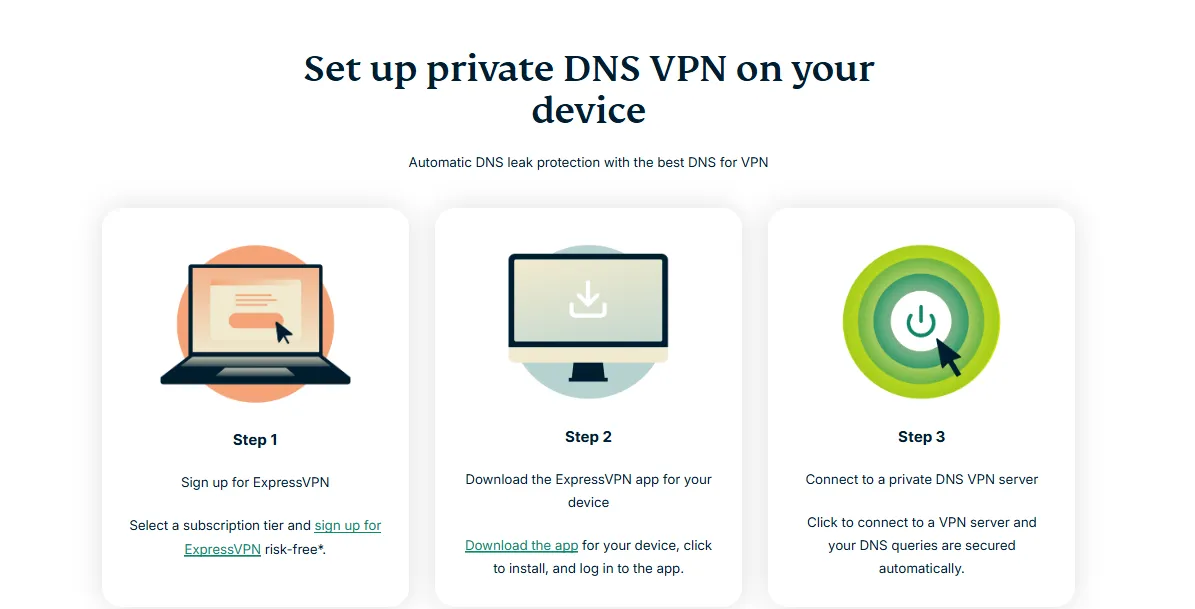
Manually updating your DNS settings is a straightforward process that can instantly improve your internet experience. Below is a step-by-step guide for the most common operating systems in 2026.
1. Changing DNS on Windows 11
Windows 11 features a streamlined interface for network management, making it easier than ever to configure custom DNS settings with optional encryption.
-
Open Settings: Press Win + I on your keyboard or click the Start icon and select Settings.
-
Navigate to Network & Internet: Click on the Network & internet tab in the left-hand sidebar.
-
Select Your Connection: Depending on how you are connected, click on either Wi-Fi or Ethernet.
-
Edit Hardware Properties: Look for the Hardware properties section and click the Edit button next to "DNS server assignment."
-
Switch to Manual: In the pop-up window, change the setting from "Automatic (DHCP)" to Manual.
-
Enable IPv4/IPv6: Toggle the switch for IPv4 (and IPv6 if your provider supports it) to the "On" position.
-
Enter DNS Addresses:
-
Preferred DNS: Enter the primary address (e.g., 1.1.1.1 for Cloudflare).
-
Alternate DNS: Enter the secondary address (e.g., 1.0.0.1).
-
Enable DNS Encryption (Optional but Recommended): In the "DNS over HTTPS" dropdown menu, select Encrypted only (DNS over HTTPS) to secure your queries.
-
Save: Click Save to apply the changes. Your Windows 11 system will now use your chosen provider for all network requests.
2. Changing DNS on macOS (Sequoia/Sonoma)
For Mac users on the latest versions of macOS, the process is integrated into the System Settings app.
-
Open System Settings: Click the Apple Menu () and select System Settings.
-
Access Network Settings: Click Network in the left-hand sidebar.
-
Select Your Network Service: Click on your active connection (e.g., Wi-Fi or Ethernet).
-
Enter Details: Click the Details... button next to your connected network name.
-
Navigate to DNS: In the left sidebar of the pop-up window, click the DNS tab.
-
Add DNS Servers: Click the plus (+) icon under the "DNS Servers" list.
-
Enter IP Addresses: Type in your primary DNS address (e.g., 8.8.8.8 for Google) and press Enter. Click the plus (+) again to add your secondary DNS address.
-
Remove Defaults (Optional): If there are existing grayed-out addresses from your ISP, your new entries will override them.
-
Apply Changes: Click OK to confirm. Your macOS system will immediately begin routing traffic through the new DNS servers.
3. Changing DNS on iOS (iPhone/iPad)
Modifying DNS settings on iOS is performed on a per-network basis. Please note that these steps must be repeated for each Wi-Fi network you wish to configure.
-
Open Settings: Tap the Settings icon on your Home Screen.
-
Tap Wi-Fi: Select the Wi-Fi menu.
-
Select Your Network: Tap the Information (i) icon next to the Wi-Fi network you are currently connected to.
-
Configure DNS: Scroll down to the bottom of the page and tap Configure DNS.
-
Switch to Manual: Change the selection from "Automatic" to Manual.
-
Remove Existing Servers: Tap the red minus icon next to any existing DNS servers provided by your ISP and tap Delete.
-
Add New Servers: Tap Add Server and type in your chosen primary DNS address (e.g., 9.9.9.9 for Quad9). Tap Add Server again to input the secondary address.
-
Save Changes: Tap Save in the top-right corner of the screen. Your iPhone or iPad will now utilize these custom servers for this specific network.
4. Changing DNS on Android (Private DNS Mode)
Modern Android devices (Android 9 and above) use a feature called "Private DNS," which automatically applies encrypted DNS settings across both Wi-Fi and Mobile Data connections.
-
Open Settings: Pull down the notification shade and tap the Gear icon or open the Settings app.
-
Network & Internet: Tap on Network & internet (or Connections on Samsung devices).
-
Find Private DNS: Tap on Private DNS. If you don't see it, look under "More connection settings" or use the search bar at the top of Settings.
-
Select Provider Hostname: Change the setting from "Off" or "Automatic" to Private DNS provider hostname.
-
Enter the Hostname: Instead of an IP address, you must enter the TLS hostname of your provider. Examples:
-
Cloudflare: one.one.one.one
-
Google: dns.google
-
AdGuard: dns.adguard.com
-
Save: Tap Save. Your Android device will now encrypt all DNS queries globally, providing consistent protection across all your networks.
5. Changing DNS on Your Router (The "Set It and Forget It" Solution)
Changing the DNS at the router level is the most effective method because it automatically protects every device connected to your home network—including those that don't have built-in DNS settings like smart bulbs, thermostats, and older consoles.
-
Access Your Router Dashboard: Open a web browser on your computer and type in your router's IP address (usually 192.168.1.1 or 192.168.0.1).
-
Log In: Enter your admin username and password. If you haven't changed these, they are often printed on a sticker on the back of the router.
-
Find DNS Settings: Look for a menu labeled WAN, Internet, or DHCP Settings. The exact wording varies by manufacturer (e.g., ASUS, TP-Link, Netgear).
-
Input Custom DNS: Locate the fields for DNS Server 1 (Primary) and DNS Server 2 (Secondary). Replace the existing ISP numbers with your chosen provider (e.g., 1.1.1.1 and 1.0.0.1).
-
Save and Reboot: Click Apply or Save. It is recommended to restart your router to ensure the new settings are pushed to all connected devices.
-
Verify: Once the router is back online, any device that joins your Wi-Fi will now automatically benefit from your custom DNS settings without any further configuration.
6. How to Configure DNS While Using a VPN
When using a VPN, your DNS handling changes significantly. To avoid "DNS leaks" and maintain maximum privacy, you should understand how to sync these two technologies.
-
Trust the VPN's Default DNS: By default, premium VPNs (like those listed in Section 8) automatically force all DNS queries through their own private, encrypted servers. For 99% of users, the safest option is to leave the VPN's DNS settings on "Automatic" or "Default."
-
Configuring Custom DNS in the VPN App: If you prefer a specific provider (e.g., AdGuard for ad-blocking), most VPN apps have a "Custom DNS" or "Advanced" section.
-
Open your VPN app's Settings.
-
Find the Protocol or Advanced tab.
-
Look for Custom DNS and enter your preferred primary and secondary IP addresses.
-
Preventing DNS Leaks: Always ensure the "DNS Leak Protection" toggle is enabled within your VPN app. This acts as a "kill switch" for your DNS queries, ensuring they never fall back to your ISP's servers if the VPN tunnel drops.
-
The "Chain" Strategy: For maximum security, some users set their OS level DNS (e.g., Windows 11) to Cloudflare and their VPN level DNS to the VPN's private servers. This ensures that even if the VPN app is closed, your OS isn't reverting to an insecure ISP phonebook.
Part Eight: How to Choose the Right DNS Server or VPN
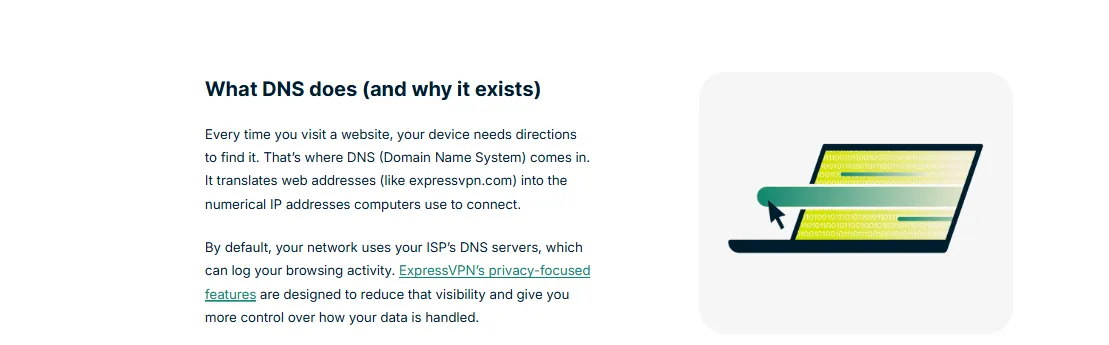
Selecting the perfect combination of DNS and VPN depends entirely on your specific internet usage patterns. Here is a guided framework to help you make the right choice:
I. If You Prioritize Raw Speed (Gamers & Streamers)
-
Best DNS: Cloudflare (1.1.1.1) or Google Public DNS (8.8.8.8).
-
Why: These providers have the most extensive global server infrastructure, ensuring the lowest possible latency (ping).
-
Best VPN: ExpressVPN or NordVPN. Their proprietary protocols (Lightway and NordLynx) are specifically optimized for high-bandwidth activities.
II. If You Prioritize Privacy & Security (Activists & Researchers)
-
Why: Quad9 integrates real-time threat intelligence to block malicious domains, while DNS.Watch is strictly non-logging and unfiltered.
-
Best VPN: NordVPN or Mullvad. Look for "Diskless" (RAM-only) servers and audited "No-Logs" policies.
III. If You Need Content Filtering (Families & Schools)
-
Best DNS: Cisco OpenDNS or AdGuard DNS.
-
Why: They offer pre-built categories to block adult content, gambling, and aggressive advertising at the source.
-
Best VPN: Surfshark. Its "CleanWeb" feature works alongside DNS to strip away trackers and malware before they reach your device.
IV. If You Are in Mainland China (Bypassing Restrictions)
-
Best DNS: AliDNS (223.5.5.5) for local stability, or Encrypted DNS (DoH) from international providers to prevent hijacking.
-
Best VPN: Astrill VPN or Shadowsocks-based services. In highly restrictive environments, traditional VPN protocols are often throttled, making specialized obfuscation tools necessary.
Final Checklist: Before finalizing your setup, always visit a site like dnsleaktest.com to verify that your DNS queries are indeed going to your intended provider and not "leaking" back to your ISP.
Navigating the 2026 Web: AI Threats and the IPv6 Transition
The internet of 2026 is significantly more complex than it was just a few years ago. Two major shifts—the rise of AI-generated cyber threats and the near-total exhaustion of IPv4 addresses—make your choice of DNS more critical than ever.
1. Defeating AI-Generated Phishing
Traditional blacklists can no longer keep up with AI. Hackers now use "Domain Generation Algorithms" (DGA) to create thousands of malicious websites every hour. Standard ISP DNS servers are often 24–48 hours behind these threats.
By switching to a security-first DNS like Quad9 or Cloudflare for Families, you benefit from AI-driven threat intelligence. These servers analyze domain patterns in real-time, blocking "zero-day" phishing sites the moment they are created. It’s no longer just about speed; it’s about having an AI bodyguard for your web traffic.
2. The IPv6 Leak Trap
As we transition to IPv6-only environments in 2026, a new privacy vulnerability has emerged: the IPv6 DNS Leak. Many users configure their custom DNS for IPv4 (e.g., 1.1.1.1) but leave IPv6 on "Automatic."
When your computer requests a modern IPv6-enabled site, it may bypass your secure DNS and ask your ISP’s default server instead. To stay fully protected, you must manually enter both addresses. For example, if you use Cloudflare, ensure you also add 2606:4700:4700::1111 to your network settings.
3. Stability Over Speed: Jitter in the Age of Cloud Gaming
In 2026, "Ping" is only half the story. For services like Xbox Cloud Gaming or GeForce Now, the most important metric is Jitter (the variation in ping over time). A DNS with a massive global Anycast network ensures your request is always handled by the physically closest server. This reduces "micro-stutters" and keeps your gaming session fluid, even if your raw download speed is high.
Frequently Asked Questions(FAQ)
1. Are free DNS servers safe?
Generally, yes—provided you stick to reputable, global companies like Cloudflare, Google, or Quad9. These "Free" services are subsidized by the companies' massive network infrastructure. However, avoid unknown or "unbranded" free DNS servers, as they may be used for malicious purposes, such as redirecting you to phishing sites or tracking your personal data for resale.
2. Which public DNS servers are best for gaming?
For gamers, the most critical factor is latency (ping). Cloudflare (1.1.1.1) is widely considered the best for gaming due to its vast network of edge servers, which reduces the physical distance data must travel. Google Public DNS (8.8.8.8) and AliDNS (223.5.5.5) are also excellent alternatives that provide consistent performance and high uptime.
3. Where are public DNS servers located?
Major public DNS providers utilize Anycast technology, meaning they have physical servers located in hundreds of data centers around the world. When you use a service like Google or Cloudflare, your request is automatically routed to the server geographically closest to you, ensuring the fastest possible response time regardless of where you are on the globe.
4. How can I find out which DNS server I am currently using?
You can easily check your current DNS settings through your device's network properties. On Windows, open the Command Prompt and type ipconfig /all, then look for the "DNS Servers" line. On macOS, go to System Settings > Network > Details > DNS. Alternatively, you can use online tools like dnsleaktest.com or whoismydns.com to see which server is actually resolving your requests in real-time.
5. Why should I use a public DNS server?
The primary reasons are speed, reliability, and privacy. ISP-provided DNS servers are often slow and may log your browsing history for marketing purposes. Public DNS providers like Cloudflare or Quad9 offer faster response times, better uptime, and enhanced security features such as blocking known malicious websites and preventing DNS hijacking.
6. Can a public DNS server track my location?
A DNS server itself cannot track your precise physical location like a GPS would. However, it does see your public IP address, which can be used to determine your general geographic area (such as your city or region). Reputable providers like Cloudflare and Quad9 have strict privacy policies that involve anonymizing or deleting this data quickly to protect user identity.
7. How do I find the fastest DNS service?
Since the speed of a DNS server depends on your physical location and your ISP's routing, the best way to find the fastest service is by using a benchmarking tool. DNS Jumper (Windows) and Namebench (Open Source) are popular choices that test dozens of public providers against your actual connection to determine which one offers the lowest response time for your specific setup.
8. How do I change my DNS server?
The process varies slightly depending on your device, but it generally involves going into your Network Settings, finding your active connection (Wi-Fi or Ethernet), and editing the IPv4 properties or DNS settings from "Automatic" to "Manual." You then simply enter the Primary and Secondary IP addresses provided by your chosen DNS service. Detailed guides for all major platforms can be found in Section 9 of this document.
9. How do I test my DNS service?
After changing your settings, you can verify they are working by using a DNS leak test. Websites like dnsleaktest.com or ipleak.net will show you exactly which DNS servers are resolving your requests. If you see the name of your chosen provider (e.g., Cloudflare or Google) instead of your ISP's name, the configuration was successful. You can also use the nslookup command in your terminal/command prompt to verify specific domain resolutions.
Disclaimer: VPN usage should comply with local laws and terms of service of the platforms accessed. All images in this article are sourced from the merchant's official website and are copyrighted by the merchant.