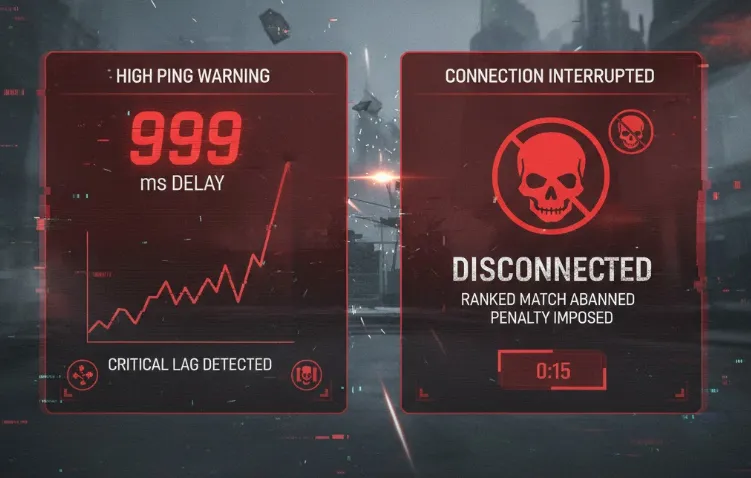
Imagine this: You’re in a high-stakes ranked match, one kill away from a promotion. Suddenly, your ping spikes from 20ms to 999ms. The screen freezes, and a cold notification appears: "Disconnected from Server."
This isn't a random lag spike or your ISP acting up. You’ve likely been hit by a DDoS (Distributed Denial of Service) attack. In 2026, "DDoS-as-a-Service" has become so cheap and accessible that it’s now a common cheating method in competitive gaming.
This guide will show you how to harden your network and stay in the game.
Quick Summary: 4-Stage Core Defense Strategy
|
Defense Phase |
Key Logic |
Pro Tip |
What to Avoid |
|
1. Pre-Match |
Hide your IP & cut off tracking |
Use an Anti-DDoS VPN; disable browser WebRTC. |
Don't rely on high bandwidth; speed can't stop a flood. |
|
2. Hardening |
Hardware scrubbing & isolation |
Enable Router AI Flood Mitigation; use a gaming VLAN; disable UPnP. |
Software firewalls will crash your CPU during Tbps-level attacks. |
|
3. Live Response |
Dynamic rerouting |
Set up a 5G/6G hotspot as backup; power cycle to refresh IP. |
Don't try to "fix" the main line mid-attack. Switch immediately. |
|
4. Post-Attack |
Evidence & Reporting |
Export logs for blockchain-based verification; file a rank recovery claim. |
DDoS is a crime. Use logs to push for legal or platform bans. |
Vulnerability Analysis: How Attackers Leak Your IP?
To defend yourself, you must understand how your IP is exposed. In 2026, leaks are automated and often embedded in common protocols.
1. Social Engineering: Clickbait & Bait Links
-
Bait Links: Attackers use malicious short-links (e.g., "Stat Trackers") in Discord or in-game chats. Clicking captures your real IP, bypassing simple proxies.
-
Voice Leaks: Some unofficial voice plugins or legacy emulators leak network paths during connection handshakes due to insecure protocols.
2. P2P Vulnerabilities: Matchmaking & Voice Leaks
-
Matchmaking Sniffing: Titles using Peer-to-Peer (P2P) logic allow attackers to extract IP addresses from packet headers during match loading.
-
Database Leaks: Insecure third-party "gaming assistants" may store player IPs linked to Game IDs, making them easily searchable for attackers.
3. AI Scanning: Automated IP Tagging
-
Automated Tagging: AI clusters scan ISP address pools 24/7 to identify devices with "gaming traffic signatures."
-
Router Exploits: Outdated firmware or enabled UPnP allows AI tools to map exposed ports and mark you as a target.
4. Browser Leaks: WebRTC Vulnerabilities
-
Privacy Bypass: Without a WebRTC block plugin, malicious scripts can force your browser to report your real local and public IP, even while a VPN is active.
Closing the Backdoor: Securing Your Social Apps
In 2026, your game client is usually secure, but your social ecosystem is likely leaking your data. "Lag Switchers" and griefers have moved away from complex server exploits to simple IP-grabbing tactics.
1. The Danger of "Ghost Links" and Auto-Previews: Attackers often send URLs in Discord or Steam chats that look like standard image previews or match statistic sites. These are Ghost Links containing invisible tracking pixels. In some cases, you don't even need to click the link; if your app is set to "Auto-preview," it may attempt to fetch the image from the attacker’s server, logging your IP address the moment it appears in your chat window.
-
The Fix: Go to your social app settings and Disable Link Previews. Never click a link from an opponent in a lobby, even if it claims to show "Match History" or "Clip Proof."
2. Discord’s P2P Trap: By default, certain direct voice calls or older Discord integrations may attempt a Peer-to-Peer (P2P) connection to reduce latency. This creates a direct digital handshake between you and the other person, making your IP visible to anyone with basic packet-sniffing software.
-
The Fix: Navigate to User Settings > Voice & Video > Advanced. Ensure that "Enforce Privacy" (or "IP Protection") is toggled ON. This forces all voice data to be routed through Discord’s secure relay servers, keeping your home IP hidden.
3. Pro-Tip: Hardware Isolation: For professional streamers or tournament players, the gold standard for 2026 is Hardware Isolation. Always keep your social apps (Discord, Twitch Dashboard, Twitter) on a separate device (like a tablet or laptop) connected to a different network (e.g., a 5G mobile hotspot). This ensures that even if your social identity is compromised, your primary gaming rig—and its connection to the game server—remains untouched.
The Tech: Why an Anti-DDoS VPN is Your Last Line of Defense?
In 2026, a VPN is no longer just a tool for bypassing geo-blocks or gaining a slight speed boost—it is a survival necessity in the competitive arena.
1. The Logic of Traffic Scrubbing
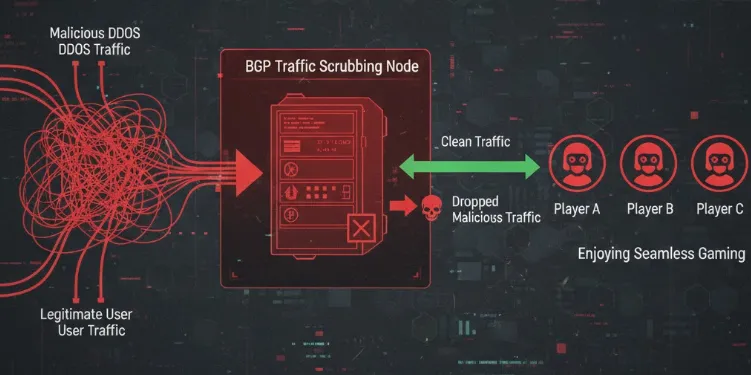
When you connect directly to a game, a 10Gbps flood hits your home modem instantly. An Anti-DDoS VPN intercepts all traffic at its BGP Nodes before it ever reaches you:
-
Identification: Nodes use AI-driven behavioral analysis to distinguish "Legitimate Game Packets" from "Malicious Flood Traffic."
-
Scrubbing: The node drops malicious packets at the edge of the backbone network, forwarding only verified, pure game commands to your device.
-
Resilience: High-tier nodes typically have entrance bandwidth measured in Tbps, allowing them to neutralize 99.9% of consumer-grade DDoS attacks effortlessly.
2. Logical Invisibility of Your Real IP
By using a VPN, the only address you expose to the outside world is the VPN node's public IP.
-
Even if a hacker launches an attack, they are hitting a high-capacity, battle-hardened cloud server rather than your fragile home router.
-
Pro Note: Only VPNs supporting WireGuard or proprietary Low-Latency Competitive Protocols can perform this translation without sacrificing the millisecond-precision required for ranked play.
The Best Anti-DDoS VPNs for 2026 (Comparison)
Not all gaming VPNs or accelerators possess traffic scrubbing capabilities. In 2026, you must look for providers that integrate DDoS protection at the infrastructure level. Here are our top recommendations:
1. NordVPN (2026 Competitive Edition)
-
Core Tech: Powered by the NordLynx (WireGuard) protocol for minimal overhead.
-
Scrubbing Power: Over 120 global BGP Scrubbing Centers. If an anomaly is detected, the system automatically migrates your session to a "Stealth Node."
-
Best For: Pro players and streamers (CS2, Valorant) who demand zero-latency impact.
-
The Edge: Capable of neutralizing floods exceeding 2Tbps with virtually no speed loss.
2. ExitLag (Route Optimization + P2P Hardening)

-
Core Tech: Uses Multi-Path Transmission technology to find the cleanest route.
-
Defense Strategy: Specialized IP obfuscation for P2P-based games (e.g., Destiny, specific Call of Duty modes).
-
Best For: Hardcore gamers playing on community servers or in P2P environments.
-
The Edge: If one node is attacked, ExitLag instantly switches to a healthy redundant path, preventing a disconnect.
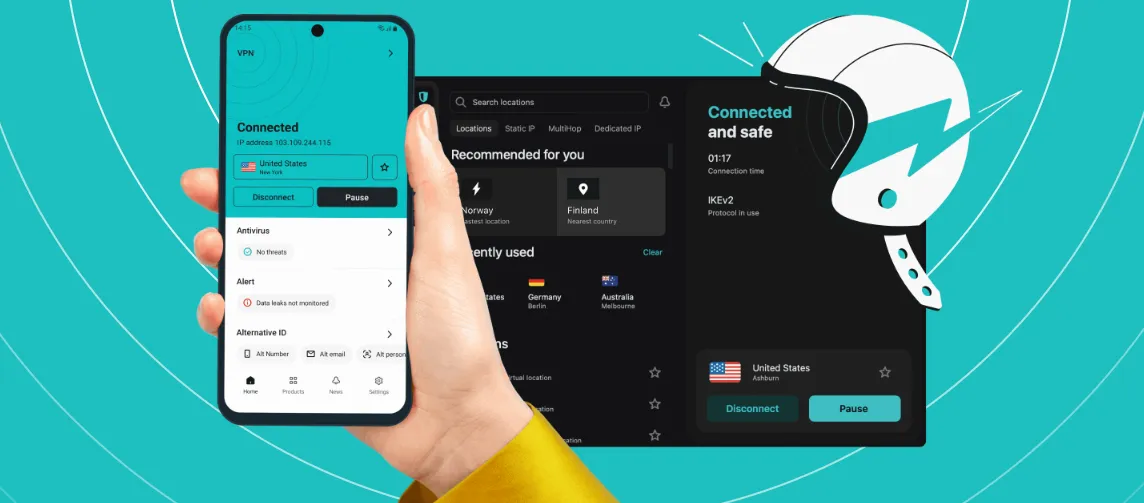
3. Surfshark (IP Rotation & Anti-Tracking)
-
Core Tech: IP Rotator technology for dynamic IP shifting.
-
Defense Strategy: Periodically changes the node’s public IP without dropping your tunnel. This makes it impossible for AI scanning tools to maintain a persistent lock on your address.
-
Best For: Privacy-conscious players facing targeted, long-term harassment.
-
The Edge: Built-in WebRTC blocker to stop leaks at the browser level.
⚠️ Pro Tip: Avoid the "Pseudo-Accelerator" Trap
-
No Encryption = No Protection: Many cheap accelerators only forward packets without encryption. Attackers can use "probe packets" to bypass these services and grab your real IP.
-
Check for BGP Anycast: Ensure your provider uses BGP Anycast. This ensures that during an attack, traffic is distributed across the nearest scrubbing stations rather than overwhelming a single point.
Network Hardening: Building Your Digital Fortress
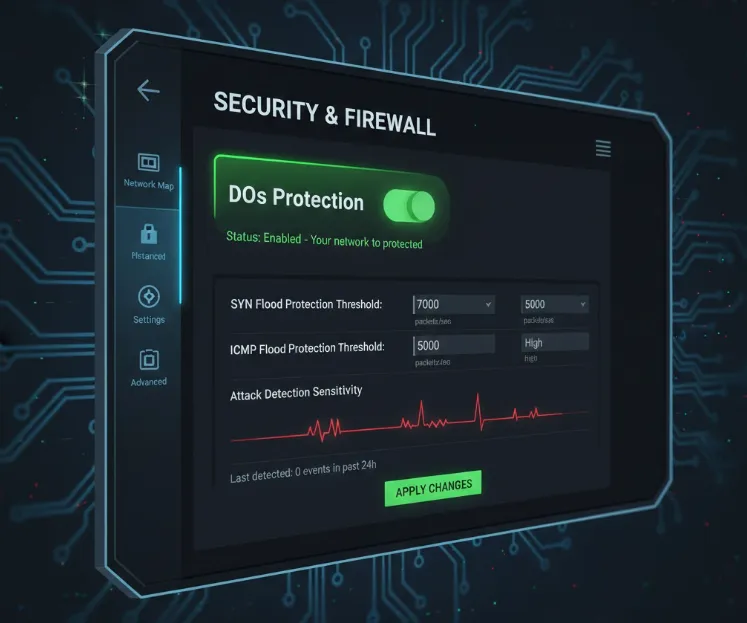
In 2026, software alone isn't enough. You need a multi-layered defense covering stealth, hardware, and link layers.
1. The Stealth Layer (Privacy)
-
Scrubbing Tunnels: Use gaming VPNs with dedicated Scrubbing Centers. These filter Tbps-level attacks in the cloud before they reach your home.
-
WebRTC Blocking: Disable WebRTC in your browser to prevent "side-channel" IP leaks that bypass VPN tunnels.
-
Social Privacy: Set Discord and game comms to "Friends Only." In 2026, a single voice handshake can be enough to trace your IP.
2. The Hardware Layer (Router)
-
AI Flood Mitigation: Use routers with 2026 firmware and enable "DoS Protection." Hardware NPU chips can drop UDP flood packets without crashing your main system.
-
VLAN Isolation: Isolate your gaming rig from vulnerable IoT devices (smart bulbs, TVs) via VLANs to prevent lateral network sniffing.
-
Manual Port Forwarding: Disable UPnP, which creates security holes, and manually configure necessary game ports instead.
3. The Link Layer (Redundancy)
-
5G/6G Backup: Keep a mobile hotspot ready. Mobile networks use multi-layer NAT, making them nearly impossible to target via standard DDoS scanning.
-
Failover Bonding: Use Dual-WAN routers with Cellular Failover. If your fiber line is saturated by an attack, the router switches to mobile data in milliseconds, keeping your game session alive.
Myth Busters: Facts vs. Fiction
In 2026, outdated network concepts can be dangerous. Avoid these common mistakes:
Myth 1: "If my ping is high, I must be getting DDoS'd."
Truth: High ping can be caused by server load, ISP routing issues, or local network congestion. A true DDoS signature is instantaneous and sustained traffic saturation. If you cannot access your router's admin page and every device in the house is offline, you are facing a flood.
Myth 2: "A standard SOCKS5 proxy is enough to hide my IP."
Truth: SOCKS5 and standard proxies only work at the application layer and lack traffic scrubbing. Worse, due to incomplete UDP encapsulation, attackers can force your client to expose its real IP via probe scripts. In 2026, only Anti-DDoS tunnels are effective.
Myth 3: "Upgrading to 2000Mbps/5000Mbps Fiber makes me immune."
Truth: This is the biggest misconception. DDoS is about volume. Even with 5Gbps down, a botnet can hit you with a 10Gbps UDP flood, paralyzing your link. Defense is about scrubbing, not pipe size.
Myth 4: "My system firewall and Antivirus will block the attack."
Truth: Software firewalls process packets at the OS level. When Tbps-level junk packets hit your NIC, your CPU will spike to 100% trying to parse them, leading to a BSOD or system freeze. Interception must happen in the cloud before the traffic reaches you.
Myth 5: "Hiding my IP will significantly increase my gaming latency."
Truth: 2026 edge computing is highly optimized. Professional gaming VPNs using WireGuard often provide shorter paths than standard ISP routing, resulting in "negative latency" or maintaining your original ping while staying protected.
10-Second Pre-Match Checklist
Before hitting that "Find Match" button, take 10 seconds to run through this checklist to ensure your defenses are live:
|
Focus Area |
Action |
Objective |
|
Network Layer |
VPN Scrubbing Node Connected |
Confirm your accelerator shows "Anti-DDoS Active" status. |
|
System Layer |
WebRTC Disabled |
Ensure privacy plugins are active to prevent side-channel IP leaks. |
|
App Layer |
Social Comms Restricted |
Set Discord/Steam to "Friends Only" for incoming calls. |
|
Hardware Layer |
UPnP Disabled |
Prevent dynamic port mapping from becoming an entry point. |
Emergency Protocol: What to Do Under Active Attack?
When an attack penetrates your initial defenses, causing the game to freeze or disconnect, stay calm and follow these four stages of response:
Stage 1: Emergency Evasion and Isolation
-
Physical Disconnect: Immediately pull the power plug on your router. In 2026, flood attacks can reach Terabit levels; sustained impact can cause household routers to instantly overheat or even suffer physical hardware failure.
-
Block Malicious Sessions: Close all background social software and browsers. Attackers may use persistent session handles to track your new connection attempts.
Stage 2: Reshaping Your Digital Identity
-
Change Your Public IP:
-
Dynamic IP Users: Power off your modem for 2–5 minutes before restarting. Log into your router's admin panel to verify that the WAN IP address has changed.
-
Static IP Users: Immediately call your ISP's technical support. Inform them you are under a targeted DDoS attack and request an IP release and renewal at the gateway level.
-
-
Switch to "Safe Mode" Link: After restarting your network, do not launch the game immediately. First, activate your VPN's "Stealth Mode" or a "Heavy Scrubbing Node" to establish an initial layer of traffic buffering.
Stage 3: Evidence Solidification and Rank Protection
-
Export Security Logs: Log into your router's backend and access "System Logs" or "Security Filter Logs." Save screenshots of abnormal UDP/SYN Flood records, paying close attention to source ports and frequency.
-
Record Environmental Data: Capture the system time of the disconnect, the match/lobby ID, and the IDs of any suspicious players (especially if the attack occurred while they were losing).
Stage 4: Integrated Defense & Reporting
-
Report to Game Platforms: In 2026, major platforms like Steam, Tencent, and Blizzard utilize "Real-time Anti-DDoS Monitoring." Submitting your logs and Match ID to support can often recover rank points lost due to the disconnect and trigger a hardware ID ban for the offender.
-
Contact ISP Technical Dept: If attacks persist after changing your IP, request your ISP to activate "Backbone Scrubbing" services—a standard feature for high-end gaming broadband in 2026.
Legal Action & Recovery: Making the Attackers Pay
In 2026, network attacks are no longer a "gray area." With refined legislation worldwide, players can leverage the law to hold offenders accountable.
1. Legal Classification: From "Prank" to "Felony"
Under the 2026 legal framework, initiating or commissioning a DDoS attack against individual players is classified as "Unlawful Intrusion into Computer Information Systems" or "Destruction of Computer Information Systems." As long as the attack results in network disruption, hardware damage, or loss of virtual property, it constitutes a sufficient basis for criminal prosecution.
2. Evidence Solidification: Building an Airtight Case
-
Blockchain-Based Evidence Platforms: Utilize blockchain notary services to instantly timestamp and "hash" security logs exported from your router (including source IPs, frequency, and packet types). This ensures their legal validity and prevents tampering.
-
Notary Involvement: For professional leagues with high prize pools or major streamers, contact a notary office for real-time, on-site evidence collection of network damage as it happens.
3. Civil Liability: Bankrupting the "Hitmen"
-
Calculating Economic Damages: Beyond game points or ranking loss, you can sue for hardware repair costs and direct loss of commercial income due to interrupted livestreams.
-
Joint and Several Liability: 2026 laws dictate that the "commissioner" (the person who ordered the attack) and the "executor" (the attacker) share equal joint liability. Even if the attacker hides behind the dark web, as long as the employer is identified through the payment chain, they must pay high compensation.
4. Integrated Industry Sanctions: Lifetime Bans
-
Shared Blacklists: Global game developers and ISPs have established a shared blacklist mechanism. Once a user is convicted of a cyberattack, all game accounts under their name are permanently banned, and they may be barred from applying for new broadband services for a specified period.
Conclusion
In 2026, DDoS defense has shifted from a "cat-and-mouse" game to a battle of architectural resilience. Winning a promotional series now requires more than just precise mechanics; it demands a deep respect for your digital environment.
By implementing the "triad" of protection—Stealth, Hardware, and Redundancy—you aren't just securing a connection; you are upholding the spirit of fair play. Don’t let a script kiddie ruin your rank. Harden your network, wear your "digital bulletproof vest," and stay in the fight.
Verdict: Network security is now part of your competitive skillset. Don't let a script kiddie ruin your rank—harden your network and stay in the fight.
FAQ
Q1: Can standard "Gaming Accelerators" protect me against DDoS?
A: The vast majority of standard accelerators lack traffic scrubbing capabilities. They focus on reducing latency via high-speed lines but often use plaintext or lightweight obfuscation, allowing attackers to easily bypass them and obtain your home IP. For real protection, you must choose an Anti-DDoS VPN that explicitly supports "Scrubbing Centers" or "BGP Protection."
Q2: Why does the attack stop when I switch to a mobile hotspot?
A: Mobile networks (5G/6G) utilize multi-layer NAT (Network Address Translation). Your device does not have a unique, public-facing IP, making it extremely difficult for attackers to locate you via scanning. Additionally, ISP mobile gateways feature high-capacity native traffic filtering.
Q3: Does enabling DoS protection on my router increase gaming latency?
A: High-end routers in 2026 feature "Zero-Latency Filtering." Dedicated hardware chips (like NPUs) handle packet filtering tasks without taxing the main CPU, resulting in no perceptible negative impact on your Ping.
Q4: How can I be sure I'm being attacked rather than just lagging?
A: A typical DDoS symptom is that your PC disconnects from the game and every other device in the house (phones, TVs) loses internet simultaneously. Furthermore, you will likely be unable to open your router’s local management page (192.168.1.1) because the processor is overwhelmed by junk traffic.
Q5: Can a DDoS attack physically damage my modem or router?
A: It is rare for hardware to "burn out" directly, but sustained high-load attacks cause extreme thermal stress. If your router has poor cooling, continuous attacks can shorten capacitor lifespan and cause frequent, unexplained reboots.
Q6: I have evidence of who attacked me; will the law intervene?
A: Yes. By 2026, legal definitions for "Destruction of Computer Information Systems" are very clear. Ensure you preserve your router’s Traffic Logs and accurate timestamps of the attack. These serve as valid electronic evidence for criminal reporting or civil litigation.