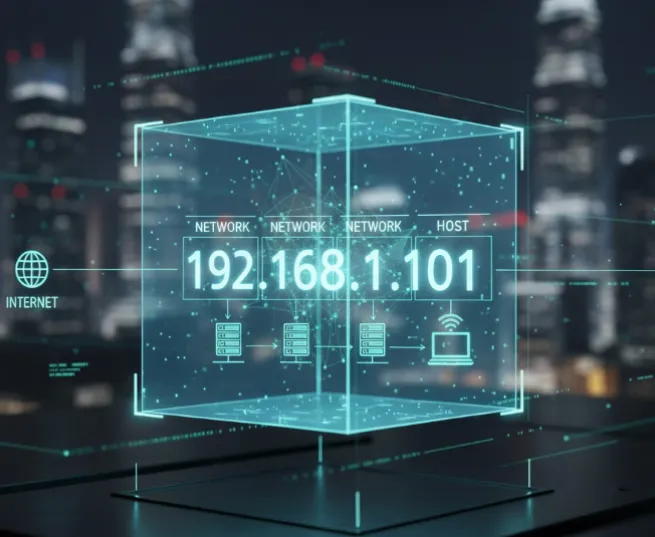
In an era where digital footprints are more scrutinized than ever, your IP address is essentially your "digital home address." It doesn't just represent a string of numbers; it reveals your geographic location, your Internet Service Provider (ISP), and acts as a primary key for advertisers and state actors to profile your browsing habits across different platforms.
As we move through 2026, the technology used to track users has become more sophisticated, integrating AI-driven behavioral analysis with standard IP tracking. Whether you are looking to bypass aggressive geo-restrictions, avoid price discrimination by travel sites, or maintain absolute anonymity, here are the 5 most effective ways to hide your IP address instantly.
Why Hide Your IP Address?

Before diving into the "how," it is crucial to understand the "why." Your IP address is leaked every time you visit a website, send an email, or click a link. Here are the primary reasons why hiding it is no longer optional in 2026:
1. Protect Your Physical Privacy & Neighborhood Mapping
In 2026, geolocation databases have become hyper-accurate. While an IP once only pointed to a city, AI-enhanced mapping can now combine your IP with public datasets to pinpoint your ZIP code, neighborhood, and sometimes even your specific apartment complex. Masking your IP ensures that malicious actors cannot bridge the gap between your digital persona and your front door.
2. Stop ISP Surveillance & Data Brokerage
In many regions, ISPs (Internet Service Providers) have transitioned into massive data brokers. They log every "DNS request" you make—essentially a map of your entire digital life—and sell this "anonymized" data to third parties. By masking your IP with end-to-end encryption, you turn your traffic into noise, preventing your ISP from monetizing your private habits.
3. Bypass Geo-Restrictions & Digital Borders
The "splinternet" has matured in 2026, with many streaming services, news outlets, and even social platforms implementing strict geofences based on licensing or local regulations. Hiding your real IP allows you to maintain "Digital Nomad" status, accessing your home country's content and global information regardless of your physical coordinates.
4. Disrupt "Cookieless" Targeted Advertising
As traditional third-party cookies have been phased out, advertisers have pivoted to IP Fingerprinting. Your IP address has become the "super-cookie" of 2026—a stable identifier used to build a deep psychographic profile of your interests across all your devices. Regularly changing or masking your IP breaks these tracking chains and reduces the precision of intrusive, AI-driven ads.
5. Prevent Targeted Cyberattacks (DDoS & OSINT)
Exposure of your IP address makes you a "sitting duck" for targeted threats. Hackers use IPs to launch Direct Denial of Service (DDoS) attacks to knock you offline or use Open Source Intelligence (OSINT) tools to scan your home network for vulnerable IoT devices (like smart cameras). A masked IP acts as a stealth shield, making it significantly harder for attackers to find a point of entry.
6. Defend Against "Harvest Now, Decrypt Later"
State actors and advanced cybercriminals are currently capturing encrypted traffic with the intent to decrypt it once quantum computing becomes commercially viable. Using modern IP masking tools with Post-Quantum Encryption (PQE) ensures that the "handshake" revealing your identity remains secure against future technological breakthroughs.
Quick Comparison: Top IP Hiding Methods for 2026
|
Method |
Best For |
Security Level |
Speed |
2026 Verdict |
|
VPN |
Daily Privacy & 8K Streaming |
High |
Fast |
The Gold Standard |
|
Tor Browser |
Maximum Anonymity |
Highest |
Slow |
For activists & high-risk tasks |
|
Proxy Server |
Quick Geo-Unblocking |
Low |
Moderate |
Lightweight but risky |
|
Mobile Hotspot |
Emergency IP Changes |
Low |
Varies |
Simple but limited |
|
Public Wi-Fi |
Occasional Use |
Very Low |
Varies |
Use ONLY with a VPN |
1. Virtual Private Network (VPN)

A VPN remains the most robust and user-friendly solution for the general public. It functions as a secure gateway, encrypting all data leaving your device and replacing your local IP with that of a remote server.
Popular VPN Services Comparison (2026)
|
Provider |
Primary Strength |
Privacy Audit Status |
PQE Support |
Best For |
|
All-around performance |
Independently Audited |
Yes (NordLynx PQ) |
General Security |
|
|
High-speed proprietary protocol |
Audited (RAM-only) |
Yes (Lightway) |
Streaming / Speed |
|
|
Absolute Anonymity |
Audited / Open Source |
Yes |
Privacy Purists |
|
|
Swiss-based Transparency |
Audited / Open Source |
Yes |
Secure Core Users |
|
|
Unlimited devices |
Audited |
Yes |
Families / Multi-device |
Why it is Essential in 2026:
-
Post-Quantum Encryption (PQE): As quantum computing threats emerge, leading VPN providers have transitioned to PQC algorithms (like Kyber or Dilithium) to ensure that data captured today cannot be decrypted by quantum computers in the future.
-
System-Wide Protection: Unlike browser-based tools, a VPN secures the "handshake" of every background process, including OS updates, email clients, and IoT synchronization.
-
Advanced Kill Switches: Modern kill switches are integrated at the kernel level, ensuring zero data leakage even during sudden OS crashes.
-
Obfuscation 2.0: Utilizing AI, VPNs now mimic standard HTTPS traffic patterns so effectively that even advanced Deep Packet Inspection (DPI) used by restrictive regimes struggles to identify VPN usage.
The Trade-off: Premium privacy requires a subscription. "Free" VPNs often act as data harvesters, selling your browsing habits to the very advertisers you are trying to avoid.
2. Tor Browser
Tor is the definitive choice for high-stakes anonymity, utilized by whistleblowers, journalists in conflict zones, and privacy purists.
How it Works:
Your data is wrapped in multiple layers of encryption (like an onion) and routed through three distinct volunteer-run nodes:
-
Entry Node: Knows who you are but not what you are looking at.
-
Middle Relay: Knows neither your identity nor your destination.
-
Exit Node: Knows the destination but not your identity.
2026 Considerations:
-
Bridges & Snowflake: If Tor is blocked in your region, "Bridges" provide secret entry points. The "Snowflake" extension allows volunteers to turn their regular browsers into temporary proxies to help others connect.
-
Performance: While improved, the triple-hop architecture still introduces significant latency, making it unsuitable for 4K streaming or real-time gaming.
Tor vs. VPN: The Ultimate Guide to Anonymity, Speed, and When to Use Each
3. Proxy Servers
Proxies act as intermediate servers for specific applications rather than the entire device.
VPN vs. Proxy: Key Differences
|
Feature |
VPN (Virtual Private Network) |
Proxy (SOCKS5 / HTTP) |
|
Level of Action |
OS Level (System-wide) |
Application Level (Browser/App only) |
|
Encryption |
End-to-end encryption of all traffic |
Usually none (unless HTTPS proxy) |
|
Privacy |
Hides traffic content from ISP |
ISP can still see traffic content |
|
Speed |
Slightly slower due to heavy encryption |
Faster (ideal for low-latency tasks) |
|
Reliability |
High (Automatic reconnection/Kill Switch) |
Moderate (Manual setup per app) |
Strategic Use Cases:
-
SOCKS5 for Versatility: Unlike HTTP proxies, SOCKS5 handles any type of traffic (TCP/UDP), making it the standard for P2P file sharing and reducing lag in competitive gaming.
-
Granular Control: Ideal for users who want their web browser to appear in one country while their banking app uses their local, authenticated IP to avoid security triggers.
The Warning: Standard proxies typically offer no encryption. Your ISP can still monitor the contents of your traffic; only the destination website is "tricked" regarding your location.
4. Mobile Hotspot
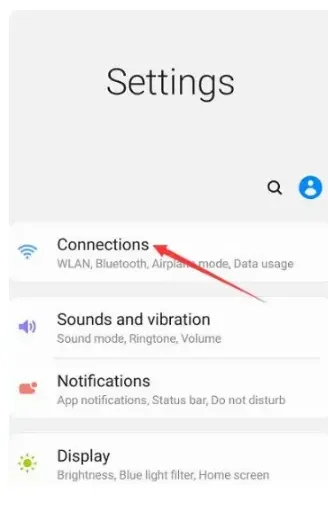
Switching from home Wi-Fi to a mobile network (5G/6G) provides an immediate, hardware-level change of identity.
How Mobile Data Tethering Works
Mobile data functions by assigning your device an IP address from your cellular carrier's pool. When you "tether" or create a hotspot, your mobile device acts as a gateway for other hardware (like a laptop), routing traffic through the cellular infrastructure instead of a fixed-line ISP.
Advantages
-
Instant Identity Shift: Toggling Airplane Mode on and off usually forces the network to assign you a fresh IP address from the carrier's dynamic pool.
-
Shared Anonymity (CGNAT): Most carriers use Carrier-Grade NAT, meaning you share a single public IP with hundreds of other users, making individual tracking difficult.
-
No Software Required: Unlike VPNs or Tor, this method relies on hardware switching and requires no third-party installations.
Disadvantages
-
Carrier Tracking: While websites can't see your home IP, your mobile carrier retains a complete log of your identity, location (via cell towers), and browsing history.
-
Data Costs: High-bandwidth tasks can quickly exhaust mobile data caps or incur significant roaming charges.
-
Limited Encryption: Mobile networks encrypt the link between your phone and the tower, but the traffic itself is not encrypted end-to-end like a VPN.
Technical Considerations
-
IPv6 Leaks: Some modern 5G/6G networks prioritize IPv6. If your destination website supports IPv6 but your privacy tools only support IPv4, your real identity could be exposed via the IPv6 address.
-
Battery Drain: Using a mobile device as a hotspot for extended periods causes significant heat and battery degradation.
Use Cases
-
Emergency IP Reset: When a website or service has temporarily "blacklisted" your home IP.
-
Isolation: Keeping sensitive work traffic entirely separate from a shared home or office network.
-
Bypassing Local Filters: Accessing content that is restricted by a local router's firewall or DNS filtering.
5. Public Wi-Fi
While using a public hotspot (cafes, libraries, or airports) effectively changes your IP address to that of the venue's infrastructure, it remains the most architecturally vulnerable method of obfuscation. This is primarily due to the "Evil Twin" attack, a sophisticated form of wireless phishing.
The Anatomy of the Attack
An "Evil Twin" is a rogue access point that appears to be a legitimate Wi-Fi network. A threat actor sets up a high-gain wireless transmitter in a high-traffic area, broadcasting a familiar SSID such as "Airport_Free_WiFi" or "Starbucks_Guest."
-
The Hook: Your device, programmed to seek convenience, may even auto-connect if you have used a similarly named network in the past.
-
The Interception: Once connected, the hacker performs a Man-in-the-Middle (MitM) attack. Because they own the router, they act as the gateway for all your traffic.
-
The Harvest: Every packet of unencrypted data—and even some encrypted traffic via SSL stripping—passes through their machine. They can inject malicious code into your browser sessions, capture login credentials in real-time, or redirect you to "clone" versions of banking and social media sites.
The 2026 Security Mandate: The "Double-Blind" Strategy
As we move into 2026, the baseline for digital hygiene has shifted. Public Wi-Fi should no longer be viewed as a standalone connection, but merely as a transport layer for a secondary, secure tunnel.
The Golden Rule: Public Wi-Fi should only be used as an "IP mask" if a high-grade VPN (utilizing protocols like WireGuard or OpenVPN) is running concurrently. This creates a "Double-Blind" effect:
-
The Public Wi-Fi Layer: Hides your home/office physical location and your true ISP-assigned identity. To the destination website, you appear to be at the cafe.
-
The VPN Layer: Hides your data, browsing history, and payload from the Wi-Fi provider (and potential hackers). To the "Evil Twin" operator, your traffic appears as a single, unbreakable stream of AES-256 encrypted gibberish.
Summary Table: Risks vs. Mitigations
|
Risk Factor |
Impact |
2026 Mitigation Strategy |
|
Packet Sniffing |
Theft of session cookies and passwords. |
Always-on VPN encryption. |
|
DNS Spoofing |
Redirecting you to fraudulent websites. |
Use of Private DNS over HTTPS (DoH). |
|
Side-Jacking |
Hijacking active account sessions. |
Enforce HTTPS-Only mode in all browsers. |
|
Identity Leak |
Exposure of device name and MAC address. |
Enable MAC Address Randomization on mobile/laptop. |
By treating public hotspots as inherently hostile environments, you transform a major security liability into a useful tool for temporary geographic displacement.
Special Focus: Hiding Your IP on iOS and Android (The Native Way)
In 2026, over 65% of tracking occurs on mobile devices. While VPNs are great, both iOS and Android now offer native features to mask your identity without third-party apps.
1. Apple’s iCloud Private Relay (Best for iPhone Users)
If you are an iCloud+ subscriber, iCloud Private Relay is your best friend. It acts like a "Lite VPN" specifically for Safari.
How it works: It uses a dual-hop architecture. Your request is sent through two separate internet relays. The first relay knows your IP but not the site you're visiting; the second knows the site but not your IP. Not even Apple can see both.
How to Enable: Go to Settings > [Your Name] > iCloud > Private Relay and toggle it to On.
2. Android Private DNS & Secure Masking
Android users can use Private DNS to encrypt their connection and hide their browsing intentions from ISPs.
The Benefit: By changing your DNS to a provider like Cloudflare or AdGuard, you prevent your ISP from "seeing" your DNS requests, which is the primary way they link your IP to your browsing habits.
How to Enable: Navigate to Settings > Network & Internet > Private DNS. Select "Private DNS provider hostname" and enter
1dot1dot1dot1.cloudflare-dns.comordns.adguard.com.
Why Hiding Your IP Isn't Enough: WebRTC & Fingerprinting
Even if your VPN is active, your browser might be "snitching" on you. In 2026, trackers have moved beyond simple IP logs to more invasive techniques.
1. The WebRTC Leak: The Silent Snitch
WebRTC (Web Real-Time Communication) is a browser feature that allows for seamless video and voice chat. However, it can bypass your VPN tunnel to reveal your real, local IP address to websites via "STUN requests."
The Quick Fix:
For Google Chrome / Edge: Chrome doesn't have a simple toggle. You must install a trusted extension like uBlock Origin (enable "Prevent WebRTC from leaking local IP addresses") or WebRTC Leak Prevent.
For Firefox: Type
about:configin the address bar, search formedia.peerconnection.enabled, and double-click to set it to False.2. Browser Fingerprinting: Your Digital DNA
As we head deeper into 2026, Browser Fingerprinting has become the gold standard for tracking. Websites collect data on your screen resolution, installed fonts, OS version, and even battery level to create a unique ID.
The Reality: Even if you hide your IP, a fingerprint can identify you with 99% accuracy across different sessions.
The Solution: Use privacy-focused browsers like Brave or LibreWolf, which have built-in "Fingerprint Protection" that randomizes these data points, making you look like every other user in the crowd.
How to Choose a Method to Hide Your IP Address?
To help you decide which method fits your current needs, refer to the decision matrix below:
|
If your goal is... |
Recommended Method |
Why choose this? |
|
Daily Privacy & Security |
Premium VPN |
Best balance of speed and 24/7 background protection. |
|
Bypassing Streaming Blocks |
VPN or Smart Proxy |
Optimized for low-latency 4K/8K video transmission. |
|
High-Risk Anonymity |
Tor + VPN |
Maximum "onion" layering to protect physical safety. |
|
Avoiding Simple Site Bans |
Proxy or Mobile Hotspot |
Lightweight and fast for non-critical browser-only tasks. |
|
Using Airport/Cafe Wi-Fi |
VPN (Mandatory) |
Encrypts data to prevent local "Man-in-the-Middle" attacks. |
How to Check if Your IP Address is Hidden
Simply turning on a tool doesn't guarantee your IP is hidden. You must verify it using these testing steps:
Step 1: Baseline Check
Before activating any tool, visit a site like WhatIsMyIP.com or IPLeak.net. Write down your Actual IP address and your ISP name.
Step 2: Verification After Activation
Once your VPN, Proxy, or Tor is active, refresh the page.
-
Success: You should see a completely different IP address and a different city/country.
-
Failure: If you still see your original ISP or location, your connection is not secure.
Step 3: The DNS Leak Test
Even if your IP changes, your browser might still send requests to your ISP's DNS servers.
-
How to test: Go to DNSLeakTest.com and run the "Extended Test."
-
The Goal: You should ONLY see servers belonging to your VPN provider. If you see your ISP’s name, your browsing habits are still visible to your provider.
Step 4: The WebRTC Leak Test
WebRTC is a browser technology for real-time communication that can sometimes bypass your VPN to reveal your real IP.
-
How to test: Visit browserleaks.com/webrtc.
-
The Goal: Your "Public IP Address" in the WebRTC section must match your VPN IP, not your home IP.
Beyond the IP: Preventing "Deep Tracking"
In 2026, hiding your IP is only half the battle. To be truly invisible, consider these additional steps:
-
Disable WebRTC: Prevents accidental IP leaks through browser features.
-
Browser Fingerprinting Protection: Modern trackers look at your fonts, screen resolution, and battery level to identify you. Use a privacy-focused browser like Brave or Firefox with strict protection.
-
Use Private DNS: Configure your router or device to use encrypted DNS (like Quad9 or Cloudflare 1.1.1.1) to add a layer of privacy at the network level.
-
Cookie Management: Frequently clear your cache or use extensions that automatically delete "Supercookies" which persist even after clearing standard data.
The Gamer’s & Streamer’s Guide: Can You Stay Hidden Without Lag?
For many, hiding an IP address is a trade-off between privacy and performance. In the era of 8K streaming and competitive cloud gaming, you need a solution that doesn't compromise your speed.
1. Anti-DDoS & "Swatting" Protection
In competitive titles like Valorant, Call of Duty, or League of Legends, your IP is a target. If a malicious opponent finds your IP, they can launch a DDoS attack to disconnect you from the server or, in extreme cases, facilitate "Swatting" by pinpointing your location.
The Fix: Using a VPN masks your home IP with the server's IP. If someone tries to DDoS you, they hit the VPN provider's enterprise-grade firewall instead of your home router.
2. Lowering Ping with WireGuard®
Contrary to popular belief, a VPN can sometimes lower your ping. If your ISP is poorly routing your data to a game server in another country, a VPN with the WireGuard protocol can provide a more direct "express lane."
Pro Tip: Always choose a server closest to the game's data center to minimize latency.
3. The 2026 Speed Verdict: 8K/4K Streaming Compatibility
Not all IP-hiding methods are built for high-resolution media. Here is how they stack up for 2026 streaming standards:
Method
8K/4K Ready?
Verdict
Top-Tier VPN
✅ Yes
Best for Netflix/Disney+ bypass with zero buffering (using WireGuard).
Proxy (SOCKS5)
✅ Yes
Fast, but lacks encryption. Good for pure speed, bad for privacy.
Tor Browser
❌ No
Too slow. The multi-node hop causes 8K video to buffer indefinitely.
Mobile Hotspot
⚠️ Partial
Depends on 5G/6G signal strength; can be unstable for gaming.
iCloud Private Relay
✅ Yes
Excellent for browsing and Safari-based 4K video.
Final Thoughts
Digital privacy is not a one-time setup; it’s a habit. While a premium VPN is the best "set-and-forget" tool for most people in 2026, combining it with a privacy-conscious browser and a healthy dose of skepticism remains your best defense. As tracking algorithms become more autonomous, your proactivity is the only thing standing between your data and those who wish to monetize it.
Take control of your data before someone else does. Stay hidden, stay safe.
Frequently Asked Questions(FAQ)
Q: Is it illegal to hide my IP address?A: In the vast majority of countries, hiding your IP is perfectly legal and encouraged for privacy. However, using these tools to cover up illegal activities is still a crime.
Q: Can I hide my IP address for free?A: Yes, via Tor or free Proxy lists. However, "Free" VPNs are often "data harvesters"—if you aren't paying for the product, you are the product. They often sell your bandwidth or browsing logs.
Q: Does Incognito Mode hide my IP?A: No. It only stops your local browser from saving history. Your ISP, employer, and the websites you visit can still see your real IP address.
Q: Can a VPN be tracked?A: While a VPN hides your IP from websites, the VPN provider itself can technically see your traffic. This is why choosing a provider with a third-party audited "No-Logs" policy is crucial in 2026.
Q: Does hiding my IP improve my internet speed?A: Usually, no. Most methods will slow it down slightly. However, if your ISP is "throttling" your connection (slowing down Netflix or YouTube specifically), a VPN can actually increase your speed by hiding your activity.
Q: Can websites detect if I'm using a VPN?A: Yes, many high-security sites (like banking or major streaming apps) maintain databases of known VPN server IPs and might block access or trigger additional security checks.
Q: How often does my IP address change?A: "Dynamic IP" changes often (e.g., after a router reboot), while "Static IP" stays the same until manually changed by your ISP. VPNs provide a new IP every time you connect.
Q: Is "Double VPN" worth it for extra privacy?A: It routes traffic through two servers for extra security but significantly reduces speed. It is recommended only for users with extreme privacy requirements, such as political dissidents.
Q: What is a DNS leak and why should I care?A: A DNS leak happens when your computer sends "where is https://www.google.com/search?q=google.com?" requests to your ISP instead of your VPN. This allows your ISP to see every site you visit even if the actual data is encrypted.
Q: Will hiding my IP protect me from viruses?A: No. Hiding your IP protects your privacy and location, but it does not scan files for malware. You still need to be cautious about what you download.