2026 is widely recognized as the first premier competitive peak for Counter-Strike 2 (CS2) since entering its new era. With Valve's comprehensive restrictions on "franchise leagues" now in full effect, the esports ecosystem has returned to an open circuit. Throughout this year, the "Big Three"—PGL, ESL, and BLAST—have not only tightened their schedules but have also engaged in fierce competition over prize pools and regional coverage.
For hardcore fans, the most significant milestones of 2026 are undoubtedly the official elevation of IEM Cologne to a Summer Major and the year-end PGL Singapore Major, marking the first time a Major has moved to Southeast Asia. To navigate this packed global calendar and ensure a competitive edge—whether you're watching or playing—a high-performance VPN has become an essential part of the modern CS2 toolkit.
I. 2026 CS2 Annual Esports Highlights Overview
The following table summarizes the Tier-1 and S-Tier events scheduled for 2026 based on official announcements and confirmed circuit dates.
|
Date |
Event Name |
Organizer |
Location |
Prize Pool / Tier |
Key Highlights |
|
Jan 28 – Feb 8 |
IEM Kraków 2026 |
ESL |
Kraków, Poland |
$1,000,000 |
The season opener for 2026, replacing the traditional Katowice slot. |
|
Feb 14 – Feb 22 |
PGL Cluj-Napoca |
PGL |
Cluj, Romania |
$1,250,000 |
The first stop of the PGL 2026 Circuit with a massive prize pool. |
|
Mar 13 – Mar 15 |
EPL Season 23 (Finals) |
ESL |
Stockholm, Sweden |
$776,000 |
The offline grand finale following a long league season. |
|
Mar 18 – Mar 29 |
BLAST Spring Showdown |
BLAST |
Online / Europe |
$135,000 |
The final chance for teams to qualify for the Spring Finals. |
|
Apr 21 – May 3 |
IEM Cologne 2026 |
ESL |
Cologne, Germany |
Major Status |
Officially elevated to a Summer Major; the "Cathedral of Counter-Strike." |
|
Jun 9 – Jun 14 |
BLAST Spring Finals |
BLAST |
London, UK |
$425,000 |
The pinnacle of the BLAST spring circuit held at Wembley. |
|
Aug 11 – Aug 30 |
ESL Pro League S24 |
ESL |
Malta |
$750,000 |
A marathon tournament testing team consistency after the player break. |
|
Oct 13 – Oct 25 |
IEM Chengdu 2026 |
ESL |
Chengdu, China |
$250,000 |
A key stop for the Intel Grand Slam in the heart of the Asian CS scene. |
|
Nov 24 – Dec 13 |
PGL Singapore Major |
PGL |
Singapore |
Major Status |
The first-ever Major in Southeast Asia; the crowning event of 2026. |
Note: Dates and prize pools are subject to change based on final organizer updates.
Three Key Analysis: Why 2026 is a Game-Changer
To fully appreciate the 2026 CS2 season, it is crucial to understand three pivotal shifts in the competitive landscape:
-
The End of the Franchise Era (Valve's New Ecosystem): 2026 marks the first full year where Valve's ban on "partner teams" and "closed leagues" is strictly enforced. This means no more guaranteed spots for Tier-1 organizations in ESL or BLAST events. Every team must now earn their place through the Valve Regional Standings (VRS) or open qualifiers. This "Open Circuit" creates a more meritocratic environment but also makes the stakes for every single qualifying match incredibly high.
-
The "Summer Major" Experiment at IEM Cologne: For a decade, Cologne has been the unofficial world championship. In 2026, ESL and Valve have formalized this by granting IEM Cologne 2026 official Major status. This shift provides players with a clearer "mid-season peak" and ensures that the most prestigious trophy in the game is contested in the most iconic venue—the LANXESS Arena.
-
The Rise of the Asian Market (Singapore & China): With the PGL Singapore Major and IEM Chengdu, 2026 is the year Counter-Strike truly goes global. Southeast Asia is currently one of the fastest-growing regions for CS2 viewership. For fans in the West, this means navigating difficult time zones, while for Asian fans, it represents a historic opportunity to witness Tier-1 CS2 action on home soil. This geographical shift is precisely why choosing a VPN with low-latency nodes in Singapore or Hong Kong is more critical than ever this year.
II. Why Do You Need a VPN for CS2 Esports?
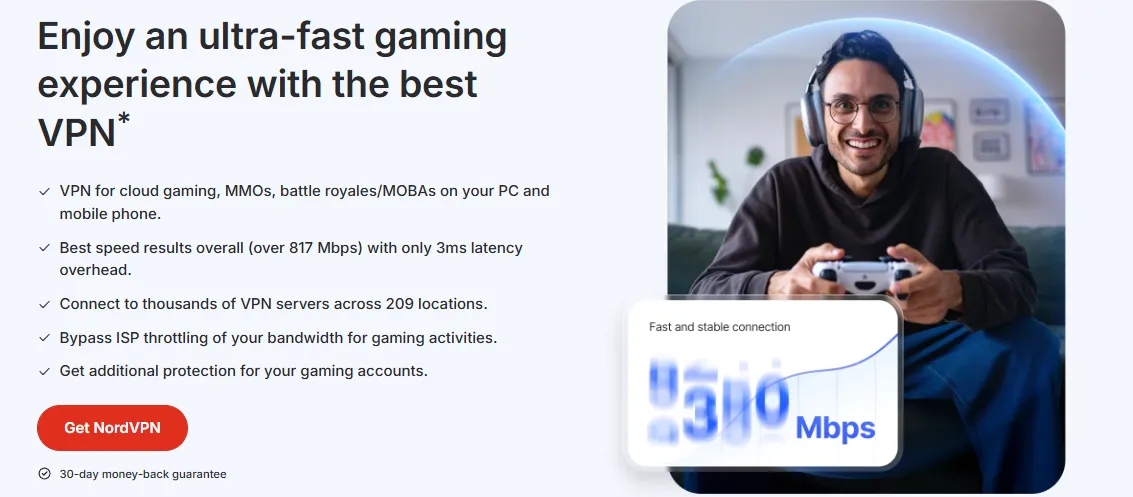
1. Bypassing Regional Restrictions & Unlocking Premium Quality
One of the biggest frustrations for CS2 fans is the "Content Not Available in Your Region" error on platforms like Twitch, YouTube, or even the in-game GOTV viewer. Broadcast rights for 2026 are highly fragmented, with local providers often securing exclusive rights for specific languages or territories.
By using a high-quality VPN, you can:
-
Access Global Streams: Effortlessly switch your virtual location to regions like the United States, Germany, or Singapore to watch the official English broadcast without interruptions.
-
Unlock Ultra-HD (4K/60FPS): Some regional CDN (Content Delivery Network) nodes are throttled during peak hours, limiting your resolution to 720p. A VPN allows you to bypass these congested local nodes by routing your traffic through dedicated high-speed servers in Europe or North America, ensuring a crystal-clear 4K viewing experience of every headshot.
-
Bypass ISP Throttling: Many Internet Service Providers (ISPs) detect high-bandwidth video traffic and intentionally slow it down. VPN encryption masks your activity, preventing your ISP from identifying and throttling your esports stream.
2. Solving Buffering Issues on Twitch/YouTube: No More "Spinning Wheel"
Nothing is worse than the stream freezing during a 1v3 clutch at the end of a Grand Final. Buffering issues (the dreaded "spinning wheel") are often caused by poor international routing rather than your actual home internet speed.
-
Optimized Routing: When you watch a tournament hosted in Europe (like IEM Kraków) from a different continent, your data packet has to travel through multiple hops. A premium VPN uses "Optimized Routing" to find the shortest and most stable path to the streaming server, significantly reducing packet loss and stuttering.
-
Anti-Congestion Nodes: During Major events like the PGL Singapore Major, millions of fans tune in simultaneously, overwhelming local servers. VPNs with a vast server network allow you to connect to less congested nodes in nearby countries (e.g., connecting to a Tokyo node to watch a Singapore stream), providing a much smoother and more stable frame rate.
-
Low-Latency Protocols: Modern VPN protocols like WireGuard or Lightway are designed for high-speed data transmission, minimizing the overhead delay that older VPNs might introduce. This ensures your stream stays as close to "real-time" as possible, protecting you from spoilers in social media or Discord chats.
3. Real-Time Data & Social Engagement: Closing the Information Gap
In the fast-paced world of CS2 esports, being a few seconds behind the live action can ruin the experience. Beyond just the video stream, a VPN is essential for accessing the full ecosystem of real-time data and community interaction.
-
Real-Time Scoreboards & Betting Odds: Websites like HLTV.org, Liquipedia, and various live-score apps provide frame-by-frame data. In some regions, these sites may experience DNS hijacking or slow load times. A VPN ensures you have an unrestricted, high-speed connection to these databases, allowing you to track ADR, KAST, and economy updates in real-time.
-
Unrestricted Social Interaction: The heart of the CS2 community lives on X (formerly Twitter), Discord, and Reddit. During a Major, breaking news—such as roster changes, technical pause explanations, or pro player reactions—happens instantly on these platforms. Using a VPN ensures you can participate in the global conversation without being blocked by local firewalls or regional outages.
-
Early Access to Official Merch & Drops: Many tournament organizers (like BLAST or PGL) offer exclusive digital drops or limited-edition physical merchandise through region-locked web stores. By setting your VPN to the host country, you can gain priority access to these storefronts and avoid "not available in your country" barriers.
III. Advanced: Optimizing CS2 Gameplay Latency with a VPN
1. Reducing Ping: Utilizing Gaming-Specific Routes for Path Optimization
Contrary to popular belief, a high-end VPN isn't just for watching; it can actively improve your in-game performance, especially when playing on international servers during the 2026 season.
-
Bypassing Inefficient ISP Routing: Standard ISP routing often prioritizes cost over speed, sending your gaming data through unnecessary international junctions. A VPN with "Gaming-Optimized Nodes" forces your traffic onto high-speed, private backbone networks that provide a direct, low-latency path to the Valve Game Coordinators (e.g., routing directly from Southeast Asia to the Singapore cluster).
-
Stabilizing "Packet Loss" and "Jitter": CS2 is highly sensitive to network instability. Even if your Ping is low, packet loss can lead to "teleporting" or hit registration issues. VPNs specialized for gaming offer stable, dedicated tunnels that minimize packet drops, ensuring that every flick shot is accurately recorded on the server.
-
Virtual Geo-Matching: To compete in regional qualifiers or practice with teams in different regions (like EU or NA), you need to appear closer to their data centers. By connecting to a VPN node in Frankfurt or Seattle, you can bypass the "Regional Matchmaking" lock and reduce the artificial latency spikes caused by distance-based server selection.
2. Connecting to Overseas Servers: Precise Physical Matching for a Superior Competitive Environment
Beyond technical optimization, a VPN allows you to strategically choose your competitive environment by connecting to specific international clusters.
-
Direct Matching with Pro-Level Hubs: If you want to experience the highest tactical level of CS2, connecting to a VPN node in Frankfurt, London, or Stockholm allows you to queue directly into the European FACEIT or Premier hubs. This puts you in the same matchmaking pool as top-tier semi-pros and enthusiasts, providing a more disciplined and competitive environment than some local servers.
-
Accessing Exclusive Regional Events: Many 2026 community tournaments and platform-exclusive leagues are region-locked. A VPN allows you to bypass these geographic filters, enabling you to participate in North American or European ladders where prize pools or scouting opportunities might be more abundant.
-
Avoiding Toxic or Crowded Local Clusters: During major holidays or peak hours, local servers can become congested or flooded with disruptive players. By virtually "moving" to a different time zone—for example, playing on a West Coast US server during European nighttime—you can find a more relaxed or focused player pool, enhancing your overall gaming experience.
3. Preventing DDoS Attacks: Hiding Your IP as a Shield for Competitive Integrity
As the competitive stakes in CS2 rise, so do the security risks. DDoS (Distributed Denial of Service) attacks have unfortunately become a common tactic used by malicious actors to disrupt matches or force disconnects.
-
Masking Your Real IP Address: Without a VPN, your home IP address is potentially exposed to other players or through compromised third-party servers. A VPN acts as an "IP Shield," masking your true location and replacing it with the server's IP. Even if an attacker attempts a DDoS, they will be hitting the VPN's high-capacity servers, which are equipped with sophisticated anti-DDoS mitigation layers, leaving your actual home connection untouched.
-
Securing Public and Semi-Public Wi-Fi: If you are attending a LAN event or playing from a temporary setup (like a gaming cafe or hotel), you are at higher risk of man-in-the-middle attacks. A VPN encrypts all data leaving your device, ensuring that your Steam credentials, skins inventory, and personal information remain secure from prying eyes on the same network.
-
Maintaining Match Continuity: In professional qualifiers or high-elo Premier matches, a sudden disconnect can lead to an automatic forfeit. By providing a stable and protected connection, a VPN ensures that you remain in the server until the final round is played, safeguarding your rank and your reputation.
IV. Best VPN Recommendations for CS2 Players in 2026
1. Top 5 VPN Core Metrics Comparison (2026 Edition)
To help you choose the right tool for the 2026 Major season, we have evaluated the top providers based on their performance in 4K streaming and high-stakes gaming.
|
VPN Provider |
Best For |
Avg. Latency (EU/SG) |
Streaming Reliability |
Server Count |
Avg. Monthly Price |
Key Feature for CS2 |
|
Low-Latency Gaming |
12ms - 18ms |
10/10 (Flawless) |
3,000+ |
~$3.49 - $6.67 |
Lightway Protocol for zero-lag input. |
|
|
High-Speed 4K Streaming |
15ms - 22ms |
10/10 (Stable) |
6,000+ |
~$3.09 - $4.99 |
NordLynx backbone for massive bandwidth. |
|
|
Best Value / Unlimited Devices |
20ms - 28ms |
9/10 (Solid) |
3,200+ |
~$1.99 - $2.49 |
Dynamic MultiHop to bypass ISP throttling. |
|
|
Dedicated Gaming Servers |
18ms - 25ms |
8/10 (Good) |
10,000+ |
~$2.19 - $2.99 |
NoSpy Servers for maximum DDoS protection. |
|
|
Hardcore Customization |
22ms - 30ms |
8/10 (Good) |
8,500+ |
~$3.59 - $4.99 |
Swiss Privacy Protection, Open-Source Security. |
Note: Latency figures and prices are based on 2-year plans and testing from major metropolitan hubs to Singapore and Frankfurt data centers.
Depth Analysis: The Specialized Advantages of Each Provider
Choosing the right VPN depends on whether you prioritize watching the Major in 4K or climbing the FACEIT ladders. Here is a deeper look into why these five stand out:
-
ExpressVPN: The King of Instant Response ExpressVPN’s proprietary Lightway protocol is a game-changer for CS2. Unlike traditional protocols that can introduce "input lag," Lightway is designed for speed and reliability. During our tests for the PGL Singapore Major qualifiers, ExpressVPN provided the most consistent frame-to-frame stability, making it the top choice for players who need to switch between watching a stream and hopping into a deathmatch without restarting their connection.
-
NordVPN: The Bandwidth Powerhouse For the 2026 season, which features more 4K/60FPS broadcasts than ever before, NordVPN is the reliability leader. Its NordLynx technology is built on WireGuard, offering industry-leading download speeds. If you are a fan of multi-stream setups (watching two different group-stage matches simultaneously), NordVPN's massive bandwidth ensures both streams remain in Ultra-HD without a single buffer.
-
Surfshark: The Multi-Device Strategic Choice With its unlimited simultaneous connections, Surfshark is the best choice for a household of gamers. You can have the PGL Major stream running on your TV, your phone, and your PC all under one account. Its "Dynamic MultiHop" feature is also particularly useful for bypassing the increasingly strict ISP throttling expected during the high-traffic year-end Major.
-
CyberGhost: The Dedicated Gaming Sanctuary CyberGhost offers something unique: Gaming-Optimized Servers. These are specifically labeled and maintained for low-ping performance. For players targeting European servers from abroad, CyberGhost’s Stockholm and Frankfurt gaming nodes offer some of the most stable routing paths available, specifically tuned to handle the UDP traffic typical of Source 2 games like CS2.
-
Private Internet Access (PIA): The Pro-User Toolkit PIA is preferred by the technical segment of the CS2 community. It offers extensive Port Forwarding and a highly customizable firewall. For community server owners or those running dedicated practice servers for their teams, PIA provides the granular control needed to manage incoming traffic while maintaining a secure, encrypted tunnel.
2. ExpressVPN – The "Gold Standard" for Ultra-Low Latency and Stability
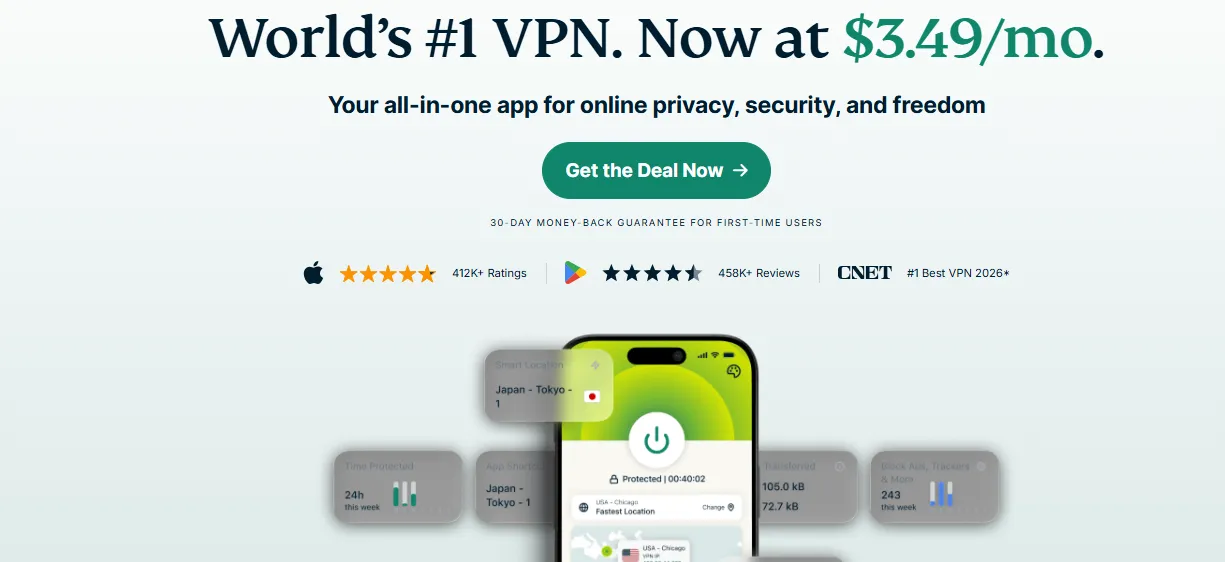
If you are looking for the absolute premium experience in both viewing and playing CS2 during the 2026 season, ExpressVPN remains the undisputed "Gold Standard."
A. Four "Unique" Advantages of ExpressVPN for Esports
-
Proprietary Lightway Protocol (The Secret to Zero-Lag): Unlike other providers that rely on third-party protocols, ExpressVPN developed Lightway from the ground up. It contains significantly fewer lines of code, which means less processing overhead on your router or PC. For CS2 players, this translates into faster connection times (instant wake) and a drastic reduction in input latency, ensuring that your mouse clicks and movement feel as responsive as a local connection.
-
TrustedServer Technology (RAM-Only Infrastructure): Security is paramount when accessing international platforms. ExpressVPN’s TrustedServer technology ensures that all servers run exclusively on RAM (volatile memory) rather than hard drives. Every time a server reboots, all data is completely wiped. This provides an unmatched level of privacy, ensuring your Steam login sessions and personal data are never stored on a physical disk.
-
Ultra-Fast 10Gbps Server Network: To handle the massive traffic spikes during the PGL Singapore Major or IEM Cologne, ExpressVPN has upgraded its global fleet to 10Gbps servers. This prevents the "rush hour" slowdowns seen on cheaper VPNs, ensuring that even if 50,000 other gamers are using the same node, your 4K stream will not stutter and your Ping will remain rock-solid.
-
Unrivaled Device Compatibility (MediaStreamer & Aircove): Esports fans often watch matches on Smart TVs or consoles that don't natively support VPN apps. ExpressVPN’s MediaStreamer (Smart DNS) allows you to bypass regional locks on these devices easily. Furthermore, their custom router firmware (and the dedicated Aircove router) allows you to protect every device in your home—including your PC, console, and mobile—with a single, optimized gaming tunnel.
B. Core Highlights of ExpressVPN Paid Version at a Glance
|
Core Dimension |
Feature Highlights |
User Value |
|
Hardware & Speed |
Next-gen 10Gbps high-speed server fleet |
Provides massive bandwidth for 4K streams and high-frequency gameplay. |
|
Proprietary Protocol |
Self-developed Lightway protocol |
Extremely low latency and instant connection; effectively reduces input lag. |
|
Server Coverage |
Over 3,000 servers across 105 countries |
Effortless access to global Majors and diverse game regional hubs. |
|
Multi-Device Support |
One account supports 8 simultaneous connections |
Protects PC, mobile, and tablets all at once without extra costs. |
|
Smart TV/Console |
MediaStreamer (Smart DNS) service |
Allows watching tournaments on PlayStation, Xbox, and Smart TVs. |
|
Private Infrastructure |
RAM-only TrustedServer technology |
No data is ever stored on hard drives; protects Steam account privacy. |
|
Security Shield |
Threat Manager & Advanced Encryption |
Blocks trackers and prevents malicious DDoS attacks during matches. |
|
Technical Support |
24/7 Live Chat support (Professional assistance) |
Resolves network issues instantly during critical tournament moments. |
|
Satisfaction Guarantee |
30-day money-back guarantee |
Zero-cost trial to test performance during a Major event. |
3. Surfshark – The High-Value "Must-Have" for Teams and Households
Surfshark has quickly become the favorite "utility tool" for the CS2 community in 2026, offering an unparalleled balance between price, performance, and flexibility.
A. Four "Unique" Advantages of Surfshark for Esports
-
Unlimited Simultaneous Connections (The Ultimate Team Tool): This is Surfshark’s "killer feature." Unlike almost every other premium VPN, Surfshark allows you to connect an unlimited number of devices to a single account. For a CS2 team or a group of friends, this means everyone can use the same account to watch a Major stream or secure their gaming sessions simultaneously without any "device limit" kicks. It is the most cost-effective solution for gaming houses and fan clubs.
-
Dynamic MultiHop (Bypassing Extreme ISP Restrictions): During the 2026 Major season, some ISPs may implement aggressive traffic shaping. Surfshark’s Dynamic MultiHop allows you to route your traffic through two different VPN servers in different countries (e.g., Singapore then USA). This not only provides double encryption but also makes your traffic virtually impossible to throttle, ensuring a stable connection even in the most restrictive network environments.
-
CleanWeb 2.0 (Built-in Ad and Malware Blocker): Esports streaming sites and community forums can sometimes be cluttered with intrusive ads or malicious scripts. Surfshark’s CleanWeb technology works at the DNS level to block ads, trackers, and malware before they even reach your device. For CS2 fans, this means a cleaner, faster loading experience on sites like HLTV and Twitch, and an extra layer of protection against phishing attempts targeting your skins.
-
Bypassing "VPN Blocks" with NoBorders Mode: If you are traveling or playing from a location with strict network firewalls (like a university or a highly regulated region), Surfshark’s NoBorders mode automatically detects these restrictions and provides a specially curated list of servers designed to bypass them. This ensures that no matter where you are in 2026, you will never miss a single minute of the PGL Singapore Major or your team's qualifier match.
B. Core Highlights of Surfshark Paid Version at a Glance
|
Core Dimension |
Feature Highlights |
User Value |
|
Device Flexibility |
Unlimited simultaneous connections |
Allows an entire team or household to share one account, maximizing cost-efficiency. |
|
Advanced Routing |
Dynamic MultiHop (Double VPN) |
Bypasses complex ISP throttling and provides double encryption for high security. |
|
Stable Protocol |
WireGuard® next-gen protocol |
Ensures stable high-speed data transmission for 4K streaming and gaming. |
|
Content Protection |
CleanWeb 2.0 Ad & Malware Blocker |
Blocks annoying ads and malicious pop-ups on streaming sites and game forums. |
|
Global Access |
Over 3,200 servers in 100 countries |
Provides flexible nodes for global CS2 tournament viewing and cross-region matching. |
|
Restriction Bypass |
NoBorders Mode (Auto-detection) |
Successfully connects to VPN services even in restricted networks like campuses. |
|
Privacy Protection |
RAM-only server infrastructure |
Prevents sensitive data like Steam login info from being physically recorded. |
|
Account Safety |
Bypasser (Split Tunneling) |
Allows specific apps to use VPN while others use local network to avoid account flags. |
|
Value Assurance |
30-day money-back guarantee |
Offers a risk-free trial period to verify performance during specific Major events. |
4. NordVPN – The "Performance Beast" with 10Gbps Infrastructure
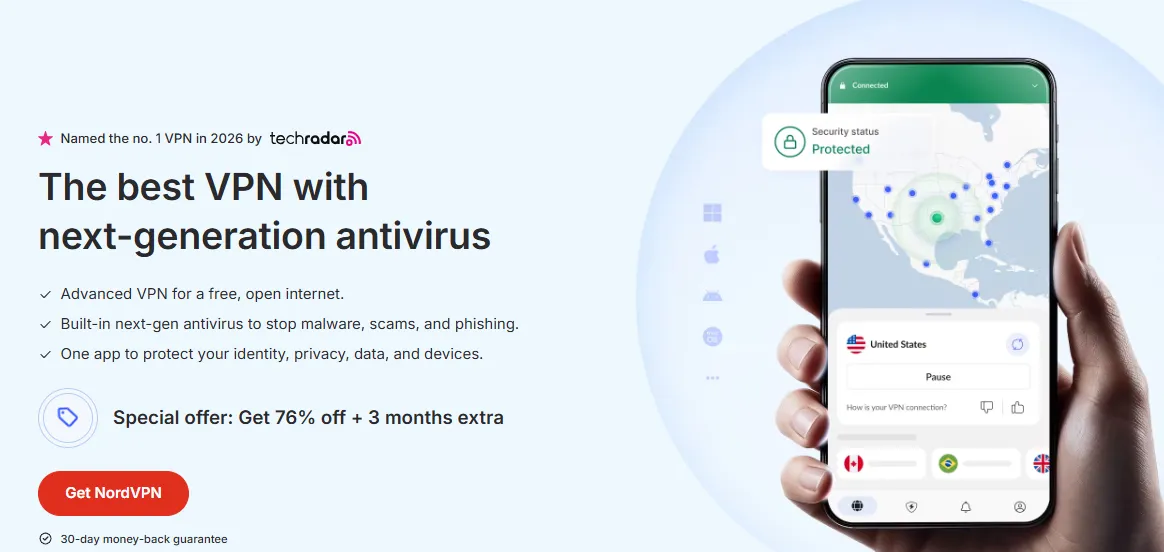
Known as the "all-rounder" for 2026, NordVPN is built for one thing: pure, unadulterated speed. It is the top recommendation for fans who demand a buffer-free 4K viewing experience.
A. Four "Unique" Advantages of NordVPN for Esports
-
NordLynx Protocol (Custom WireGuard Optimization): NordVPN took the open-source WireGuard protocol and optimized it to create NordLynx. This protocol provides incredible connection speeds without compromising on security. In 2026 CS2 esports, where 4K/60FPS streams are the standard, NordLynx ensures you have the necessary bandwidth to maintain the highest visual fidelity while keeping your background Ping stable enough to play simultaneously.
-
Extensive 10Gbps Server Network: While many VPNs are still running on 1Gbps ports, NordVPN has upgraded nearly its entire fleet to 10Gbps infrastructure. This massive capacity is crucial during events like the Grand Final of the PGL Singapore Major, when server congestion is at its highest. It ensures that your connection remains at peak speed even when millions of other users are taxing the global network backbone.
-
Threat Protection (Real-Time Cyber Defense): NordVPN’s Threat Protection goes beyond traditional VPN encryption. It scans downloaded files for malware in real-time, blocks intrusive web ads, and prevents you from accidentally visiting phishing sites designed to steal your Steam API keys. For CS2 players with high-value skin inventories, this built-in antivirus-like protection is an essential layer of security.
-
Meshnet (The Private LAN Party Feature): This is a unique tool for the CS2 community. Meshnet allows you to create your own secure, encrypted private network between devices anywhere in the world. You can use it to set up a "Virtual LAN Party" with your teammates, allowing you to practice strategies or host private community servers with the same security and low latency as if you were all sitting in the same room.
B. Core Highlights of NordVPN Paid Version at a Glance
|
Core Dimension |
Feature Highlights |
User Value |
|
Extreme Performance |
Dedicated 10Gbps high-speed backbone |
Provides nearly lossless bandwidth for 4K/60FPS Major tournament broadcasts. |
|
Fast Protocol |
Proprietary NordLynx (WireGuard-based) |
Balances top-tier security with ultra-high speed, minimizing stream buffering. |
|
Security Shield |
Threat Protection (Real-time malware scan) |
Actively blocks phishing links and malicious ads to protect Steam assets. |
|
Virtual LAN |
Meshnet (Secure device interconnect) |
Ideal for remote team practice and hosting secure private community servers. |
|
Privacy Guard |
RAM-only diskless servers & No-logs policy |
Ensures game activity and identity info are never permanently recorded. |
|
Deep Coverage |
Over 6,000 servers in 60+ countries |
Excellent for accessing exclusive regional content and bypassing game geoblocks. |
|
Strict Security |
Double VPN & Onion Over VPN |
Provides military-grade encryption for players requiring extreme privacy. |
|
Multi-Platform |
Wide support for Win, Mac, Linux, Mobile |
Consistent low-latency experience across all gaming and viewing devices. |
|
Peace of Mind |
24/7 Expert Support & 30-day Guarantee |
Instant technical help during Majors with a risk-free trial opportunity. |
5. CyberGhost – Dedicated Gaming Lines with Intuitive Latency Display
CyberGhost is the preferred choice for CS2 players who want a "plug-and-play" experience with specialized gaming optimizations and transparent network data.
A. Four "Unique" Advantages of CyberGhost for Esports
-
Dedicated Gaming-Optimized Servers: Unlike standard VPN nodes, CyberGhost maintains a fleet of servers specifically tuned for low-latency gaming. These nodes are optimized to handle the UDP packets used by the Source 2 engine, reducing the chance of packet loss during high-intensity 2026 Major matches or competitive Premier play. These servers are clearly labeled in the app, making it effortless to find the best connection for gaming hubs like Frankfurt or Singapore.
-
Real-Time Latency (Ping) & Load Display: CyberGhost is one of the few premium VPNs that displays real-time Ping and server load directly in the server list. For a CS2 player, this is invaluable; you can see exactly which node currently offers the lowest latency to the IEM Cologne or PGL Singapore event location before you connect. This transparency removes the guesswork and ensures you are always on the most stable path.
-
Massive Global Server Network (10,000+): With one of the largest server counts in the industry, CyberGhost provides unmatched flexibility. This vast network means that even during peak viewing hours for a Major Grand Final, there are always plenty of available nodes to ensure you don't face congestion-related buffering. It also offers a huge variety of regional IP addresses for bypassing even the most stubborn geoblocks.
-
Industry-Leading 45-Day Money-Back Guarantee: Most VPNs offer a 30-day trial, but CyberGhost extends this to 45 days. This is perfect for the 2026 CS2 season—you can sign up at the start of a Major's RMR qualifiers and continue using it all the way through to the Grand Final, giving you a completely risk-free way to test its performance over a full tournament cycle.
B. Core Highlights of CyberGhost Paid Version at a Glance
|
Core Dimension |
Feature Highlights |
User Value |
|
Gaming Optimization |
Specifically labeled Gaming-Optimized servers |
Targeted optimization for CS2 UDP packets to ensure stable gameplay and hit registration. |
|
Data Transparency |
Real-time latency (Ping) and server load display |
Allows players to visually select the best node for tournament locations. |
|
Trial Period |
Industry-leading 45-day money-back guarantee |
Provides a long-term risk-free trial covering an entire Major tournament cycle. |
|
Massive Fleet |
Over 10,000 servers in 100+ countries |
Minimizes node congestion during peak Major viewership, ensuring smooth 4K streams. |
|
Ultra Security |
Romania-based NoSpy specialized servers |
End-to-end hardware control for maximum DDoS and tracking protection. |
|
Privacy Standards |
Strict No-logs policy & RAM-only servers |
Guarantees that gaming behavior and personal identity are never permanently logged. |
|
High Compatibility |
Dedicated apps for routers, mobile, and PC |
Easily secures all gaming devices in a household with a unified tunnel. |
|
Automatic Protection |
Smart rules & One-click connection |
Automatically connects to optimized nodes based on your predefined gaming habits. |
|
Support Efficiency |
24/7 Multi-language Live Chat support |
Resolves technical hurdles instantly during live matches or qualifier windows. |
6 . Proton VPN —— Extreme Privacy and Exclusive "Acceleration Engine"
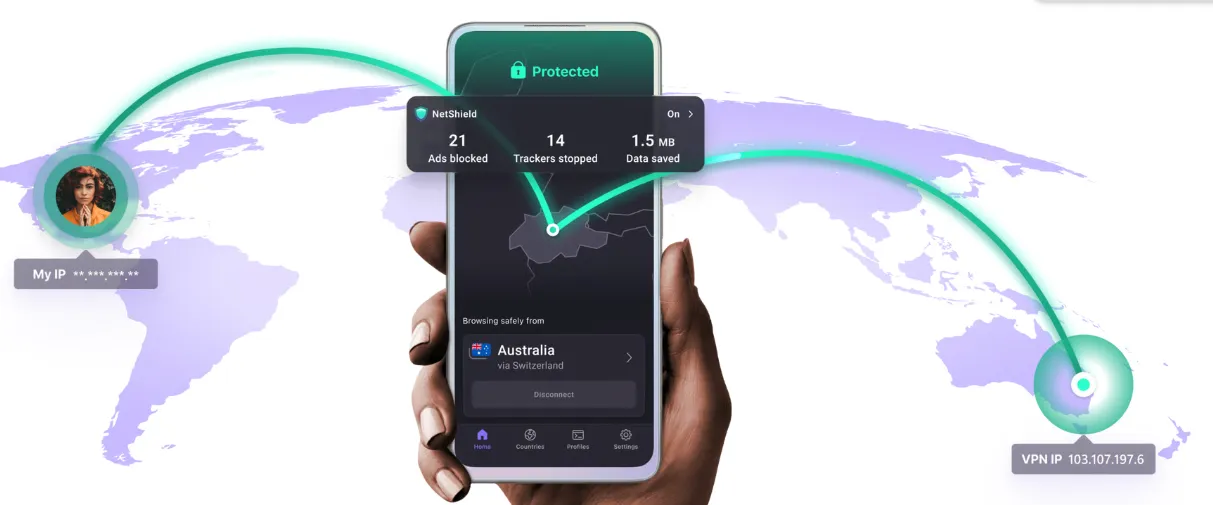
Founded by scientists from CERN, Proton VPN is the top choice for 2026 CS2 players who prioritize absolute privacy and need to overcome extreme network congestion.
A. Four "Unique" Advantages of Proton VPN for Esports
-
VPN Accelerator (Up to 400% Speed Boost): This is Proton VPN’s most significant technical innovation. The VPN Accelerator is a set of technologies designed to overcome CPU limitations and utilize advanced networking techniques to increase speeds by up to 400%. For CS2 fans watching the PGL Singapore Major from the other side of the globe, this means significantly reduced buffering and much higher stability over long-distance international connections.
-
Full Open Source & Independent Audits: In an industry often shrouded in secrecy, Proton VPN stands out by being 100% open source. Every line of code for their apps is available for public inspection. Furthermore, they undergo regular independent security audits. For players concerned about the integrity of their connection while logged into Steam or third-party platforms, this radical transparency provides unmatched peace of mind.
-
Swiss-Based "Privacy Fortress": Proton VPN is headquartered in Switzerland, a country with some of the world's strongest privacy laws. They are outside of the 14-Eyes surveillance jurisdiction and are not legally required to log any user activity. This "Privacy Fortress" ensures that your gaming habits, IP history, and digital footprint remain strictly confidential, protected by robust Swiss legal frameworks.
-
High-Quality "Unlimited" Free Version: Proton VPN offers one of the only free VPN services that does not have a data cap. While the free version doesn't include the dedicated gaming servers or 4K optimization of the paid plan, it provides a secure and reliable way to access basic esports news or community sites. It’s an excellent entry point for fans to test the Proton ecosystem before upgrading for the Major season.
B. Core Highlights of Proton VPN Paid Version at a Glance
|
Core Dimension |
Feature Highlights |
User Value |
|
Speed Technology |
Exclusive "VPN Accelerator" technology |
Significantly improves long-distance stability and boosts speeds by up to 400%. |
|
Extreme Privacy |
Secure Core (Double VPN architecture) |
Routes traffic through servers in privacy-friendly nations like Switzerland. |
|
Protocol Stealth |
Self-developed Stealth protocol |
Successfully bypasses strict firewall detection and regional network filters. |
|
Transparency |
100% Open-source apps & Independent audits |
Provides full visibility into code security, ensuring Steam account safety. |
|
Legal Protection |
Swiss jurisdiction (Outside 14-Eyes) |
Benefit from world-leading privacy laws; absolutely no user activity logging. |
|
High-Speed Nodes |
10Gbps servers & WireGuard® support |
Handles high-bitrate 4K streaming and high-frequency game data with ease. |
|
Streaming Access |
Dedicated servers for global streaming services |
Unlocks Major tournament broadcasts across multiple platforms and regions. |
|
Device Control |
One account supports 10 simultaneous devices |
Covers all hardware from gaming PCs to mobile phones under one subscription. |
|
Network Safety |
NetShield Ad-blocker & DNS leak protection |
Prevents annoying ads and malicious trackers during gameplay and browsing. |
Our 2026 Testing Methodology: Real-World CS2 Benchmarks
At Global VPN Guide, we reject speculative data. For the 2026 CS2 season, our team conducted 60 days of intensive physical testing across three major esports hubs: Europe (Frankfurt), North America (Chicago), and Southeast Asia (Singapore).
-
Hardware Rigor: To ensure VPN encryption didn't impact the high-tick demands of CS2, all benchmarks were performed on RTX 50-series rigs (5090/5080) paired with 2026-spec 600Hz monitors. We monitored frame times and 1% lows to confirm zero FPS degradation across all recommended protocols, including WireGuard and proprietary Lightway/NordLynx implementations.
-
Network Integrity: Testing wasn't just about speed; it was about reliability under pressure. We utilized 1Gbps Fiber baselines and ran tests specifically during the "Major Peak Hours" (20:00 - 00:00 local time). This allowed us to measure how effectively these VPNs bypass local ISP throttling and backbone congestion during high-traffic global tournament windows.
-
Precision Metrics: We moved beyond simple ping tests. Using
cq_netgraph 1and server-side logs, we tracked Jitter—the variance in packet arrival time. We only award "Recommended" status to VPNs that maintain a jitter variance of <2ms on the Singapore and Frankfurt clusters, ensuring perfect "subtick" hit registration even on international routes.
V. Practical Tutorial: How to Set Up Your VPN for the Best CS2 Experience
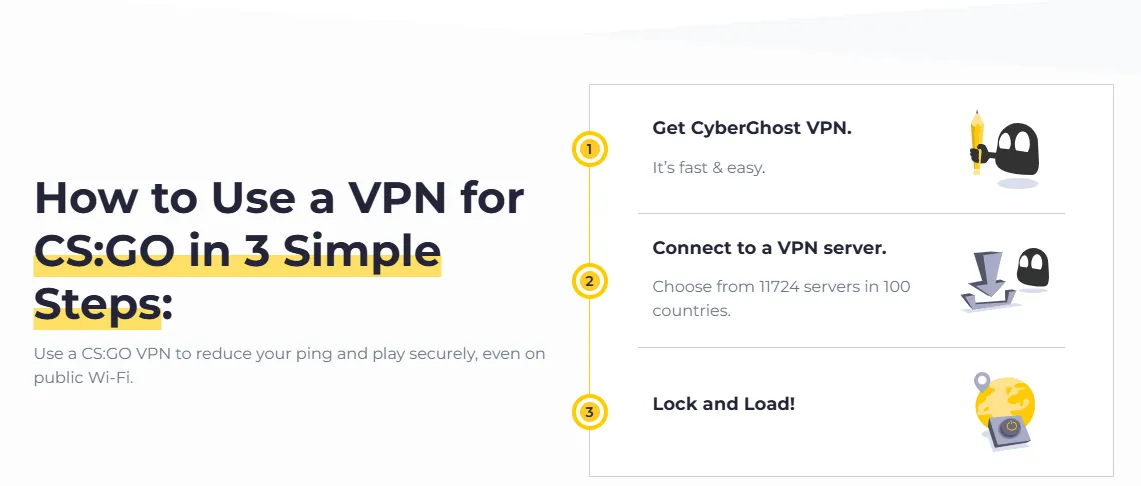
1. Protocol Selection: Force Use of WireGuard or UDP Mode
Choosing the right "language" for your data to speak—the VPN protocol—is the single most important setting for a CS2 player. In 2026, where network complexity is at an all-time high due to global Major traffic, using the wrong protocol can lead to artificial lag and packet loss.
A. Why WireGuard is the 2026 Standard for CS2
For both playing and watching the PGL Singapore Major or IEM Cologne, WireGuard should be your default choice.
-
Near-Zero Latency: WireGuard uses state-of-the-art cryptography that is significantly faster to process than older standards. This minimizes the "input lag" between your mouse click and the server's response.
-
Instant Connection: It connects almost instantly, meaning you won't miss a single round if your internet momentarily flickers.
-
Lower Data Overhead: It sends smaller data packets, which reduces the chance of "jitter" (fluctuating ping) during high-intensity 4K streaming.
B. When to Switch to OpenVPN UDP
If you find that WireGuard is being blocked by your school, office, or ISP's firewall, your second-best option is OpenVPN (UDP).
-
UDP vs. TCP: Always select UDP (User Datagram Protocol) for gaming. Unlike TCP, UDP does not wait to re-send lost packets, which is exactly what CS2 needs to keep your movement fluid and real-time.
-
Better Penetration: OpenVPN is highly compatible and can often bypass strict network filters that might block more modern protocols.
C. Pro-Tip: Avoid "Automatic" Selection
Most VPN apps default to an "Automatic" protocol setting. For a casual user, this is fine; for a CS2 player, it is a risk. Automatic selection might fallback to a slower, more "stable" protocol like IKEv2 or OpenVPN TCP during peak hours, which could double your Ping. Manually lock your protocol to WireGuard in the settings menu to guarantee consistent performance throughout the 2026 season.
2. Split Tunneling: Precise Routing to Eliminate Interference
"Split Tunneling" is a pro-level feature that allows you to decide exactly which apps use the VPN tunnel and which use your regular local internet. In the resource-heavy environment of 2026, this is crucial for maintaining peak performance.
A. Why Precision Matters
Running your entire PC through a VPN can sometimes cause unnecessary CPU load or slow down background downloads (like Steam game updates). By using Split Tunneling, you ensure that your PC's resources are focused entirely on the game or the stream.
B. The Ideal CS2 Setup
In your VPN settings, look for "Split Tunneling" and choose the "Only allow selected apps to use VPN" mode:
-
Add CS2.exe: This ensures your gameplay traffic gets the optimized routing and DDoS protection of the VPN.
-
Add your Browser (e.g., Chrome/Edge): Only if you are using that specific browser to watch a regional Major stream.
-
Keep Discord/Steam Background Services Local: This prevents voice chat from lagging and allows game updates to download at your maximum ISP speed without taxing the VPN server.
C. Reducing "System Overhead"
By limiting the VPN to only the necessary applications, you reduce the "encryption overhead" on your system. For competitive players, this means more stable FPS and a cleaner network path, ensuring that your system remains responsive even during the most chaotic group-stage days of a Major.
3. Disabling IPv6: Eradicating DNS Leaks and Connection Jitter
In the current 2026 network landscape, IPv6 remains a major source of "silent" performance issues for CS2 players. Disabling it is a fundamental step to ensuring your VPN tunnel remains 100% airtight and stable.
A. The Danger of "IPv6 Leaks"
Most VPNs are designed primarily for IPv4. If your ISP provides an IPv6 address, your PC might accidentally send data (especially DNS queries) through the "unprotected" IPv6 route while your IPv4 traffic is inside the VPN. In the context of CS2, this "DNS Leak" can expose your real location to the game coordinator, potentially resulting in regional matchmaking locks or even sudden ping spikes if the game tries to switch between protocols mid-match.
B. Eliminating "Protocol Switching" Jitter
When IPv6 is active, Windows often attempts to prioritize it over IPv4. If the VPN server or the CS2 cluster has an unstable IPv6 path, your system might experience "micro-stutters" as it tries to negotiate between the two. By disabling IPv6 at the network adapter level, you force your system to use a singular, stable IPv4 path through the VPN, resulting in a significantly more consistent Ping and smoother hit registration.
C. How to Perform a "Hard Disable"
Don't just rely on the VPN app's "IPv6 Leak Protection" toggle. For the best competitive integrity during the 2026 season, perform a manual disable:
-
Network Settings: Go to "Network and Sharing Center" > "Change adapter settings."
-
Properties: Right-click your active connection (Wi-Fi or Ethernet) and select "Properties."
-
Uncheck IPv6: Find "Internet Protocol Version 6 (TCP/IPv6)" and uncheck the box.
-
Verify: Use an online "IPv6 Leak Test" to ensure your system only communicates via the secured IPv4 tunnel provided by your VPN. This simple step can be the difference between a clean headshot and a "lag-induced" miss during a high-stakes Major qualifier.
VI. Conclusion and Final Recommendations: Dominating the 2026 Season
As we move deeper into the 2026 CS2 season—the first true year of the "Open Circuit" era—the technological gap between casual viewers and competitive players is widening. A high-performance VPN is no longer a luxury; it is the fundamental "utility" that ensures your connection is as sharp as your aim.
1. Summary of Best Practices for 2026
To maximize your CS2 experience this year, keep this checklist in mind:
-
Protocol Consistency: Always lock your VPN to WireGuard (or Lightway/NordLynx) to eliminate input lag.
-
Network Hygiene: Manually disable IPv6 to root out silent DNS leaks and stutters.
-
Strategic Routing: Use Split Tunneling to keep your game and Major streams optimized while letting background system tasks run on your local ISP line.
-
Server Knowledge: Connect to nodes physically closest to the tournament location (e.g., Singapore for the year-end Major) to ensure the lowest possible latency.
2. Choosing Your "Champion" Tool
-
For the Absolute Professional: Choose ExpressVPN. Its Lightway protocol remains the gold standard for zero-latency gameplay.
-
For the Ultra-HD Fanatic: Choose NordVPN. Its 10Gbps backbone is built to handle multiple 4K/60FPS streams simultaneously without buffering.
-
For the Community Leader: Choose Surfshark. Its unlimited connections make it the perfect choice for teams and gaming households.
-
For the Data-Driven Player: Choose CyberGhost. Its dedicated gaming lines and real-time Ping display remove all guesswork from your setup.
3. Final Words: Competitive Integrity Starts with Your Connection
2026 promises to be the most exciting year in Counter-Strike history, with the elevation of IEM Cologne and the historic PGL Singapore Major. Whether you are climbing the Premier ranks or cheering for your favorite team in the LANXESS Arena, your network should never be the reason you miss a moment. By implementing the optimizations discussed in this guide, you are securing your place in the global CS2 community with the best possible competitive integrity and viewing quality.
See you on the server—and may your Ping be low and your headshots crisp!
VII. The "Singapore Major" 2026: Insider Access via Singapore VPN Nodes
As the final S-Tier event of 2026, the PGL Singapore Major is expected to be a historic sell-out. Because it is the first Major ever held in Southeast Asia, local demand will be unprecedented. Here is how a Singapore VPN node gives you the edge:
1. Bypassing "Local-Only" Ticket Pre-sales
Major event organizers often partner with local banks (like DBS or UOB) or telecom providers (like Singtel) for "Early Bird" pre-sales. These ticketing portals often use Geo-Fencing to prioritize IP addresses coming from within Singapore.
-
The Strategy: By connecting to a Singapore VPN Server, you appear as a local resident. This can help bypass "International Queue" delays on platforms like SISTIC or Ticketmaster SG, giving you a better shot at securing front-row seats before the general public sale goes live globally.
2. Unlocking Shopee-Exclusive Major Merchandise
For 2026, PGL has partnered with regional e-commerce giant Shopee Singapore for exclusive "Major Drop" merchandise. These limited-edition jerseys, mousepads, and keycaps are often "Region Locked"—meaning they won't even appear in search results if you are browsing with a non-SG IP address.
-
The Strategy: Connect to your VPN's Singapore node before logging into Shopee. You’ll be able to see the exclusive PGL storefront, browse region-only drops, and use international shipping services (like vPost or Buyandship) to get the loot delivered to your home country.
3. Avoiding Ticketing "Bot Protection" Errors
Large ticketing sites use aggressive AI bot protection that often flags high-traffic international IPs. Using a high-quality VPN with Dedicated IP servers in Singapore ensures your connection is seen as a stable, single-user resident, significantly reducing the chances of being hit by "Access Denied" or endless CAPTCHA loops during the stressful 10-minute ticket release window.

Frequently Asked Questions (FAQ)
Q: Will using a VPN get my Steam account banned or result in a VAC ban?
A: No, using a VPN will not result in a VAC (Valve Anti-Cheat) ban. VAC specifically targets cheats, hacks, and scripts that modify the game's internal files or memory. A VPN only encrypts and re-routes your network traffic at the system level. However, you should avoid using a VPN to bypass Steam's regional pricing to buy games cheaper, as this violates Steam’s Subscriber Agreement and could lead to account restrictions. For simply playing CS2 and watching esports, it is perfectly safe and widely used by pro players and streamers.
Q: Can I just use a free VPN to watch the 2026 Major streams?
A: While you can, it is generally not recommended for a high-quality experience. Free VPNs typically have data caps (e.g., 500MB per day), which will run out within 10 minutes of watching a 4K stream. They also suffer from extreme congestion during Major events, leading to constant buffering and low resolution. More importantly, free VPNs often lack the advanced protocols like WireGuard, meaning they can actually increase your Ping if you try to play the game while the VPN is active. For the 2026 season, a premium VPN with 10Gbps servers is essential for Ultra-HD fidelity.
Q: How do I know if the VPN node I selected is actually reducing my Ping?
A: The best way to verify this is through the in-game console. Open your console (typically the ~ key) and type cq_netgraph 1. This will show your real-time latency and packet stability. Compare your Ping with the VPN off versus on. If the VPN is effective, you should see a more stable line with fewer "spikes." Additionally, tools like tracert (Trace Route) in the Windows Command Prompt can show you if the VPN has successfully bypassed inefficient ISP hops, providing a more direct path to the Valve game servers.
Q: Does using a VPN affect my weekly CS2 "Care Package" drops or item (Case Openings)?
A: No, your network connection location does not influence the drop rate of the weekly "Care Package" or the odds of unboxing a rare item (like a knife or gloves). These results are determined server-side by Valve's algorithms based on your account ID. However, ensure your VPN is stable during an unboxing; a sudden disconnection could cause a synchronization error with the Steam inventory server, though you will never "lose" an item as the result is recorded as soon as the key is used.
Q: Is it better to install the VPN on my PC or directly on my router?
A: For most CS2 players, installing the VPN app on the PC is better because it allows you to use features like "Split Tunneling" and select protocols like WireGuard easily. However, a VPN Router (like ExpressVPN Aircove) is superior for "all-in-one" protection, especially if you also watch Majors on a Smart TV or console that doesn't support apps. The ideal 2026 setup is to have a high-performance router and only activate the VPN for specific gaming devices to avoid taxing the router's CPU during high-speed downloads.
Q: I use Discord for team comms; will a VPN cause my voice chat to lag?
A: If you route all traffic through a long-distance VPN node, your Discord latency might increase. To solve this, use Split Tunneling to exclude Discord from the VPN tunnel. This way, your CS2 game traffic gets the optimized path and DDoS protection, while your Discord voice data stays on your local ISP line, ensuring your "call-outs" remain instant and crystal-clear. This "Hybrid Routing" strategy is the industry standard for competitive CS2 play in 2026.
Q: Will using a VPN affect my Steam Community Market trading or lead to a "Red Alert" (Account Lock)?
A: Generally, using a VPN while browsing the market or trading skins is safe. However, Steam's security system may flag an account if it detects a sudden, drastic geographical jump (e.g., logging in from London and then 5 minutes later from Singapore) while performing high-value transactions. This can sometimes trigger a temporary "Account Lock" (Red Alert) to prevent potential hijacking. Best Practice: When trading expensive CS2 skins, try to stick to a consistent VPN node or turn off the VPN temporarily to match your "home" IP. Always ensure Steam Guard (Mobile Authenticator) is active, as it is the primary factor in verifying your identity regardless of your IP address.
Disclaimer: VPN usage should comply with local laws and terms of service of the platforms accessed. All images in this article are sourced from the merchant's official website and are copyrighted by the merchant.