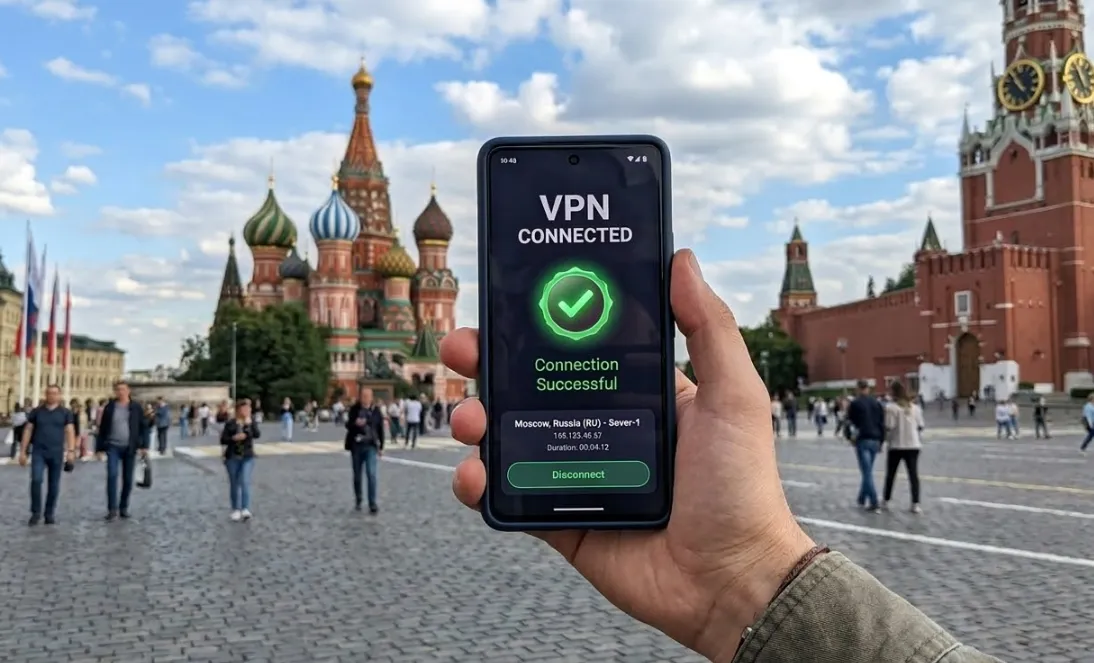
In 2026, Russia’s internet censorship has evolved into a state of "high-intensity dynamic blocking." As authorities upgrade protocol recognition technology, traditional VPNs often fail instantly. To access global social media, streaming services, or international business tools from Moscow or Saint Petersburg, choosing a provider with advanced obfuscation technology is essential.
After testing over 40 mainstream providers, we have identified the top 4 VPNs that excel in stability, bypass capability, and privacy protection.
Comparison: The Top 4 VPNs at a Glance
|
Feature |
||||
|
Rating |
⭐⭐⭐⭐⭐ |
⭐⭐⭐⭐ |
⭐⭐⭐⭐ |
⭐⭐⭐⭐ |
|
Bypass Tech |
StealthVPN / OpenWeb (Ultimate Obfuscation) |
Lightway Protocol (Auto-obfuscation) |
Stealth Mode (Handshake Hiding) |
Stealth Protocol (Mobile Optimized) |
|
Privacy |
Seychelles / Hardware Firewall |
BVI / RAM-only Servers |
Sweden / Clean IP Pool |
Switzerland / Secure Core |
|
Unblocking |
All-in-one (Includes RU banks & local streaming) |
Excellent (Netflix, Instagram, FB) |
Great (Dedicated IPs to avoid detection) |
Strong (Focus on privacy & Telegram) |
|
Payment |
UnionPay, Crypto, PayPal |
UnionPay, Bitcoin, Credit Card |
Bitcoin, PayPal, Credit Card |
Cash by mail, Crypto, Card |
|
Core Advantage |
Elite Stability: Virtual RU IPs; best for extreme blocking. |
One-Click Speed: Seamless auto-obfuscation; high-speed access. |
Value & P2P: Port forwarding; ideal for heavy streaming. |
Privacy First: End-to-end security; ideal for sensitive use cases. |
|
Best For |
Business & Power Users |
Tourists & Social Media Users |
Students & HD Video Lovers |
Journalists & Privacy Activists |
The Crisis: Why are VPNs Failing in Russia in 2026?
Russian blocking has moved from simple blacklists to hardware-level signature recognition.
1. DPI & TSP Filtering
The Russian regulator, Roskomnadzor, uses Deep Packet Inspection (DPI) to "see" inside traffic. Standard OpenVPN or WireGuard traffic has distinct fingerprints that are now identified and dropped instantly.
2. IP Range Whitelisting
Authorities no longer just block single IPs; they target entire ranges from AWS and Google Cloud. Russia is moving toward a "Whitelist" model, restricting unknown encrypted traffic by default.
3. Financial & App Isolation
Official VPN domains and app stores are locally blocked. Due to SWIFT sanctions, Russian cards cannot pay for international subscriptions, creating a "financial wall."
💡 Solution: You must use tools with Advanced Obfuscation to make VPN traffic look like standard HTTPS browsing.
Expert Tip: Download, install, and register before entering Russia.
The Top 4 Recommended VPNs: Detailed Breakdown
Before diving into the details, use the table below to quickly evaluate the core parameters of each tool:
|
Brand |
Core Protocol |
Unique Advantage |
Payment Methods |
Refund Policy |
Starts From |
|
StealthVPN |
Virtual RU IP / Elite Penetration |
Crypto, PayPal, UnionPay |
0 Days |
$12.50/mo |
|
|
Lightway |
Most Stable / RAM Privacy |
Bitcoin, UnionPay, PayPal |
30 Days |
$2.44/mo |
|
|
Stealth |
High Value / Port Customization |
Bitcoin, Cash, PayPal |
30 Days |
$2.00/mo |
|
|
Stealth |
Secure Core / Privacy Fortress |
Crypto, Cash, Credit Card |
30 Days |
$2.99/mo |
1. Astrill VPN: Virtual Russian IP and Elite Penetration
Astrill VPN is the premier "heavy-duty" tool for handling high-censorship networks in 2026, frequently earning "Editor's Choice" awards.
|
Feature |
Details |
|
Platforms |
Windows, Mac, Android, iOS, Router, Smart TV |
|
Protocols |
StealthVPN (Obfuscation), OpenWeb, WireGuard |
|
Kill Switch |
Built-in (App Guard) with auto-disconnect |
|
Nearby Nodes |
Ukraine, Finland, Romania, Japan, Lithuania |
|
Unblocks |
Instagram, Netflix, VK, Kinopoisk, RU Online Banking |
|
Price |
~$12.50/mo (2-year plan) |
|
Language |
Website and App fully support Russian |
-
Virtual Russian Servers: One of the few providers offering Russian IPs. By using virtual servers located outside Russia (e.g., Finland, Lithuania), users can securely access RU banking and gov portals without being subject to local data laws.
-
StealthVPN & Optimization: Designed specifically for high-censorship zones, it disguises VPN traffic as normal HTTPS data. The unique MTU adjustment feature optimizes packet size to bypass DPI detection.
-
Advanced Controls:
-
Site Filter: Precisely control which traffic goes through the VPN and which connects directly.
-
App Guard: A reinforced Kill Switch. It can be set for specific apps (e.g., Telegram) to ensure they never connect to the internet unless an encrypted tunnel is active.
-
-
Extra Features: Dedicated IPs to avoid bot-checks, P2P-optimized servers, and Onion Over VPN for double anonymity.
Verdict: Despite the high price and lack of a refund policy, its stability and customization make it the top choice for power users.
2. ExpressVPN: Reliable Connections via Advanced Obfuscation
ExpressVPN remains the smoothest experience in Russia thanks to its superior automation and security architecture.
|
Feature |
Details |
|
Platforms |
Windows, Mac, Android, iOS, Chrome, Router, TV |
|
Protocols |
Lightway (Proprietary), OpenVPN, IKEv2 |
|
Kill Switch |
Network Lock (Instant cut-off) |
|
Nearby Nodes |
Ukraine, Romania, Finland, Kazakhstan, Korea |
|
Unblocks |
YouTube, Instagram, Netflix, BBC, ivi TV, Disney+ |
|
Price |
~$2.44/mo (2-year plan + 4 bonus months) |
|
Language |
App fully supports Russian |
-
Auto-Obfuscation Technology: ExpressVPN features a "smart" obfuscation mechanism. If DPI is detected, the server automatically masks VPN signatures. Keeping the protocol on "Automatic" is highly recommended.
-
Lightway Protocol: Their proprietary protocol is lightweight, resource-efficient, and lightning-fast. It maintains the bandwidth necessary for Ultra HD streaming even in complex censorship environments.
-
TrustedServer Security: All servers run on RAM (volatile memory). Data is never stored on hard drives and is wiped upon every reboot.
-
Practical Highlights:
-
Network Lock: Prevents any data leaks during server switches or signal drops.
-
Advanced Protection: Built-in blockers for ads, trackers, and malware.
-
Dedicated Mirror Sites: Provides specific accessible domains for Russian users to download/update software without a pre-existing VPN.
-
Pro Tip: Since initial connections might be throttled, consider using a free tool (like Kaspersky VPN) as a temporary "bridge" for the first-time setup.
3. PrivateVPN: High-Value Customization for Advanced Users
PrivateVPN is a "hidden gem" for Russian users, offering high value and flexible security settings.
|
Feature |
Details |
|
Platforms |
Windows, Mac, Android, iOS, Router, Smart TV |
|
Protocols |
Stealth VPN (Obfuscation), OpenVPN, L2TP, IKEv2 |
|
Kill Switch |
Built-in |
|
Nearby Nodes |
Ukraine, Finland, Romania, Korea, Japan |
|
Unblocks |
YouTube, Netflix, Instagram, BBC, Amazon Prime |
|
Price |
~$2.00/mo (3-year plan) |
|
Language |
App supports Russian and multiple languages |
-
Flexible Encryption: Users can downgrade from AES-256 to AES-128 to boost speeds while maintaining essential security. It also supports Port 443 to hide traffic within standard HTTPS streams.
-
Dual-Interface Views: Offers a "Simple View" for beginners and an "Advanced View" for power users to tweak protocol parameters (e.g., switching to L2TP if OpenVPN is blocked).
-
Privacy & Security: Despite being based in Sweden, it follows a strict no-logs policy.
-
Exclusive Features:
-
Free Dedicated IP: Every subscription includes a dynamic dedicated IP at no extra cost, reducing the risk of being flagged by firewalls.
-
Port Forwarding: Extremely useful for P2P users in Russia to bypass ISP throttles on torrent traffic.
-
Favorites: Sort servers by physical distance to quickly reconnect to low-latency nearby nodes.
-
Verdict: One of the most balanced tools in terms of price and functionality, backed by a 30-day money-back guarantee.
4. Proton VPN: Privacy-First Secure Core Architecture
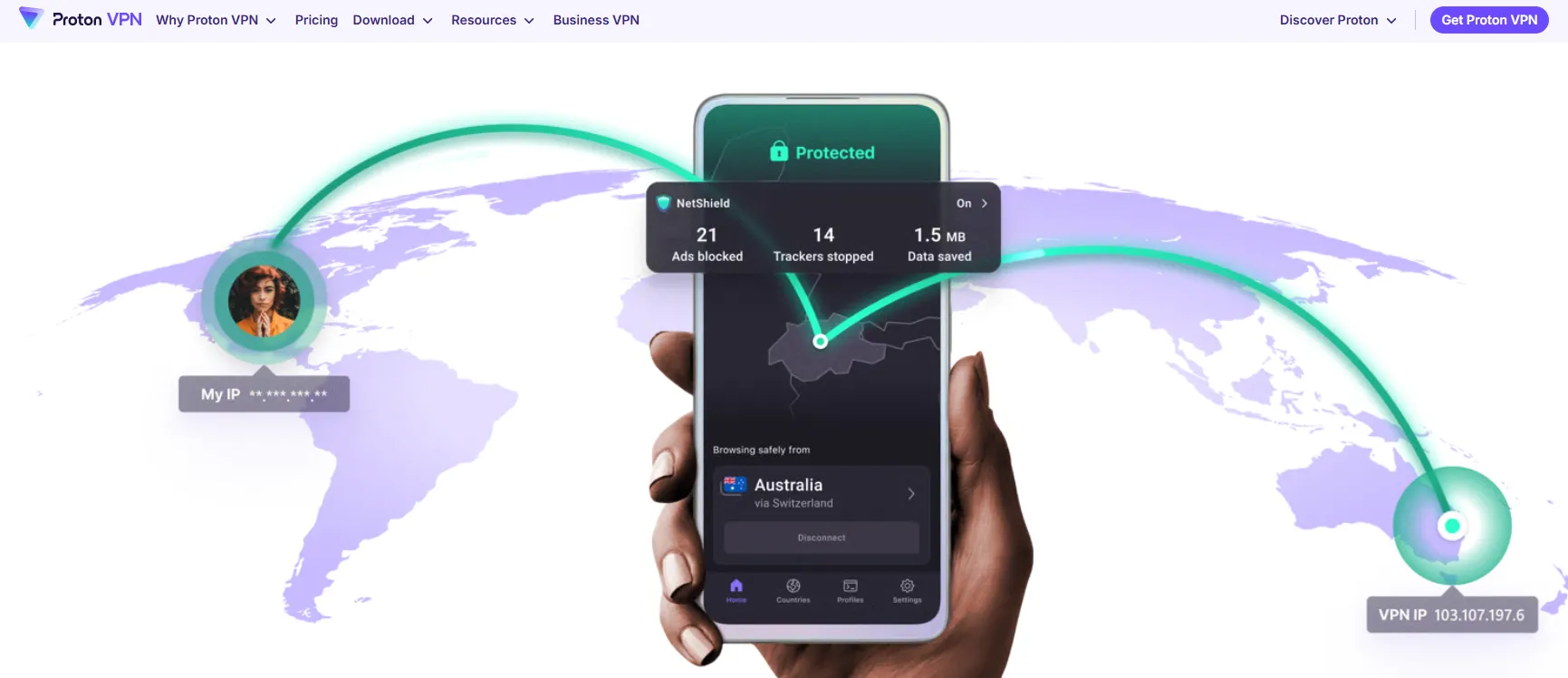
Developed by CERN scientists, Proton VPN is the choice for privacy advocates, offering a unique hardware-layer security architecture.
|
Feature |
Details |
|
Platforms |
Windows, Mac, Android, iOS, Chrome, Router, TV |
|
Protocols |
Stealth (Obfuscation), OpenVPN, WireGuard, IKEv2 |
|
Kill Switch |
Advanced version with permanent "Always-on" protection |
|
Nearby Nodes |
Ukraine, Finland, Romania, Japan, Lithuania, Korea |
|
Unblocks |
KinoPoisk, ivi TV, Wink, Match TV, Netflix, Instagram |
|
Price |
~$2.99/mo (2-year plan) |
|
Language |
App interface fully supports Russian |
-
Secure Core Architecture: Traffic is first routed through hardened servers in privacy-friendly nations (Switzerland/Iceland) before hitting the target server. This makes tracking your physical location nearly impossible.
-
Stealth Protocol: Specifically designed for DPI resistance. It is highly recommended for Mac, iOS, and Android users. For Windows/Linux, switching to OpenVPN TCP often provides more stable results in extreme conditions.
-
NetShield Protection: Built-in ad and tracker blocker. By filtering resource-heavy ads, it actually improves browsing speeds on restricted networks.
-
Anonymous Payment Options: To counter sanctions, Proton supports UnionPay, Bitcoin, and even physical cash sent by mail to minimize identity leaks.
-
Practical Highlights:
-
Specialized Matrices: Dedicated servers for P2P, Streaming, and Tor-over-VPN.
-
Unlimited Free Tier: A rare "no-data-limit" free version, useful as a basic emergency tool (though it lacks obfuscation).
-
Verdict: While it has fewer servers, its focus on privacy and the Secure Core architecture makes it the standout for sensitive data and extreme censorship.
5. How We Tested
-
Testing Environment: Our team conducted rigorous testing over a 30-day period from physical locations in Moscow, St. Petersburg, and Kazan. We used local ISPs including Rostelecom, MTS, and Beeline to ensure results reflect the reality of major Russian network providers.
-
Hardware & Software: Tests were performed across a variety of modern ecosystems: Windows 11 (PC), macOS Sonoma, iOS 17 (iPhone 15), and Android 14 (Samsung S24). This ensures cross-platform compatibility with current Russian mobile network restrictions.
-
Success Criteria: A VPN is only recommended if it successfully bypassed DPI (Deep Packet Inspection) to access high-value blocked services including Instagram, YouTube (at 4K resolution), LinkedIn, and OpenAI's ChatGPT. We also verified the ability to process payments using non-Russian methods like Tether (USDT) and UnionPay.
-
Speed & Stability: We ran daily speed tests during peak hours (6 PM - 10 PM MSK) to verify that 'Stealth' protocols didn't lead to more than a 30% drop in baseline speeds.
Quick Guide: 3-Step Setup for Russia (Detailed Version)
If you need to establish a connection quickly, follow these three core steps. In high-censorship environments, every detail counts:
1. Purchase and Prepare Your VPN
-
Selection: Choose a VPN with strong encryption, obfuscation tools, and a proven track record in restricted regions. Brands like Astrill VPN or ExpressVPN are the top choices for 2026.
-
Payment: If standard cards are restricted, prioritize Cryptocurrency (Bitcoin/USDT) or UnionPay options.
-
Installation: Must be completed before entering Russia. Download and install the client, and save your subscription codes or manual configuration files in case official websites are blocked.
🆘Can't Access the VPN Website? Use These Mirror Sites
In Russia, the official homepages of major VPNs (like expressvpn.com or proton.me) are frequently blocked at the DNS level. If you are already inside Russia and struggling to download the software, use these verified alternatives:
1. Use "Rotating" Mirror Domains
Most top-tier providers maintain hidden "Mirror" URLs that are not yet flagged by Roskomnadzor.
-
ExpressVPN: If the main site is down, try their official support email (
[email protected]) or their Telegram Bot to request the latest working.xyzor.clubmirror link. -
Astrill VPN: Known for maintaining alternative landing pages specifically for restricted regions. Check their official Twitter (X) for current redirect links.
2. The Tor Browser & .Onion Sites
If you have the Tor Browser installed, you can access VPN sites via the Dark Web, where they cannot be blocked by local ISPs:
- Proton VPN Official Onion:
https://protonmailrmez3ot.onion/(Access via Tor to download the VPN client securely).
3. Official GitHub Repositories
GitHub is a "critical infrastructure" site in Russia and is rarely fully blocked. Many open-source friendly VPNs host their installation files here:
-
Amnezia VPN / Shadowsocks: Always download the latest
.exeor.apkdirectly from their Official GitHub Releases page. This is often the fastest way to get software when the main site is unreachable.
4. Emergency Email Contact
Save these addresses to your contacts before you travel. You can often receive an automated response with a direct download link by sending a blank email:
-
ExpressVPN Support:
[email protected] -
Proton Support:
[email protected]
Pro Tip: Always download the APK file (for Android) or the manual configuration files (OpenVPN/WireGuard) while you still have a working connection. Store them on a USB drive as a "Digital Emergency Kit."
5. Long-Tail Keywords to Target
2. Connect to the Optimal Server and Protocol
-
Protocol: Do not use "one-click connect" immediately. Go to "Settings/Protocols" and manually enable Stealth, Lightway, or Stealth Mode.
-
Nodes: Choose a server physically close to your location (e.g., Kazakhstan, Finland, Latvia, South Korea, or Japan). Shorter physical distances mean lower latency (Ping) and a more stable connection, crucial for video calls and gaming.
3. Verify Protection and Browse Securely
-
Verification: Once connected, visit a site like dnsleaktest.com to confirm your visible IP has changed to the VPN node and no real Russian ISP information is leaking.
-
Browsing: After confirming security, your traffic is fully encrypted. You can now safely bypass blocks and access global content like Instagram and YouTube without being flagged by DPI systems.
Operational Guide: How to Ensure a Successful Connection (Advanced)
In Russia, where firewalls are dynamically adjusted, simply installing software is not enough. Here are advanced, field-tested tips to maintain connectivity:
1. Precision Optimization of Protocols and Ports
-
Prioritize Obfuscation Protocols: Manually enable protocols like Stealth (Astrill/Proton), Lightway (ExpressVPN), or Stealth Mode (PrivateVPN) in settings. These disguise VPN data packets as standard web traffic (HTTPS).
-
Force TCP Port 443: If default UDP connections fail, switch to OpenVPN TCP and specify Port 443. This is the most common port for web traffic, and firewalls rarely block it to avoid breaking the internet for the general public.
-
Shadowsocks as a Bridge: If the VPN fails entirely, use a Shadowsocks proxy to establish a basic connection first, then launch your VPN for double encryption (known as "daisy-chaining").
3. Environment Prep and Advanced Settings
-
Install Before Entry: Most VPN sites and app stores are blocked within Russia. Ensure the app is installed, and subscription codes (Activation Codes) or configuration files are saved before departure.
-
Enable "App Guard" or Kill Switch: Ensure that if the VPN drops, traffic is not leaked to local ISPs. This is the core of privacy protection in controlled environments.
-
Save Official Mirror Site Links: Follow mirror site updates provided by vendors via email to ensure you can renew subscriptions or update software even if the main site is blocked.
4. Overcoming Payment Obstacles
-
Cryptocurrency: Due to SWIFT sanctions, Russian Ruble cards may fail. Bitcoin or Tether (USDT) are the most reliable and anonymous payment methods currently available.
-
UnionPay: Some vendors (e.g., ExpressVPN, Proton) intermittently support UnionPay. It is worth having as a backup option.
Technical Alternatives: VLESS, Reality, and Shadowsocks
When commercial VPN apps are under heavy attack from Roskomnadzor, savvy users often turn to self-hosted or more advanced proxy protocols. These are often harder to block because they "hide in plain sight."
1. VLESS & XTLS-Reality: The New Standard
VLESS is a lightweight transmission protocol that doesn't use self-signed certificates, making it less suspicious to DPI. The true game-changer in 2026 is Reality.
-
How it works: Reality "borrows" the security certificate of a legitimate, non-blocked website (like
microsoft.comorsamsung.com). To the ISP, your traffic looks exactly like you are visiting a standard, authorized international site. -
Why use it: It is currently the most resilient method against active probing.
2. Shadowsocks (SS): The Classic Proxy
Originally developed to bypass the Great Firewall, Shadowsocks remains a popular choice in Russia. Using AEAD ciphers, it encrypts data so it appears as random "noise" to monitors.
-
Best for: Android and Windows users who need a lightweight, system-wide proxy that consumes minimal battery.
3. How to access these?
If you are technically inclined, you can set up these protocols using tools like AmneziaVPN or 3X-UI on a personal VPS (Virtual Private Server). However, for most users, the "Stealth" modes in Astrill or ExpressVPN provide similar technology with a much easier setup.
Conclusion & Summary: How to Make the Final Choice in 2026?
In the highly dynamic Russian network censorship environment of 2026, no single VPN is absolutely perfect, but there is always a "best fit" for your specific needs:
-
For Ultimate Stability and Business Use: Choose Astrill VPN without hesitation. Although expensive and non-refundable, its survival rate and penetration power during extreme blocking periods are irreplaceable.
-
For Casual Tourists or Social Media Enthusiasts: ExpressVPN is the most hassle-free choice. Its automated obfuscation allows you to switch seamlessly between Instagram and Netflix without complex configuration.
-
If You Are Already in Russia and Facing Payment Difficulties: Prioritize PrivateVPN or Proton VPN, which support USDT payments, and consider pairing them with a VLESS node solution as a secondary bridge.
Final Advice: Given the "dynamic nature" of censorship, we strongly recommend maintaining redundant VPNs from two different brands (e.g., one long-term subscription paired with a monthly backup). This "redundancy configuration" is the golden rule for ensuring zero network downtime in 2026.
Disclaimer: This guide is for technical exchange only. Please comply with all local laws and regulations.
Frequently Asked Questions (FAQ)
Q1: Is it legal to use a VPN in Russia?
A: Technically, using a VPN is legal, but Russian law prohibits using them to access content officially blocked by the state. Users are advised to use VPNs for legitimate privacy and communication security within the bounds of compliance.
Q2: Can I download a VPN while already inside Russia?
A: It is very difficult but not impossible. Russia blocks most VPN official websites. The best strategy is to pre-install before arrival. If you are already inside, try finding official mirror sites, manually installing APK files for Android, using manual config files for OpenVPN/WireGuard, or accessing download pages via Tor Browser.
Q3: Can I access Instagram and Facebook in Russia using a VPN?
A: Yes. Reliable VPNs hide your real IP and encrypt traffic, allowing access as if you were in another country. However, note that these platforms are categorized as "restricted" in Russia, and using them locally carries compliance risks. Use them at your own discretion.
Q4: What should I do if my VPN still won't connect?
A: Try manual configuration. Many VPNs provide manual config files for OpenVPN or WireGuard. Additionally, self-built tools based on VPS using Shadowsocks or VLSS protocols (like Amnesia VPN) are popular technical alternatives in Russia.
Q5: How do I handle payment issues?
A: Currently, most top-tier VPNs support cryptocurrency payments, which is the most effective way to bypass international payment restrictions and purchase overseas services.
Q6: Can I use a free VPN in Russia?
A: Highly discouraged. Russian authorities use DPI technology that easily detects and blocks free VPNs lacking advanced obfuscation. Furthermore, free VPNs often have slow speeds, strict data limits, and may compromise your privacy by logging and selling data. A low-cost paid VPN with a money-back guarantee (like PrivateVPN) is a much safer investment.