For bibliophiles and lifelong learners, the Kindle is more than just a device; it is a gateway to the world’s most extensive library. However, depending on where you are physically located, that gateway might be narrower than you think. If you want to access the full breadth of English literature, technical manuals, and the latest bestsellers as they drop, you need to head to the source: the Amazon US Kindle Store.
In this guide, we will explore why the US store is the gold standard and why a simple setting change isn't enough to get you past Amazon's digital borders.
Why the US Kindle Store?
While Amazon has localized stores in many countries (such as the UK, Japan, Germany, and India), the US Kindle Store (Amazon.com) remains the flagship platform.
The Content Gap: US vs. International Libraries
The primary reason users flock to the US store is the massive disparity in content availability. Due to complex international licensing agreements, publishers often release digital rights for the US market first, or sometimes only for the US market.
-
Exclusives: Many niche technical books, independent titles (via Kindle Direct Publishing), and early-access "First Reads" are only available to customers with a US-based account and IP.
-
Release Dates: In the US, books are often available months before they are licensed for translation or distribution in other regions.
-
Original Language Nuance: For those who prefer reading original English texts, the US store offers the most complete versions without the regional editing or censorship that sometimes occurs in international markets.
The Problem: Why a Simple Account Change Isn't Enough
Many users believe that simply changing their "Country/Region" in the Amazon settings or registering a new account with a US address is sufficient. Unfortunately, in 2026, Amazon's detection systems are more sophisticated than ever.
When you click the "Buy now with 1-Click" button, Amazon doesn't just look at your account settings; it performs a real-time IP check. If your IP address originates from outside the United States, you will likely encounter one of several roadblocks:
-
"This title is not available in your country/region": The buy button simply disappears.
-
Pricing Discrepancies: You might see significantly higher prices due to international surcharges.
-
Account Flags: Repeated attempts to purchase from a "foreign" IP while claiming to be a US resident can trigger "Verification Required" flags, potentially leading to a temporary lock on your digital purchases.
Essentially, Amazon uses your IP address as a "digital passport" to verify your physical location at the moment of purchase.
The Solution: Using a High-Quality VPN
To bypass these geographic restrictions, you need a way to mask your real location and present a "US-based Persona" to Amazon's servers. This is where a Virtual Private Network (VPN) becomes essential.
A VPN works by routing your internet traffic through a secure server located in the United States. To Amazon, it appears as though you are sitting in a coffee shop in New York or a library in Seattle rather than your actual home country.
Using a high-quality VPN allows you to:
-
Spoof Your Location: Successfully pass the IP check during the checkout process.
-
Unlock the Full Catalog: Browse the US store exactly as a local resident would.
-
Maintain Privacy: Encrypt your connection, which is particularly important if you are managing payment methods and account details over public networks.
However, since the Kindle device itself doesn't have a native VPN app, getting that "US IP" onto your E-reader requires specific strategies—ranging from router setups to PC-based hotspots—which we will cover in the following chapters.
Chapter 1: The Prerequisites (Building Your US Persona)
Before you turn on your VPN, you must establish a credible "US Persona" within the Amazon ecosystem. This involves more than just a username; it requires a strategic combination of email, address, and payment credentials.
1. The US Amazon Account: Start with a Clean Slate
It is highly recommended to create a dedicated Amazon.com account specifically for your US library.
-
Why a "Clean" Gmail? Using a fresh Gmail address that isn't linked to your local Amazon account (e.g., Amazon.cn or Amazon.co.uk) prevents metadata conflicts. Google accounts are globally recognized and less likely to be flagged by automated security filters compared to localized email providers.
-
Pro Tip: Keep this email logged in only when your VPN is active to maintain consistency in your digital footprint.
2. Tax-Free US Address: Keep the Costs Down - Amazon tax-free zip code for Kindle books
Amazon calculates digital sales tax based on the zip code of your "Residential Address." To avoid paying an extra 8–10% on every book, you should use an address in a US state that does not levy sales tax on digital goods.
-
Top Recommendations:
-
Oregon (OR): Zip codes like 97201 (Portland) are popular.
-
Delaware (DE): Zip codes like 19711 (Newark) are also tax-free.
-
New Hampshire (NH): Zip Code like 03101 (Manchester), Perfect for bypassing digital sales tax.
-
Montana (MT): Zip Code like 59715 (Bozeman), A quiet but effective alternative.
-
-
How to find one: You can use a random address generator or, more safely, use the address of a public landmark (like a university or library) in these states. Note that for digital Kindle books, Amazon rarely sends physical mail, so this address is primarily for tax and regional verification.
3. Payment Methods: Avoiding Fraud Alerts
The final hurdle is paying for your content. Amazon’s payment system is designed to flag cards with billing addresses that don't match the account region.
-
Amazon US Gift Cards: This is the safest and easiest method. Purchase "Digital Gift Cards" from reputable retailers (or even from your main Amazon account as a gift to your US email). Redeeming a gift card provides you with a "Balance" that bypasses the need for a US-issued credit card during the 1-Click purchase.
-
International Travel Cards: If you prefer using a credit card, use a "travel-friendly" Visa or Mastercard (like those from Revolut, Wise, or major international banks). When adding the card, use your "Tax-Free US Address" as the billing address.
-
Crucial Warning: Never use "Black Market" or deeply discounted gift cards found on shady auction sites. These are often purchased with stolen credit cards, and using them is the fastest way to get your Amazon account permanently banned.
Chapter 2: How to Use a VPN with Kindle (3 Practical Methods)
Since Kindle OS is a closed system that does not support the direct installation of VPN apps, users must implement "Network-Level" workarounds. Here are the three most effective methods used in 2026.
Method 1: Setting up a VPN on your Router (Best for Power Users)
This is considered the "set-it-and-forget-it" solution. Instead of protecting an individual device, you protect the source of your internet.
How it Works: You configure your VPN service directly within your Wi-Fi router’s firmware (typically using protocols like OpenVPN or WireGuard). Once active, every single device that connects to that Wi-Fi network—including your Kindle, smartphone, and laptop—automatically inherits a US IP address.
The Pros:
-
Permanent US IP: Your Kindle stays "in the US" 24/7 without you needing to toggle settings every time you want to buy a book.
-
No Device Limits: It counts as only one connection on your VPN plan, regardless of how many devices are connected to the Wi-Fi.
-
Universal Protection: It bypasses the Kindle's lack of native VPN support completely.
Technical Requirements: To use this method, you generally need a router that supports VPN client functionality. Many modern Asus routers come with this built-in, or you can "flash" a compatible router with open-source firmware like DD-WRT or Tomato. Alternatively, some top-tier VPN providers (like ExpressVPN) offer dedicated router apps that make the setup process as simple as a few clicks.
Method 2: Sharing a VPN Hotspot from PC/Android
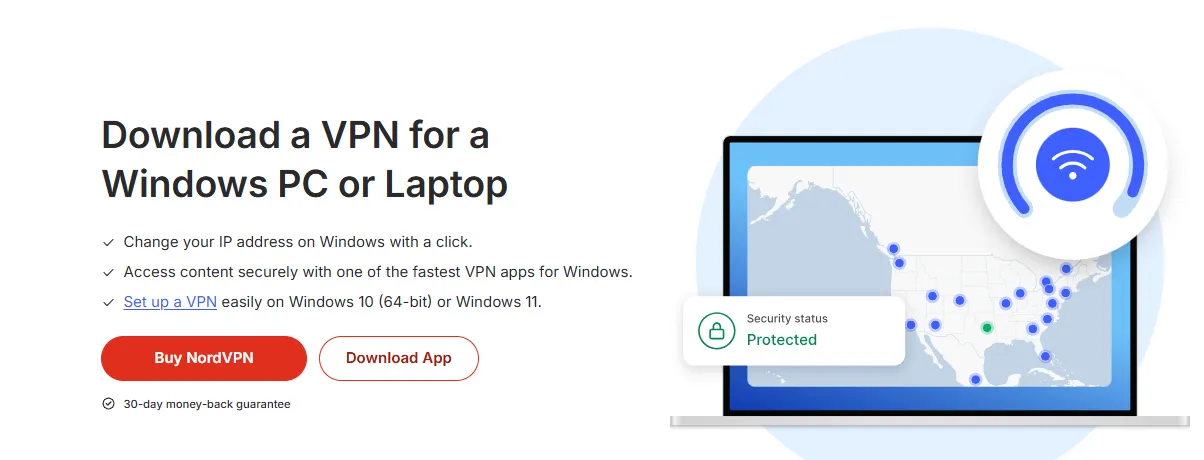
If you don’t want to mess with your router settings, you can turn your computer or smartphone into a "VPN Tunnel" for your Kindle.
Windows 10/11: Using the "Mobile Hotspot" Feature
This is one of the most reliable ways to share a VPN connection without extra hardware.
-
Connect to VPN: Open your VPN app on your PC and connect to a US server.
-
Enable Hotspot: Go to Settings > Network & Internet > Mobile Hotspot. Turn it on.
-
Adjust Adapter Settings: This is the crucial step. Go to Control Panel > Network and Sharing Center > Change adapter settings. Find your VPN’s tap adapter, right-click it, select Properties > Sharing, and check "Allow other network users to connect through this computer’s Internet connection." Select your Hotspot network from the dropdown list.
-
Connect Kindle: On your Kindle, scan for Wi-Fi and connect to your PC's hotspot. Your Kindle now shares the PC’s US IP address.
Android: Using Proxy Apps (e.g., Every Proxy)
Standard Android hotspots usually share the "raw" cellular/Wi-Fi connection, bypassing the VPN. To fix this, you need a proxy bridge.
-
Connect VPN: Run your VPN app on your Android phone and connect to the US.
-
Turn on Hotspot: Enable your phone’s built-in Wi-Fi hotspot.
-
Configure Every Proxy: Open the "Every Proxy" app (available on Play Store). Toggle the HTTP/HTTPS switch. It will show you an IP address (e.g., 192.168.43.1) and a Port (e.g., 8080).
-
Configure Kindle Wi-Fi: On your Kindle, connect to your phone's hotspot. Before saving, go to Advanced > Proxy and enter the IP and Port provided by Every Proxy.
-
Result: Your Kindle’s web traffic is now routed through the VPN tunnel on your phone.
Pros: No new hardware needed; great for travel. Cons: Requires your PC or phone to remain active and nearby while downloading books.
Method 3: The "Browser Buy" & Sync Method (Easiest for Most)
This is the most popular strategy because it doesn't require your Kindle to be on a VPN at all during the purchase phase.
Step-by-Step Workflow:
-
Activate VPN on your Computer/Phone: Open your VPN client (like NordVPN or Surfshark) on your PC or mobile device and connect to a US server.
-
Visit Amazon.com: In your browser (use Incognito/Private mode for best results), log in to your US Amazon account.
-
Purchase the Book: Navigate to the Kindle Store and buy your desired book using the "1-Click" button. Because your browser has a US IP address, the purchase will go through successfully.
-
The "Send to Device" Action: Once the purchase is complete, Amazon will ask where to deliver the book. Select your registered Kindle from the list.
-
Sync Your Kindle: Turn on your Kindle and connect it to your normal (local) Wi-Fi. Go to your Library and tap "Sync." Since the book is already "owned" in your cloud library, the Kindle will download it automatically.
Pros:
-
Simplicity: No need to configure routers or hotspots.
-
Low Risk: You only need the VPN for the 60 seconds it takes to click "Buy."
Cons:
-
Limited Browsing on Device: You can't browse the US Kindle Store on the Kindle device itself; you must always use your PC/Phone browser to shop.
Chapter 3: Mastering the "Manage Your Content and Devices" Settings
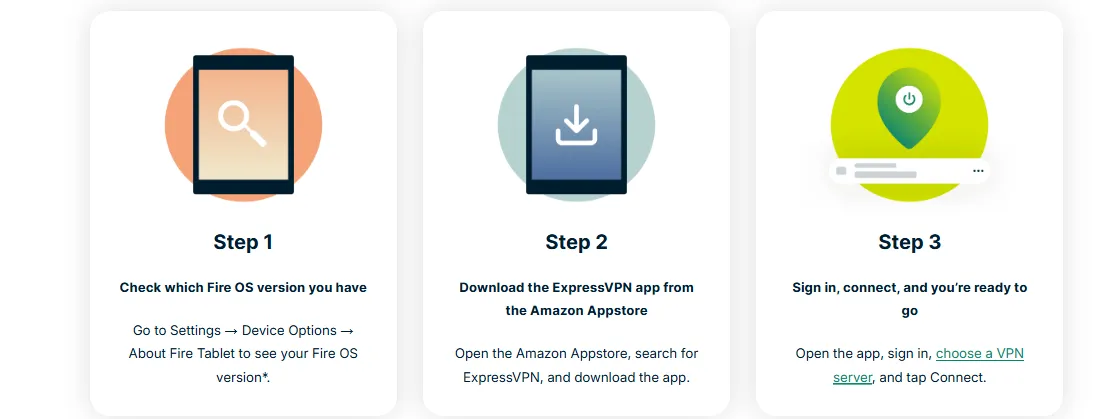
Setting up the VPN is only half the battle. To ensure that Amazon permanently recognizes you as a US customer, you must correctly configure your account dashboard. This is the "brain" of your Kindle ecosystem.
Walkthrough: Changing Your Country/Region Settings
-
Access the Dashboard: Go to Amazon.com, hover over "Account & Lists," and select "Manage Your Content and Devices."
-
Navigate to Preferences: Click on the "Preferences" tab located in the top menu bar.
-
Country/Region Settings: Look for the section labeled "Country/Region Settings." You will likely see your current (potentially local) location listed here.
-
Click "Change": A pop-up window will appear. Here, enter the Tax-Free US Address you prepared in Chapter 1 (Oregon or Delaware).
-
The Update Button: Click "Update." You will see a notification confirming that your Kindle Store has been set to Amazon.com.
Common Mistakes: The "Ghost Address" Trap
The most frequent error users make is updating their shipping address in the general "Your Addresses" section but forgetting to update it here in the Digital Preferences.
-
Forgetting to Confirm: After clicking update, Amazon might ask you to transfer your existing Kindle account to the new region. If you don't confirm this final step, the system will keep your library tied to your local store, and the VPN will continue to show "This title is not available."
-
Address Mismatch: Ensure the Zip Code in these settings perfectly matches the billing address of any credit card you have on file. Inconsistencies between your "Device Region" and your "Payment Region" are a major red flag for Amazon's security bots.
By mastering this dashboard, you ensure that your Kindle device and your web browser are always "speaking the same language" when it comes to location.
Chapter 4: Best VPNs for Kindle & Amazon US (2026 Tested)
Selecting the right provider is critical because Amazon actively maintains a "blacklist" of known VPN server IP addresses. To succeed in 2026, you need a provider that invests heavily in rotating its IP pool.
1. NordVPN: Best for Dedicated IPs (Highly Recommended)
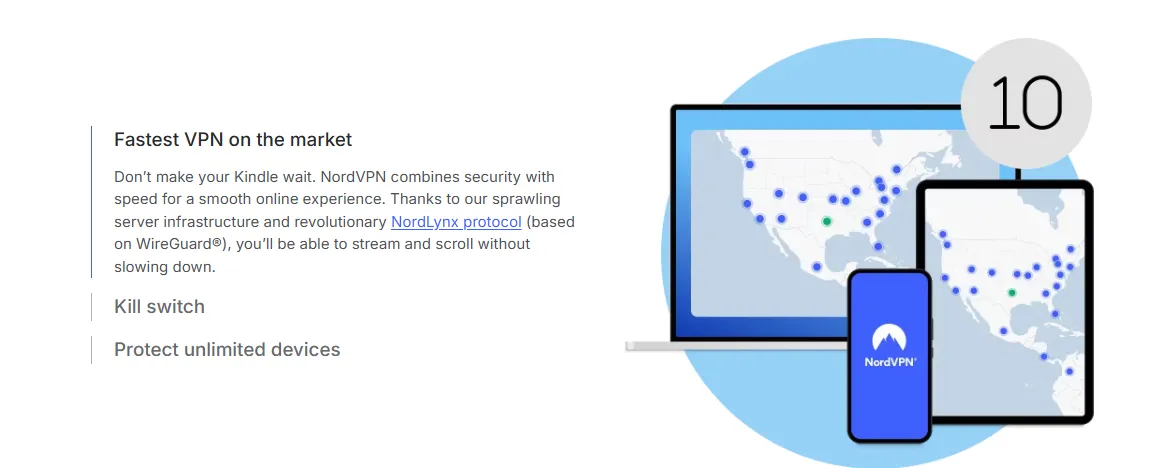
NordVPN remains the top choice for Kindle users due to its massive server network and specialized features designed to bypass strict anti-VPN filters.
Why it’s ideal for Kindle:
-
Dedicated IP Option: This is NordVPN’s "killer feature." Most VPNs use shared IPs, which means hundreds of people might be using the same address. If just one of those users gets flagged by Amazon, the whole IP is blacklisted. A Dedicated IP is unique to you, making your activity look like a standard US home user and drastically reducing the risk of account verification loops.
-
SmartPlay Technology: This feature automatically switches between encrypted tunnels and DNS proxies to ensure you can access the Amazon US store without manually changing complex protocols.
-
Vast US Server Fleet: With over 2,000 servers in the US alone, you can find low-latency connections in tax-free states like Oregon, ensuring your "location" remains consistent with your profile.
-
Advanced Obfuscation: NordVPN offers "Obfuscated Servers" which mask the fact that you are using a VPN at all. This is particularly useful if you are in a country with high internet censorship where standard VPN traffic might be throttled.
Best Setup Strategy: Pair NordVPN with the Method 1 (Router) or Method 3 (Browser Buy) mentioned earlier for a seamless reading experience.
2. Surfshark: Best Value for Sharing with Friends
If you are looking for a budget-friendly option that doesn't compromise on features, Surfshark is the strongest contender in 2026.
Why it’s ideal for Kindle:
-
Unlimited Simultaneous Connections: Unlike most VPNs that limit you to 5 or 10 devices, Surfshark allows you to connect an unlimited number of devices on a single account. This is perfect if you want to share the subscription cost with a group of fellow readers or if your household has multiple Kindles, iPads, and PCs.
-
Bypasser (Split Tunneling): This is a great tool for Kindle users who use Method 2 or 3. You can set your Amazon shopping browser to always go through the US VPN tunnel while keeping your local banking apps or work emails on your "real" local IP. This prevents "suspicious login" alerts on your other accounts.
-
NoBorders Mode: If you are traveling or living in a region with highly restricted internet, NoBorders mode kicks in automatically to suggest servers that are specifically engineered to bypass deep packet inspection (DPI) used by governments and ISPs.
-
CleanWeb 2.0: While Kindles don't have traditional ads, using the Kindle app on tablets or browsing Amazon on your PC can be cluttered. Surfshark’s built-in ad and tracker blocker makes for a much smoother shopping experience.
Best Setup Strategy: Use Surfshark's high-speed WireGuard protocol with Method 2 (PC Hotspot) to ensure your large Kindle book downloads are fast and stable.
3. ExpressVPN: Best for Built-in Router Apps
If your goal is to use Method 1 (The Router Method), ExpressVPN is the gold standard. They are the only major provider to offer a custom, easy-to-install firmware for popular routers.
Why it’s ideal for Kindle:
-
Custom Router Firmware: Setting up a VPN on a router is usually a complex task involving "flashing" firmware. ExpressVPN provides its own custom firmware for Asus, Linksys, and Netgear routers. The interface is as easy to use as a phone app, making it simple to keep your Kindle permanently connected to a US server.
-
Device Groups: This is a game-changer for households. Within the ExpressVPN router app, you can create a group for your "Kindle Devices" and set them to always use a US location, while leaving your smart TV on a local server for local streaming.
-
Lightway Protocol: ExpressVPN’s proprietary protocol, Lightway, is incredibly fast and reliable. This ensures that even if your Kindle is syncing a 500MB graphic novel, the connection won't drop or throttle.
-
Military-Grade Encryption: While books aren't sensitive data, the Amazon credentials you use to buy them are. ExpressVPN uses AES-256 encryption to ensure your account details are never intercepted by third parties.
Best Setup Strategy: Install ExpressVPN on a compatible router and use the Device Groups feature to assign your Kindle to a tax-free US server (like Seattle or Portland).
Chapter 5: Troubleshooting & Safety Tips
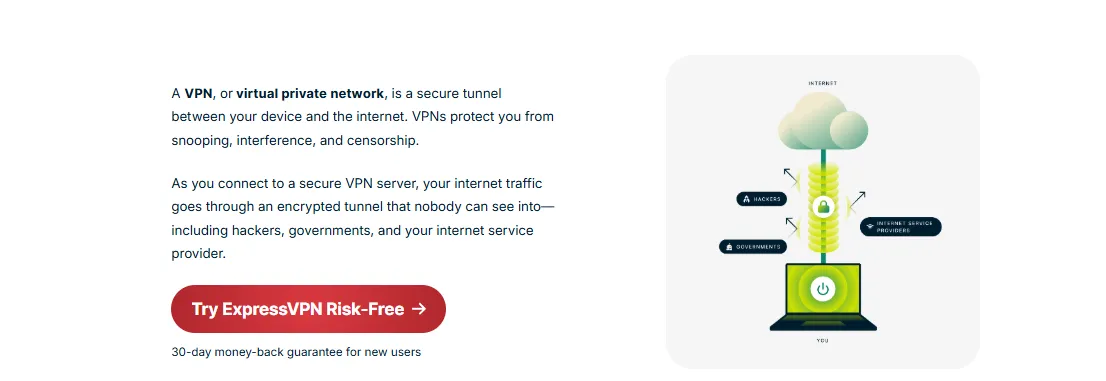
Even with the best tools, you might occasionally run into technical hiccups. Here is how to handle the most common issues and keep your account safe.
1. "Ghost" Regions: What to do if your store is still showing local prices
Sometimes, you might connect to a VPN, but Amazon still insists on showing you the prices from your local region (e.g., in GBP or CNY). This is known as the "Ghost Region" bug.
The Cause: Browsers store "cookies" and "cache" that record your previous visits. If you logged into Amazon earlier without a VPN, your browser may have cached your local location, and it continues to serve you that version of the page even though your IP has changed.
The Fix:
-
Use Incognito/Private Mode: Always open a fresh Incognito window after your VPN is connected. This ensures no old cookies interfere with the site’s location detection.
-
Clear Digital Content Cookies: If you don't want to use Incognito, go to your browser settings and specifically clear cookies for amazon.com.
-
Verify IP via DNS: Sometimes your VPN might hide your IP, but your browser is "leaking" your real location via your ISP's DNS. Go to a site like browserleaks.com to ensure your DNS servers also appear to be in the US. If they aren't, enable "DNS Leak Protection" in your VPN settings.
-
The "1-Click" Refresh: Sometimes, toggling your 1-Click payment method off and then on again while the VPN is active forces Amazon to re-evaluate your regional eligibility.
2. Account Safety: Why you should avoid "Black Market" Gift Cards
In 2026, the #1 cause of Amazon US account bans is not the use of a VPN—it is the use of "Black Market" gift cards.
The Hidden Danger: Scammers often purchase Amazon gift cards using stolen credit cards and then resell them at a deep discount (e.g., a $100 card for $50) on third-party auction sites or social media. When the original credit card holder reports the fraud, Amazon tracks down every gift card bought with that stolen card and permanently bans every account that redeemed them.
The Risk:
-
Zero Recourse: Once your account is banned for "fraudulent gift card activity," Amazon will rarely listen to appeals. You lose access to your entire Kindle library instantly.
-
Chain Reaction: If your US account is linked to your local account via shared devices or addresses, the ban can sometimes propagate across the entire Amazon ecosystem.
The Safety Rule: Only buy gift cards from official sources:
-
Directly from your own Amazon account (as a gift to your US email).
-
From major, reputable retailers like Best Buy, Target, or Walmart.
-
From trusted digital gaming stores like Play-Asia or SEAGM that have verified supply chains.
Remember: If the price of a gift card seems too good to be true, it is almost certainly stolen. It is never worth risking your years of digital reading for a $20 discount.
3. IP Consistency: The Importance of Connecting to the Same US City/Region Consistently
One of the most overlooked aspects of VPN usage for Amazon is "IP Consistency." Amazon’s security AI isn't just looking for a US IP; it's looking for logical physical movement.
The Problem: "Impossible Travel" Alerts If you connect to a server in Miami at 10:00 AM to browse books and then reconnect via a Seattle server at 10:05 AM to make a purchase, Amazon’s system flags this as "Impossible Travel." It is physically impossible to travel 3,000 miles across the US in five minutes. This behavior is a major red flag for "account hijacking" and can trigger an immediate lock on your account until you verify your identity.
The Solution: Pick a "Home" City
-
Stick to One Location: Choose a specific US city (ideally in a tax-free state like Portland, Oregon) and mark it as your "Preferred Server" in your VPN app. Always connect to this same city whenever you interact with Amazon.
-
Consistency over Speed: Even if a server in New York is slightly faster today, stay with your Portland server if that's where your account "resides."
-
Kill Switch: Ensure your VPN's "Kill Switch" is active. If your connection drops for a second, the Kill Switch prevents your computer from defaulting back to your real local IP, which would expose your "Impossible Travel" back home.
Why this matters for Kindle: Kindle users who use Method 1 (Router) have an advantage here, as the router maintains a consistent connection point for the entire household, making your digital presence look stable and legitimate to Amazon.
⚒Nuclear Fix: Breaking the 1-Click Payment Loop
If Amazon keeps asking for a "Valid Credit Card" despite your Gift Card balance, your account is likely suffering from a "Regional Paradox"—your purchase region is US, but your default wallet contains a non-US card. Follow this 3-step blueprint to force the transaction:
1. Zero-Out the Digital Wallet (Temporary Bypass) Amazon’s 1-Click system often attempts to verify your primary credit card's BIN (Bank Identification Number) even if you intend to pay with a Gift Card.
- The Fix: Go to Your Account > Your Payments. Temporarily Remove any credit cards issued outside the US (e.g., from your home country). If the system refuses to let you delete the card, "edit" the card and change the billing address to your US Oregon address first.
2. Align Payment & Region in "Manage Your Content" This is the "hidden" menu where 90% of failures happen. Kindle purchases do not use the standard Amazon cart; they use a specific digital channel.
-
The Fix: Navigate to Manage Your Content and Devices > Preferences.
-
Click on "Payment Method Settings" under the "Digital Payment Settings" header.
-
Click "Edit Payment Method" and ensure that your Gift Card Balance is selected as the primary source, and the billing address perfectly matches your tax-free Oregon/Delaware zip code.
3. Refresh the "Digital Identity" Handshake Sometimes Amazon’s servers cache your previous local session.
-
The Fix: Log out of Amazon. Clear your browser's Cookies and Cache specifically for
amazon.com. Re-enable your US Residential VPN, log in via an Incognito window, and attempt the purchase again.
Pro Tip: If you still see the error, buy a $1 "test" Gift Card on your account first. This often triggers a re-verification of your digital identity and "wakes up" the 1-Click button for larger purchases.
Conclusion: The World of Literature at Your Fingertips
Accessing the US Kindle Store is more than just a technical workaround; it is about reclaiming your right to the most diverse, up-to-date, and original content the literary world has to offer. By following the strategies outlined in this guide, you have successfully bridged the gap between your physical location and the world's largest digital library.
Summary of the Benefits
-
Early Access: You no longer have to wait months for international licensing; if it's out in the US, it's on your Kindle.
-
Unmatched Variety: From niche academic papers to independent sci-fi novels, the US catalog offers millions of titles unavailable elsewhere.
-
Cost Efficiency: By using a tax-free US address and avoiding currency conversion surcharges, you can often build a library for significantly less than local prices.
Final Recommendation for a Reliable Setup
For the most stable and long-term reading experience in 2026, we recommend the following "Ultimate Reader" setup:
-
The Infrastructure: A NordVPN Dedicated IP set to a server in Portland, Oregon. This minimizes the risk of Amazon's anti-VPN filters and maintains consistent IP history.
-
The Hardware: If possible, use the Router Method (ExpressVPN) to ensure your Kindle is "always-on" in the US without needing to mess with hotspots.
-
The Payment: Use Amazon.com Gift Cards purchased directly from your main account to ensure a clean, fraud-free paper trail.
With these tools in place, the digital borders vanish. Your Kindle is now truly a global device, and the next great story is only a 1-Click purchase away. Happy reading!
Frequently Asked Questions (FAQ)
Q: Do I need to keep the VPN on while I am reading?
A: No. You only need the VPN during the browsing and purchasing phase on Amazon.com. Once the book is in your cloud library and successfully downloaded to your device, you can read it anywhere in the world without a VPN. Amazon does not check your IP while you are flipping pages.
Q: Can I merge my US account with my local Kindle account?
A: In 2026, Amazon allows you to "link" accounts via Amazon Household, but this is often restricted to accounts in the same region. For the smoothest experience, keep your US Kindle account separate. You can easily switch between accounts on most modern Kindle devices, though it may remove your currently downloaded "local" books during the switch.
Q: Why did my book download fail even though the purchase was successful?
A: This usually happens if your Kindle device is on a heavily restricted network that blocks Amazon’s sync servers. First, try a manual sync in Settings > Sync Your Kindle. If that fails, ensure your VPN is active (via Hotspot or Router) during the sync process to ensure the device can "talk" to the US servers.
Q: Is using a VPN against Amazon’s Terms of Service?
A: Amazon’s TOS states that you should provide accurate information regarding your location. While millions of users use VPNs for privacy or while traveling, using one to bypass regional pricing can technically be a gray area. To stay safe, always maintain a high-quality VPN and follow the IP Consistency rule mentioned in Chapter 5.
Q: Can I use Kindle Unlimited with a VPN?
A: Yes! A US Kindle Unlimited subscription is one of the best values in reading. As long as your account is set to the US region and you use a VPN during the sign-up and book-selection process, it works perfectly.
Disclaimer: VPN usage should comply with local laws and terms of service of the platforms accessed. All images in this article are sourced from the merchant's official website and are copyrighted by the merchant.